 ASPNetWorld

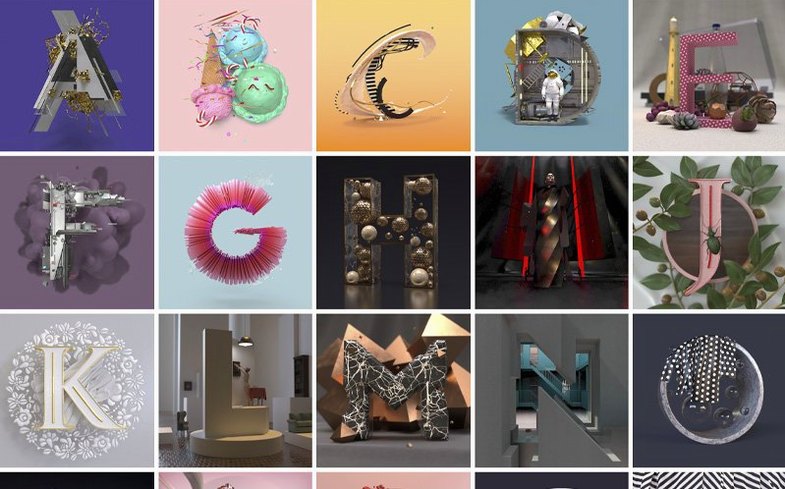

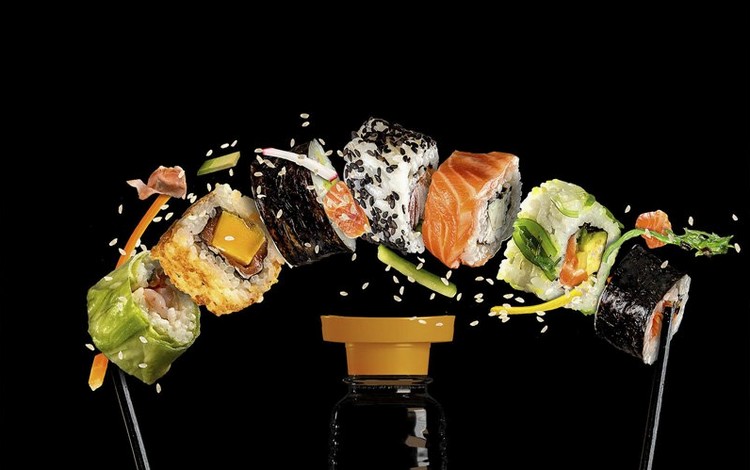
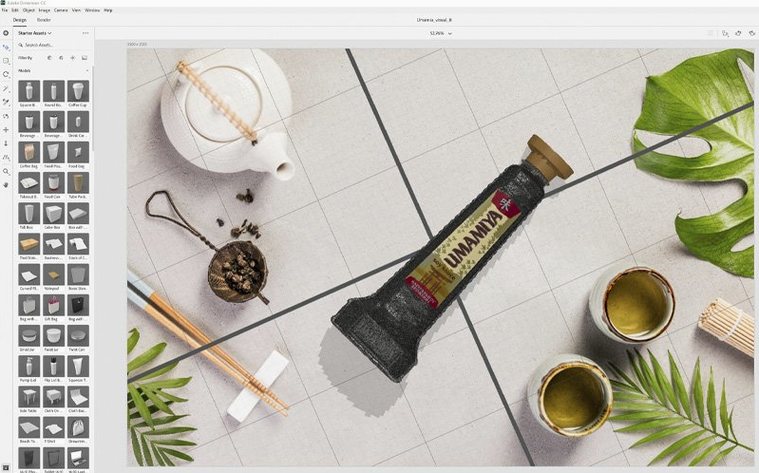
Adobe Dimension is a 3D design application built for graphic designers who need to place products, packaging, and logos into photorealistic scenes without mastering a full 3D animation suite. It is not a modeller in the traditional sense — you do not sculpt from scratch — but a staging environment where you compose, light, and render shots using pre-built models and your own artwork.
On a Mac, the current 4.1.7 release requires macOS 11 or later on an Intel machine. Apple Silicon Macs can run Dimension through Rosetta 2, though Adobe has not yet published a native arm64 build. If your Mac shipped with an M1 or newer chip, the app will launch and perform, but you will not get the efficiency of a universal binary just yet.
You build a scene by dragging in optimised 3D models — Adobe Stock offers a library tuned specifically for Dimension — then applying materials, adjusting lighting rigs, and positioning the camera. Vector artwork and logos snap onto curved surfaces with enough precision that a bottle label or a coffee bag mockup looks credible straight out of the renderer. When the base image is ready, you can hand the scene over to Photoshop CC for compositing and final polish, keeping all the camera and layer data intact.
The 4.1.7 update, released on January 21, 2026, is a maintenance patch that resolved security vulnerabilities and confirmed reliable loading of previously saved documents. It is a quiet stability release rather than a feature drop, so anyone running an earlier 4.x build will want it for the fixes alone.
Common Snags — and Sensible Fixes
Dimension is designed to lower the barrier to 3D, but a few rough edges catch people out regularly. Most are not bugs so much as a mismatch between what the app expects and what the machine is giving it.
Greyed-out render button. This usually means the scene contains an unsupported material or a corrupted model. Try hiding objects one by one in the Scene panel and toggling the render preview each time. When the renderer kicks back in, you have found the troublemaker. Replacing a suspect material with one of the built-in Substance materials almost always clears it.
Logo decal appears stretched or mirrored. Dimension places decals using UV mapping, and some third-party models have UV islands that are not laid out the way a flat graphic expects. Switch the decal placement mode from "Fill" to "Fit" in the Properties panel, then adjust the offset sliders. If the model is from Adobe Stock, it usually ships with sensible UVs; community models downloaded from elsewhere need more trial and error.
Performance at High DPI on a scaled display. Dimension's viewport can become sluggish when the macOS display scaling is set to anything other than native resolution. The app renders every frame at the scaled resolution, not at the panel's pixel count. Setting your Mac's display to "Default for display" in System Settings can claw back a surprising amount of responsiveness.
Files that crash on open after a macOS update. The document format references external resources — materials, linked background images, model files — and a system-level cache change can break those references. Before reinstalling, try holding the Shift key while launching the document; this suppresses automatic relinking and lets you reconnect assets manually.
Patience pays off until you layer transparency and subsurface scattering
Dimension is a patient application. It does not expect a workstation-class GPU for basic work, but it does reward one when you start layering materials with transparency, subsurface scattering, or multiple light sources. On an Intel Mac with a discrete AMD GPU and 16 GB of RAM, building a three-product scene with four light sources feels fluid until you toggle ray-traced preview. At that point the viewport drops to about eight frames per second — perfectly usable for positioning, but not something you would want to orbit continuously.
RAM usage is moderate. A fresh document with a single model sits around 1.2 GB. Adding three moderately complex Stock models, a background environment, and a custom decal pushes that to about 3.5 GB. The renderer itself is memory-efficient; it does not balloon during final output the way some CPU renderers do. Export times for a 4000-by-3000-pixel image range from 90 seconds on a Core i9 MacBook Pro to just under three minutes on a six-year-old iMac with integrated graphics.
Stability in 4.1.7 is noticeably better than in the early 4.x releases. Crashes during material preview generation, which plagued 4.0 and 4.1, have been quieted. The app still does not love being left open across a Mac's sleep–wake cycle when an external GPU was connected; it occasionally wakes to a blank viewport. A quick Window > Workspace > Reset brings everything back without a restart.
Quick Look skips native scene files but previews your exported renders
Dimension sits neatly inside a wider Adobe workflow, but it also plays nicely with macOS features that predate Creative Cloud. The Finder's Quick Look integration works for exported PSD and PNG files, though not for native .dn scene files — something worth knowing before you try to preview a folder of work in progress.
Drag-and-drop from the Finder is surprisingly capable. You can pull a PNG, JPEG, or Illustrator file straight onto a model's surface in the viewport and Dimension will offer to place it as a decal. The same gesture works for background images: drop a photo onto the canvas background and it becomes an environment light source, tinting the scene with the image's colour palette. This is a genuinely fast way to match a product shot to an existing photograph's lighting.
With Photoshop CC, the handoff is bidirectional. A Dimension scene can be sent to Photoshop with all objects on separate layers and with the camera data preserved as a Smart Object. Make a colour adjustment to the background layer in Photoshop, save, and Dimension picks up the change when you return. It is not live-linking of the kind you get between After Effects and Premiere, but it is reliable enough for packaging reviews.
Spotlight indexing does not read .dn files, so searching your Mac for a scene by object name or material type will not work. A good habit is to store a matching JPEG export beside the document file; Dimension itself can export a preview image automatically when saving, if you check the Save Preview option in preferences.
If you are working from an adobe dimension download mac source that bundles older Creative Cloud libraries, the app can still see shared assets as long as the Creative Cloud desktop app is signed in. It does not need the latest CC release — 2018-era libraries appear perfectly in the Libraries panel, which is helpful for teams that froze their toolchain around an adobe cc 2018 mac torrent-based setup.
Three cold-brew bottles, three labels, one café window by Tuesday afternoon
Picture a Tuesday afternoon. A branding designer needs a quick-turnaround visual for a client pitch: three bottles of cold-brew coffee, each with a different label variant, arranged on a wooden counter against a café window. The client has supplied vector labels as Illustrator files and a reference photo taken with an iPhone.
Setting the stage. The designer drags the reference photo onto the canvas background. Dimension automatically sets the environment light to match the photo's colour temperature — warm morning light spilling through glass. She then searches Adobe Stock directly inside the Libraries panel for "glass bottle with cap" and finds an optimised model with proper UVs. Two duplicates later, she has three bottles lined up on the default ground plane.
Placing the labels. She drags the first Illustrator file from the Finder onto the middle bottle. Dimension asks whether to place it as a decal or a material; she chooses decal, and the logo wraps cleanly around the glass. She switches placement to Fit and nudges the vertical offset until the label sits at the right height. She repeats the process for the other two bottles, each with a different flavour variant.
Materials and lighting. The default glass material is too pristine for a coffee bottle, so she applies a slightly tinted glass preset from the Substance materials panel and reduces the roughness on the cap to catch the window light. A second light source — a subtle fill from camera left — stops the bottle edges from disappearing into shadow.
Composition and camera. She switches to the Camera tool and frames a tight three-quarter shot, setting the focal length to 85 mm for a compressed, product-photography feel. The depth-of-field slider blurs the background window slightly, pulling the eye to the labels.
Render and handoff. With the scene set, she hits Render and sends a 3000-pixel-wide frame to the queue. While it processes, she exports a layered PSD and opens it in Photoshop for a quick levels tweak on the shadows. The bottles retain their material IDs as separate layers, so she can mask the dark roast bottle independently and brighten its label without touching the others.
The whole session — from blank canvas to client-ready JPEG — takes about forty minutes. The designer never opened a full 3D package, never unwrapped a UV, and never manually positioned a single vertex. That is the promise Dimension makes, and in a session like this one, it delivers it quietly and without fuss.
Version 4.1.7 is a maintenance update from January 2026 that addresses security vulnerabilities and improves document-loading reliability.
- Resolved security issues that could affect application stability.
- Documents saved in earlier versions now load more predictably.
- Operating system: macOS 11 or later
- Processor: Intel (Apple Silicon runs via Rosetta 2)
Questions I keep hearing
Does Adobe Dimension run natively on Apple Silicon Macs?
No, version 4.1.7 is an Intel build and runs via Rosetta 2 on M1 and later Macs.
Can I put my own logo on a 3D model in Dimension?
Yes, you can place vector artwork or logos directly onto the surface of a 3D object.
Questions from the class 0
Sign in or join the class to ask a question.
Nobody has asked anything yet. If you have used it on a real job, say what the file did.
Also on the Adobe shelf
The whole Adobe shelf Adobe Bridge
Browses, previews and organises your Adobe project files in one place.
Adobe Bridge
Browses, previews and organises your Adobe project files in one place.
 Adobe Dreamweaver
Lets you code and visually edit web pages side by side.
Adobe Dreamweaver
Lets you code and visually edit web pages side by side.
 Adobe Audition
Cleans and polishes audio with spectral editing and noise reduction.
Adobe Audition
Cleans and polishes audio with spectral editing and noise reduction.
 Adobe Illustrator
Builds logos and artwork that stay sharp at any size.
Adobe Illustrator
Builds logos and artwork that stay sharp at any size.
 Adobe Animate
Creates vector animation for games, apps and web banners.
Adobe Animate
Creates vector animation for games, apps and web banners.
 Adobe InCopy
Lets writers edit text while a designer lays out the same document.
Adobe InCopy
Lets writers edit text while a designer lays out the same document.
 Adobe After Effects
Builds motion graphics and visual effects with layered compositions.
Adobe After Effects
Builds motion graphics and visual effects with layered compositions.
 Adobe InDesign
Assembles long documents into print-ready pages and layouts.
Adobe InDesign
Assembles long documents into print-ready pages and layouts.