 ASPNetWorld




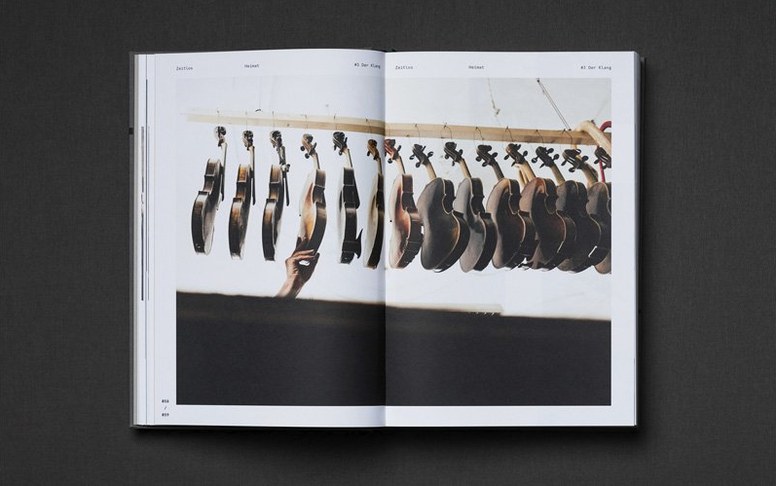
If you know InDesign, think of InCopy as the other half of the same document. Designers lay out pages in InDesign while writers and editors open the very same files in InCopy, working on the text without disturbing the layout. No exporting, no copying back and forth — just two views of one project.
What InCopy gives you
- Independent text editing alongside InDesign users on the same document
- Spell check across your writing
- Line, word, and character counts for tracking copy length
- OpenType text and glyph control for precise typography
Magazine teams and long-document editors sharing live layouts with designers
Magazine teams, newspaper desks, and anyone producing long documents where words and design move together. The editor sees clean text; the designer sees the page. It runs on macOS 13 Ventura and later, on both Intel and Apple Silicon Macs.
Open a real assignment on day one, not a sandbox test
A fresh install of InCopy can feel like staring at an empty stage. The tools are there, but the rhythm hasn't kicked in yet. Spend your first session on something small — a real assignment, not a sandbox test — so the connection to InDesign feels tangible from the start. Open the assignment file your designer has sent (it'll have an .icma or .incx extension), and immediately notice which frames are checked out to you. Those pale blue guides around your editable story are the visual cue that you're live inside the page. Get comfortable with the Galley and Story views early — Galley strips away the layout so you can focus on pure copy, while Story shows the text flowing through the actual frames, just without the decorative detail. If you're the sort of person who needs word counts at a glance, pin the Info panel open; it gives you line, word and character tallies as you type, and it updates with every keystroke so there's no guessing when you're up against a column limit.
One more thing worth doing before proper work begins: go into Preferences and set your change-tracking name. By default the tracked edits will carry your system username, which might be something cryptic like macadmin. Changing it to your actual byline means the designer will know exactly who to ping when a query arises, and your edits won't get lost in a sea of anonymous mark-up.
Double-click an assignment file and InCopy opens straight into the story
Picture a Tuesday afternoon. The designer has just dropped three new assignments into the shared folder — a feature opener, a sidebar and a photo caption. You double-click the opener's assignment file and InCopy springs to life, opening directly into Story view with your newly assigned text highlighted. First thing you do is switch on Track Changes (it's under the Changes menu) because the sub-editor will want to see every tweak you make. Then you read it through once, eyes scanning for obvious typos — the red wavy underlines from the spell checker help, but you also catch a homophone it missed. A quick right-click on "their" where it should be "there" fixes it, and that change is now marked in the margin with your name and a time stamp. You rewrite a clumsy opening sentence, and the original text doesn't vanish — it slides into a coloured strikethrough, while your replacement sits alongside it, waiting for approval.
Halfway through you need to check a fact. You leave the main text, open the sidebar assignment, and find the designer has left a note pinned to the third paragraph: "Can we trim this to 120 words? It's pushing the box." You glance at the Info panel, see 148 words, and start cutting. You also notice a placeholder the designer inserted — a snippet of Greeked text inside square brackets that reads [pull quote from interview]. You open the transcript, pull the real quote, and paste it over the placeholder. The designer's layout won't break because the frame dimensions were set in InDesign; your job is simply to fill it with live copy.
When the opener is clean, you save the assignment. InCopy pushes your changes back into the shared InDesign document. The designer, working at the other end of the office, sees your edits appear in their layout almost immediately. No email attachments, no version confusion. You close the assignment, and InCopy returns to your list of pending stories, ready for the next one.
Taking a 2,000-word freelance restaurant review from raw copy to final fit
Let's walk through a full feature edit — say, a 2,000-word restaurant review where the copy has just come in from a freelance contributor and the layout is already roughed out in InDesign. Your goal is to take raw text and deliver it copy-fit, styled and ready for the designer's final polish.
You begin not by reading, but by checking the frame fit. In Layout view you can see the text overset indicator — a small red plus sign in the bottom-right corner of the last frame. That tells you straight away that the contributor wrote long. You switch to Galley view, where the overset text is greyed out, and start trimming from the bottom, watching the word count drop in the Info panel. Once the red plus sign disappears, you know the copy fits the allocated space, and the real editing can begin.
Next, you work through the text line by line with Track Changes active. Every cut, every rephrase, every added comma leaves a trace. You apply paragraph styles — the designer has set up "Review Body," "Review Headline" and "Chef Quote" in InDesign, and those styles appear in your InCopy Paragraph Styles panel. Applying them not only formats the text for the layout but also feeds into the designer's table of contents and any automated cross-references elsewhere in the magazine. You use the OpenType panel to switch a few figures to old-style numerals in the body copy, a subtle typographic touch that the restaurant's vintage aesthetic calls for.
Halfway through, you hit a section where the contributor mentions a dish you suspect has been renamed on the new menu. Rather than guess, you select the phrase, go to the Notes panel, and add a query: "Check if 'smoked eel parfait' is still on the spring menu — I think it's now 'trout mousse.'" The designer sees the note attached to that exact point in the story, checks with the restaurant, and confirms your hunch. You make the edit, the note is resolved, and the thread is closed. Finally, you run the spell checker one last time across the whole story, accept your own tracked changes where you're confident, and save the assignment. The feature is now copy-fit, styled, fact-checked and ready for the designer to lock the frames and export the final page.
Adobe InCopy 2026 21.6.0 arrives with behind-the-scenes refinements and stability work from Adobe.
- macOS 13 (Ventura) or later
- Apple Silicon or Intel 64-bit processor
Questions I keep hearing
Can InCopy be used without InDesign?
Yes — writers and editors can work on their own in InCopy, while designers open the same documents in InDesign when they need to adjust layout.
Questions from the class 0
Sign in or join the class to ask a question.
Nobody has asked anything yet. If you have used it on a real job, say what the file did.
Also on the Adobe shelf
The whole Adobe shelf Adobe Illustrator
Builds logos and artwork that stay sharp at any size.
Adobe Illustrator
Builds logos and artwork that stay sharp at any size.
 Adobe InDesign
Assembles long documents into print-ready pages and layouts.
Adobe InDesign
Assembles long documents into print-ready pages and layouts.
 Adobe Dreamweaver
Lets you code and visually edit web pages side by side.
Adobe Dreamweaver
Lets you code and visually edit web pages side by side.
 Adobe Lightroom CC
Edits and syncs your photo library across all your devices.
Adobe Lightroom CC
Edits and syncs your photo library across all your devices.
 Adobe Dimension
Stages product shots and packaging in photorealistic 3D scenes.
Adobe Dimension
Stages product shots and packaging in photorealistic 3D scenes.
 Adobe Lightroom Classic
Imports, develops and catalogues photos from local folders and drives.
Adobe Lightroom Classic
Imports, develops and catalogues photos from local folders and drives.
 Adobe Bridge
Browses, previews and organises your Adobe project files in one place.
Adobe Bridge
Browses, previews and organises your Adobe project files in one place.
 Adobe Media Encoder
Handles the heavy encoding jobs queued from other Adobe apps.
Adobe Media Encoder
Handles the heavy encoding jobs queued from other Adobe apps.