 ASPNetWorld

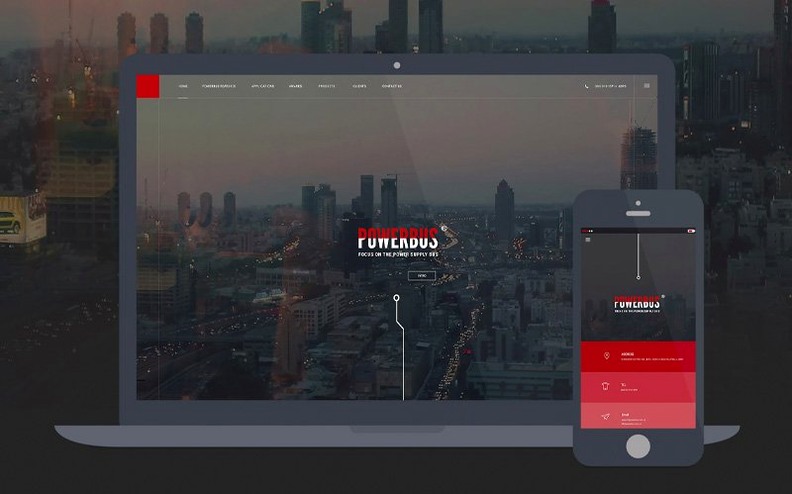



Dreamweaver 21.8 for macOS arrives with eight refreshed core libraries under the bonnet, Node.js and jQuery among them. When you first open a project, a few key ideas make the workspace feel useful straight away.
Live View — edit a page and see the rendered result as you type, without switching to a browser. It is a bit like a mixing desk with the speakers on: you hear every change the moment you make it.
Code Hints — as you type HTML, CSS or JavaScript, Dreamweaver suggests tags, properties and values, which saves a great deal of looking things up when you are still learning the syntax.
Server behaviours — new in version 21.8, these built-in routines and database bindings let you add dynamic features to a site without writing all the backend code from scratch.
Site synchronisation — when you connect to a remote server, Dreamweaver compares local and remote file times. In this build the modification time can drift from your local time zone and does not refresh by itself after a time-zone change, so a manual refresh is the sensible habit after travelling.
Adobe Help Center — the Help menu opens tutorials that walk through each panel and workflow, from a first page layout onwards.
Dreamweaver still clicks for visual learners who dislike typing every tag
One question I hear a lot in my evening classes is whether Dreamweaver still matters now that hand-coding and lightweight editors are so popular. The answer depends on what kind of learner you are. If you like seeing a visual reference while you write code, the split-screen workflow saves a huge amount of trial and error. You type a CSS rule on the left and watch the layout shift on the right. For people coming from a graphic design background rather than a pure coding one, that visual bridge is worth its weight in gold.
Another common worry is whether the April 2026 update will run smoothly alongside other Adobe apps. The refreshed libraries — OpenSSL, Libcurl, CEP and the rest — bring this release onto the same foundation as recent Photoshop and Illustrator versions, so the installer recognises shared components and does not duplicate them. You can keep your existing Creative Cloud apps in place and Dreamweaver slots in without fuss.
People also ask about the system requirements. The minimum is macOS 13 Ventura, and the installer checks for both Apple Silicon and 64‑bit Intel Macs. Two gigabytes of RAM is the stated floor, but in practice I would not want to run Live View and a code‑heavy page on anything under eight. The three gigabytes of disk space needed for installation expands during the process — Adobe's installer always wants breathing room — so clear an extra five or six gigabytes before you start. An internet connection is required for activation and for the online services, though once you are set up you can work offline on local files without a problem.
How Dreamweaver fits with other apps and macOS
Dreamweaver sits comfortably inside a broader Mac workflow. The Chromium Embedded Framework that powers Live View is essentially the same rendering engine you find in a modern browser, so what you see on screen matches what Chrome or Edge would display. When you need to test in Safari or Firefox, the Preview command opens the page in your default macOS browser with one keystroke.
On the design side, many people build assets in Photoshop or Illustrator and drop them straight into a Dreamweaver site folder. The app watches for file changes and updates the Files panel automatically. If you use Git for version control, the built‑in panel handles the basics — commit, push, pull, and branch switching — without leaving the workspace. It is not a full Git client, but for the daily rhythm of tracking changes and syncing with a team repository it covers the ground most front‑end developers need.
macOS accessibility features work here too. VoiceOver reads the code editor and the Files panel, and the interface respects your system‑wide text‑size settings. Because Dreamweaver stores site definitions as plain XML in your user Library folder, backing up or migrating to a new Mac is a matter of copying that folder across. Time Machine picks it up without any special configuration.
Start with a single page in Split View to see code hints appear in real time
Start with a single‑page project rather than a whole site. Create a new HTML file, switch to Split View so you can see code and design together, then type a heading and a paragraph. Watch how the code hints appear as you type each tag. The real light‑bulb moment usually comes when you edit a CSS rule and see the live preview update without a refresh — that is the habit you want to build early.
Next, set up a test site definition. Point Dreamweaver at a local folder and, if you have a remote server, enter the FTP or SFTP details in the Servers panel. The site synchronisation feature compares file dates between local and remote copies, but remember the time‑zone quirk in version 21.8: after your Mac changes time zone, the modification times in the sync dialog will not update until you manually refresh. Get into the habit of clicking the refresh icon before you push changes, especially if you have been travelling or your Mac has just adjusted for daylight saving.
Spend half an hour with the Adobe Help Center tutorials. They are structured as short walkthroughs — one on the workspace layout, one on responsive design, one on linking CSS files — and they give you the vocabulary you need to search for answers later. Many people skip this step and then struggle to describe what they are stuck on.
A blank Live View almost always means you forgot to save as .html
Live View shows a blank page. This usually means the file has not been saved, or the document has no recognised file extension. Save the file as .html or .php and Live View should spring to life. If the page links to external resources with absolute paths that point to your local drive, switch to document‑relative paths — Dreamweaver can rewrite them automatically from the Site menu.
Code hints stop appearing. The code‑hinting engine occasionally trips over large files or nested comments. Close the file, reopen it, and if that does not help, quit Dreamweaver and trash the cache folder inside ~/Library/Application Support/Adobe/Dreamweaver 2026/. The app rebuilds it on next launch.
Site synchronisation timestamps look wrong. As noted earlier, the April 2026 build can show file modification times that do not match your local clock after a time‑zone change. A manual refresh in the sync dialog corrects the display. If timestamps are consistently off by an hour, check whether your remote server runs on UTC and adjust your expectations accordingly — the sync logic compares the numeric timestamps, not the formatted time strings, so the actual file comparison is still accurate.
Git panel reports authentication errors. The built‑in Git support uses the system‑wide credential helper. If you switch between GitHub accounts or use SSH keys with passphrases, open Terminal and run git config --global credential.helper osxkeychain to make sure the keychain is in the loop. After that, the Dreamweaver Git panel should prompt for credentials on the first push or pull and store them afterwards.
The April 2026 update refreshes the application's foundations with modern library versions and adds a long-requested server tool.
- Updated OpenSSL, Libcurl, CEP, jQuery, Lodash, RequireJS, Node.js and Zlib libraries.
- New built-in server behaviours and database bindings for dynamic site features.
- Known issue: file modification time may not match the local time zone and does not refresh automatically during site sync after a system time-zone change.
- macOS 13 Ventura or later
- Apple Silicon or 64‑bit Intel processor
- 2 GB RAM
- 3 GB available hard‑disk space (more needed during installation)
- Internet connection for activation and online services
- Interface: Russian, English
Questions I keep hearing
Does Dreamweaver 21.8 run on Apple Silicon Macs?
Yes, it runs natively on both Apple Silicon and 64‑bit Intel Macs with macOS 13 Ventura or later, and needs 2 GB of RAM.
Questions from the class 0
Sign in or join the class to ask a question.
Nobody has asked anything yet. If you have used it on a real job, say what the file did.
Also on the Adobe shelf
The whole Adobe shelf Adobe Dimension
Stages product shots and packaging in photorealistic 3D scenes.
Adobe Dimension
Stages product shots and packaging in photorealistic 3D scenes.
 Adobe Illustrator
Builds logos and artwork that stay sharp at any size.
Adobe Illustrator
Builds logos and artwork that stay sharp at any size.
 Adobe Bridge
Browses, previews and organises your Adobe project files in one place.
Adobe Bridge
Browses, previews and organises your Adobe project files in one place.
 Adobe InCopy
Lets writers edit text while a designer lays out the same document.
Adobe InCopy
Lets writers edit text while a designer lays out the same document.
 Adobe Audition
Cleans and polishes audio with spectral editing and noise reduction.
Adobe Audition
Cleans and polishes audio with spectral editing and noise reduction.
 Adobe InDesign
Assembles long documents into print-ready pages and layouts.
Adobe InDesign
Assembles long documents into print-ready pages and layouts.
 Adobe Animate
Creates vector animation for games, apps and web banners.
Adobe Animate
Creates vector animation for games, apps and web banners.
 Adobe Lightroom CC
Edits and syncs your photo library across all your devices.
Adobe Lightroom CC
Edits and syncs your photo library across all your devices.