 ASPNetWorld

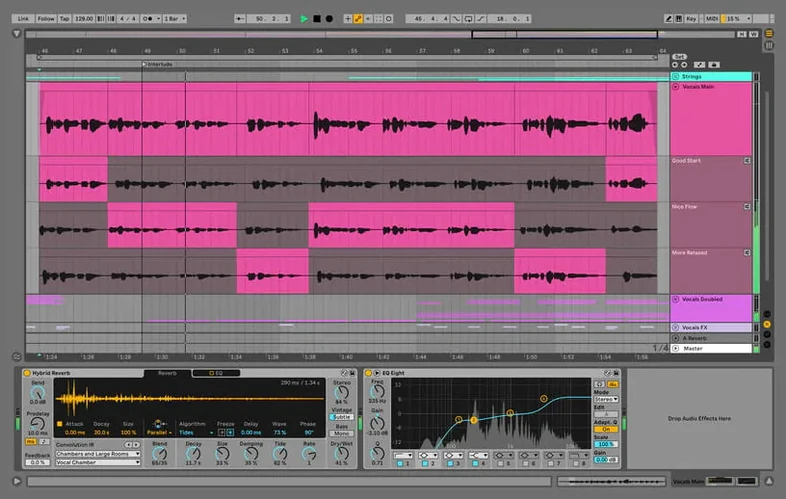
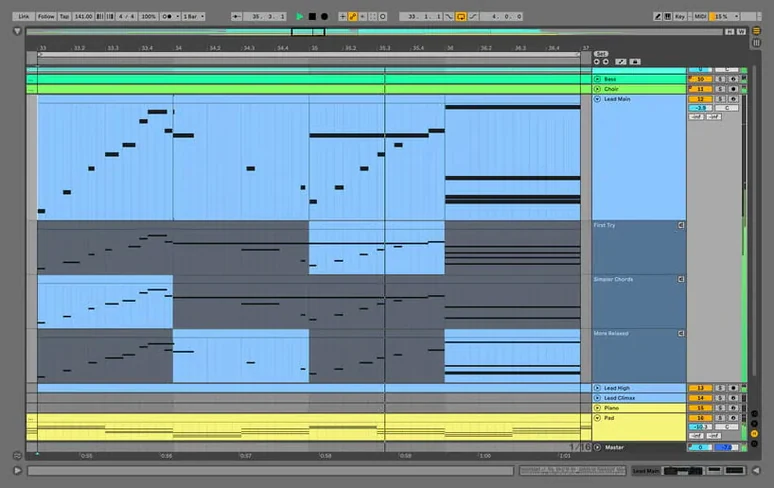
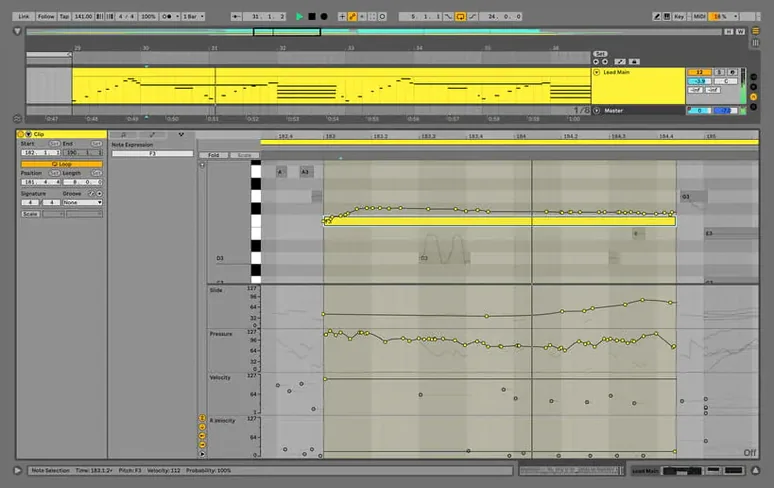
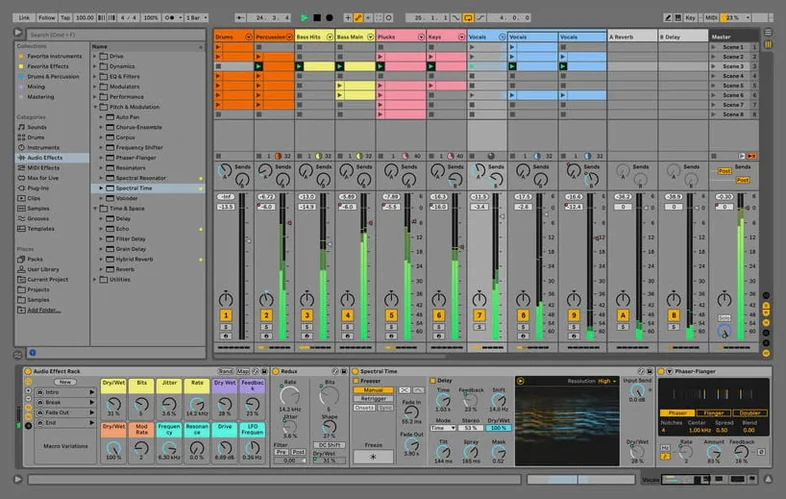
You have an idea humming in your head while a drum loop plays back from a Finder preview. You drag that loop into a session, layer a software instrument from your collection, and nudge a MIDI clip without ever pressing stop. That uninterrupted flow—where thinking, trying, and performing share the same space—is what Ableton Live 12.4.6 builds around. It sits alongside the other audio tools on your Mac not as a replacement, but as a central hub for turning fragments into finished pieces.
Swap sounds while the transport keeps rolling
Live’s real‑time engine means content synchronises as you move it, so swapping a sample or changing a synthesiser patch happens while the transport keeps rolling. The built‑in effects collection handles sound adjustment and processing on the spot—EQ, dynamics, and time‑based treatments are all there, ready to shape audio from your existing library without leaving the window. On an Apple Silicon or Intel Mac, the application runs natively, slotting into a setup where another editor might handle detailed waveform cleanup and Live focuses on arrangement and performance.
A single workspace for making and performing
Creating, producing, and performing music share the same interface, which means the boundaries between writing and playing become deliberately thin. You can build a track during the day, then open the same Set that evening and manipulate clips as if they were instruments. Version 12.4.6 keeps that stability by addressing a specific hang that could interrupt rendering, bouncing, or consolidating in large Sets with many audio clips set to Beats Warp Mode and Transients Granular Resolution—so heavier projects stay responsive when you commit them to audio.
Trigger, move, or mangle clips while other parts breathe
A producer who builds tracks from loops and found sound gets an immediate lift here, because Live's session view treats every clip as a tile you can trigger, move, or mangle while other parts keep breathing. The person who records songwriting fragments at odd hours, then assembles them weeks later, finds the non‑linear layout less of a puzzle than a timeline‑first editor might be. Electronic musicians who perform their own material live—or who want to—connect with this tool most naturally, since the same Set that played back in the studio becomes the backbone of a stage show without exporting or rebuilding.
Sound designers who layer field recordings through chains of effects appreciate that dragging a sample into place doesn't demand stopping playback first. The audio engine treats the new file as just another voice in the room. Recording artists who track vocals or guitar alongside programmed drums can stay in one environment: comping takes, tuning, and mixing happen without launching a separate app. Even someone dipping into Ableton Live 12 torrent searches out of curiosity, wondering if the workflow suits them before committing, tends to recognise within an hour whether the clip‑based approach matches how they think about music. It rewards people who like to try things quickly and hear the result in context, rather than building a perfect arrangement bar by bar before pressing play.
Switch to a darker theme for late‑night sessions
The default look and feel is functional, but a few tweaks make a disproportionate difference to daily comfort. Head to Preferences → Look/Feel and switch the theme if the stock palette feels bright for late‑night sessions—the darker options are easier on tired eyes without sacrificing contrast on waveform outlines. Next, open Preferences → Record/Warp/Launch and adjust the default launch quantisation. Factory setting is one bar, which suits clip‑triggering performances, but if you sketch ideas from a MIDI keyboard you might prefer 1/4 or even None for looser, more human timing.
Audio input and output routing sits under Preferences → Audio. If your interface has more than two outputs, assign the cue mix to a separate pair so pre‑listening doesn't bleed into the master out during a performance or a late‑night headphone session. Ticking Reduced Latency When Monitoring shaves milliseconds off the round trip, particularly helpful when tracking vocals through plug‑ins on an Intel Mac. While you're there, set the buffer size to something sensible for your machine: 128 samples for recording, 512 or 1024 for mixing large Sets. Below those practical bits, in Preferences → Library, point the user library to a folder on an external drive if your internal storage is tight—Live's factory content plus user‑saved presets can quietly eat tens of gigabytes.
Tuesday evening: empty grid to rough arrangement
Imagine a Tuesday evening. The MacBook is on the kitchen table, headphones plugged into a small USB interface. You open Live to an empty Set and the session view stretches across the screen: a grid of empty clip slots, the mixer to the right, the browser tucked on the left. You start by dragging a drum kit from the Drums category onto a MIDI track. The track arms itself and the headphones give a soft thud when you tap a pad. You draw a four‑bar kick pattern into a clip, double‑click to open the piano roll, and move a few snare hits off the grid by a thirty‑second note because rigid quantisation sounds too clinical tonight.
That clip loops while you browse the Sounds folder. A rhodes‑style electric piano catches your ear. Dropped onto a second track, it starts playing through the default effects chain. You record a chord progression with no click‑track anxiety because the drum loop anchors the timing. A third track gets a bass sound, and you play the line in with one hand while riding the mod wheel with the other, watching the MIDI data appear as a clip that loops neatly at two bars.
By now the session view has three rows of clips all playing together. You switch to arrangement view—the horizontal timeline—and press record. As the playhead moves, every clip launch you perform gets written to the timeline. You bring the bass in after eight bars, then drop the drums out for four bars and let the rhodes chord ring. What you just improvised is now a skeleton arrangement. Later you'll open a copy of this Set—perhaps after finding ableton torrent mac and installing—and add vocal takes, automation curves, and a few return‑track delays. The kitchen table session becomes the first real draft.
Option‑drag duplicates any clip instantly
Live hides quiet quality‑of‑life touches that the manual mentions but few people stumble across naturally. Alt‑dragging (or Option‑dragging) any clip duplicates it instantly—quicker than copy‑paste and it works in both session and arrangement views. That same modifier key lets you stretch a note in the piano roll without switching tools. Pressing 0 on your keyboard toggles the clip and track disable buttons, which mute playback and unload processing, genuinely saving CPU on tracks you're not actively working on.
The browser's search field understands operators. Typing kick finds samples with that in the filename, but typing kind:midi shows only instrument presets. Combine terms with spaces and the filter narrows further. On the mixing side, right‑clicking any fader or knob offers Show Automation, which jumps to the relevant lane in arrangement view without scrolling through menus. Even the simple act of dragging a device from one track to another while holding Ctrl (or Cmd) copies it instead of moving it—tiny savings that accumulate over a long session.
If you obtained the application through an Ableton Live torrent Mac route and want to keep your work safe, the auto‑save feature (controlled from the menu bar icon) writes recovery versions at an interval you set. It launches and quits alongside the main application, so it's not another thing to remember. Combined with the File → Collect All and Save command, which pulls every external sample into the project folder, you end up with a portable Set that won't break when you move it to another machine.
Your existing plug‑ins appear after a one‑time scan
Does it play nicely with my other plug‑ins? Live 12.4.6 loads Audio Units and VST3 instruments and effects, so your existing collection should appear in the browser after a one‑time scan. Apple Silicon‑native plug‑ins run without Rosetta overhead, while Intel‑only plug‑ins open in a compatibility bridge that keeps the host stable even if a plug‑in misbehaves. The plug‑in window floats outside Live's own space, which means you can keep a compressor's interface visible while tweaking a clip's warp markers on the other monitor.
Will it handle a large project from an older version? Sets saved in Live 10 or 11 open directly, and the application preserves clip envelopes, automation, and device chains. The 12.4.6 update specifically fixes a hang during rendering and consolidating in heavy audio Sets, so projects that felt fragile in earlier builds—particularly those using Beats Warp Mode with Transients Granular Resolution across dozens of tracks—should bounce cleanly now. If your collection includes material from an Ableton Live 10 torrent era, those legacy Sets and sample packs import without conversion drama.
What if I only want to perform, not produce? Many users treat Live as a live instrument exclusively, never opening arrangement view. The session grid becomes a palette of clips, and a MIDI controller with pads or faders turns launching, muting, and effect‑sending into a physical performance. You can absolutely install it, load a few drum racks and synth patches, and play a forty‑minute set without touching a mouse. The same installation that builds a studio production rig serves as a stage‑ready playback engine.
A focused stability fix in the 12.4.6 update. Live would previously hang during render, bounce, or consolidate operations in Sets containing many audio tracks with clips in Beats Warp Mode and Transients Granular Resolution. That hang is now resolved.
- macOS 12 or later
- Apple Silicon or Intel 64‑bit processor
- Languages: English, German, Spanish, Italian, French, Japanese
Questions from the class 0
Sign in or join the class to ask a question.
Nobody has asked anything yet. If you have used it on a real job, say what the file did.
Also on the Audio shelf
The whole Audio shelf Absynth
Generates evolving, unearthly sounds through semi-modular synthesis.
Absynth
Generates evolving, unearthly sounds through semi-modular synthesis.
 AIMP
Plays a vast range of audio file formats from a familiar desktop interface.
AIMP
Plays a vast range of audio file formats from a familiar desktop interface.
 Airfoil
Sends any Mac audio to AirPlay and Bluetooth speakers around your home.
Airfoil
Sends any Mac audio to AirPlay and Bluetooth speakers around your home.
 Amadeus Pro
Edits and analyses audio files with a customisable favourite actions palette.
Amadeus Pro
Edits and analyses audio files with a customisable favourite actions palette.
 Audio Hijack
Routes any Mac audio into a recording and can transcribe it to searchable text.
Audio Hijack
Routes any Mac audio into a recording and can transcribe it to searchable text.
 Audiobook Builder
Joins dozens of audio files into a single, properly chaptered audiobook with cover artwork.
Audiobook Builder
Joins dozens of audio files into a single, properly chaptered audiobook with cover artwork.
 Bitwig Studio
Gives producers a sandbox for recording, sound design, and live performance with modular freedom.
Bitwig Studio
Gives producers a sandbox for recording, sound design, and live performance with modular freedom.
 Boom 3D
Reshapes your Mac's entire output with an equaliser, a volume boost, and spatial widening.
Boom 3D
Reshapes your Mac's entire output with an equaliser, a volume boost, and spatial widening.