 ASPNetWorld
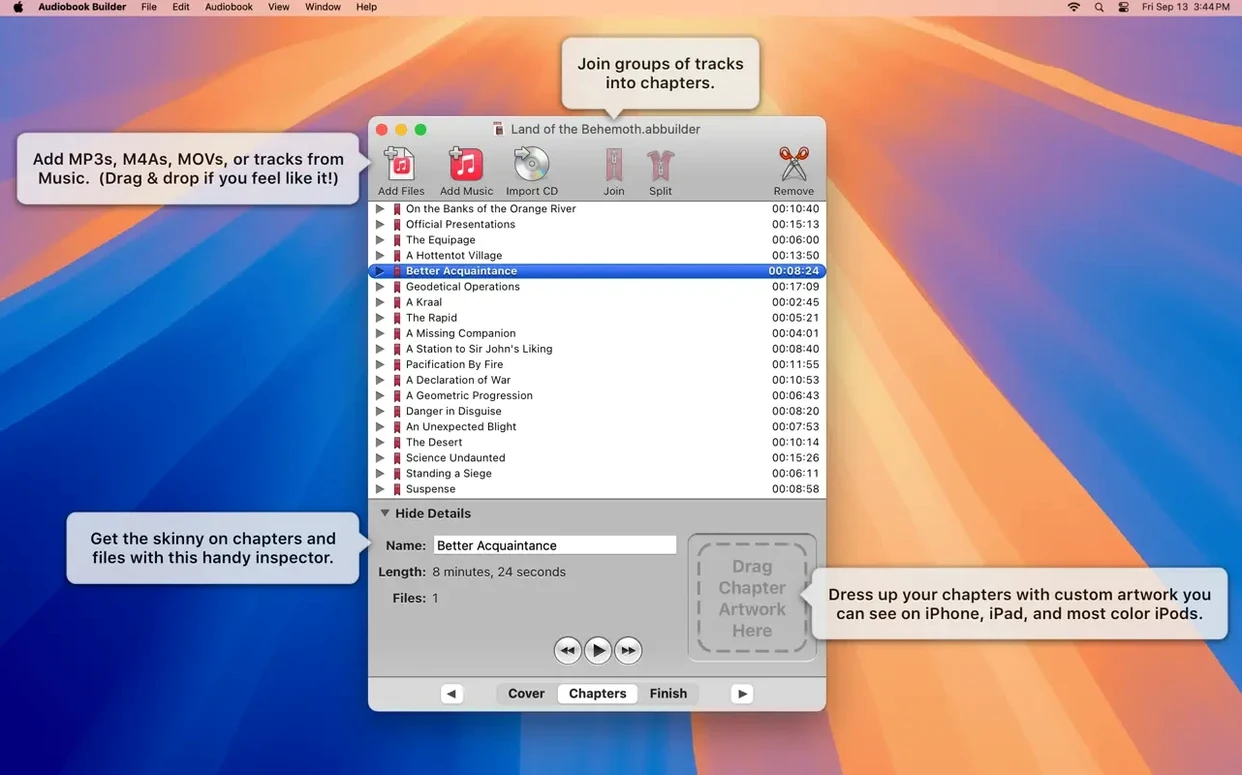
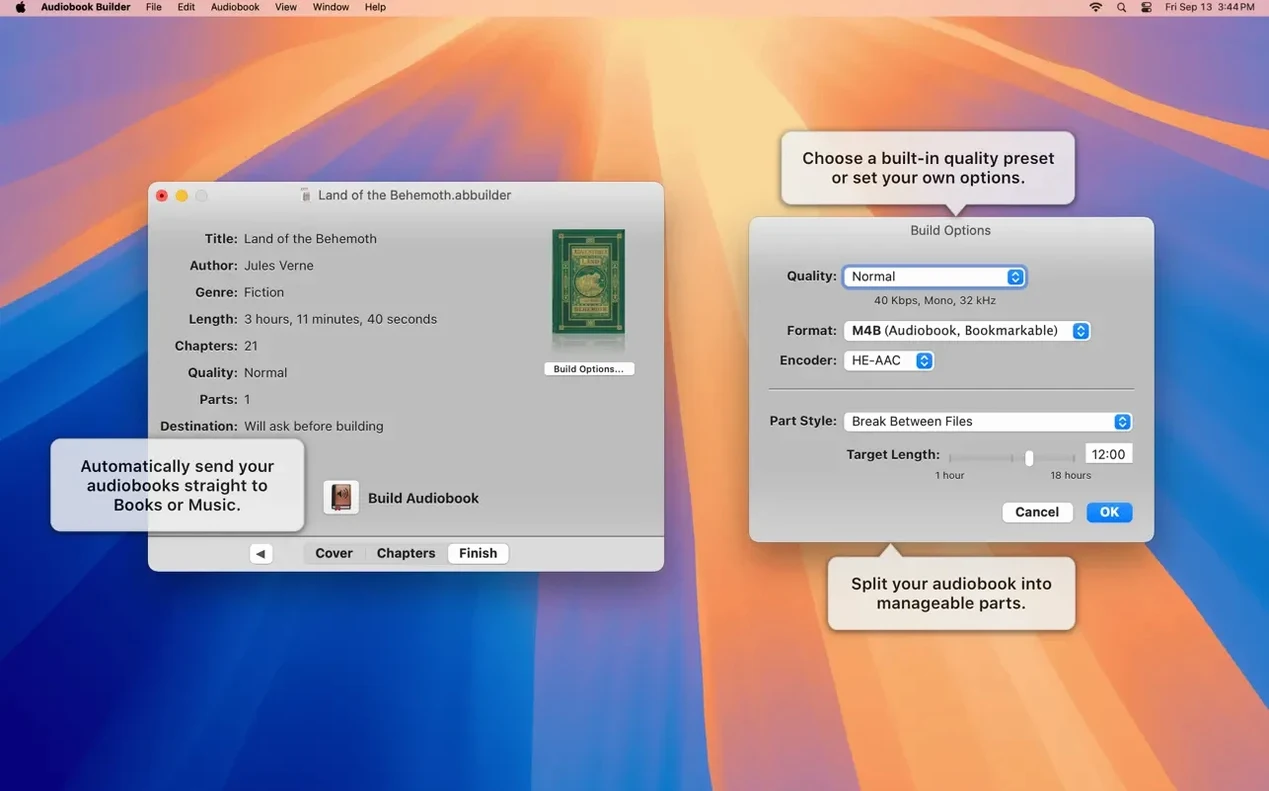
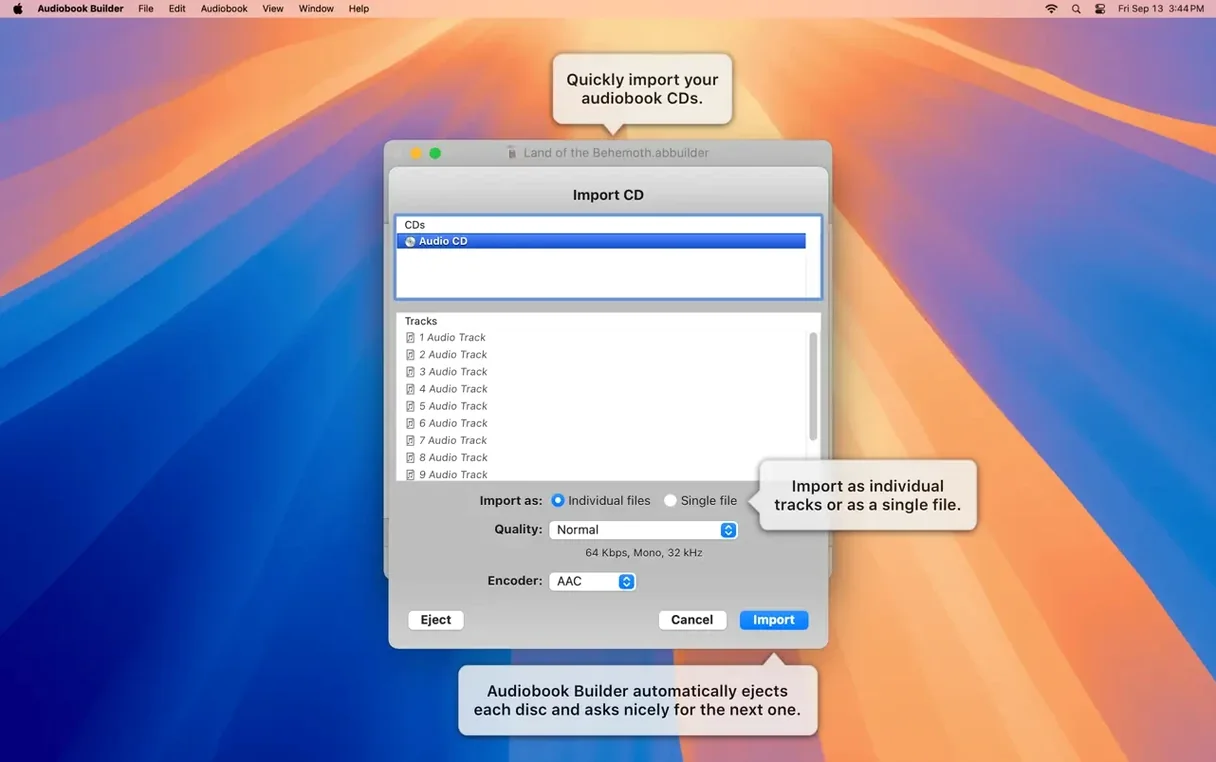
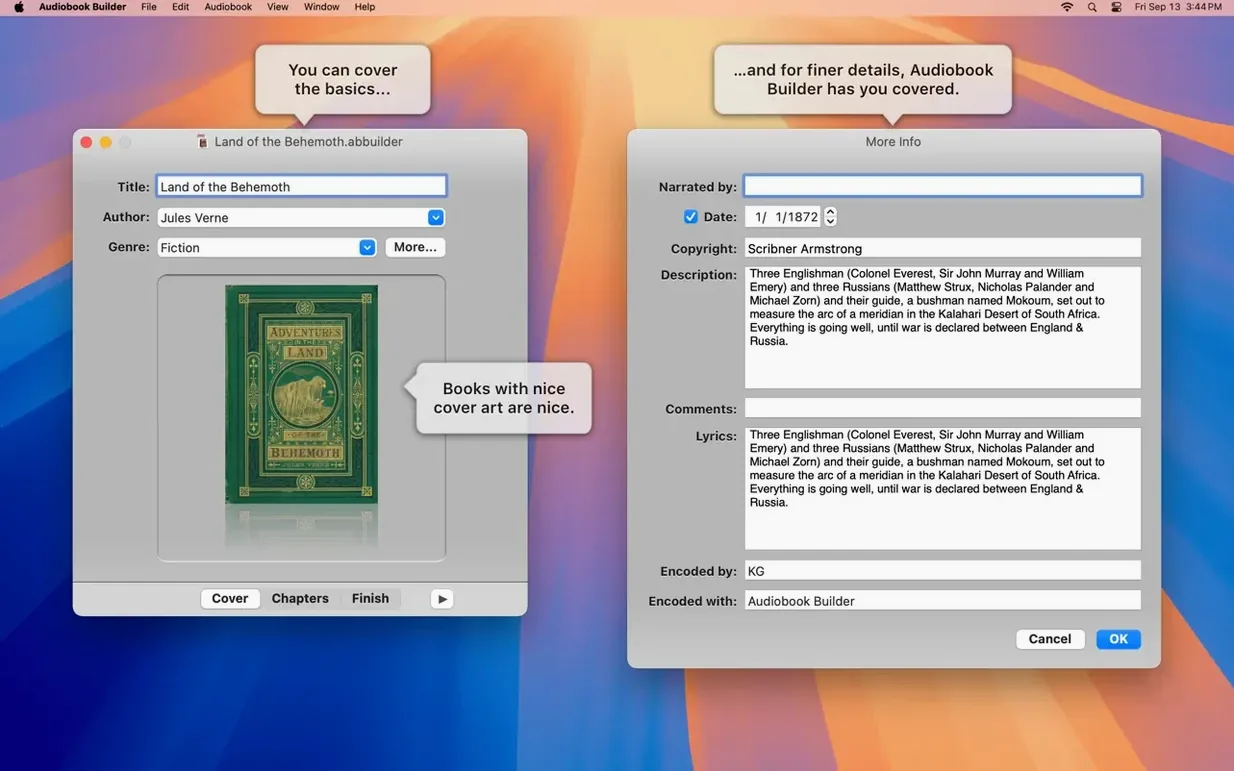
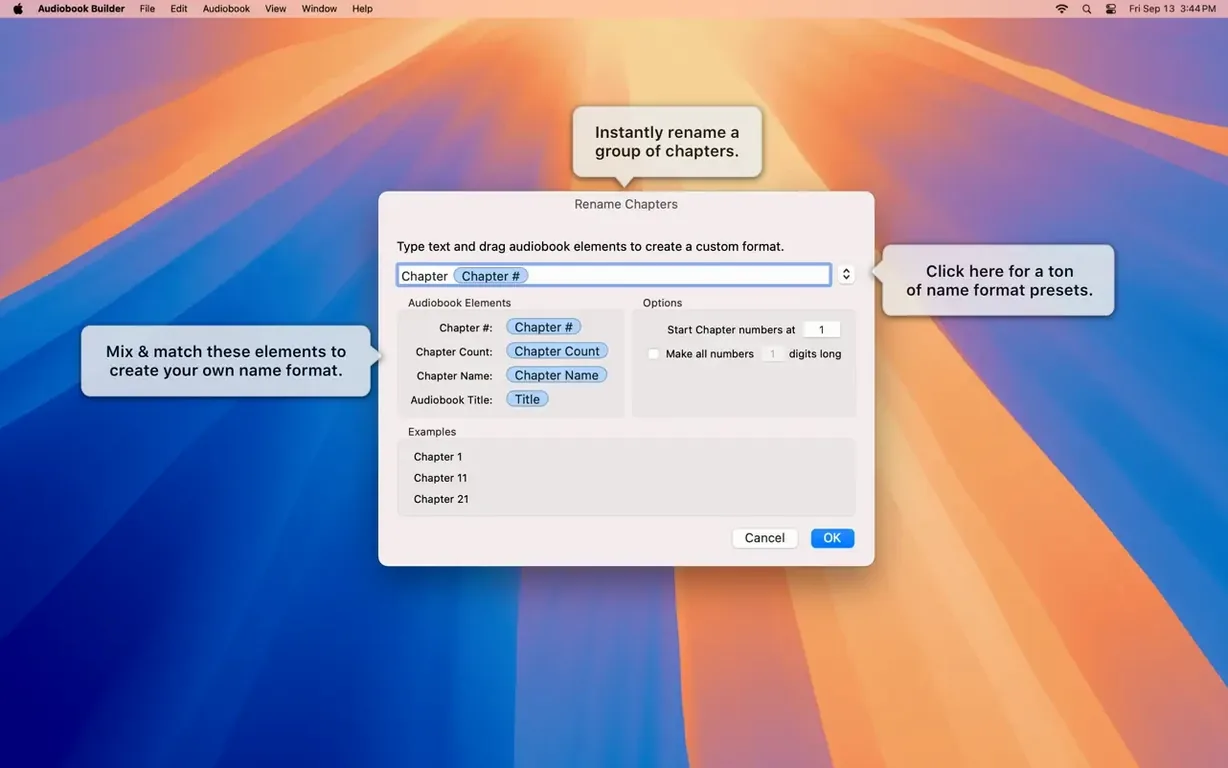
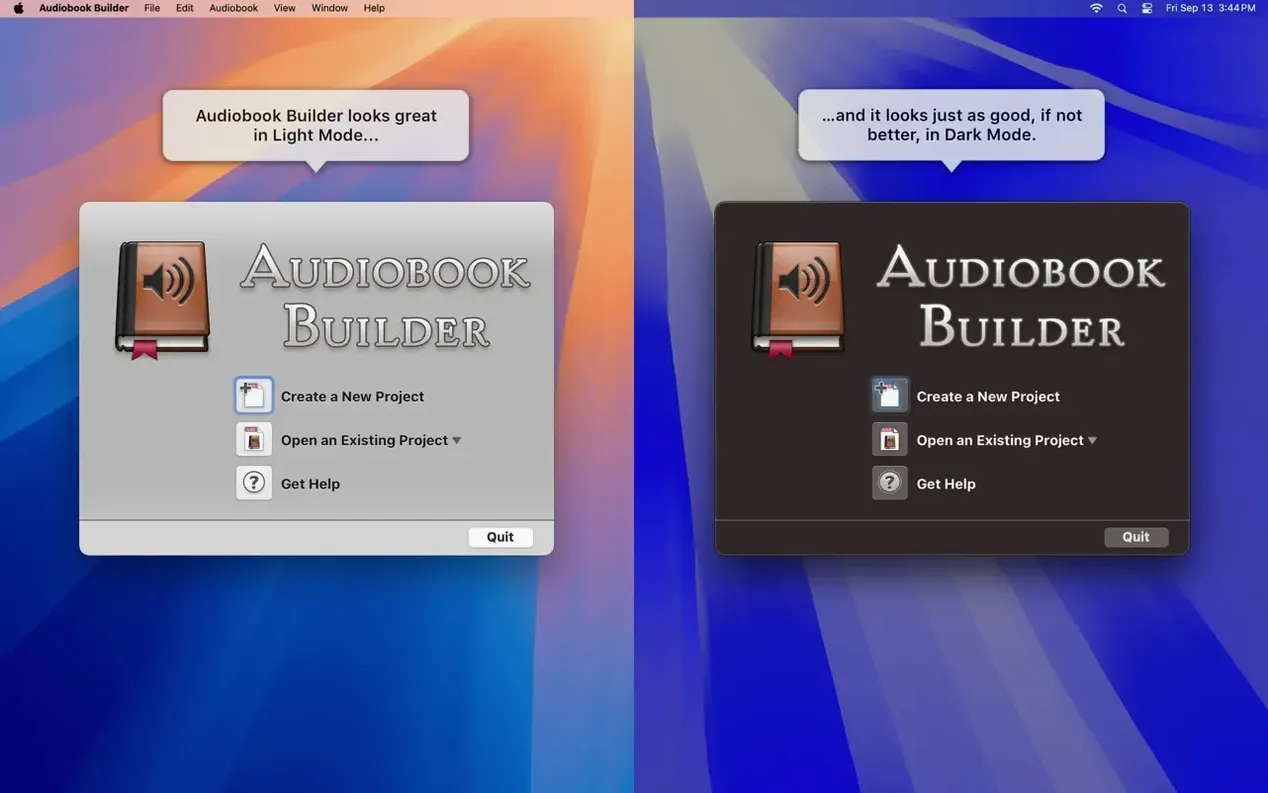
A single audiobook project can span dozens of source files. Keeping that coherent is where Audiobook Builder's deeper toolset comes into its own, letting you step in and override the automatic decisions.
Override guesswork by joining files into precise chapters
The Join tool gives you full manual control. You can group a specific set of audio files into one chapter, name it precisely, and set its start and stop points, effectively building the book's structure file by file if the automatic silence detection doesn't suit a particular recording.
Can I set custom encoding parameters instead of using the quality presets?
Yes, the custom settings go well beyond a simple bitrate slider. You can dictate the exact sample rate, choose between mono and stereo output, and set a specific constant or variable bitrate, giving you the fine-tuning needed to balance file size against clarity for a long narration.
Why is my WAVE file being ignored during the build?
Version 2.2.9 quietly fixed a persistent glitch where the app would mistakenly report "no audio in file" for WAVE containers that held MP3 audio data. If you work with files sourced from various old recorders, this update lets them import without the previous confusing error.
How does the app handle cover artwork on newer versions of macOS?
A recent under-the-hood fix restored reliable embedding of cover and chapter artwork specifically for Macs running macOS 13 Ventura. This means your finished audiobook will show the correct cover tile in the Books app, rather than a generic placeholder, on those systems.
Smoother handling of oddly structured source files after version updates
The jump to version 2.2.9 didn’t add flashy new panels or rework the interface. Instead it tidied up several long-standing irritations that had been quietly tripping people up mid-project. If you build books from slightly eccentric source material — old WAVE files exported by dictaphones, for instance — the “no audio in file” false alarm is now gone. Those files simply import and get on with the job, which removes a fiddly conversion step some people had built into their routine.
There’s also a correction for an error-reporting quirk on Macs running pre-11.3 versions of macOS, so the status messages you see during a build actually reflect what’s happening rather than sending you down a rabbit hole. And a small but thoughtful nudge for owners of classic iPods: the Description tag works again, so your old hardware gets the full metadata treatment alongside modern devices. None of these changes demand you relearn the app; they just make a session smoother, particularly when you’re pulling together a project from mixed-era recordings.
Switch away from the presets to avoid re-encoding your existing compressed audio
The defaults are sensible enough for a quick test, but a couple of tweaks early on will save you from re-encoding later. First, head to the quality settings and switch away from the presets if your source material is already compressed. Feeding a 128 kbps MP3 file into a preset that re-encodes at a higher bitrate just bloats the file without reclaiming any lost detail. Set the custom parameters to match your source’s bitrate and sample rate, and tick the Pass Through option where it appears — this stops Audiobook Builder from re-encoding audio that doesn’t need it, which speeds up the build noticeably on longer books.
Second, take a moment to set a default cover image in the preferences. The app will use it as a fallback for any project where you forget to supply artwork, which is far better than the generic grey tile that Books displays otherwise. And if you frequently work with mono voice recordings, switch the output from stereo to mono in the custom settings. A ten-hour narration in mono can be half the file size of its stereo equivalent, with no audible difference for spoken word.
Language learners value manual chapter splitting that breaks free of CD tracks
People who convert a lot of spoken-word material tend to bond with this app the fastest. Language learners working through a stack of lesson CDs, for example, value the manual chapter splitting because one lesson rarely equals one CD track. They can group the warm-up, dialogue and drill sections together as a single chapter with a clear title, then jump straight to it on their phone during a commute.
Self-narrated authors get a great deal from the custom encoding controls. When you’ve recorded a book yourself, you already know the microphone, the room and the export settings. Matching the output parameters to that chain preserves the tonal quality you worked to capture, rather than letting an automatic preset second-guess it. Parents digitising a shelf of children’s audio storybooks also fall into a sweet spot: the chapter artwork feature means each story in a collection keeps its original cover illustration, so a child browsing on an iPad can recognise “the one with the dragon” from the picture alone.
Stitching multiple files into a finished audiobook, not just tagging one
Next to something like Podcast Chapters, Audiobook Builder is the specialist. Podcast Chapters is a lightweight utility that adds chapter markers and artwork to an already-finished MP3 or AAC file — quick for a single file, but it doesn’t stitch together multiple sources or handle CD import. If you’re working from one long recording, Podcast Chapters does the job in seconds; if you have twelve CD rips and want a structured book, Audiobook Builder’s project-based approach makes far more sense.
Compared with Audiobook Binder, the difference is partly philosophical. Audiobook Binder is free and refreshingly straightforward: drag files in, get a single m4b out. It suits a one-and-done conversion where you don’t much care about chapter naming or artwork beyond a cover. Audiobook Builder gives you proper project management — you can save a project, reopen it weeks later, tweak chapter boundaries and re-export — which matters when you’re building a family archive or a long-running series and might want to adjust things after listening through once.
When you look at a full media manager like VLC, the contrast is starker. VLC can convert and stitch audio, but it doesn’t understand the audiobook container format in the way a dedicated builder does. You won’t get the m4b-specific chapter markers, the embedded artwork that Books recognises, or the “remember playback position” flag. Audiobook Builder outputs files that act like proper audiobooks on Apple kit, whereas a general-purpose converter just gives you a long audio file that plays like music. For anyone who regularly loads up their iPhone or iPad with spoken-word content, that distinction is the whole point.
Version 2.2.9 is a practical maintenance update, quietly fixing several long-standing quirks and adding support for the latest Mac operating system.
- Declared ready for macOS 15 Sequoia.
- Cover and chapter artwork now embed correctly on macOS 13 Ventura.
- Stops false "no audio in file" errors when importing WAVE files that contain MP3 audio data.
- Fixes a minor error reporting glitch on Macs running systems older than macOS 11.3.
- Brings back the Description tag for some classic iPod models.
- OS X 10.11 El Capitan or later
- Runs natively on both Apple Silicon and 64-bit Intel Macs
- Available in Russian, English, German, Spanish, Portuguese, and Swedish
Questions from the class 0
Sign in or join the class to ask a question.
Nobody has asked anything yet. If you have used it on a real job, say what the file did.
Also on the Audio shelf
The whole Audio shelf Audio Hijack
Routes any Mac audio into a recording and can transcribe it to searchable text.
Audio Hijack
Routes any Mac audio into a recording and can transcribe it to searchable text.
 Bitwig Studio
Gives producers a sandbox for recording, sound design, and live performance with modular freedom.
Bitwig Studio
Gives producers a sandbox for recording, sound design, and live performance with modular freedom.
 Boom 3D
Reshapes your Mac's entire output with an equaliser, a volume boost, and spatial widening.
Boom 3D
Reshapes your Mac's entire output with an equaliser, a volume boost, and spatial widening.
 Amadeus Pro
Edits and analyses audio files with a customisable favourite actions palette.
Amadeus Pro
Edits and analyses audio files with a customisable favourite actions palette.
 Airfoil
Sends any Mac audio to AirPlay and Bluetooth speakers around your home.
Airfoil
Sends any Mac audio to AirPlay and Bluetooth speakers around your home.
 AIMP
Plays a vast range of audio file formats from a familiar desktop interface.
AIMP
Plays a vast range of audio file formats from a familiar desktop interface.
 Cockos REAPER
Turns a Mac into a full multitrack studio for recording, arranging and mixing audio.
Cockos REAPER
Turns a Mac into a full multitrack studio for recording, arranging and mixing audio.
 Cubase
Provides a musical workspace that keeps up with an arrangement as fast as you can imagine it.
Cubase
Provides a musical workspace that keeps up with an arrangement as fast as you can imagine it.