 ASPNetWorld

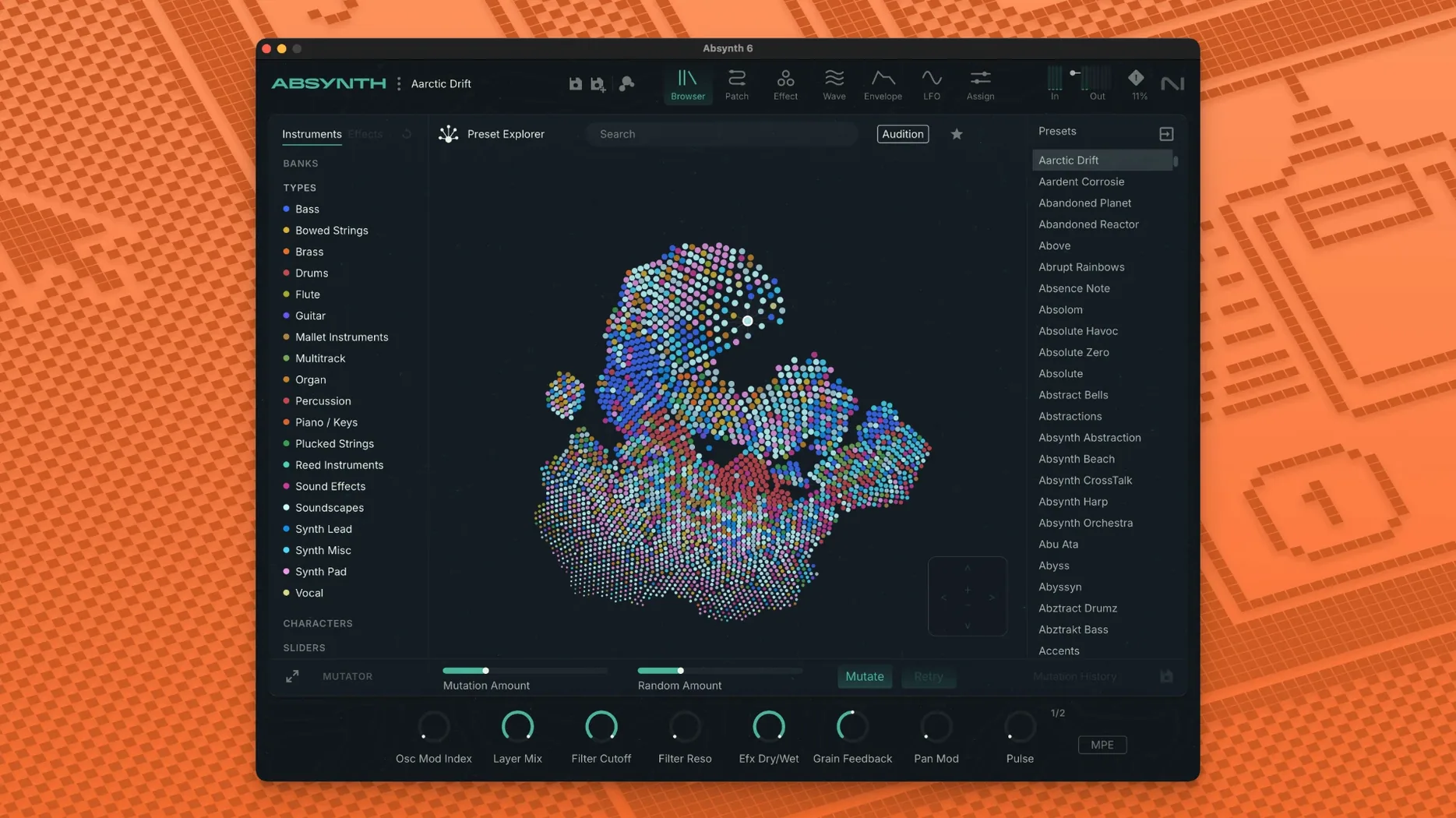
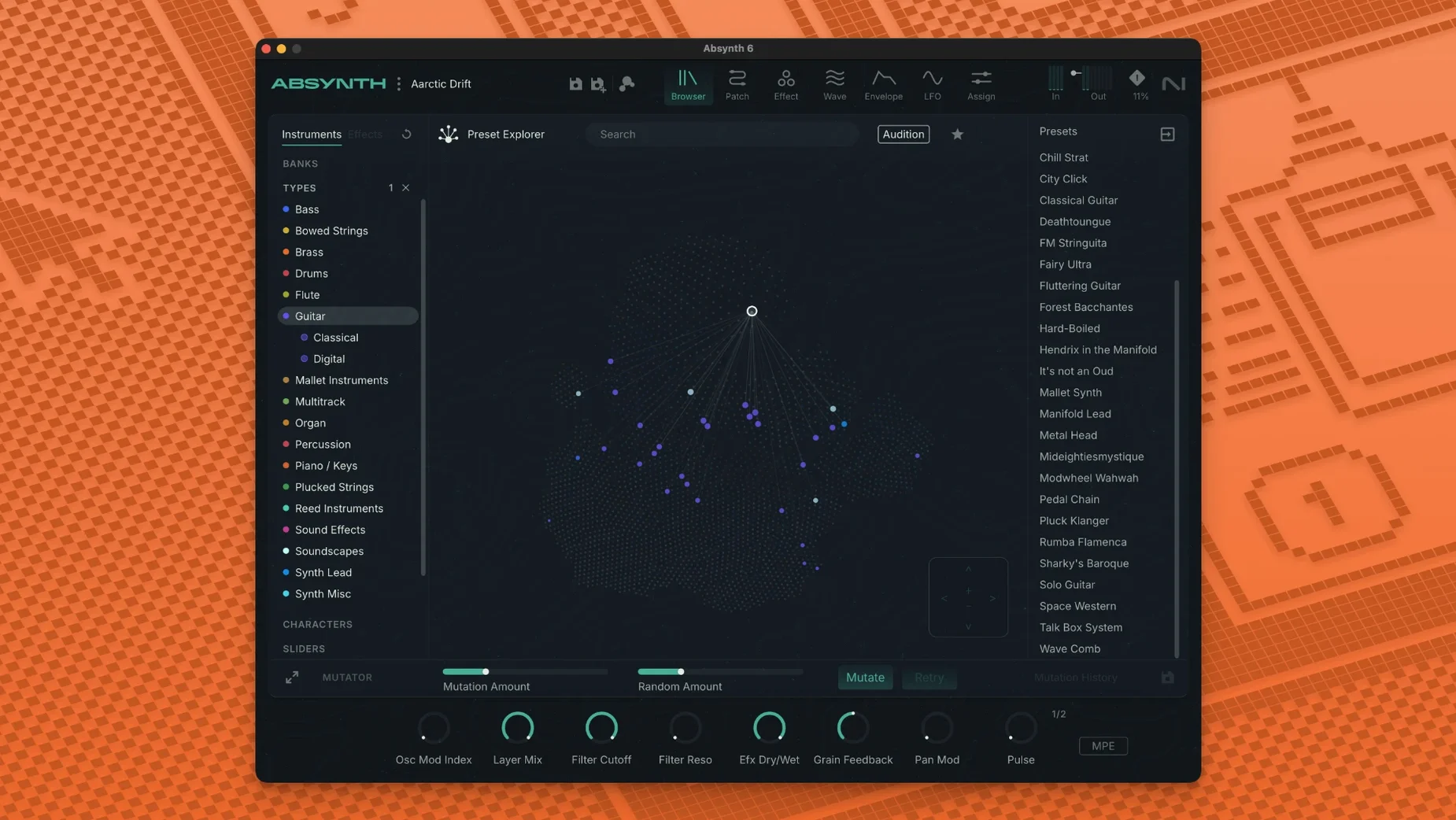
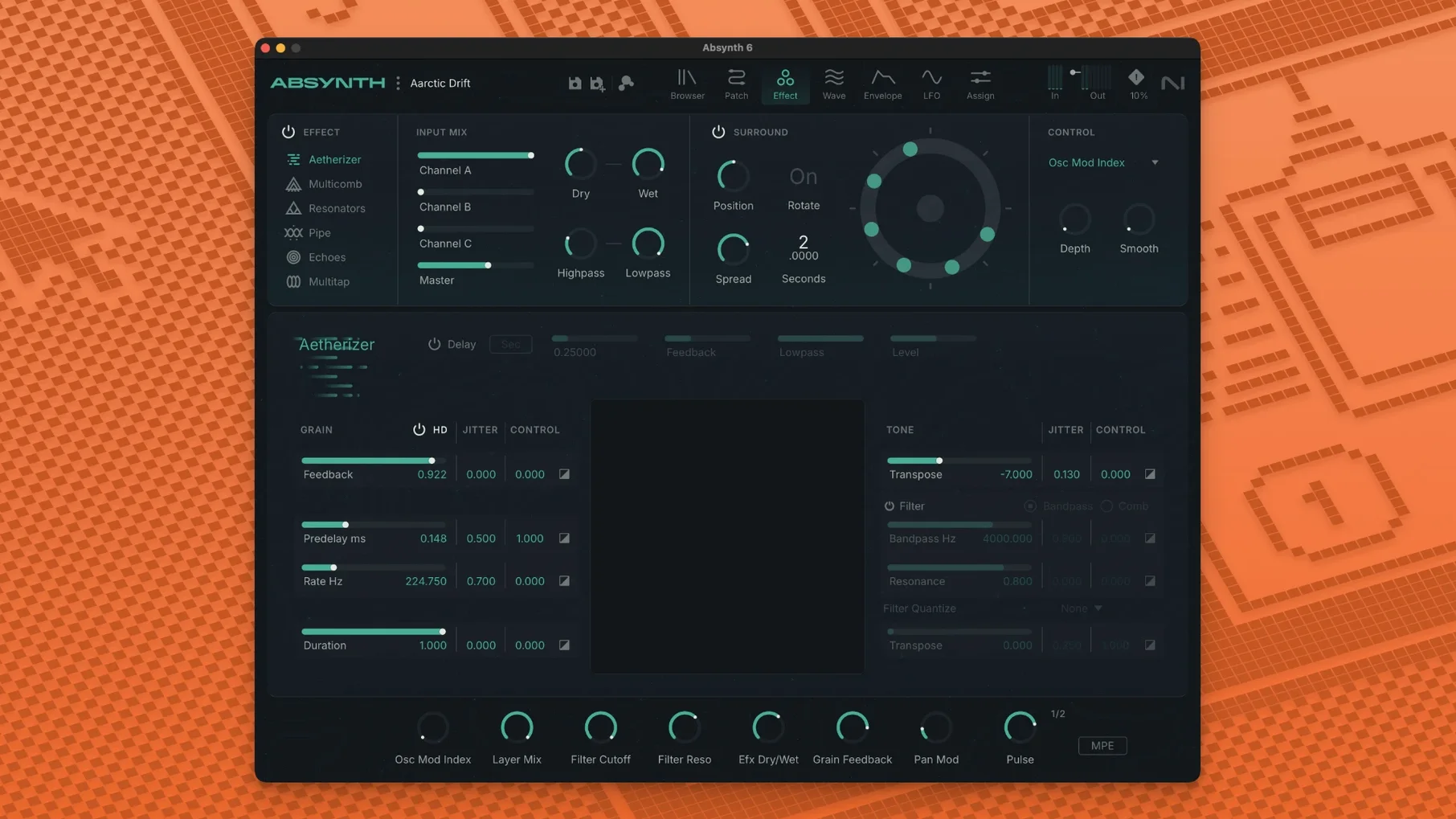
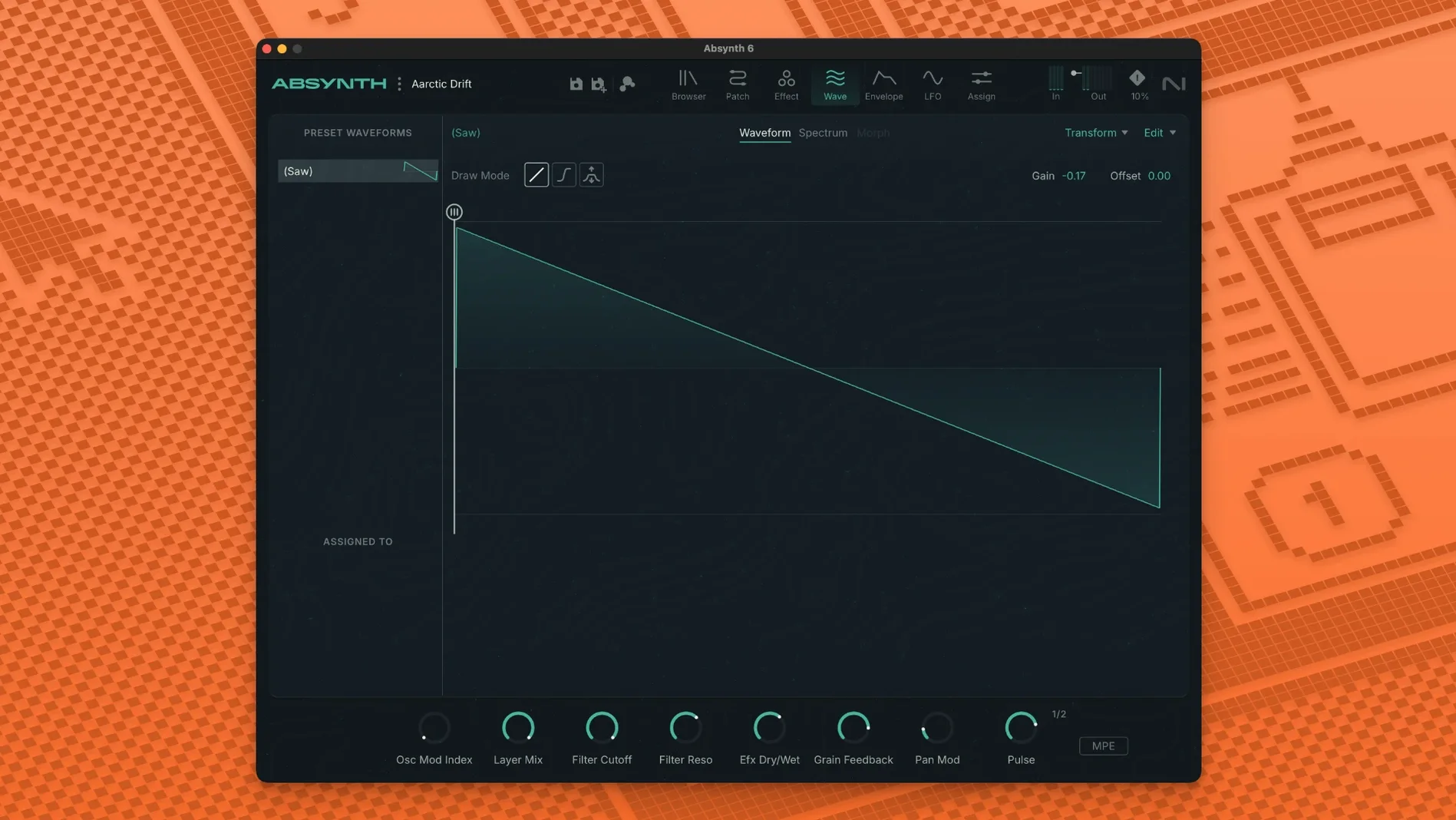
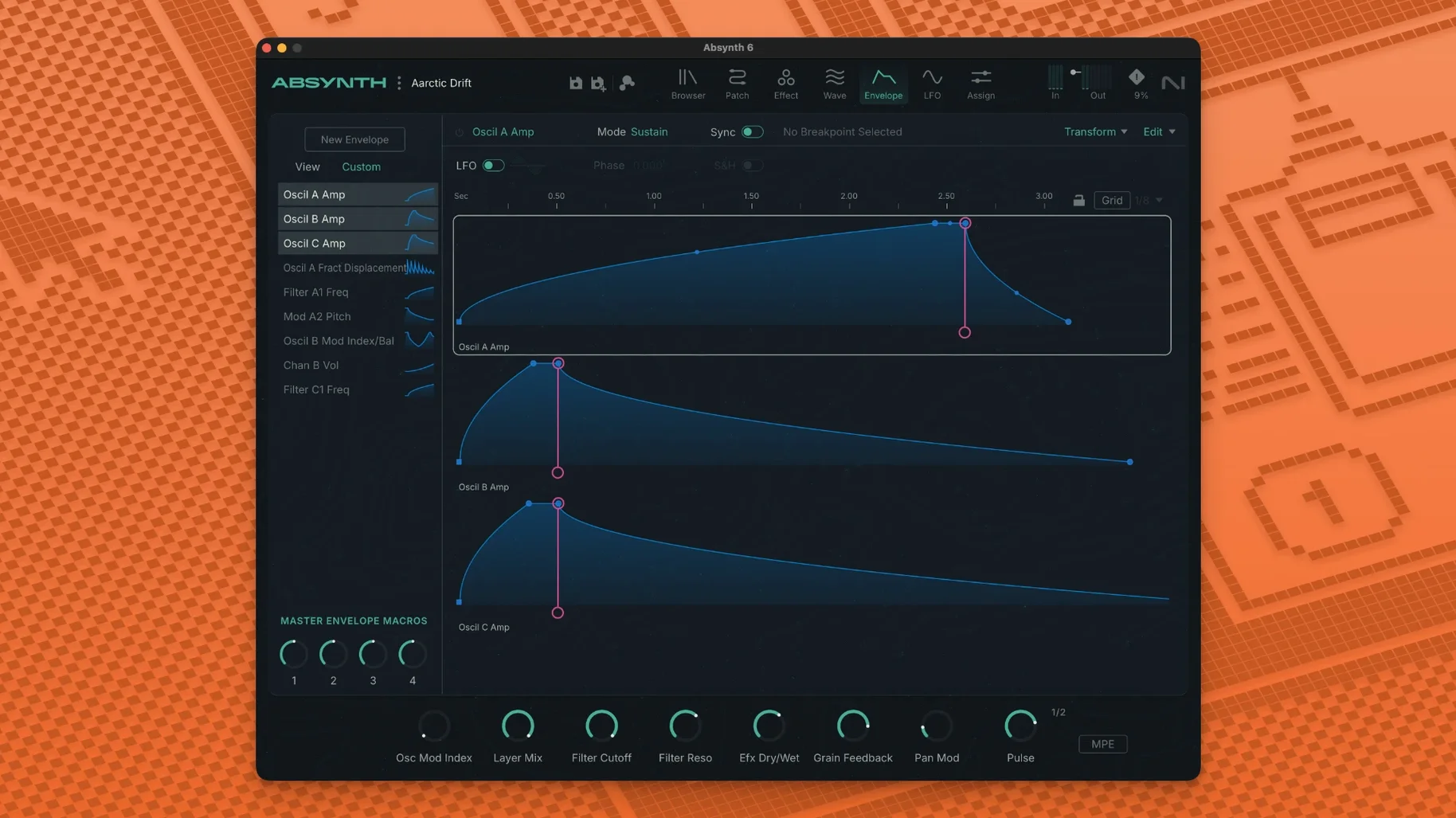
You load up a simple sine wave and feed it through a comb filter, then let a fragment of a sampled glass harp nudge the amplitude envelope. Within a minute, the patch is breathing with a metallic, half-melodic pulse that doesn't sound like anything you'd find on a preset menu — and that's before you touch the Sound Mutator. This is the kind of wandering that Absynth has always encouraged, and version 6 gives it a proper modern framework to run in.
The core idea hasn't changed: Absynth is a hybrid synth, meaning it doesn't tie you to one way of making sound. You have subtractive, FM, wavetable, and granular synthesis sitting in the same semi-modular rack, patched through a routing system that lets an FM carrier wobble a wavetable's position or a granular cloud feed a resonant filter. The joy is in the combinations, and the semi-modular layout means you never have to wire everything from scratch — but you always can.
The standout addition is the Sound Mutator. Think of it as an intelligent crossfade that analyses two sounds and generates a family of offspring patches that inherit traits from both. You might feed it a woody mallet tone and a brittle noise sweep; the Mutator returns variations that sit somewhere between them, often landing on textures you'd never have dialled in deliberately. It's a genuine creative shortcut for sound designers who know what they want to feel but not how to build it.
MPE and polyphonic aftertouch support arrive in this version too, so every finger on a controller like a ROLI Seaboard can bend pitch, shift timbre, or swell volume independently. Combined with the new eight-channel surround capability, Absynth 6 feels less like a reissue and more like a synth that has quietly outgrown its original frame. The 250 new presets are a decent tour of its range, but the real action starts the moment you clear a patch and start patching.
Dragging a fridge hum into the sample window
I keep a folder of field recordings on an external drive — nothing special, just rain on a car roof, a squeaky gate, the hum of a dodgy fridge. Last Tuesday I dragged one of those hums into Absynth's sample oscillator, tuned it down an octave, and set the playback mode to granular. Immediately the hum became a shifting cloud of tiny grains, each one triggering at a slightly different point in the sample. It sounded like a choir of broken transformers, which was exactly the mood I was after.
The semi-modular routing panel sits to the right of the oscillator section. I patched the granular cloud straight into oscillator two's FM input, then set oscillator two to a simple wavetable — a digital bell shape, nothing fancy. The bell became a gargling, metallic shimmer. I dropped the amplitude envelope's sustain to zero and pushed the release to about four seconds so each note would fade like a struck gong. At this point I had something usable but too polite, so I reached for the Aetherizer.
The Aetherizer lives in the effects chain and works like a granular delay on steroids. I set the grain size to around 80 milliseconds and cranked the feedback until the repeats started smearing into a wash. Playing a low C on the keyboard now produced a sound that rose from the hum, rippled through the bell overtones, and dissolved into a stereo spray that seemed to move sideways in the room. I saved the patch as Transformer Choir and used it as the bed for the rest of the track. From blank slate to keeper patch took maybe twelve minutes, and most of that was tweaking, not troubleshooting.
Aetherizer patches sit at 6–8% CPU on an M1 Air
On an M1 MacBook Air with 8 GB of RAM, Absynth 6 loads in under three seconds from a cold start in Logic Pro. Patches with heavy granular processing and multiple Aetherizer instances sit around 6–8% CPU on a single core, which leaves plenty of room for other instruments. The surround-channel processing does push things harder — feeding an eight-channel octaphonic output from a dense patch can nudge CPU usage into the low teens, but that's still reasonable for what the engine is calculating.
I've had it running for several hours at a stretch without a crash or a memory leak. The one thing to watch is sample loading: Absynth copies audio into its own internal buffer, so dropping a fifty-second stereo file into the granular oscillator adds a noticeable pause (maybe two seconds on my machine) while it transfers. Once the sample is in, playback is glitch-free. I'd recommend 6 GB of RAM as the realistic floor if you plan to stack several multi-sample patches — the recommended spec isn't just marketing, it's what keeps the preset browser snappy when you're auditioning sounds at speed.
Host compatibility has been solid across Logic, Ableton Live 11, and REAPER in AU and VST3 formats. The AAX build loads cleanly in Pro Tools 2024, though I'd suggest disabling the surround outputs in the plug-in wrapper if your session is stereo-only, just to keep the routing tidy.
Version 6 uses a different plug-in identifier
Does Absynth 6 replace Absynth 5, or can they live side by side? They coexist happily. Version 6 uses a different plug-in identifier, so your DAW sees it as a separate instrument. Older projects that reference absynth 5 will keep loading version 5, while new instances default to 6. If you've got a library of legacy patches — and I know plenty of sound designers who still lean on the original Absynth 5 download library — nothing gets overwritten.
Is this a free update from version 5? That's a purchasing question I can't answer here, but what I can tell you is that the architecture has been rebuilt for Apple Silicon. Version 5 ran under Rosetta; version 6 is native ARM code. If you're on an M-series Mac, the difference in CPU efficiency alone is worth noting. The plug-in also scans correctly in hosts that enforce strict ARM-only loading, which version 5 didn't always manage on newer macOS builds.
Will the old Absynth 5 preset banks import? Yes. The preset browser reads the legacy format without conversion. Point it at your old library folder during the first scan and everything shows up, tagged and searchable. The new 250 factory presets sit alongside them rather than replacing anything.
Turn off the animated background to save GPU cycles
Open the Preferences pane before you make any sound. The first thing I turn off is the animated background on the main panel — it's pretty but it eats a surprising number of GPU cycles on integrated graphics. On an Intel Mac it's the difference between a quiet fan and a constant whirr. Apple Silicon machines handle it better, but I still kill it out of habit.
Next, set the default surround mode to match your usual monitoring setup. The installer defaults to stereo, which is sensible, but if you work in 5.1 or quadraphonic you'll want to flip that now. Absynth remembers the setting per-instance, but setting your preferred default saves you from doing it every time you load a patch. While you're there, check the MPE mode toggle. It's off by default, which means a Seaboard or LinnStrument will behave like a standard MIDI keyboard until you enable it. Flip it on, and suddenly every patch responds to per-note pressure and slides — including the 250 new presets, which were designed with MPE in mind.
Finally, open the Audio Engine tab and set the sample-rate conversion quality to High. The default Medium setting is fine for sketching, but if you're pitching samples down by more than an octave in the granular or sampling oscillators, the High setting noticeably reduces aliasing. The CPU hit is tiny on modern machines — maybe half a percent — and the pay-off in clarity is real. Those low drones and slowed-down field recordings are where Absynth's character really lives, and you want them as clean as possible.
Absynth 6 marks a genuine return for the synthesizer, bringing it onto current systems with full MPE and polyphonic aftertouch support. It also adds up to eight-channel surround output for multichannel sound design work.
- macOS 14 or later
- Apple Silicon or Intel processor
- 4 GB RAM (6 GB recommended)
- 64-bit VST3, AU, or AAX host
Questions I keep hearing
Does Absynth 6 work on Apple Silicon Macs?
Yes, it runs natively on Apple Silicon and Intel Macs, requiring macOS 14 or later and a 64-bit host that supports VST3, AU, or AAX plug-in formats.
Questions from the class 0
Sign in or join the class to ask a question.
Nobody has asked anything yet. If you have used it on a real job, say what the file did.
Also on the Audio shelf
The whole Audio shelf Ableton Live
Lets you record, perform and improvise music without ever pressing stop.
Ableton Live
Lets you record, perform and improvise music without ever pressing stop.
 AIMP
Plays a vast range of audio file formats from a familiar desktop interface.
AIMP
Plays a vast range of audio file formats from a familiar desktop interface.
 Airfoil
Sends any Mac audio to AirPlay and Bluetooth speakers around your home.
Airfoil
Sends any Mac audio to AirPlay and Bluetooth speakers around your home.
 Amadeus Pro
Edits and analyses audio files with a customisable favourite actions palette.
Amadeus Pro
Edits and analyses audio files with a customisable favourite actions palette.
 Audio Hijack
Routes any Mac audio into a recording and can transcribe it to searchable text.
Audio Hijack
Routes any Mac audio into a recording and can transcribe it to searchable text.
 Audiobook Builder
Joins dozens of audio files into a single, properly chaptered audiobook with cover artwork.
Audiobook Builder
Joins dozens of audio files into a single, properly chaptered audiobook with cover artwork.
 Bitwig Studio
Gives producers a sandbox for recording, sound design, and live performance with modular freedom.
Bitwig Studio
Gives producers a sandbox for recording, sound design, and live performance with modular freedom.
 Boom 3D
Reshapes your Mac's entire output with an equaliser, a volume boost, and spatial widening.
Boom 3D
Reshapes your Mac's entire output with an equaliser, a volume boost, and spatial widening.