 ASPNetWorld

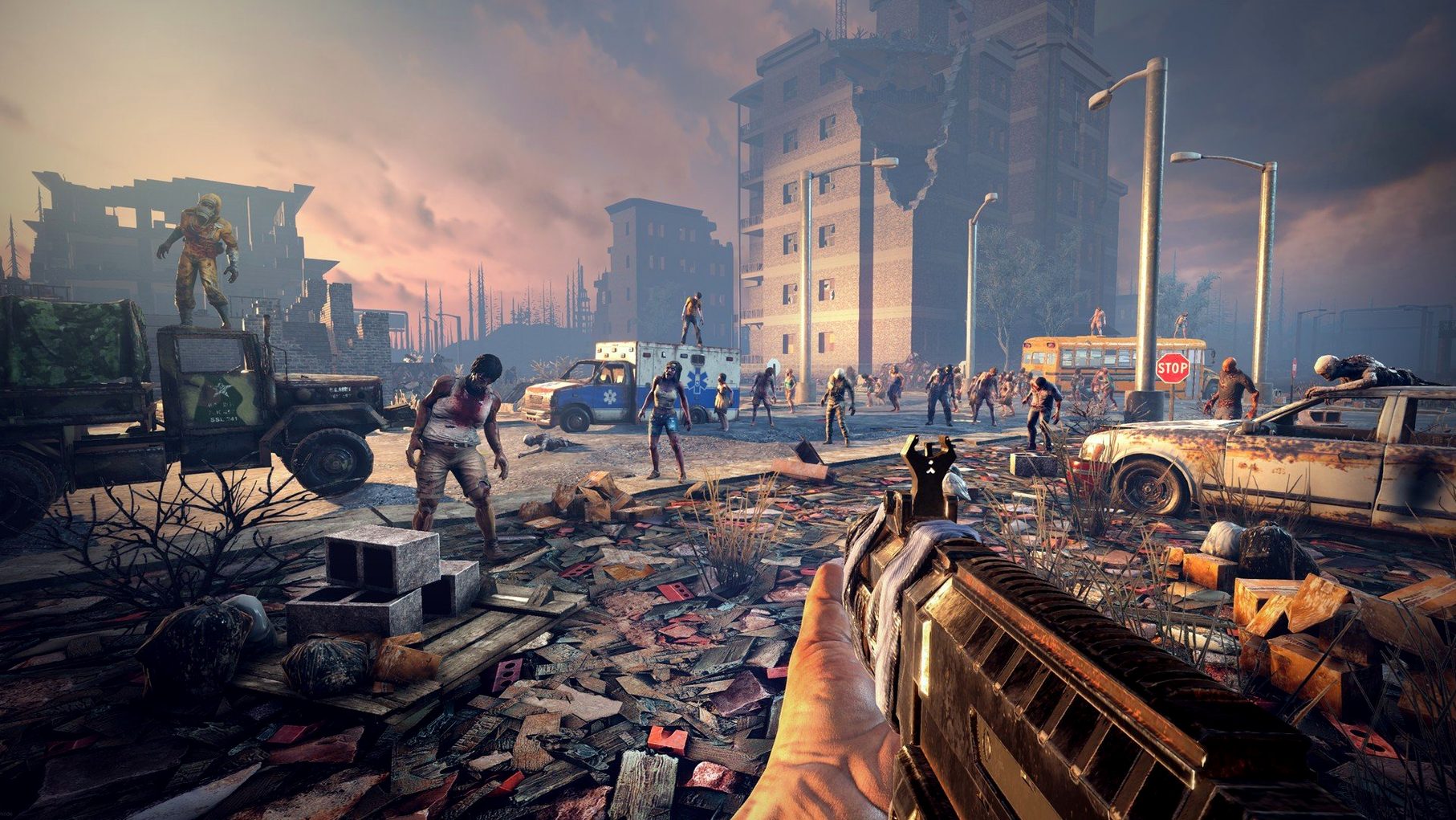
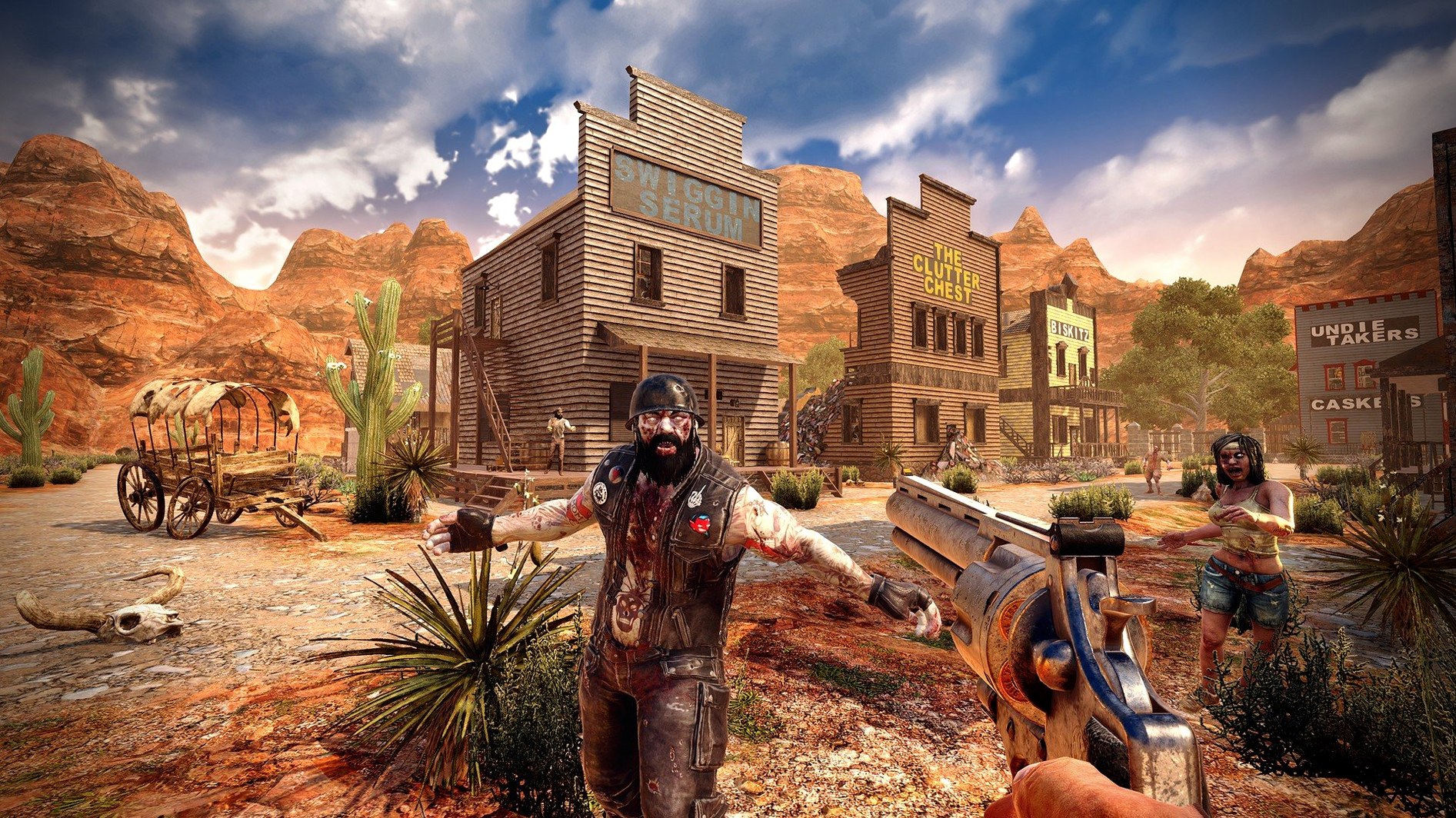
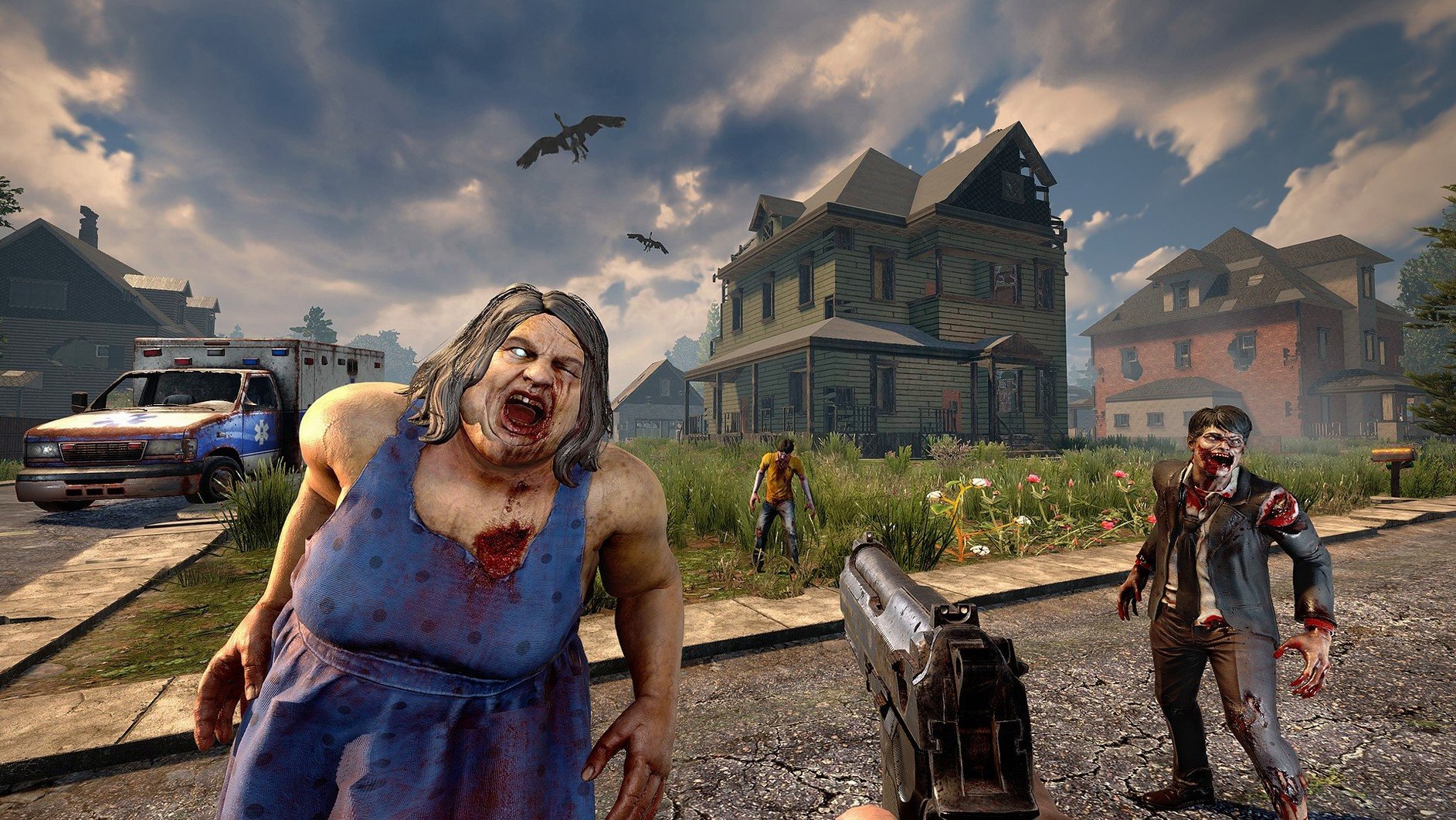
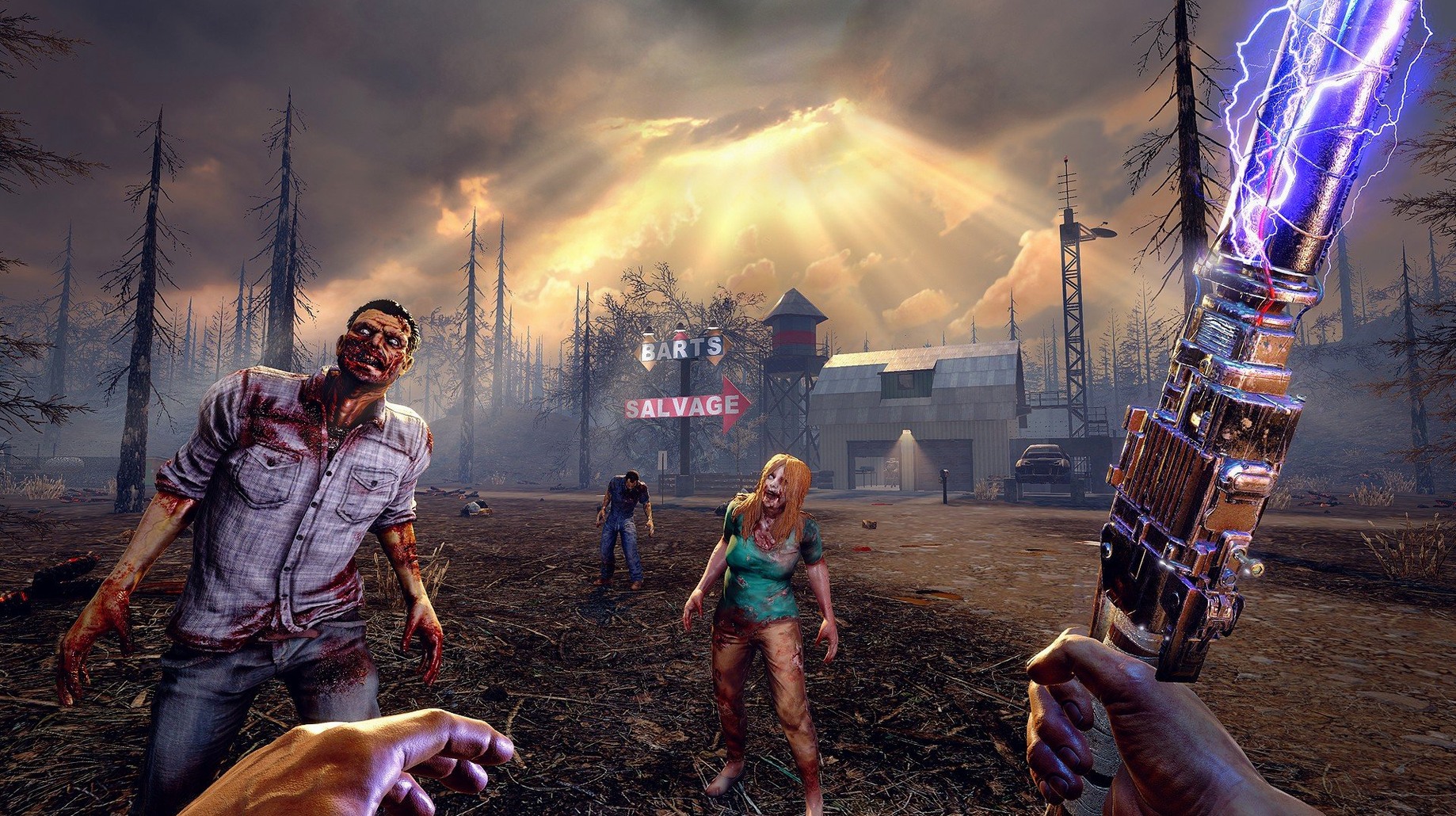
7 Days To Die is an open-world survival game that strands you in a zombie-infested wasteland where every week brings a blood moon horde intent on tearing down everything you've built. It stitches together first-person shooting, block-based construction, and a deep crafting system into something that feels less like a single genre and more like a grim sandbox experiment.
The player who thrives here is the patient tinkerer — someone who enjoys spending an afternoon reinforcing a concrete bunker, wiring up electric fences, or stripping a wrecked car for engine parts to build a gyrocopter. Progression is slow and practical. You learn by doing: craft stone axes to get better at making tools, run for your life to improve stamina. With over sixty zombie types and a structural integrity model that lets buildings collapse if you knock out a load-bearing wall, the game rewards methodical preparation over twitch reflexes.
It's probably the wrong choice if you need a tight, polished narrative or a quick session you can wrap up in twenty minutes. The interface can feel utilitarian, and the learning curve for the deeper systems — like the recently reworked combine station UI — assumes you're willing to read a wiki or experiment through failure. The visual style is functional rather than beautiful, and the sheer number of mechanics (hunger, temperature, infection, item degradation) can feel like a chore list if survival sims aren't your thing.
For the right person, though, none of that matters. The draw is the emergent stories: the night you hid in a looted attic, crafting arrows in silence while a feral wight growled below, or the morning you drove a minibike you built yourself through the ruins of a procedurally scarred city. If living inside a problem-solving engine where every nail, plank, and tin of food counts sounds appealing, this will sink its hooks in deep.
A day-seven defence, step by step
Most players remember their first blood moon. Here is a workflow that turns panic into a plan, assuming you have spent the first six days scavenging and reading every book you found.
Start scouting a defendable position by day five. A two-storey concrete building on the edge of a small town works well — the upper floor gives you a sight line, and the ground floor offers one entrance to funnel the horde. When you have found your spot, strip every curtain, leather sofa and brass fitting from the surrounding houses. Brass is for bullet casings; leather makes armour patches; fabric becomes duct tape. You will never have enough duct tape.
By midday on day seven, lay wooden spikes in concentric rings around the building, leaving a single zigzag path to the door. The structural integrity system means a zombie who breaks one spike will stumble onto the next, buying you seconds. Inside, build a kill corridor: a narrow hallway lined with iron bars you can shoot through but zombies cannot climb past. Place a robotic sledge turret — assembled at a workbench with mechanical parts salvaged from office chairs — at the far end. Hook it to a battery bank using the wiring tool. If the combine station UI feels unfamiliar after the recent rework, practise a simple recipe like gunpowder first; the new layout groups components by type, which is faster once you stop looking for the old tabs.
Position yourself above the corridor on a walkway you have reinforced with cobblestone blocks. Load a pipe rifle with the brass ammunition you crafted, place a campfire behind you for the warmth buff, and wait. When the horn sounds and the horde funnels into your corridor, the turret knocks them back while you pick off the special infected. By dawn, you will have a backpack full of loot bags and a strong sense of what needs upgrading before the next moon.
The Mac build keeps pace with Windows and runs natively on Apple Silicon
A common concern is whether the Mac build keeps pace with the Windows version. The ARM and x86 support in version 3.2.0.B10 means it runs natively on both Apple Silicon and older Intel Macs, and testing on a 2024 M4 Mac mini with macOS Tahoe showed smooth frame rates at medium settings on a 100-square-kilometre world. You are not getting a cut-down port.
People also ask if the game works offline. It does. The broadband requirement listed on the support page is for multiplayer servers and co-op sessions; single-player worlds run perfectly without a connection. That single-player mode is the full game — no missing recipes, no locked biomes.
The third question is usually about difficulty. The default settings assume you enjoy being punished, but the world-generation screen lets you dial down zombie spawn rates, disable blood moons entirely, or bump loot abundance so you spend less time hungry. It is worth adjusting these before you write the game off as too harsh.
Turn off Motion Blur to spot distant feral wights sooner
Open the video options before you start a world and turn Motion Blur off. It softens the already functional visuals without adding atmosphere, and disabling it makes spotting a distant feral wight noticeably easier. Set Field of View to 75 or higher; the default feels claustrophobic indoors and gives you less peripheral warning in open terrain.
Under audio, drop Ambient Volume to about half. The wind and distant groans are effective for the first few hours, then they become a blanket that masks the wet footsteps of an approaching screamer. Keeping the music accompaniment lower than the effects lets the game's directional audio do its job.
On the controls tab, bind a spare mouse button to Tertiary Attack if your mouse has one. This throws a stone, snowball or pipe bomb without cycling your toolbar, which matters when three dogs are sprinting at you and your club is on slot one. Rebind Quick Craft to a comfortable key — the default feels like a finger stretch — because you will craft wooden frames constantly while exploring; a frame placed against a wall becomes an instant ladder to safety.
Organising shared calendars and labelling every storage crate pays off here
The game rewards a particular kind of Mac user. If you are the person who organises a shared calendar for a three-person co-op server, labels every storage crate, and writes a supply list before logging in, you will feel at home here. The building system's 1,300 block types and the electrical wiring logic attract tinkerers who spent their youth with Lego Technic and their adulthood with home automation scripts. Farming, hunting, and the 500-odd crafting recipes mean a dedicated support player — someone who would rather tend a greenhouse and cook stew while the rest of the group clears a hospital — has a genuinely important role.
Solo explorers who enjoy quiet horror also find something rare. A procedurally generated world of cities, caves and five biomes, populated by sixty zombie types with distinct behaviour, creates tension that scripted campaigns cannot. The moment you realise a loot-filled bookshop shares a wall with a bear den, or the night you crouch in a grain silo because a radiated biker patrols the road below, are not authored set-pieces. They are yours.
Version 3.2.0.B10 refines a few rough edges in the crafting and interaction systems. Here's what's changed:
- Trader outpost doors can now be opened by honking a vehicle horn, saving you from dismounting.
- The combine station interface has been reworked to make managing parts and recipes clearer.
- A fix was applied for several player gear textures that were using more graphics memory than necessary.
- macOS 10.13 or later
- Apple Silicon or 64-bit Intel processor
- 8 GB RAM
- 15 GB available disk space
- 2 GB dedicated graphics memory
- Broadband internet connection
Questions I keep hearing
What makes a blood moon different from a normal night?
On the seventh night, and every seventh night after, a massive horde of zombies spawns that can sense the player's location from great distances and will actively tear through walls and obstacles to reach you, until dawn.
Can you play 7 Days To Die without fighting?
The core loop revolves around combat during the blood moon hordes, but you can adjust world settings to reduce enemy aggression or play in a creative mode that removes threats entirely, letting you focus on building.
How does the structural integrity system work?
Every block has a weight and load-bearing capacity calculated from its connection to bedrock. Remove a supporting pillar or wall, and anything above or beside it that lacks adequate support will realistically crack and collapse.
Questions from the class 0
Sign in or join the class to ask a question.
Nobody has asked anything yet. If you have used it on a real job, say what the file did.
Also on the Games shelf
The whole Games shelf Age of Empires II: Definitive Edition
Rebuilds a classic real-time strategy game with modern graphics and historical care.
Age of Empires II: Definitive Edition
Rebuilds a classic real-time strategy game with modern graphics and historical care.
 Angry Birds Reloaded
Flings birds at piggy fortresses through hundreds of physics-based puzzles.
Angry Birds Reloaded
Flings birds at piggy fortresses through hundreds of physics-based puzzles.
 Asphalt 8: Airborne+
Throws you into a frictionless arcade racer full of barrel rolls, nitro boosts, and airborne stunts.
Asphalt 8: Airborne+
Throws you into a frictionless arcade racer full of barrel rolls, nitro boosts, and airborne stunts.
 Assassin's Creed Shadows
Lets you stalk feudal Japan as a patient shinobi who exploits shadows and shifting guard patterns.
Assassin's Creed Shadows
Lets you stalk feudal Japan as a patient shinobi who exploits shadows and shifting guard patterns.
 Assassin’s Creed Brotherhood
Drops you into a dense Renaissance Rome to dismantle the Borgia family with a network of apprentices.
Assassin’s Creed Brotherhood
Drops you into a dense Renaissance Rome to dismantle the Borgia family with a network of apprentices.
 ATOM RPG: Trudograd
Continues a Soviet-inspired post-apocalyptic role-playing story in a single sprawling city.
ATOM RPG: Trudograd
Continues a Soviet-inspired post-apocalyptic role-playing story in a single sprawling city.
 Baldur's Gate: Enhanced Edition
Runs a faithful digital version of the Advanced Dungeons & Dragons ruleset behind a classic fantasy epic.
Baldur's Gate: Enhanced Edition
Runs a faithful digital version of the Advanced Dungeons & Dragons ruleset behind a classic fantasy epic.
 Batman: Arkham City - Game of the Year Edition
Unleashes Batman across a sprawling, rain-soaked section of Gotham with his full combat and traversal moveset.
Batman: Arkham City - Game of the Year Edition
Unleashes Batman across a sprawling, rain-soaked section of Gotham with his full combat and traversal moveset.