 ASPNetWorld

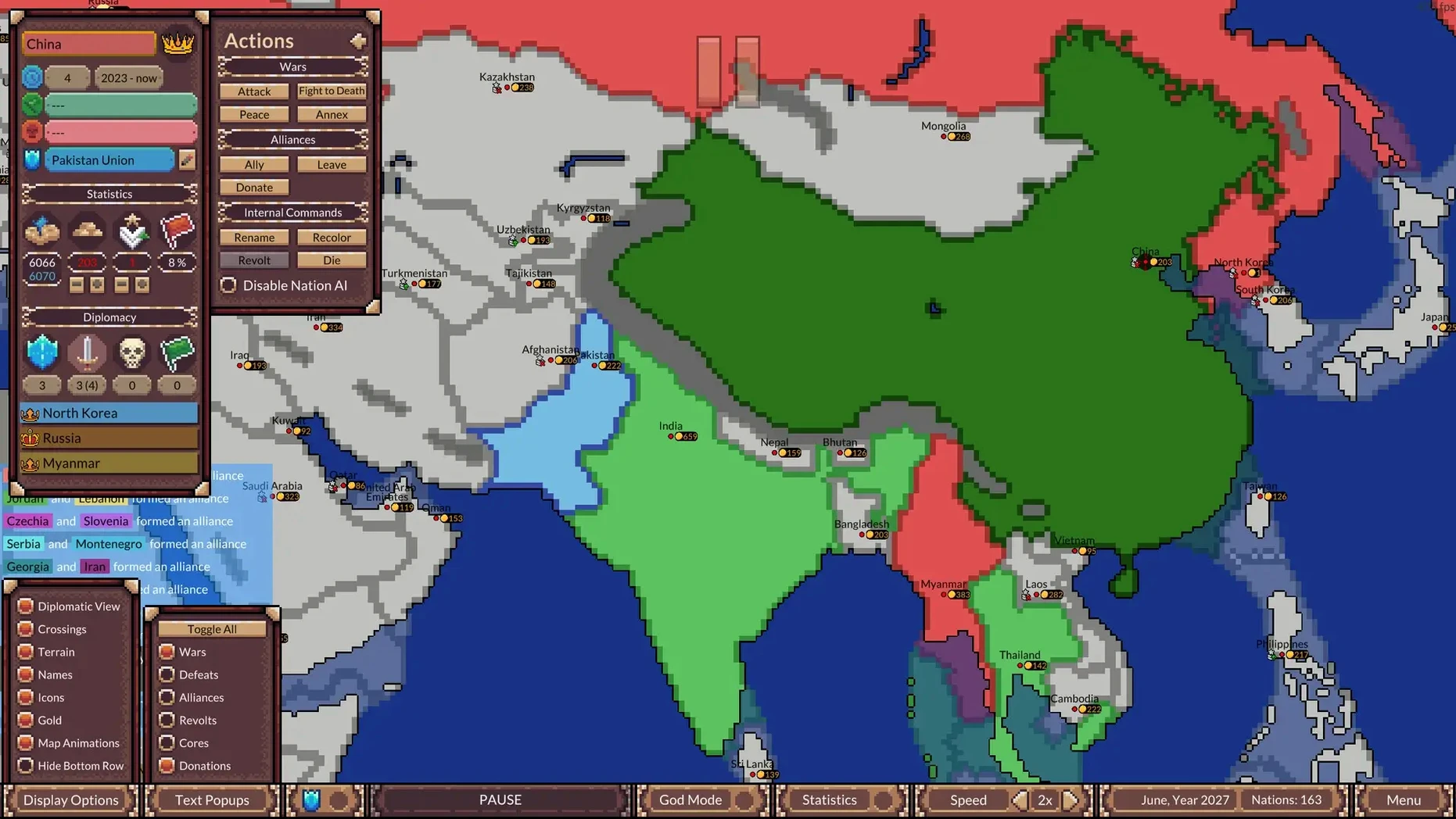
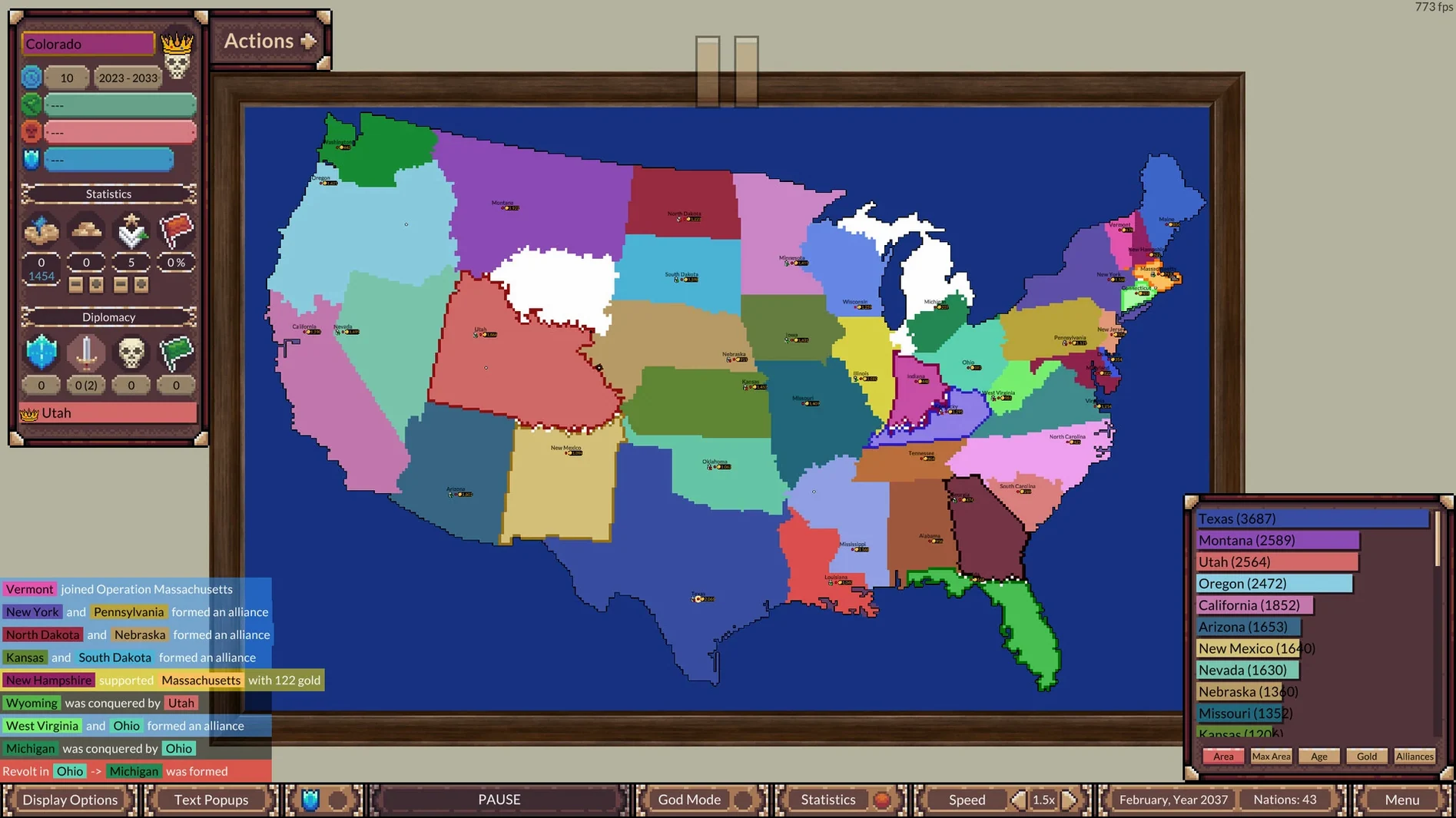
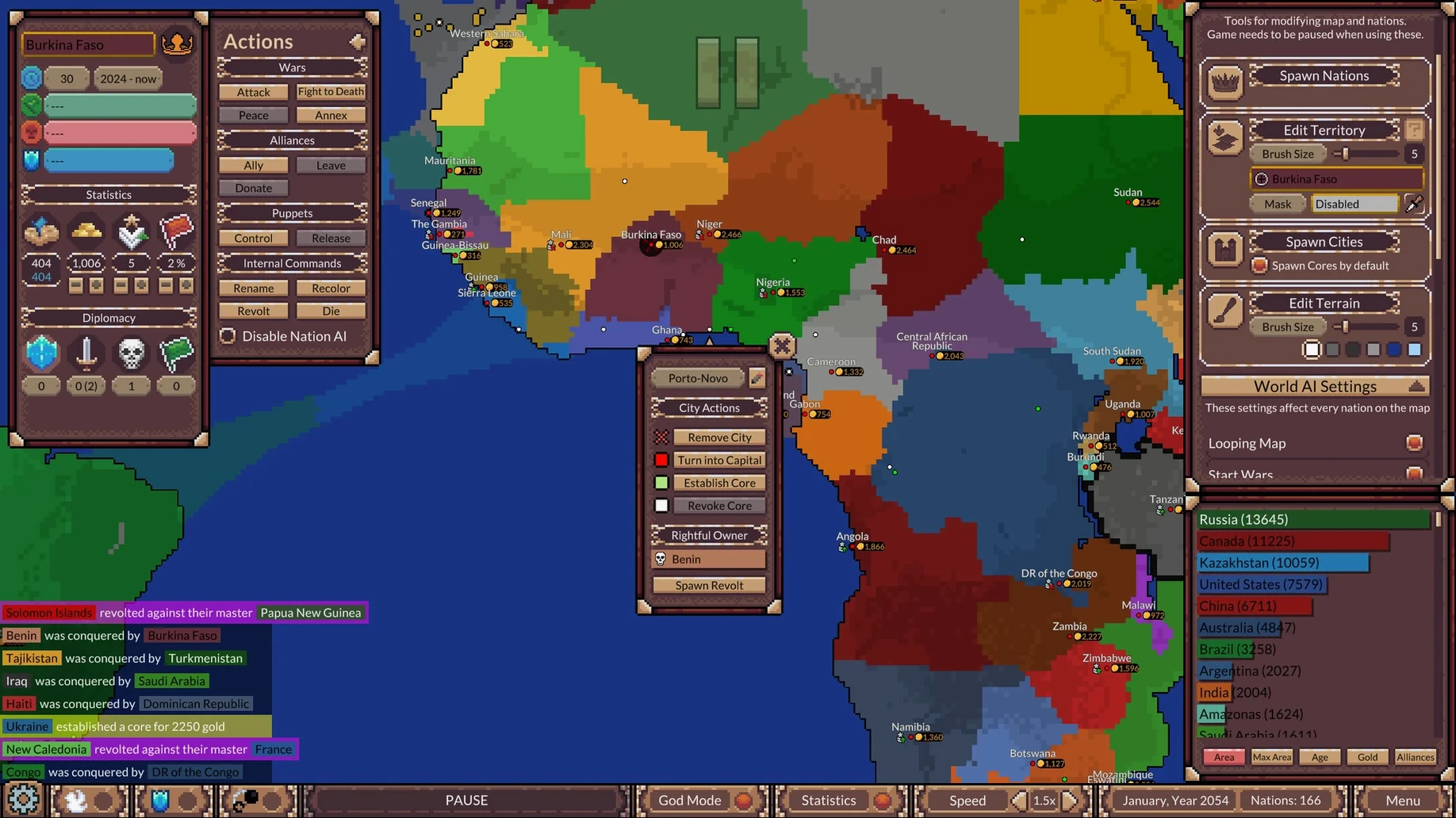
Armchair cartographers and what-if historians are the natural audience for this one. Ages of Conflict hands you a living map and sets dozens of AI nations loose across it, competing, expanding and occasionally collapsing over spans that can stretch into tens of thousands of simulated years. It is less a game you win and more a sandbox you watch, poke at and reshape as you go.
What the simulation brings
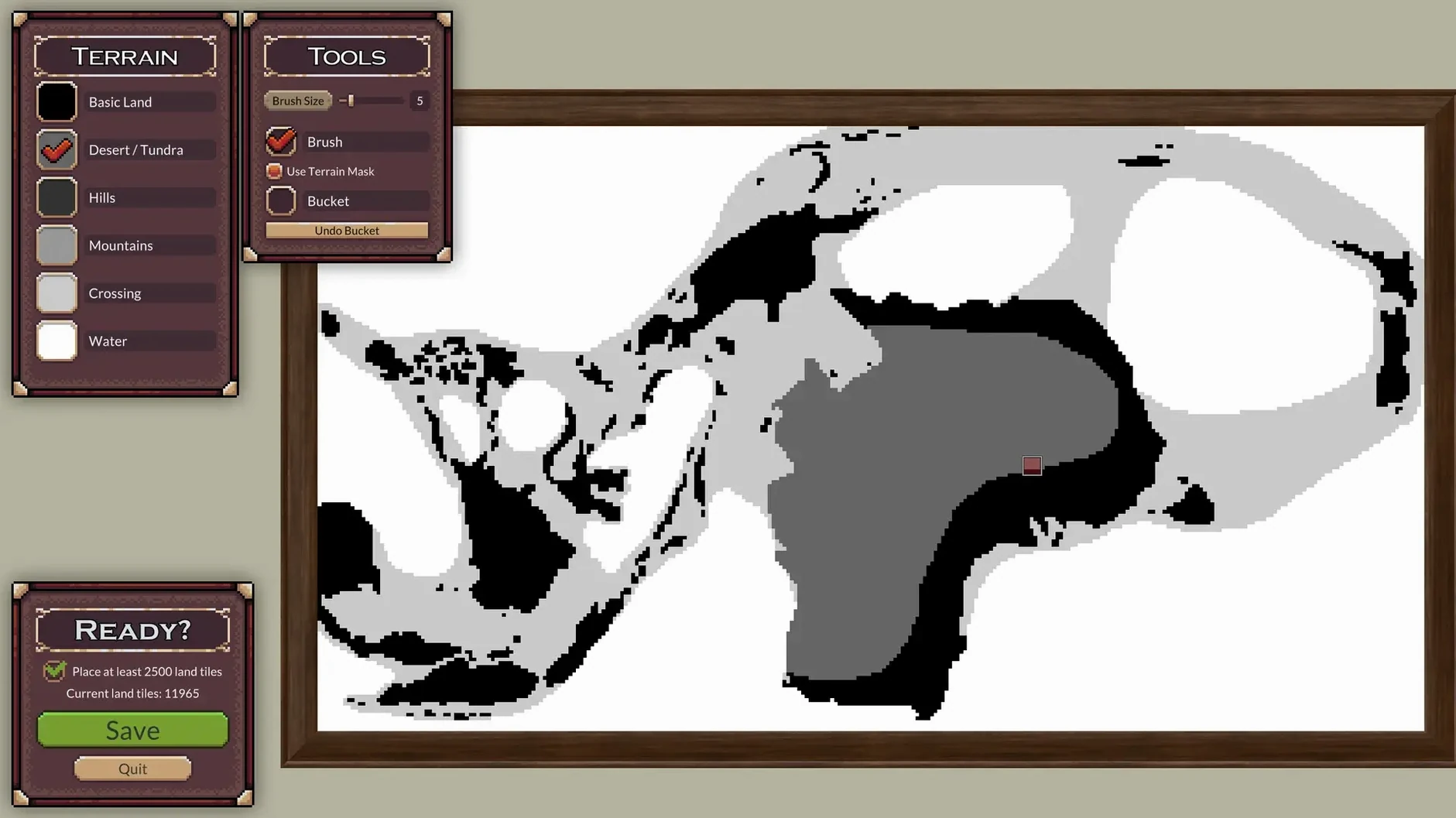
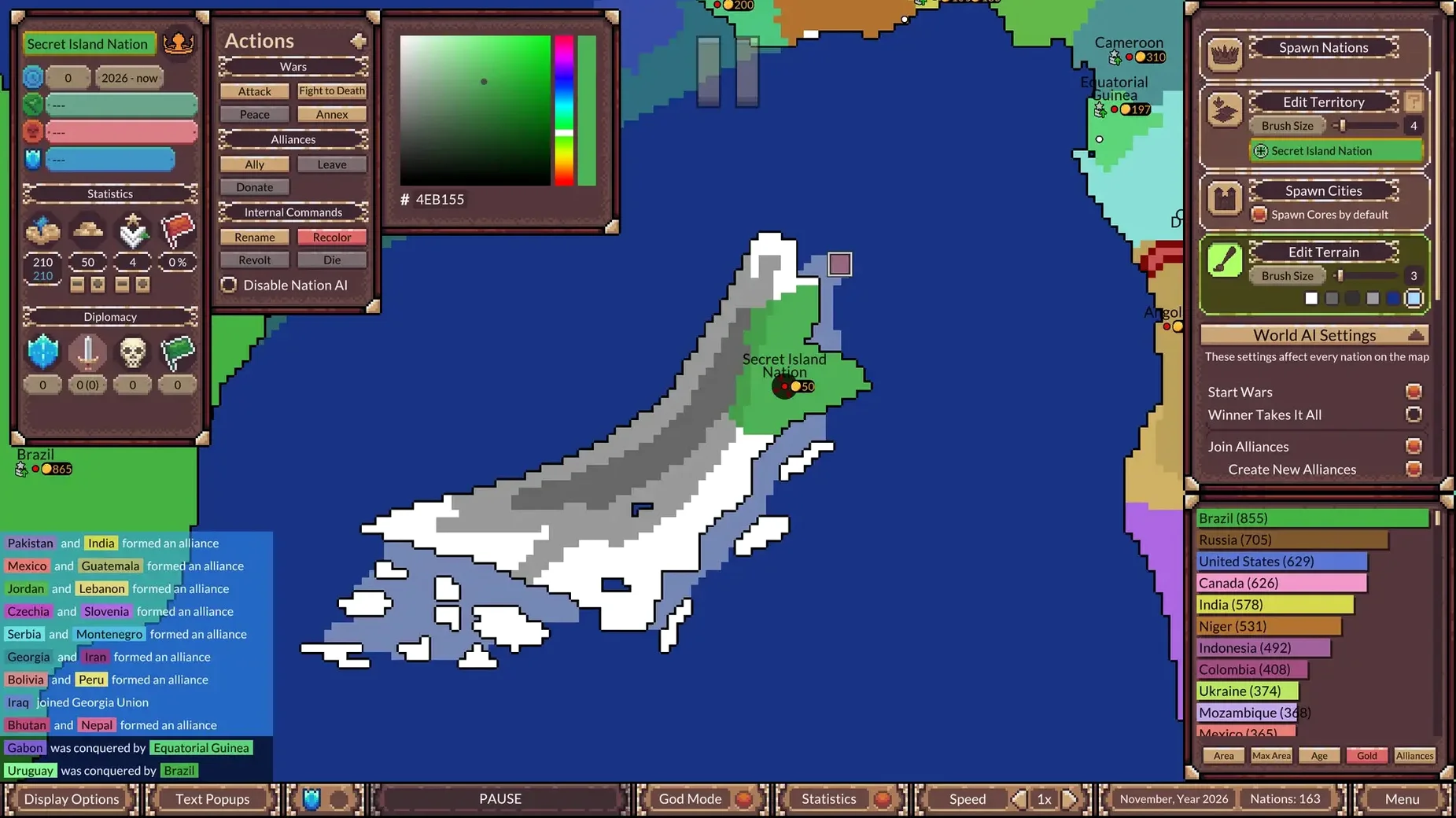
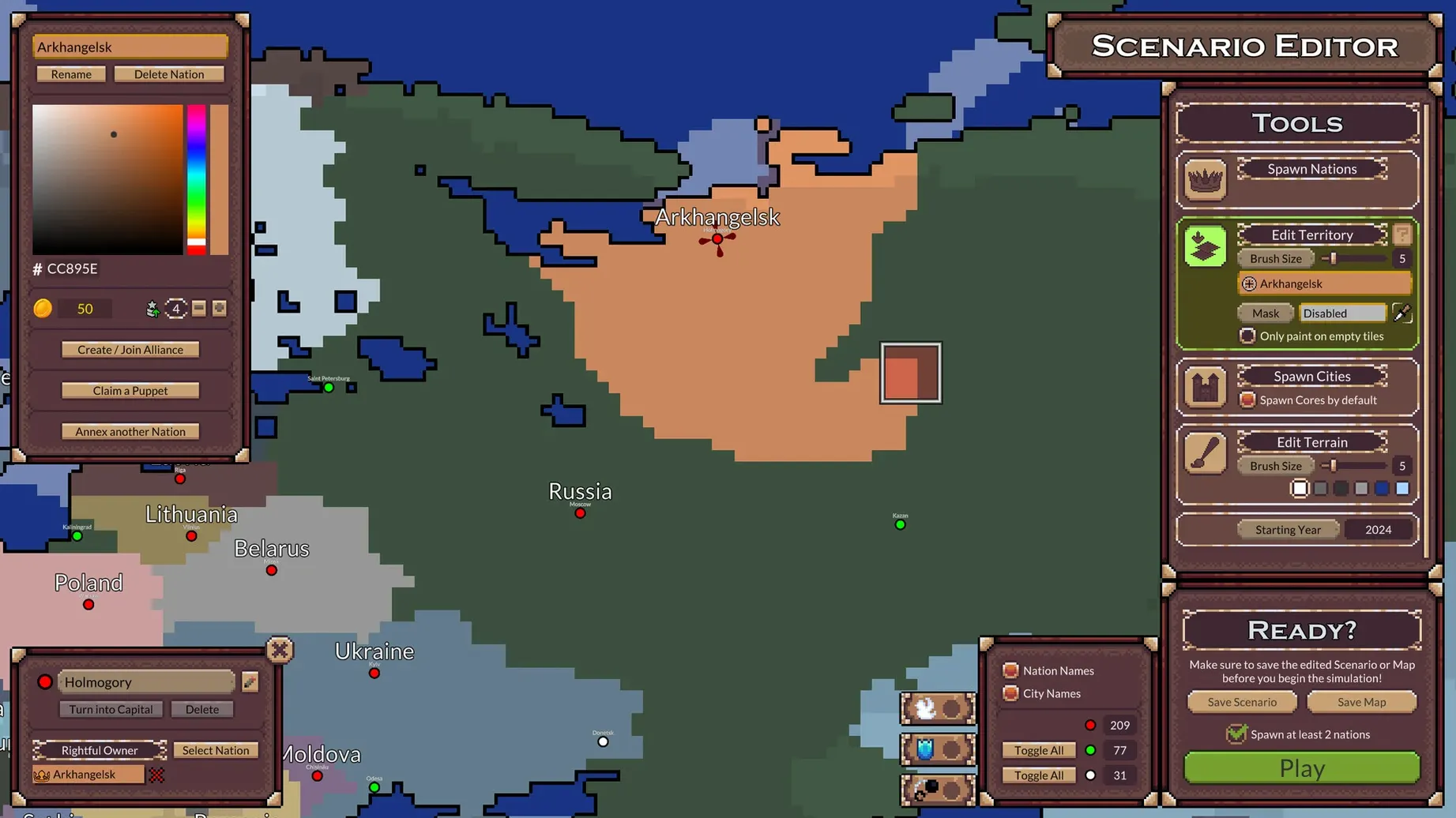
Version 4.5.1 arrives with a handful of built-in maps and scenarios to get you started, but the real draw is the scenario editor. You can paint your own landmasses, seed nations and set initial conditions, then let the clock tick forward. Once a simulation is running, a God Mode lets you rename any nation on the fly, while the statistics panel helps you track down extinct civilisations and compare their arcs. A small but satisfying visual update now lets large nation names stretch and curve across the landmasses they occupy, and you can optionally hide the nation panel statistics and diplomacy screen for a cleaner, more cinematic view.
Running it on macOS
The build runs natively on both Apple Silicon and 64-bit Intel Macs, so there is no Rosetta penalty to worry about. On a 2024 Mac mini with an M4 chip under macOS Tahoe, performance stays smooth even when the map fills with hundreds of moving borders and overlapping name labels. Controls are straightforward mouse-and-keyboard work — click to inspect a nation, drag to pan the map, scroll to zoom — and the interface responds without the slight input lag that sometimes plagues Unity-based sims ported to Mac. If you enjoy watching complex systems unfold and occasionally nudging them into chaos, the simulation fits the Mac desktop comfortably.
Who finds the deepest groove with it
People who love maps as objects in their own right tend to settle into this simulation the longest. If you have ever lost an evening tracing border changes in a historical atlas, or if you sketch fictional continents on squared paper just to imagine the trade routes that develop, Ages of Conflict gives you a toolset rather than a script. The crowd that gets the most mileage splits roughly three ways. Scenario tinkerers spend hours in the editor balancing starting conditions — giving one nation a narrow coastal strip while another controls a vast but fractured interior — then let the clock run overnight to see what the morning map reveals. AI-watchers treat each run as a behavioural experiment, noting which alliance structures prove stable and which collapse into rebellion spirals. And a quieter group uses it as a creative backdrop, running long simulations on a second display while they work, glancing up whenever a major power fractures or a tiny enclave suddenly absorbs its neighbours.
The common thread is a willingness to surrender control. If you need a clear win state, or if you find open-ended simulation unsatisfying, the appeal will probably be limited. But if your idea of a good time involves checking an extinct nation's statistics panel to understand exactly when its decline became irreversible, the game makes that curiosity feel rewarded.
The standard window leaves room for your note-taking app
Because the simulation runs in a standard window rather than demanding full-screen exclusivity, it plays nicely with the rest of the Mac ecosystem. You can keep a notes app open on one side of the display to jot observations — "Kingdom of Veridia collapsed by year 3,400, rebellion in the eastern provinces" — or drag a screenshot of a particularly striking map state straight into a document. The built-in screen recording tools in macOS make it easy to capture a century-long border shift as a time-lapse clip, and several mapmakers in the community use QuickTime or a third-party capture tool to create the animated previews they share alongside their custom scenarios.
On the audio side, the game's music bed sits politely in the background without fighting other sound sources, so you can keep a podcast or an audiobook running without constant volume juggling. If you are the sort of person who has already gone looking for an ages of conflict world war simulator mac torrent to try out a fresh map pack, the local file structure is refreshingly straightforward — custom scenarios live in a plain folder you can back up, share or archive with no special tools needed.
One afternoon in the life of a scenario builder
Imagine a geography teacher with a quiet Sunday ahead. She opens the scenario editor and sketches a crescent-shaped continent loosely inspired by the Mediterranean basin, then places six nations with deliberately uneven resources. The northern power gets a thick landmass but few coastal outlets; two southern kingdoms share a fertile river valley that will almost certainly become a flashpoint. She sets the simulation running at moderate speed and grades a stack of papers while the centuries tick past in her peripheral vision.
By the time she looks up properly, the river valley has changed hands four times. One southern kingdom is extinct, its name listed in the statistics panel with a collapse timestamp she can cross-reference against the alliances that were active at the time. The northern power, boxed in as predicted, triggered a rebellion in its own hinterland that eventually split it into three successor states. She grabs a screenshot for a lesson slide on territorial change, renames the largest successor state after a historical empire her class will recognise, and lets the simulation roll on while she makes lunch. The whole session used no menus deeper than the God Mode panel and asked nothing of her except curiosity and a willingness to be surprised.
- macOS (version not specified)
- Apple Silicon or 64-bit Intel processor
Questions from the class 0
Sign in or join the class to ask a question.
Nobody has asked anything yet. If you have used it on a real job, say what the file did.
Also on the Games shelf
The whole Games shelf Age of Empires II: Definitive Edition
Rebuilds a classic real-time strategy game with modern graphics and historical care.
Age of Empires II: Definitive Edition
Rebuilds a classic real-time strategy game with modern graphics and historical care.
 Angry Birds Reloaded
Flings birds at piggy fortresses through hundreds of physics-based puzzles.
Angry Birds Reloaded
Flings birds at piggy fortresses through hundreds of physics-based puzzles.
 7 Days To Die
Strands you in a zombie wasteland for survival, crafting and building.
7 Days To Die
Strands you in a zombie wasteland for survival, crafting and building.
 Asphalt 8: Airborne+
Throws you into a frictionless arcade racer full of barrel rolls, nitro boosts, and airborne stunts.
Asphalt 8: Airborne+
Throws you into a frictionless arcade racer full of barrel rolls, nitro boosts, and airborne stunts.
 Assassin's Creed Shadows
Lets you stalk feudal Japan as a patient shinobi who exploits shadows and shifting guard patterns.
Assassin's Creed Shadows
Lets you stalk feudal Japan as a patient shinobi who exploits shadows and shifting guard patterns.
 Assassin’s Creed Brotherhood
Drops you into a dense Renaissance Rome to dismantle the Borgia family with a network of apprentices.
Assassin’s Creed Brotherhood
Drops you into a dense Renaissance Rome to dismantle the Borgia family with a network of apprentices.
 Astral Ascent
 ATOM RPG: Trudograd
Continues a Soviet-inspired post-apocalyptic role-playing story in a single sprawling city.
ATOM RPG: Trudograd
Continues a Soviet-inspired post-apocalyptic role-playing story in a single sprawling city.