 ASPNetWorld

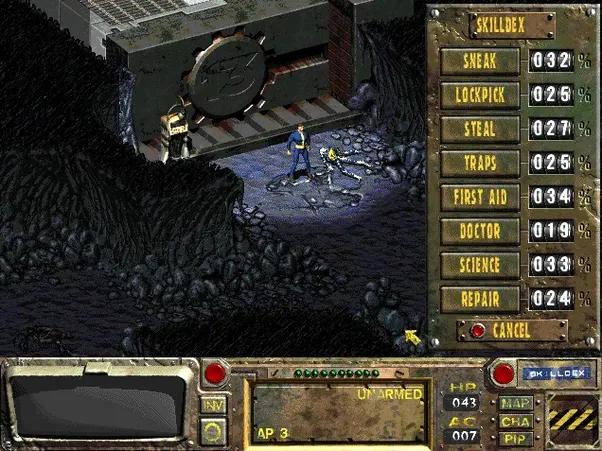
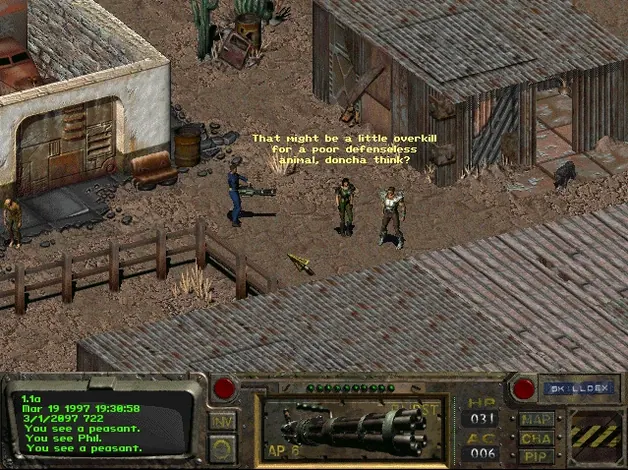
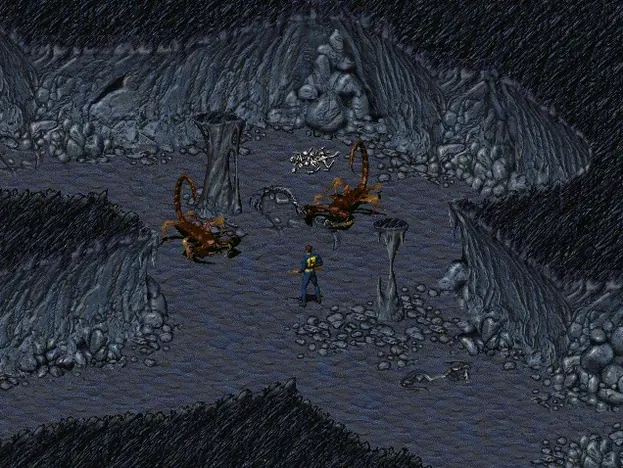
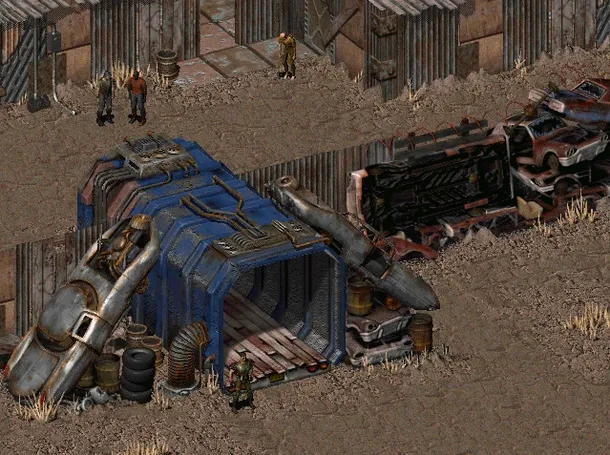
That retrofuturistic look hits you the moment the interface loads — all Bakelite optimism and vacuum-tube circuitry, as if the future was designed by someone who'd only ever read 1950s issues of Popular Mechanics. The Community Edition build packages this 1997 isometric role-playing game for modern Macs, letting you step straight into the irradiated California of 2161.
Vault 13 — The sealed underground shelter where your story begins. The water purification chip has failed, and you are the dweller sent out into a world you've only seen on flickering monitors.
Super Mutants — Towering, aggressive humanoids created by the Forced Evolutionary Virus. They are a persistent threat across the wasteland and central to the game's main conflict.
Isometric view — A fixed three-quarter perspective camera that gives you a tactical overview of every ruined building, desert stretch and ambush. Movement and combat both happen on this angled grid.
Retrofuturism — The game's visual and narrative style: atomic-age design, finned cars rusting by the roadside, and cheerful corporate mascots advertising products that no longer exist. The world ended, but its mid-century dreams didn't quite die.
Fallout CE — The launcher application that starts the game on your Mac. The Community Edition build has been tested on Apple Silicon and 64-bit Intel machines running macOS Sonoma, so it should wake up without complaint on most modern setups.
If you spent your teenage years with a graph-paper notebook full of character stats, Fallout is going to feel like a homecoming. The game rewards patience and careful reading — there is no voiceover telling you where to go next, only journal entries and the occasional barkeep with a rumour. Players who enjoy turn-based tactical thinking will find the hex-grid combat deeply satisfying, while anyone with a soft spot for worldbuilding that doesn't rush to explain itself will sink hours into the dialogue trees. It also suits Mac users who want a game that runs quietly in the background of everyday life: the Community Edition build is remarkably light on system resources, so you can leave it paused on the desktop while you switch to something else, then pick up exactly where you were without a lengthy relaunch.
From the vault door to the first water chip lead
The early hours can feel wide open, so here is one way to find your footing. Your character emerges outside Vault 13 with nothing but a pistol, a flickering pip-boy light and the weight of a hundred lives back home. The immediate goal is information, not heroics.
- Check your Pip-Boy for the Vault 15 map marker. The game gives you this location automatically — it is the nearest pre-war vault and the logical place to start searching for another water chip.
- Follow the grid lines east, moving cautiously. Stick to the world map travel system and keep an eye on the encounter chance. Radscorpions and geckos are manageable early fights, but running is always a valid choice.
- Arrive at Vault 15 and sweep the entrance levels. You will find little more than rats and the remains of a failed community, but the computer logs and conversations with anyone you meet in nearby Shady Sands point you toward the next settlement — a hub where the real leads begin.
- Trade at Shady Sands before moving on. A stimpak or two, some rope, and a spare firearm can change the next few hours dramatically. Talk to every named character; the game buries its best clues in casual asides.
The rhythm that develops — explore, converse, fight or flee, then rest — is the game's quiet genius. Nothing is hurried, and nothing is handed to you.
Where Fallout sits in a modern Mac workflow
The Community Edition launcher plays nicely with macOS features in ways that a DOS-era title has no right to. The game saves live in a standard folder at /Applications/Fallout/DATA/SAVEGAME, which means you can easily back them up by dragging that folder into iCloud Drive or a Time Machine snapshot. The app itself is self-contained inside its own directory, so it does not scatter support files across your Library — uninstalling is as simple as deleting the Fallout folder from Applications.
Because the game is turn-based, it pairs surprisingly well with other apps running alongside it. You can keep a notes app open to track quest threads you want to follow up later, or leave a browser tab on a community wiki for the moments when you are genuinely stuck. The isometric engine is light enough that even a MacBook Air from 2020 handles it without spinning up the fans, so recording quick gameplay clips with the built-in Screenshot tool or QuickTime Player is perfectly feasible if you want to share a funny dialogue moment. There is also something quietly pleasing about running a fallout a post nuclear role playing game mac download that integrates so cleanly with Mission Control — a four-finger swipe to the desktop, a quick email, and back into the wasteland with no reload required.
- macOS (tested on Sonoma)
- Apple Silicon or 64-bit Intel processor
Questions I keep hearing
Where are the save files kept on a Mac?
The game writes its save data inside the application bundle at /Applications/Fallout/DATA/SAVEGAME, so you will find your progress files there.
Questions from the class 0
Sign in or join the class to ask a question.
Nobody has asked anything yet. If you have used it on a real job, say what the file did.
Also on the Games shelf
The whole Games shelf Factorio
Challenges you to design and automate ever-growing production chains.
Factorio
Challenges you to design and automate ever-growing production chains.
 Farming Simulator 25
Lets you run a working farm from planting to harvest.
Farming Simulator 25
Lets you run a working farm from planting to harvest.
 Fear & Hunger
Places you in a grim dungeon where survival depends on luck and nerve.
Fear & Hunger
Places you in a grim dungeon where survival depends on luck and nerve.
 Europa Universalis IV
Puts you in charge of a nation's trade, diplomacy, and growth over centuries.
Europa Universalis IV
Puts you in charge of a nation's trade, diplomacy, and growth over centuries.
 Euro Truck Simulator 2
Settles you behind the wheel for long-haul deliveries across calm roads.
Euro Truck Simulator 2
Settles you behind the wheel for long-haul deliveries across calm roads.
 Escape from Duckov
Sends you on short solo raids where every trip teaches you a little more about survival.
Escape from Duckov
Sends you on short solo raids where every trip teaches you a little more about survival.
 Firewatch
Puts you on a mountain lookout with a radio and a mystery to unravel.
Firewatch
Puts you on a mountain lookout with a radio and a mystery to unravel.
 Easy Red 2