 ASPNetWorld

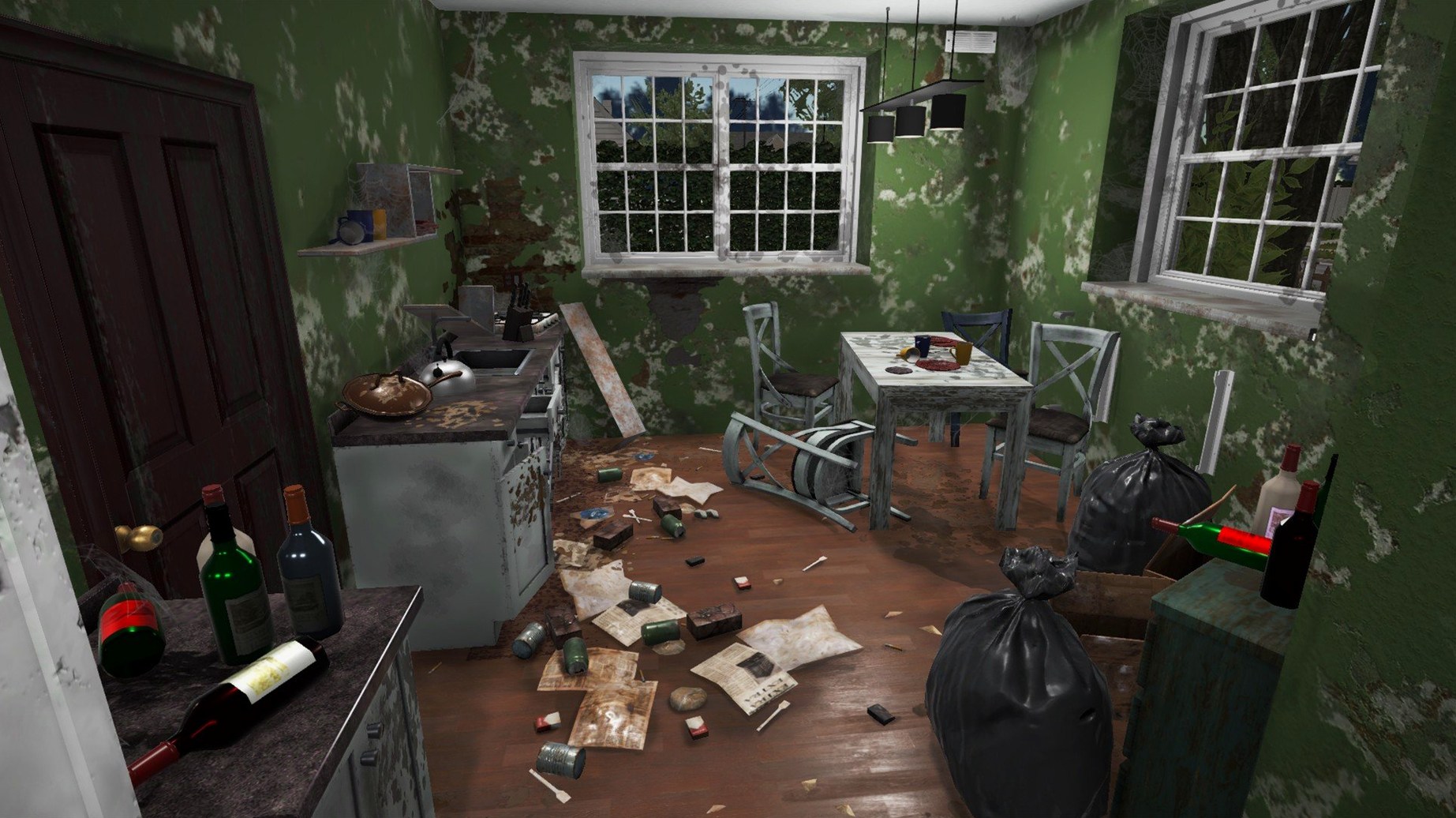
You arrive at a bungalow that smells of old carpet and neglect. The previous owners left broken glass by the back door, a sofa that has seen better decades, and enough rubbish to fill a skip. Your tablet pings with the job details: clear the trash, clean the windows, paint the living room, install a radiator. You pick up the hammer first — not for demolition, but because removing the old panelling feels like the right place to start.
You might spend twenty minutes scraping tiles
Clients hand you a list of tasks through your in-game tablet. You might spend twenty minutes scraping old tiles with a trowel, mopping up grime, or rolling fresh paint onto walls. No two houses are identical, and the scope shifts from quick clean-ups to full furnishing jobs where you choose every lamp and armchair.
How do the tools work?
Your kit includes a paint roller, window cleaner, trowel, mop, hammer, and a tablet for managing orders. Tool use grants experience, which gradually unlocks perks that make you faster or more efficient. The hammer, for instance, is not a weapon — it is how you knock down damaged drywall or dismantle unwanted fittings before you rebuild.
What happens between jobs?
Once you have earned enough from client contracts, you buy a derelict property of your own. You then do the same work — ripping out, cleaning, painting, furnishing — but this time you set the budget and keep the profit when it sells. The loop is simple but sticky: earn, buy, renovate, sell, repeat with a bigger house.
A full flip from wreck to sale
Let's walk through a property that needs everything. You buy a small two-bedroom house that looks like it lost a fight with a leaky roof. The first thing you do is grab the hammer and knock down an awkward partition wall that cuts the kitchen off from the living area. The game lets you swing freely, and within a couple of minutes the wall is a pile of debris on the floor — which you then clear with the same tool, stacking broken plaster and timber into a skip bag.
Next comes the cleaning pass. The mop deals with a suspicious puddle near the back door, while the window cleaner takes care of grime that has built up on every pane. You learn to work methodically: clean top to bottom, room by room, because the tablet tracks which surfaces are still dirty and nothing is more annoying than hunting for a single overlooked smudge when you thought you were done.
With the shell cleaned, you switch to the trowel. The bathroom tiles are cracked in six places and the old adhesive fights you. Each tile takes a few seconds of work, and the sound design — a scrape-and-crunch that never quite becomes irritating — makes the task feel physical. You lay fresh tiles by selecting them from the shop menu on your tablet; the game snaps them into a grid, so you are placing rather than painstakingly aligning.
Painting is where the house starts to feel yours. The paint roller covers large sections quickly, and you can pick colours from a palette that ranges from sensible off-whites to a lurid lime green that you would only choose to see if the game lets you. You do the living room in a warm grey, the bedrooms in something calmer. Each wall takes maybe thirty seconds of steady rolling, and the coverage feedback — a percentage ticker on the tablet — keeps you from guessing.
Installation work comes last. You fit a radiator in the hallway by positioning a template, tightening virtual bolts, and watching the pipework connect with a satisfying click. A shower cabin goes into the bathroom; an air conditioner unit mounts onto the bedroom wall. These tasks are simple but tactile, and they break up the painting-cleaning rhythm nicely.
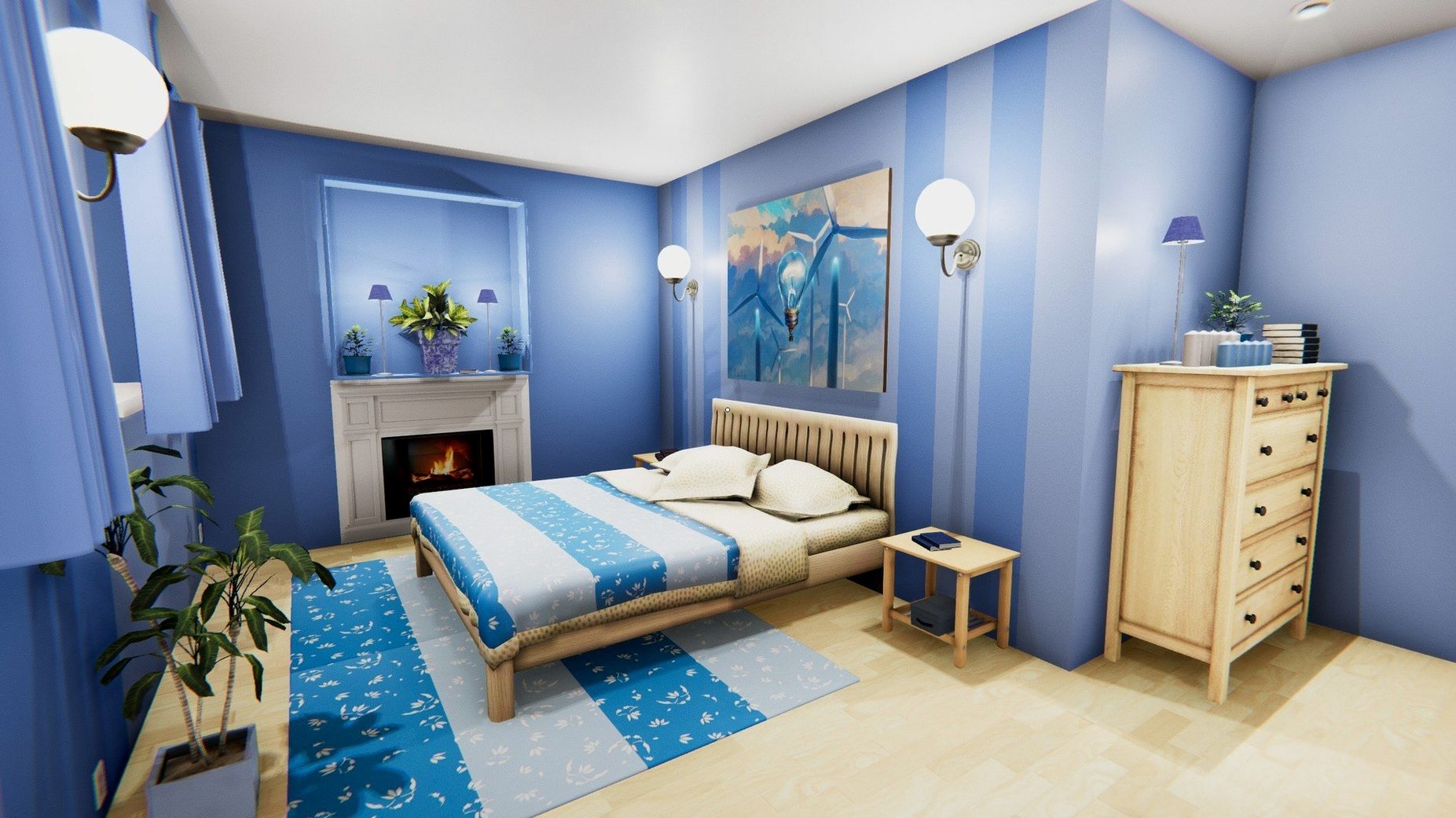
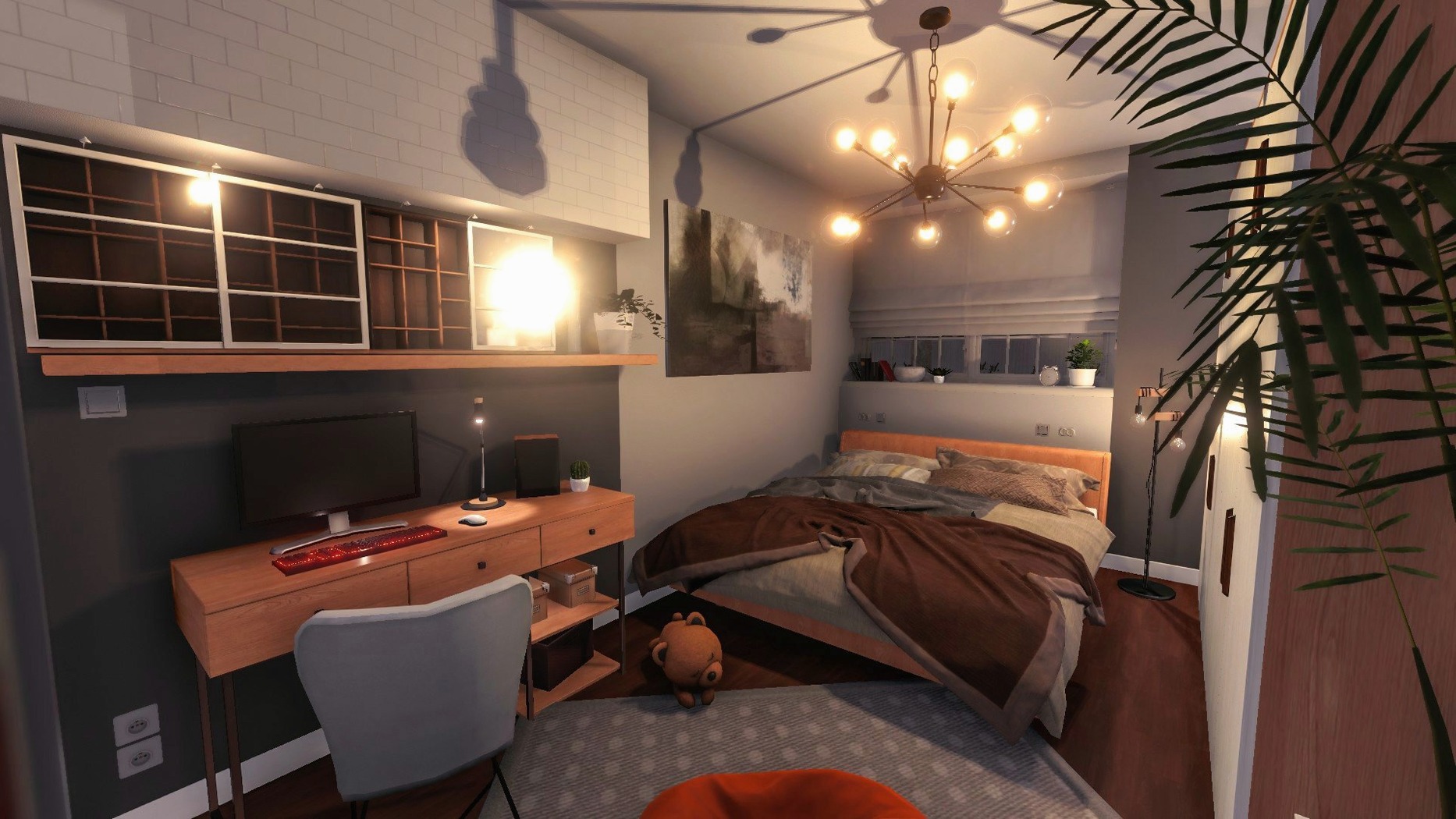
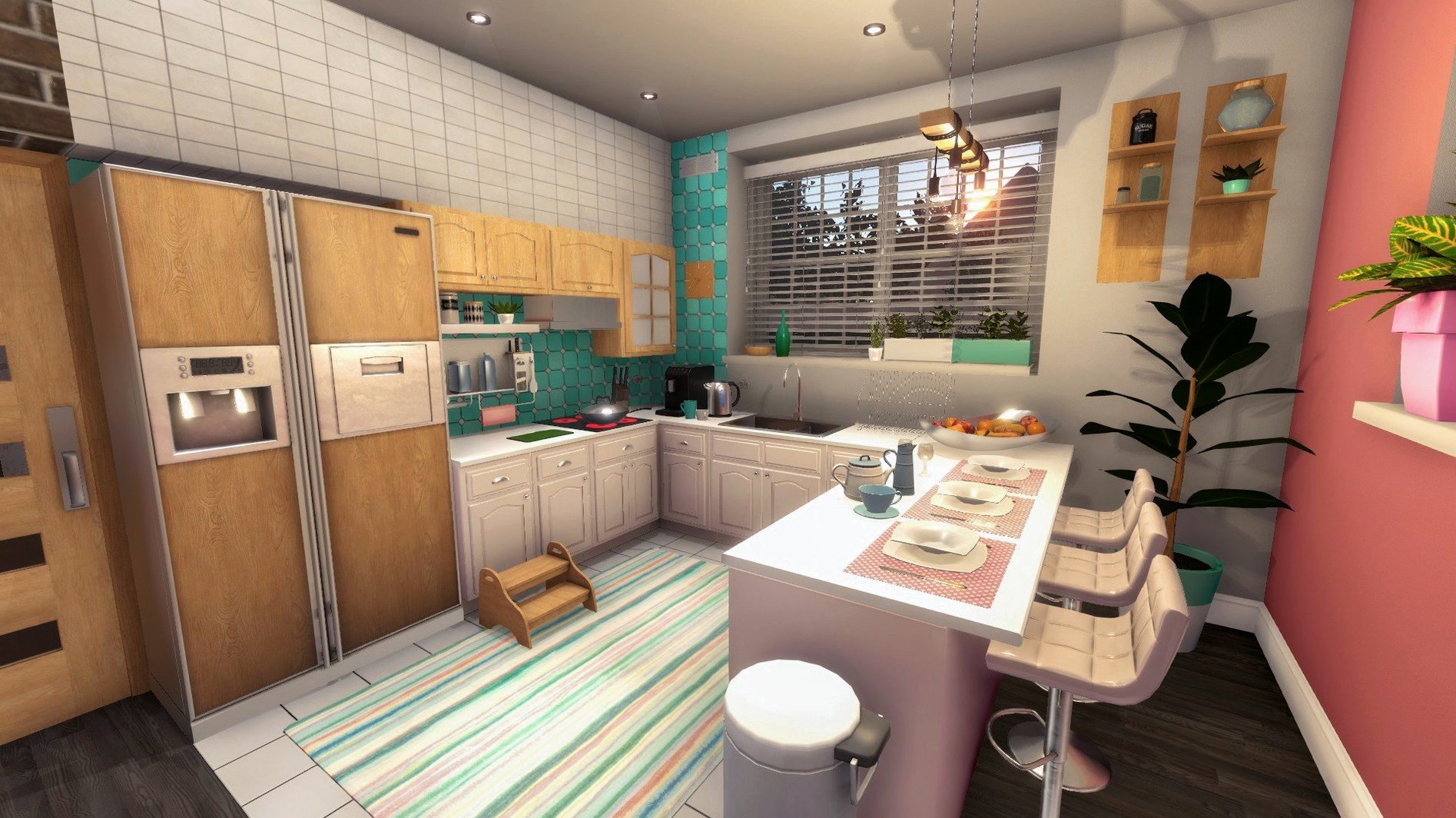
Furnishing is the final creative sprint. You browse categories on the tablet — beds, sofas, lamps, rugs, kitchen counters — and place each item with a drag-and-drop motion. The game does not penalise you for clashing patterns, but you find yourself caring about how the rooms flow. A house that looked condemned an hour ago now has a breakfast bar, a reading nook, and a pot plant that ties the whole corner together.
You list the property, the game calculates a sale price based on the work done, and the profit rolls in. The entire flip took under two hours, and you already have your eye on a larger place with a garden.
Run a browser beside it to pull up real renovation ideas
House Flipper runs in a standard window, so it coexists peacefully with other apps. You can keep a browser open in the background if you want to look up real-world renovation ideas — some players enjoy pulling up a 3d elevation house reference or browsing a 3d elevation design corner house concept to inspire furniture layouts. The game does not lock you into full-screen mode, and on a larger Mac display you can have a note-taking app open beside it without the system breaking a sweat.
Spotlight works as usual, but you will not need it for the game itself because the in-game tablet handles all job tracking and shopping. Mission Control handles workspace switching smoothly; I have flicked between House Flipper and a messaging app dozens of times and never experienced a stutter. If you use Continuity features, the game does not interfere — your iPhone calls come through as normal, and Handoff remains active for other apps.
The game saves progress locally rather than through iCloud, so your renovation empire stays on the Mac you play on. That also means Time Machine will pick up the save files in your Library folder if you have it running, which is a quiet bonus for long-running saves you have grown attached to.
Audio-wise, the music accompaniment sits at a comfortable level. If you prefer your own soundtrack, Apple Music or Spotify can run underneath with the in-game music turned down in the settings. The ambient sounds of cleaning and hammering still come through, so you do not lose the tactile feedback that makes the work feel grounded.
Mopping floors becomes appealing wrapped in progression
Does it feel like actual work or actual play? It lands somewhere in between, and that is the appeal. The tasks are mundane — you are mopping floors and scrubbing windows — but the game wraps them in a progression system that makes you care about getting faster and better. The moment a job finishes and the money hits your account, you understand why people sink hours into this.
Will it run on an older Mac? The game was originally released in 2017 and the current version 1.26252 supports both Intel and Apple Silicon Macs. It was tested on a Mac mini 2024 M4 running macOS Tahoe without issues, so anything reasonably modern should handle it comfortably. The graphics are not demanding; you are painting walls, not rendering a city.
Is there a story, or is it all freelance jobs? There is no central narrative. You take jobs, earn money, buy houses, and flip them. The story is the one you build through the properties you renovate and the increasingly ambitious projects you take on. Some players treat it as a sandbox, others chase profit margins obsessively.
Can you really demolish walls anywhere? Within the houses you own, yes. Client jobs sometimes restrict demolition, but once a property is yours, you can knock through internal walls freely. The hammer does the work, and the debris cleanup becomes part of the job. It is oddly satisfying to open up a cramped floor plan and see daylight cross the room differently.
Paint roller swings smoothly across large shadowed walls
On Apple Silicon, the game launches in under ten seconds and loads save files almost instantly. The frame rate stays smooth even when you are swinging the paint roller across a large wall with multiple light sources casting shadows. I have not seen a single crash across a dozen hours of play, and the autosave is frequent enough that you never lose more than a minute or two of progress if you need to quit suddenly.
Memory usage sits modestly. Activity Monitor shows House Flipper hovering around 1.5 GB of RAM during typical renovation work, which leaves plenty of headroom for background apps. The CPU draw is similarly light — fans stay quiet on a MacBook Air, and the Mac mini M4 barely registers the load. If you are the kind of player who likes to keep a podcast or a video essay running on the side, the machine will not protest.
Battery life holds up well on laptops. An hour of flipping costs roughly 15–18% charge on a recent MacBook Pro, which is in line with other simulation titles that do not hammer the GPU. The game does not prevent sleep, so closing the lid mid-job and resuming later works exactly as you would hope.
The interface scales cleanly on Retina displays, and the text in the tablet menu is sharp without being tiny. If you use macOS accessibility features like reduced motion, the game respects your system settings to some degree — the painting and cleaning animations are smooth but not frantic, and nothing relies on rapid mouse movements.
One small observation: the first launch after copying the app to your Applications folder triggers a Gatekeeper check, which is standard for non-App Store software. After that, subsequent launches are immediate. The app bundle is self-contained, so uninstalling is as simple as dragging it to the Trash — no leftover daemons or kernel extensions to worry about.
- macOS details not specified by the developer; tested on macOS Tahoe with an Apple Silicon Mac mini (2024, M4).
- Runs on both Intel and Apple Silicon Macs.
- Interface languages: Russian, English, German, Hungarian, Greek, Spanish, Italian, Traditional Chinese, Simplified Chinese, Korean, Dutch, Norwegian, Polish, Portuguese, Romanian, Turkish, Ukrainian, French, Czech, Japanese.
Questions I keep hearing
When did House Flipper originally come out?
The game was first released on 17 May 2017 and has been updated steadily ever since; the current version is 1.26252.
Questions from the class 0
Sign in or join the class to ask a question.
Nobody has asked anything yet. If you have used it on a real job, say what the file did.
Also on the Games shelf
The whole Games shelf Hollywood Animal
Steers a fledgling film studio through decades of creative and business turmoil.
Hollywood Animal
Steers a fledgling film studio through decades of creative and business turmoil.
 HUNTDOWN: OVERTIME
Sends you on a roguelite rampage through procedurally shifting criminal districts.
HUNTDOWN: OVERTIME
Sends you on a roguelite rampage through procedurally shifting criminal districts.
 Hytale
Generates a quest-filled block world that responds to your own custom creations.
Hytale
Generates a quest-filled block world that responds to your own custom creations.
 Heroes of Might and Magic II: Gold Edition
Lays out a turn-based fantasy kingdom where every considered move counts.
Heroes of Might and Magic II: Gold Edition
Lays out a turn-based fantasy kingdom where every considered move counts.
 Hello Kitty Island Adventure
Invites you to restore a pastel island alongside familiar Sanrio friends.
Hello Kitty Island Adventure
Invites you to restore a pastel island alongside familiar Sanrio friends.
 Hearts of Iron IV
Directs a single nation through the full machinery of World War II.
Hearts of Iron IV
Directs a single nation through the full machinery of World War II.
 Haste
Races you through crumbling worlds where the ground disintegrates underfoot.
Haste
Races you through crumbling worlds where the ground disintegrates underfoot.
 Into the Dead: Our Darkest Days
Leads a group of survivors through a zombie-infested city over weeks of scavenging and tough choices.
Into the Dead: Our Darkest Days
Leads a group of survivors through a zombie-infested city over weeks of scavenging and tough choices.