 ASPNetWorld

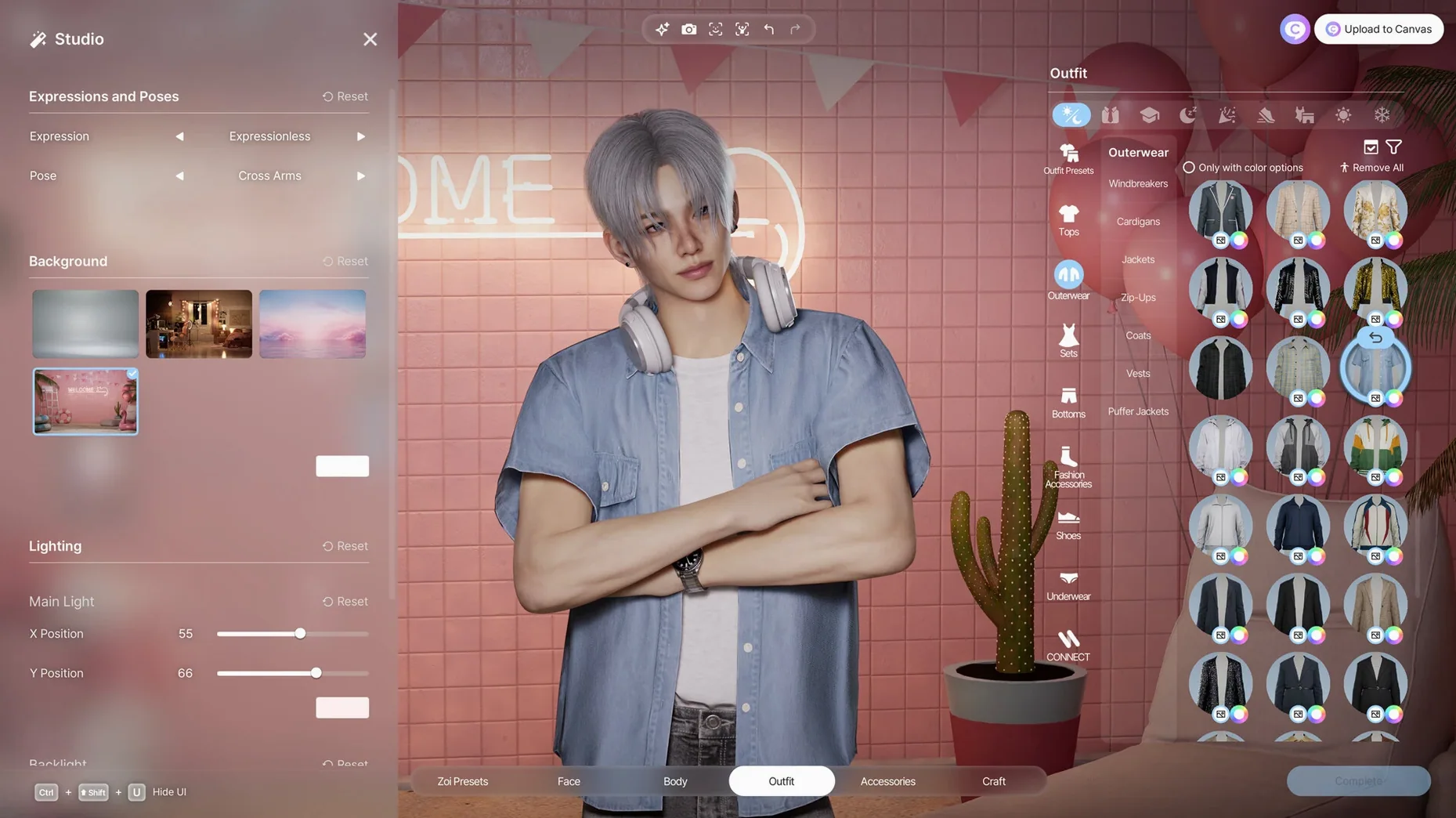
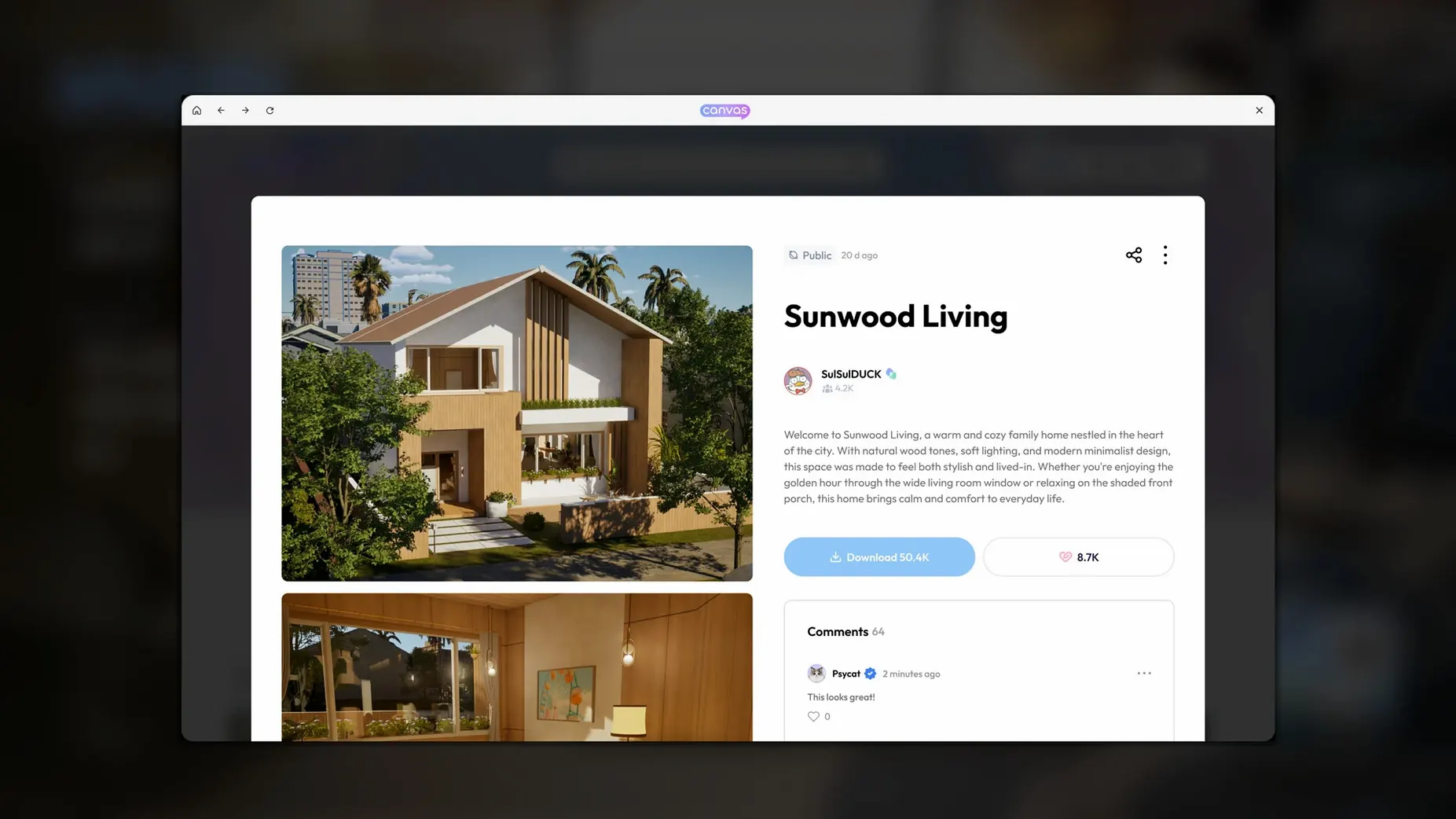
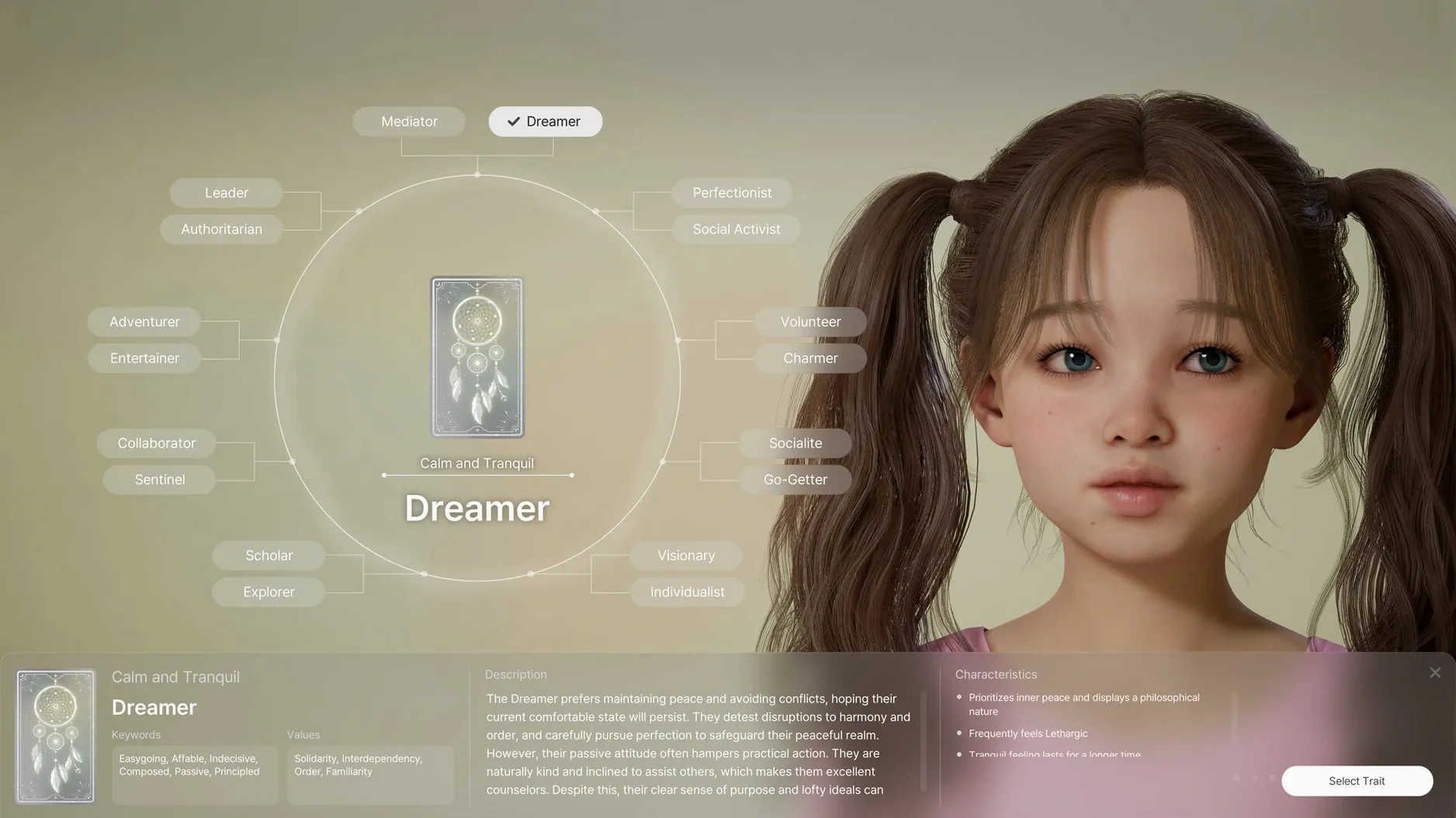

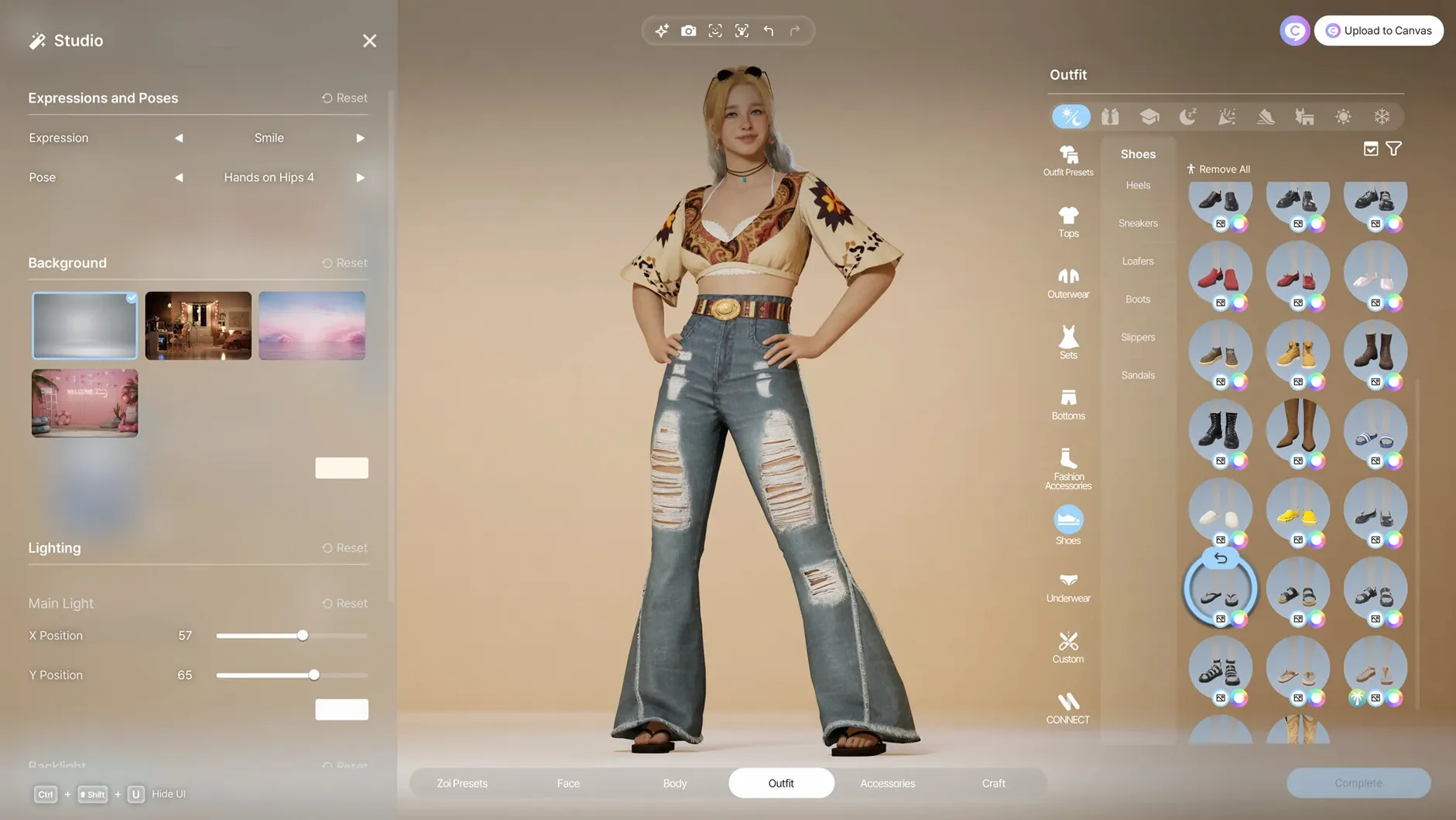
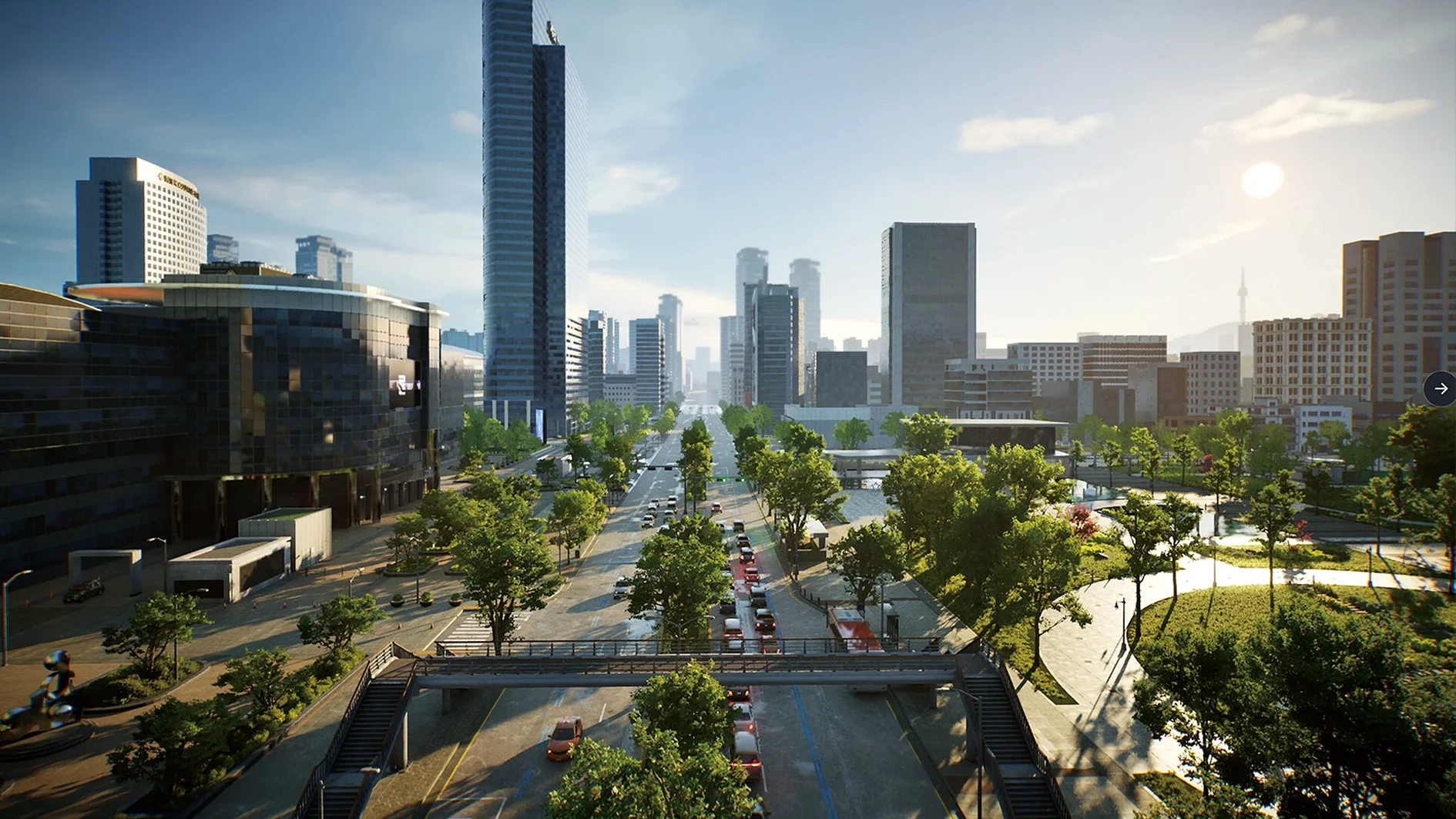

inZOI runs natively on Apple Silicon Macs, so you'll need an M-series chip and macOS Tahoe to open its doors. Developed on Unreal Engine 5, it is an early-access life simulation that hands you a broad set of creative tools rather than locking you into a single career path. You can build a character down to the manicure, lay out a city modelled after real places, and then step back to watch your world unfold — or nudge it in a new direction whenever inspiration strikes. The contents of the current build lean heavily into making and customising, with the simulation layer growing around those foundations.
- A full character studio covering hair, skin, body shape, clothing, accessories and nail art, plus a local generative AI model that produces patterns and images for outfits, decorations and furniture from plain text prompts.
- A building toolkit with walls, roofs, stairs, fences, platforms and gates — enough architectural range to shape houses, public spaces and odd little structures that exist only because you thought of them.
- A city layer where districts are modelled after real-world locations, giving each neighbourhood a distinct silhouette and rhythm before you start rearranging things.
- The ability to turn 2D images into usable 3D objects inside the game, so a sketch or a photo can become a vase, a shop sign or a piece of playground equipment.
- Character movement captured from uploaded video files, letting you map your own gestures and walks onto the people populating your city.
Much of the pleasure comes from the friction between these tools: a bespoke wallpaper pattern generated by the AI model can end up on a building you designed from scratch, placed in a district that echoes a real city, populated by a character who moves with gestures you filmed yourself. The simulation is still finding its feet in early access, but the box of parts is already an absorbing playground for anyone who likes building a world before they live in it.
AI pattern tools now feel ready for daily use
Since the initial 0.10.0 early-access release landed in late March, the updates that brought us to version 0.10.4 have been quietly practical rather than headline-grabbing. The most welcome shift is that the generative AI features — the pattern creator for clothing and the image-to-3D pipeline — now feel less like a tech demo and more like a reliable part of the furniture. Early builds could take half a minute to process a single prompt on a base M1, and the results sometimes ignored the wording entirely. The current version responds faster on the same hardware and produces textures that actually match what you asked for, at least most of the time. If you type wool tartan in burnt orange and navy, you will get something recognisably tartan rather than a confused floral print.
The building tools have also tightened up. Roof snapping used to misbehave when a lot was placed on uneven terrain, leaving gaps you could see through when the camera panned low. That is largely fixed now, along with a handful of fence-placement quirks that made corner posts disappear. None of this is glamorous, but it means you spend less time fighting the toolset and more time laying out streets and interiors with the rhythm the game intends. The motion-capture uploader, meanwhile, has gained a small preview window so you can check how a recorded walk cycle will look on a Zoi before committing it to your library. It is a tiny addition that saves a surprising amount of trial and error.
One change worth noting if you are coming from the Windows version: the Mac build now shares the same patch numbering, so cross-platform cities and character presets move between machines without version mismatches. The city simulation layer has not yet seen dramatic new mechanics — rumours, trends and diseases are still present but rare — though the developers have signalled that deeper simulation systems are the focus of the next major update cycle. For now, the creative side of inZOI is the part that has been polished the most.
The character studio runs entirely offline
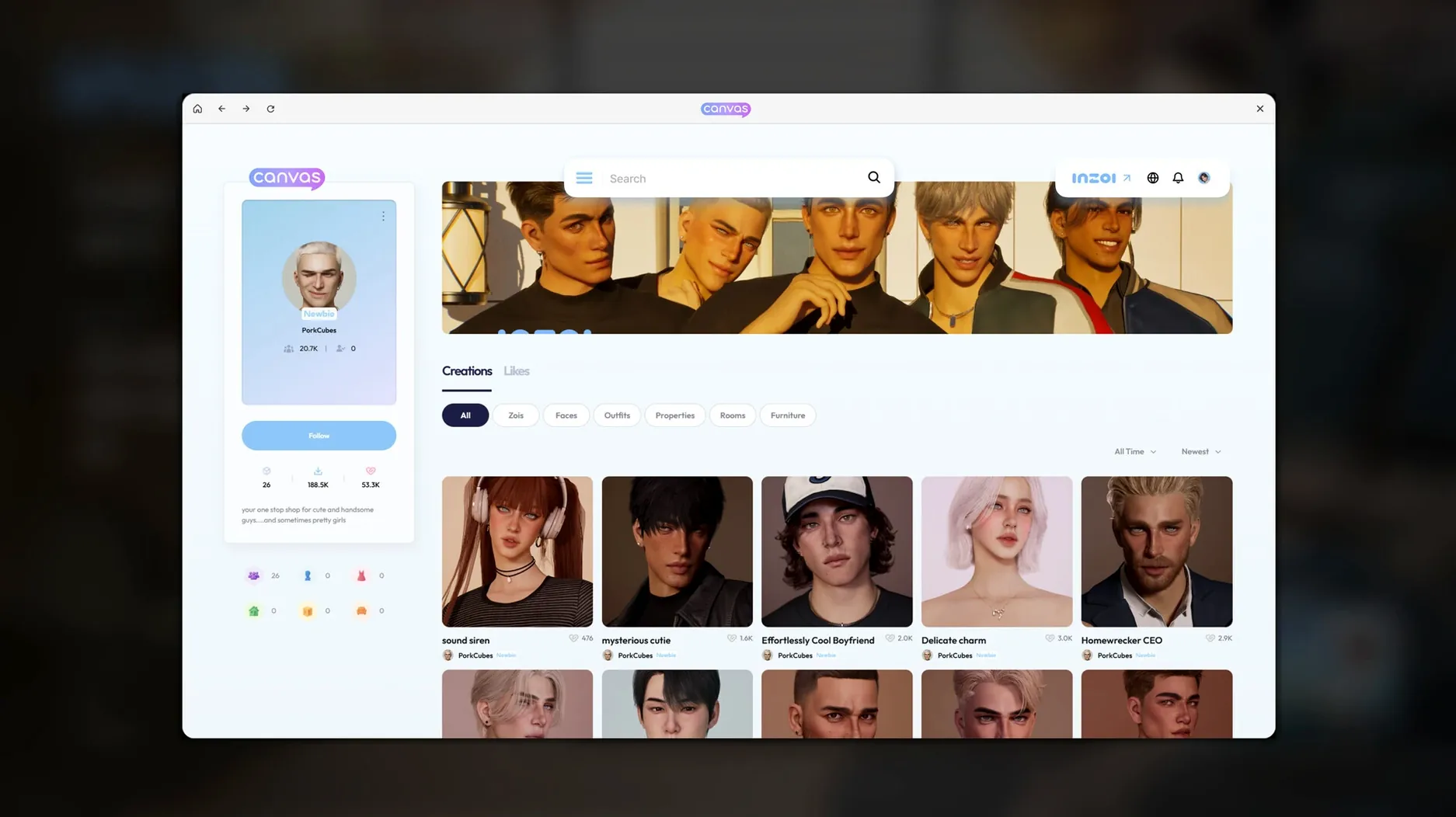
Does inZOI need an always-on internet connection? No. Once the game is installed, all the creative tools — the character studio, the building kit, the AI pattern generator — run locally. The local generative model processes text prompts on your own Mac, so you can design outfits and furniture textures offline. You will only need a connection if you want to share creations or grab community content, and even that is optional.
How hot does an M-series Mac get during a long session? inZOI leans on Unreal Engine 5, so it is a proper workout for the GPU. On a MacBook Air without active cooling, expect the chassis to become noticeably warm after forty minutes of dense city navigation or heavy AI texture generation. On a MacBook Pro or a desktop Mac mini with a fan, the thermals stay comfortable, though you will hear the fan spin up during busy scenes. It is not a background app you leave running while doing other things; it demands the hardware’s attention.
Can you transfer creations from the Windows version? Yes. The save format is identical across platforms as of version 0.10.4, so a city built on a Windows PC will open on a Mac without conversion. The same goes for individual Zoi presets, downloaded lots and custom texture libraries.
Waiting for story prompts that never arrive
The most common stumble is treating inZOI like a purely passive dollhouse. New players often spend three hours perfecting a Zoi’s eyebrow shape and then set the simulation to full autonomy, expecting the kind of directed story beats a more scripted life sim delivers. The game does not work that way yet. The simulation layer is emergent but sparse — characters will form grudges and friendships based on their traits, and a rumour might ripple through a neighbourhood, but the drama is low-key unless you deliberately set the stage. The fix is to think of yourself as a stage manager rather than an audience member. Build a tense location, give two Zois conflicting personality traits, drop them into the same cramped apartment, and then let the simulation run. The game rewards setups.
Another early mistake is ignoring the city-planning tools until you have already built a dozen buildings. Lots snap to a district’s underlying template, and if you place structures without checking how the road network and weather patterns affect a neighbourhood, you will end up with sunless gardens and Zois who take bizarrely long routes to the nearest social spot. Spend ten minutes studying a district’s layout before you lay the first foundation. The real-world city models are there for a reason — they carry lessons about flow and light that make your own designs feel more coherent.
The AI texture generator also trips people up. Short, literal prompts work best. Retro geometric wallpaper, mustard and teal gives the model a clear brief; rambling sentences with multiple adjectives and abstract concepts produce muddled results. And if a pattern comes out almost right but not quite, tweak one word at a time rather than rewriting the whole thing. The model responds to small changes more predictably than to full rewrites.
Builders who spend hours perfecting spaces thrive here
The player who gets the most out of inZOI in its current early-access state is the creative builder who enjoys the act of making more than the act of managing. If you have spent evenings in architecture sandboxes, character creators or city painters — the kind of person who finds a furniture placement tool genuinely relaxing — the depth of the customisation alone will carry you for dozens of hours. The generative AI features add a layer of surprise that purely manual editors cannot offer, and the motion-capture uploader gives you a strange, personal connection to the Zois walking through your streets.
Players who prefer structured goals, career ladders and narrative arcs may find the current build a little thin. The simulation is present and occasionally delightful — a disease spreading through a poorly planned district, a rumour souring a Zoi’s reputation — but it is not yet dense enough to drive long sessions on its own. Mac users with an M1 or better who enjoy modding communities and custom content will also find a natural home here; the cross-platform compatibility means assets and presets circulate freely, and the toolset is built to be shared. If your idea of a good Sunday involves building a weird little house, dressing its inhabitants in AI-generated knitwear and then letting them bicker while you watch from a rooftop you designed yourself, inZOI is already ready for you.
- macOS Tahoe
- Apple Silicon (M-series chip)
Questions I keep hearing
Can inZOI run on an Intel Mac?
No, the Mac version is optimised for Apple Silicon only and requires an M-series chip with macOS Tahoe.
Does the generative AI tool need an internet connection?
The pattern and image generator runs on a local AI model, so it works offline once the game is installed.
Questions from the class 0
Sign in or join the class to ask a question.
Nobody has asked anything yet. If you have used it on a real job, say what the file did.
Also on the Games shelf
The whole Games shelf Into the Dead: Our Darkest Days
Leads a group of survivors through a zombie-infested city over weeks of scavenging and tough choices.
Into the Dead: Our Darkest Days
Leads a group of survivors through a zombie-infested city over weeks of scavenging and tough choices.
 Hytale
Generates a quest-filled block world that responds to your own custom creations.
Hytale
Generates a quest-filled block world that responds to your own custom creations.
 HUNTDOWN: OVERTIME
Sends you on a roguelite rampage through procedurally shifting criminal districts.
HUNTDOWN: OVERTIME
Sends you on a roguelite rampage through procedurally shifting criminal districts.
 House Flipper
Clears rubbish, repaints walls and sells a neglected house for profit.
House Flipper
Clears rubbish, repaints walls and sells a neglected house for profit.
 Hollywood Animal
Steers a fledgling film studio through decades of creative and business turmoil.
Hollywood Animal
Steers a fledgling film studio through decades of creative and business turmoil.
 King's Bounty II
Marches your army across a hex grid in turn-based fights shaped by your moral choices.
King's Bounty II
Marches your army across a hex grid in turn-based fights shaped by your moral choices.
 Heroes of Might and Magic II: Gold Edition
Lays out a turn-based fantasy kingdom where every considered move counts.
Heroes of Might and Magic II: Gold Edition
Lays out a turn-based fantasy kingdom where every considered move counts.
 Hello Kitty Island Adventure
Invites you to restore a pastel island alongside familiar Sanrio friends.
Hello Kitty Island Adventure
Invites you to restore a pastel island alongside familiar Sanrio friends.