 ASPNetWorld

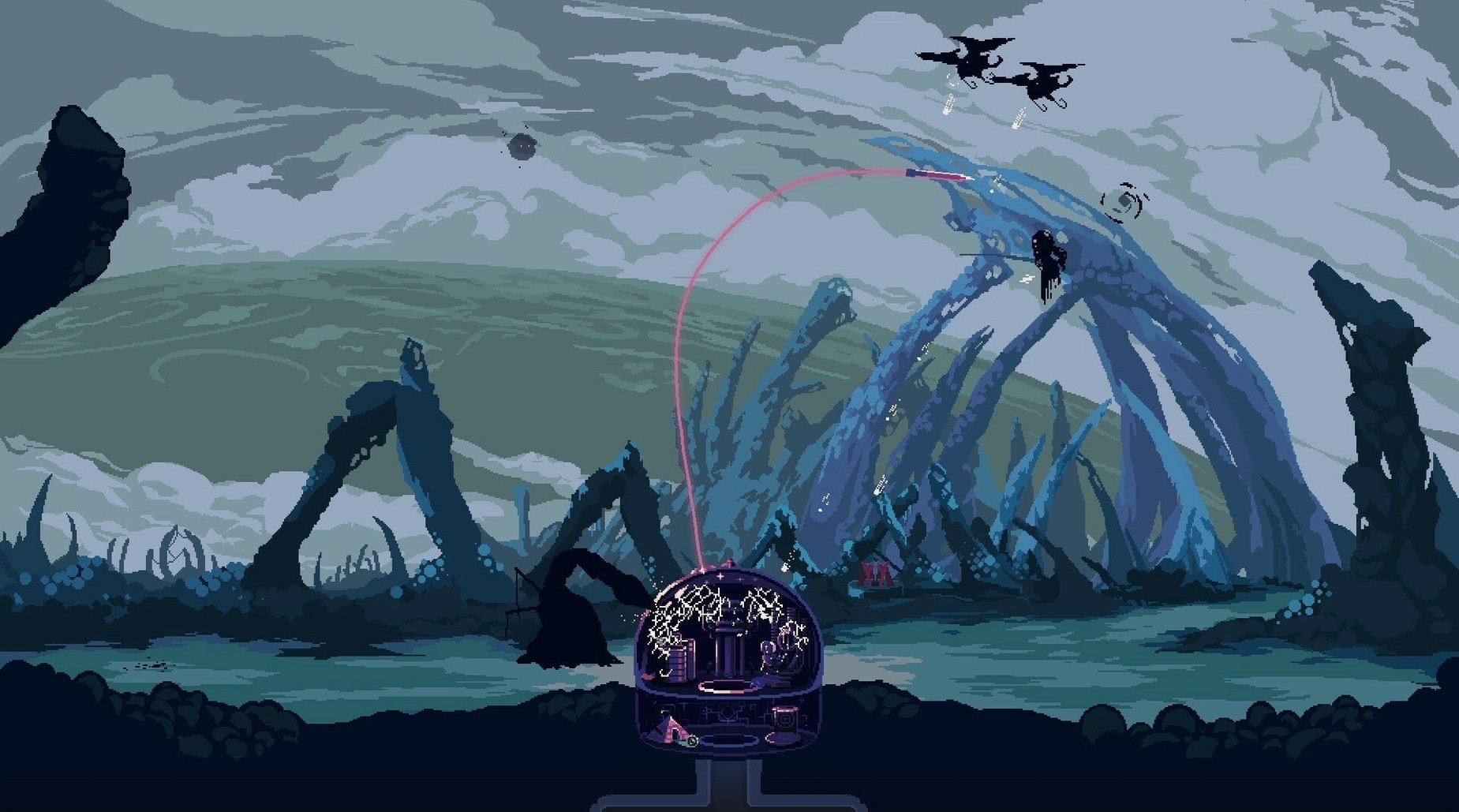
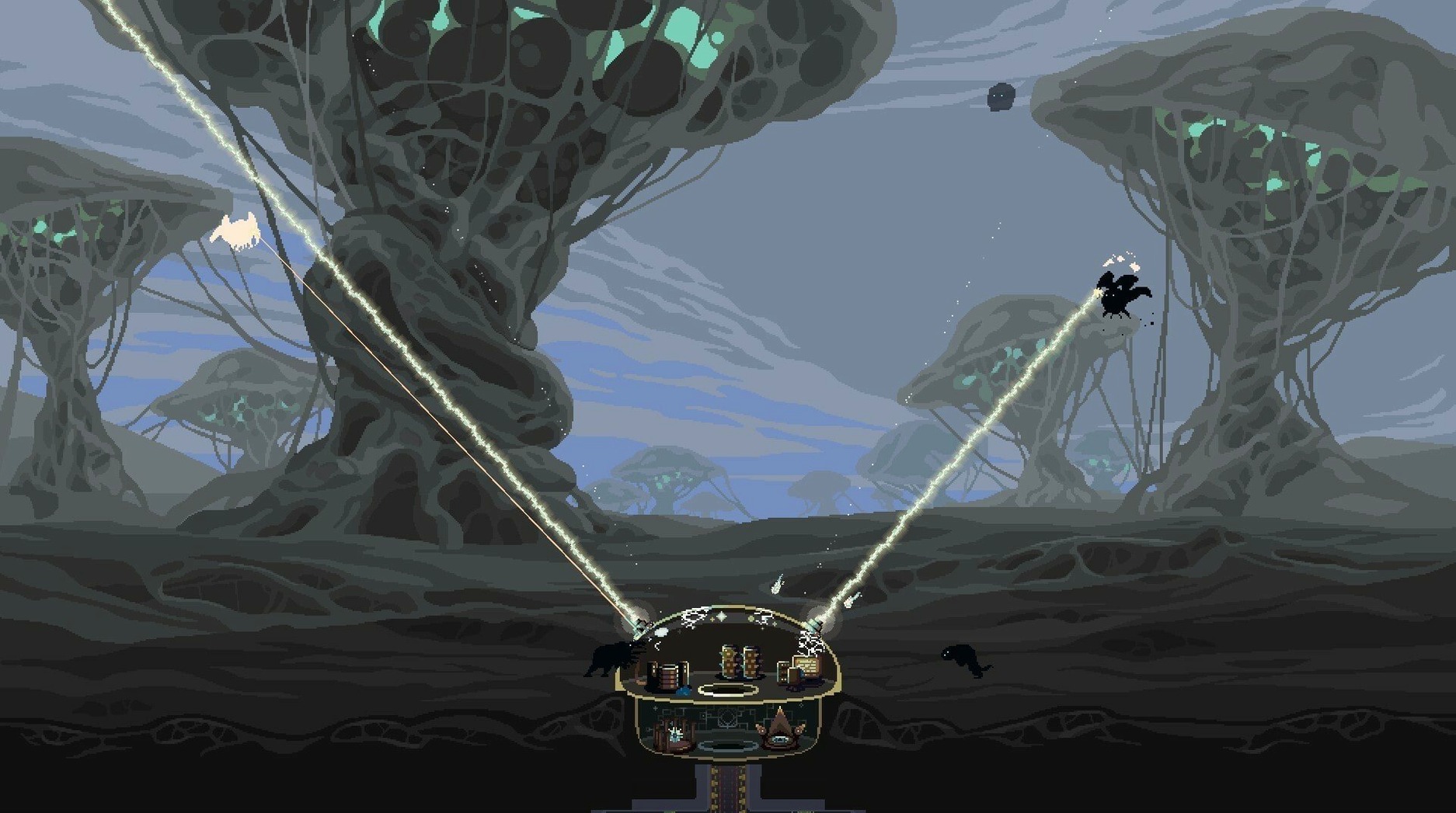
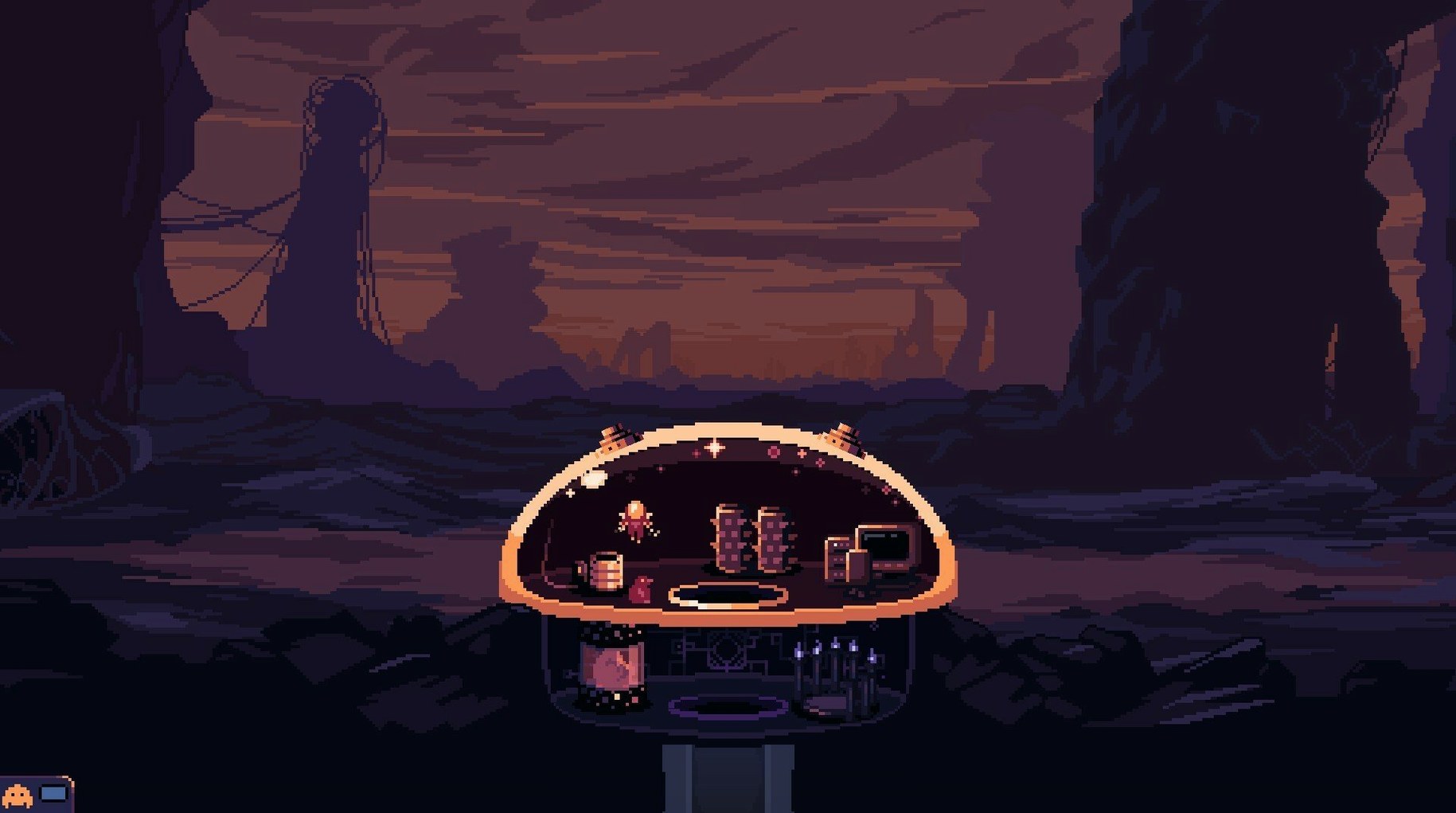
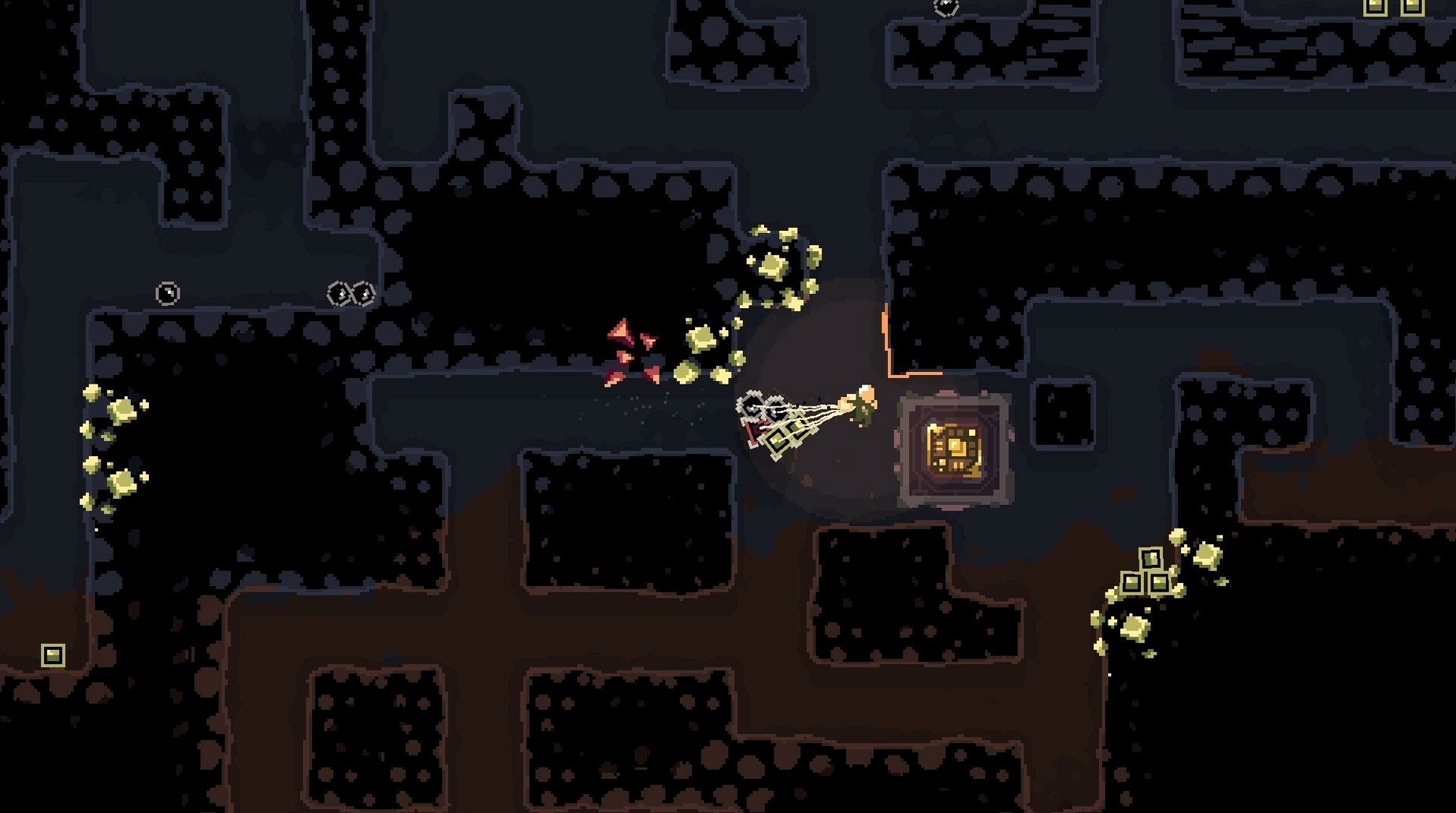
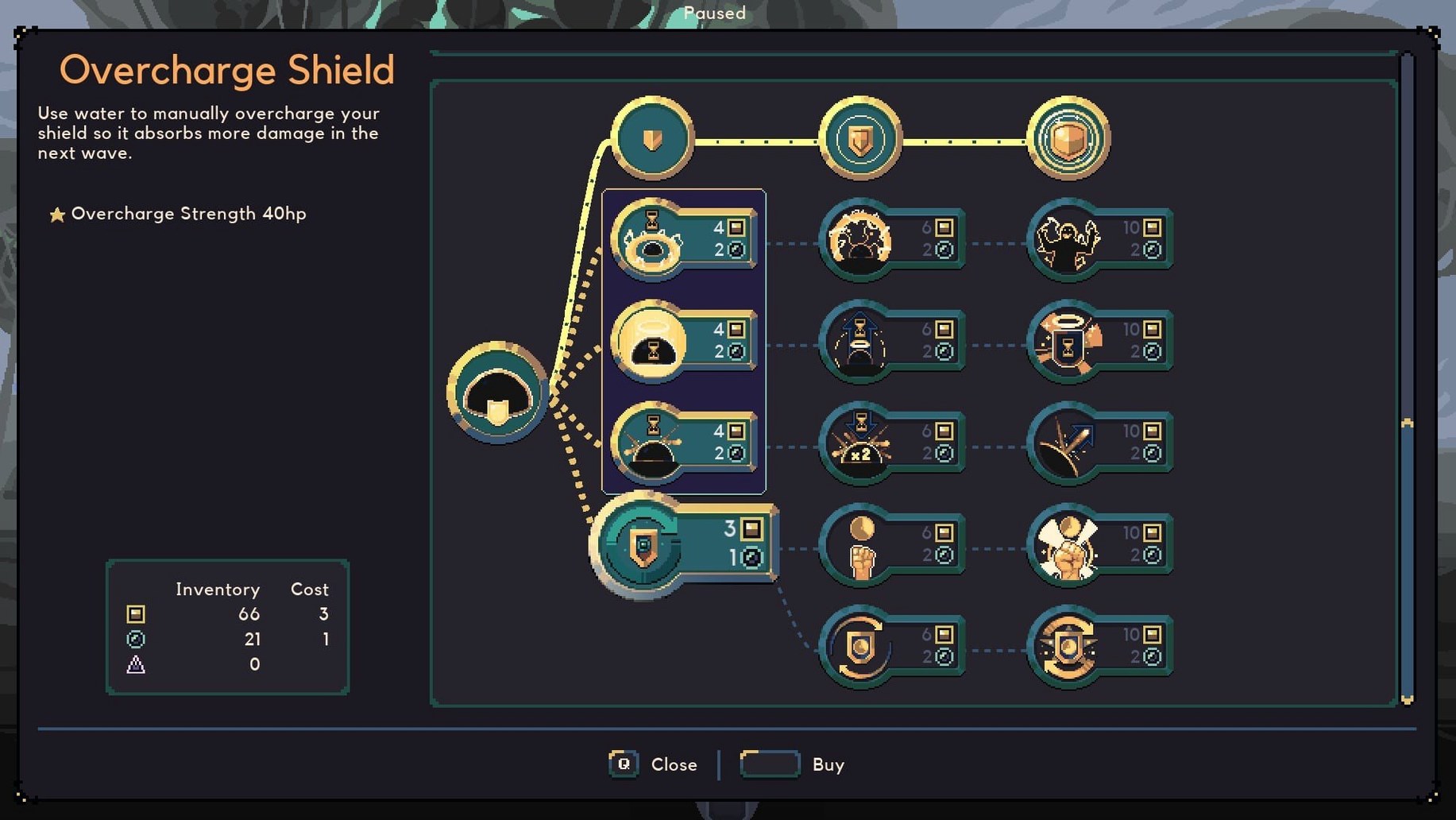

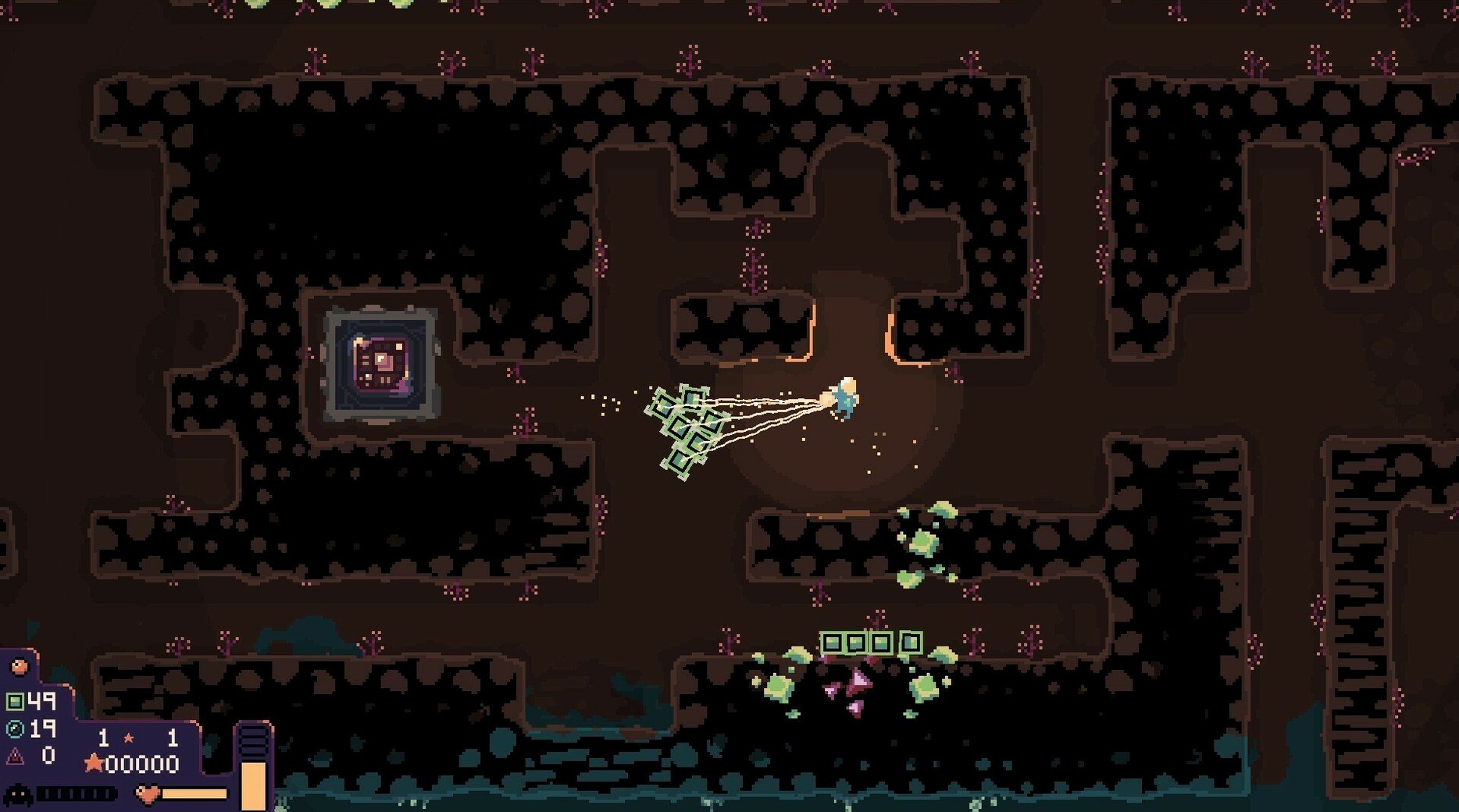
Dome Keeper is a procedural survival game that splits your time between burrowing into an alien planet for resources and fending off the creatures that want to smash up your glass dome. That rhythm of peaceful digging followed by frantic defense sits at the heart of the experience, and whether you find it hypnotic or stressful will largely dictate whether the game clicks for you.
Who will love this
If you are the sort of player who gets a quiet thrill from optimising a small, contained system, Dome Keeper hands you a lovely little loop to tinker with. You are not managing a sprawling factory or a vast army — just one dome, one keeper, and a network of tunnels you dig yourself. Between attacks you decide how to spend every chunk of ore: do you beef up the laser, make the drill chew through rock faster, or finally upgrade that painfully slow jetpack so you can zip back to the surface before the next wave hits? The soundtrack, a strange and lovely blend of classical melody and synthetic texture, adds to the meditative quality of the digging phases. It is a game for people who like their pressure in distinct, manageable doses, and who enjoy seeing a single well-upgraded character grow formidably capable.
The narrative and exploration void that sends some players elsewhere
If you crave narrative, character interaction or a sense of exploration beyond the next vein of minerals, Dome Keeper may feel a little spare. The world is procedurally generated, so no two runs are identical, but the emotional range is deliberately narrow: dig, upgrade, fight, repeat. The tension comes from efficiency, not from story. It also demands a certain tolerance for repetition — you will restart many times, and while the upgrades and different keeper types add variety, the core loop never really changes. Players who dislike timers or being hurried will find the attack countdowns an acquired taste; the game nudges you constantly, and dawdling underground while the siren wails is a reliable recipe for a shattered dome.
Buttery frame pacing even when fliers swarm your dome
Across a mix of Apple Silicon and older Intel machines, Dome Keeper lands as a lean, well-kept piece of code. The pixel-art aesthetic means it never asks much of the GPU, and frame pacing stays butter-smooth even during the busiest attack waves, when the screen fills with darting fliers and the laser is painting bright lines across the dark. I have left it running between runs for hours without a hint of memory creep or a single beachball. The fan stays quiet — on an M-series MacBook Air it runs passively cooled and barely warm to the touch, which makes it a natural fit for coffeeshop sessions or long-haul flights. Load times are short enough that restarting after a failed run feels like a breath, not a punishment.
That opening minute with the default keeper sets the entire rhythm
Let us walk through a first cycle with the default keeper, because that opening minute sets the rhythm for everything that follows.
You begin on the surface with a basic laser and a drill that bites through soft rock without complaint. The first decision is not where to dig but how wide — carving a two-tile shaft straight down gives you a fast return path later, at the cost of missing minerals off to the sides. For a first run I recommend a narrow shaft; you can always branch out once you have a better drill. The moment you uncover your first iron deposit, the trade-off clock starts ticking. Do you grab it and sprint back to upgrade the laser, or keep going one tile deeper where a faint cobalt glint suggests something rarer?
By the time the warning siren sounds you should already be jetpacking upward, pockets full. That is the single skill that saves more runs than any upgrade ever will: learning to stop digging before the countdown, not after. Back at the dome, you drag ore into the converter and spend it on laser strength first — a weak laser makes every wave feel desperate, while a strong one buys you precious seconds of calm. The first wave will be mostly ground crawlers; hold the laser steady and resist the urge to sweep wildly. Between waves you widen the shaft, upgrade the drill speed once, and maybe treat yourself to a jetpack boost. By the third cycle the rhythm should feel natural: dig, listen for the siren, return, convert, defend, repeat.
Turn off screen shake so your aim stays sharp during attack waves
Dome Keeper ships with sensible defaults, but a couple of tweaks make the early game less abrasive.
Turn off screen shake. The effect adds impact to explosions but muddies your aim during attack waves, especially when three fliers are strafing the dome and you are trying to track them with a narrow laser beam. You will find the toggle under the accessibility section of the settings menu.
Switch resource pickup to manual. The automatic pickup is convenient but greedy — it will happily drag in low-value ore when your inventory is nearly full, leaving you to juggle drops on the surface. Manual pickup, by contrast, lets you cherry-pick cobalt and leave the iron for a second trip. It adds a click but saves a surprising amount of time over a full run.
Set the music volume a touch higher than the effects. The soundtrack is genuinely special, a mix of classical phrasing and synthetic warmth that gives the digging phases their trancelike quality. Effects tend to dominate during combat anyway; nudging the music up by ten or fifteen percent tilts the balance back toward atmosphere without drowning out the warning siren — which you absolutely need to hear.
Version 5.0.8 brings a handful of quality-of-life improvements, particularly for multiplayer sessions and split-screen runs.
- Direction indicators now appear during multiplayer, making it easier to coordinate with your partner underground.
- You can now toggle between manual and automatic pickup for Infiltrator Kunai Carriers — and automatic pickup for the flying variety has been disabled.
- An option lets you choose whether resources or gadgets drop first for several keeper types.
- Split-screen players can now scale the overall loadout and most on-screen text for better readability.
- macOS (Apple Silicon and Intel x86-64 supported)
Questions I keep hearing
What languages does Dome Keeper support on Mac?
The interface is available in a broad set of languages including English, Russian, German, French, Spanish, Italian, Japanese, Simplified Chinese, Dutch, Polish, Portuguese, and several others.
Can I upgrade my equipment in Dome Keeper?
Yes, you can spend collected resources between attack waves to upgrade your dome's weapons, your mining drill, and your jetpack, among other systems.
What should I do if macOS blocks the app from opening after installation?
Once the app is sitting in your Applications folder, you can run the provided Terminal command to clear the quarantine attributes and re-sign the application so it launches normally.
Questions from the class 0
Sign in or join the class to ask a question.
Nobody has asked anything yet. If you have used it on a real job, say what the file did.
Also on the Games shelf
The whole Games shelf Don’t Starve Together
Drops you into a hostile wilderness where you and friends must gather, build, and not starve.
Don’t Starve Together
Drops you into a hostile wilderness where you and friends must gather, build, and not starve.
 DOOM
Sends you running and gunning through hellish arenas packed with demons and big guns.
DOOM
Sends you running and gunning through hellish arenas packed with demons and big guns.
 Dune: Imperium
Lets you place agents and build a deck to win control of the desert planet Arrakis.
Dune: Imperium
Lets you place agents and build a deck to win control of the desert planet Arrakis.
 Dustborn
Takes a misfit crew on a road trip across a divided America where words are actual weapons.
Dustborn
Takes a misfit crew on a road trip across a divided America where words are actual weapons.
 Dead Island
Drops you into a tropical zombie outbreak where a makeshift paddle can save your life.
Dead Island
Drops you into a tropical zombie outbreak where a makeshift paddle can save your life.
 Dead Cells
Reshuffles its castle every time you fall, so knowledge of its systems is your only true upgrade.
Dead Cells
Reshuffles its castle every time you fall, so knowledge of its systems is your only true upgrade.
 Dying Light
Sets you loose in a quarantined city where you parkour across rooftops and fight after dark.
Dying Light
Sets you loose in a quarantined city where you parkour across rooftops and fight after dark.
 Easy Red 2