 ASPNetWorld

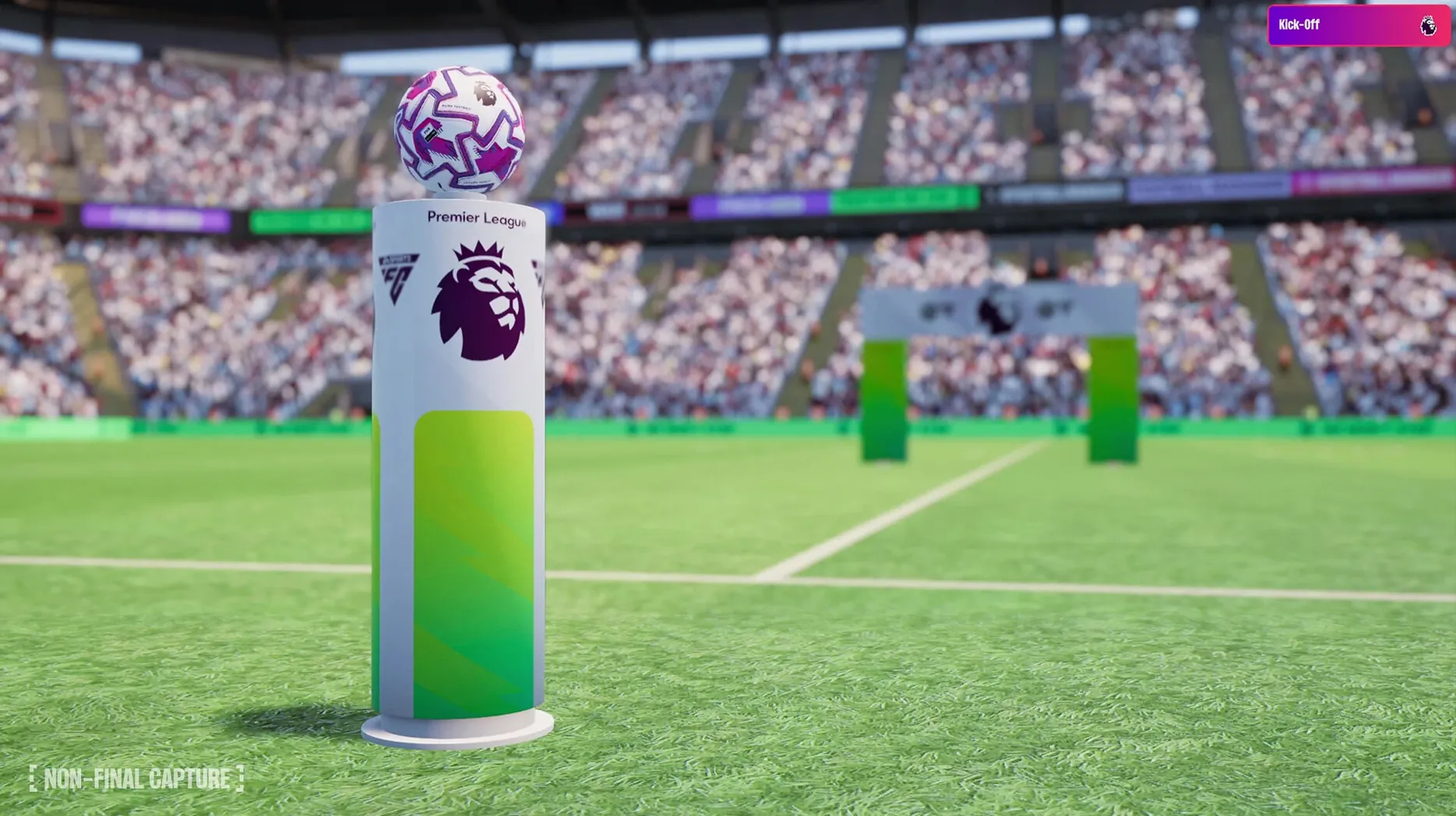
The new season’s just kicked off, a cup of tea is steaming beside your Mac, and you’ve loaded up Football Manager 2026 for the first time. Before you even glance at a tactics board, the game now invites you to craft a much richer manager persona through its improved character editor, so your in-game avatar actually feels like someone with a story, not just a name floating above a tracksuit.
Once that’s done and you’ve picked your first club, head straight to the reworked staff responsibilities screen. Delegating the bits you find tedious—press conferences, friendly arrangements—frees up headspace for the fun stuff. Then, open the new FMPedia glossary from the sidebar. Think of it as a built-in coaching manual: every jargon term, from inverted wing-back to gegenpress, gets a plain-English definition, perfect when you’re still learning the language of the dugout.
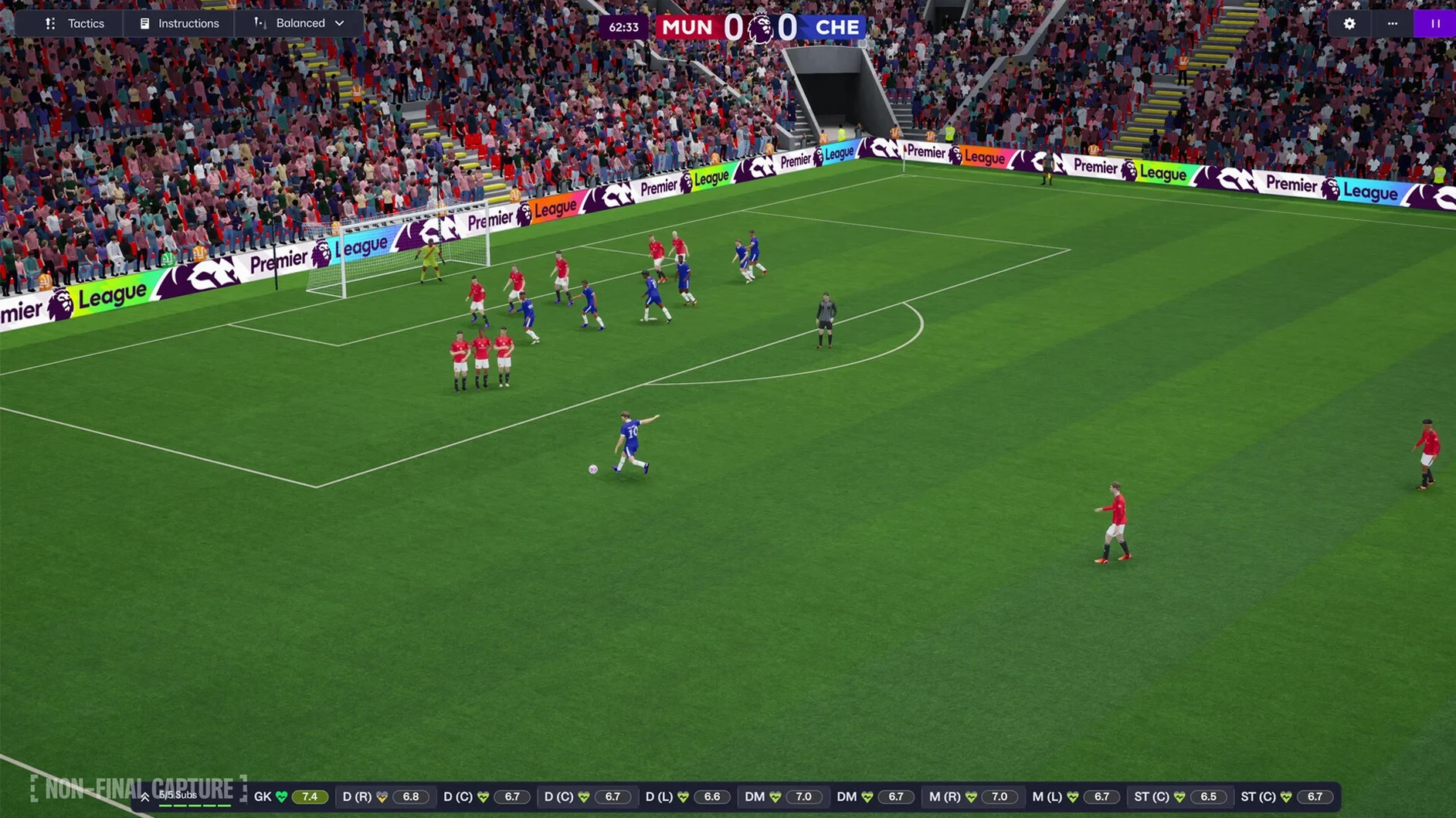
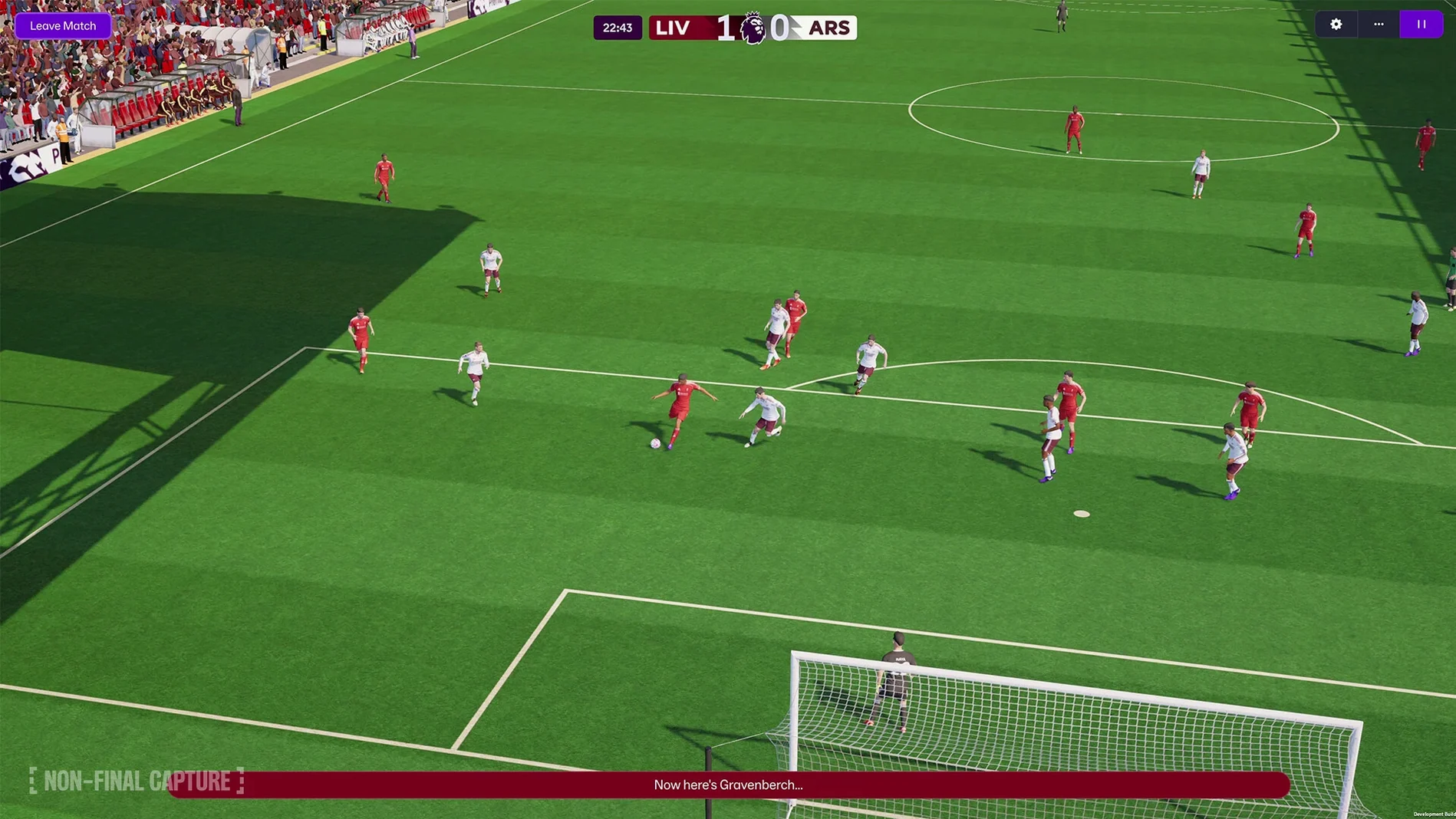
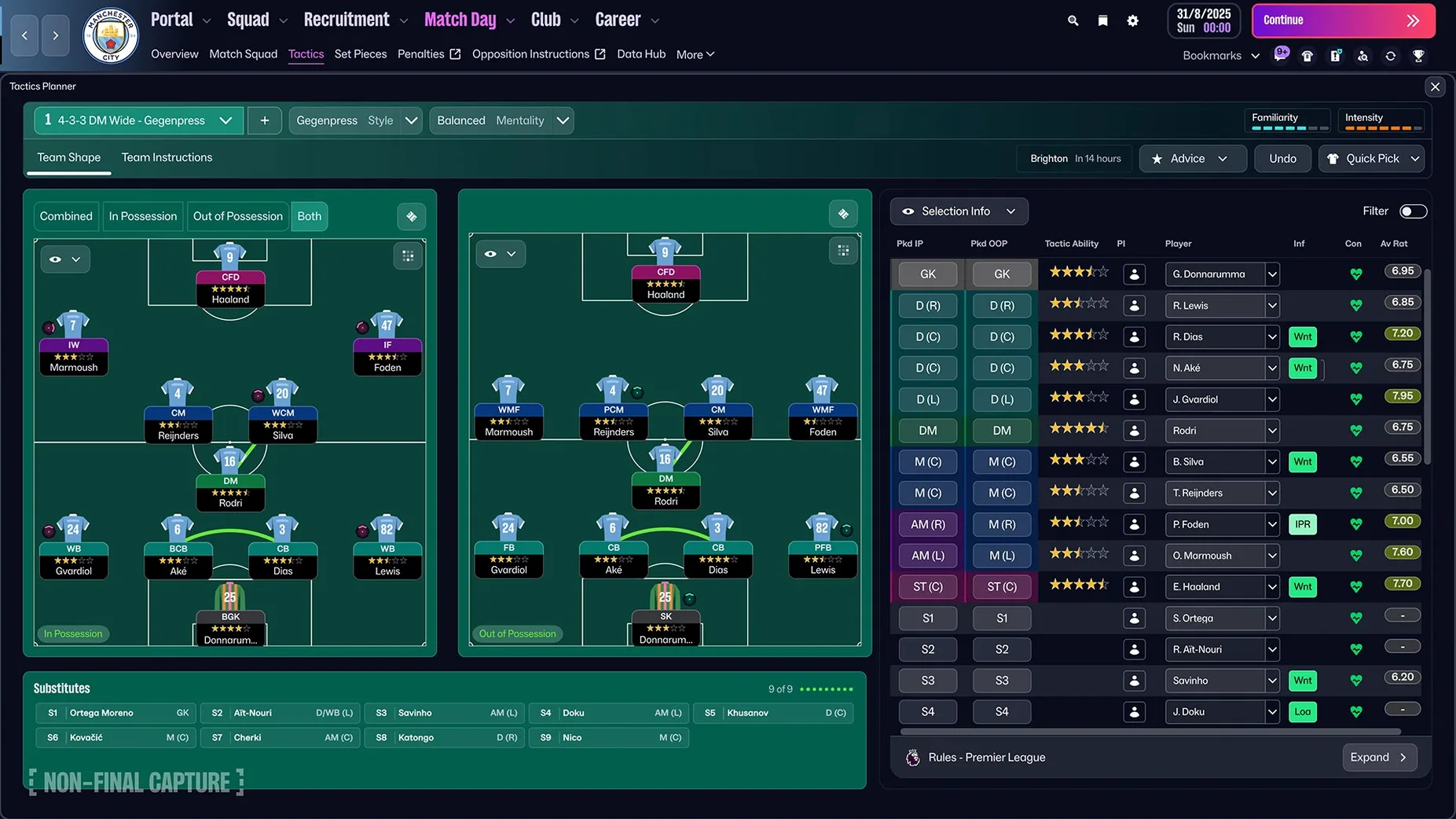
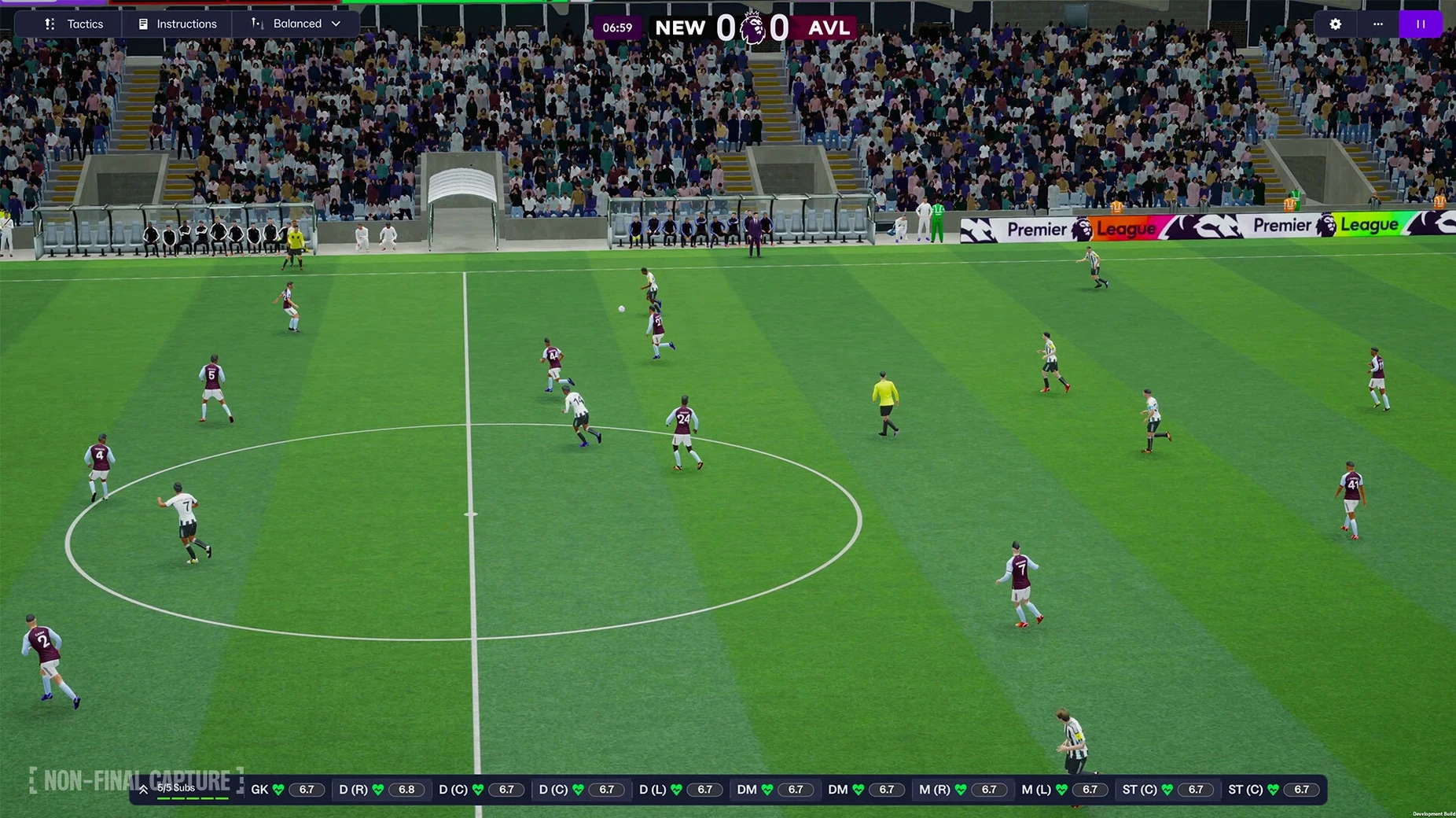
Now comes the tactical tinkering that sets this edition apart. For the first time, you can build separate attacking and defensive shapes. Start simple: set up a 4-3-3 with the ball that morphs into a compact 4-5-1 without it. Watch a couple of pre-season matches on the new Unity-powered match engine—the visual leap is obvious—and you’ll quickly spot where the transitions break down. The improved search makes finding the right profile of player to fix those gaps almost conversational; you can just type something like “quick left-footed centre-back, good in the air” and get sensible results.
Before the first league game, explore the new portal. It aggregates club news, league tables, and your own inbox into one calm dashboard, so you’re not clicking through a dozen screens to get the full picture. And if you’re curious about the women’s game, jump into a parallel save with a WSL or NWSL side—the same tactical depth applies, and it’s a completely fresh sandbox to learn in.
Middle-click any attribute to pin it to your screen
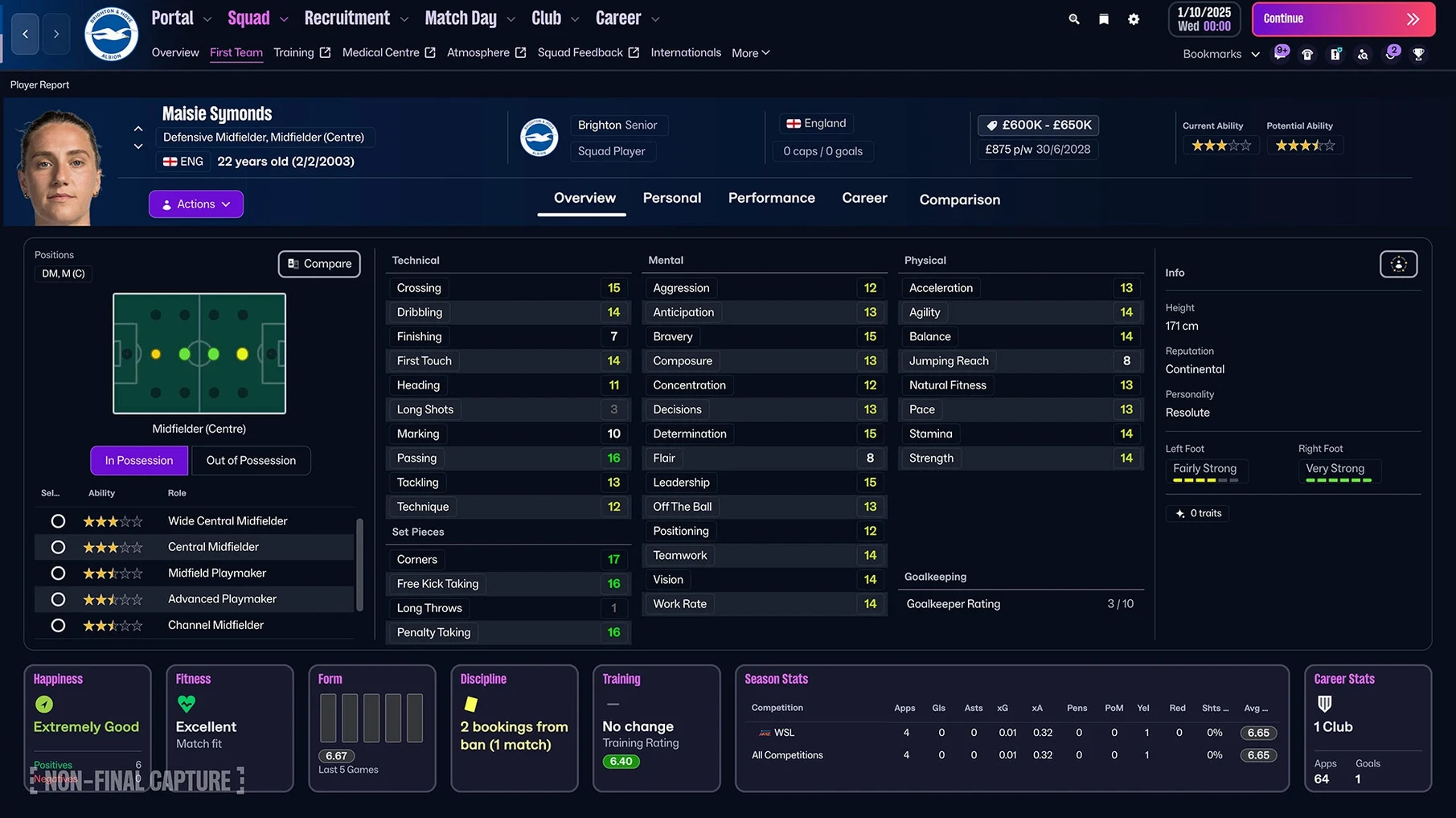
The new interface hides a handful of small things that save real time, and most of them don't get a tutorial pop-up. When you're scanning a player's profile, for instance, you can middle-click any attribute to pin it to the top-right corner of the screen. It stays visible as you click through other players, so you can compare finishing or composure across a whole shortlist without memorising numbers. On a Mac trackpad, a two-finger tap on the attribute name does the same.
Another one: the quick bookmarks feature isn't just for squad screens. You can bookmark a specific scouting assignment, a contract negotiation you've half-finished, or even a single player's progress page. Tap Cmd-D from anywhere and it drops a breadcrumb. When you're juggling a transfer deadline day and a board meeting, that little trail of crumbs stops you from losing a conversation you meant to return to.
And if you've ever sat through a pre-season friendly just to see how a trialist moves, try the new skip-to-highlights slider. Drag it past "Key" to "Custom" and set it to show only the first fifteen minutes and the last ten. You'll catch enough of a new signing's rhythm without watching the whole ninety. The Unity engine renders the jump so cleanly you barely notice the fast-forward.
A save that feels meaningful in forty-minute chunks
Imagine someone who's been playing these games since the Championship Manager days, but now has a full-time job and two kids. They don't want a six-hour session; they want a save that feels meaningful in forty-minute chunks after the kids are in bed. They take over a struggling Vanarama National League side—tight budget, a threadbare scouting department, and a squad where half the contracts expire in eleven months.
The first thing they do is open the improved search and type "holding midfielder, high work rate, free transfer, wage under £800." Two names come back. One is a 33-year-old whose legs have gone but whose mental attributes are still in double digits. They offer a one-year deal with a low appearance fee, using the new contract negotiation flow to lock it in before the morning. That player becomes the dressing-room mentor who stabilises a young midfield.
Six months in, they've built separate attacking and defensive shapes: a cautious 4-4-2 out of possession that condenses into two banks of four, and a more expansive 3-5-2 with the ball where the left wing-back pushes on. They spotted the wing-back's potential via a scouting focus saved as a quick bookmark, and they compare his stamina attribute against the league average by pinning it from the squad view. By March they're in the play-off hunt, and the whole save has been built in the gaps between real life. That's where the new portal earns its keep: one glance before bed shows the fixture list, a scout report, and a board confidence update on a single screen. No clicking through menus half-asleep.
Systems thinkers who have never watched a full match
The obvious answer is the football obsessive who already knows what an enganche is. But Football Manager 2026 rewards three other groups just as much.
First, the strategy game fan who plays Crusader Kings or Civilization and enjoys systems thinking. For them, the separate attack and defence tactics are a proper puzzle. They'll spend an hour tweaking pressing triggers and passing lanes, treating a match like a turn-based logic problem that happens to play out in real time. The FMPedia glossary stops them bouncing off the terminology, and the women's leagues give them a clean slate where they don't carry over any real-world player bias.
Second, the data-curious creative—someone who uses a Mac for Logic Pro or Final Cut during the day and wants a thinking game at night. This group loves the scouting centre. The TransferRoom-based recruitment tools surface statistical comparisons that feel almost like an audio mixer: you adjust sliders mentally, balancing age against resale value, tackling percentage against disciplinary record. The portal's aggregated view suits the way they already work in creative apps, where a single dashboard shows the timeline, the mixer, and the browser.
Third, the handheld Mac user on a MacBook Air who wants a deep game that doesn't melt their lap. The Unity engine is surprisingly kind to battery life on Apple Silicon, and you can play a full season on a flight from London to Barcelona without hunting for a power socket. The touch-optimised interface elements carry over nicely to a trackpad, and the quick bookmarks mean you can dip in and out without losing your thread.
Bump auto-save from fortnightly to weekly
Before you advance a single day in your first save, open the preferences and make a few adjustments that the default setup doesn't get quite right.
- Auto-save frequency: bump it from fortnightly to weekly, and set it to keep five rolling files. The game is stable, but you don't want to lose a careful transfer negotiation because a cat walked across your keyboard.
- Match highlight speed: the default is one notch above halfway. Push it up to about three-quarters unless you genuinely enjoy watching a full build-up. You can always slow it down for cup finals.
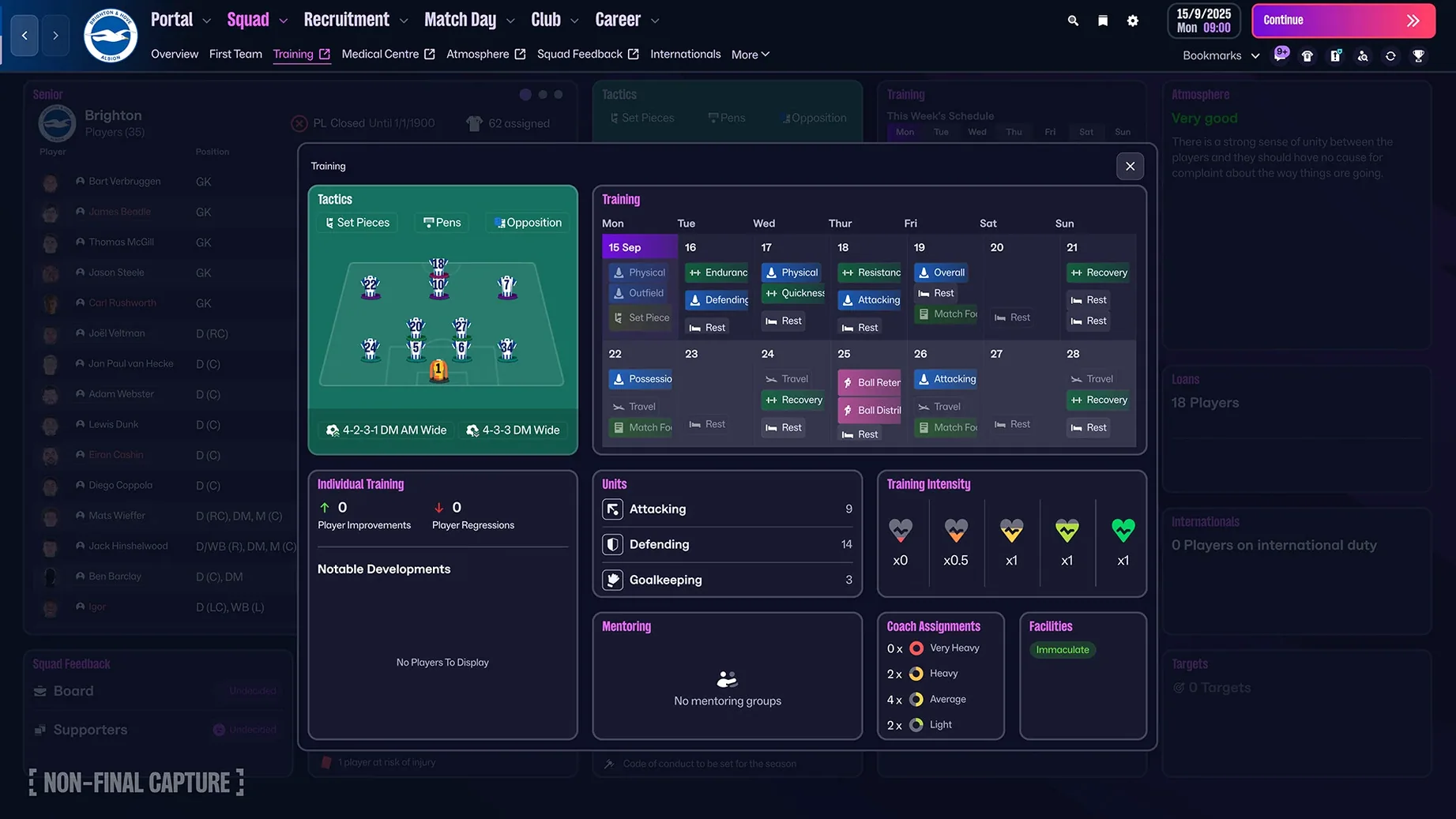
- Staff responsibilities for individual training: the assistant manager handles it by default, but they often overload young players with additional focus areas. Take control of individual training for anyone under 21, then delegate the rest. It's five minutes a month and stops a promising winger from being retrained as a full-back for no reason.
- Screen flow: the portal is good, but you can customise which widgets appear on your landing page. Drag the "Scouting Centre" widget to the top-right and drop the "Social Feed" somewhere you can ignore it.
- Attribute colour thresholds: the default green starts at 15. If you're managing in the lower leagues, drop the threshold to 13 so you can actually see who's decent for your level without squinting at numbers.
That elaborate in-possession shape collapses without the ball
The first mistake is tactical overreach. The separate attacking and defensive shapes are powerful, but a new player will often sketch out an elaborate 3-2-4-1 in possession that collapses into chaos the moment they lose the ball. Start with a defensive shape you trust, then add one attacking rotation—maybe just the full-back pushing into midfield—and live with that for five matches before tweaking further. The Unity match engine punishes disjointed transitions more visibly than previous versions, so a half-baked shape gets exposed fast.
The second is ignoring the new women's leagues as a practice ground. Plenty of players dive straight into a Premier League save with all the licensing and media attention, then get sacked by November because they misjudged the new player-role interactions. A season with Arsenal Women or San Diego Wave teaches the same mechanics in a less pressurized environment, and you can carry that understanding back to a Liverpool or a Barcelona save without the bruised ego.
A third mistake is treating the FMPedia glossary as a tutorial you'll read later. It's not a manual; it's a reference layer that sits beside you. When a scout report describes a midfielder as a "carrilero," search it in FMPedia right there and then. The definition takes ten seconds to read and the term will stick next time. Players who skip this find themselves nodding along to staff advice they don't fully understand, and six months later their tactic is a muddle of misapplied roles.
The final one is hoarding quick bookmarks without ever clearing them. They're meant to be temporary breadcrumbs, not a permanent filing system. Every in-game month, spend thirty seconds deleting the ones that have gone stale. A tidy bookmark bar is a useful one; a cluttered one is just another list you scroll past.
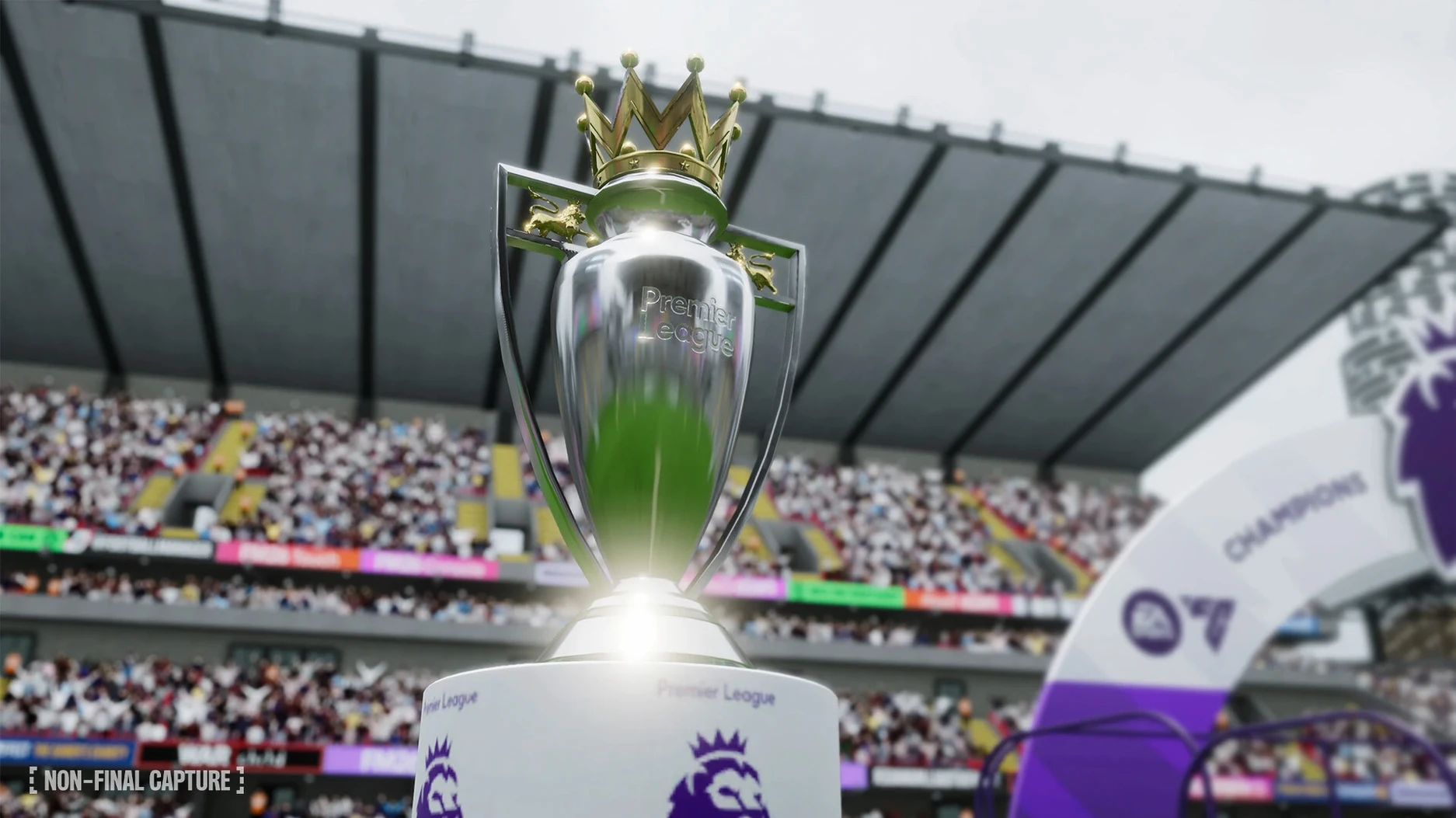
The Unity engine underpins this release, bringing a noticeably sharper match-day presentation and a smoother interface. Women’s football arrives for the first time, fully integrated with the core management systems. Premier League licensing means authentic badges, kits, and player faces across the division. You can now craft distinct attacking and defensive tactics on the same formation screen, and the whole interface has been redesigned around a unified information portal.
- macOS version: check the developer’s site for the latest compatibility details
- Architecture: runs natively on both Intel and Apple Silicon Macs
Questions I keep hearing
Does Football Manager 2026 include women’s football on Mac?
Yes, it introduces the Women’s Super League and the National Women’s Soccer League, fully playable with the same management depth as the men’s game.
Can I set different tactics for when my team has the ball and when we don’t?
Absolutely. FM26 adds separate attacking and defensive tactical shapes, so you can design one formation in possession and another out of it.
What languages can I play FM26 in on macOS?
The interface supports 17 languages, including English, Spanish, French, German, Italian, Japanese, and Simplified Chinese.
Questions from the class 0
Sign in or join the class to ask a question.
Nobody has asked anything yet. If you have used it on a real job, say what the file did.
Also on the Games shelf
The whole Games shelf Frostpunk
Forces you to run a frozen city where every law has a cost.
Frostpunk
Forces you to run a frozen city where every law has a cost.
 Firewatch
Puts you on a mountain lookout with a radio and a mystery to unravel.
Firewatch
Puts you on a mountain lookout with a radio and a mystery to unravel.
 Geometry Dash
Tests your timing through rhythm-driven obstacle courses.
Geometry Dash
Tests your timing through rhythm-driven obstacle courses.
 Goblin Sushi
Serves frantic goblin-run sushi shifts that reset every two minutes.
Goblin Sushi
Serves frantic goblin-run sushi shifts that reset every two minutes.
 Fear & Hunger
Places you in a grim dungeon where survival depends on luck and nerve.
Fear & Hunger
Places you in a grim dungeon where survival depends on luck and nerve.
 Going Medieval
Guides a deeply personal colony of settlers through a harsh medieval world.
Going Medieval
Guides a deeply personal colony of settlers through a harsh medieval world.
 Farming Simulator 25
Lets you run a working farm from planting to harvest.
Farming Simulator 25
Lets you run a working farm from planting to harvest.
 Fallout: A Post Nuclear Role Playing Game
Drops you into a retrofuturistic wasteland to survive and explore.
Fallout: A Post Nuclear Role Playing Game
Drops you into a retrofuturistic wasteland to survive and explore.