 ASPNetWorld

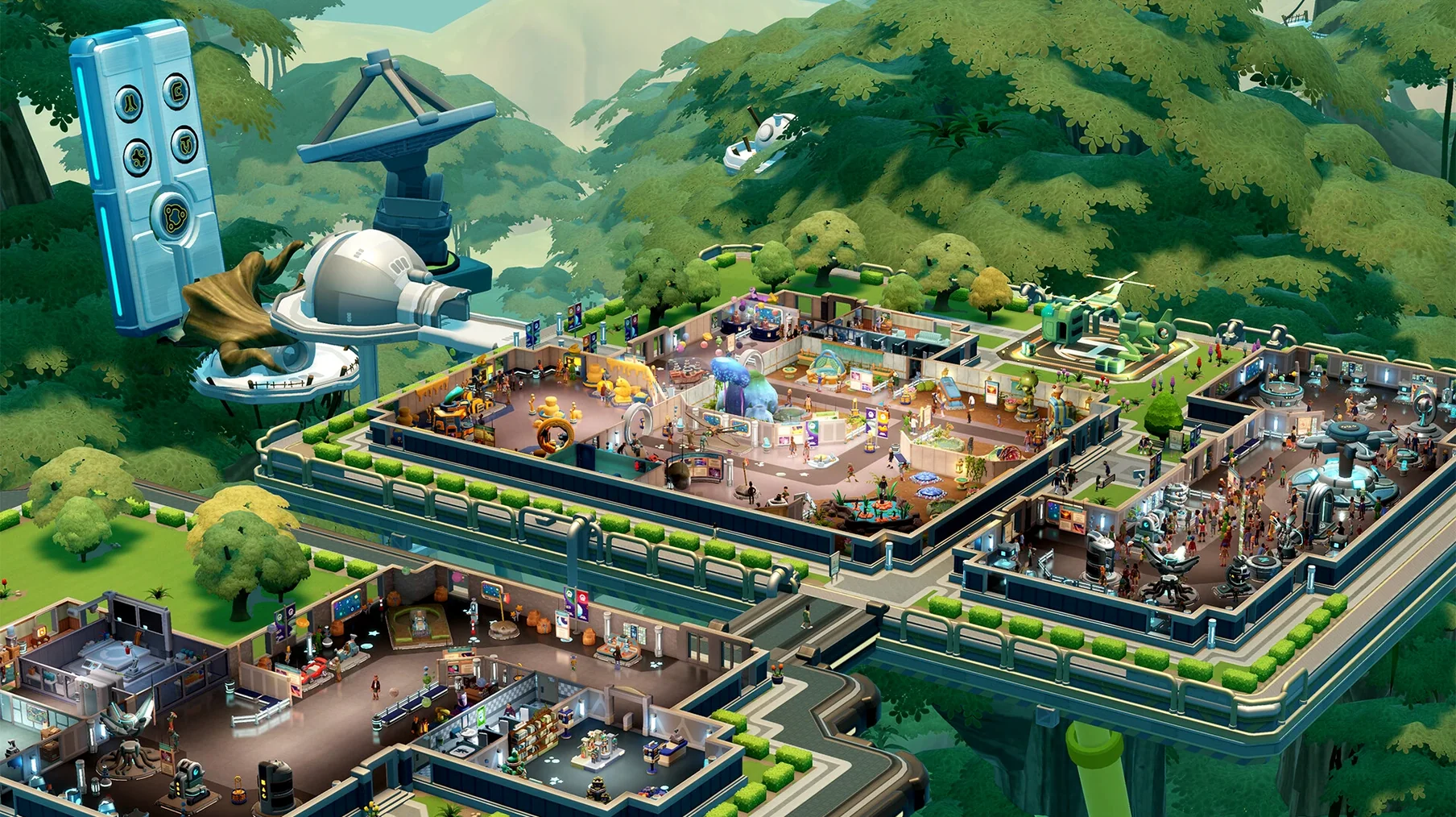
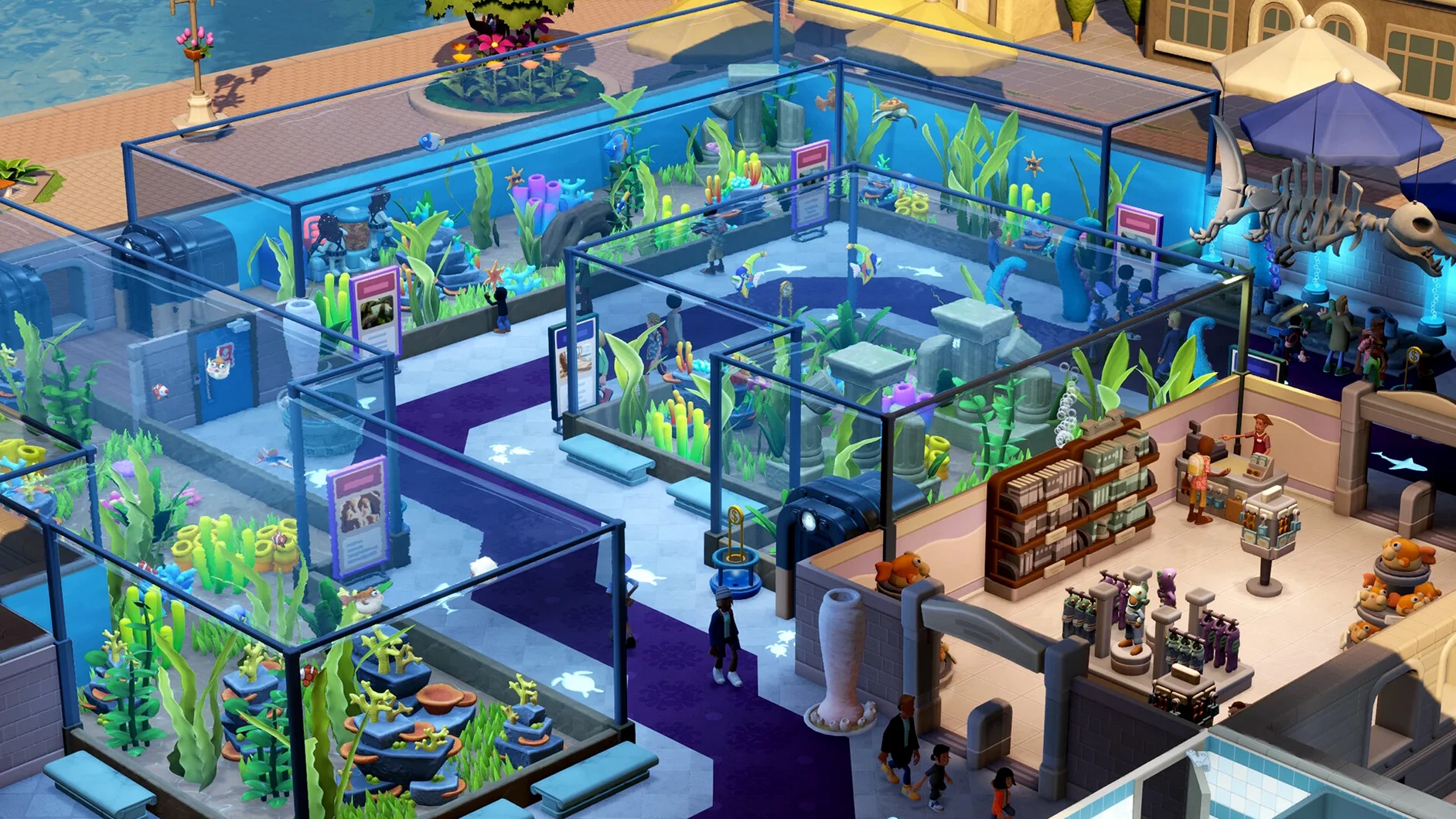
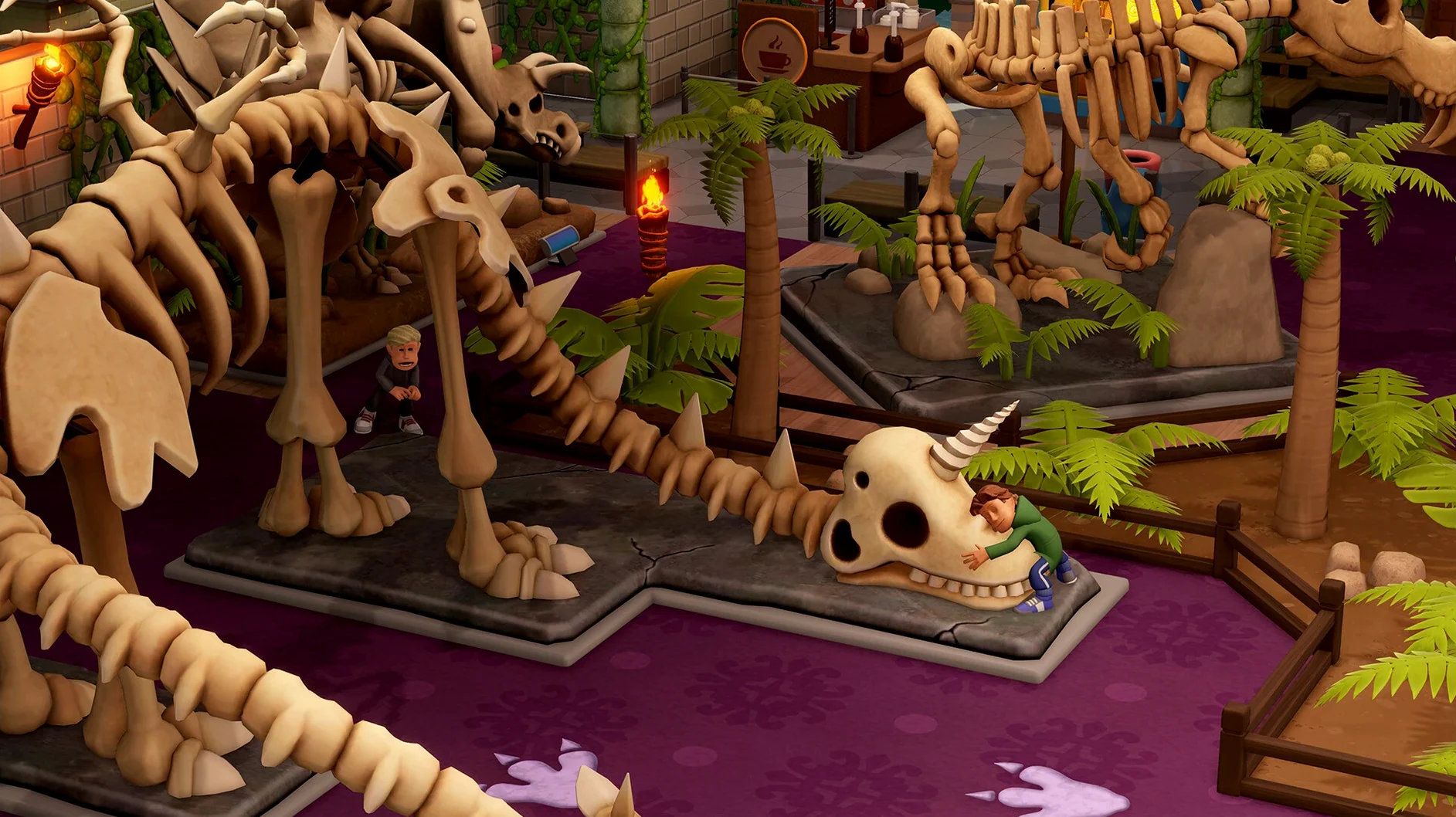
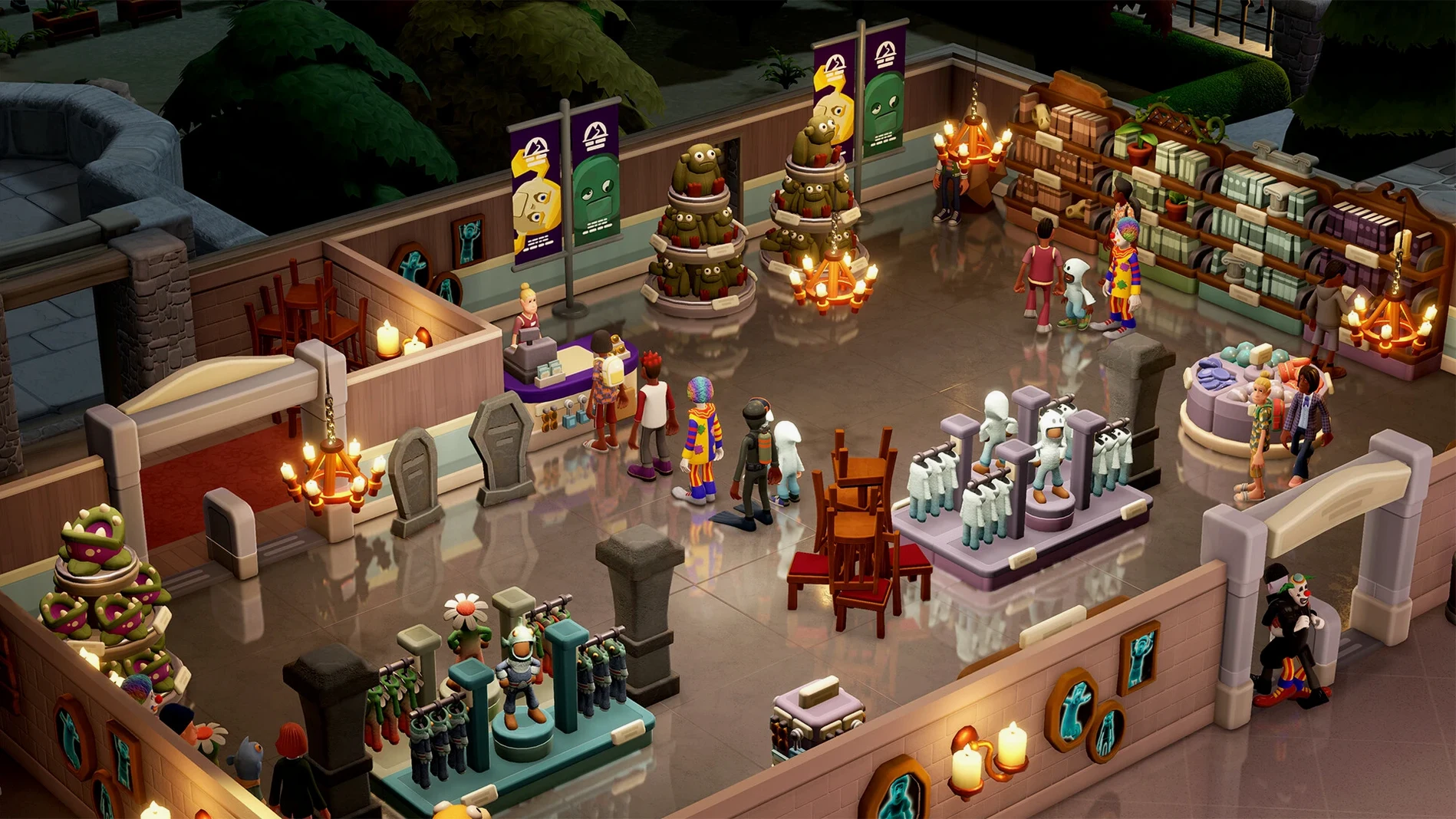
If you’ve spent evenings fine-tuning a hospital layout in Two Point Hospital or untangling the timetables of a chaotic campus, the rhythm here will feel like slipping on a familiar pair of slippers. Two Point Museum is the studio’s third management outing, and it swaps scalpels and lecture halls for display cases and guided tours. The core loop — build rooms, hire staff, keep visitors happy — has been polished to a soft gleam, but the shift in setting changes who it’s really for.
Who settles in and who wanders off
A typical session flows through a gentle four-beat workflow. 1. Expedition planning. You send experts off into one of five adventure maps, each dotted with over a hundred points of interest, to unearth exhibits. It’s a slow-burn reward system — you pin a location, wait, and unwrap a fossil or a haunted artefact. 2. Exhibit placement. Back home, you arrange your finds across themed museums: a prehistoric hall, an aquarium, a supernatural history wing, a science gallery, or a space centre. Over two hundred exhibits sit across six main types and more than thirty subcategories, so the decorating itch gets scratched thoroughly. 3. Tour management. A charismatic guide shepherds visitors around, and you tweak the route to maximise donations and buzz. 4. Temporary challenges. Three special exhibits arrive with their own objectives, giving you short-term puzzles to chew on while the main museum ticks over.
The player who thrives here enjoys tinkering with layout aesthetics and watching small systems hum. It’s a game for patient planners who find joy in a well-placed fossil display, not for anyone chasing high-stakes failure states or rapid-fire action. If you bounced off the leisurely pace of Two Point Campus, Museum won’t change your mind — it doubles down on gentle curation over crisis management. The tone is warm, the humour is dry, and the satisfaction comes from building something that looks lovely and runs smoothly with minimal panic.
Gift shop queues can quietly starve your museum of donations
The game rarely throws a hard fail state at you, which is a blessing until a small system seizes up and you can't work out why donations have dried up. One frequent culprit is guest queuing around the gift shop and toilets. Visitors have a surprisingly realistic bladder-to-patience ratio, and if the nearest loo sits at the end of a long dinosaur gallery, they'll grumble, leave early, and your buzz score takes a quiet hit. The fix isn't glamorous: drop a second, smaller toilet block halfway along long wings, and watch the ratings recover without you touching a single exhibit.
Another head-scratcher involves expedition teams returning with duplicate exhibits. It's tempting to send your best palaeontologist to the richest dig site every time, but the game weights rarer finds towards unexplored points of interest on each map. If your fossil hall is starting to look like a warehouse full of the same trilobite, rotate your experts through fresh locations — even the less glamorous ones — and the collection variety will creep back up. The curator UI won't spell this out; it's one of those logic layers you feel your way into after a few seasons.
Security against thieves also causes quiet confusion. The camera coverage overlay shows the zone a single camera watches, but a skilled burglar can slip through a one-tile gap if you place cameras purely on aesthetic grounds. Treat security coverage like a spill-containment exercise: overlap fields by at least a tile, and prioritise rooms holding temporary exhibits, because those attract the nimblest fingers. A guard patrolling a tight loop is worth more than three guards meandering across an entire museum floor.
Silent fan at 60 fps with a bustling museum on M4
On an Apple Silicon Mac the game settles into a comfortable rhythm. The tested setup — macOS Tahoe on a Mac mini M4 — held 60 frames per second at 1440p with the museum bustling, though the fan stayed silent and the chassis barely warmed, which suggests the Metal renderer does sensible work under the hood. Loading a sprawling sandbox museum with over three hundred decorative items adds about seven seconds to the initial load, but once you're in, the camera pans are butter-smooth and the UI never hitches during fast map switching between expedition screens and the main floor view.
Intel Macs running the 64-bit build benefit from the same optimisations that Two Point Campus received late in its life. On a 2019 Intel iMac, the frame rate holds steady in medium-sized museums but dips into the high 40s when a tour group of forty guests clusters around a single exhibit. It's not a dealbreaker — this is a management sim, not a twitch shooter — but it's worth knowing if you plan to build a densely decorated space museum with every light fitting and roped-off display the catalogue offers. Dropping the shadow detail a notch usually claws back those lost frames without making the halls look flat.
Memory usage is modest by modern standards. The app idles around 2.1 GB on Apple Silicon and creeps to 3.4 GB with a full museum open and several expeditions in flight. If you're running it on an 8 GB MacBook alongside a dozen browser tabs and a music app, you'll feel the memory pressure only when switching spaces rapidly; the system swaps gently rather than grinding to a pause. Stability has been solid across a dozen hours of play — no hard crashes, no corrupted saves, and the autosave fires reliably every few months of in-game time without a stutter.
Launching on Mac alongside PC and console, not a late port
Version 11.0.234399 — the build released on 4 March 2025 — brought the game to Mac alongside the PC and console launches, so this isn't a late port with a separate bug history. What's noticeable from the first session is that Two Point Studios has learned a lesson from their previous launch cycles: the expedition UI now groups points of interest by rarity tier, which saves you from squinting at tiny map icons when planning a trip. In the earlier titles, you'd often flick between menus to compare potential rewards; here the comparison sits on one screen, and that alone reshapes how quickly you can move through the planning phase.
The tour guide behaviour has been tightened up compared to the equivalent staff roles in Hospital and Campus. Guides now wait for stragglers at the halfway point of a long route instead of marching doggedly ahead, which reduces the number of visitors who wander off to the café mid-tour and miss the star exhibit. It's a small AI adjustment but it means your carefully plotted routes actually deliver the buzz and donation boosts you designed them for, rather than leaking value through distracted guests.
Sandbox mode arrived with the full set of five museum themes unlocked from the start, and the decorative catalogue — all 350-plus items — is available without grinding through campaign milestones. For the player who just wants to build a sprawling supernatural history wing with every haunted portrait and moody candelabra available, that's a quiet quality-of-life gift. Earlier management games from the studio gated decorative variety behind scenario progress, so the shift here signals a confidence that the expedition loop and temporary exhibits carry the long-term interest without needing to dangle wallpaper behind a contract.
Quick questions
A search led me to a two point museum download. Is the Mac version the full game?
Yes, the Mac build includes every museum theme, all expedition maps, sandbox mode and the complete decorative catalogue — nothing is cut or held back compared to the PC or console releases.
Will the game run on an Intel MacBook?
It will. The 64-bit Intel build runs on any Mac that meets the minimum OS requirement. On older Intel machines with integrated graphics, you'll want to dial down shadow detail and keep the resolution sensible, but medium-sized museums run perfectly playably.
I saw a Two Point Museum torrent listed online — does the Mac version need an always-online connection?
No, the app doesn't require activation or a persistent internet connection. Once it's copied to your Applications folder, you can launch it offline and play every mode without interruption.
- Supports both Apple Silicon and Intel 64-bit Macs
- Activation not required
Questions I keep hearing
Does Two Point Museum run natively on Apple Silicon Macs?
Yes, the app supports both Apple Silicon and Intel 64-bit Macs, so it runs natively on modern M-series chips.
How many different museum themes are in the game?
There are five listed museum locations: a prehistoric museum, an aquarium, a supernatural history museum, a science museum, and a space museum.
Questions from the class 0
Sign in or join the class to ask a question.
Nobody has asked anything yet. If you have used it on a real job, say what the file did.
Also on the Games shelf
The whole Games shelf Tropico
Governs a scattered archipelago, balancing promises, power lines and your Swiss bank account.
Tropico
Governs a scattered archipelago, balancing promises, power lines and your Swiss bank account.
 Tower of Babel: Survivors Of Chaos
Survives monster waves and reshapes your build with every piece of gear that drops.
Tower of Babel: Survivors Of Chaos
Survives monster waves and reshapes your build with every piece of gear that drops.
 Unmourned
 Total War: PHARAOH DYNASTIES
Rewrites a Bronze Age grand strategy game with four new cultures and deeper court politics.
Total War: PHARAOH DYNASTIES
Rewrites a Bronze Age grand strategy game with four new cultures and deeper court politics.
 Vampire Crawlers: The Turbo Wildcard from Vampire Survivors
Deals a roguelike card game where you chain fangs, blades, and wildcards to clear dungeon rooms.
Vampire Crawlers: The Turbo Wildcard from Vampire Survivors
Deals a roguelike card game where you chain fangs, blades, and wildcards to clear dungeon rooms.
 Vampire Survivors
Sends waves of monsters at you while your weapons fire automatically and you simply steer.
Vampire Survivors
Sends waves of monsters at you while your weapons fire automatically and you simply steer.
 Victoria
Simulates a century of global change through the politics, economics, and diplomacy of your chosen nation.
Victoria
Simulates a century of global change through the politics, economics, and diplomacy of your chosen nation.
 Timberborn
Commands a colony of beavers to reshape rivers and build layered wooden cities.
Timberborn
Commands a colony of beavers to reshape rivers and build layered wooden cities.