 ASPNetWorld

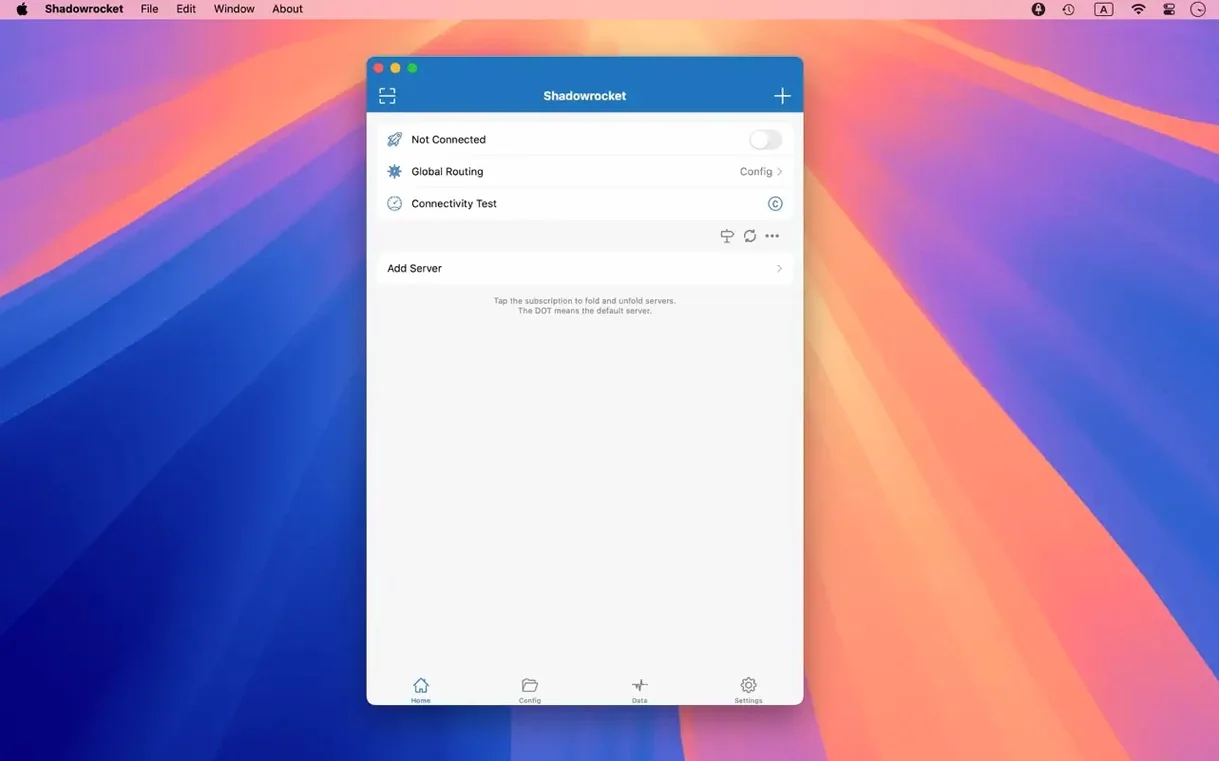
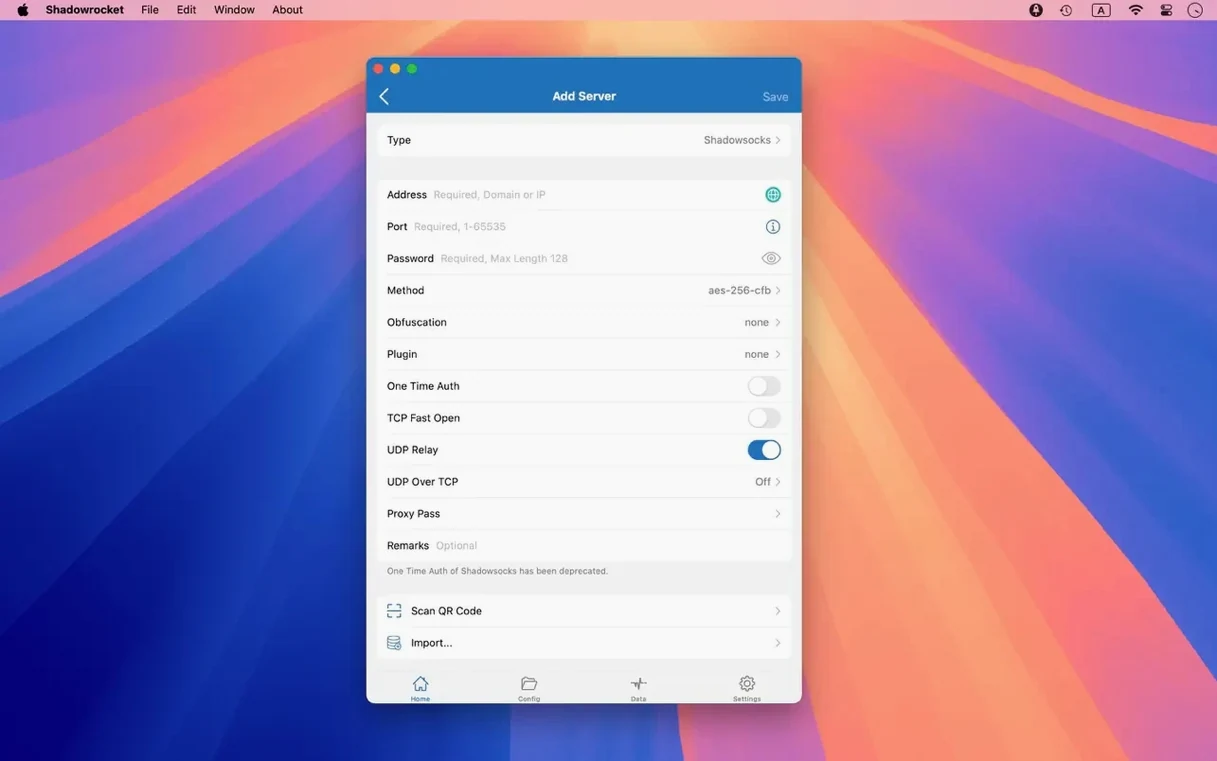
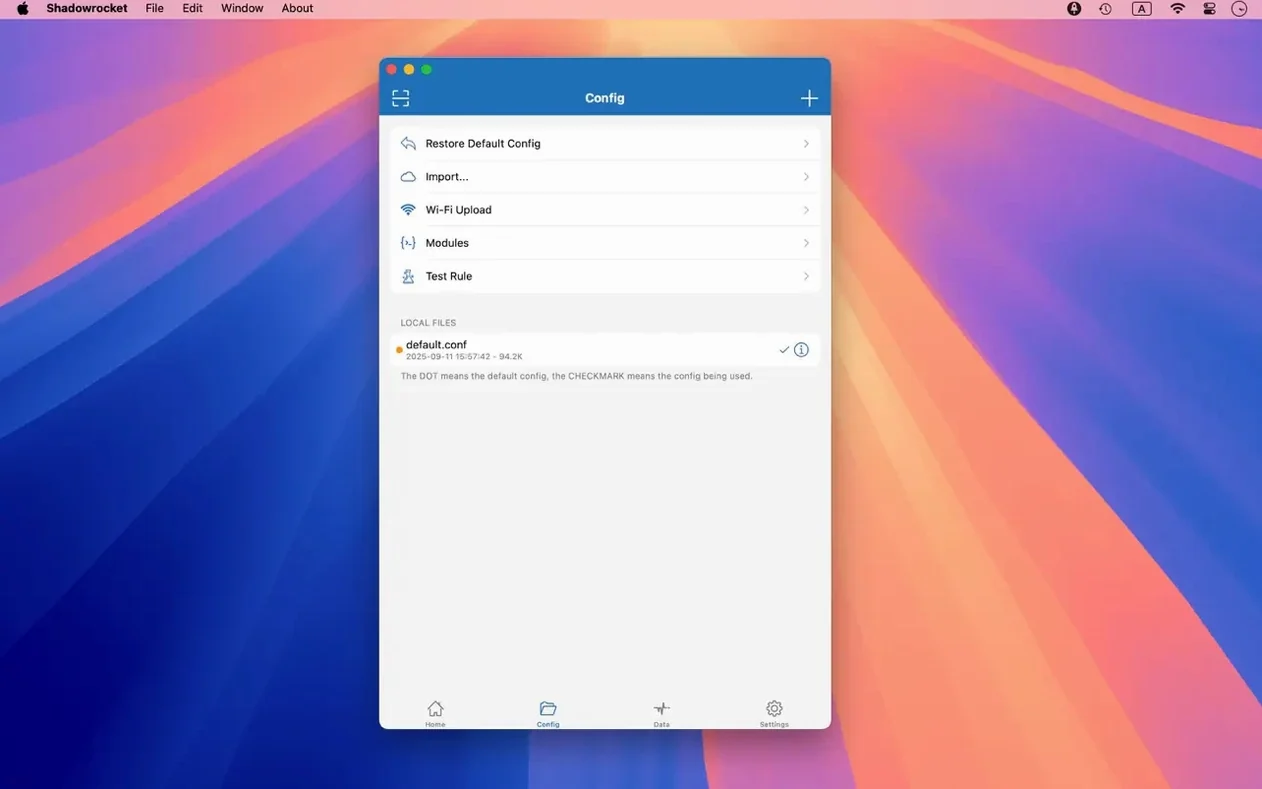
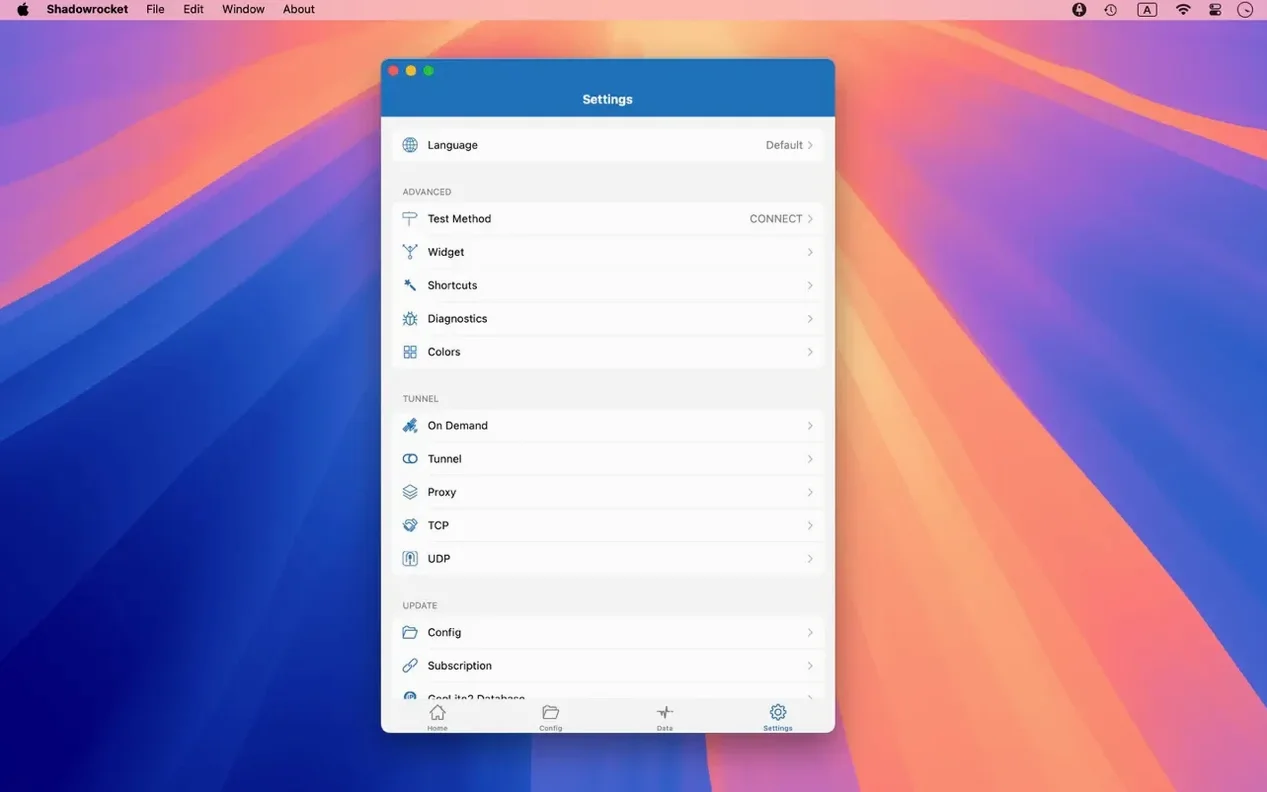
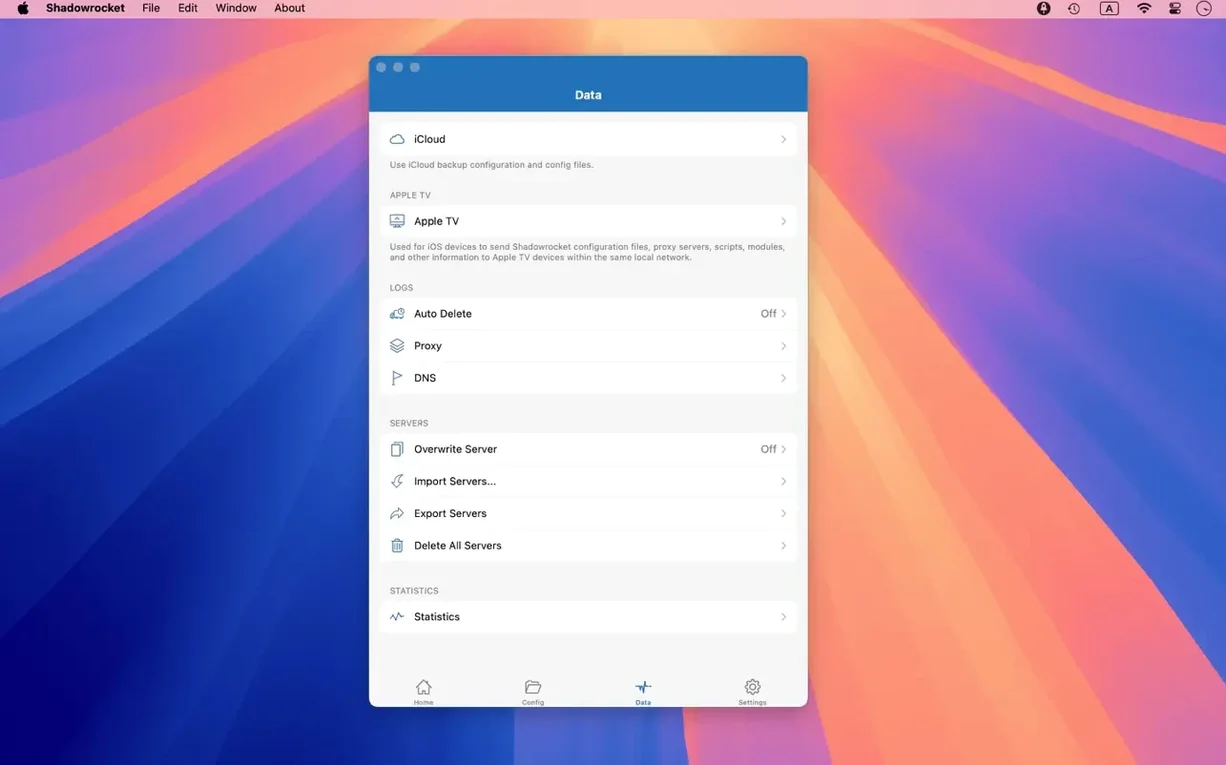
The app runs natively on any Mac with Apple silicon or a 64‑bit Intel processor, and it needs macOS 10.15 Catalina or later.
Rule-based routing — instead of sending everything through a single tunnel, you build a set of conditions that decide which traffic takes which path. A rule can match a full domain, a domain suffix, a keyword inside a domain, a CIDR IP range, or a GeoIP country code.
URL rewriting — the client can silently alter request paths before they leave your machine, handy when a service moves an endpoint and you want existing bookmarks to keep working without changing every link.
Local DNS mapping — you can pin a hostname to a specific IP address inside the app, overriding whatever your system resolver would normally return. Useful for testing staging servers or routing around a flaky upstream DNS.
Plugin support — the build ships with kcptun, cloak, gost, and v2ray plugins, so you are not limited to a single transport protocol.
Traffic measurement — the interface shows throughput and data usage separately for direct Wi‑Fi connections and each proxy hop, which makes it easier to spot a slow link or a misbehaving rule.
Ad blocking — you can filter requests by domain and user‑agent patterns, catching trackers before they load.
Rule importing — rule files can be pulled from a URL or from iCloud Drive, so you can share a single configuration across several Macs without copying files by hand.
Give yourself a quiet first hour after installation. It is tempting to import a hefty rule set from a friend’s iCloud link and flip every switch, but Shadowrocket rewards a gentler approach. Start with one proxy server and a single domain‑suffix rule for a site you visit often. Watch the traffic log pane while you browse: you will see DNS lookups, connection timings, and any requests that slip past your rule. That live feed teaches you the shape of your own network traffic faster than any tutorial can.
The next morning, pick three apps that behave oddly behind a proxy — a banking app that refuses to load, a streaming service that stutters, a work VPN that fights for the same port — and build a tiny rule set that gives each one its own routing. One might need a direct connection, another might want a SOCKS5 hop, and the third could benefit from a GeoIP condition. By lunch you will have a mental template for every future rule you write.
First‑week habits that pay off later
Open the DNS settings early and commit to DNS over HTTPS or DNS over TLS. The difference in logging clarity is immediate: encrypted DNS queries show up in Shadowrocket’s own request log instead of vanishing into the system resolver, so you can actually see what your apps are asking for. While you are there, add two or three local DNS mappings for servers you ping every day. A short custom hostname that points to a staging box or a home lab machine saves typing and makes rule conditions easier to read.
If you use iCloud Drive, drop a plain‑text rule file there and set up an auto‑import URL. That way every Mac you own pulls the same rules, and you only edit one file. The import interval is conservative, so changes appear within a few minutes, not seconds — plan around that when you are troubleshooting a rule that is not firing yet.
Watch the menu bar icon during the first week. A solid colour means the proxy is up; a flashing indicator means a server is unreachable; a grey icon means no rules matched and traffic is going direct. Train your eye to catch the grey flash when you open an app you forgot to route. It is the quickest feedback loop the app offers.
Rewrite a CDN path silently so apps never notice the change
- URL rewriting works on the full request path, not just the host. If a photo‑sharing app keeps calling an old CDN endpoint, you can rewrite the path prefix silently, and the app never knows the address changed.
- The server table supports multi‑select for a reason: you can copy, disable, or reorder several servers at once. Version 2.2.92 tidied the UI for that exact gesture, so if you last tried it on an older build, give it another go.
- Ad‑blocking by user‑agent catches a surprising amount of telemetry that domain lists miss — particularly in‑app analytics that phone home to generic-looking hostnames. Enable it alongside the domain block list and check the log after an hour of normal use; you will likely spot a few requests worth filtering.
- Holding the Option key while clicking the menu bar icon reveals a compact traffic summary without opening the full window — useful when you are on a metered connection and want a quick data tally.
- The script filter option accepts JavaScript, so you can write a tiny function that rewrites headers or rejects connections based on time of day. Most people never open that pane, but it is there for the one odd situation where a static rule is not quite enough.
Rule‑based dispatch looks similar, but the daily feel separates them
People hunting for a shadowrocket mac download often compare it with ClashX or Surge Mac. The three share a family resemblance — they all ingest rule files and dispatch traffic — but the daily experience differs more than a feature checklist suggests.
ClashX focuses on the Clash core and a clean menu‑bar controller. It does rule‑based routing well, and its configuration format is widely documented. Where Shadowrocket pulls ahead is in the breadth of its traffic inspection: the live HTTP, HTTPS, and DNS log inside Shadowrocket is a proper debugging pane, not a scrolling tail of abbreviated entries. If you spend time diagnosing why a particular app leaks a DNS request or gets the wrong proxy, that log alone tilts the decision.
Surge Mac is the power user’s Swiss Army knife. It includes a capable proxy engine, a network dashboard, and tools like an HTTP API for remote control. Surge’s rule syntax is richer, and its performance profiling is deeper. In return, the interface expects you to know what a bypass‑tun setting does. Shadowrocket aims for a shorter path: the rule editor is less expressive but easier to build without consulting a wiki, and the plugin support — kcptun, cloak, gost, v2ray — covers transport diversity without extra configuration wrappers.
If you already own a Surge licence and live inside its rule language, Shadowrocket will feel like a sibling with a simpler vocabulary. If you are coming from a mobile proxy app and want a shadowrocket for mac experience that mirrors what you know from iOS, the transition is nearly frictionless. The macOS build shares enough DNA with its mobile counterpart that most rules and server configurations move across without alteration.
What the free trial actually limits before you commit
Does it handle IPv6 properly, or should I disable IPv6 on my Mac?
Shadowrocket has full IPv6 support, and you should leave IPv6 enabled on your network interface. The app can match CIDR‑based IPv6 ranges in rules just as easily as IPv4, and its DNS over HTTPS and DNS over TLS resolvers return AAAA records without extra coaxing. If a particular proxy server does not speak IPv6, simply add a rule that sends IPv6 traffic direct — the traffic log will show you exactly which connections are affected.
Will it slow my connection when I am not using a proxy?
When no rules match, traffic flows through your normal network stack with negligible overhead. The app measures bytes, not milliseconds, and the measurement path is lightweight. You might notice a small CPU bump if you enable HTTPS decryption across all traffic, but for everyday rule‑based routing the difference is below the threshold of perception on any Mac that runs Catalina or later.
Can I import a rule set from a Windows machine or an Android phone?
Yes, provided the rule file uses a format Shadowrocket understands — typically a plain‑text list with domain, suffix, keyword, or CIDR entries. Drop it in iCloud Drive from any device, point the app at the file, and the rules load. A shadowrocket mac dmg install does not lock you into an Apple‑only configuration pipeline; it simply gives you a native place to run those rules on macOS.
Is HTTPS decryption safe to use every day?
It is a powerful debugging tool, not a permanent setting for most people. Decrypting HTTPS lets you inspect request bodies and headers in the log, which is invaluable when you are hunting a misbehaving API call. Because the app acts as a local man‑in‑the‑middle, browsers and apps that pin certificates may refuse to connect. Use it in short bursts, with a specific rule scope, and turn it off when you have found the problem.
Does the app phone home or collect any usage data?
Shadowrocket is a proxy client, not a service. It does not route your traffic through the developer’s servers, and it does not require an account. The only data that leaves your machine is the traffic you deliberately send through proxies you configure. That design choice is one reason a plain shadowrocket dmg download remains a common first step for people who want a client that stays local.
Version 2.2.92 tidies up the macOS interface. Bugs that affected the server tables, the menu bar behaviour, and the Dock icon have been fixed, so the app behaves more predictably when you switch between windows and spaces.
- macOS 10.15 Catalina or later
- Apple silicon or 64‑bit Intel processor
Questions I keep hearing
What proxy plugins does Shadowrocket for Mac include?
The current macOS build comes with kcptun, cloak, gost, and v2ray plugins, giving you several transport options beyond a plain tunnel.
Can I measure how much data flows through each connection?
Yes — the app measures traffic usage and network speed for both your direct Wi‑Fi link and any proxy connections you have configured.
Questions from the class 0
Sign in or join the class to ask a question.
Nobody has asked anything yet. If you have used it on a real job, say what the file did.
Also on the Mac Apps shelf
The whole Mac Apps shelf Session Pomodoro Focus Timer
Times your work blocks and breaks so you can concentrate on one thing at a time.
Session Pomodoro Focus Timer
Times your work blocks and breaks so you can concentrate on one thing at a time.
 Sidebar
Lets you peek at every open window by hovering over an app in your Dock.
Sidebar
Lets you peek at every open window by hovering over an app in your Dock.
 Sip
Collects colours from anywhere on your screen and organises them into shareable palettes.
Sip
Collects colours from anywhere on your screen and organises them into shareable palettes.
 Sketch
Designs every screen of an app or website in one vector document before a developer touches it.
Sketch
Designs every screen of an app or website in one vector document before a developer touches it.
 Sensei
Shows you exactly what your Mac is doing right now and helps you tidy it up.
Sensei
Shows you exactly what your Mac is doing right now and helps you tidy it up.
 SketchUp Pro
Draws and extrudes 3D models as freely as you might sketch a shape on paper.
SketchUp Pro
Draws and extrudes 3D models as freely as you might sketch a shape on paper.
 ScreenFlow
Captures and edits screen recordings, then turns your clicks and taps into animated callouts.
ScreenFlow
Captures and edits screen recordings, then turns your clicks and taps into animated callouts.
 Screen Studio
Records your screen while automatically smoothing cursor movement and trimming silence.
Screen Studio
Records your screen while automatically smoothing cursor movement and trimming silence.