 ASPNetWorld

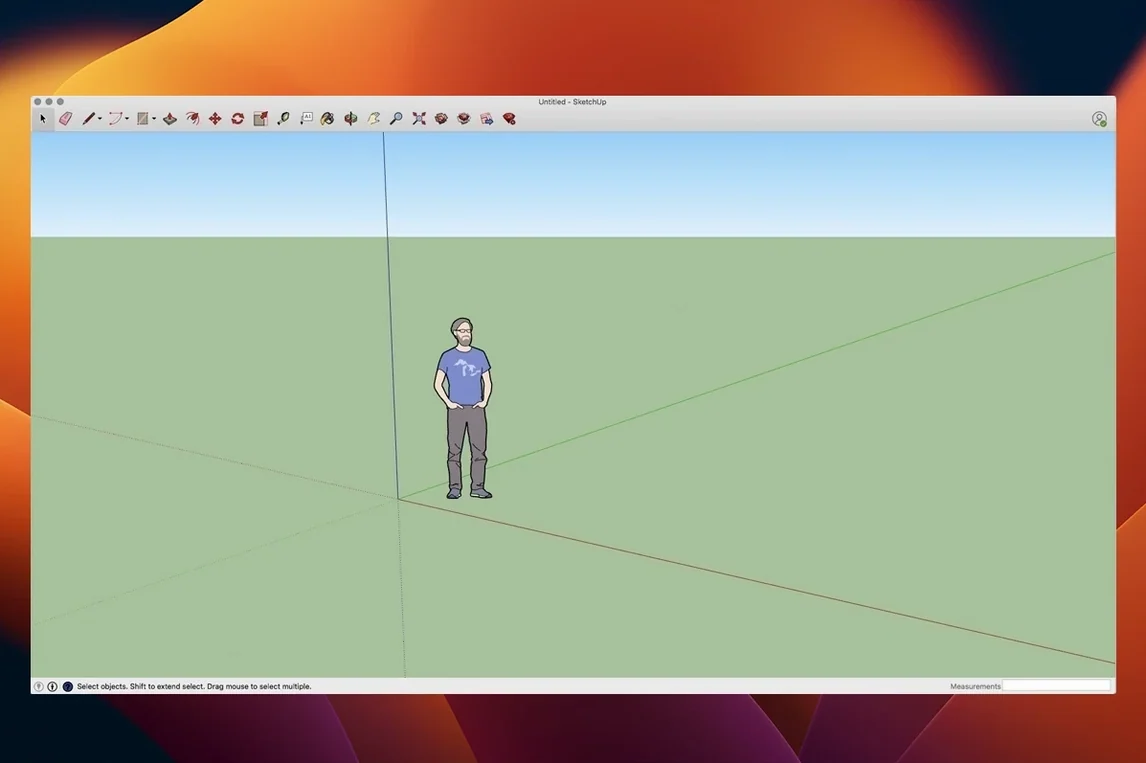
Analysis Hub is the headline act in the 2026.2 release, giving you a centralised spot to interrogate your model's energy performance and daylighting without leaving the drawing environment. It's the kind of addition that signals Trimble pushing the software deeper into informed design, where a 3D model isn't just a visual proxy but a live dataset you can question. That arrival sits alongside a quieter but necessary migration framework for Extensions, a clutch of graphics improvements inside LayOut, and some long-overdue Mac shortcut and UI fixes.
What's new and what hasn't budged
The current build – SketchUp 2026.2.242, compiled as the Mac 64-bit binary for SU2026.2 – arrives with a clean split of attention between power and polish. On the power side, Analysis Hub and the Extensions migration tooling mean the app is growing into workflows that used to demand third-party hoops. On the polish side, LayOut's rendering gets a bump in clarity, and the Mac interface feels less like a port and more like a native citizen. Underneath it all, the engine still supports both ARM and 64-bit x86 architectures, so your Apple Silicon machine isn't left doing awkward translation.
The same SketchUp you either love or argue with
Beneath the version bumps, the core of SketchUp Pro 2026 remains that familiar push-pull modelling environment. LayOut still handles page layout and presentation, letting you dress a model with dimensions, title blocks, and annotations for a client set. You can still spin a scene into an animated walkthrough or flythrough when a static view won't sell the idea. The language support – Russian, English, German, Spanish, Italian, Traditional and Simplified Chinese, Korean, Portuguese, French, Swedish, and Japanese – hasn't shrunk, and the app's appetite for macOS 13 Ventura or newer hasn't changed either. What the 2026.2 cycle really tells you is that SketchUp refines more often than it reinvents, which suits a tool that earns its keep in the muscle memory of its users.
A workflow from concept to client set
Let's follow a plausible architectural sketch job — a small garden studio — to see how the pieces fit together in 26.2.242. You don't need all the tools at once; the rhythm is a steady handover between the modelling window and LayOut.
You start with a rough rectangle in plan view, push-pulled to wall height. The Tape Measure tool sets a construction guide 600 mm in from the north wall, and a double-click of the Push/Pull tool recesses a window opening to the exact depth of the stud wall. No arithmetic, just a quick inference snap. Once the basic envelope feels right, you group the walls, roof slab, and glazing into separate objects — essential housekeeping that saves you from accidentally welding the fascia to the floor later.
With the geometry locked into groups, you switch to the Scenes panel. You create a plan scene, two exterior elevations, and one interior corner view, ticking "Hidden Geometry" off for the presentation scenes. Each scene remembers camera angle, shadow settings, and style, so the client sees the model the way you intend, not the way they accidentally orbit into. Then you save the file and flip over to LayOut.
Inside LayOut, you drop the SketchUp viewport onto an A3 landscape title block. You set the plan scene to vector rendering at 1:50, the elevations to hybrid at 1:100, and the interior corner to raster for softer shading. A few dimension strings snap to the model's edges — because LayOut reads the geometry, not a dead image — and you add a north arrow and a simple scale bar. When you notice the window head height is 2100 mm instead of the 2200 mm the brief asked for, you hop back to the model, adjust the group, save, and watch LayOut's viewports update without a single re-export. That loop is the core of the software's value in a working day: the model stays the single source of truth, and the documentation ripples outward from it.
Opening a recent project on a Thursday morning
Imagine a Thursday morning. You've opened the disk image, moved the app to Applications, installed the SketchUp 2026 License, and launched from Launchpad — the standard setup path hasn't changed. The welcome window offers a recent file, and you open the studio model from yesterday.
The first five minutes are orientation. You orbit to yesterday's last saved scene, tap the spacebar to drop back into the Select tool, and spend a few seconds scanning the Outliner to remind yourself which group holds the roof framing. The Outliner is one of those panels that rewards tidiness: a flat list of unnamed groups is a headache waiting to happen, so you've named them sensibly. A quick double-click into the roof group isolates it, and you begin extruding rafters with Push/Pull, snapping to the ridge beam you placed on Tuesday.
Mid-morning, you remember the client wanted a skylight. You draw a rectangle on the roof plane, use the Offset tool to create a 50 mm frame, push the inner rectangle down through the roof thickness, and assign a translucent blue material from the default library. The material palette in 2026.2 still favours the Essentials collection, but the search field finds "glass" in under a second. You add a new scene called "skylight detail" and bump the shadow slider to late afternoon — small staging decisions that make a budget model look considered.
By eleven, you've switched to LayOut to update the presentation set. The linked viewports haven't broken, and the new skylight appears in the roof plan without fanfare. You tweak the line weights in the SketchUp Model inspector, thickening the profile edges to 3 pt so the building reads clearly on a printed page. A coffee break, then back to the model for an animated walkthrough: you set four scene tabs in sequence, adjust the scene transition timing to 3 seconds, and export a .mp4 that pans from the garden gate through the studio interior. It's not a Hollywood reel, but it's enough to show the spatial flow. You attach it to an email and call the morning done.
Analysis Hub now puts energy metrics inside your model
The 2026.2 release notes don't read like a revolution, but a few shifts land in everyday work. Analysis Hub is the obvious newcomer — you now have a panel that interrogates energy and daylight metrics directly, which means fewer trips to external simulation tools for early-stage checks. It doesn't replace a full building physics package, but it puts a first-pass sanity check right where you're designing, and that changes how often you ask "what if" about orientation and glazing ratios.
The Extensions migration framework is quieter but matters more to anyone with a custom toolbar. Moving extensions between versions used to be a manual treasure hunt through Finder folders. The new migration logic handles much of that housekeeping, so your favourite Ruby scripts and plugin palettes reappear more reliably after an upgrade. It's the sort of under-the-bonnet work that prevents a morning of muttering.
LayOut's graphics improvements show up in crisper vector output and smoother zooming inside viewports, particularly on Retina displays. If you've ever squinted at a dimension string that seemed to soften as you panned, you'll notice the difference. The Mac shortcut and UI fixes address a handful of long-requested annoyances: modifier-key combos that previously misfired on Apple keyboards now behave, and a few dialog boxes have shed their Windows-era spacing quirks. None of this makes the feature list on a box, but it makes the software feel less like it's visiting from another operating system.
What hasn't changed: the modelling engine, the core push-pull logic, the way Scenes work, and the general rhythm of the application. SketchUp evolves in the gaps between the big ideas, and 2026.2 is a classic example of that pattern.
SketchUp ships as a universal binary for Apple Silicon
Does it run natively on Apple Silicon? Yes. The 26.2.242 build ships as a universal binary that runs natively on both ARM and 64-bit Intel Macs, so you're not routing through Rosetta unless you're using an older Intel-only extension that hasn't been updated. Most of the popular plugins caught up long ago.
Is LayOut a separate download? It's included in the same installer. When you move the app to Applications, LayOut sits alongside the main SketchUp executable — no extra steps, no second disk image to hunt down. The SketchUp 2026 License covers both.
How much disk space does it actually want? The system requirement says 6 GB of available hard-disk space, and that's a realistic minimum for the application plus a working library of materials and components. A few large project files and imported textures will push the footprint higher, so budget 10–12 GB if you plan to keep a local archive.
Can I open files from older versions? SketchUp 2026 opens files going back years, and the save format is backward-compatible to a point. If you need to pass a model to a colleague on 2024 or 2025, you can save down a version, though scenes and certain newer features may simplify on the round-trip.
Double-tap spacebar resets your view to the last scene
The spacebar always returns you to the Select tool, but fewer people know that a double-tap of the spacebar after orbiting resets the view to the last scene without touching the Scenes panel. It's a tiny muscle-memory move that saves you reaching for the mouse every time you wander off-axis.
In LayOut, holding the Shift key while drawing a dimension forces it to snap to the model's actual geometry rather than the paper plane, which matters when you're dimensioning an isometric view and want the measurement to reflect the 3D distance, not the flattened projection. The same modifier works when placing labels.
The Outliner's search field accepts partial names, so naming groups "roof_main", "roof_fascias", and "roof_rafters" lets you filter all roof elements by typing "roof" — a simple habit that pays off once a model passes thirty groups.
SketchUp's units precision is stated as one-thousandth of an inch, but the real convenience is the way the Measurements box accepts arithmetic. You can type a length as "2400+1200" or "3600/3" and the software does the maths in the input field, which means you spend less time in a calculator app and more time drawing.
Finally, the Scenes panel has a "Include in animation" checkbox that people often overlook. Unchecking it on a scene removes it from the walkthrough export without deleting the scene itself, so you can keep setup views, working angles, and detail shots in your file without them cluttering the client-facing animation. It's the sort of small checkbox that changes how organised your model stays over a long project.
The 2026.2 update lands as the current SketchUp release, built around the Mac 64-bit binary 26.2.242 for SU2026.2. It introduces Analysis Hub for interrogating model performance, a migration pathway for Extensions, improved LayOut graphics rendering, and a set of Mac-specific shortcut and UI fixes that make the interface feel more responsive.
- macOS 13 Ventura or newer
- Supports both Apple Silicon (ARM) and 64-bit Intel (x86) processors
Questions from the class 0
Sign in or join the class to ask a question.
Nobody has asked anything yet. If you have used it on a real job, say what the file did.
Also on the Mac Apps shelf
The whole Mac Apps shelf Sketch
Designs every screen of an app or website in one vector document before a developer touches it.
Sketch
Designs every screen of an app or website in one vector document before a developer touches it.
 Sip
Collects colours from anywhere on your screen and organises them into shareable palettes.
Sip
Collects colours from anywhere on your screen and organises them into shareable palettes.
 Sidebar
Lets you peek at every open window by hovering over an app in your Dock.
Sidebar
Lets you peek at every open window by hovering over an app in your Dock.
 Shadowrocket
Routes your network traffic through different proxies based on rules you set up.
Shadowrocket
Routes your network traffic through different proxies based on rules you set up.
 Session Pomodoro Focus Timer
Times your work blocks and breaks so you can concentrate on one thing at a time.
Session Pomodoro Focus Timer
Times your work blocks and breaks so you can concentrate on one thing at a time.
 Sensei
Shows you exactly what your Mac is doing right now and helps you tidy it up.
Sensei
Shows you exactly what your Mac is doing right now and helps you tidy it up.
 ScreenFlow
Captures and edits screen recordings, then turns your clicks and taps into animated callouts.
ScreenFlow
Captures and edits screen recordings, then turns your clicks and taps into animated callouts.
 Screen Studio
Records your screen while automatically smoothing cursor movement and trimming silence.
Screen Studio
Records your screen while automatically smoothing cursor movement and trimming silence.