 ASPNetWorld

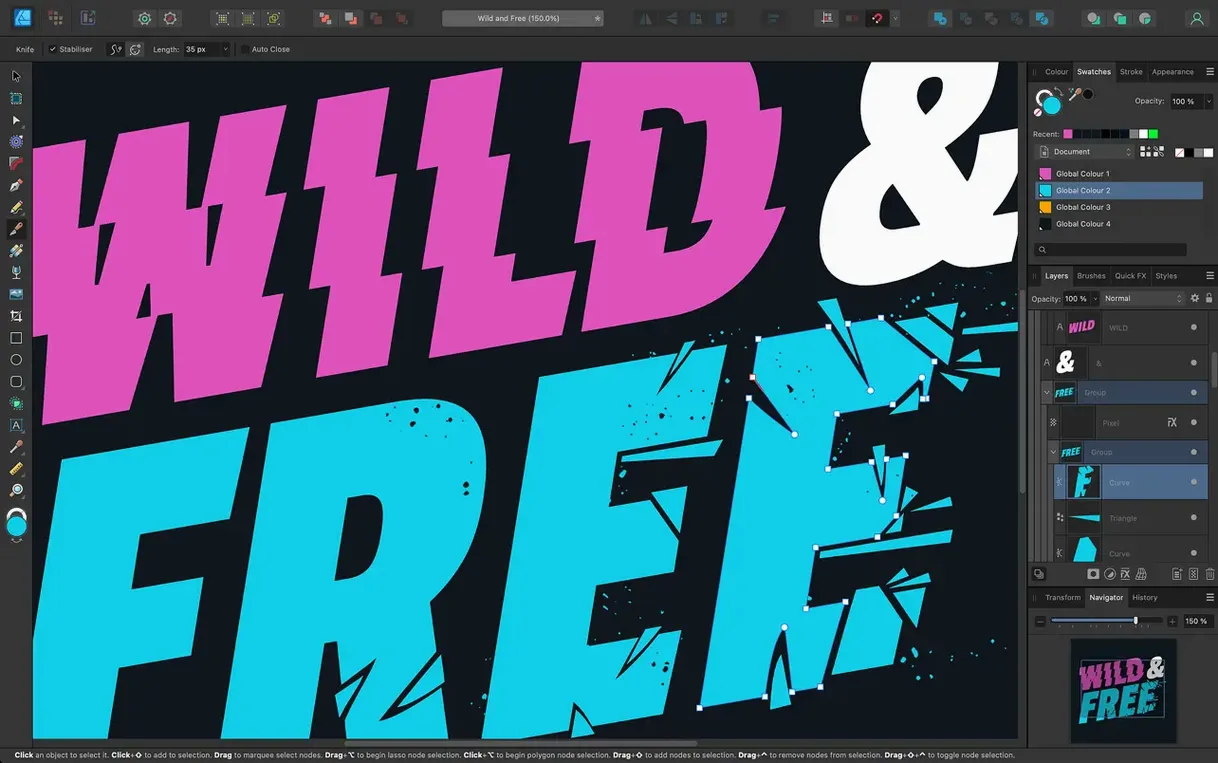
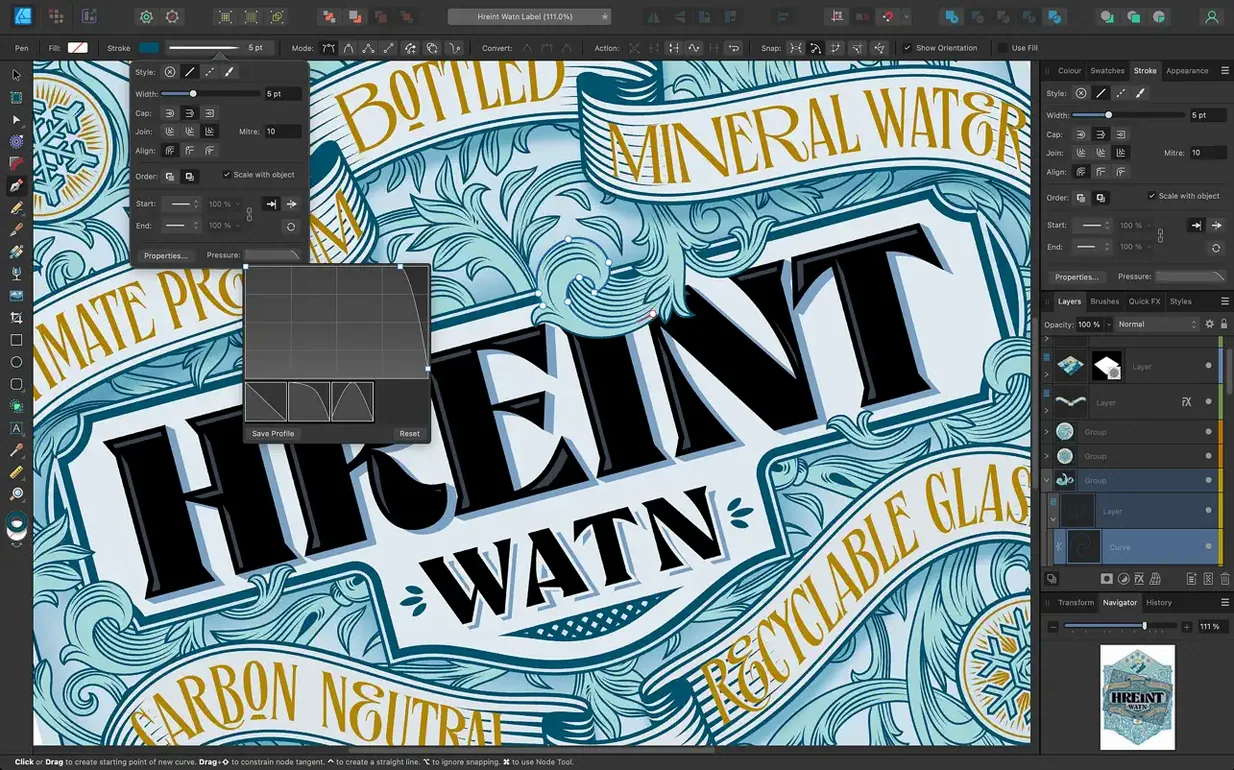
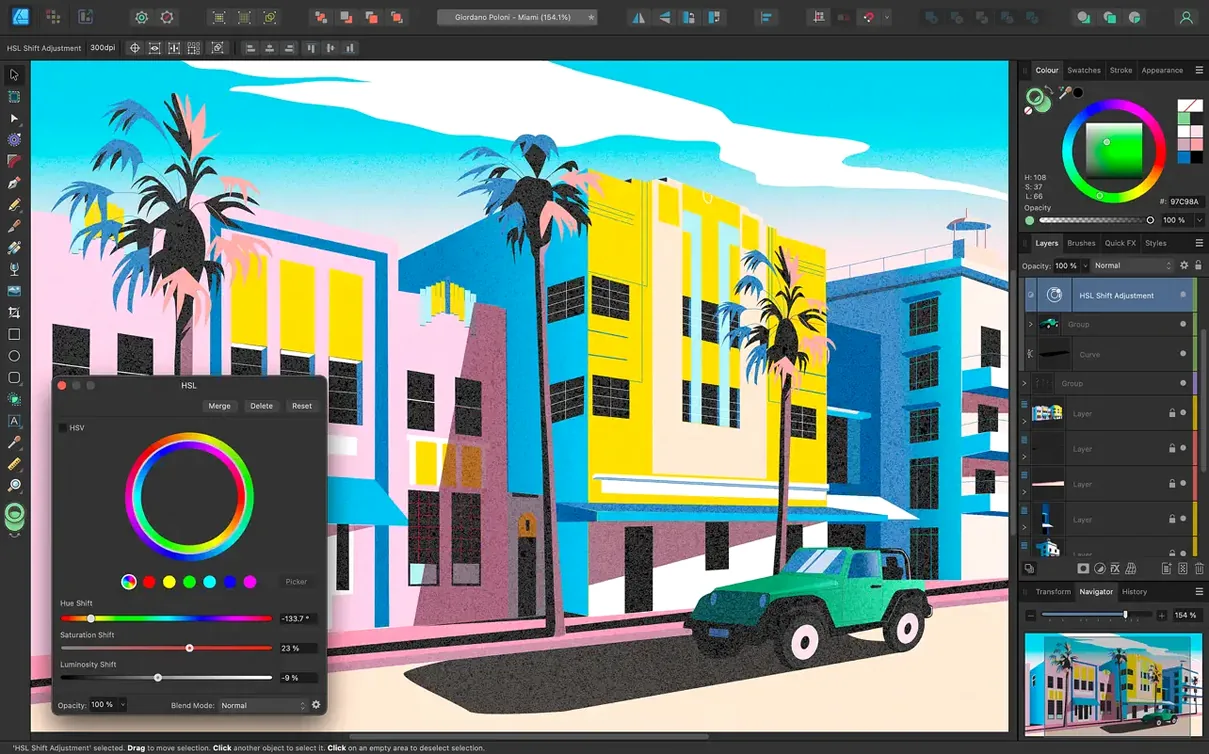
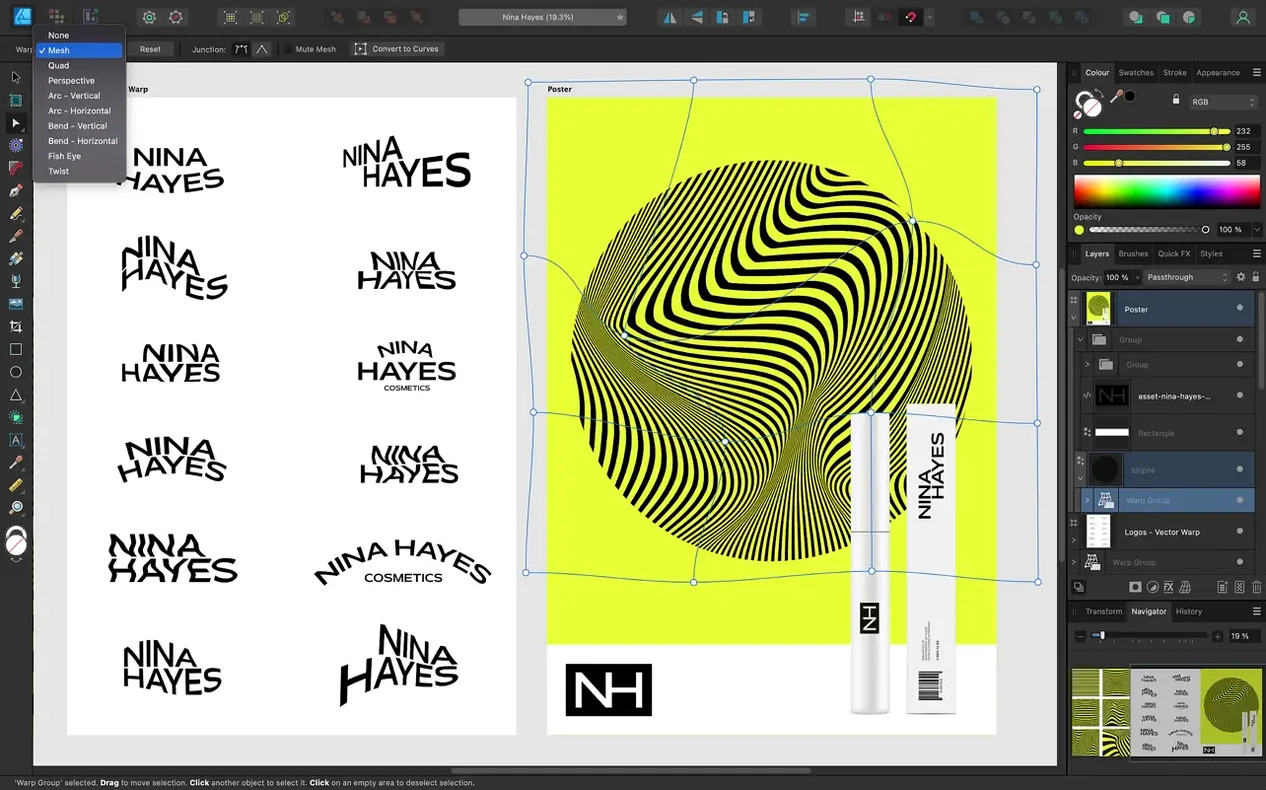
You're putting together a poster for a local music night. You've sketched a rough guitar shape on paper, and now you need to turn that loose idea into crisp, infinitely scalable linework, add the band names, and mock up a few layout options before sending a final proof. That's the kind of flow Affinity Designer is built for, moving from an initial freehand trace to a polished graphic across multiple artboards, all in one document with 16-bit per channel colour fidelity. The Pen and Pencil tools give you both geometric precision and natural freehand expression, and the stabilisation option smooths out any wobble in your stroke without killing the hand-drawn feel.
Building the poster from scratch
- Set up unlimited artboards. Create a new document and add three artboards for different poster orientations and colour treatments, keeping each version self-contained while sharing assets.
- Trace the sketch with the Pencil tool. Drop a photo of your paper sketch onto a locked background layer. Turn on the Pencil tool's stabilisation to get flowing, confident curves as you trace the guitar body with a stylus or mouse.
- Refine strokes with the Stroke Width tool. Use the improved Stroke Width Tool to add variable thickness to the outline, giving the illustration a hand-inked personality without breaking the vector structure.
- Lay out text on a curve. Convert the guitar's sound hole into a circular path and attach the band's name to it using the text-on-path feature, keeping everything editable for last-minute line-up changes.
- Work in a colour-managed pipeline. Assign an ICC profile from the start so the deep oranges and blues you pick translate predictably to the print shop's press.
- Export the final proof. Save one artboard as a print-ready PDF and another as a JPEG for social media, all from the same source file.
The whole session stays fluid because the Metal-accelerated canvas keeps panning and zooming responsive even with complex curves and live type. When you need to tweak that guitar body three weeks later, every point and handle is still there, ready to adjust.
Flip the auto-select behaviour before your second project
Out of the box, Affinity Designer makes a few assumptions about how you like to work. Some of them are sensible for a broad audience, others are worth flipping before you start your second project. Head into Preferences and then the Tools tab. The first thing I suggest is switching “Select object when intersects with selection marquee” to off. With the 2.6 update you can now toggle this on the fly by holding Command or Ctrl while dragging a marquee, but setting a default that requires a full enclosure feels more precise when you are stacking tight interface elements. While you are in the Tools pane, tick “Use shift key to toggle snapping” — it gives you a quick escape from the magnetic pull of guides without fishing through menus.
Next, open the Performance preferences. If your Mac has a discrete GPU, the display mode probably defaulted to Metal. On an Intel machine with integrated graphics, you might get smoother live gradient redraws by switching to OpenGL. It is not a night-and-day difference on newer Apple Silicon Macs, but it is worth a quick A/B test with a dozen radial gradients on an artboard. Also bump the Undo Limit up from the default 1,024; I set it to 4,096. Disk space is cheap, and the ability to unwind a fiddly node-editing session without hitting the ceiling has saved my temper more than once.
It still edits vector curves instead of handing off to developers
Affinity Designer's most natural comparison is with Sketch, but the two have drifted apart. Sketch has bet heavily on UI and screen design, with a plugin ecosystem built around developer handoff. Designer keeps one foot firmly in print and illustration, which shows in its CMYK support, bleed setup and spot-colour handling. If your work outputs to a printing press, Designer covers ground that Sketch simply does not tread.
Then there is Adobe Illustrator. Illustrator's type engine is deeper — it handles complex OpenType layout, optical kerning and right-to-left scripts with fewer edge cases — and its tracing engine is still ahead. Designer's trade-off is a flatter, less cluttered interface and a unified file format with Affinity Photo and Publisher. The StudioLink feature, where you can switch persona into Photo's raster tools or Publisher's layout engine without leaving the document, is something Illustrator cannot match. For a one-off logo you will not notice the gap; for a 200-page multilingual catalogue, Illustrator's text pipeline pulls ahead.
Inkscape on macOS is the open-source bench player. It handles SVG natively in a deep way that Designer does not, and it is free. But the interface lives in XQuartz, the performance under Metal is non-existent, and it rarely feels at home on a Mac. Designer's speed and native Cocoa integration alone make it a different daily experience, especially if you value smooth trackpad gestures and a 60 fps canvas.
A packaging designer's afternoon
Imagine a packaging designer working on a label for a small-batch hot sauce. The brief calls for a hand-drawn chili pepper illustration, a die-line template supplied by the printer as a PDF, and a few flavour variations that share ninety percent of the artwork. She starts by placing the die-line on a locked layer and creating three artboards — Original, Smoked Habanero, and Extra Garlic. On the first artboard she sketches the pepper with the Pencil tool, stabilisation dialled up just enough to keep the stem elegant, then profiles the Stroke Width to give the outline a brush-pen taper.
The type lock-up uses an OpenType font with swash alternates, applied through the Typography panel, and the curved “Small Batch” badge runs along a circular path extracted from the label's border. When the printer asks for a white underprint layer to sit behind the CMYK artwork on clear film, she duplicates the key shapes, fills them with white, and sets the overprint stroke to match — all inside the same file. Switching to the Photo persona lets her add a subtle paper texture to the background without bouncing out to another app. Before the end of the afternoon, all three variants are exported as press-ready PDFs with the correct bleed and crop marks, and a flat JPEG proof is in the client's inbox. The file stays live and editable, ready for the next limited run.
A Metal viewport that holds 60 fps during live zoom
On an Apple Silicon Mac, Affinity Designer launches in about three seconds and loads a moderate-complexity document with a dozen artboards in under five. The Metal viewport holds a steady 60 fps during zoom and pan operations even with live effects and gradient meshes visible — something that causes noticeable frame drops in Rosetta-translated or older OpenGL apps. Memory pressure stays low: a session with six open documents, each containing embedded raster textures and hundreds of vector objects, hovers around 1.2–1.6 GB of RAM. That leaves plenty of headroom for a web browser and an e-mail client alongside.
Stability is solid but not bulletproof. The 2.6.5 release specifically addresses bugs, and in daily work crashes are rare — perhaps one every couple of weeks during heavy boolean operations on complex compound shapes. The auto-save recovery has never lost more than the last minute of work in my experience. The one area where you feel the app working is live preview of large Gaussian blurs or high-radius shadows applied to vector objects; the canvas can stutter briefly as the GPU recomputes. Switching those effects to a view mode of “pixel” rather than “vector” in the layer's blend options often smooths things out until you are ready to export.
Version 2.6 concentrates on drawing refinement and selection behaviour. The Pencil tool and Stroke Width Tool both received attention, making freehand work and variable-width profiling feel more predictable.
- Pencil tool improvements for a smoother tracing and freehand drawing experience.
- Stroke Width Tool profiling enhancements, plus a Reset Profile option to quickly clear custom width curves.
- Added a Command or Ctrl toggle for marquee select intersection behaviour, giving you finer control when dragging selections across overlapping objects.
- Routine bug fixes and stability improvements across the app.
- Requires macOS 10.15 or later.
- Runs natively on both Apple Silicon (ARM) and 64-bit Intel Macs.
Questions I keep hearing
What file formats can I bring into Affinity Designer and send out?
It opens PSD, AI, PDF, EPS, SVG, JPG, TIFF, and EXR files, and you can export to those same formats plus standard image formats when you're done.
Can I run Affinity Designer on an Apple Silicon Mac?
Yes, the app has native support for both ARM (Apple Silicon) and 64-bit Intel Macs, and it uses Metal, OpenGL, and Core Graphics for hardware acceleration.
Questions from the class 0
Sign in or join the class to ask a question.
Nobody has asked anything yet. If you have used it on a real job, say what the file did.
Also on the Mac Apps shelf
The whole Mac Apps shelf Affinity Photo
Edits photos nondestructively with selective adjustments and raw processing.
Affinity Photo
Edits photos nondestructively with selective adjustments and raw processing.
 Affinity Publisher
Lays out multi-page documents combining text and high-res images for print.
Affinity Publisher
Lays out multi-page documents combining text and high-res images for print.
 Adobe Premiere Rush
Trims phone footage into a finished video with minimal fuss.
Adobe Premiere Rush
Trims phone footage into a finished video with minimal fuss.
 AI Transcription
Converts batches of spoken recordings into searchable written text.
AI Transcription
Converts batches of spoken recordings into searchable written text.
 Aiarty Image Enhancer
Cleans up noisy or soft photos with targeted detail reconstruction.
Aiarty Image Enhancer
Cleans up noisy or soft photos with targeted detail reconstruction.
 Aiarty Video Enhancer
Lifts old, grainy video into clearer, watchable footage.
Aiarty Video Enhancer
Lifts old, grainy video into clearer, watchable footage.
 AirBuddy
Shows your AirPods battery status instantly in the menu bar.
AirBuddy
Shows your AirPods battery status instantly in the menu bar.
 Airflow
Queues up local video files for uninterrupted, hands-off playback.
Airflow
Queues up local video files for uninterrupted, hands-off playback.