 ASPNetWorld

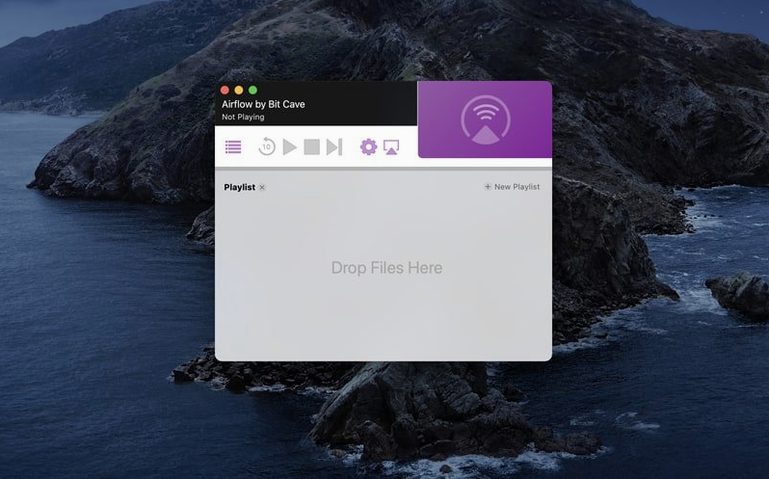
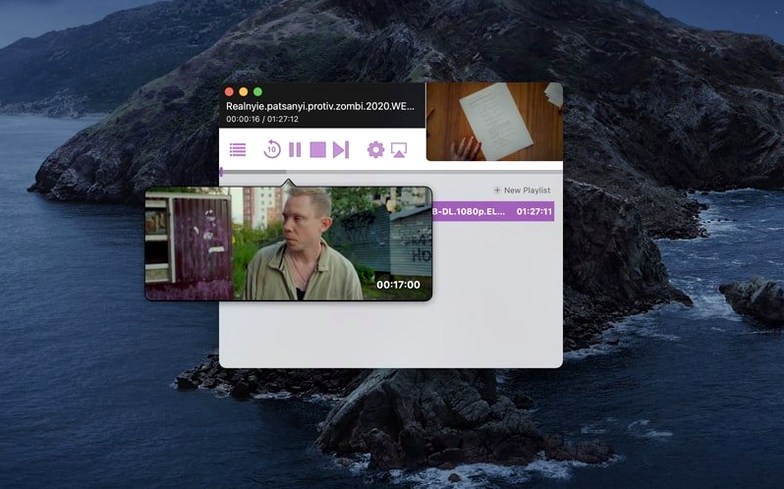
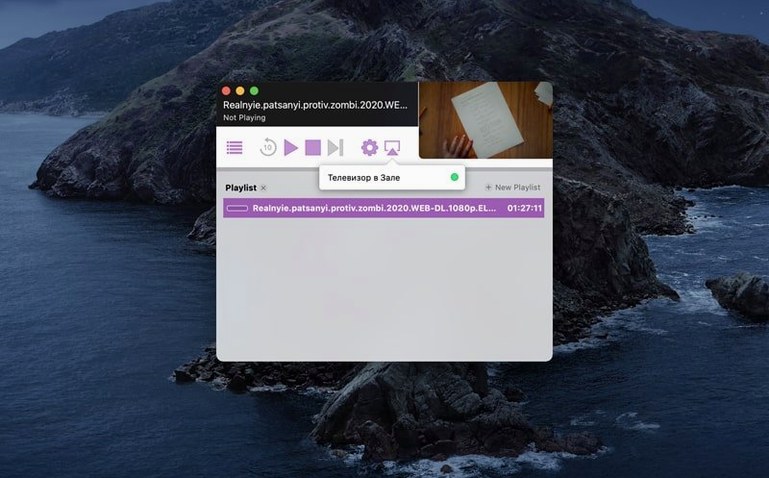
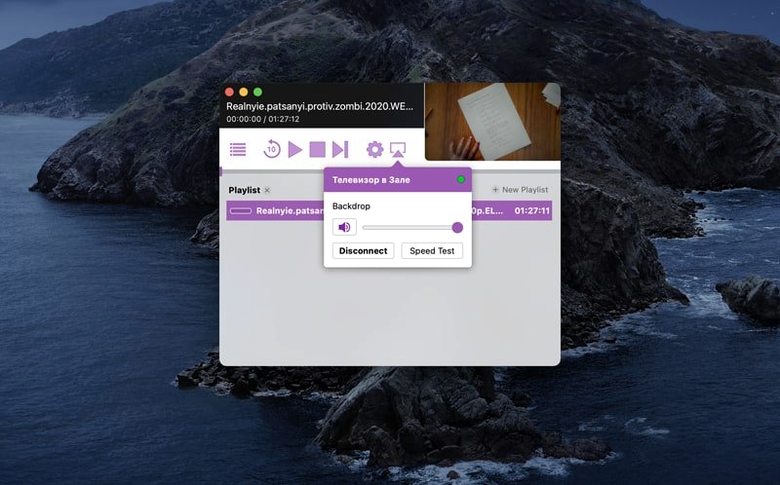
You've started a Saturday film night with a playlist of old-school torrents. As the first file ends, you want the next to roll without anyone reaching for a keyboard. Here's a workflow an experienced user might follow.
Building a no-interruption queue
- Drop a folder of video files onto the Airflow window. The app builds a playlist automatically, reading the file names in order.
- Right-click any file in the queue that needs a soft sound boost. Choose Pre-flight Analysis. Airflow inspects the audio track and applies a gentle loudness normalisation so you don't ride the volume knob between episodes.
- Open Preferences and switch the Playback engine from Standard to Experimental. This forces a real-time transcode on files the Chromecast doesn't natively support, avoiding a black screen mid-queue.
- Hit play on the first file. The entire list streams in sequence, with the next item buffered while the current one runs.
Subtitle handling rounds out the toolkit. When a file carries an embedded subtitle track, Airflow extracts it on the fly rather than burning it into the video. You can switch tracks or disable them from the Mac without restarting the stream. External SRT files work if they share the video's filename. A small touch that keeps control on your desk, not buried in the Chromecast's limited on-screen menus.
Chromecast format mismatches and network glitches you can fix
Chromecast streaming from a Mac sounds straightforward until a file refuses to play or the audio drifts half a second out of sync. These are rarely Airflow problems; they're usually format mismatches or network quirks, and most have a fix.
Black screen with audio playing. The Chromecast doesn't understand the video codec. Airflow's Standard engine passes the file as-is, so an older MKV with a DivX track will choke. Switch to the Experimental engine in Preferences — it transcodes on the fly, and the picture appears within a few seconds. The trade-off is higher CPU use, so close other heavy apps if the fan spins up.
Audio sync drifting. This often happens on Wi-Fi networks with congestion. Pause the stream for five seconds, then resume. The Chromecast re-syncs its buffer. If it keeps drifting, try dropping the quality slider in Airflow's advanced settings one notch. A slightly softer picture is less annoying than lip-sync that feels like a dubbed film.
Chromecast not appearing in the device list. Airflow discovers devices via mDNS (Bonjour), which can go quiet after a router reboot. Open Terminal and run dns-sd -B _googlecast._tcp local. If your Chromecast appears in the output, quit and relaunch Airflow and it should reappear. If it doesn't, restart the Chromecast itself — a full power cycle, not just a sleep wake.
Subtitles not showing despite matching filenames. Airflow expects the SRT to be UTF-8 encoded. Some older subtitle files use Latin-1 or windows-1252. Open the SRT in TextEdit, choose File > Save As, and set the encoding to UTF-8. The next time you stream, the captions appear.
A full evening: stream a mixed-format folder from start to finish
Imagine a folder with a mix of H.264 MP4s, an old AVI from a camcorder, and a high-bitrate MKV with DTS audio. You want them all on the living room screen without juggling converters.
- Open Airflow and drag the entire folder in. The playlist populates in filename order. Click the Sort button at the bottom if you prefer by date or size — useful when files are numbered inconsistently.
- Spot the AVI in the list. You know the Chromecast won't touch it. Before playing anything, open Preferences, set the engine to Experimental, and check Enable hardware acceleration if your Intel Mac has a supported GPU. This spreads the transcode load.
- Select the MKV with DTS audio. Right-click and run Pre-flight Analysis. Airflow reports a 5.1 surround track your TV's stereo speakers can't reproduce. In the analysis panel, tick Downmix to stereo. The app converts on stream, and you keep clear dialogue rather than muffled centre-channel mush.
- Click Choose Device and pick the living room Chromecast. Hit play on the first file. The AVI transcodes in the background; the MP4s pass through natively. The queue runs for two hours without a single "format not supported" message.
- Halfway through, a friend texts asking for a file. Drag it from Finder onto the queue while playback continues — Airflow inserts it after the current item. No stop, no reload.
The whole process leans on one principle: let Airflow do the format wrangling so you stay in one app. No pre-converting, no VLC fiddling, no USB stick passed around the room.
Three groups who click with local file streaming
This isn't software for someone who streams everything from a web browser. It clicks for three groups in particular.
Collectors of local media. If you keep a drive full of films, documentaries and home videos that don't exist on any streaming service, Airflow turns your Mac into a personal Chromecast server. The queue system means you can line up an evening's viewing while cooking, and the Experimental engine handles whatever codec a file was encoded with a decade ago.
Language learners with subtitle libraries. Watching foreign films with external SRT files is a common practice, and Airflow's on-the-fly subtitle extraction means you're not burning hard subs into the picture. You can switch tracks mid-stream to compare a translation against the original — something the Chromecast's own interface can't manage.
Teachers and presenters. A classroom or lecture hall with a Chromecast on the projector benefits from the drag-and-drop queue. Queue up clips from different sources, add a video shot on a phone, and advance through them without tabbing between apps. The device list stays visible, so if someone else casts from their phone by accident, you spot the conflict immediately.
Choose the playback engine that handles your file library
Out of the box, Airflow makes sensible choices, but a few tweaks shape it to your setup.
- Playback engine. The default Standard engine passes files untouched. Switch to Experimental if your library includes AVIs, WMVs, or MKVs with older codecs. You lose a little startup speed but gain near-universal playback.
- Hardware acceleration. Tucked under the engine selection, this checkbox offloads transcoding to the GPU. On Intel Macs with integrated graphics, it reduces CPU load noticeably during an evening queue. Leave it on unless you see visual artefacts — rare, but possible on older HD Graphics chipsets.
- Subtitle language preference. In the Subtitles pane, set a preferred language. When a file contains multiple embedded tracks, Airflow picks your choice automatically rather than defaulting to the first stream. Saves digging through menus on the couch.
- Quality slider. The advanced settings include a stream quality control. Drop it one step from maximum if you're on a busy 2.4 GHz network. The difference is barely visible on a 1080p TV, and it stops buffering pauses that kill the flow of a playlist.
- macOS 10.12 or later
- 64-bit Intel processor
- Chromecast or Chromecast-enabled device on the same local network
Questions from the class 0
Sign in or join the class to ask a question.
Nobody has asked anything yet. If you have used it on a real job, say what the file did.
Also on the Mac Apps shelf
The whole Mac Apps shelf AirBuddy
Shows your AirPods battery status instantly in the menu bar.
AirBuddy
Shows your AirPods battery status instantly in the menu bar.
 Alcove
Turns the MacBook notch into a handy capsule for alerts and controls.
Alcove
Turns the MacBook notch into a handy capsule for alerts and controls.
 Aiarty Video Enhancer
Lifts old, grainy video into clearer, watchable footage.
Aiarty Video Enhancer
Lifts old, grainy video into clearer, watchable footage.
 AlDente
Limits your MacBook battery charge to a chosen level for longer lifespan.
AlDente
Limits your MacBook battery charge to a chosen level for longer lifespan.
 Aiarty Image Enhancer
Cleans up noisy or soft photos with targeted detail reconstruction.
Aiarty Image Enhancer
Cleans up noisy or soft photos with targeted detail reconstruction.
 AI Transcription
Converts batches of spoken recordings into searchable written text.
AI Transcription
Converts batches of spoken recordings into searchable written text.
 Affinity Publisher
Lays out multi-page documents combining text and high-res images for print.
Affinity Publisher
Lays out multi-page documents combining text and high-res images for print.
 Affinity Photo
Edits photos nondestructively with selective adjustments and raw processing.
Affinity Photo
Edits photos nondestructively with selective adjustments and raw processing.