 ASPNetWorld

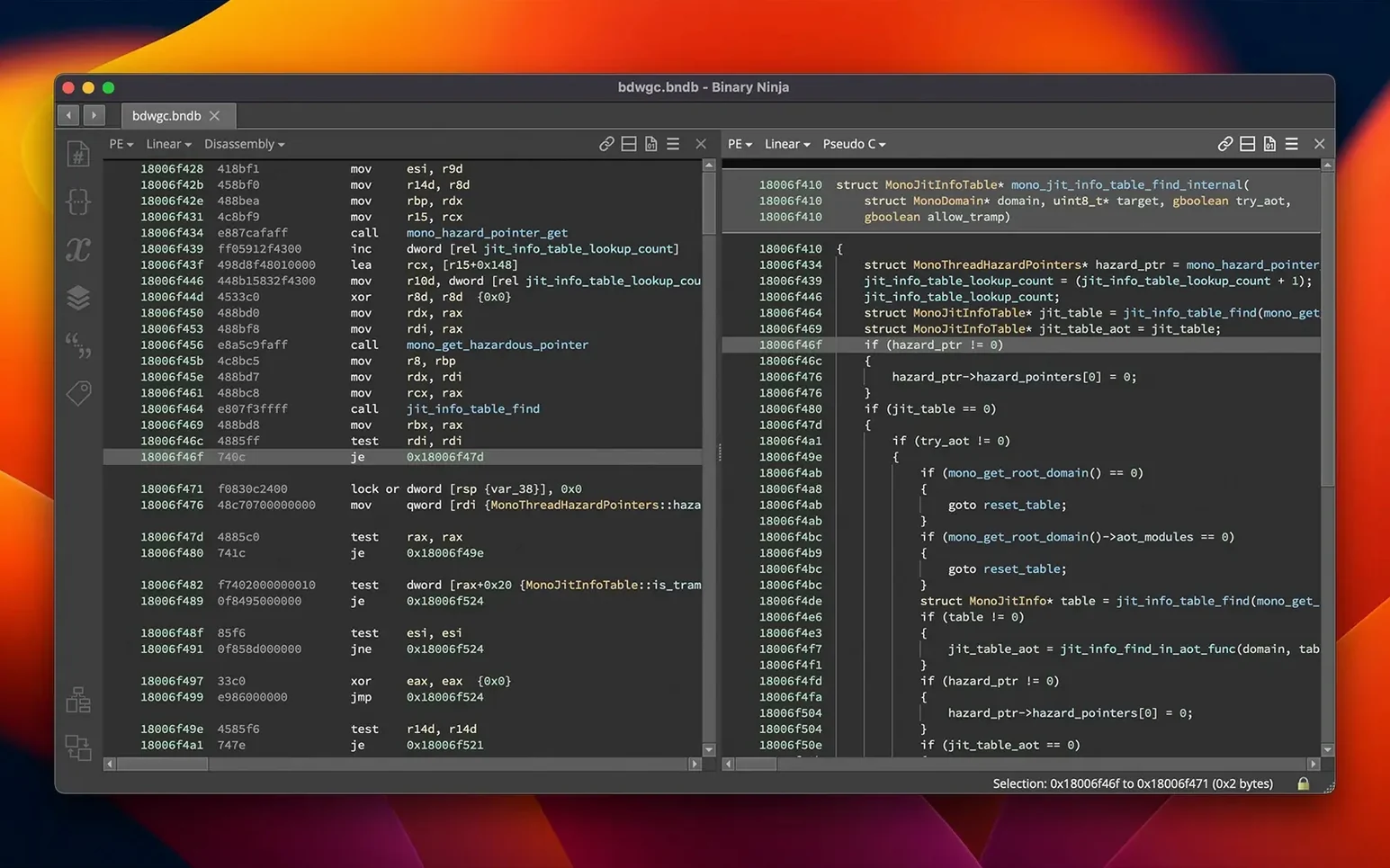
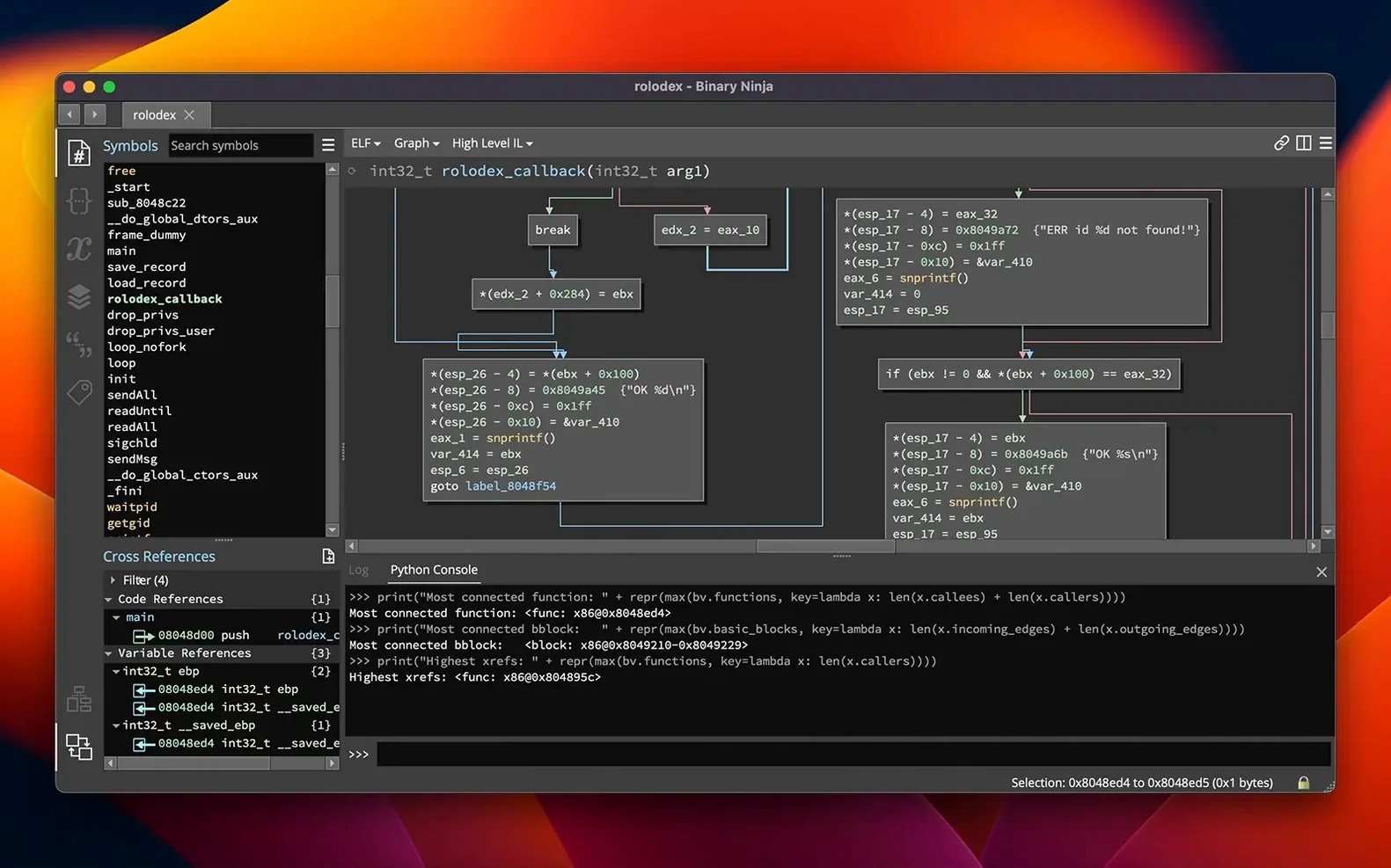
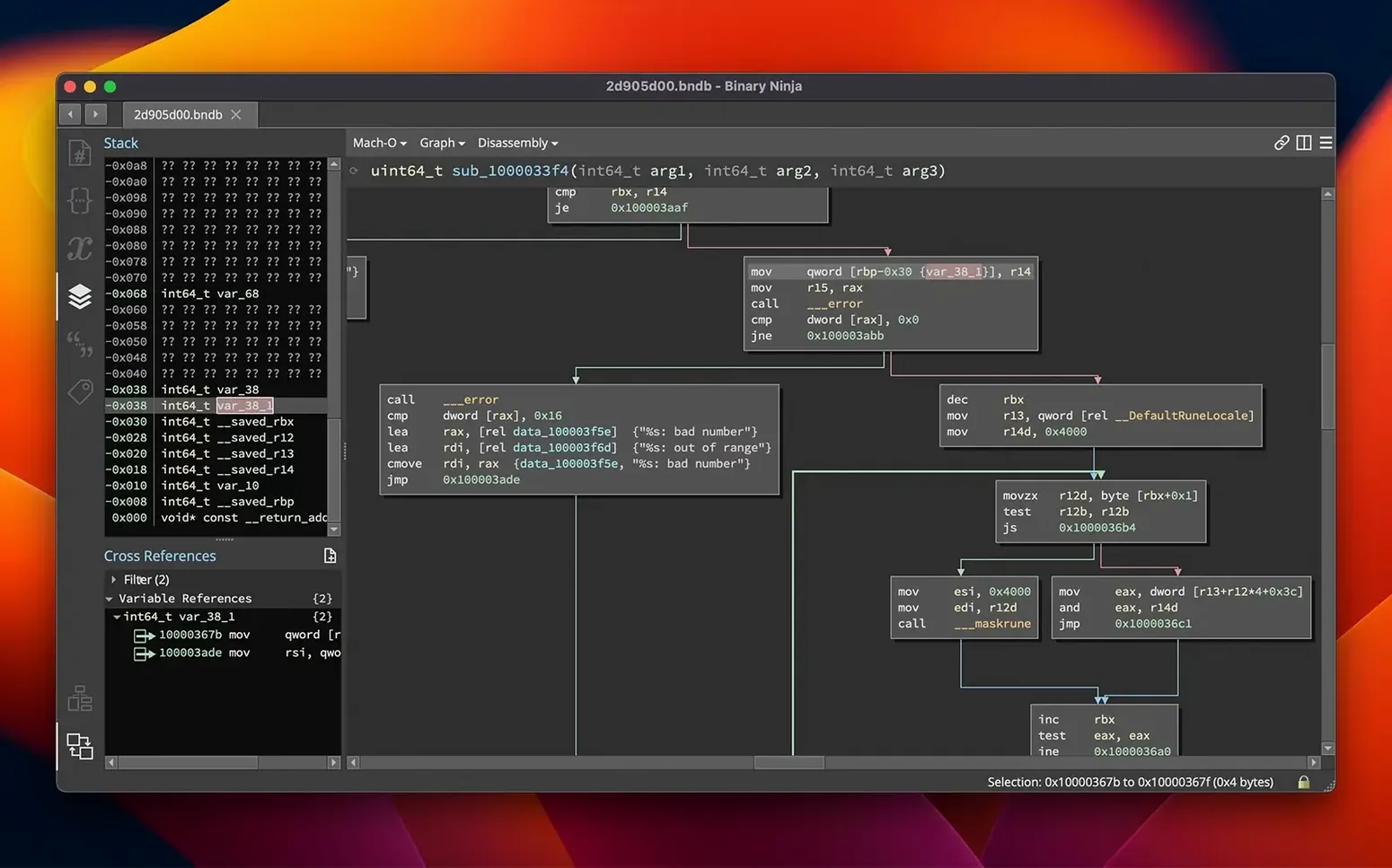
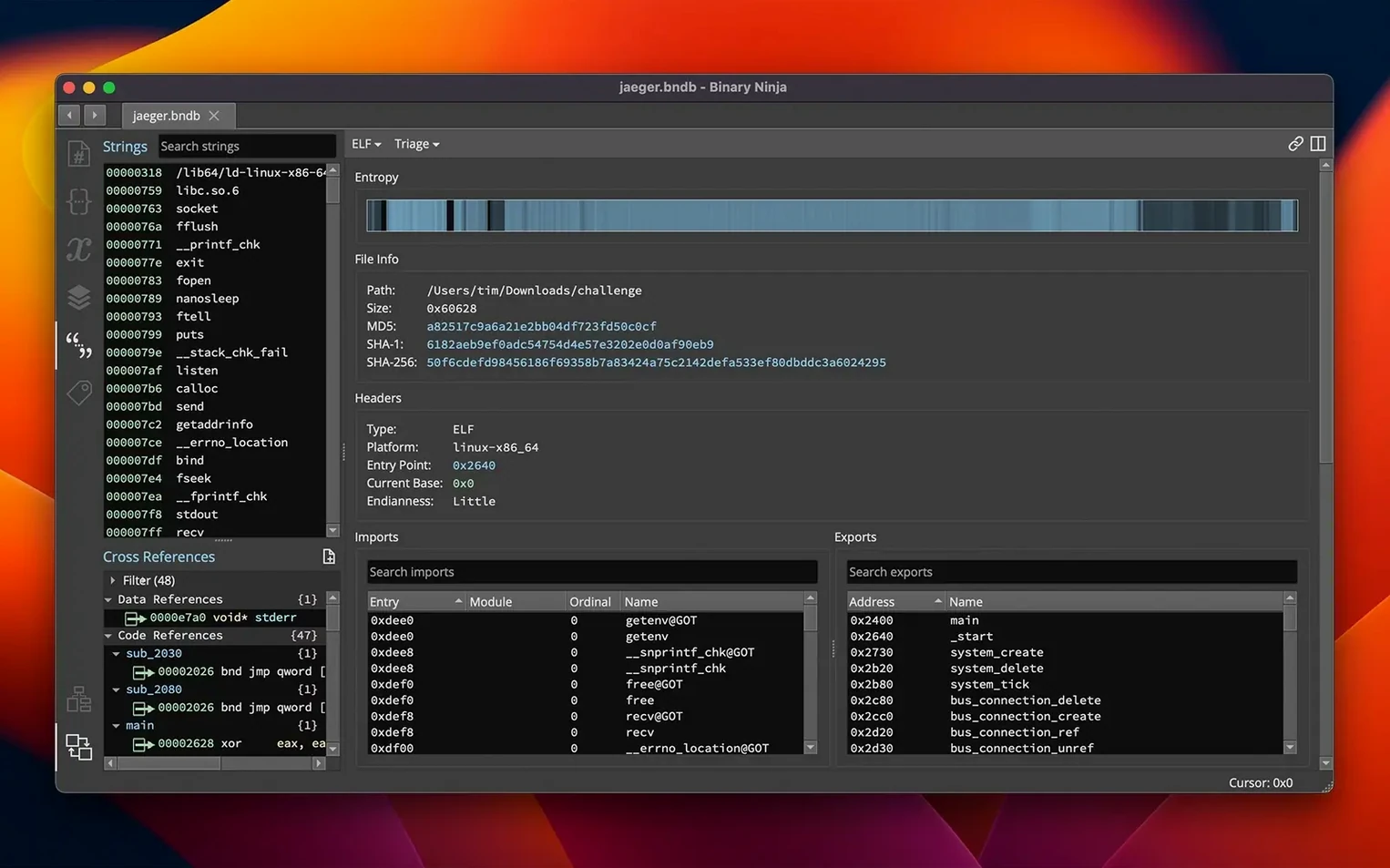
If you've ever spent a late night inside IDA Pro, tracing a function call through seven layers of indirection, you'll feel a familiar click when you open Binary Ninja. It's not a clone; it's a parallel evolution. Where IDA established the grand tradition, Binary Ninja has quietly built a platform that feels more like a modern IDE for binaries—faster to query, more transparent in its analysis, and built from the ground up to be scripted. For the experienced analyst, the real draw isn't the clean interface; it's what sits one level deeper.
The architectures that matter
Broad architecture support is table stakes in this field, but the implementation is what separates a toy from a tool. Binary Ninja lifts your target—whether x86-64, ARMv8/AArch64, MIPS, PowerPC, or even a humble 6502 or Z80—into its intermediate languages. From there, the analysis engine generates control-flow graphs you can navigate interactively and cross-references you can chase with a click. When you're staring at a Mach-O executable or an ELF library, you're not just seeing dead disassembly; you're seeing a living map of the code's intentions.
Patching, scripting, and the long tail of automation
Eventually, you need to change something. Binary Ninja's patching workflow covers the spectrum. You can edit the assembly directly, apply a predefined patch, or drop into the hex editor to tweak raw bytes. For more complex fixes, the built-in SCC compiler lets you write a snippet in C and compile it straight into the binary. This is where the platform's deeper design pays off. An entropy graph helps you spot packed or encrypted regions at a glance, and batch processing lets you run analysis across a folder of samples overnight. The entire engine is exposed through C++, Python, and Rust APIs, so you can write a script that hunts for a specific code pattern, patches it, and logs the result—without ever touching the GUI. It's the kind of automation that turns a week-long audit into an afternoon's work.
Where Binary Ninja sits in your toolkit
No reverse-engineering platform is an island. Binary Ninja talks to the rest of your analysis pipeline in ways that matter once you move past a single-sample investigation. On macOS the platform understands the system it runs on: Mach-O loaders handle thin and fat binaries naturally, and the analysis engine picks up shared-cache references in a way that saves you manually mapping dyld_shared_cache regions. That local knowledge means you spend less time fixing up misidentified segments before you even begin the real work.
On the scripting side, the Python and C++ APIs slot into automation chains without awkward glue code. You might pull a suspicious sample from a sandbox, unpack it with a dedicated tool, then hand the clean binary to Binary Ninja's headless mode for static analysis. The results—function summaries, cross-references, entropy scores—flow into a JSON report that your triage system ingests directly. Because the engine exposes its intermediate languages (BNIL) at multiple levels, you can also feed lifted IL into custom diffing scripts or plug the output into Binary Similarity searches across your malware corpus. The new MCP server in version 6.0 opens yet another door: external tools can query the analysis database at runtime, which turns Binary Ninja from a standalone workstation into a back-end service that other forensic tools can interrogate.
macOS integration extends to the small things that smooth a long session. The native Apple Silicon build keeps analysis snappy on M-series machines, and the platform respects familiar shortcuts and multi-monitor setups without fighting the window manager. Drag a binary onto the dock icon and you're in. That lack of friction matters when you're context-switching between a debugger, a packet capture, and the disassembler a dozen times an hour.
A malware triage workflow, start to finish
Here's a realistic morning: a suspicious Mach-O arrives from your honeypot, and you need a preliminary answer before stand-up. You fire up Binary Ninja and load the sample. The entropy graph immediately shows a spike near the end of the __TEXT segment—a packer, or at least an obfuscation layer. You note it and let the linear sweep finish, then ask the decompiler for a C view of the entry point.
The first function you land on calls a chain of API wrappers that resolve imports at runtime. You start naming them: resolve_dlsym, decrypt_string_table. The cross-reference graph shows three other callers you hadn't spotted yet. You click through each, building a mental model of the obfuscation layer, and then switch to the HLIL view to see how the structure initializers from version 6.0 clean up what used to be a wall of pointer arithmetic. A string decryption loop, now readable, reveals a C2 domain.
You jump to patching. The binary needs to phone home to a sinkhole you control, not the attacker's server. You open the hex editor at the string table offset, overwrite the domain, and check the length padding. Then you compile a quick SCC snippet to stub out the anti-debug check you spotted three functions deeper. With the binary patched, you export the analysis database and hand it to your detection-engineering colleague. Total time: just under forty minutes, and you never left one tool.
It won't interfere with IDA or Ghidra
Will it clash with other disassemblers I already have? No, and that's by design. Binary Ninja keeps its analysis databases separate from IDA or Ghidra project files, and it won't touch your existing tooling. You can have all three on the same machine and even work on the same binary simultaneously. The headless mode runs without a GUI, so it can hum along in the background while you use another tool for a different angle on the same sample.
Does it need an always-on internet connection? The analysis engine runs entirely locally. Once installed, you can pull the network cable and keep working. The Extension Manager will check for plugin updates when you ask it to, but it won't phone home during a disassembly session. That's important when you're working inside an air-gapped lab or handling sensitive samples that must never touch the network—you can still search for binary ninja crack download chatter in your threat intel without worrying the tool itself is leaking data.
What if I'm mostly comfortable in another platform's keyboard shortcuts? The migration wizard that arrived with version 6.0 covers exactly this. It maps familiar shortcuts from other reverse-engineering environments so your muscle memory transfers without a week of frustration. You can also rebind keys manually, and the Python API exposes every action, so you can script custom hotkey workflows if your needs go beyond what the UI offers.
When the decompiler outputs nonsense, check the calling convention
A common early stumble is the decompiler producing what looks like nonsense for a perfectly valid function. Nine times out of ten, the binary is using an unusual calling convention that the auto-detection missed. Before you start manually re-typing every argument, right-click the function and check the calling-convention override. The refactored calling-convention system in 6.0 handles many more edge cases automatically, but hand-rolled assembly or exotic thunk functions can still fool it. Setting the convention explicitly usually resolves the issue in a single step.
Another snag: the Extension Manager (the redesigned Plugin Manager) shows an extension as installed but it doesn't appear in the UI. This is often a Python environment mismatch. While the Linux build bundles Python 3.13 internally, macOS relies on the system environment. If you've installed extensions that depend on native libraries, check that they're compiled for your architecture—an Intel-only .dylib won't load under Apple Silicon without Rosetta, and the extension may fail silently. Running Binary Ninja from the terminal once with verbose logging (--log-level debug) usually surfaces the specific import error.
If the analysis engine seems to hang on a large binary, the entropy graph itself is your first diagnostic tool. Look for regions where entropy stays flat and high—those are often compressed or encrypted payloads the linear disassembler is trying to make sense of. Mark those regions as raw data before analysis resumes, and the engine will skip them. For batch jobs, the headless mode's timeout flag prevents one stubborn sample from blocking the entire queue. If you grabbed a binary ninja torrent or a kick ninja crack, just make sure the build's signature matches the official checksums so everything behaves as expected; a verified install straightens out most inexplicable crashes.
Version 6.0 is a major leap forward, headlined by a new MCP server and a Binary Similarity feature for comparing code across samples. The old Plugin Manager has been redesigned as the cleaner Extension Manager, and the platform now supports the TMS320C6x architecture.
- macOS 10.15 or later
- Apple Silicon or Intel processor
Questions from the class 0
Sign in or join the class to ask a question.
Nobody has asked anything yet. If you have used it on a real job, say what the file did.
Also on the Mac Apps shelf
The whole Mac Apps shelf Beyond Compare
Spots every difference between folders or files by laying them side by side for instant visual comparison.
Beyond Compare
Spots every difference between folders or files by laying them side by side for instant visual comparison.
 BetterZip
Opens, edits, and creates archives in dozens of formats without needing to extract them first.
BetterZip
Opens, edits, and creates archives in dozens of formats without needing to extract them first.
 Bloom
Lets you browse, tag, and preview files across local and cloud storage from a single window.
Bloom
Lets you browse, tag, and preview files across local and cloud storage from a single window.
 BetterTouchTool
Transforms any trackpad, mouse, or keyboard gesture into a custom shortcut tailored to your workflow.
BetterTouchTool
Transforms any trackpad, mouse, or keyboard gesture into a custom shortcut tailored to your workflow.
 BetterDisplay Pro
Unlocks full resolution, brightness, and colour control for any display attached to your Mac.
BetterDisplay Pro
Unlocks full resolution, brightness, and colour control for any display attached to your Mac.
 Beauty Box Photo
Smooths skin and reduces shine in portraits automatically, saving you from manual retouching.
Beauty Box Photo
Smooths skin and reduces shine in portraits automatically, saving you from manual retouching.
 Bootstrap Studio
Turns a drag-and-drop library of responsive components into a complete website front-end.
Bootstrap Studio
Turns a drag-and-drop library of responsive components into a complete website front-end.
 Bartender
Hides, rearranges, and tidies your menu bar icons so only the essentials remain visible.
Bartender
Hides, rearranges, and tidies your menu bar icons so only the essentials remain visible.