 ASPNetWorld

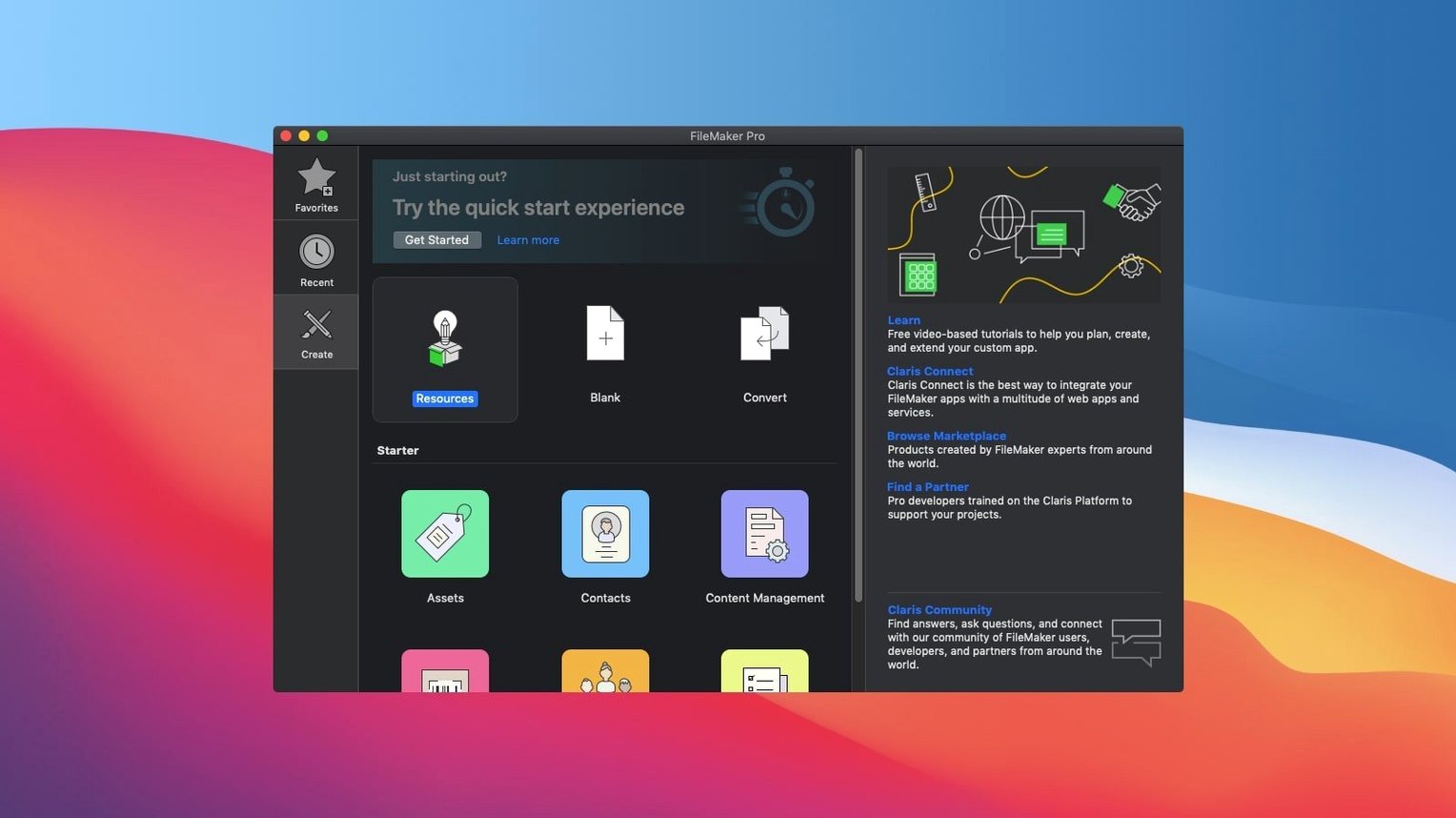
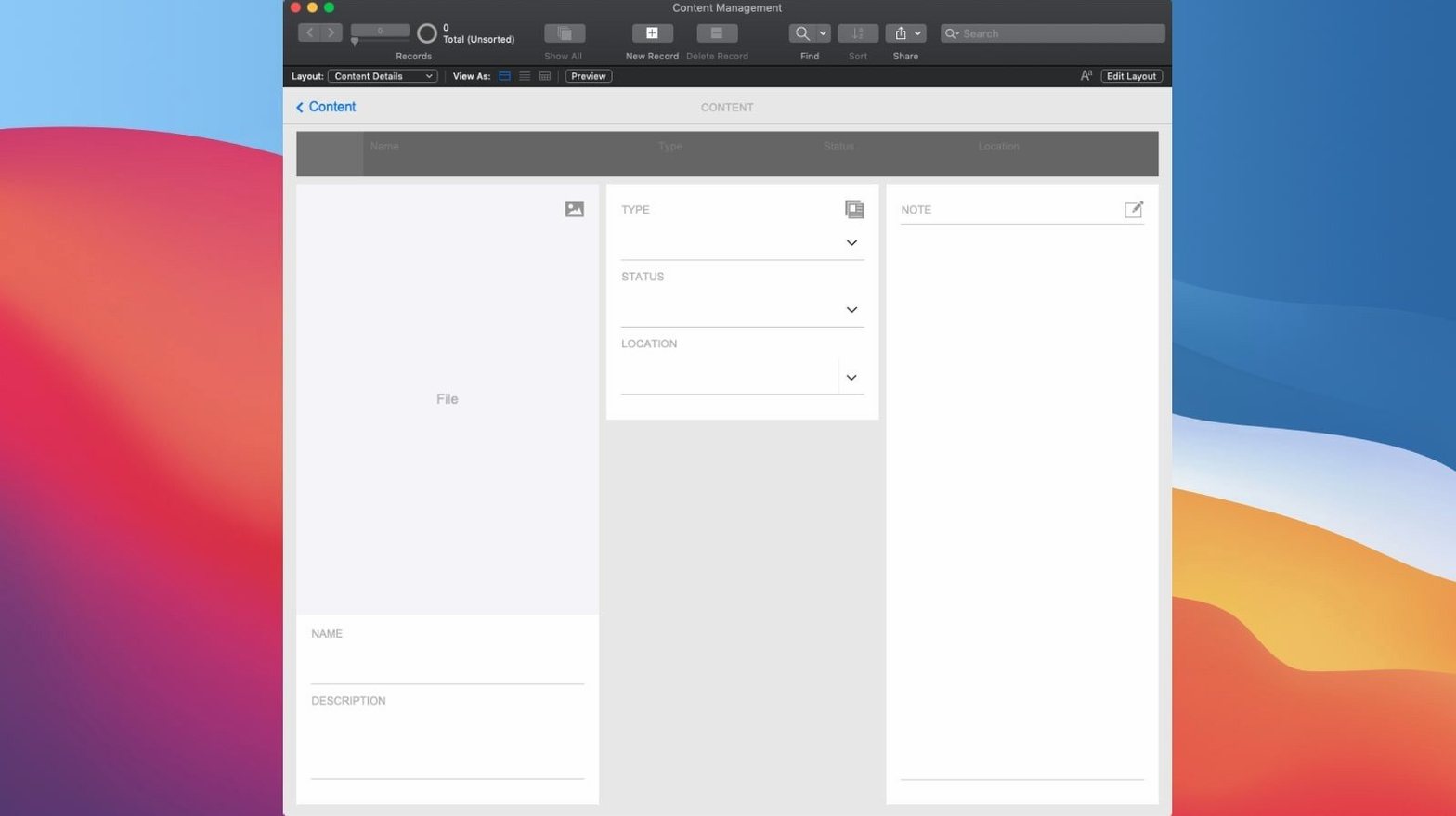
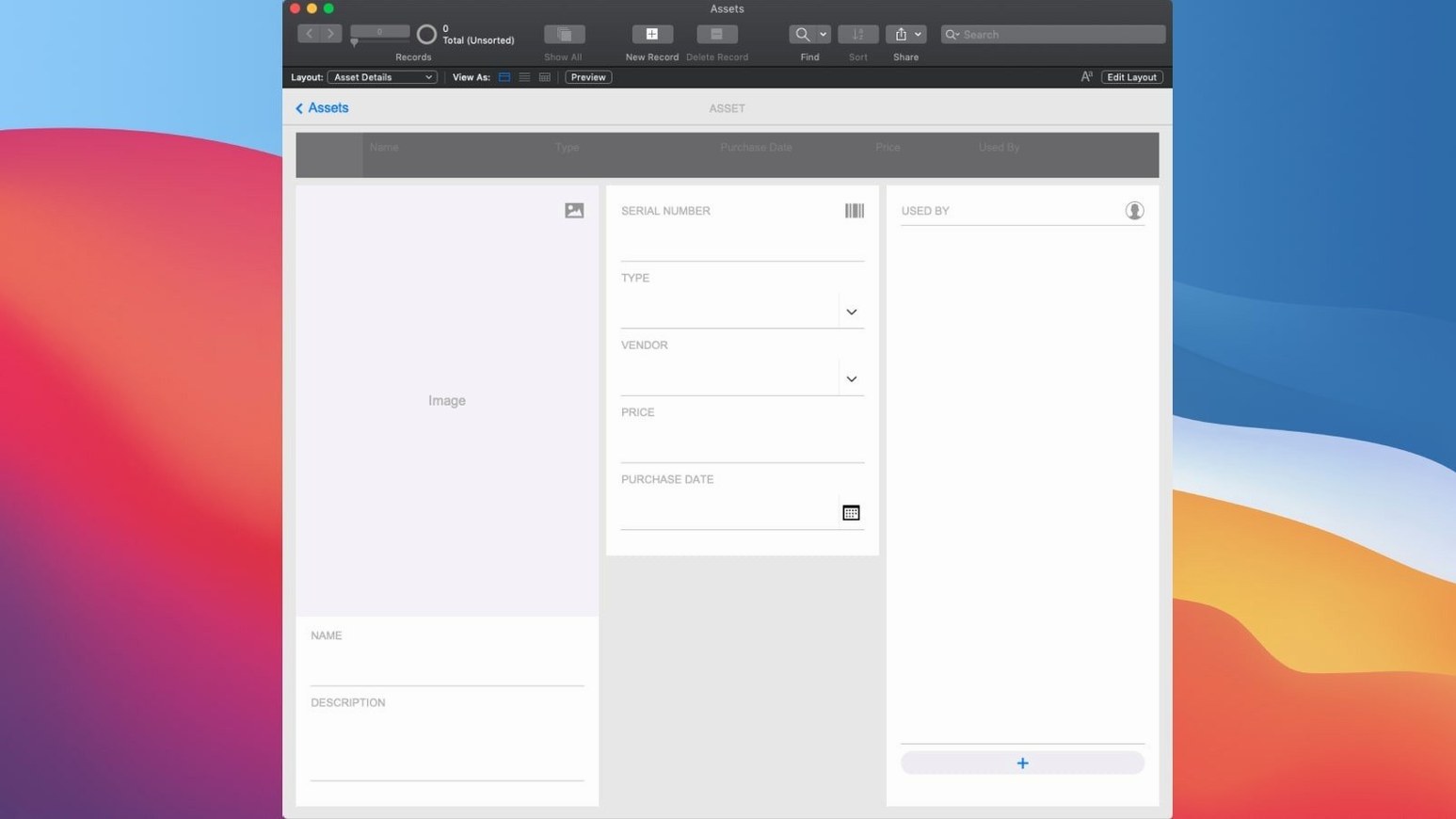
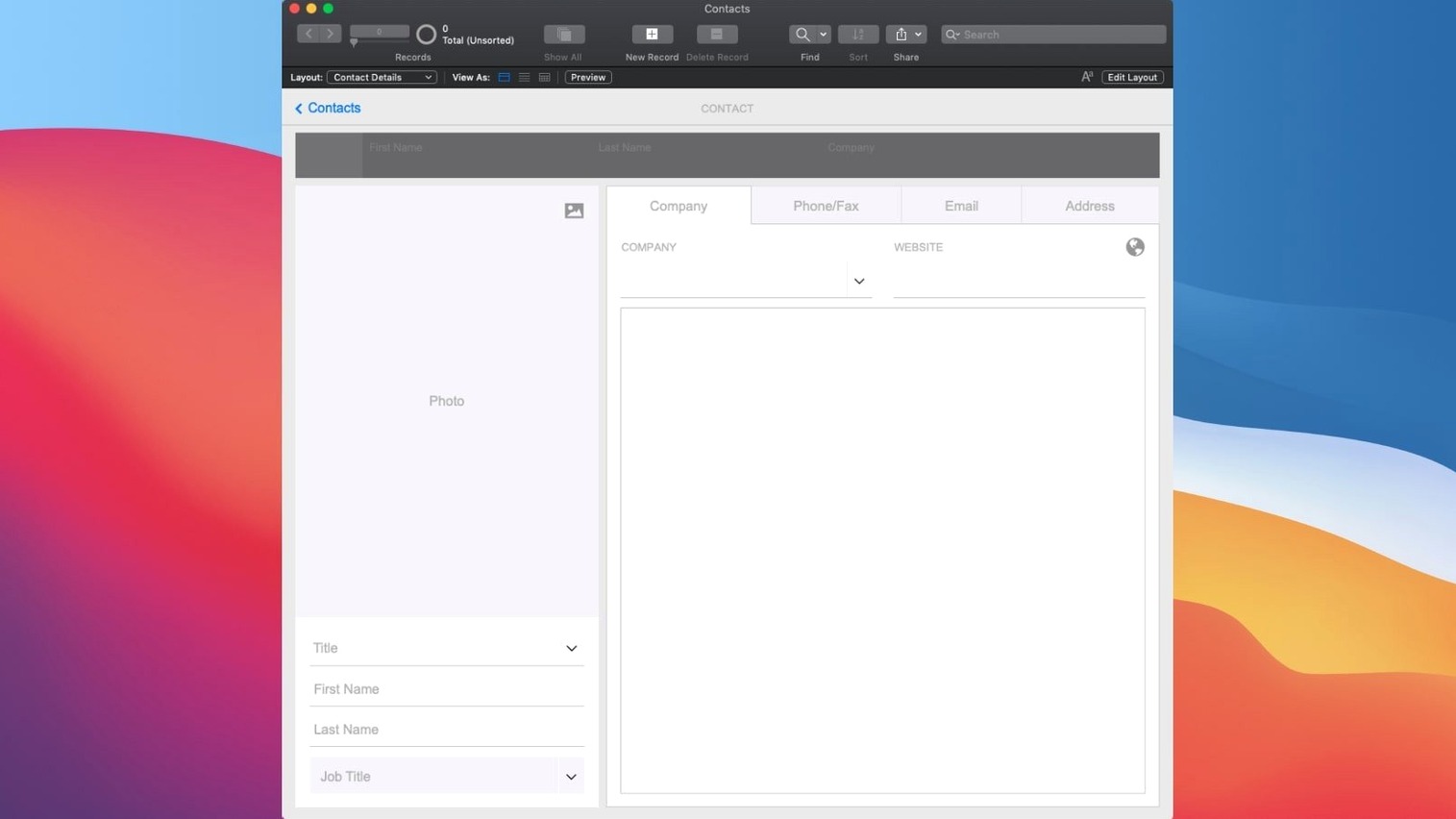
Business analysts, small teams and database tinkerers often reach for FileMaker Pro when spreadsheets start creaking under the weight of the tasks people actually need done. It sits alongside the rest of your Mac toolkit as somewhere to shape a bespoke database without writing everything from scratch.
Low-code development — building applications through a visual interface rather than typing every line from a blank screen. You drag, configure and connect elements.
Ready-made add-ons — pre-built components for things like Kanban boards, charts, calendars and activity graphs that you drop into your project. They stop you reinventing the wheel every time a client wants a project tracker.
Semantic Find — a search feature that understands the meaning of your query rather than just matching exact words. Version 21.0.1 lets you run a Perform Semantic Find step in scripts, so a field labelled “client mood” can return “slightly frustrated” records when someone searches for “not happy”.
Apps built here are not locked to a single desk. Real-time sharing works across macOS, iOS, the web and cloud-hosted files, which means the inventory checker you build on a Mac is just as functional on a warehouse tablet.
How FileMaker Pro sits alongside the rest of your Mac
FileMaker Pro does not live in a vacuum, and the best workflows treat it as one piece of a larger puzzle. It reads and writes Excel workbooks without fuss, so the finance team can keep their spreadsheet habits while data flows into a shared app behind the scenes. A folder of CSV files dumped out of a legacy system becomes import fodder the moment you point the Import Records dialog at it.
On the automation side, AppleScript support runs deep. A script in FileMaker can trigger an AppleScript that renames files in the Finder, sends a custom email via Mail, or pulls a value out of Calendar. The relationship works both ways: an Automator folder action can spot a new PDF in a hot folder and push its metadata straight into a FileMaker record. If your office runs on Macs, this pairing erases a surprising amount of repetitive typing.
Siri Shortcuts on macOS Monterey and later add another layer. A Shortcut that captures a voice memo and transcribes it can hand the text to FileMaker via a URL scheme, logging the note against the right client while you are still reaching for your coffee. Shortcuts cannot replace a full scripting engine, but for quick mobile-to-desktop handoffs they are genuinely useful.
Then there is the Claris ecosystem itself. FileMaker Server lets you host apps on a Mac in the office or a cloud instance, handling backups, scheduled scripts and web publishing overnight. FileMaker Go brings the same layouts to an iPad or iPhone without any redesign work — layouts adapt, fields resize, and the barcode scanner on the device becomes a data-entry tool that beats a keyboard every time. The web publishing engine, FileMaker WebDirect, exposes the app in a browser for Windows colleagues or remote contractors who never need to install anything.
ODBC and JDBC drivers mean your app can also be a data source for Tableau, Power BI or an internal dashboard tool. When the marketing team wants live order figures in their reporting platform, you set up the connection once and leave it running.
Where FileMaker Pro lands among similar Mac tools
Pick any three low-code database builders for macOS and you will find they split along a fault line between outright simplicity and developer-grade depth. FileMaker Pro plants itself in the middle, and that is exactly where a lot of working teams want to be.
Airtable catches people early with its pastel-coloured grids and polished collaboration. It feels frictionless for contact lists, editorial calendars and event planning, but the trade-off arrives when you need a local file you can open without a browser, or when a calculation needs more than a formula field referencing a single row. FileMaker Pro handles relational complexity — multi-table joins, transactional scripting, conditional value lists — without requiring an internet connection. For a field technician logging inspections in a barn with patchy mobile signal, that distinction is not academic.
Ninox sits closer to FileMaker in philosophy: a desktop client, custom layouts, scripting, and a strong following among Mac users. It is leaner and quicker to pick up for simple use cases, and its formula language feels approachable. Where FileMaker pulls ahead is in the sheer maturity of its integration layer. AppleScript, ODBC, REST APIs via Claris Connect, a dedicated server platform and a web publishing engine that handles concurrent users — those are not features you bolt onto a lightweight database builder after a few point releases. A business that suspects it might grow from three users to thirty over the next two years will find FileMaker has already solved the scaling puzzles that Ninox would force them to solve themselves with workarounds.
Microsoft Access floats at the edge of the comparison because it does not run on macOS natively, but plenty of teams migrate from it. Access databases have a habit of outgrowing their original purpose, and FileMaker is the natural landing pad for those arriving on Macs. The relational model translates comfortably, the scripting environment is deeper, and the cross-platform deployment story — Mac, iOS, web — is something Access never attempted seriously.
The common thread: FileMaker Pro is the choice when the app you build needs to feel like a real application rather than a clever spreadsheet, and when it will still need to work on a new hire’s machine three years later without anyone having to re-architect the data layer.
Small business managers outgrowing a shared spreadsheet
The obvious candidates — database developers and IT generalists — will find their way here without guidance. The less obvious ones are where the tool earns its keep.
Small business managers who have outgrown a shared Numbers document but cannot justify a custom web app build. They use FileMaker Pro to create an order tracker with a customer portal, scripted email confirmations and a dashboard that pulls figures from three tables simultaneously. The drag-and-drop layout editor means they can design something their staff will actually use, not something that looks like a database form from 1998.
Researchers and academics working with qualitative data. A historian cataloguing oral testimony, a field biologist recording specimen observations, a sociologist coding interview transcripts — all of them need flexible containers for unstructured information. FileMaker handles mixed media in container fields (audio clips, scanned field notes, photographs with GPS coordinates) without making you predefine what belongs where. Semantic Find in version 21.0.1 becomes especially interesting here: a researcher searching for “reluctant tone” across hundreds of interview summaries gets results that a keyword search would miss entirely.
Creative studios and production companies. A video editor who needs to track footage across multiple drives, log usage rights, and generate a delivery schedule can build a single app that replaces a tangle of Post-it notes, three spreadsheets and a whiteboard. The Kanban add-on gives producers a visual pipeline view, while container fields store low-res reference stills alongside each record.
The unifying trait across all these groups is that their data has relationships. If your information fits on a single flat grid, you probably do not need FileMaker Pro. The moment you start saying “this project belongs to that client and contains those assets, each of which has a separate approval status and deadline,” you are in relational territory, and that is where FileMaker stops being an option and starts being the obvious choice.
Replacing scattered assets with a single searchable library
Imagine a three-person marketing department drowning in assets. Logos, product photos, social media templates and approved case-study PDFs live across three Macs, a shared Dropbox folder and a manager’s email archive. The brief is simple: one place to find everything, with usage rights tracked and expiration dates flagged.
Start in FileMaker Pro with one of the built-in starter solutions — the Asset Management template is close enough to provide the skeleton. You rename the core tables and adjust the fields: AssetName, FileType, ExpiryDate, UsageTerms and a container field for the file itself. Drag a few fields onto the layout to match the team’s mental model: thumbnail on the left, metadata on the right, a large notes field below for context.
Now add the relational layer. Create a second table called Campaigns with fields for campaign name, launch date and owner. Link a single campaign record to many assets through a foreign key. On the layout, drop a portal — a scrolling list of related records — so opening a campaign shows every asset linked to it. The portal takes thirty seconds to configure and immediately answers the question “what do we actually have for the spring product launch?”
Automation comes next. Write a script that checks the ExpiryDate field on startup and displays a gentle alert for any asset expiring within fourteen days. Attach it to the layout’s OnRecordLoad trigger, so it fires whenever someone browses to a record. Add a second script that builds a PDF report of all expiring assets and attaches it to an email via the Send Mail script step, scheduled to run each Monday morning through a FileMaker Server schedule. Nobody needs to remember to run it.
For the final piece, add a Calendar add-on to a new layout, wired to the ExpiryDate field. Now the team sees a month view of all upcoming expirations. A red badge on a date is infinitely more likely to prompt action than a spreadsheet cell coloured pale orange three scrolls down.
Once the app is running, share it with the team. Host the file on a Mac running FileMaker Server in the office, or upload it to Claris Cloud. The marketing manager opens it on an iPad via FileMaker Go during a photoshoot, snaps a picture of a signed model release form straight into a container field, and the record syncs back to the office before the shoot wraps. On a Windows laptop, the freelance copywriter accesses the same app through a browser via FileMaker WebDirect to pull approved product descriptions without ever touching a Mac.
The whole process, from blank template to working app, might take an afternoon. A developer building the same thing as a web app with a React front end and a PostgreSQL database would still be setting up authentication by that point. That is the trade FileMaker makes, and for this scenario it is the right one.
What version 21.0.1 actually changes in daily work
The 2024 release does not revamp the interface or rename half the menus. The changes are focused and, for the right user, quietly significant.
Configure AI Account is the gateway feature. It lets you connect a FileMaker app to a large language model provider so scripts can send prompts and receive responses. In practical terms, that means a support-ticket app can auto-generate a draft reply based on the ticket description and the customer’s history, all inside a script that runs when a new ticket arrives. The draft still needs human review — the script step logs the AI call so you can audit what was asked and what came back, thanks to the new Set AI Call Logging feature — but the time saved on repetitive wording is real.
Insert Embedding and Insert Embedding in Found Set are the pieces that make semantic search work at scale. An embedding is a numerical representation of meaning, and these script steps generate embeddings for text fields and store them. Once a field has embeddings, the Perform Semantic Find step compares them rather than matching keywords. A legal firm’s document database, for instance, can retrieve records about “breach of confidentiality” even when the exact phrase never appears in the text, because the embedding captures the concept. For anyone managing large volumes of unstructured text — HR case notes, medical records, journalistic archives — this is a meaningful shift from “find” to “find what I meant.”
The shift is not invisible in everyday scripting. Where a developer previously wrote a script that looped through records building a concatenated keyword search, they now call one Perform Semantic Find step and get results that are often more relevant. The script is shorter and easier to maintain. For end users, the search bar they have used for years now behaves more intelligently, but only if the developer has wired up embeddings behind the scenes. This is an evolution, not a revolution, and that suits a platform whose users have built businesses on stability.
Version 21.0.1 brings a handful of AI-aware script steps and smarter search. The new Semantic Find operation lets scripts retrieve records by meaning rather than exact text, while the Insert Embedding steps open the door to vector-based AI features. There is also a new Configure AI Account option and a Set AI Call Logging step for tracking what your scripts ask of AI services.
- Configure AI Account added for managing AI service connections
- Insert Embedding and Insert Embedding in Found Set steps introduced
- Perform Semantic Find added for meaning-based search in scripts
- Set AI Call Logging step now available
- macOS 10.14 or later
- Runs on both Intel and Apple Silicon Macs
- Interface language: English
Questions I keep hearing
Can I add modern charts and calendars without coding them from scratch?
Yes. FileMaker Pro includes ready-made add-ons for charts, calendars, Kanban boards and activity graphs that you can configure directly inside your custom app.
Does it work with other devices and cloud services?
It supports real-time sharing on mobile devices, desktop computers, the web, locally and through cloud-hosted files, so your app stays accessible across platforms.
Questions from the class 0
Sign in or join the class to ask a question.
Nobody has asked anything yet. If you have used it on a real job, say what the file did.
Also on the Mac Apps shelf
The whole Mac Apps shelf Final Cut Pro
Tracks moving objects so titles and blurs follow them automatically.
Final Cut Pro
Tracks moving objects so titles and blurs follow them automatically.
 Find Any File
Scans your disks directly to find files the Finder misses.
Find Any File
Scans your disks directly to find files the Finder misses.
 Flicker Free
Removes flicker and strobing from your video footage.
Flicker Free
Removes flicker and strobing from your video footage.
 Folder Preview Pro
Lets you peek inside folders without fully opening them.
Folder Preview Pro
Lets you peek inside folders without fully opening them.
 FontLab
Lets you design and refine your own typefaces.
FontLab
Lets you design and refine your own typefaces.
 Exposure X7
Lets you brush photo adjustments onto selected areas without baking them in.
Exposure X7
Lets you brush photo adjustments onto selected areas without baking them in.
 ForkLift
Moves files between folders and servers in a dual-pane view.
ForkLift
Moves files between folders and servers in a dual-pane view.
 FotoMagico
Builds timed slideshows that feel more like short films.
FotoMagico
Builds timed slideshows that feel more like short films.