 ASPNetWorld

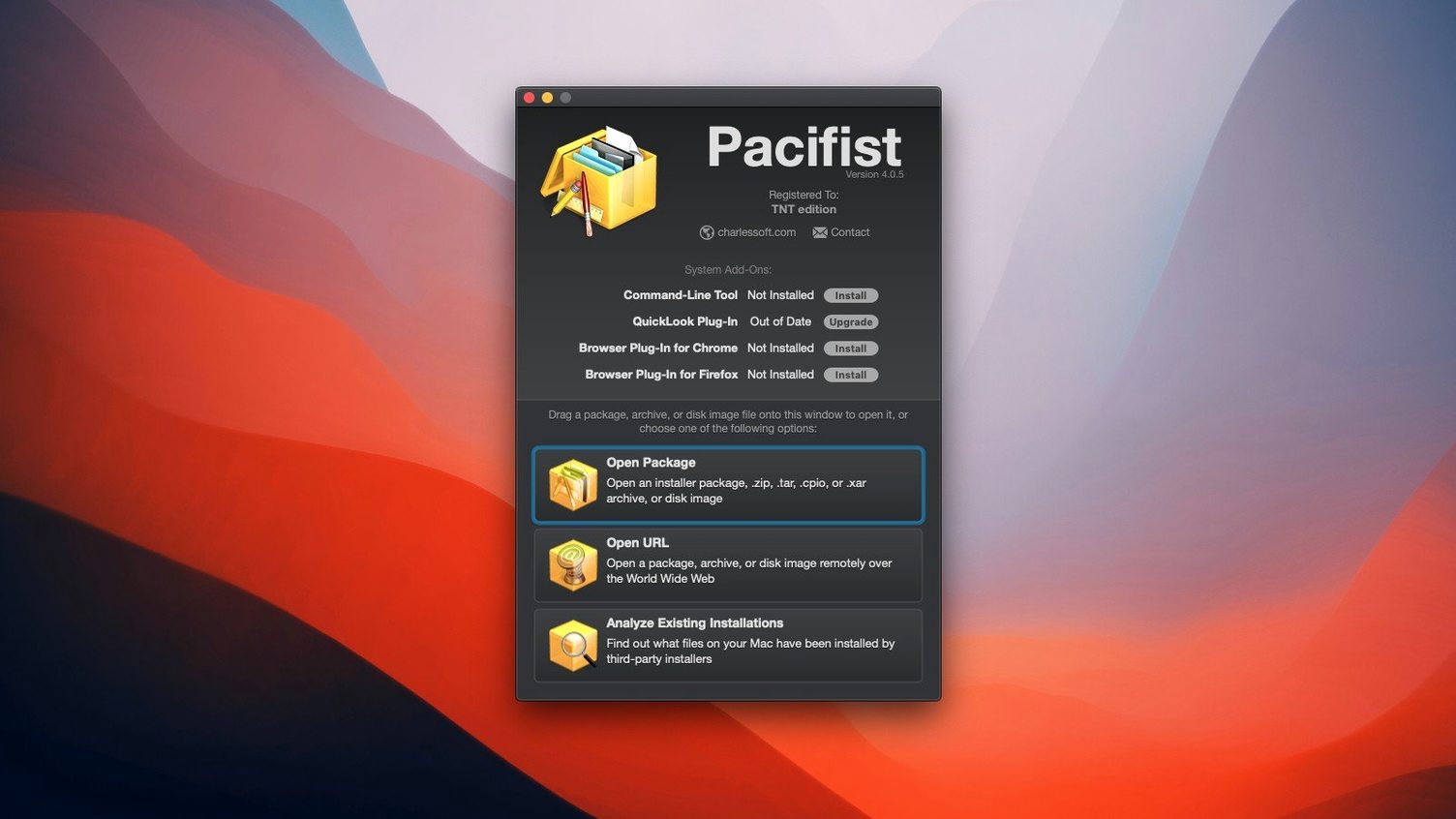
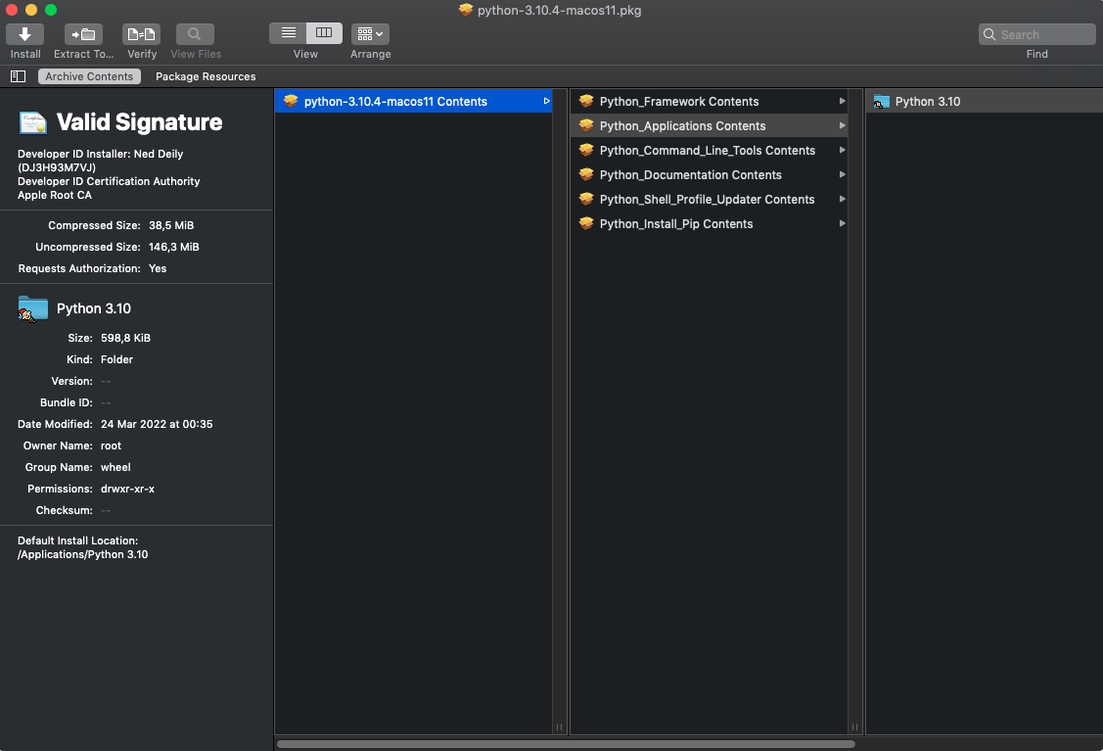
You’ve downloaded a .pkg installer but only need the driver buried inside it, not the bundled promotional toolbar. You could let the installer run and then clean up the mess, but that feels like using a sledgehammer to crack a nut. Pacifist lets you reach inside the package, grab the one file you want, and leave the rest untouched.
How do you extract a single file from a package?
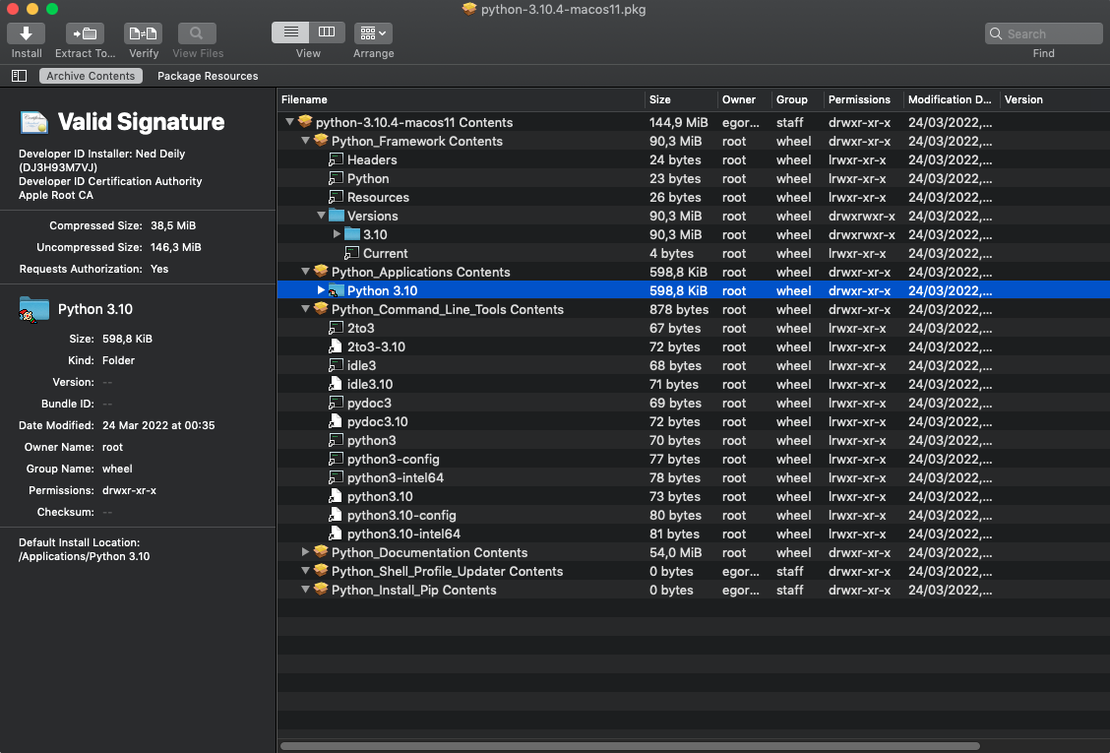
Drag the .pkg file onto Pacifist’s window and it unfolds the package into a familiar Finder-style list. You can browse the full file hierarchy, then extract any single item to your desktop without triggering the installer script.
What other archives can it open?
Beyond Apple installer packages, Pacifist works with disk images (.dmg) and common archives. In some cases, it can even fetch an individual file over HTTP from a remote archive without downloading the entire thing first, which is a real time-saver on slow connections.
Can it check your installed applications?
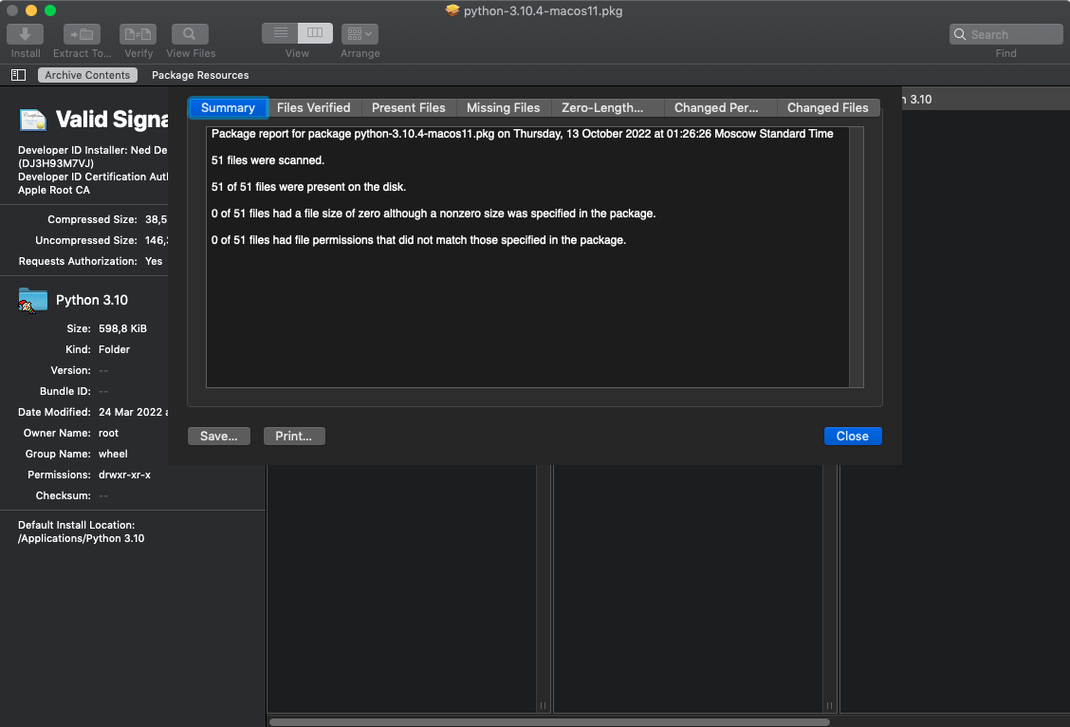
Yes. Pacifist can scan the applications already on your Mac and flag files that are missing or have been altered from their original versions. It’s a handy audit tool if an app has started behaving oddly and you suspect a corrupt component.
Where Pacifist fits in a Mac toolkit
Pacifist doesn’t replace the Finder or Archive Utility — it sits alongside them for the moments when those tools shrug and give up. The Finder will happily mount a .dmg, but it won’t let you pull out a single preference pane without copying the whole disk image contents first. Archive Utility expands everything or nothing. Pacifist fills that gap, giving you surgical control over what lands on your drive.
It also plays nicely with Quick Look in everyday use. Select a .pkg file in the Finder, tap the spacebar, and Pacifist can show you what’s inside before you commit to opening it fully. That preview step has saved me from launching full installers just to check whether they contained the right audio unit component or an older version of a kernel extension. The integration is subtle but genuinely useful during housekeeping sessions.
For anyone who works with macOS’s built-in recovery and reinstallation tools, Pacifist becomes a companion to the installer logs. When the system tells you a file couldn’t be verified, Pacifist can open the installer package directly and let you place the missing item by hand. It’s not a repair tool in itself — it doesn’t fix permissions or rebuild databases — but it gets the raw materials into place so the system can sort itself out.
Tahoe sandbox changes forced Pacifist to handle package inspection differently
The move to version 4.1.4 brought official support for macOS Tahoe, which matters more than a simple compatibility tick. Tahoe tightened its sandboxing around package inspection, and earlier releases of Pacifist could trip over the new security boundaries when trying to parse deeply nested asset catalogs. The update smoothed that out.
The other headline change is improved accuracy when extracting images from asset catalogs. If you’ve ever pulled an app icon or a Retina graphic from a .pkg and found a blank file or a corrupted export, that was the old parsing engine guessing slightly wrong about the catalogue structure. The 4.1.4 update brings extraction results that match what you’d see if the installer ran properly. For UI designers and developers harvesting assets from old packages, that’s a quiet but very welcome fix.
Under the hood there are the usual miscellaneous bug fixes — crashes when handling malformed .xar archives, a rare hang during single-file HTTP downloads from servers that don’t report content length correctly, and a layout glitch in the file list when switching between light and dark modes. None of these are glamorous, but together they make the 4.1.4 release the most stable build for Intel Macs running anything from Mojave to Tahoe.
You can extract a single printer driver instead of reinstalling everything
System administrators are the obvious audience. When you’re managing a lab of twenty iMacs and one machine has a corrupted printer driver, running the full installer again is overkill. Pacifist lets you pull the single .ppd file from the package and drop it into place without touching anything else. The ability to identify which installer provided a kernel extension — and whether it came from Apple or a third party — is also squarely aimed at admins diagnosing kernel panics.
Developers and tinkerers are the second group. If you build audio software, you know the pain of trying to retrieve an older version of a plug-in that only shipped inside a monolithic installer. Pacifist for Mac opens that installer like a folder, and you’re back to work in minutes. The same applies to anyone who customises macOS: theme builders, icon designers, and people who hand-tweak system fonts all end up reaching inside packages more often than they’d expect.
Then there’s the cautious user — the person who always wonders what an installer will actually put on their machine. Opening a .pkg in Pacifist before running it gives you a read-only preview of every file and script. You can check whether that free video converter also plans to install a kernel extension you didn’t ask for. It’s a transparency tool as much as an extraction utility.
Opening an old sound library package to rescue one missing Logic sample
Imagine you’re restoring a Mac after a clean install of macOS, and Logic Pro is complaining about a missing EXS24 instrument sample. You know the sample lived inside a large sound library installer you downloaded two years ago — a 6GB .pkg file sitting on an external drive.
You launch Pacifist and drag the .pkg onto its window. The package unfolds in seconds, showing a familiar folder tree: Installer Scripts, Resources, and a deeply nested path leading to the sampler instruments. You scroll down to the EXS24 folder and spot the missing .exs file. A single click selects it, then you choose Extract To and point it at Logic’s Sampler Instruments folder. Pacifist copies just that one file — a few kilobytes — and ignores the gigabytes of orchestral samples you don’t need. Logic opens the project without complaint.
Curious, you switch to the kernel extension tab and notice a legacy audio driver left over from the old system. Pacifist confirms it was installed by a third-party audio interface package, not Apple, so you make a mental note to track down an updated driver. Ten minutes of poking around, one file extracted, and a clearer picture of what’s on the machine — all without running a single installer.
Pacifist 4.1.4 brings native support for macOS Tahoe alongside a handful of under-the-hood fixes. Asset catalog parsing is now more precise, particularly when extracting images, and several minor bugs have been resolved.
- macOS 10.14.6 or later
- Intel processor
- English interface
Questions I keep hearing
Does Pacifist work on Apple Silicon Macs?
Version 4.1.4 runs on Intel architecture and requires macOS 10.14.6 or later, including macOS Tahoe.
Is Pacifist only for .pkg files?
No, CharlesSoft describes it as a multi-tool that also handles disk images and file archives, giving you flexible control over their contents.
Can I open a package file without installing its software?
Absolutely. That’s its core strength — you can inspect and extract files from a .pkg without ever launching the installer.
Questions from the class 0
Sign in or join the class to ask a question.
Nobody has asked anything yet. If you have used it on a real job, say what the file did.
Also on the Mac Apps shelf
The whole Mac Apps shelf Paragon NTFS
Lets your Mac write, copy and delete files on Windows-formatted drives.
Paragon NTFS
Lets your Mac write, copy and delete files on Windows-formatted drives.
 Parallels Desktop
Runs Windows and Linux apps alongside macOS without rebooting your Mac.
Parallels Desktop
Runs Windows and Linux apps alongside macOS without rebooting your Mac.
 Optimage
Compresses images to a smaller file size while keeping the visual loss invisible to the eye.
Optimage
Compresses images to a smaller file size while keeping the visual loss invisible to the eye.
 Paste
Keeps a searchable visual timeline of everything you copy on your Mac.
Paste
Keeps a searchable visual timeline of everything you copy on your Mac.
 One Switch
Flicks common Mac settings like Dark Mode or Do Not Disturb on and off from a single menu bar panel.
One Switch
Flicks common Mac settings like Dark Mode or Do Not Disturb on and off from a single menu bar panel.
 Path Finder
Replaces the Finder with a dual-pane workspace that browses, sorts and searches like a pro tool.
Path Finder
Replaces the Finder with a dual-pane workspace that browses, sorts and searches like a pro tool.
 ON1 Photo RAW
Manages a local photo library and develops raw files with layered, non-destructive edits.
ON1 Photo RAW
Manages a local photo library and develops raw files with layered, non-destructive edits.
 OmniPlayer: MKV Video Player Pro
Plays almost any video file you throw at it, fetches subtitles online, and streams web clips.
OmniPlayer: MKV Video Player Pro
Plays almost any video file you throw at it, fetches subtitles online, and streams web clips.