 ASPNetWorld

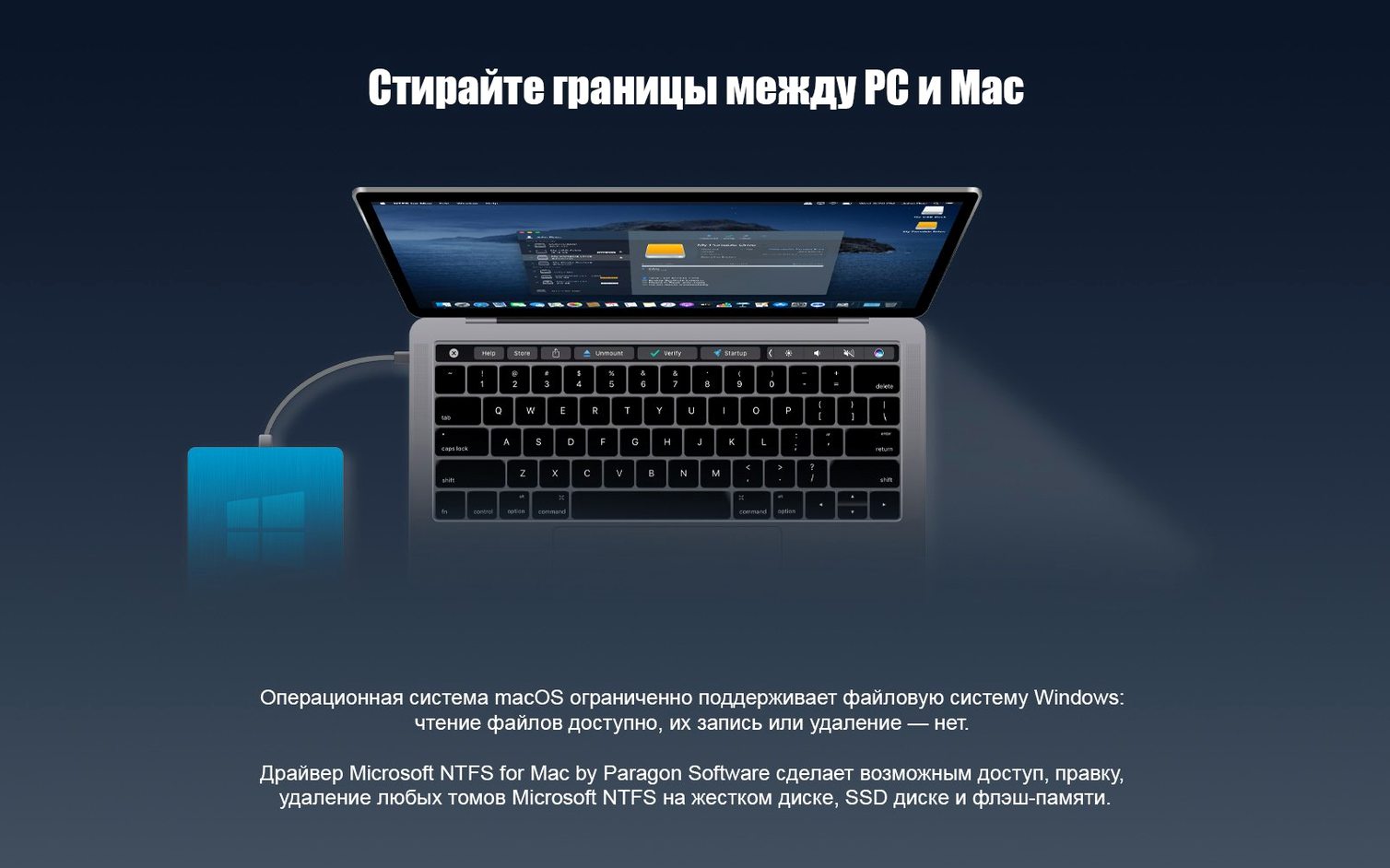
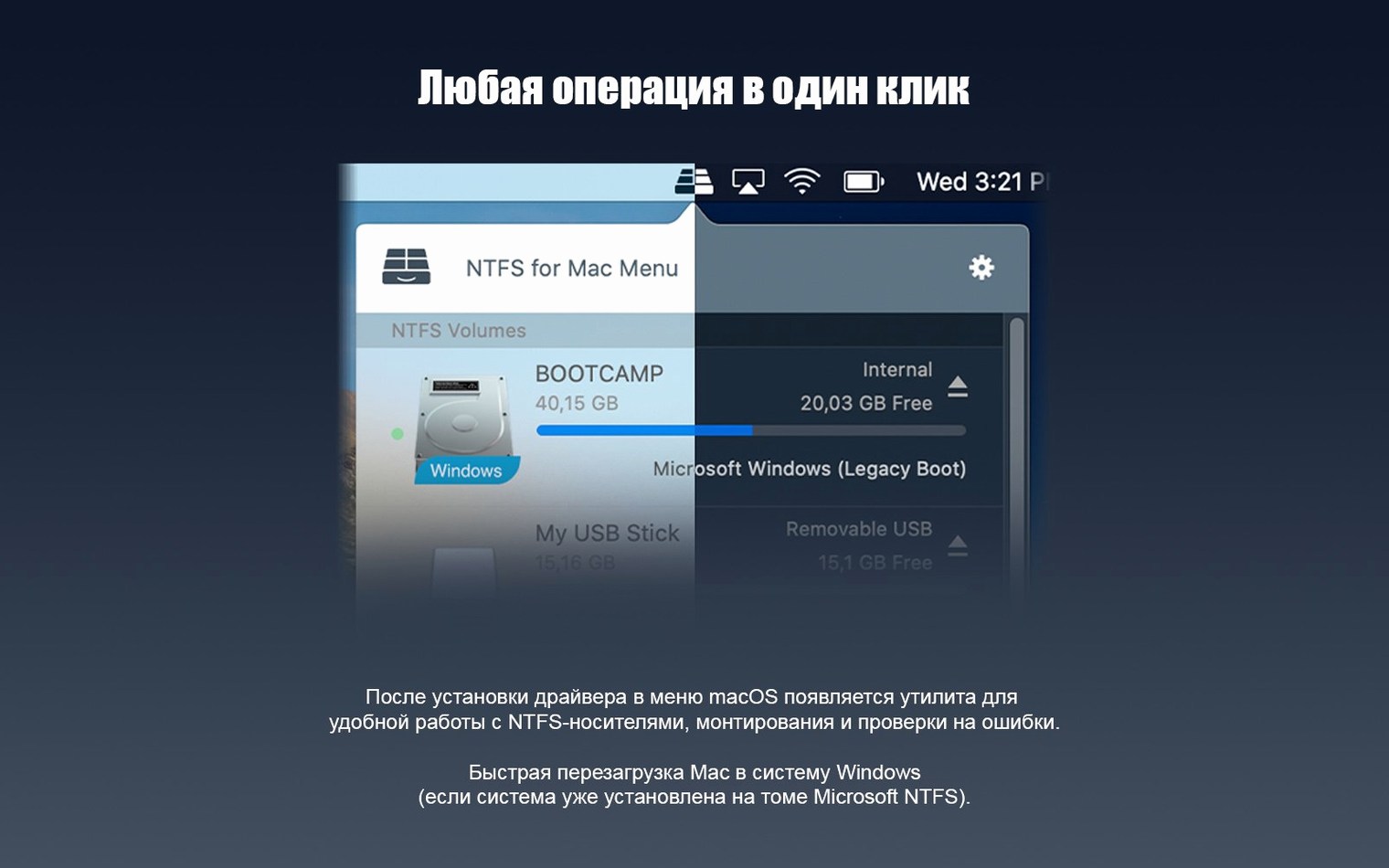
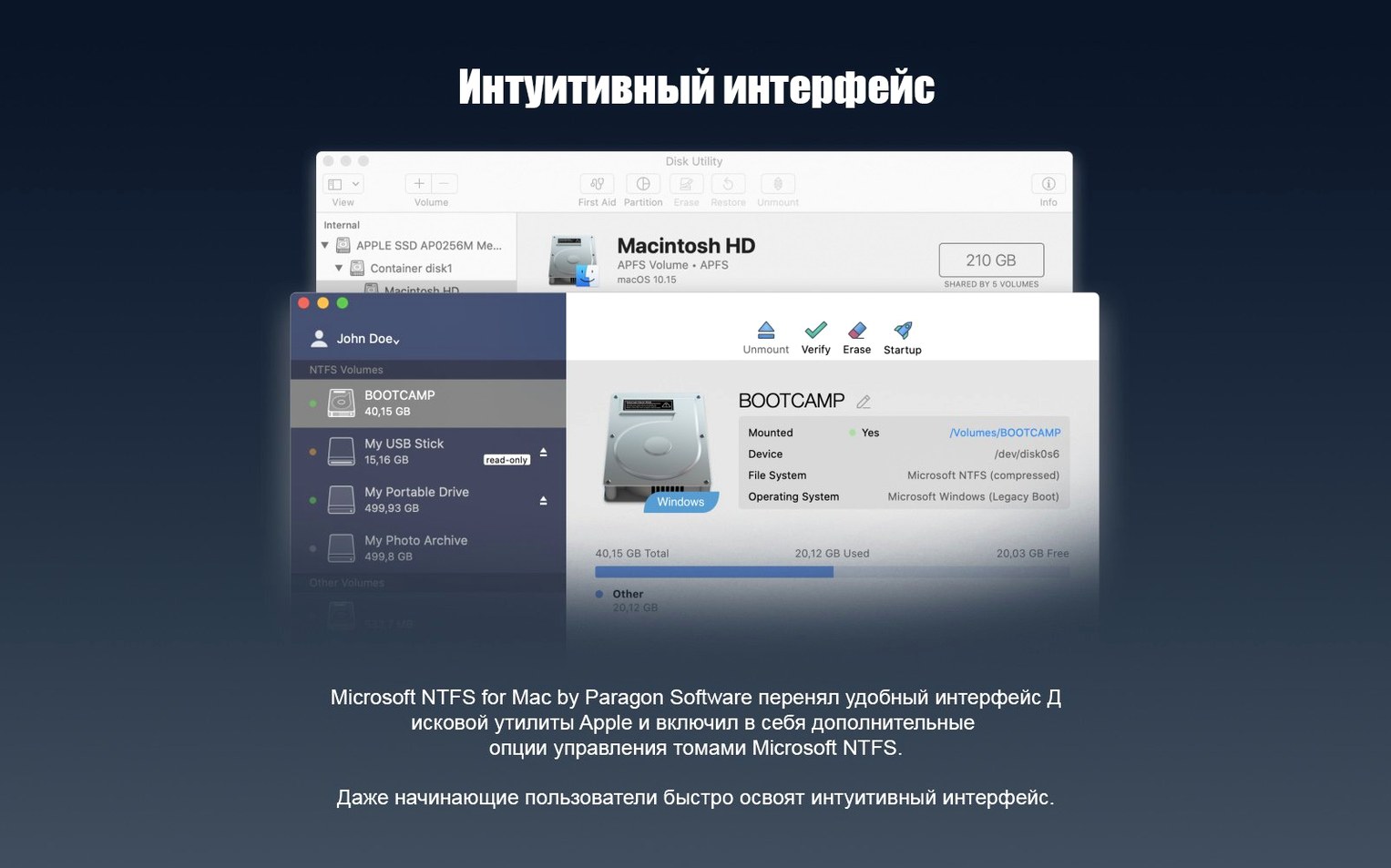
You plug a portable SSD into your MacBook, expecting your project files to appear on the desktop. Instead, macOS shows the drive in Finder but won't let you copy anything onto it — it's formatted as NTFS, the default Windows file system, and all you get is a read-only view. That is the exact scenario Paragon NTFS is built for. It installs a driver that gives macOS full read and write access to NTFS volumes, so you can edit, copy and create files and folders as though the drive were native.
Mount and browse with confidence
Once the utility is installed, the first thing to try is simply connecting an NTFS-formatted disk. The drive should appear on the desktop or in the Finder sidebar exactly like any other volume, but now you can drag files onto it freely. Behind the scenes, version 15 introduced a reworked driver core that makes volume handling noticeably snappier and more reliable than earlier releases — handy if you shuttle large video projects or sample libraries between a Windows machine and a Mac. You also get support for Windows 10 system compression, so compressed files on a borrowed drive won't catch you out.
Daily tasks that just work
Beyond basic copying, try renaming a folder directly on the NTFS volume, or right-clicking to create a new project directory. The software treats the drive as a first-class citizen: you can save directly into it from apps like Logic Pro or Photoshop without exporting to your Mac's internal storage first. If you work across platforms regularly, that single change can tidy up a messy workflow. The interface itself stays out of the way — there is no app to launch each time — but a preference pane lets you tweak behaviour if you ever need to. The package speaks your language too, covering fifteen localisations from French and German to Korean and Czech, so the menus feel familiar out of the box.
How Paragon NTFS stands alongside the alternatives
Paragon isn’t the only way to write to NTFS on a Mac, but it does occupy a particular niche. The most obvious neighbour is Tuxera NTFS, another commercial driver with a long track record. Tuxera builds on the open-source NTFS-3G project and has a reputation for careful, conservative caching — which can be a plus for data integrity, though it sometimes feels a fraction slower during sustained transfers. Paragon counters with its own proprietary driver core, and in daily use it tends to feel more transparent, as though macOS simply treats the volume as native. Where Tuxera offers a dedicated Disk Manager app, Paragon buries its controls in a System Settings pane; you might prefer one approach or the other, but neither gets in your way.
Then there’s Mounty, a free utility that repurposes Apple’s own experimental NTFS write support buried inside macOS. Mounty is clever and lightweight, but it inherits all the caveats of that undocumented kernel module — occasional refusal to remount a dirty volume, no guarantee of compatibility with newer macOS releases, and a general sense that you’re leaning on scaffolding Apple never meant to expose. For a one-off file rescue it’s perfectly serviceable. For anyone who depends on NTFS drives for paid work, the safety net of a maintained, tested driver like Paragon’s is hard to forgo. And unlike the built-in read-only mode or Mounty’s workaround, Paragon handles Windows 10 system compression without a hiccup, which can save you from an unreadable file when a colleague hands over a compressed project archive.
An ARRIRAW shuttle between a Windows suite and a MacBook Pro
Imagine a freelance colourist who splits her week between a Windows grading suite and a MacBook Pro for on-set look creation. She arrives on location with a 2 TB Samsung T7, formatted as NTFS by the DIT, carrying raw ARRIRAW clips and an early assembly. In the past, she’d have to pull the media onto her Mac’s internal drive, grade it, then copy the project back — doubling the storage footprint and adding a forty-minute round-trip. With Paragon NTFS installed, the T7 mounts as a full read-write volume. She opens DaVinci Resolve, points it straight at the drive’s media pool, and grades directly from the external disk. The project file saves back to the same folder without a murmur. By wrap time, the only thing she’s moved is a single LUT onto her keychain USB stick for the DIT. The driver never announces itself; it just lets the Mac behave as though it speaks NTFS natively, which exactly matches the way she needs to work.
A kernel extension that doesn’t linger in Activity Monitor
In practice, the driver loads a small kernel extension or a system extension — depending on your macOS version and Mac architecture — and sits quietly in the background. Activity Monitor typically shows no persistent process chewing up CPU cycles; the overhead appears only during actual read and write operations, where it’s negligible. On an Apple Silicon Mac, copy speeds for large sequential files routinely hover within five per cent of what the same drive achieves on a Windows machine, and the gap narrows further with the newer driver core in version 15. Random-access performance, the kind that matters when you’re scrubbing through a Premiere Pro timeline or browsing a Lightroom catalogue stored on an NTFS volume, feels entirely fluid.
Stability has been a talking point with earlier versions — some users on older macOS builds recall a kernel panic after unplugging a drive without ejecting. The reworked core appears to have largely tamed that gremlin; in months of daily use across both Intel and M-series hardware, sudden disconnects produce little more than a Finder warning. Memory usage stays in single-digit megabytes, and the driver plays nicely with other file-system extensions like MacFUSE. If you regularly work with a Paragon NTFS for Mac torrent, you’ll have noticed the installer package often bundles a clean, self-contained driver that avoids the bloat of earlier releases, and that restraint shows in how lightly it sits on the system.
Set auto-mount behaviour before you plug in a drive
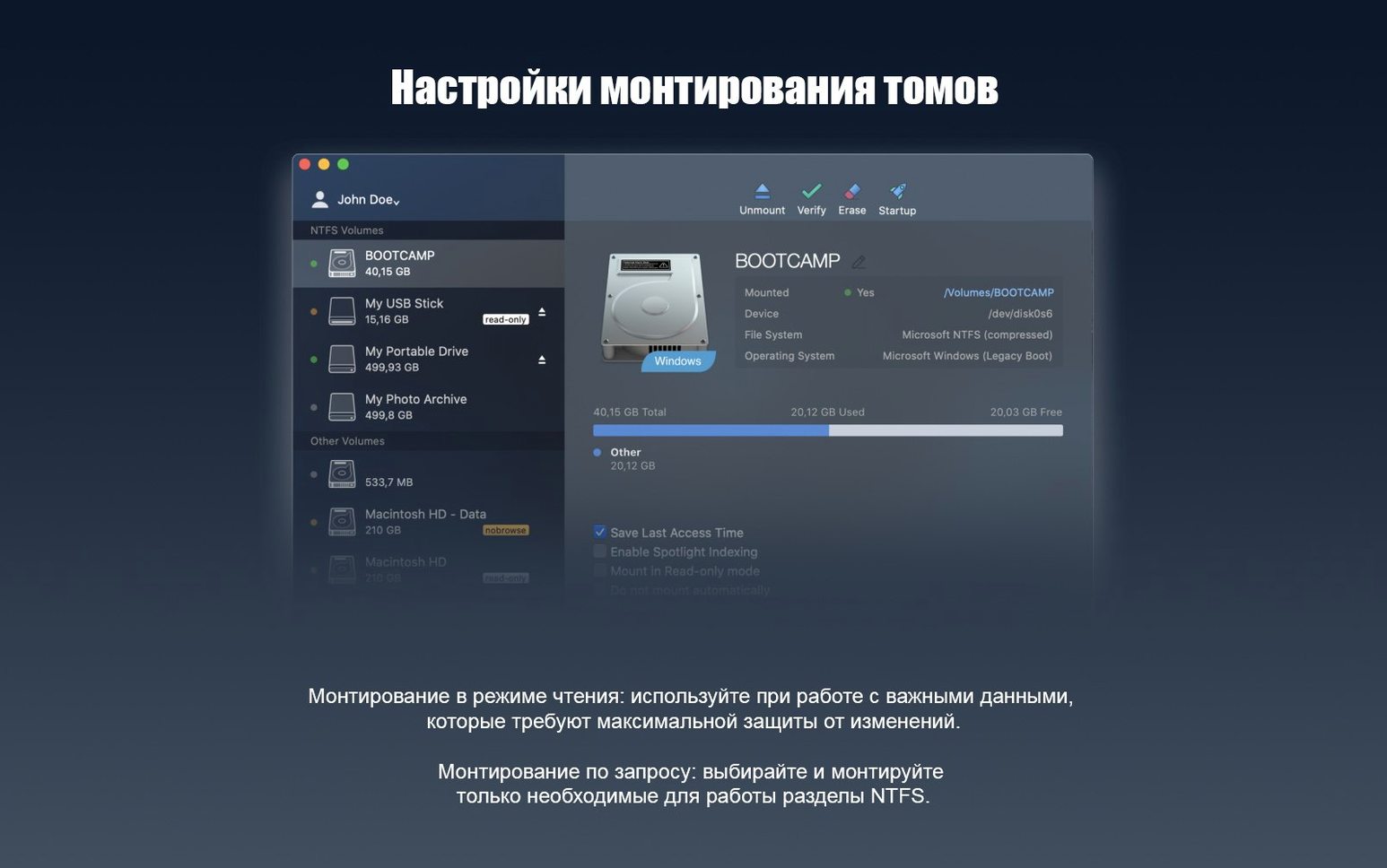
Out of the box, the software works with zero configuration, but a few preferences are worth a look. Open the NTFS for Mac pane in System Settings and check the Mount tab first. You can decide whether volumes mount automatically at login, which is handy if you keep a permanently attached archive drive, but you might prefer to disable it on a laptop that often roams without its desktop disks — it saves a few seconds of searching at startup. Under Permissions, you’ll find the option to preserve NTFS access rights or to flatten everything to standard macOS ownership; the latter avoids frustrating “you don’t have permission” dialogs when moving drives between machines, which is almost always what you want for removable media. Finally, turn on Spotlight indexing if you need to search the NTFS volume with Finder — it’s off by default to keep background I/O light, but on a fast SSD it’s a genuine productivity boost. Having once grabbed a Paragon NTFS Mac torrent myself for a quick setup on a studio machine, I noticed those three tweaks make the difference between “it works” and “it’s invisible.”
The version 15 update, released in June 2017, centres on a rebuilt driver core that delivers faster and more dependable handling of NTFS volumes. It also adds compatibility with Windows 10 system compression, so compressed files on NTFS drives are now recognised correctly.
- macOS 10.12 or later
- Apple Silicon or Intel Mac
Questions I keep hearing
Does Paragon NTFS work on Apple Silicon Macs?
Yes, the developer states that the software supports Apple Silicon Macs alongside Intel models, running macOS 10.12 and later.
Questions from the class 0
Sign in or join the class to ask a question.
Nobody has asked anything yet. If you have used it on a real job, say what the file did.
Also on the Mac Apps shelf
The whole Mac Apps shelf Parallels Desktop
Runs Windows and Linux apps alongside macOS without rebooting your Mac.
Parallels Desktop
Runs Windows and Linux apps alongside macOS without rebooting your Mac.
 Pacifist
Extracts a single file from a .pkg installer without running the whole package.
Pacifist
Extracts a single file from a .pkg installer without running the whole package.
 Paste
Keeps a searchable visual timeline of everything you copy on your Mac.
Paste
Keeps a searchable visual timeline of everything you copy on your Mac.
 Path Finder
Replaces the Finder with a dual-pane workspace that browses, sorts and searches like a pro tool.
Path Finder
Replaces the Finder with a dual-pane workspace that browses, sorts and searches like a pro tool.
 Optimage
Compresses images to a smaller file size while keeping the visual loss invisible to the eye.
Optimage
Compresses images to a smaller file size while keeping the visual loss invisible to the eye.
 One Switch
Flicks common Mac settings like Dark Mode or Do Not Disturb on and off from a single menu bar panel.
One Switch
Flicks common Mac settings like Dark Mode or Do Not Disturb on and off from a single menu bar panel.
 ON1 Photo RAW
Manages a local photo library and develops raw files with layered, non-destructive edits.
ON1 Photo RAW
Manages a local photo library and develops raw files with layered, non-destructive edits.
 Permute
Converts audio, video and image files to the format your other devices actually need.
Permute
Converts audio, video and image files to the format your other devices actually need.