 ASPNetWorld
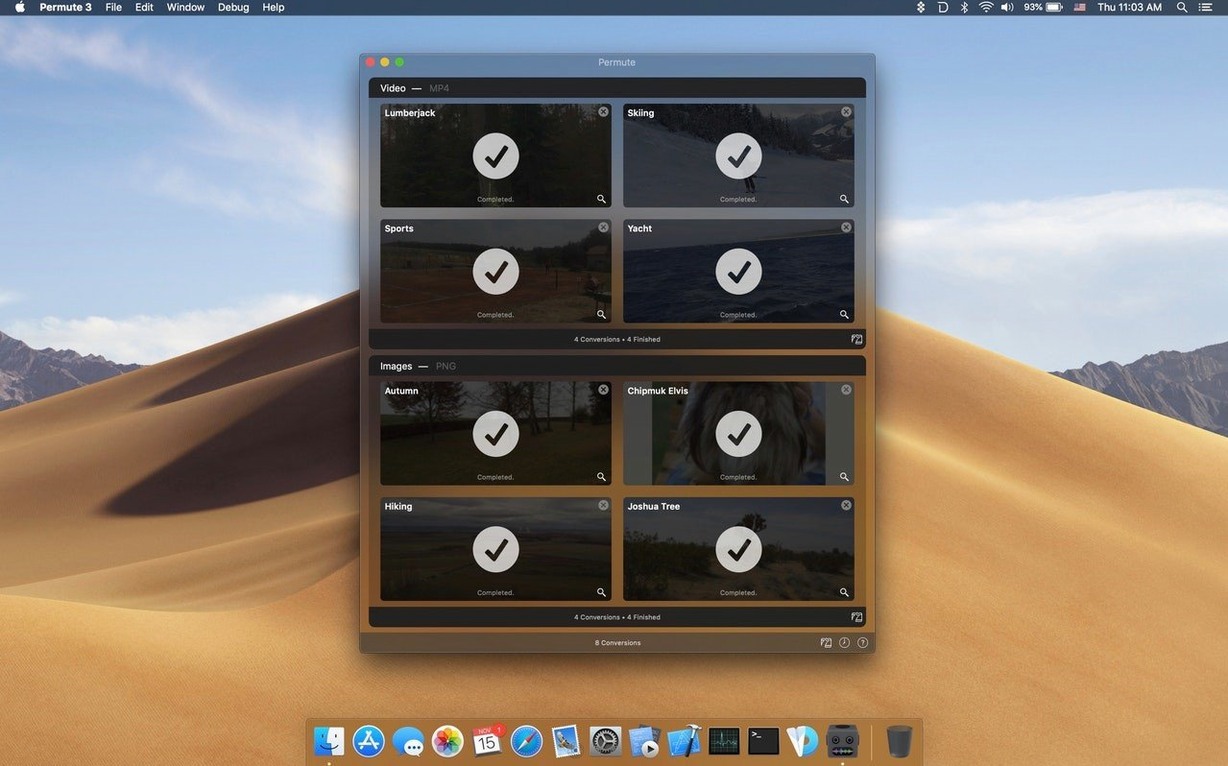
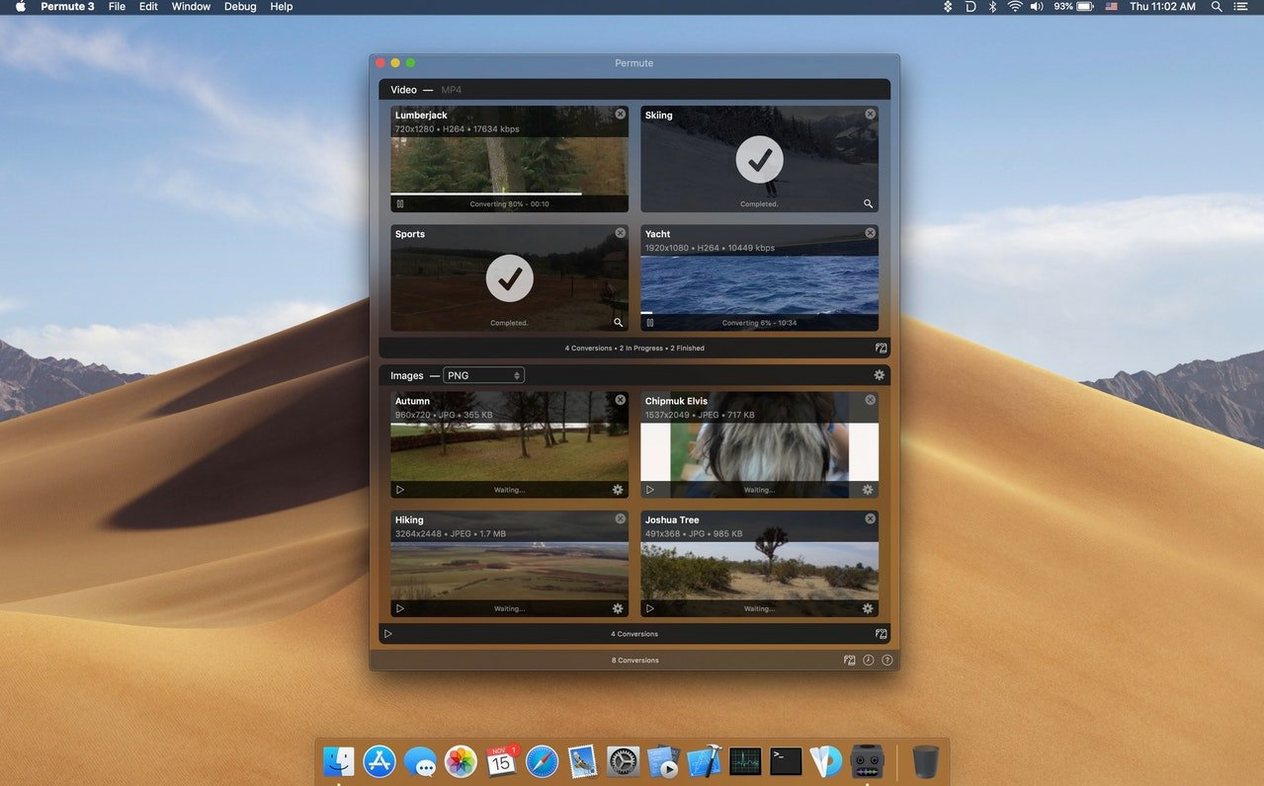
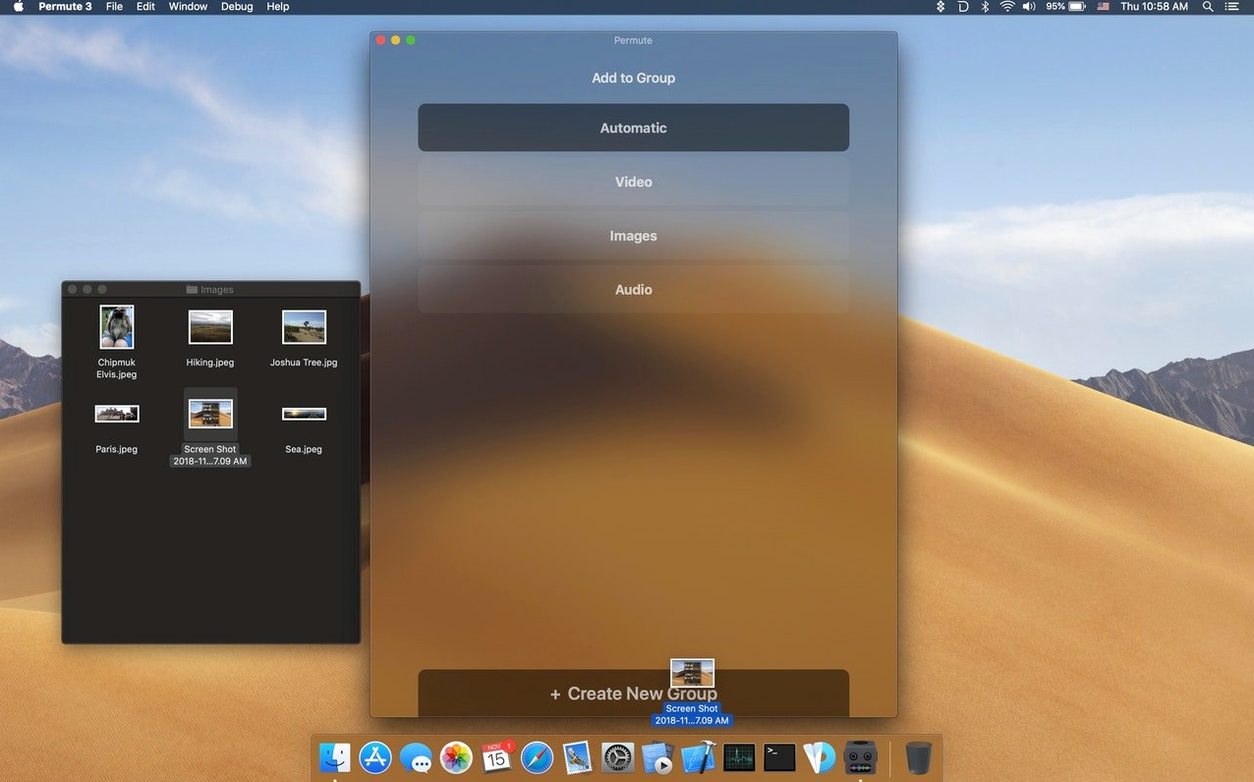
Someone sends you a batch of photos in HEIC format from their iPhone, but your older photo library needs JPEGs. You have a lecture recording saved as FLAC, yet your car only plays MP3. Permute sits in the background for exactly these moments — a modest media converter that takes whatever you throw at it and spits out a usable file, no timeline fiddling required.
Quick video conversions without opening a heavyweight editor
- Quick video conversions to common formats without a heavyweight video editor.
- Adding a subtitle track to a film file you already have.
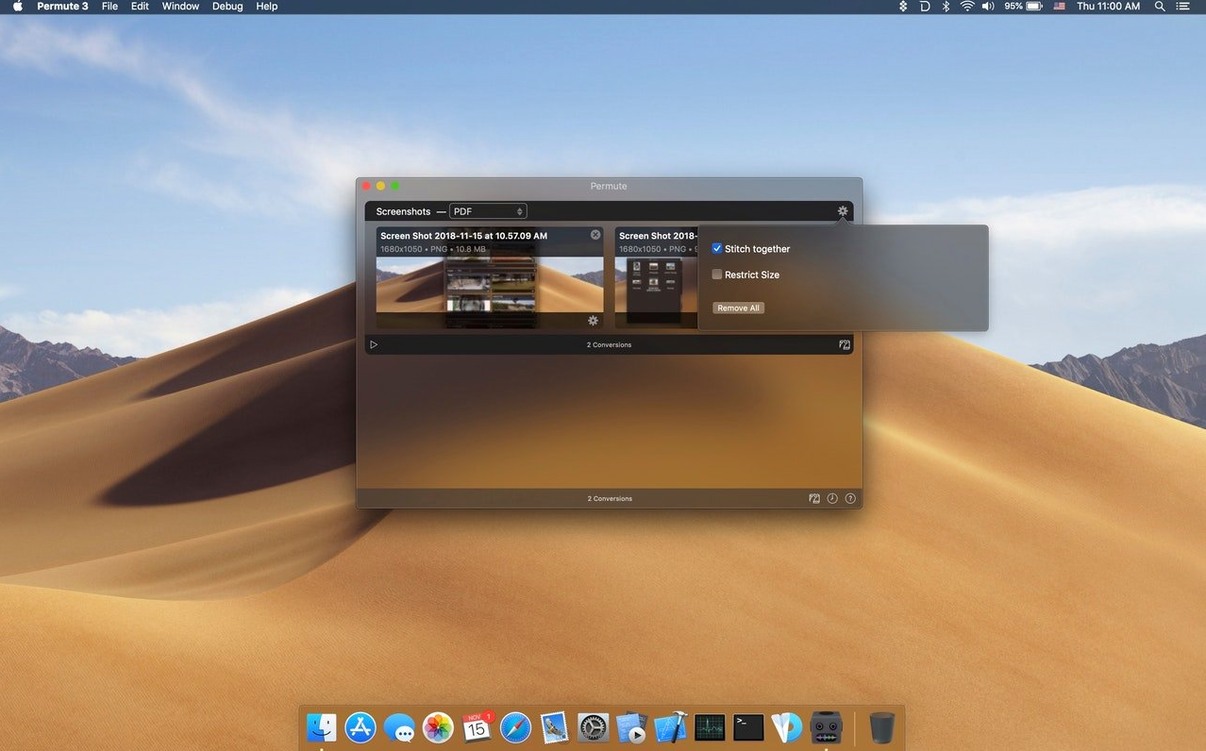
- Turning modern image formats like WebP or HEIC into something more universally readable.
- Converting audio between lossless and compressed formats for different playback devices.
- Creating ISO disk images from a folder of files.
Single-developer project with a personal update schedule
- It's built and maintained by a single developer, so updates follow a personal schedule.
- The conversion engine leans on open-source FFmpeg libraries under the hood.
- You'll need a Mac running macOS 26 or later, and it's written for Apple Silicon machines.
People who smile when they remember it is on their Mac
Permute doesn't try to win over video editors who spend their days inside DaVinci Resolve. Those folks already have export pipelines. The people who genuinely smile when they remember Permute is on their Mac tend to fall into a few overlapping groups.
If you regularly bounce files between operating systems — opening Windows work files on a Mac, or preparing media for a Linux-based Plex server — you'll find yourself reaching for it far more than you'd expect. The same goes for anyone who archives old home movies. A drawer full of MiniDV tapes converted to AVI fifteen years ago suddenly becomes a clean, compact MP4 library without you needing to learn a single command-line flag.
Academics and language learners get an unexpected bonus too. Dropping a video onto Permute to extract just the audio, then converting that audio to an M4B bookmarkable format, turns a documentary into a portable lecture you can pause and resume across weeks of commuting. It's the sort of workflow that sounds niche until you've done it once — then it becomes a habit.
There's also a quiet contingent of ebook tinkerers. Permute handles image sequences gracefully, so converting a folder of scanned book pages from TIFF to a compressed, ereader-friendly format in one drag is genuinely satisfying. Nobody markets it for this, but the feature's there and it works.
The settings you'll actually want to change
Out of the box, Permute picks sensible defaults for each format — but a few tweaks in the preferences pane make the day-to-day experience noticeably smoother.
First, open the Post-Conversion tab and tell Permute what to do when the progress bar disappears. The options include moving the original to Trash, opening the destination folder automatically, or doing nothing at all. If you convert batches of images for a shared network drive, having the app open the destination folder saves you three clicks every single time. It adds up.
Next, check the Video Settings tab. By default, Permute uses a balanced preset that favours speed over file size. If you're archiving video you won't watch for years, switching the default video encoder to HEVC with a slightly higher quality slider shaves significant megabytes off the final file without a visible quality hit. The opposite applies too: setting MPEG-4 as the default for videos destined for older playback hardware prevents the "this file is unsupported" face-off with elderly smart TVs.
Audio users should glance at the Audio Settings section. The default MP3 bitrate of 192 kbps is fine for podcasts, but bumping it to 320 kbps for music conversions takes two seconds and your ears will notice on half-decent headphones. While you're there, confirm the output channel mode — stereo is the factory setting, and mixing down a 5.1 film track to mono by accident is a mistake you only make once.
Finally, enable Keep folder structure in the general preferences if you routinely convert whole directories of images or music. Without it, Permute flattens everything into one folder, which is useful for a quick merge but messy if you've organised your source material carefully. With it toggled on, the output mirrors your input hierarchy exactly.
How Permute plays with the rest of your Mac
Permute doesn't demand centre stage. It integrates into macOS quietly, in ways you might not notice until you need them.
The tightest integration is the Share menu. In Finder, right-click any media file, head to Share, and you'll find Permute listed alongside AirDrop and Mail. Selecting it opens a compact conversion panel directly, with your most recently used format pre-selected — so a regular workflow like "share to Permute, convert to MP3" becomes a two-click action. The same menu appears in Quick Look, which means you can preview a video, realise it's in the wrong format, and convert it without ever fully opening an application.
For people who live in the terminal, Permute ships with a command-line helper. Typing permute 4 mac isn't the official syntax — that's just a common search phrase — but running a simple open -a Permute followed by a file path launches a conversion from scripts, Automator workflows, or cron jobs. If you're the sort who batches permute download folders overnight, you can string together a watched-folder setup with Folder Actions and let Permute chew through new arrivals while you sleep.
It also respects macOS colour tags. Tag a group of videos in Finder with a red "to convert" label, and Permute carries that tag through to the output files — useful when you're sorting finished conversions from still-pending ones across a day of work.
Quick questions before you install
Does it handle mathematical permutations or combinatorics? I keep seeing "12 permute 3" in search results.
The name is purely linguistic — the original sense of "permute" meaning to change or alter the order of things, which fits a format converter rather well. It has nothing to do with factorial calculations or combinatorial mathematics. If you arrived here looking for a permute 3 download to solve a statistics problem, you've found the wrong kind of transformation. This Permute rearranges pixels and audio samples, not sets of numbers.
Can I convert several files with different formats in one go?
Yes, and it's one of the app's quiet strengths. Drag a folder containing a mix of MOV clips, WAV recordings and PNG images onto Permute, set the output format once — say MP4 for video, MP3 for audio, JPEG for images — and the app routes each file to the appropriate conversion engine without you touching a dropdown menu. It's smart enough to know that an audio file shouldn't become a video, unless you explicitly tell it otherwise.
Will it keep my subtitle tracks intact if I'm not adding new ones?
By default, Permute passes through existing subtitle streams when converting between container formats that support them — MKV to MP4, for example. If you're adding a brand-new subtitle track using the dedicated subtitle drop zone, the old track stays embedded alongside it. The only exception is when you convert to a container that doesn't support subtitles at all, in which case Permute warns you before proceeding rather than silently stripping them out.
- macOS: macOS 26 or later
- Architecture: Apple Silicon
Questions from the class 0
Sign in or join the class to ask a question.
Nobody has asked anything yet. If you have used it on a real job, say what the file did.
Also on the Mac Apps shelf
The whole Mac Apps shelf Photo Mechanic
Ingests and culls thousands of raw photos at speed before your main editor finishes loading.
Photo Mechanic
Ingests and culls thousands of raw photos at speed before your main editor finishes loading.
 Photomator
Hands you professional colour and curve controls layered on top of your Apple Photos library.
Photomator
Hands you professional colour and curve controls layered on top of your Apple Photos library.
 PhotoScape X Pro
Browses, fixes and collages a folder of snaps inside a single welcoming window.
PhotoScape X Pro
Browses, fixes and collages a folder of snaps inside a single welcoming window.
 Picview - Image Viewer
 Pixea Plus
Displays photos and raw files instantly without importing them into a library first.
Pixea Plus
Displays photos and raw files instantly without importing them into a library first.
 Path Finder
Replaces the Finder with a dual-pane workspace that browses, sorts and searches like a pro tool.
Path Finder
Replaces the Finder with a dual-pane workspace that browses, sorts and searches like a pro tool.
 Pixelmator Pro
Develops raw shots and composites artwork in a single-window photo editor.
Pixelmator Pro
Develops raw shots and composites artwork in a single-window photo editor.
 Paste
Keeps a searchable visual timeline of everything you copy on your Mac.
Paste
Keeps a searchable visual timeline of everything you copy on your Mac.