 ASPNetWorld
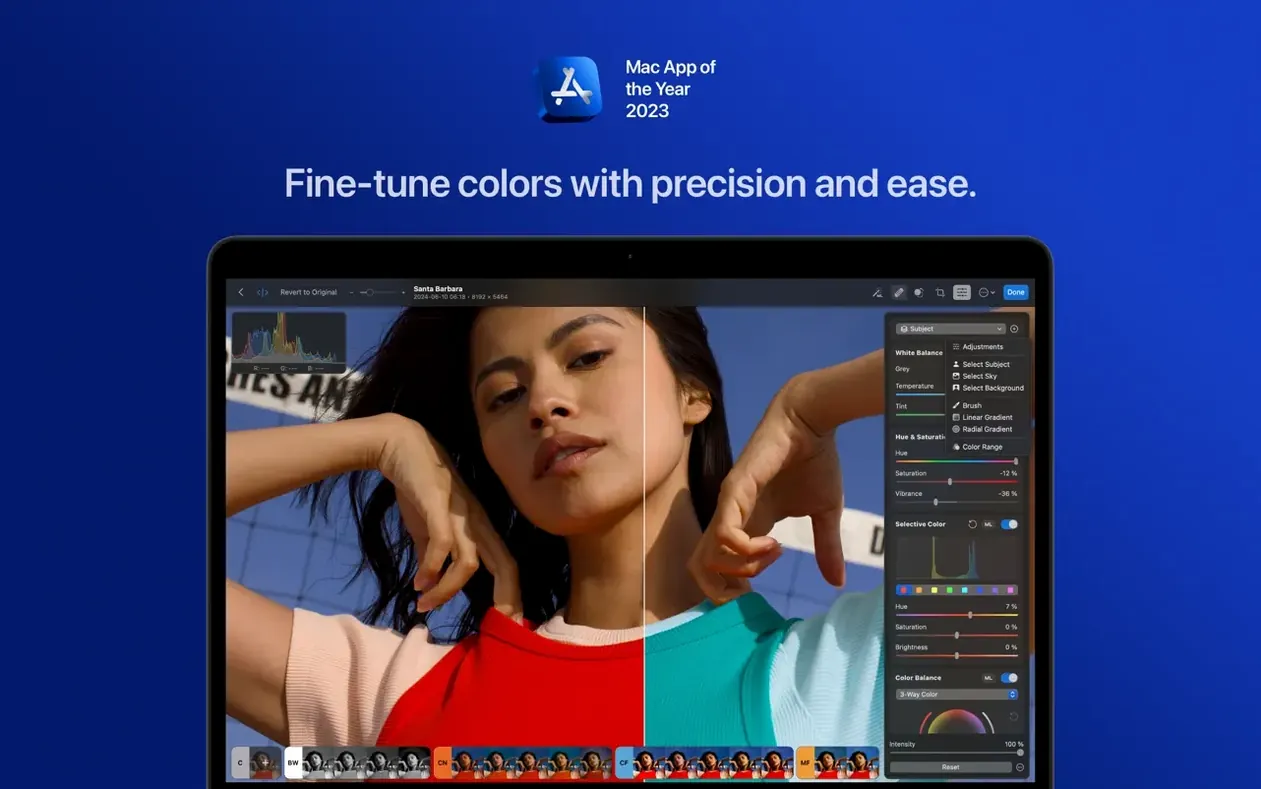
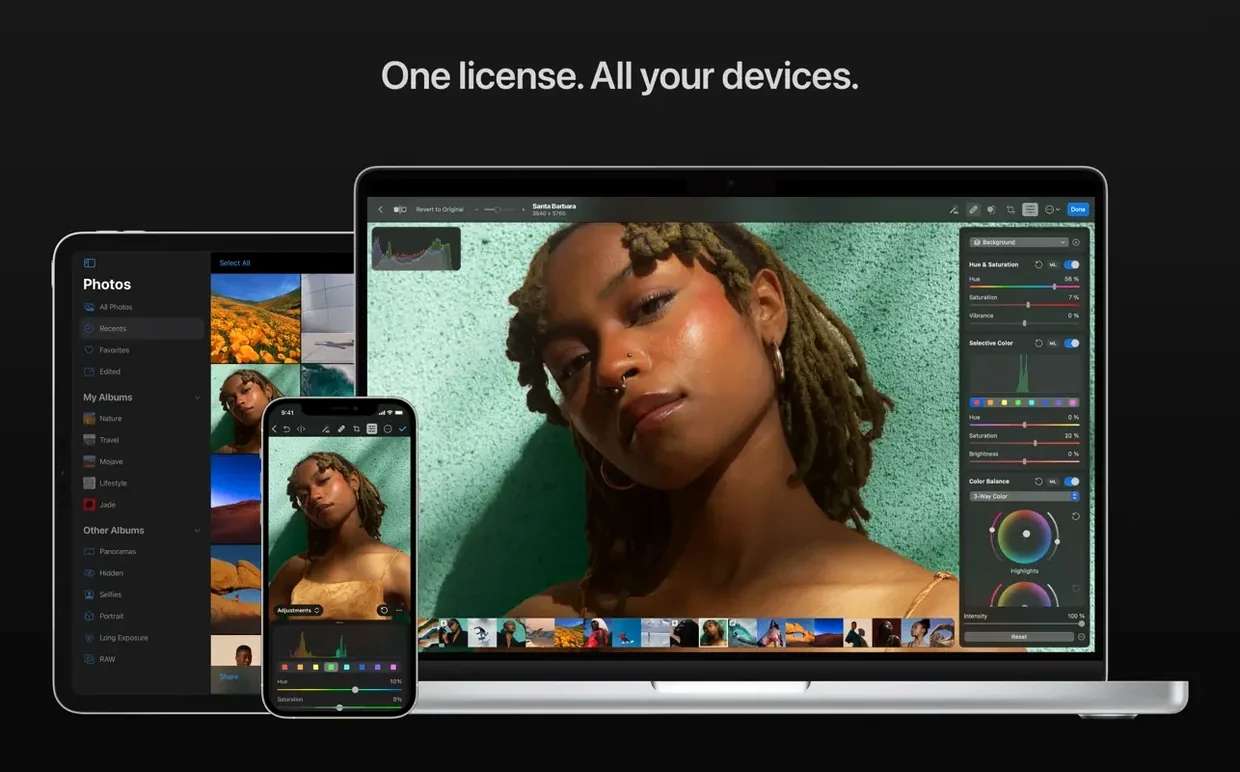
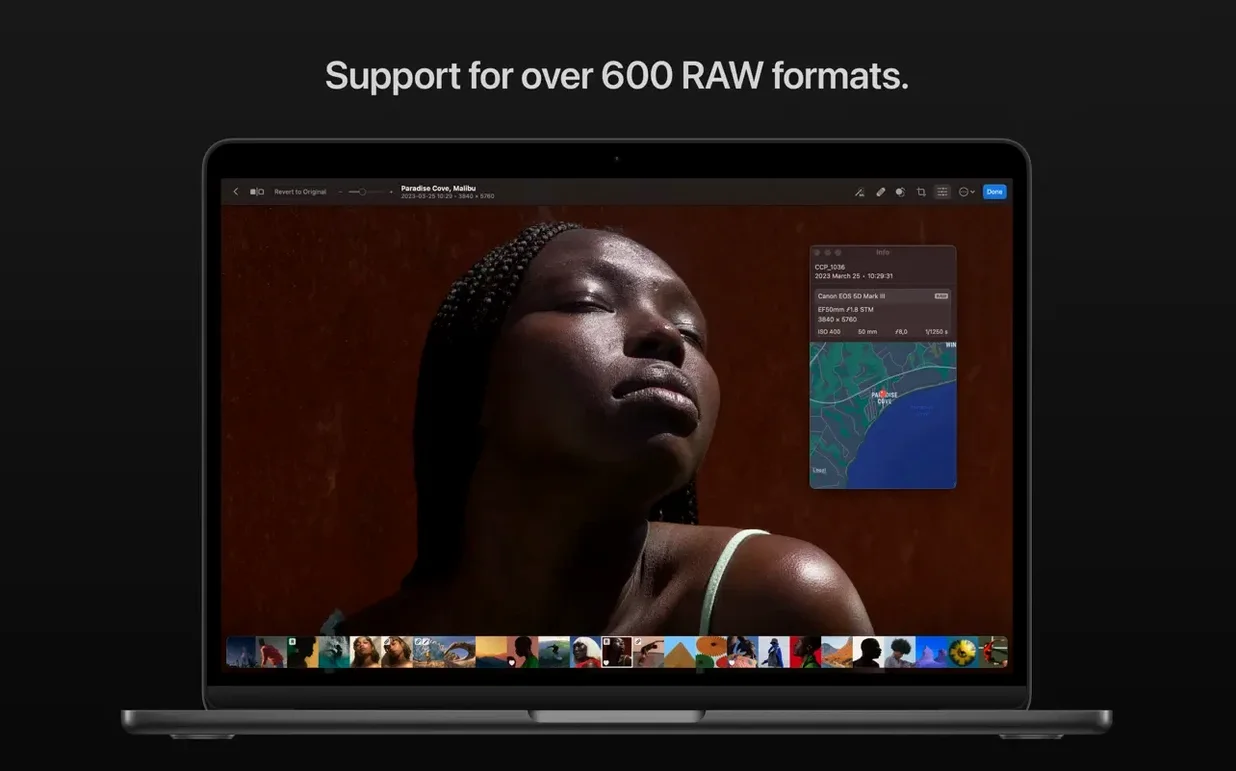
If you've spent any time in Apple Photos, you'll already know the basic adjustment sliders—light, colour, black point—but you'll also know where they stop. Photomator feels like someone took that editing engine, lifted the bonnet, and handed you proper control. It's from the Pixelmator Team, so the interface doesn't fight you, but underneath it's pulling in Core ML denoising, Metal-accelerated rendering, and a RAW engine that reads over 650 formats, including Apple ProRAW and compressed Fujifilm files.
A real task: fixing a slightly crooked, noisy café shot
I'll start with a RAW file from a dim café—underexposed, a little noisy, and the table isn't straight. Here's the flow:
- Straighten and crop. The perspective tool lets you drag the horizon back to level, and the crop overlay snaps to common ratios. It's quick enough that you don't overthink it.
- Denoise. Photomator's noise reduction runs on Core ML, so a single slider does the heavy lifting without turning skin into plastic. On this shot it cleaned up the shadows without me needing to mask anything.
- Colour and light. The colour adjustment tools include a targeted hue/saturation wheel. I pulled the orange luminance up slightly for the window light, then pushed a little warmth into the midtones.
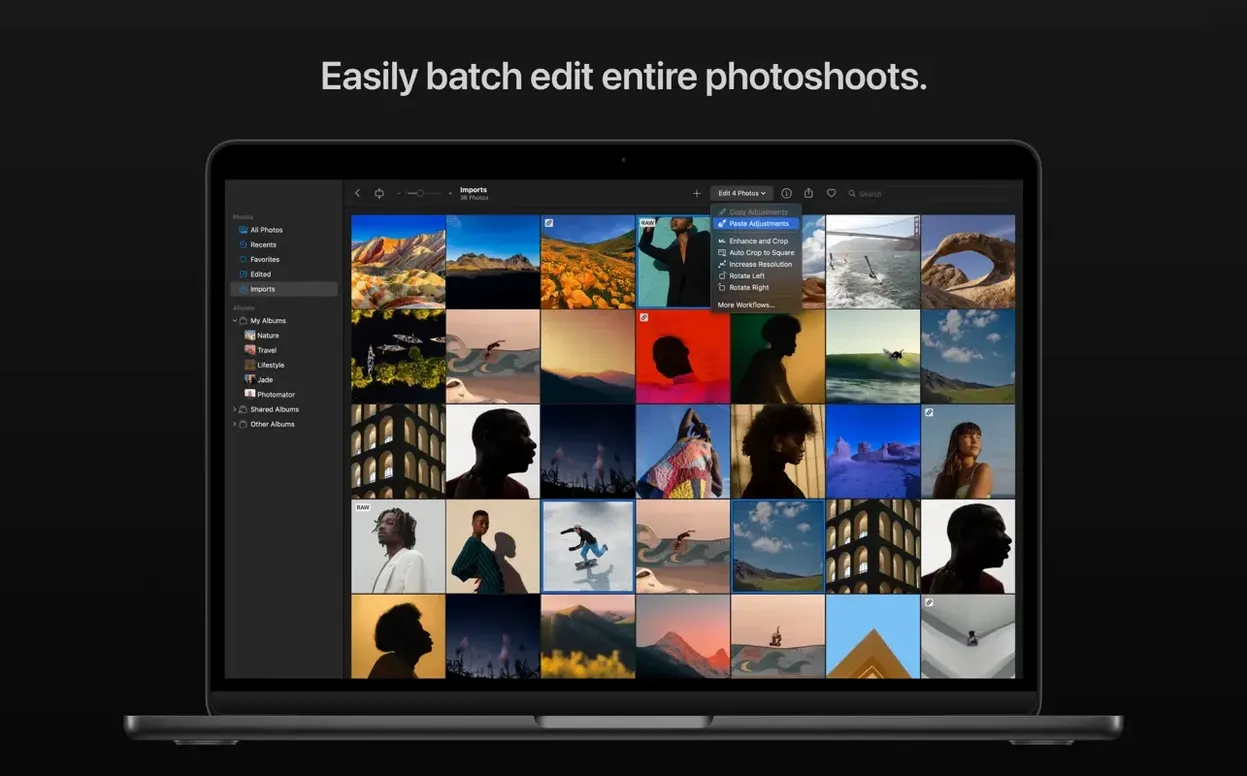
- Copy edits across the set. I had three other frames from the same table. Copied the adjustments from the first shot and pasted them onto the rest in one go—Photomator handles batch edits across RAW and JPEG files together, so you're not switching modes.
Why the toolset hangs together
The app doesn't bury you in panels. Everything lives in a single inspector column that grows to show only what you need, and the real strength is how edits flow between photos. You can even match the look of one photo to another automatically—useful when you've dialled in a treatment and want the rest of a set to follow. Because it's built on Metal and Core Image, the sliders feel immediate, even on 50-megapixel RAWs. Photomator 3.4.15 quietly extends the RAW support again, this time for Sony Alpha ILCE-7M5, the latest Fujifilm GFX bodies, and Panasonic's High Resolution mode files from the LUMIX DC-S1RM2.
Working through a landscape edit from RAW to finished frame
Let me walk you through a typical start-to-finish task that shows why you'd reach for Photomator rather than staying inside Apple Photos. Imagine a landscape shot from a hillside—the sky is blown out, the foreground is too dark, and there's a power line cutting through the top right that wasn't in the viewfinder when you composed it.
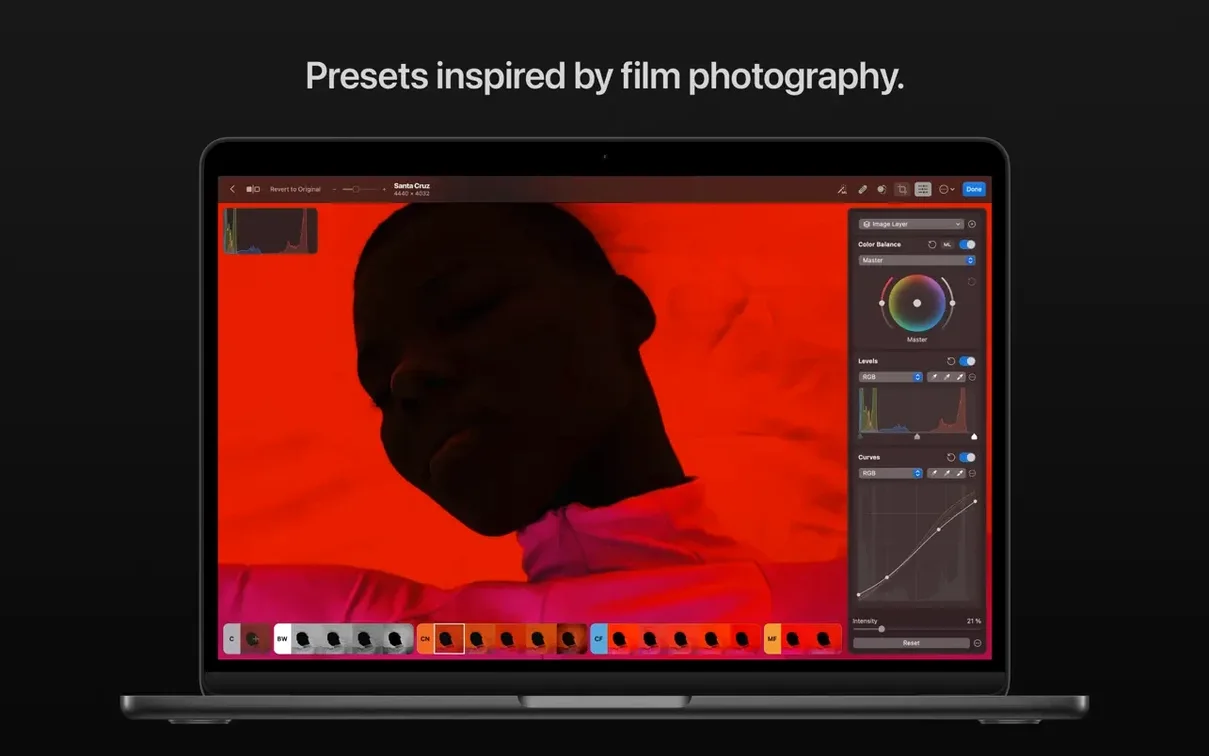
First, open the RAW file. Photomator reads it directly, no import library needed. The image appears flat, which is exactly what you want from a RAW—it has the data, you just need to convince it to show it. You head to the colour adjustments and drop a landscape preset as a starting point. Presets here aren't filters slapped over the top; they're real slider combinations that you can pull apart afterwards.
Now the real work. Select the sky—one click on the AI subject selector, and it masks the horizon cleanly, even catching the gaps between tree branches. With the sky isolated, you pull the highlights down and push a little blue into the shadows. The foreground gets the opposite treatment: lift the exposure half a stop and warm the white balance slightly. Because the mask is non-destructive, you can revisit it later without starting over.
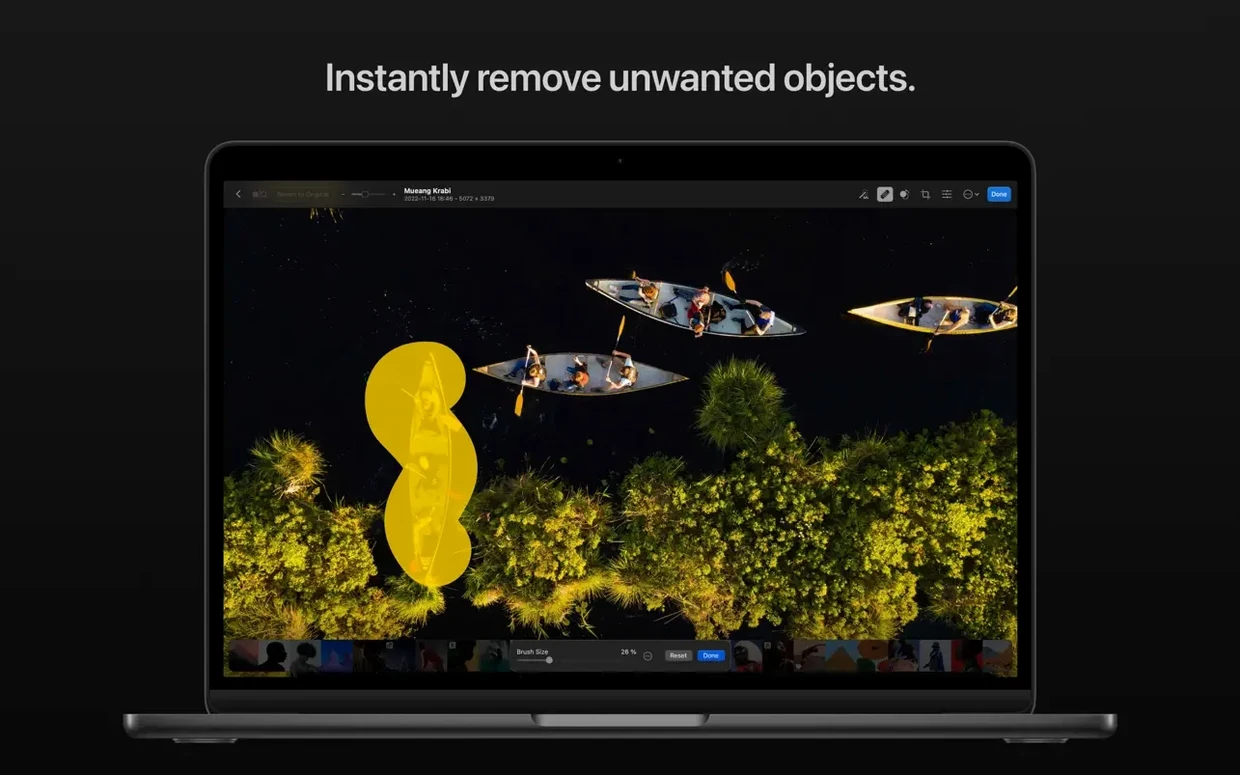
The power line needs the clone tool. Photomator's repair brush samples intelligently from nearby texture, so three strokes along the wire and it's gone—no smudging, no repeated star patterns that give away the fix. A final crop to 16:9 tightens the composition, and you straighten the horizon by dragging along what should be level ground. The whole edit takes about four minutes, and the result looks like you had better light than you actually did.
No catalogue or ratings: is it a Lightroom substitute?
Does it replace Lightroom, or sit alongside it? That depends on your workflow. Photomator doesn't do cataloguing—it has no database, no keywords, no star ratings. If you live in the Photos app or you browse files in the Finder, it fits immediately. If you need a DAM with advanced filtering, you'll probably keep Lightroom for organisation and use Photomator for pixel-level edits. The two can coexist on the same Mac without stepping on each other.
What happens to my Photos library edits? Edits sync back to the Photos app automatically, and they're non-destructive—the original file stays untouched. If you edit a photo in Photomator and then open it in Photos, the changes are there, and you can reset to the original at any time. The same applies to files in iCloud Drive. Think of it as a more powerful editing front-end for the system you already use.
Is the AI selection actually reliable? Subject, sky, and background selection work well on images with clear separation. A portrait against a plain wall selects in under a second. Busy scenes with overlapping elements sometimes need a quick touch-up with the brush, but the initial mask is usually 90% there. The real time-saver is that you're refining a mask rather than painting one from scratch.
Does it need an internet connection for the AI features? No. All the machine-learning features run locally on the Neural Engine or GPU, using Core ML. You can edit on a plane, in a field, or anywhere without a connection. The same goes for denoising, upscaling, and the match-colour feature—they're all on-device.
Sixty RAWs in, no import step
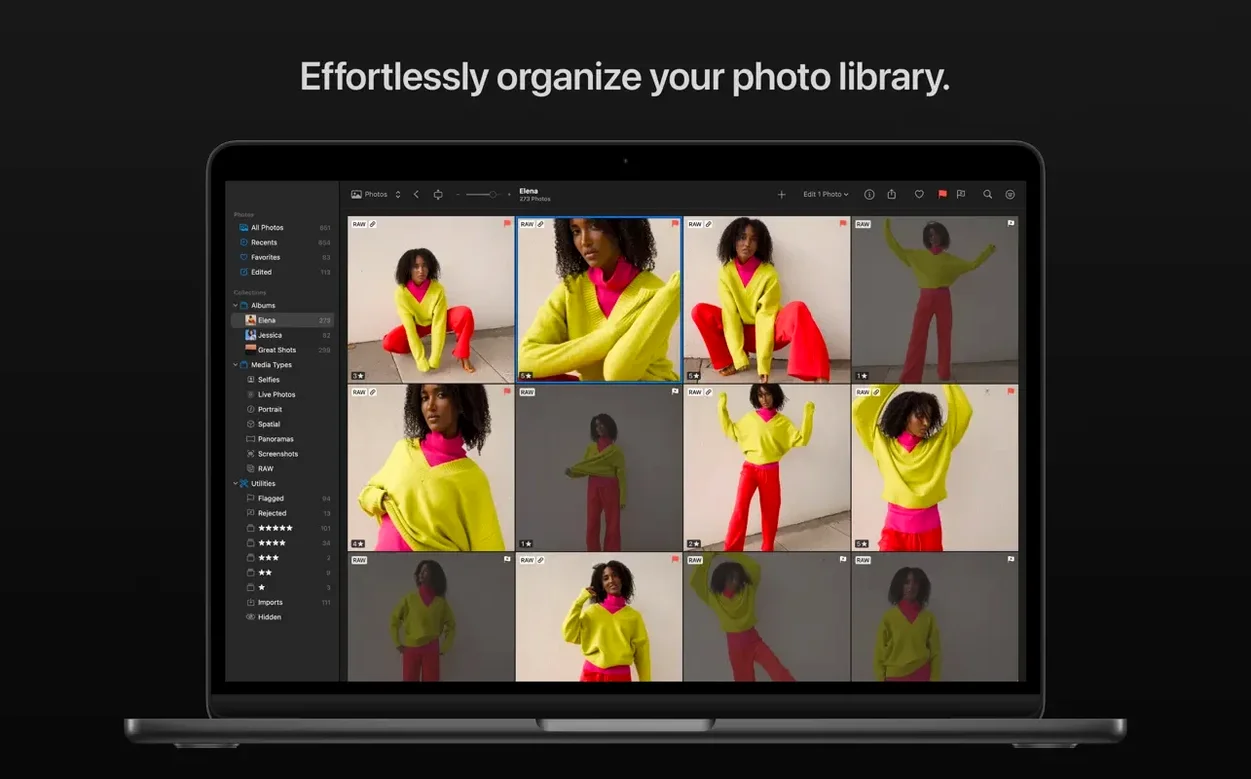
You've come back from a weekend away with about sixty shots—a mix of RAW files from a Fujifilm body and some iPhone ProRAW images. You open Photomator, and the browser shows the folder you dragged in, no import process. You click the first image.
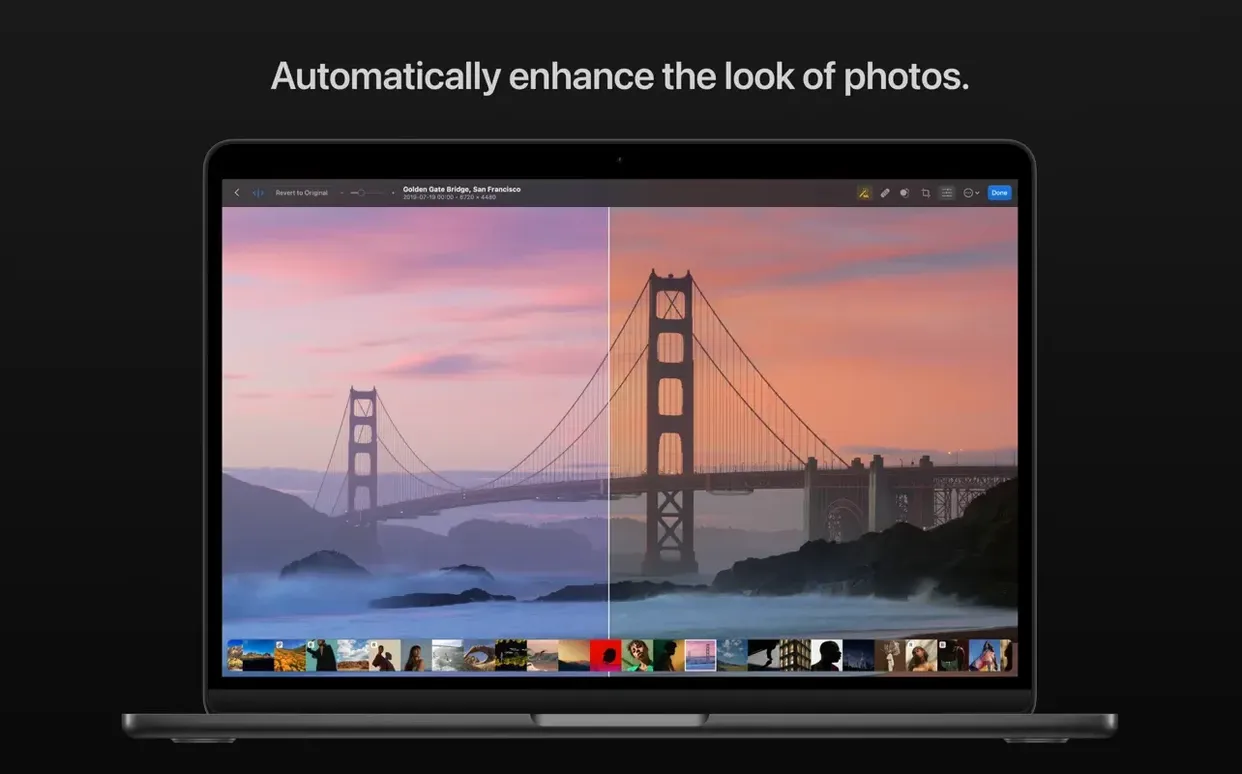
It's a street scene, slightly underexposed. You tap the auto-enhance button to see what the app suggests, then dial it back by pulling the shadow slider yourself—photomatormator's auto is a starting point, not a commitment. You notice some colour banding in the sky gradient, so you turn on Smart Deband, and the transition smooths out without softening the clouds.
You like the look of this edit. Copy adjustments, select the next five frames from the same street, paste. The batch applies in seconds. One of the five is in a different format—a JPEG someone sent you—and it receives the edit without complaining about mismatched file types.
The tenth shot is a portrait with a distracting background. You click the subject selection, invert the mask, and drop the background exposure by a stop. The mask edge is clean around the hair, which is usually where automatic tools fall apart. A quick pass with the clone tool removes a sign that was poking into the frame, and you move on.
Half an hour later you've worked through the whole set. You haven't waited for anything to render, you haven't seen a spinning beach ball, and every edit is already visible in the Photos app on your other Mac via iCloud. The session feels less like operating software and more like making decisions about pictures.
For photographers who already have their own filing system
Photomator makes the most sense for photographers who already have an organisational system and want to drop a more capable editor into it. If your photos live in the Photos app, it's a natural upgrade—you keep the syncing, the shared albums, the iCloud integration, and you gain proper masking, cloning, batch editing, and RAW control. You're not migrating a library or learning a new catalogue structure.
RAW shooters who dip into batch work also benefit. The ability to mix file formats in a batch edit means you can apply the same colour grade to your RAWs and the JPEGs a client sent without splitting the workflow. Landscape and architectural photographers will lean on the perspective correction and sky selection, while anyone shooting in low light will find the Core ML denoising more useful than the basic noise reduction built into most editors.
It's less suited to people who need tethered shooting, advanced layer compositing, or print proofing with soft-proof profiles—those are the boundaries where a bigger suite earns its keep. But for the photographer who wants to edit quickly, stay inside the Mac ecosystem, and get results that look laboured-over without the labour, Photomator sits in a comfortable gap between Apple Photos and the heavyweight alternatives. That gap is where a lot of real editing happens.
Photomator 3.4.15 is a maintenance update that broadens camera support and tidies a few rough edges. The key additions are all on the RAW compatibility side.
- Compressed RAW support now covers Sony Alpha ILCE-7M5, FUJIFILM GFX 100S II, and FUJIFILM GFX 100RF cameras.
- High Efficiency and High Efficiency Star RAW files from the Nikon Z5II and Nikon Z50II are now recognised.
- Panasonic LUMIX DC-S1RM2 High Resolution mode RAWs can be opened and edited.
- Several bug fixes and under-the-hood performance improvements round out the release.
- macOS 13 or later
- Works natively on Apple Silicon and Intel 64-bit Macs
Questions from the class 0
Sign in or join the class to ask a question.
Nobody has asked anything yet. If you have used it on a real job, say what the file did.
Also on the Mac Apps shelf
The whole Mac Apps shelf Photo Mechanic
Ingests and culls thousands of raw photos at speed before your main editor finishes loading.
Photo Mechanic
Ingests and culls thousands of raw photos at speed before your main editor finishes loading.
 PhotoScape X Pro
Browses, fixes and collages a folder of snaps inside a single welcoming window.
PhotoScape X Pro
Browses, fixes and collages a folder of snaps inside a single welcoming window.
 Permute
Converts audio, video and image files to the format your other devices actually need.
Permute
Converts audio, video and image files to the format your other devices actually need.
 Picview - Image Viewer
 Pixea Plus
Displays photos and raw files instantly without importing them into a library first.
Pixea Plus
Displays photos and raw files instantly without importing them into a library first.
 Pixelmator Pro
Develops raw shots and composites artwork in a single-window photo editor.
Pixelmator Pro
Develops raw shots and composites artwork in a single-window photo editor.
 Pixelsnap
Measures the exact pixel distance between any two points on your screen.
Pixelsnap
Measures the exact pixel distance between any two points on your screen.
 Pixologic Zbrush
Sculpts digital clay into high-detail models using pixels that carry depth and material data.
Pixologic Zbrush
Sculpts digital clay into high-detail models using pixels that carry depth and material data.