 ASPNetWorld

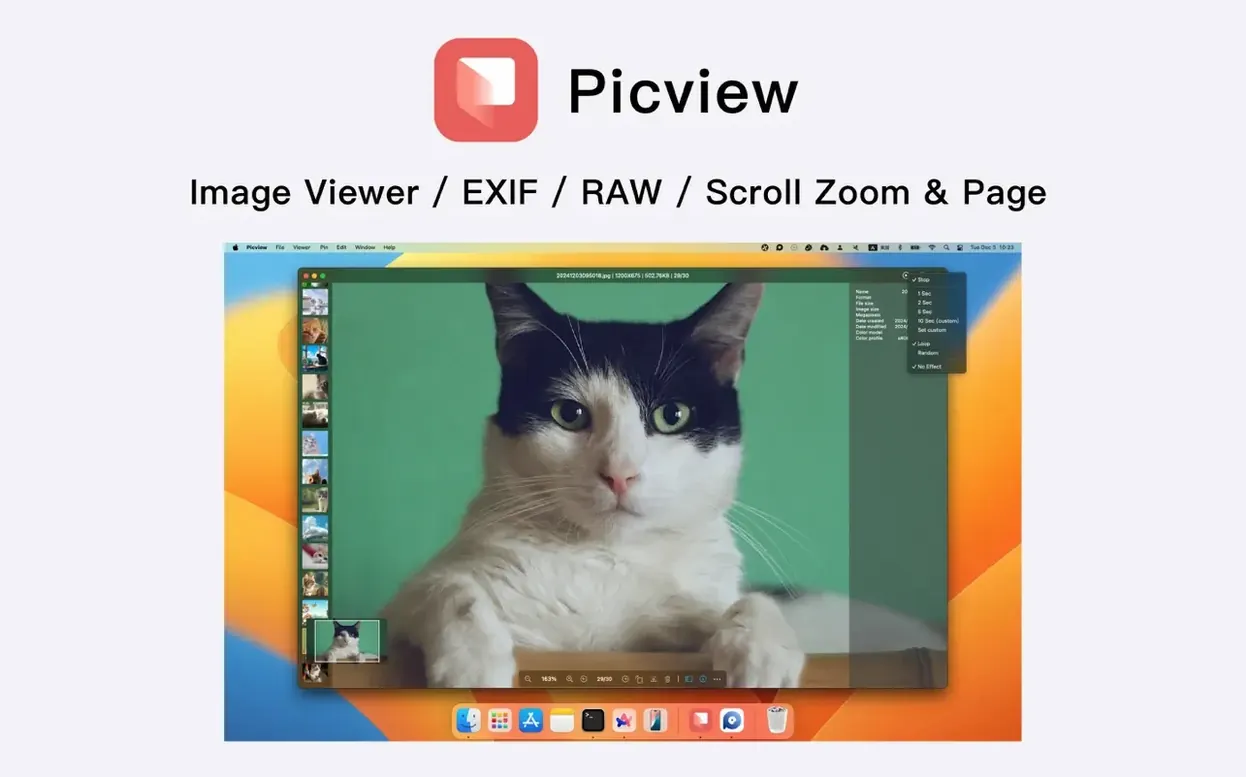
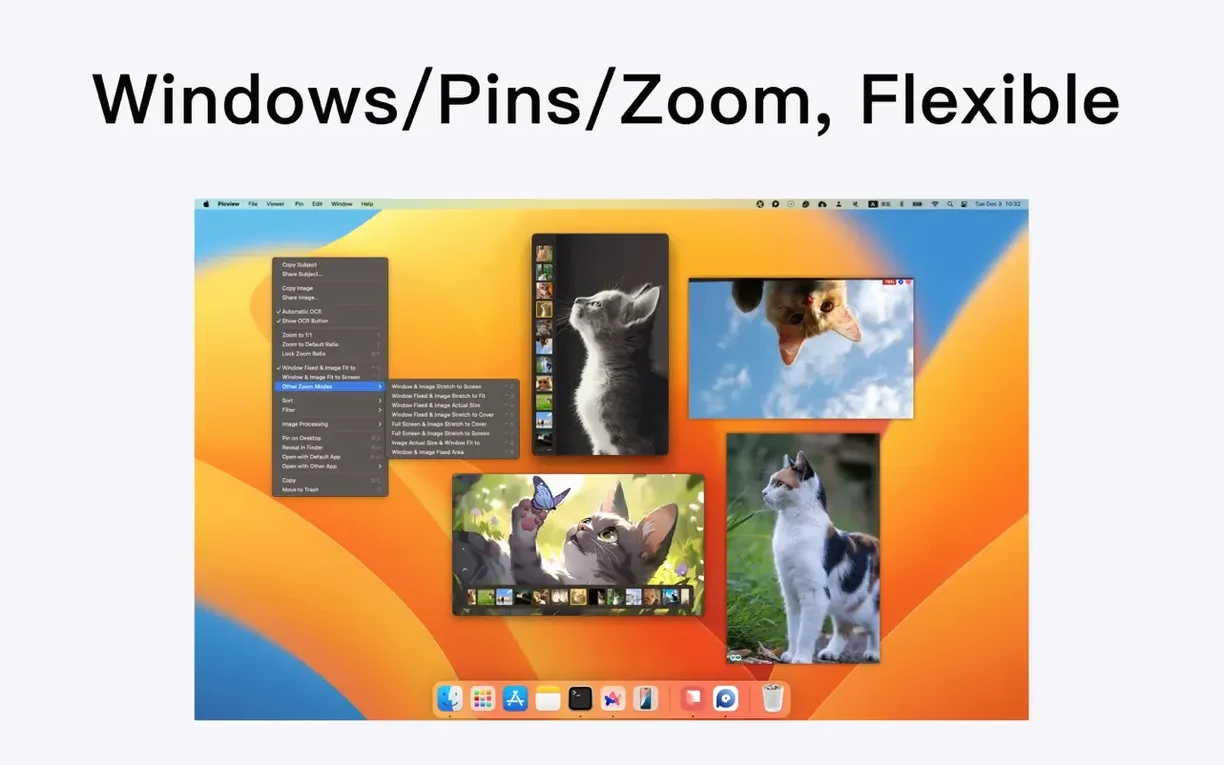
Photographers who come back from a shoot with a card full of RAW files, designers sifting through asset folders, or anyone who simply prefers to browse images by their existing folder structure rather than importing them into a monolithic library. Picview is for people who find the built-in Preview app perfectly fine for a single document but a little cumbersome when you want to flick through a whole directory of images quickly. It sets out to fill that gap, treating your hard drive as the library.
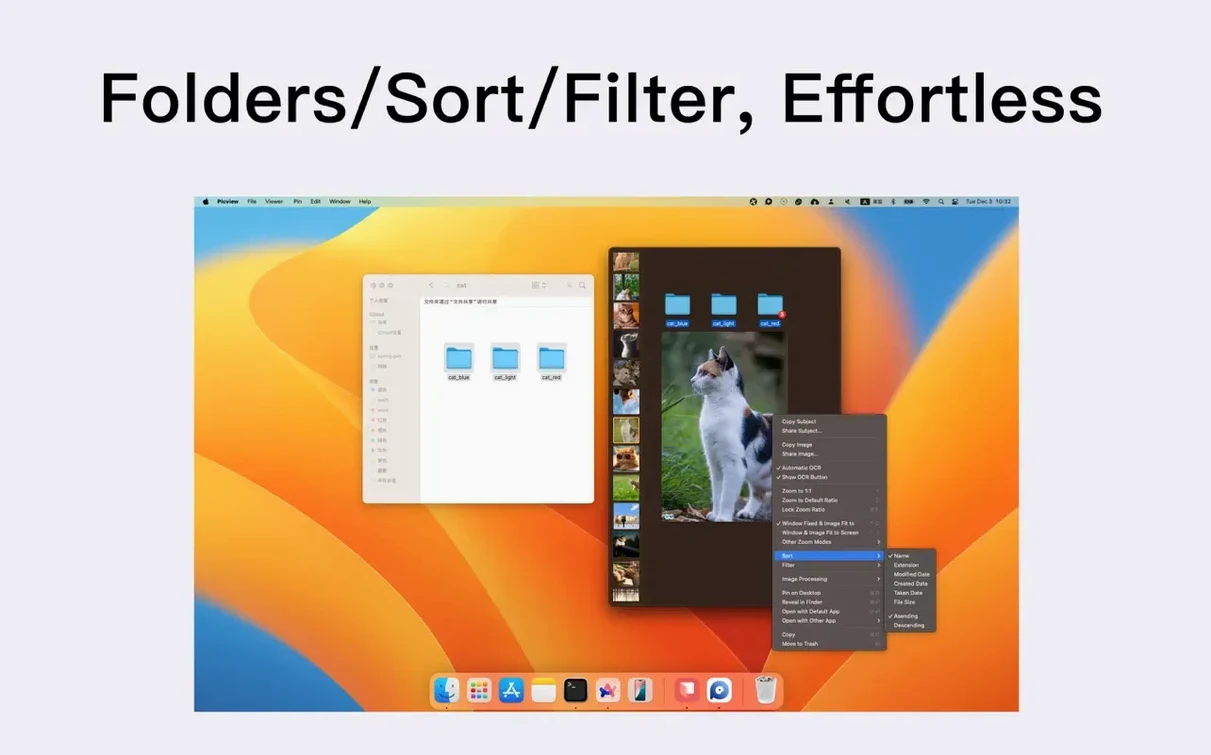
- Folder-first browsing. Point it at a directory and it loads every image inside, including shots tucked away in nested subfolders, so you don't have to hop back to the Finder.
- Slideshow playback. A clean, full-screen slideshow with shuffle and loop controls, handy for leaving a contact sheet running on a second monitor.
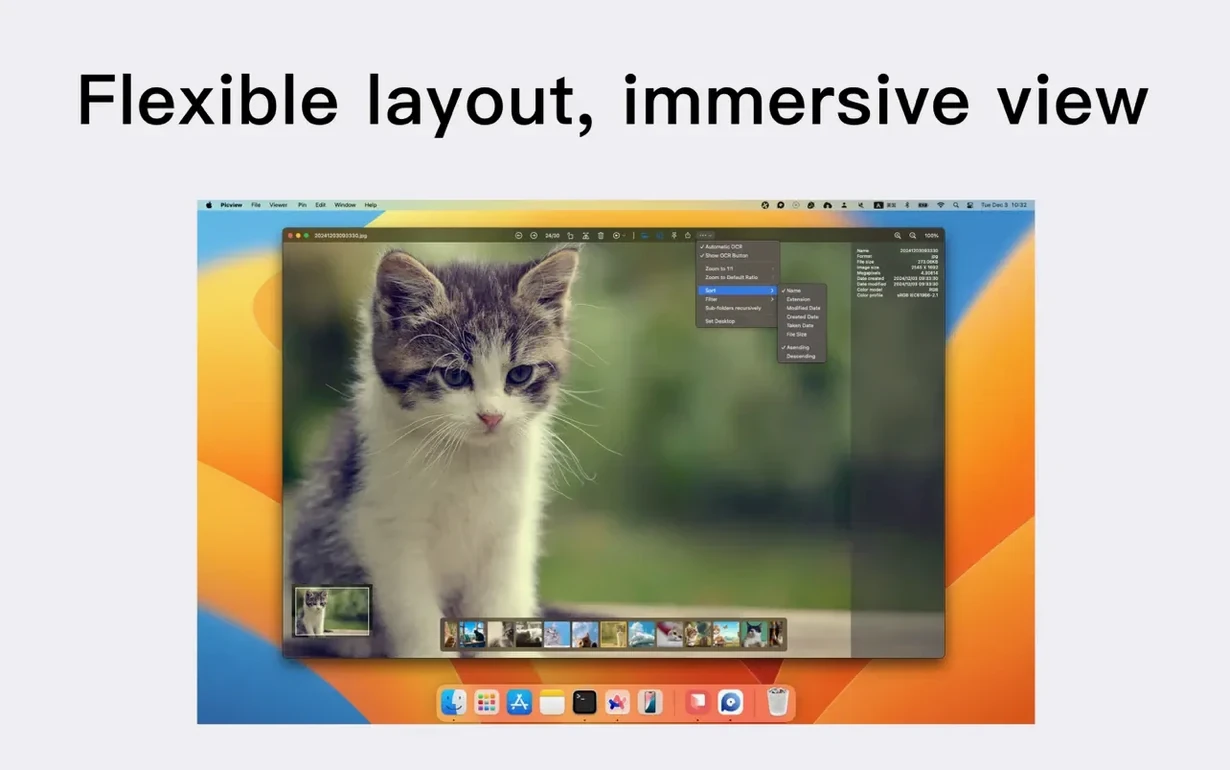
- Metadata at a glance. The EXIF panel shows capture time, camera settings, and more, and you can sort a whole folder by those criteria—bring all the shots from a particular lens straight to the top.
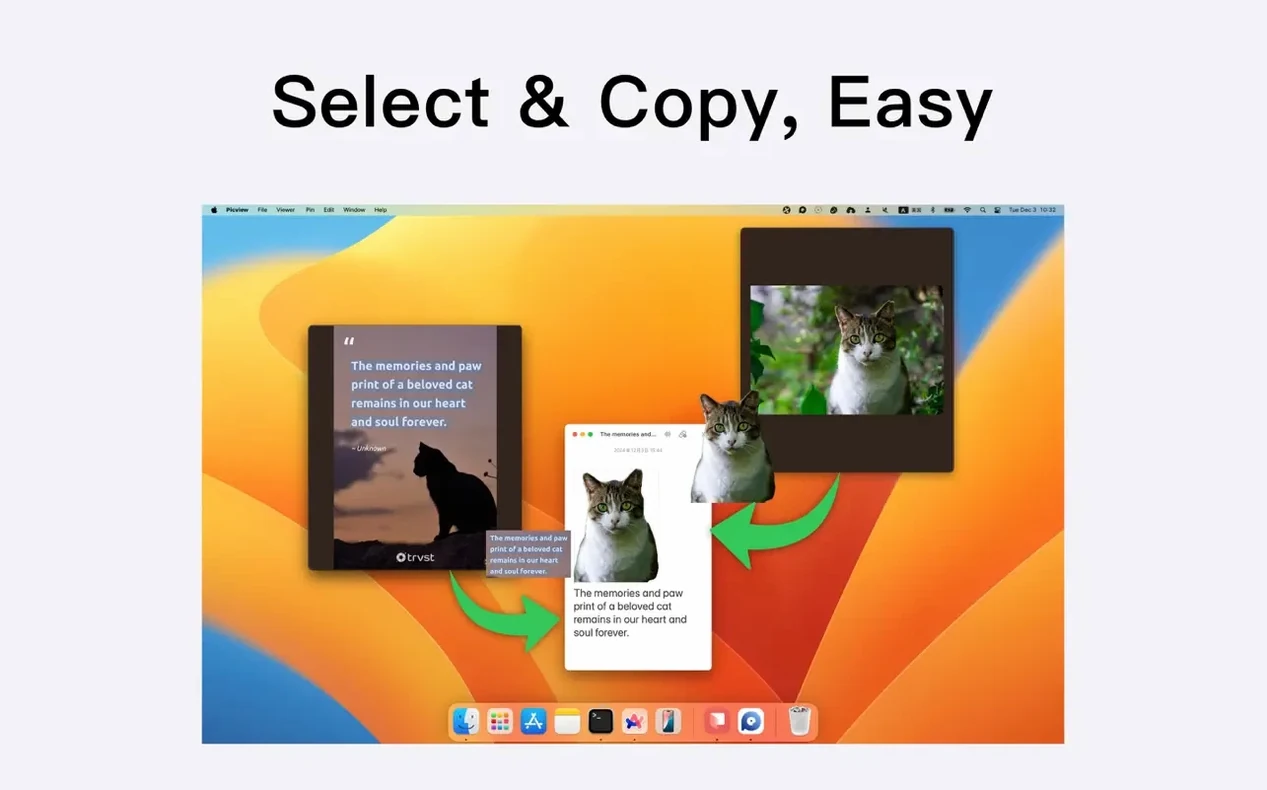
- Built-in OCR. Drag across any text inside a screenshot or scanned document and Picview can recognise and copy it out, saving a round-trip to a dedicated OCR tool.
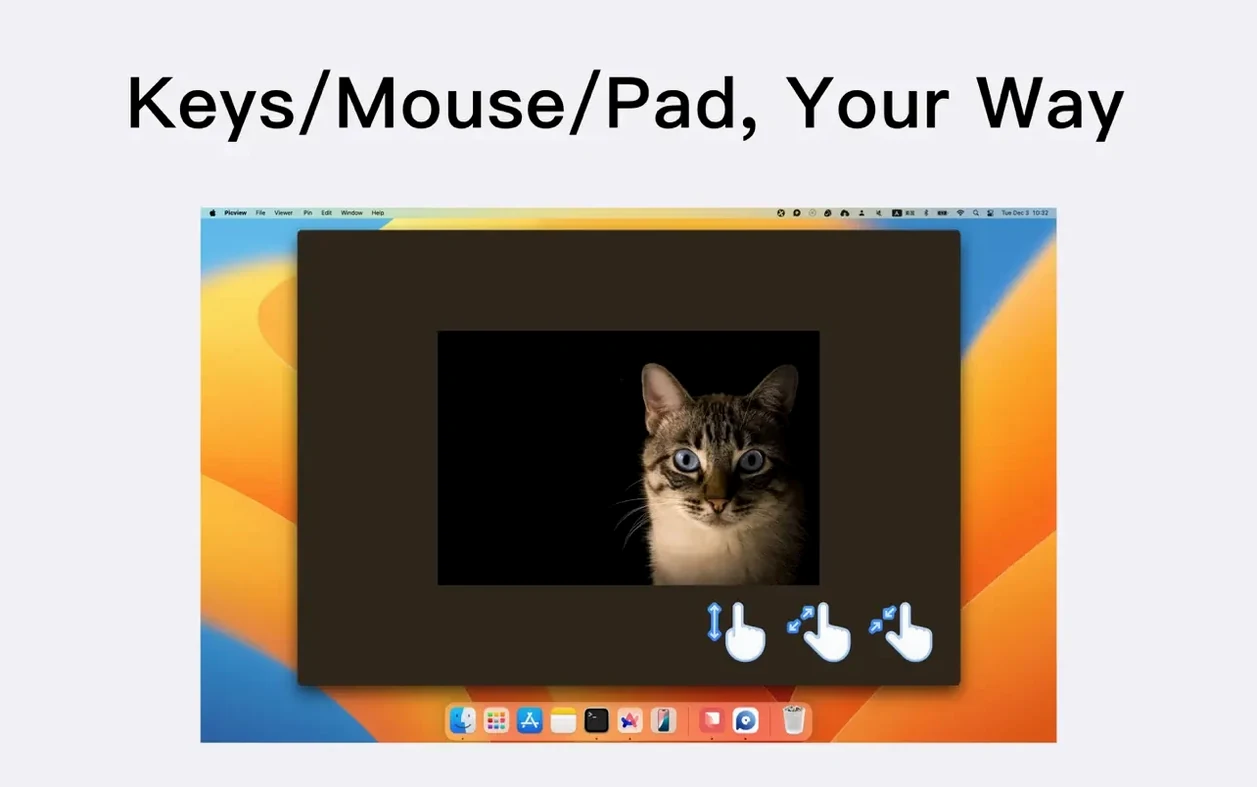
- Gesture-friendly navigation. Mouse-wheel zoom, arrow-key switching, and trackpad gestures all work as you'd expect, with the cursor disappearing automatically in full-screen mode.
The app speaks a long list of image dialects—over 30 formats—so you are unlikely to trip over an unsupported file. It runs natively on both Apple Silicon and Intel Macs from macOS 11 onward, and the interface keeps things simple in English, Traditional Chinese, or Simplified Chinese. The most recent update ironed out a small gremlin with custom slideshow duration settings, keeping playback timing exactly where you left it.
Opens a mixed folder of RAW and JPEG files in the time Preview takes to wake up
On an M1 MacBook Air with a spinning stack of old external drives, Picview opens a folder of mixed RAW and JPEG files in roughly the time it takes Preview to wake up and remember what it was doing. Scrolling through a hundred shots from a weekend wedding feels more like riffling through prints on a lightbox than waiting for software to catch up. The app stays out of the swap file—memory pressure barely twitches—and I have yet to see the beachball, even when it is chewing through 45-megapixel Sony ARW files nested three folders deep.
Stability is unremarkable in the best way. No crashes during slideshow loops left running overnight, no odd hangs when switching rapidly between adaptive-window and full-screen modes. The automatic cursor hiding in full-screen view is just responsive enough that you forget the mouse exists after a few seconds, which is exactly the point. One small quirk: on older spinning hard drives, the initial folder scan can pause briefly if a directory contains several thousand images, but subsequent visits are instant—it clearly caches the structure.
For anyone hunting a Picview - Image Viewer torrent macOS build that simply works without drama, the performance footprint here is refreshingly light. It does not spawn background daemons or demand constant network access; it sits quietly in the Dock and reads files the old-fashioned way.
A retoucher's morning cull
Imagine a retoucher who has just received a client folder with 600 headshots spread across six subfolders labelled by lighting setup. The job is to cull aggressively before opening Photoshop at all. She points Picview at the parent folder, sorts by capture time, and flicks through the morning's work in full-screen mode using nothing but the right arrow key. Shots where the model's eyes are half-closed get a mental note; the ones that work get a quick thumbs-up in the Finder later. Halfway through, she realises the makeup artist's hand-written notes are visible in a few frames. She drags a selection over the scrawled text, copies the recognised string, and pastes it into a sticky note—no separate OCR app, no screenshot-to-text workflow. Twenty minutes later the 600 are down to 40 keepers, and the folder structure the client sent is still intact, exactly as it arrived.
Switch to adaptive window mode so the window resizes to fit each image
Picview ships with sensible defaults, but a few tweaks make it feel like it was always yours.
- Switch to adaptive window mode early. The fixed-size window is fine for quick peeks, but adaptive mode resizes to fit each image as you browse, which is far less distracting when you are evaluating composition across mixed-orientation batches.
- Set the slideshow duration to something generous. The default is snappy—great for a party slideshow, less so for reviewing work. Bump it to five or six seconds; the version 1.5.7 fix means the custom value now sticks properly between sessions.
- Enable nested folder scanning straight away. If you work with projects that spread assets across subfolders, this is the single setting that transforms Picview from a simple image viewer into a proper browsing tool. Find it in preferences and leave it on permanently.
- Sort by capture time, not filename. Especially useful when you have images from multiple cameras on a shoot day. The EXIF sort ensures the timeline stays coherent regardless of how each body named its files.
A minor housekeeping update that fixes a bug where a custom slideshow playback duration setting wasn't sticking between sessions. Your chosen timing now holds correctly.
- macOS 11 (Big Sur) or later
- Works natively on Apple Silicon and Intel 64-bit Macs
Questions I keep hearing
Can I use Picview to open an image quickly without launching a full session?
Yes, you can simply double-click an image in the Finder to open it directly in Picview, which makes it a practical replacement for the default macOS image viewer.
Questions from the class 0
Sign in or join the class to ask a question.
Nobody has asked anything yet. If you have used it on a real job, say what the file did.
Also on the Mac Apps shelf
The whole Mac Apps shelf PhotoScape X Pro
Browses, fixes and collages a folder of snaps inside a single welcoming window.
PhotoScape X Pro
Browses, fixes and collages a folder of snaps inside a single welcoming window.
 Pixea Plus
Displays photos and raw files instantly without importing them into a library first.
Pixea Plus
Displays photos and raw files instantly without importing them into a library first.
 Photomator
Hands you professional colour and curve controls layered on top of your Apple Photos library.
Photomator
Hands you professional colour and curve controls layered on top of your Apple Photos library.
 Pixelmator Pro
Develops raw shots and composites artwork in a single-window photo editor.
Pixelmator Pro
Develops raw shots and composites artwork in a single-window photo editor.
 Photo Mechanic
Ingests and culls thousands of raw photos at speed before your main editor finishes loading.
Photo Mechanic
Ingests and culls thousands of raw photos at speed before your main editor finishes loading.
 Pixelsnap
Measures the exact pixel distance between any two points on your screen.
Pixelsnap
Measures the exact pixel distance between any two points on your screen.
 Permute
Converts audio, video and image files to the format your other devices actually need.
Permute
Converts audio, video and image files to the format your other devices actually need.
 Pixologic Zbrush
Sculpts digital clay into high-detail models using pixels that carry depth and material data.
Pixologic Zbrush
Sculpts digital clay into high-detail models using pixels that carry depth and material data.