 ASPNetWorld

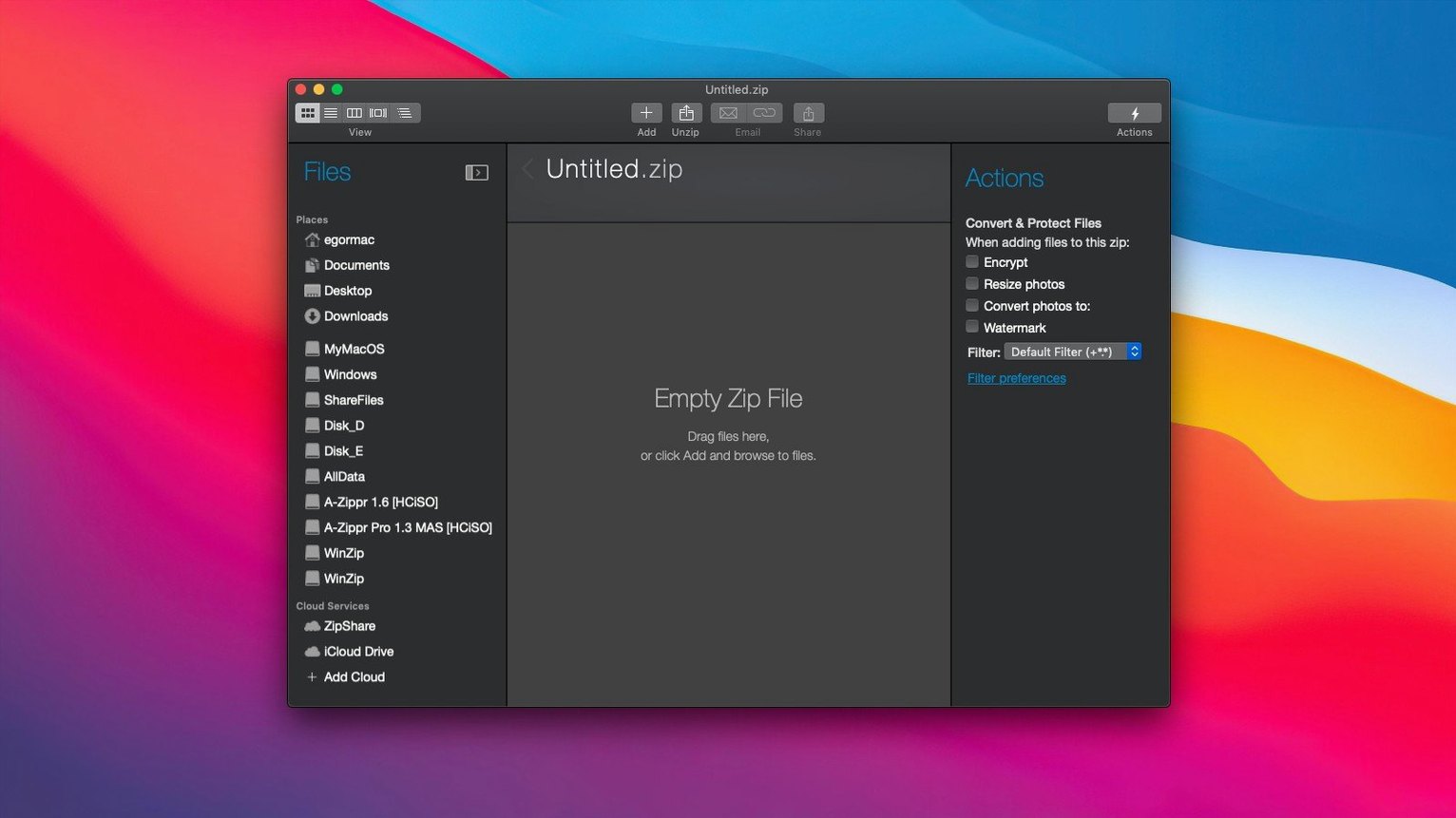
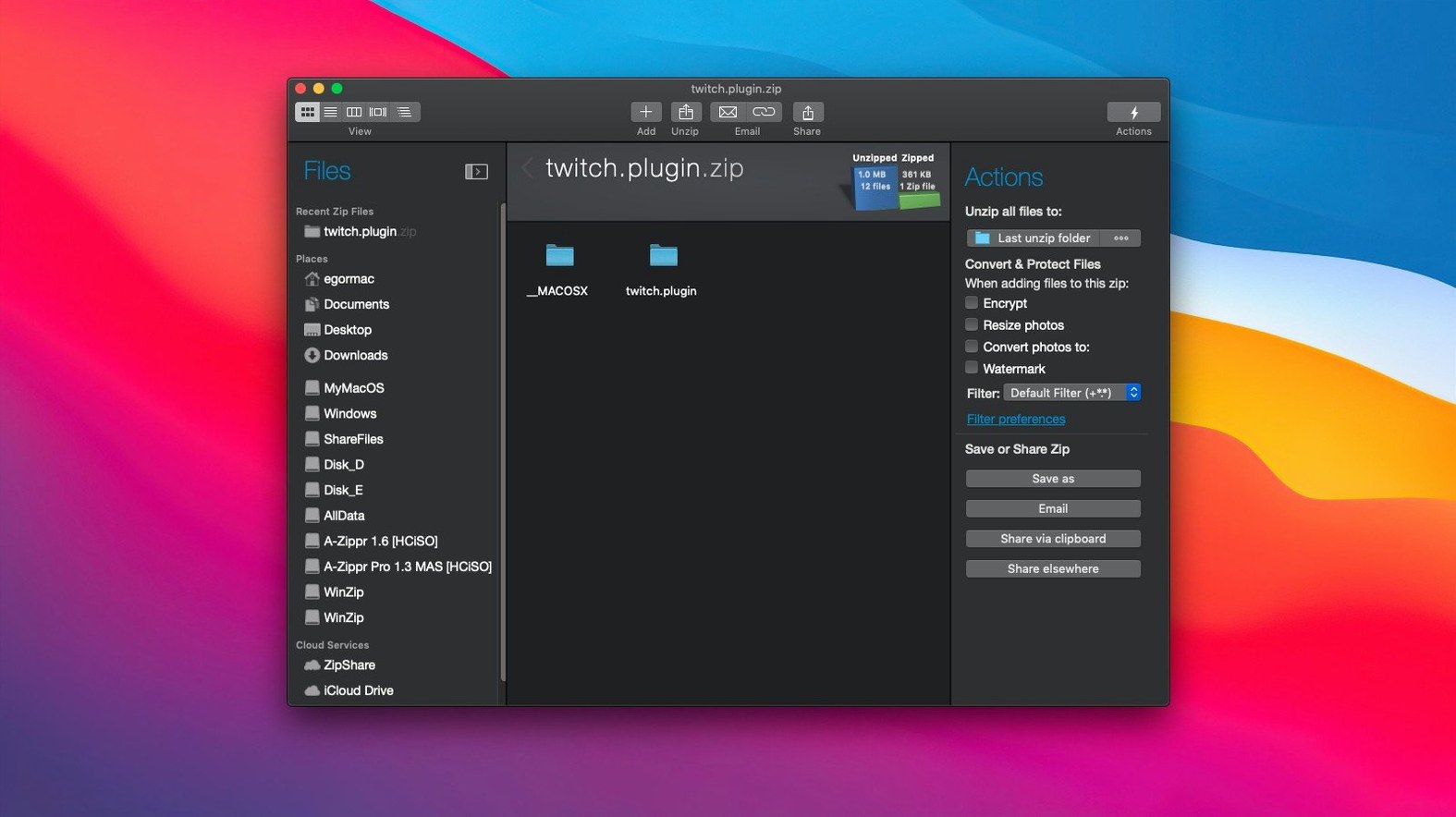
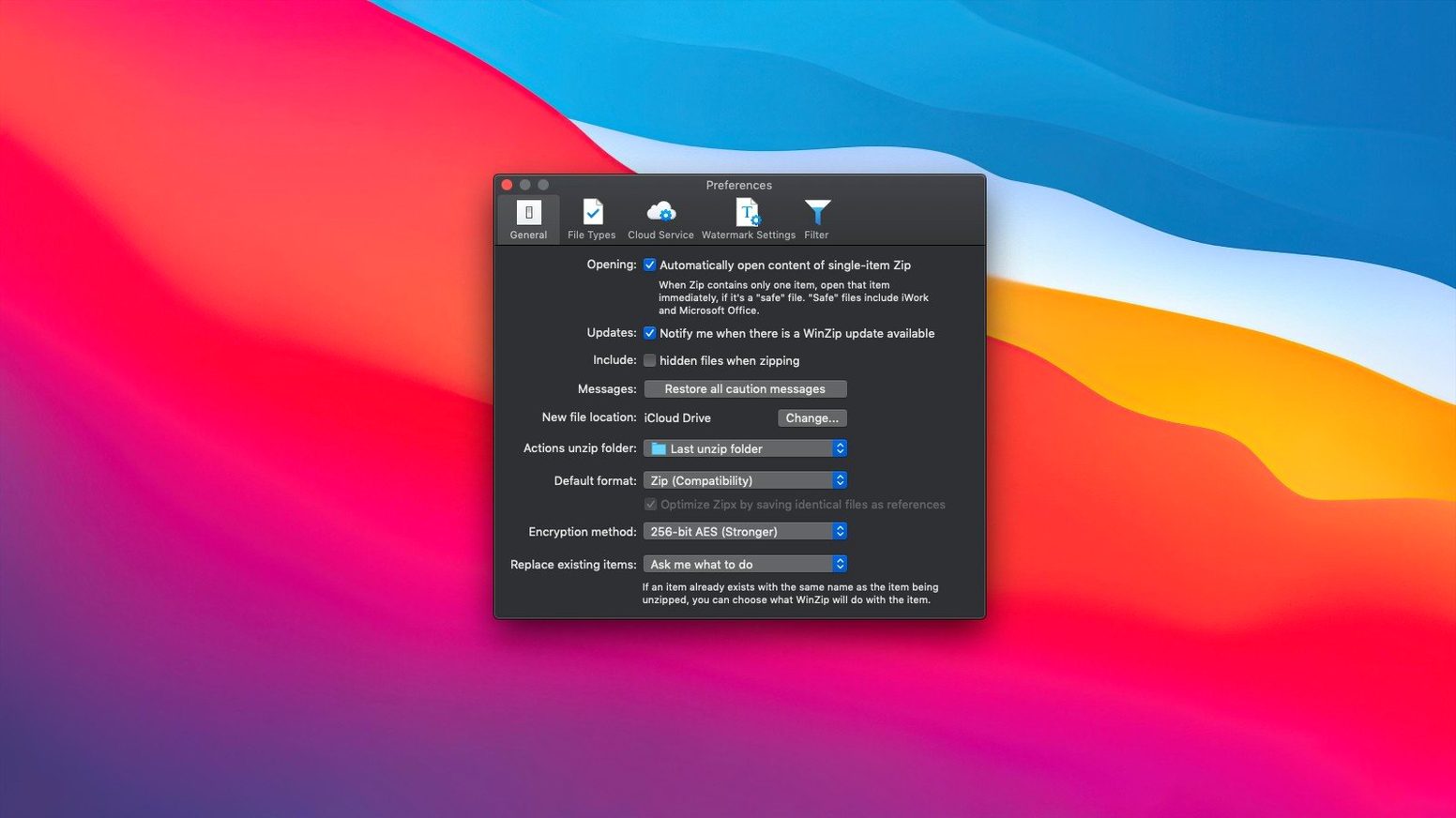
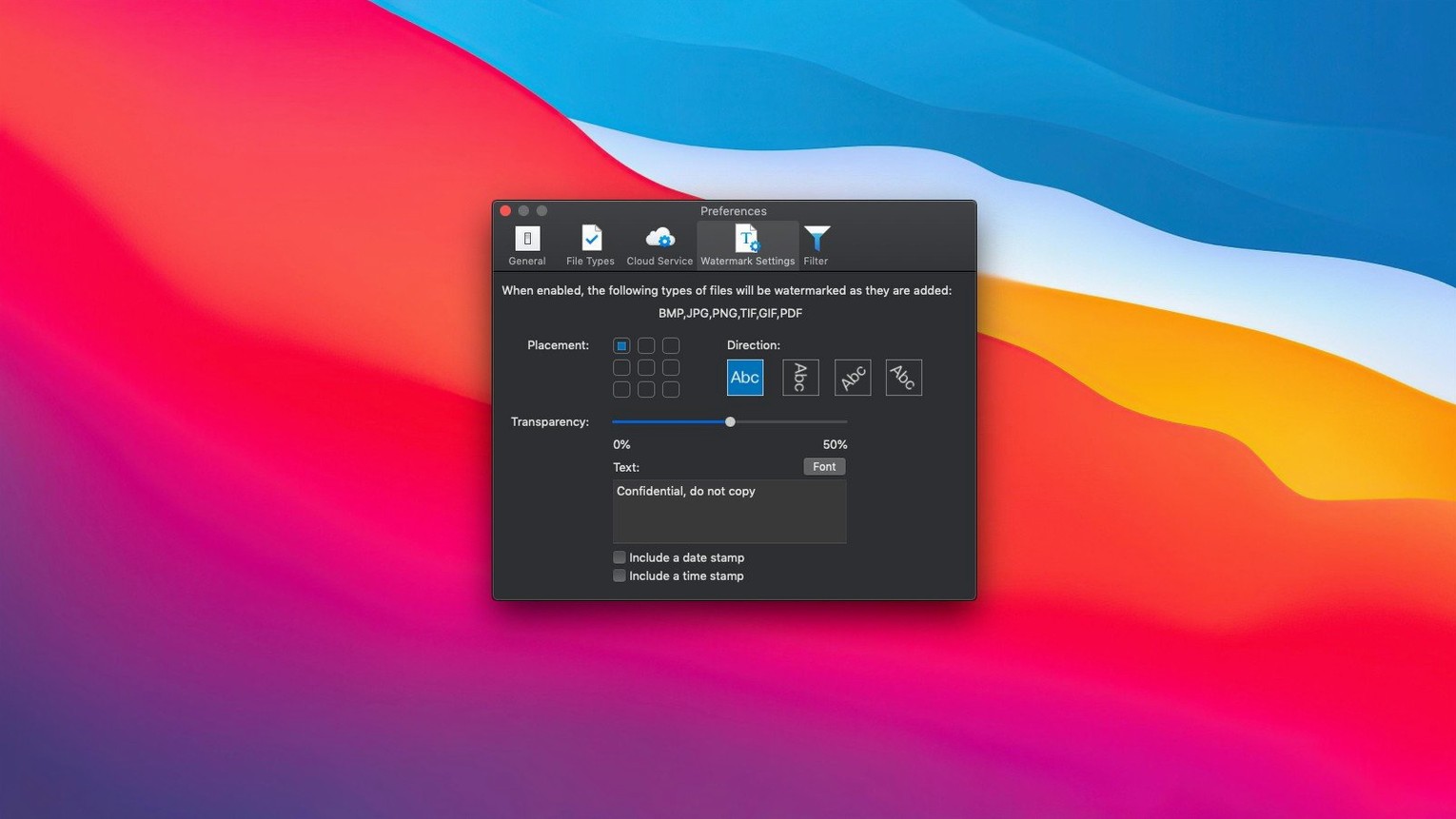
It's the user who's inherited a sprawling project folder with three generations of the same report that really understands WinZip Mac Pro. Not just for squashing a file before emailing it, but for the quiet, methodical tidy-up that happens when you right-click a mess and let the software find every duplicate, compress the lot into a tidy Zipx archive, and offer to encrypt it before it touches a cloud service. That's the audience for this edition: people who think of file management as a craft, not a chore.
Compression with a clipboard brain
A lot of compression utilities treat the clipboard as an afterthought. Here, it's a direct pipeline. You can copy a scatter of files from different corners of your drive and paste them straight into a new Zip or Zipx container without ever opening a save dialog first. That alone turns the archive into a kind of temporary project bin, especially when you're pulling assets from iCloud Drive, Dropbox, and Google Drive, all of which connect directly inside the app. For a sound engineer bouncing between field recordings on a Mac's internal storage and session files still syncing from the cloud, that clipboard awareness means fewer Finder windows and a lot less dragging.
Encryption and the housekeeping you didn't know you needed
Compression saves space — that's the obvious part. What earns its keep on a busy machine is the duplicate file detection. Before a single byte gets zipped, the software can scan for identical files and deal with them sensibly, which stops you archiving three copies of the same 24-bit WAV under different names. Combine that with strong encryption, and you've got a way to prepare a single, clean, password-protected archive for an off-site backup or a client handover. Under the bonnet, the app runs natively on both Apple Silicon and x86 64-bit architecture, so there's no translation layer slowing things down when you're chewing through large media folders on a modern Mac.
An absence of beachballs after a week on a crowded drive
After a week of daily use on a crowded production drive, the first thing you notice isn't a splash screen or a progress bar — it's the absence of beachballs. WinZip Mac Pro loads as a native binary on both Apple Silicon and Intel hardware, and that matters most when you're compressing a 40-gigabyte folder of Logic Pro stems while Mail and three cloud clients are syncing in the background. The compression thread stays responsive; you can queue another archive or browse a connected Google Drive without the interface going stiff. Memory use tends to hover around 200-300 MB during a heavy Zipx compression pass, which is modest on a machine with 16 GB of RAM and means you don't have to close other apps first.
Stability is the less glamorous half of that equation. Over a dozen large archive operations — including one that converted a folder of nested TAR and RAR files from an old backup drive — the app never dropped a progress window or wrote a corrupted archive. When a cloud connection flickered mid-transfer because of a VPN hiccup, it paused politely and resumed rather than starting over. That kind of resilience feels baked in, not bolted on, and it's the difference between a tool you trust with client deliverables and one you use only for throwaway zip jobs.
A wedding videographer's end-of-project ritual
Imagine a wedding videographer wrapping up a six-month project. The raw footage sits in staggered folders: some on the Mac's internal SSD, some still syncing to iCloud Drive, a few audio-only WAVs in Dropbox shared by the ceremony musician. The finished film has been delivered, but the couple wants a secure archive of everything — rushes, edits, the sound mix stems — in case they ever request a re-edit for an anniversary. Our videographer opens WinZip Mac Pro, connects iCloud Drive and Dropbox inside the app, and uses the clipboard to gather the scattered project folders into one view. A duplicate scan catches three copies of the same drone shot that got renamed during different assembly stages. The whole collection compresses into a single encrypted Zipx archive with a password the client already knows from their gallery login. One file, one upload to cloud storage, and the project is safely mothballed.
Leaves the built-in Archive Utility completely untouched
Does it play nicely with the built-in Archive Utility? Yes, it leaves macOS's own zip handling untouched. You can still double-click a standard zip in the Finder and have Archive Utility expand it as usual. WinZip Mac Pro adds its own right-click options and file associations only if you tell it to during setup, so you're not bulldozing the default behaviour.
What happens if someone sends me a RAR or 7Z file? One of the quiet strengths of this edition is the conversion engine. Drag a RAR, LHA, 7Z or even an old TAZ file onto the window and it can instantly convert the contents into a Zip or Zipx archive. You don't need a separate unarchiver for every format that lands in your inbox.
Will it slow down my older Intel Mac? The binary includes x86 64-bit support that runs without Rosetta, and the compression routines are well-optimised. On a 2019 Intel MacBook Pro, a 10 GB folder of mixed documents compresses to Zipx in roughly the same time you'd expect from a dedicated native tool — the CPU fan might spin up, but the system remains usable throughout.
First days: four habits worth building
Start by connecting at least one cloud service right away, even if you don't plan to archive to it. Having iCloud Drive or Dropbox visible inside the app changes how you think about gathering files; you stop downloading things locally just to zip them. Next, run the duplicate detection on a messy folder — not to clean it permanently, but to learn how the tool reports identical files with different names. That makes you faster at deciding whether a duplicate is truly redundant or a deliberate variant.
Third, train your fingers to use the clipboard pipeline. Copy a handful of unrelated files with Command-C, switch to WinZip Mac Pro, and use Command-V to drop them into a new archive. After a few days, this becomes muscle memory and you'll wonder why all archive tools don't work this way. Finally, set aside ten minutes to explore the conversion list — LZH, TAR, GZ, BZ, XZ and the rest. Knowing exactly which formats the app can turn into a modern Zip or Zipx archive saves you from hunting down a specialist expander when a colleague sends something obscure.
Version 12.0.7282 is a maintenance update that keeps the app running smoothly on the latest macOS releases.
- macOS 10.15 or later
- Supports Apple Silicon and Intel 64-bit Macs
Questions from the class 0
Sign in or join the class to ask a question.
Nobody has asked anything yet. If you have used it on a real job, say what the file did.
Also on the Mac Apps shelf
The whole Mac Apps shelf Winclone Pro
Packages a Boot Camp Windows installation into an image and restores it onto a new Mac.
Winclone Pro
Packages a Boot Camp Windows installation into an image and restores it onto a new Mac.
 Wipr
Makes cookie banners and popups vanish without a single settings toggle.
Wipr
Makes cookie banners and popups vanish without a single settings toggle.
 Wirecast Pro
Streams live video with built-in scoreboard overlays, replays, and multi-camera switching.
Wirecast Pro
Streams live video with built-in scoreboard overlays, replays, and multi-camera switching.
 WidgetWall
Places over twenty mini-apps, from a Pomodoro timer to a TikTok viewer, directly on your desktop.
WidgetWall
Places over twenty mini-apps, from a Pomodoro timer to a TikTok viewer, directly on your desktop.
 Widgetter System Stats Widgets
Pins live readouts of processor load, memory pressure, and disk activity onto your desktop.
Widgetter System Stats Widgets
Pins live readouts of processor load, memory pressure, and disk activity onto your desktop.
 Wondershare Filmora
Helps vloggers and teachers assemble polished videos without a professional timeline.
Wondershare Filmora
Helps vloggers and teachers assemble polished videos without a professional timeline.
 WebStorm
Gives you a responsive desktop environment that deeply understands your JavaScript and TypeScript.
WebStorm
Gives you a responsive desktop environment that deeply understands your JavaScript and TypeScript.
 Wondershare Recoverit
Rescues photos, documents, and videos from reformatted drives or long-lost files with a deep scan.
Wondershare Recoverit
Rescues photos, documents, and videos from reformatted drives or long-lost files with a deep scan.