 ASPNetWorld

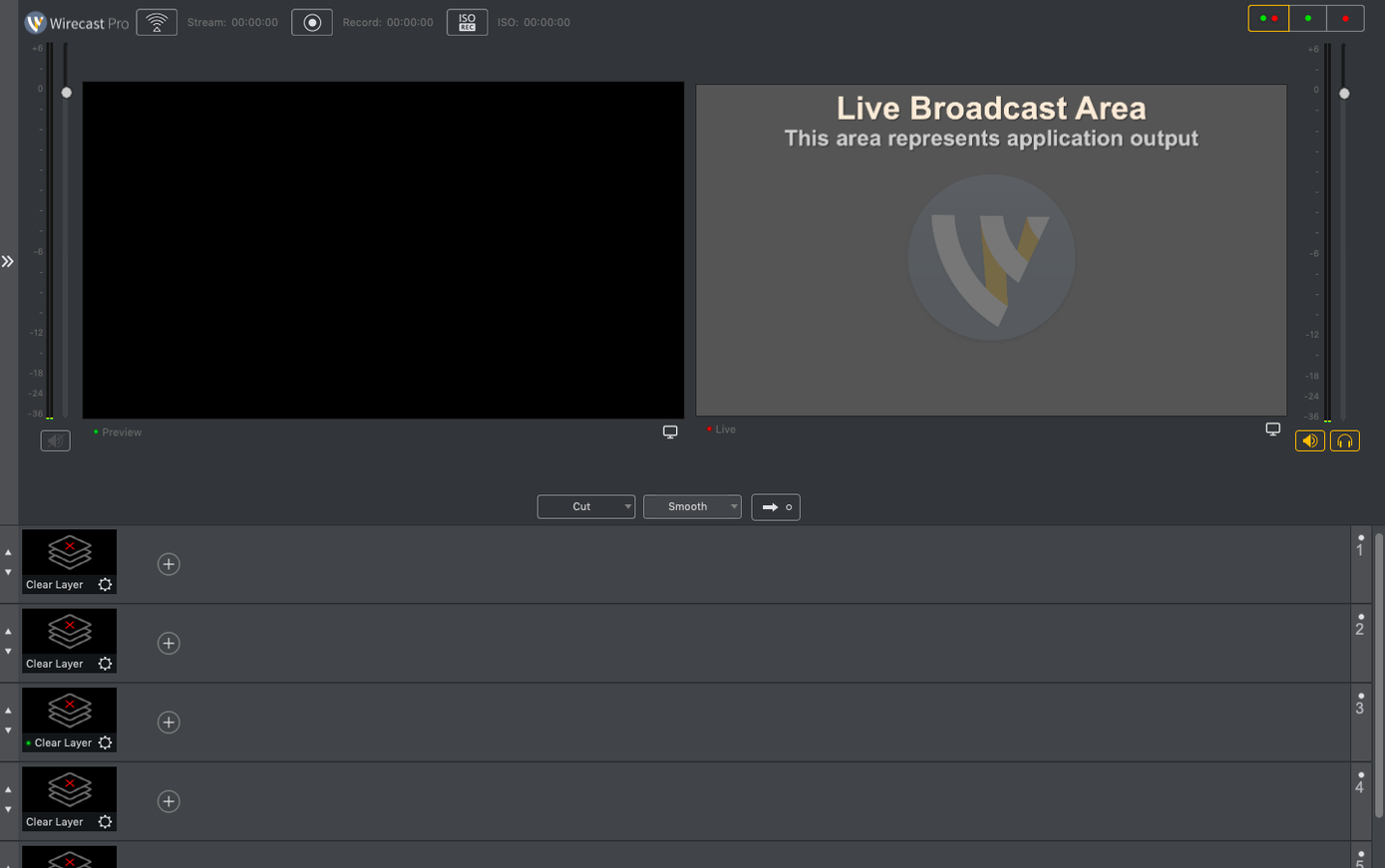
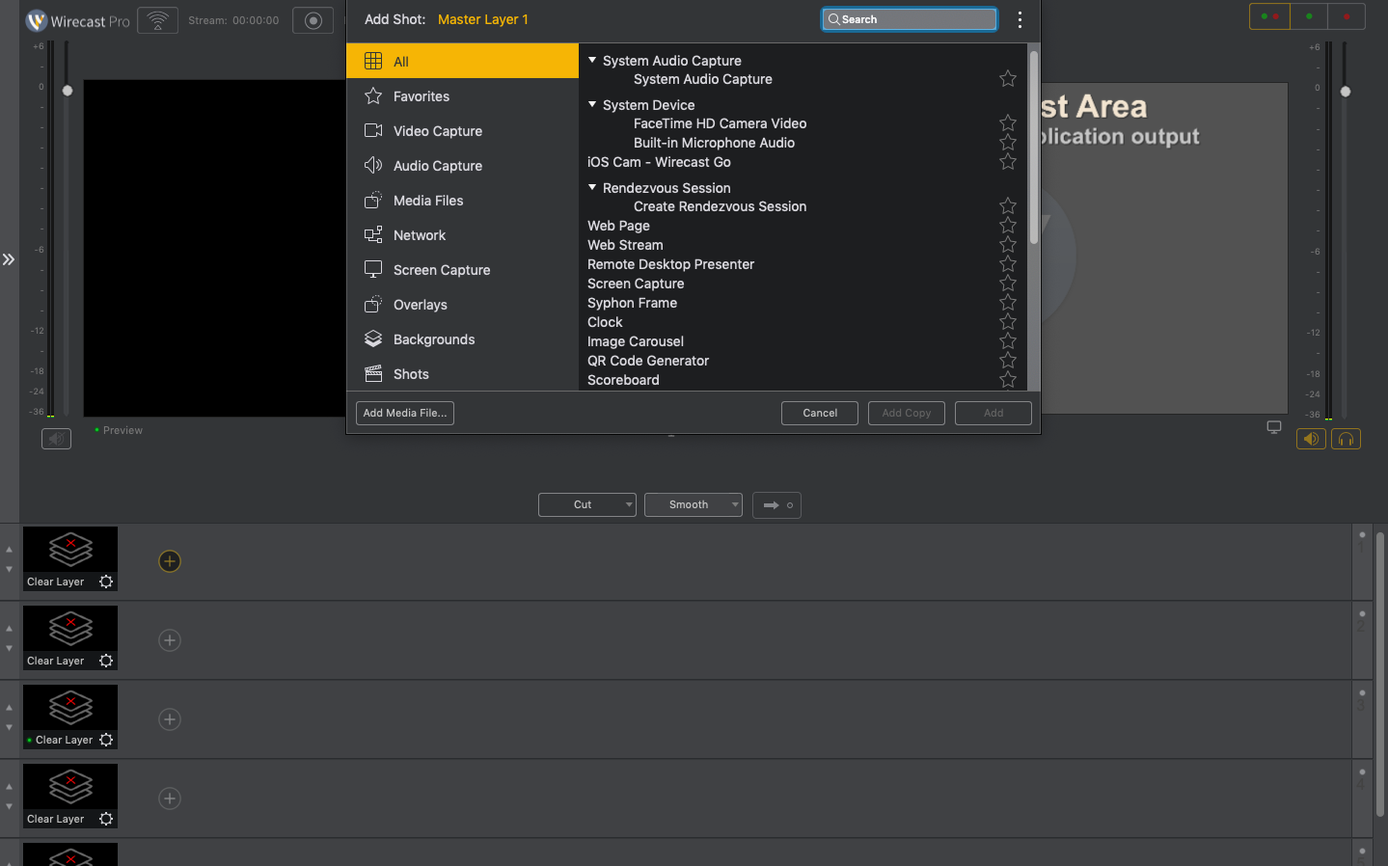
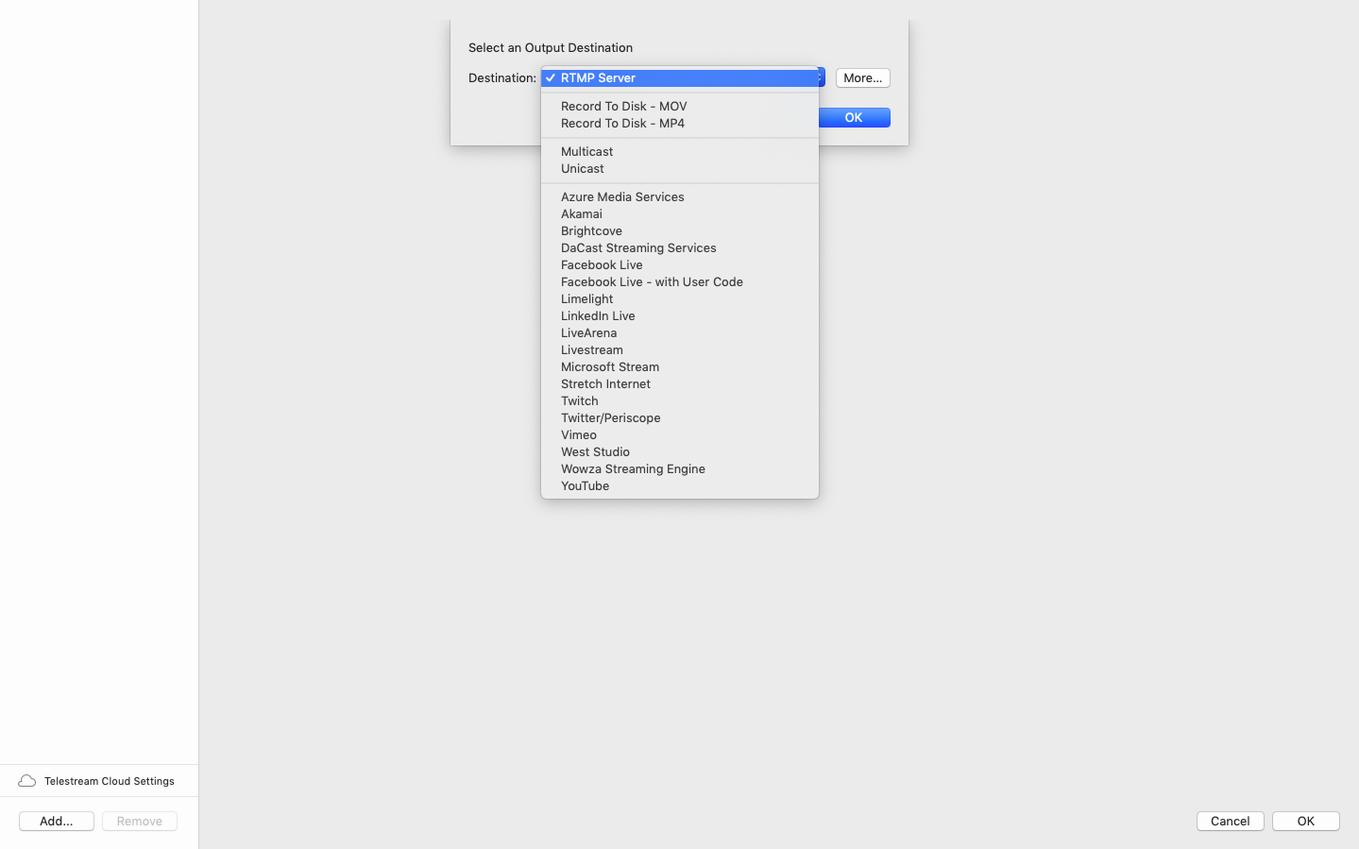
The Scoreboard Overlay template in Wirecast Pro is where the logic of a sports stream gets its visual anchor. You drag it into a layer, point it at the right data source, and suddenly a clean, readable score bug sits over your main camera feed — no external character generator needed. It’s one of those built‑in graphic elements that saves a scramble five minutes before kick‑off.
For a typical match day I start by placing my wide‑angle camera on shot one and a close‑up on shot two, then drop the scoreboard overlay onto a third layer above them. The template already understands home and away fields, so you can update the numbers in the Shot Editor without ever leaving the broadcast interface. A logo layer goes on top of that — the team crest or a sponsor mark, scaled and positioned once, then left alone for the rest of the event.
What makes the workflow click is how the title templates behave under pressure. The lower‑third name strap for a player substitution, for instance, uses a text field you can edit while the stream is live. Click into the field, type the replacement’s name, and the graphic updates on the outgoing signal before the commentator finishes the sentence. That ability to make quick text changes mid‑broadcast turns what could be a frantic backstage moment into a calm one.
The whole setup — two cameras, a score bug, a logo sting and a rolling title template — gets recorded locally while it streams, so you walk away with a clean master file ready for highlights. For ceremonies or conferences the same principle applies; you just swap the sports templates for a simpler lower‑third and a speaker name strap. The tool doesn’t mind whether the subject is a striker or a keynote speaker.
If you’ve been using Wirecast Pro for a while, you’ve probably settled into a rhythm with the main panels — shots, layers, the live canvas. What tends to slip past even experienced operators are the tiny conveniences tucked into the right‑click menus and keyboard shortcuts that Telestream rarely shouts about. They’re not headline features, but they shave seconds off repetitive tasks and, over a three‑hour stream, those seconds become genuine sanity savers.
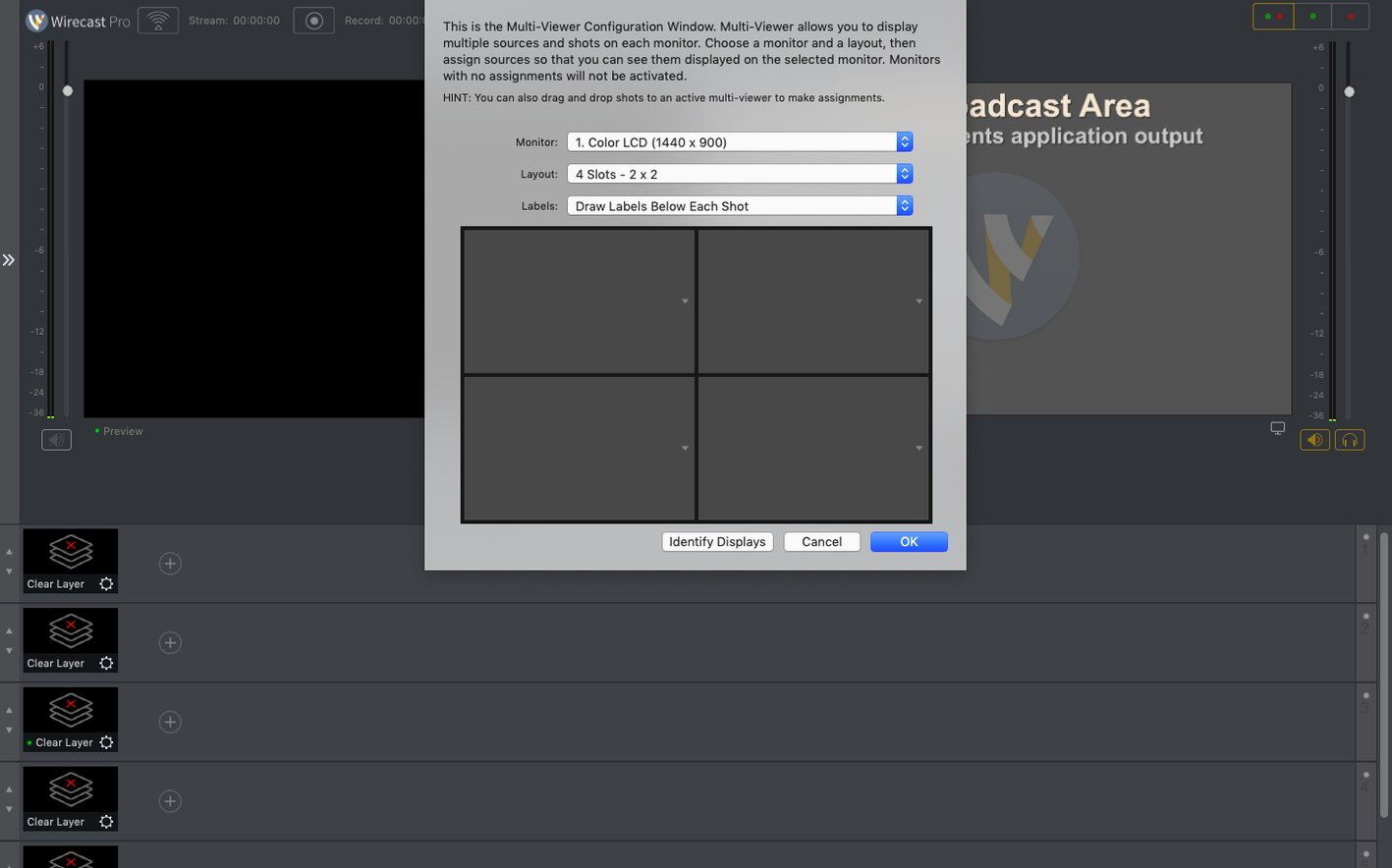
One I reach for constantly is the Command‑click on a shot to send it straight to the Program output without nudging Preview first. If your multiviewer layout is already set and you’re certain about the next source — say, cutting from a wide camera to a close‑up on a presenter — it bypasses the two‑step dance. Similarly, holding Option while dragging a shot duplicates it instantly in the shot bin. That’s useful when you’ve dialled in a complex picture‑in‑picture composition and want to experiment with a variation without rebuilding from scratch.
The Shot Editor’s numeric fields accept simple arithmetic. Need to nudge a lower‑third twelve pixels to the left? Type -12 after the current X value and hit Enter. The maths resolves on the fly, which is quicker than counting arrow‑key presses. And if you broadcast the same event weekly — a church service, a local sports fixture — right‑clicking a shot and choosing Export Shot saves it as a portable .wshot file. You can archive whole broadcast looks that way, complete with layered graphics and colour corrections, and pull them into next week’s document.
Speed, stability and how it sits on the system
Wirecast Pro has never been a lightweight app — it’s a broadcast engine that expects dedicated hardware — but version 16.5.4 on an Apple Silicon Mac feels more like a settled workhorse than a resource hog. With a two‑camera HD setup, a couple of NDI sources and the usual overlay layers, I see the CPU hovering around thirty to forty percent on an M1 Max, which leaves comfortable headroom for a web browser, a notes app and the streaming encoder doing its thing. The GPU handles scaling and the composited output without any frame‑rate stuttering, provided you’ve assigned enough RAM to the playback buffer in Preferences.
Memory use is the figure worth watching. A moderately complex document — four cameras, two remote guests via NDI, a scoreboard, rolling titles — can sit around six gigabytes of RAM. That’s not alarming on a machine with sixteen or more, but it’s a reminder that Wirecast Pro rewards a generous memory configuration. The latest build has been stable across three‑hour conference streams and longer tournament days; I haven’t seen a spontaneous quit since the 16.5.x series landed, and the fix for PTZ NDI camera detection in 16.5.4 resolved a nagging reconnection hiccup I’d learned to work around.
Startup time is about twelve seconds from a cold launch on Apple Silicon, which is quick enough that I don’t think twice about closing the app between rehearsals. The disk image for the wirecast pro download, once mounted and installed, leaves a clean application bundle that plays nicely with macOS’s app translocation protections if you follow the Gatekeeper‑friendly steps. Once it’s running, the virtual camera device survives sleep and display changes without dropping — a small thing, but anybody who’s ever rebuilt a stream mid‑show because the virtual cam vanished will appreciate the fix.
A parish streamer’s Sunday morning
Consider someone running a live stream for a mid‑sized church — not a broadcast engineer, just a volunteer who’s been handed the keys to a Mac Mini, two PTZ cameras and a Wirecast Pro setup. Their Sunday starts at eight, with a rehearsal run that lets them check the lighting and frame the lectern. They open a saved document from the week before, which already has the wide shot on layer one, the close‑up on layer two, and a lower‑third strap that reads “Welcome to St. Jude’s.”
During the service, the operator needs to switch from the lectern to the music group without fumbling. They’ve set up a shot with a picture‑in‑picture composition — the close‑up camera in the main frame and the lyrics slide from a media source in a corner window. They trigger it with a single click in the shot bin, because the composition was saved during the rehearsal. When the vicar announces a visiting speaker, the operator clicks into the lower‑third text field, types the name, and the congregation sees it appear on the stream before the speaker reaches the microphone. Quick text changes during a live broadcast sound trivial until you’re the one doing it while a hundred households are watching.
After the service, the recording stops with the same click that ends the stream. The operator drags the recorded file onto an external drive for the church’s media team, then quits Wirecast Pro. The whole morning — two hours of live video — ran without a dropped frame, and the volunteer never once opened a settings panel. That’s the real measure of the tool in a non‑professional setting: it doesn’t demand attention beyond the content.
Where it sits alongside similar Mac apps
Wirecast Pro’s natural peer on macOS has always been OBS Studio, but the comparison isn’t quite apples‑to‑apples. OBS wins on sheer flexibility and plugin count — if you enjoy building your own multiviewer from scratch and don’t mind hunting through community forums for an NDI plugin, OBS is a capable and free canvas. Wirecast Pro, by contrast, arrives with the professional plumbing pre‑fitted: the scoreboard templates, the virtual camera, the NDI‑input support, the multi‑track audio routing. You trade some of OBS’s DIY spirit for a package where the pieces already talk to each other, and that trade‑off makes sense the moment you need to train a second operator who isn’t a tinkerer.
Another comparison worth making is with Ecamm Live, which has carved out a loyal following among Mac‑only streamers who prioritise ease of use. Ecamm’s interview mode and iPhone‑as‑camera integration are genuinely polished, and its interface feels more like a consumer video app than a broadcast panel. What you give up is Wirecast Pro’s deeper layer compositing and its sports‑oriented graphics. If your streaming life is mostly talking heads and screen sharing, Ecamm might feel friendlier; if you’re cutting between camera angles at a rugby match and overlaying a score bug with live data, Wirecast Pro is the tool that already understands what a scoreboard is.
A third name that surfaces in searches is vMix, though it’s Windows‑only and therefore sits outside the direct Mac conversation. The fact that Mac users occasionally hunt for a wirecast mac torrent or a comparable workaround tells you something about the gap Wirecast Pro fills: it’s one of the few native macOS applications that treats live production as a professional craft rather than a webcam add‑on. The wirecast torrent searches that drift around suggest curiosity without commitment, but the application itself rewards commitment with a depth that casual browsers rarely see.
Version 16.5.4 concentrates on reliability for NDI‑based workflows and virtual camera setups. Three targeted fixes land in this release:
- PTZ NDI camera detection on macOS is now corrected, so cameras that previously refused to appear should show up reliably in the sources list.
- The virtual camera output no longer fails when corporate IT policies block the virtual microphone driver — useful for environments with strict security rules.
- A new discontinuous‑frame flag for NDI sources helps downstream devices handle stream interruptions more gracefully.
- macOS 11 or later
- Intel or Apple Silicon processor
- 64‑bit application
Questions from the class 0
Sign in or join the class to ask a question.
Nobody has asked anything yet. If you have used it on a real job, say what the file did.
Also on the Mac Apps shelf
The whole Mac Apps shelf Wipr
Makes cookie banners and popups vanish without a single settings toggle.
Wipr
Makes cookie banners and popups vanish without a single settings toggle.
 WinZip Mac Pro
Lets you right-click a messy folder and find every duplicate, archive, and file to tidy up.
WinZip Mac Pro
Lets you right-click a messy folder and find every duplicate, archive, and file to tidy up.
 Wondershare Filmora
Helps vloggers and teachers assemble polished videos without a professional timeline.
Wondershare Filmora
Helps vloggers and teachers assemble polished videos without a professional timeline.
 Winclone Pro
Packages a Boot Camp Windows installation into an image and restores it onto a new Mac.
Winclone Pro
Packages a Boot Camp Windows installation into an image and restores it onto a new Mac.
 Wondershare Recoverit
Rescues photos, documents, and videos from reformatted drives or long-lost files with a deep scan.
Wondershare Recoverit
Rescues photos, documents, and videos from reformatted drives or long-lost files with a deep scan.
 Wondershare UniConverter
Converts, compresses, and merges video files into a single format your editor and players understand.
Wondershare UniConverter
Converts, compresses, and merges video files into a single format your editor and players understand.
 WidgetWall
Places over twenty mini-apps, from a Pomodoro timer to a TikTok viewer, directly on your desktop.
WidgetWall
Places over twenty mini-apps, from a Pomodoro timer to a TikTok viewer, directly on your desktop.
 Widgetter System Stats Widgets
Pins live readouts of processor load, memory pressure, and disk activity onto your desktop.
Widgetter System Stats Widgets
Pins live readouts of processor load, memory pressure, and disk activity onto your desktop.