 ASPNetWorld
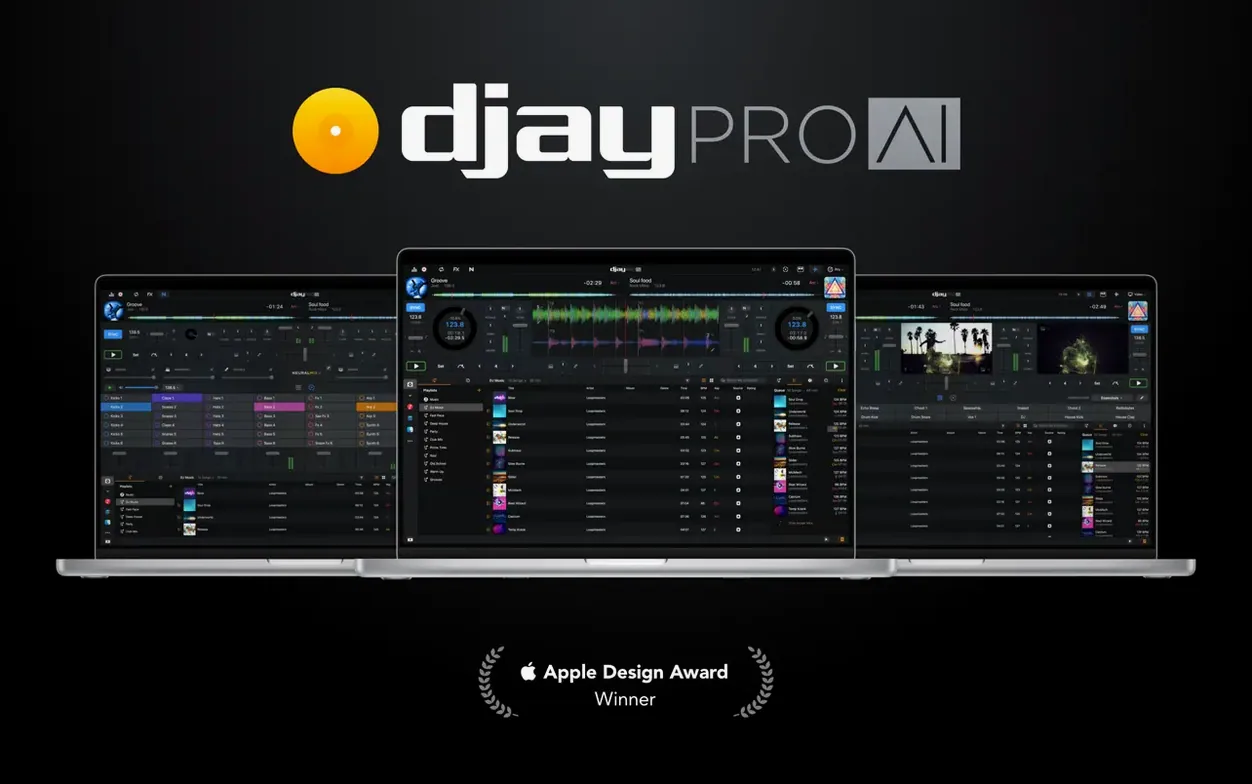
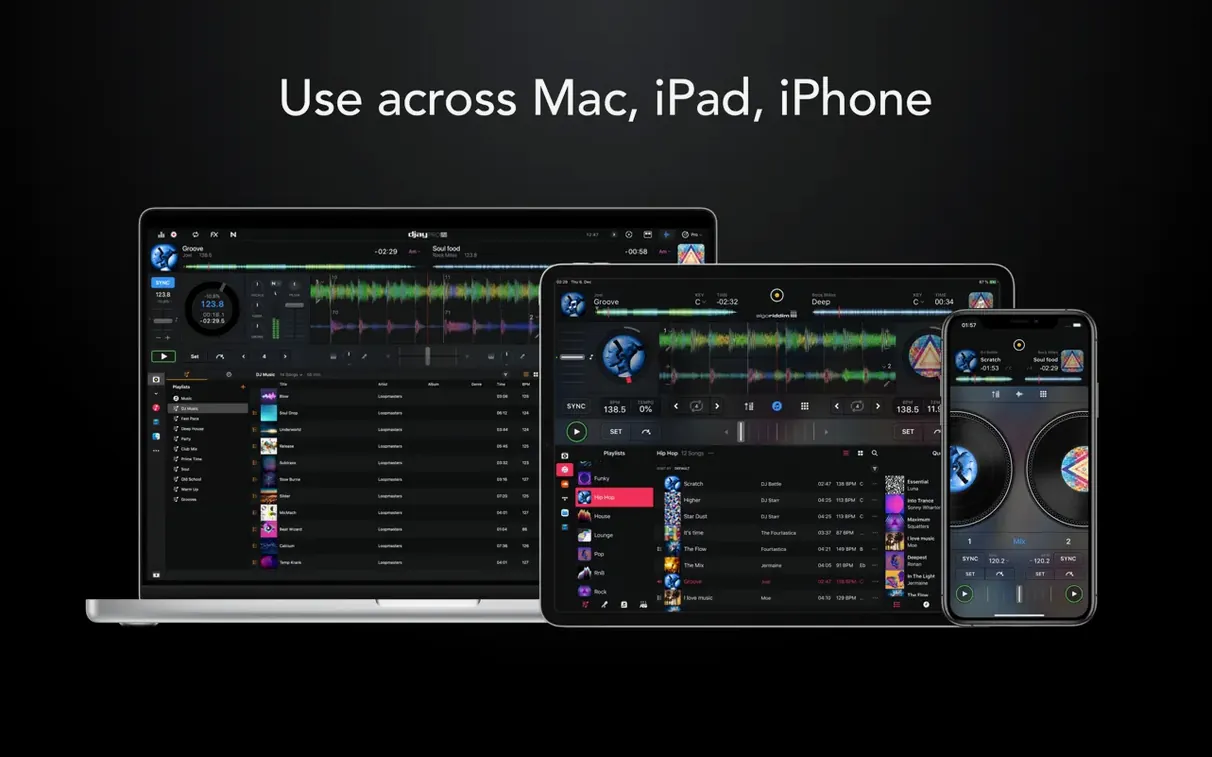
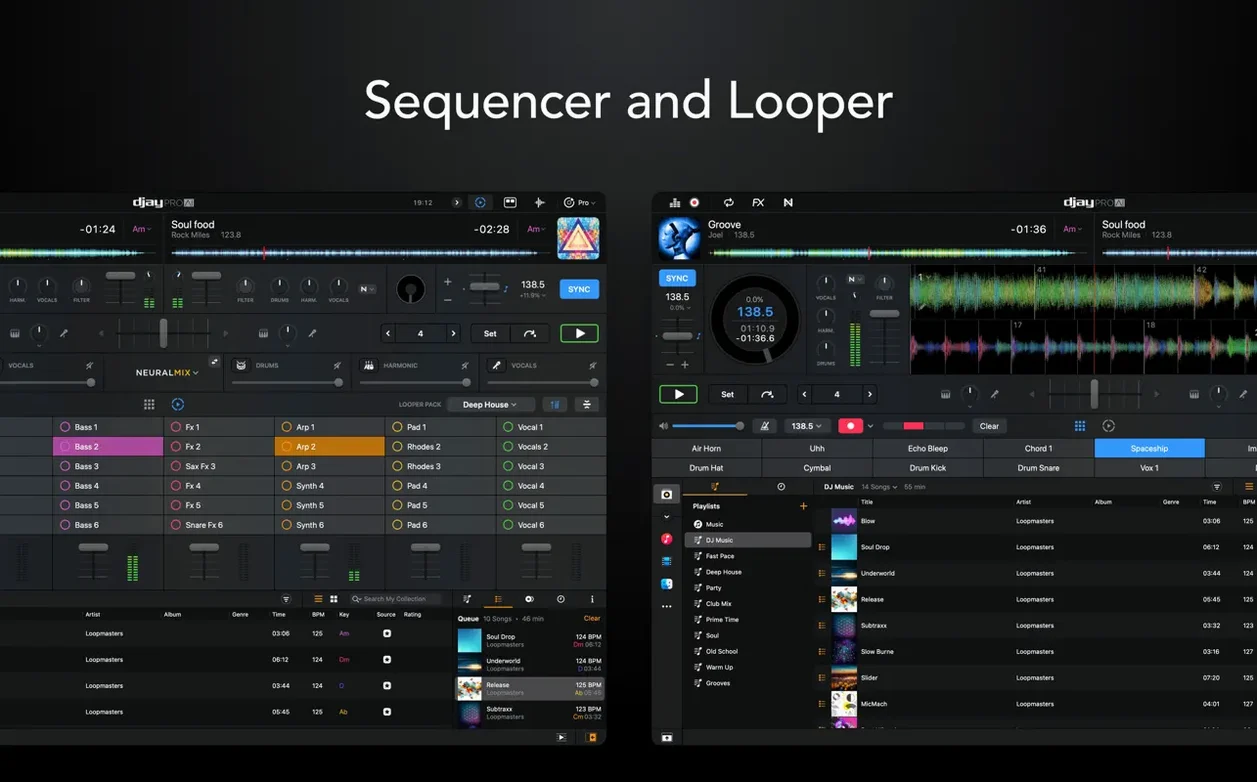
Once you are past beatmatching your first two tracks, djay Pro starts to reveal how much sits beneath its friendly decks. Here are the tools experienced DJs tend to reach for, each explained in plain terms.
Sequencer — a beat-making tool that plays over whatever track is running. You program a simple drum pattern and it rides along with the music, adding live percussion without loading a separate sample bank.
Automix — a mode where the software chooses transition points and blends tracks for you. Think of it as a co-pilot: handy for a long background set, and easy to take over the moment you want the controls back.
Effects — more than 40 built-in audio effects, from filters to echoes, which you can layer onto a deck during a live performance.
Hardware and video — djay Pro supports more than 100 MIDI controllers out of the box and can mix video as well as audio, so the same set can drive a screen behind the booth.
How djay Pro fits with other apps and macOS features
One of the quiet pleasures of djay Pro is how naturally it settles into a Mac that already runs other creative software. The media library can pull straight from Music, so playlists built in that app appear without any exporting or file hunting. If you organise your collection in folders on an external drive, those folders stay browsable too. It is not locked to a proprietary database the way some DJ applications are, and that makes the first hour with the software feel less like a migration and more like opening a familiar drawer.
Integration with Ableton Link deserves a mention of its own. Link is a synchronisation protocol, a way for music apps on the same network to share a tempo and a beat phase. In practice that means djay Pro can stay in time with a drum machine running on an iPad or a second Mac across the room, without anyone nudging a pitch fader. For live electronic sets this is the difference between two devices playing near each other and two devices playing together.
On the macOS side, the app respects the usual system conventions. Multi-channel audio interfaces appear as separate outputs, so you can send the master to the room and a cue channel to headphones, just as you would with any serious audio tool. Keyboard shortcuts cover most of the actions a controller might trigger, and the app behaves well with Mission Control and Spaces if you like to keep a browser or notes window one swipe away. One thing beginners sometimes miss is that djay Pro will follow the system output by default, so if you plug in headphones or an interface mid-session, it is worth checking where the sound is actually going.
For people who already use a DAW, the workflow feels familiar but lighter. You are not building a project; you are performing one. That said, the sequencer in djay Pro is a small nod towards DAW thinking, and a set prepared here can sit alongside loops you made elsewhere. Nothing needs to be flattened or converted first. The app reads common audio formats directly, and your existing file names, artwork and metadata come along for the ride.
Opens in seconds and separates stems in real time on Apple Silicon
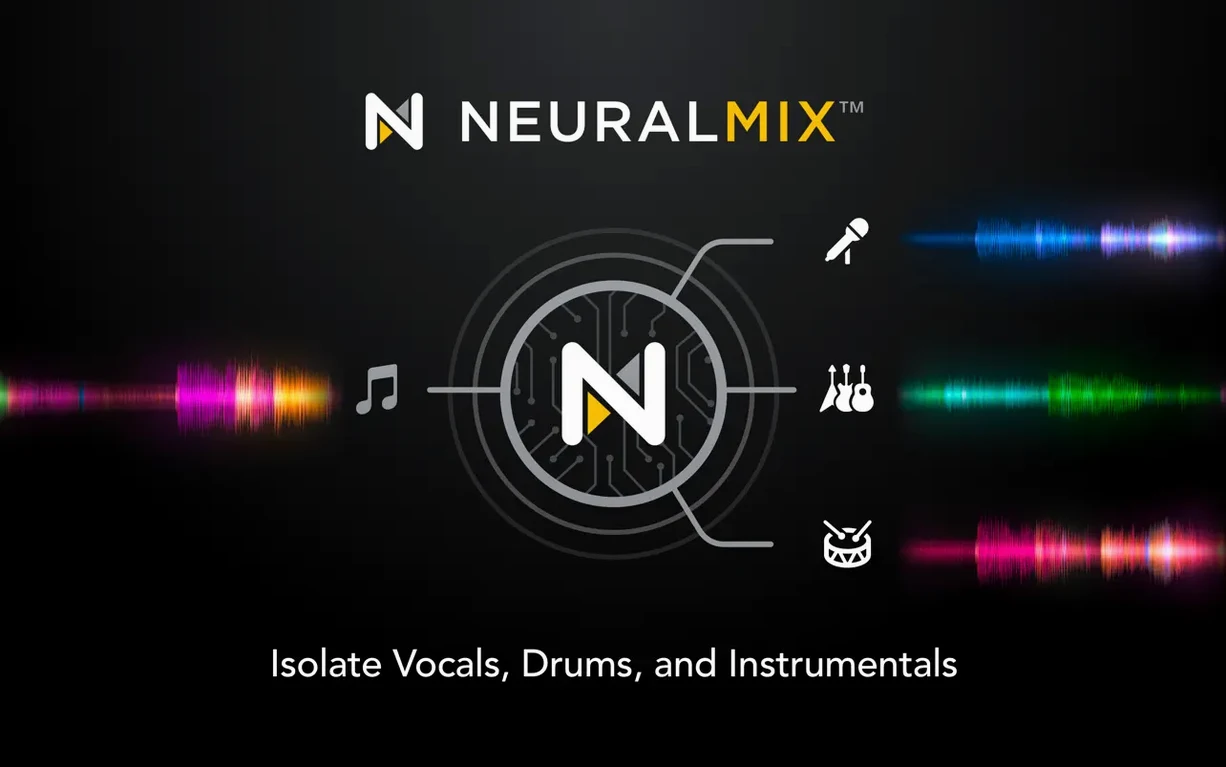
On a recent Apple Silicon MacBook Air, djay Pro opens in a couple of seconds and is ready to analyse a new track almost immediately. On older Intel machines the experience is still comfortable, though the real-time stem separation works harder on the processor. Neural Mix, the technology that separates vocals, drums, bass and instruments live, is the one feature where you will feel the difference between a new Mac and a five-year-old one. On Apple Silicon the separation happens without hesitation; on Intel you may notice the fans before you notice the music.
Memory use is modest for what the app does. A four-deck session with waveforms scrolling and effects running rarely pushes the app beyond a few hundred megabytes of RAM, which leaves plenty of room for Safari, a notes app and a messaging window. This matters more than it sounds: a DJ set is not a time when you want to close everything else on the machine. djay Pro seems designed with that in mind.
Stability has been a strong point in daily use. The app recovers politely from a missing file, greying out the track rather than freezing the set. Crashes are rare, and when they have happened in testing they have tended to involve a specific third-party MIDI controller waking from sleep rather than anything in the software itself. The usual advice applies: keep macOS and controller firmware reasonably current, and the software will meet you halfway.
One small practical note: on first launch, djay Pro wants to analyse your library. If you point it at a folder with ten thousand tracks, that analysis will take a while and the app may feel sluggish until it finishes. Let it work through the queue once, and afterwards new tracks are added incrementally without any fuss.
Building a Saturday bar set from a week-old playlist
Imagine a Thursday evening. You have a small gig at a bar on Saturday, and you want to build a loose set from a playlist you have been adding to for a week. You open djay Pro on your MacBook, and the music library is already there, your playlist sitting under the Music source exactly where you left it.
First you sort the playlist by key. Not because every transition has to be harmonically perfect, but because it gives you a sensible starting order and means fewer surprises when you are in front of people. You drag the first six tracks onto the left deck and the next six onto the right, then switch to the horizontal waveform view to see the whole journey at once.
With a controller connected, the physical knobs and faders light up immediately. You spend ten minutes checking cue points on each track, tapping the pads to set markers where the bass drops or where a vocal ends. On one track the vocal is beautiful but the instrumental underneath is dull, so you reach for the Neural Mix controls and pull the instrumental layer down a little. The vocal now floats over a cleaner bed, and the track already sounds more like the version you want to play.
You rehearse three transitions. The first is a simple bass swap: you isolate the bass on the incoming track, bring it in underneath the outgoing one, then switch the lows at the right bar. The second uses an echo effect, a long tail that carries the energy while the next track's intro rolls in. The third is trickier, so you try it twice, and on the second attempt it clicks. That is the one you will look forward to on Saturday.
Before closing the laptop, you record a twenty-minute practice mix using the built-in recorder. Listening back on the walk to the bus, you hear one transition that was a little early, and you make a mental note to nudge the cue point for that track. The session took forty minutes and left you with a plan, a recording, and a much clearer sense of what the set will feel like.
The friendlier four-deck neighbour next to Serato DJ Pro
Placed next to Serato DJ Pro, djay Pro feels more approachable. Serato is a deeply capable tool with a strong ecosystem, but it expects you to learn its language. djay Pro often feels like the friendlier neighbour: the same four-deck mixing and controller support, but with a cleaner path for someone who wants to play a party without reading a manual first. Serato still wins for some club workflows and for DJs who have spent years building crates in its library, but djay Pro never makes you feel under-equipped.
Compared with Traktor Pro, the difference is partly philosophical. Traktor leans into precision and customisation, with mapping systems and grid tools that reward tinkerers. djay Pro is less interested in letting you rebuild the interface and more interested in getting you to a good mix quickly. The stem separation in djay Pro also feels more immediately useful than the equivalent in Traktor, because it is wired straight into the performance controls rather than hiding behind preparation menus.
VirtualDJ is the other obvious comparison on the Mac. It is powerful and endlessly configurable, but the interface can feel dense. djay Pro takes the opposite approach: fewer visible controls, more deliberate design, and a workflow that feels like it was shaped for a laptop screen and a pair of hands rather than a rack of hardware. VirtualDJ may appeal to users who want every option visible at once; djay Pro appeals to users who want the right option visible when they need it.
None of these comparisons is about one app being better in every way. They are about temperament. djay Pro is the one that feels most at home on a Mac, most at ease with Apple's own music ecosystem, and most willing to get out of the way when the music starts.
Pointing djay Pro at a messy, unanalysed library too late
The most common beginner mistake is treating the library as an afterthought. djay Pro works best when you let it analyse your files and show you key, tempo and waveform information before you start mixing. Pointing it at a messy Downloads folder full of half-finished tracks works, but it leaves you fumbling through unfamiliar material mid-set. A little time spent organising playlists pays off the moment the room is full and you need the next track fast.
Another frequent error is ignoring the cue channel. Beginners often mix entirely through the main output, which means every adjustment is audible to the room. Setting up a proper headphone cue in the audio settings, with a separate output for the deck you are preparing, transforms the experience. You can audition a transition before anyone else hears it. It is a simple setting that many people skip because the app works without it, but it changes everything once you switch it on.
Some newcomers also lean too heavily on the sync button and never develop a feel for tempo. The software will happily keep two tracks aligned, and that is fine for a start. But if you never learn to ride a pitch fader or nudge a jog wheel, you will be lost the moment a track has a drifting beat grid or a live drummer. Sync is a tool, not a substitute for listening.
Finally, beginners sometimes enable every effect at once because they are available. The result is a wash of echo, reverb and flanger that buries the music. The best advice is to pick two or three effects, learn what each knob does, and use them sparingly. The audience came to hear the tracks, not a demonstration of the software's effect rack.
On the Mac side it asks for macOS 10.15 or later and runs on both Intel and Apple Silicon machines.
Version 5.6.9 brings tighter hardware integration and a few quality-of-life fixes for controller DJs.
- The RANE System One now has native display support, so track data appears directly on the hardware screens.
- New MIDI actions let you change beat jump duration from a pad or encoder, rather than reaching for the mouse.
- Media library playlists display more cleanly on CDJs, making browsing on club-standard gear less cluttered.
- macOS: 10.15 (Catalina) or later
- Architecture: Apple Silicon (M1/M2) and Intel 64-bit — it's a universal binary, so it runs natively on whatever Mac you have.
Questions from the class 0
Sign in or join the class to ask a question.
Nobody has asked anything yet. If you have used it on a real job, say what the file did.
Also on the Audio shelf
The whole Audio shelf Dorico Pro
Engraves fully notated scores with the structural clarity of a modern DAW.
Dorico Pro
Engraves fully notated scores with the structural clarity of a modern DAW.
 Cycling '74 Max
Lets you build your own instruments and effects by connecting visual objects with virtual patch cords.
Cycling '74 Max
Lets you build your own instruments and effects by connecting visual objects with virtual patch cords.
 Cubase
Provides a musical workspace that keeps up with an arrangement as fast as you can imagine it.
Cubase
Provides a musical workspace that keeps up with an arrangement as fast as you can imagine it.
 Cockos REAPER
Turns a Mac into a full multitrack studio for recording, arranging and mixing audio.
Cockos REAPER
Turns a Mac into a full multitrack studio for recording, arranging and mixing audio.
 Fender Studio Pro
Guides you through your first recording sessions step by step.
Fender Studio Pro
Guides you through your first recording sessions step by step.
 FL Studio
Gives you one space to record, shape, and arrange your music.
FL Studio
Gives you one space to record, shape, and arrange your music.
 Boom 3D
Reshapes your Mac's entire output with an equaliser, a volume boost, and spatial widening.
Boom 3D
Reshapes your Mac's entire output with an equaliser, a volume boost, and spatial widening.
 Bitwig Studio
Gives producers a sandbox for recording, sound design, and live performance with modular freedom.
Bitwig Studio
Gives producers a sandbox for recording, sound design, and live performance with modular freedom.