 ASPNetWorld

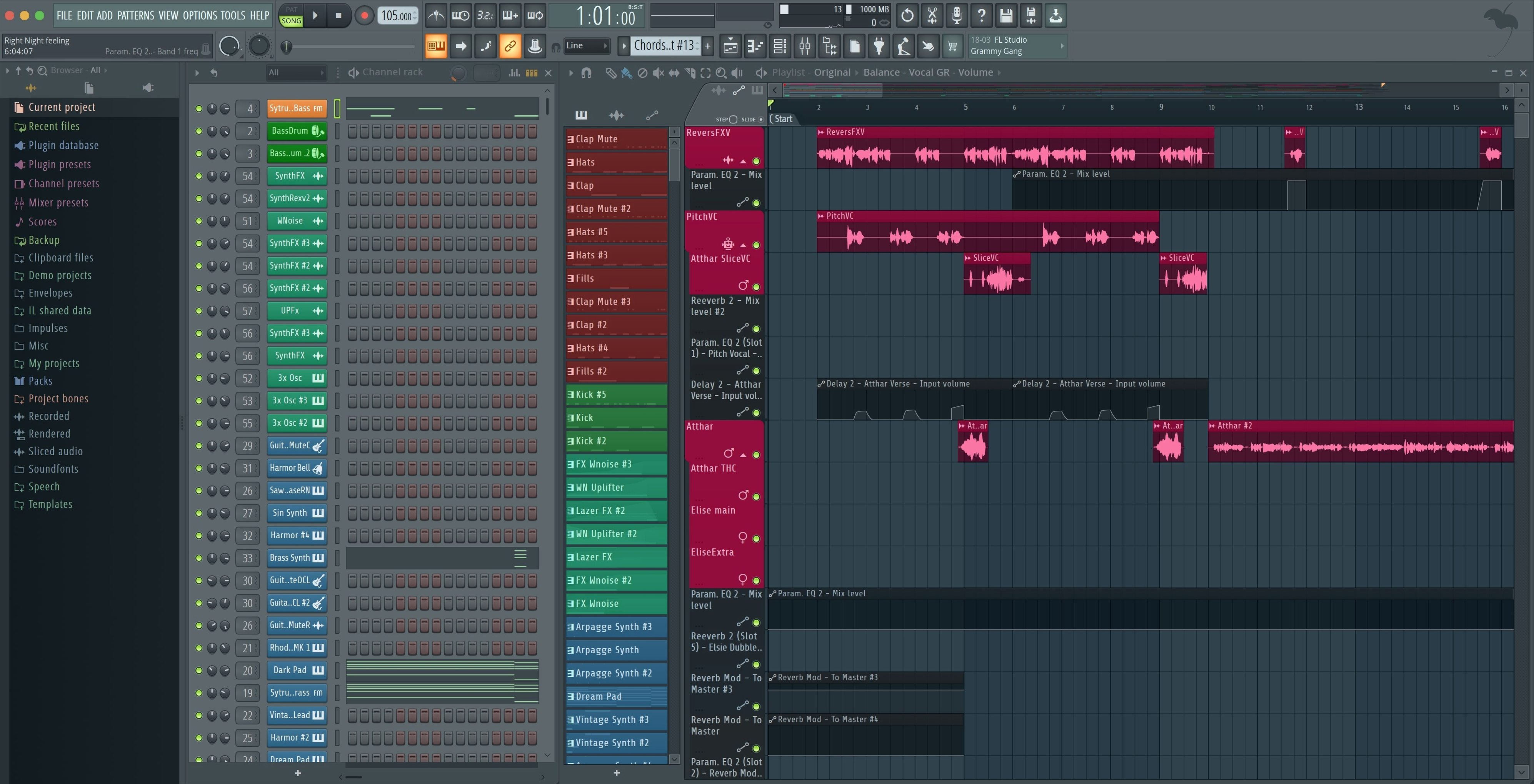
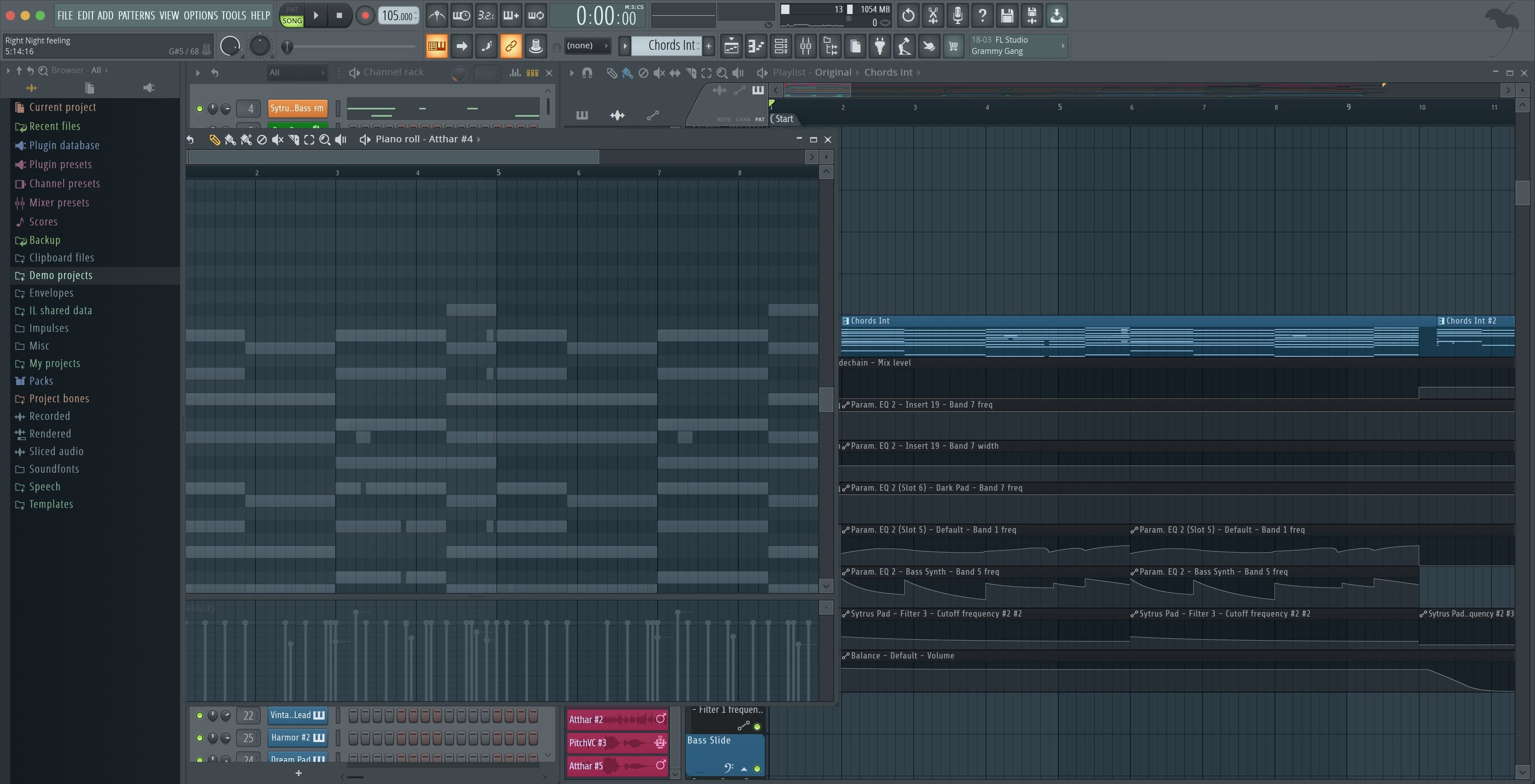
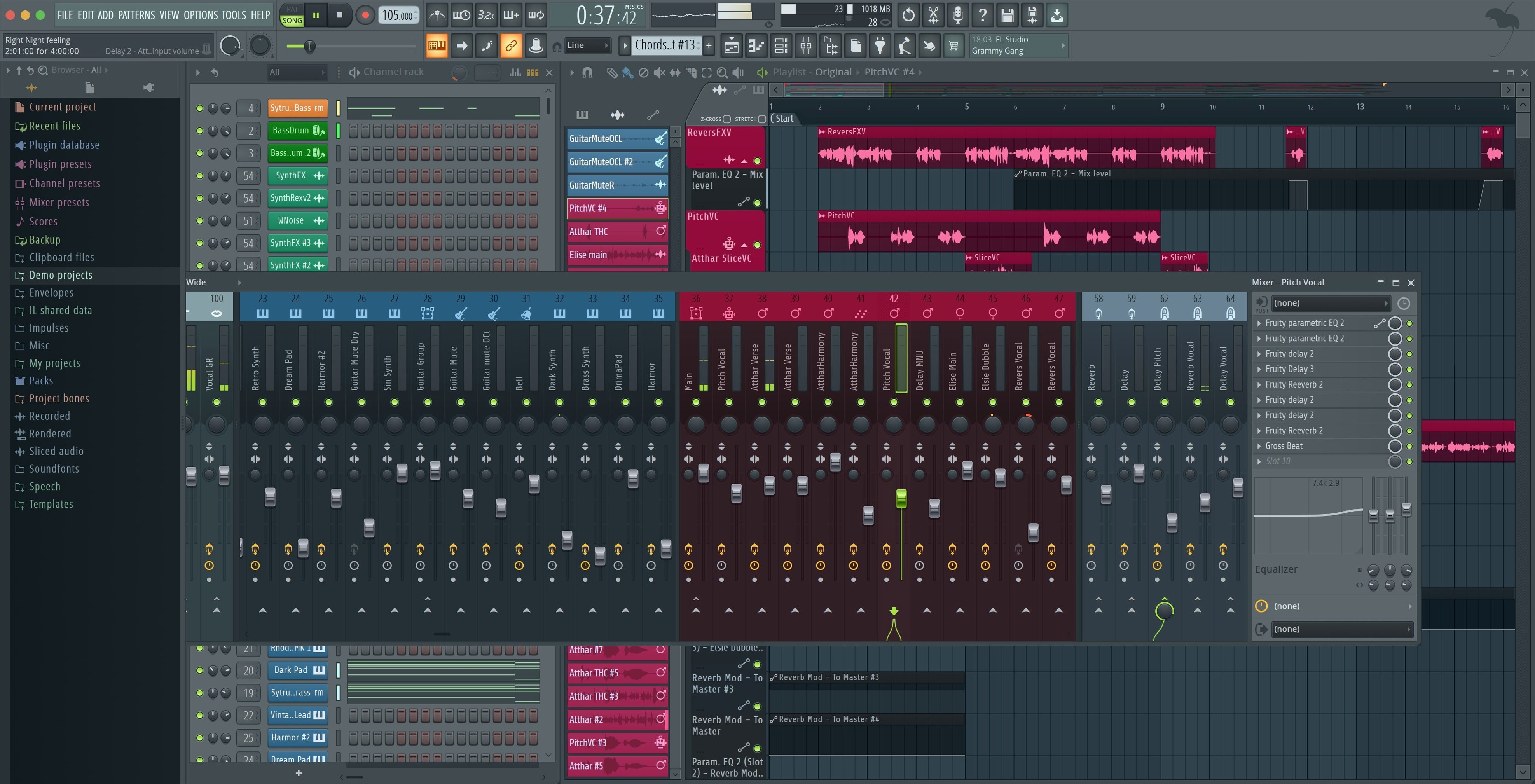
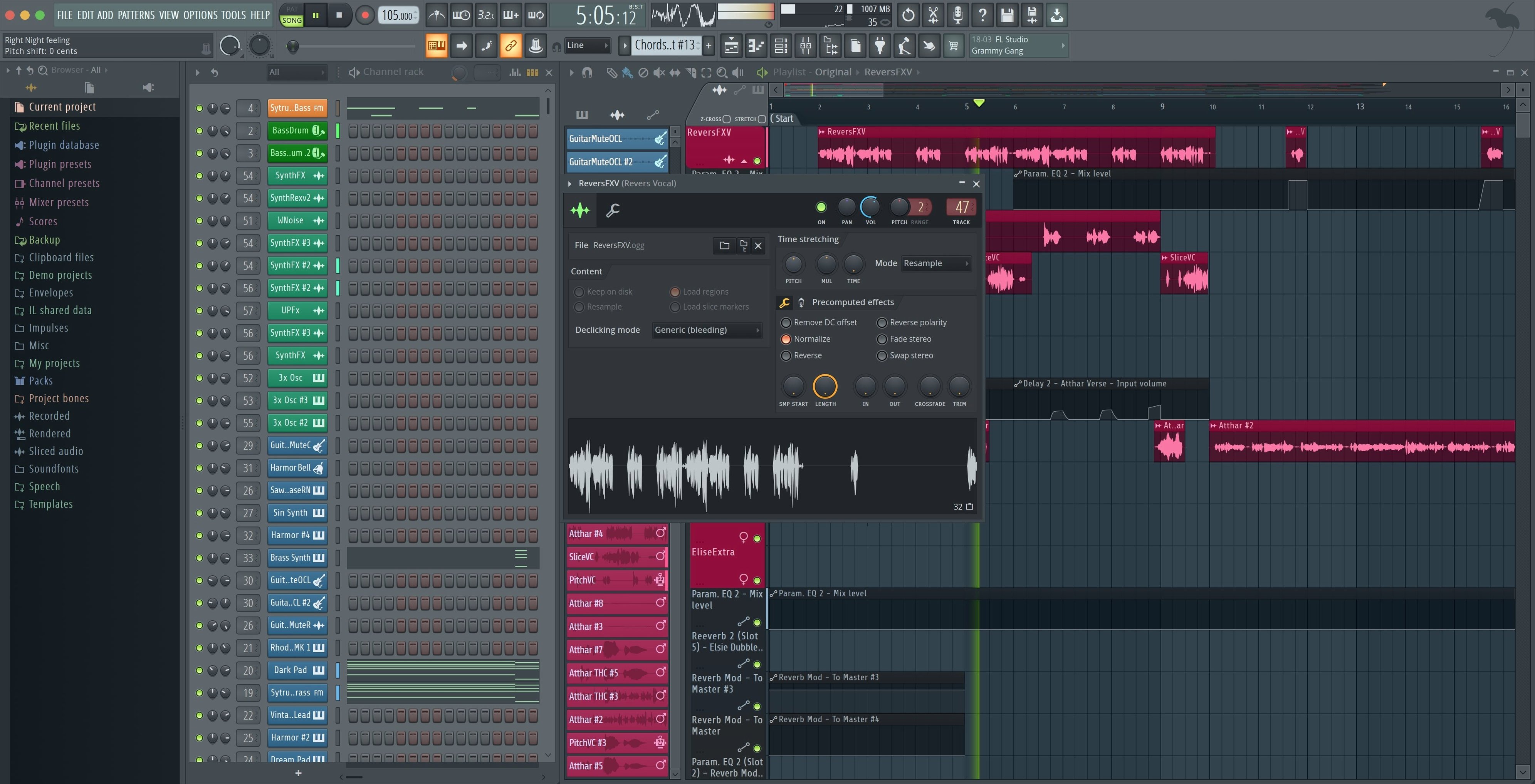
Making music on a computer often splits you between three or four different tools — one for recording ideas, another for shaping sounds, and something else entirely for bringing those pieces together. FL Studio puts all of that into a single space. It is a desktop digital audio workstation where recording, arranging, editing and mixing happen inside one project, with a full mixer and a collection of built-in instruments ready from the start.
Getting the software ready
Once the package arrives, it contains everything you need to install and activate the app. Just follow the steps inside — Apple Silicon Macs run it natively, so Rosetta is not required.
Finding instruments and sounds
FL Studio ships with its own synthesizers and samplers, so you can build ideas without hunting down third-party tools immediately. When you are ready to expand, it also supports VST plugins, letting you bring in favourite instruments and effects from other developers.
Keeping everything in time
Automation and arrangement tools let you draw in changes across the timeline, whether that is a filter sweep, a volume fade or a complete switch in a pattern. Working with MIDI controllers is straightforward too — plug one in and a notification appears, offering to enable it right there.
Projects stay light on Apple Silicon
Anyone who has watched a session spiral into beachball territory knows that a DAW lives or dies by its real‑world behaviour, not its feature list. On a recent Apple Silicon MacBook Pro the Producer Edition sits lightly. Projects with thirty or forty mixer channels, a handful of native synths and a couple of heavier convolution reverbs tick along without the fans waking up. On an older Intel machine you feel the weight a bit sooner, particularly if you lean hard on third‑party plug‑ins that were never known for restraint, but FL Studio’s own instruments are tuned sensibly. Sytrus and Harmor, for instance, can do enormous things with a surprisingly small CPU footprint.
Stability has settled into a comfortable groove with the 2026 line. Crashes are rare in everyday work, and when they do happen the automatic project backup — part of the cloud backup addition in this version — means you rarely lose more than a few seconds of work. Long recording takes and live automation passes feel solid; the audio engine doesn’t drift or throw glitches when you least want them. On a sluggish system the one thing worth watching is the Plugin Performance Monitor, which now shows fractional percentage values. If you see a single plug‑in nudging past eight or nine per cent when the transport is idle, that is your early warning before a busy chorus brings things to a halt.
Memory use is what you would expect for a modern workstation. A blank project opens in under two hundred megabytes; a dense arrangement with sampled instruments and long audio clips can climb past three gigabytes. For most producers working on a Mac with sixteen gigs of unified memory, that leaves breathing room for a browser, a reference track and a messaging app without the system starting to compress.
Drop your buffer to 128 samples
FL Studio arrives with sensible defaults, but a few preferences make an immediate difference to everyday comfort. Open the audio settings first. If your interface supports it, switch the buffer size to something modest — 128 samples keeps latency low enough for recording vocals or guitar without taxing the machine. On an Apple Silicon Mac, make sure the driver is set to the native Core Audio device, not a wrapper.
Next, head to the general settings and turn on Auto‑save if it is not already active. Set the interval to five minutes and tell it to keep at least twenty backups. That tiny change has rescued more half‑finished ideas than any undo history ever could. While you are there, enable Show notification when a new MIDI controller is connected — the 2026.1.6 update added this, and it stops you having to dig through menus every time you plug in a different keyboard or pad controller.
The browser deserves a moment of attention too. By default it shows everything, which can slow down your flow when you are hunting for a specific kick sample. Use the Snapshot panels to pin your three most‑used folders — drum kits, vocal chops, favourite synth presets — so they sit permanently at the top of the list. It is a small thing that removes friction from the first ten minutes of every session.
Pattern-based beatmaking still feels like home
FL Studio’s reputation grew up around beatmaking, and that is still where it feels most at home. Producers who build from patterns — hip‑hop, trap, drum and bass, lo‑fi — find the step sequencer and piano roll a fast, almost frictionless way to turn an idea into a loop, and a loop into an arrangement. The Channel Rack is a deceptively simple grid that invites experimentation; dropping a sample onto a pad and hearing it lock to the tempo within seconds is the kind of immediacy that keeps creative momentum alive.
That is not the whole story, though. The mixer and the automation system are deep enough to satisfy someone mixing a full band recording or designing a film cue. Multitrack audio recording works cleanly, and the ability to record automation clips as freely as MIDI notes means you can perform a filter ride or a reverb throw with a controller and see it drawn onto the playlist in real time. Sound engineers who need to hand off stems will appreciate the export tweak in 2026.1.6 that added checkboxes for rendering Master and Current when splitting mixer tracks — suddenly stem exports become a one‑click job rather than a multi‑pass chore.
The people who get the least out of FL Studio are those who want a DAW to look and behave exactly like a traditional mixing console from the moment it opens. The interface has its own logic, and while it rewards the time spent learning it, the first afternoon can feel like exploring a city where the street signs are in a dialect you half‑recognise. Musicians who work almost entirely with live ensemble recording and need advanced comping and take management might also find other tools a more natural fit, though FL Studio handles the basics capably.
FLEX now finds presets by typing a mood
The 2026 release brought three changes that quietly reshape how you work. The FLEX sound search is the most immediately useful — type a word like “warm” or “brass” into the search field and FLEX surfaces presets from its entire library, not just the pack you currently have loaded. What used to be a ten‑minute browse through category folders becomes a few seconds of typing. Cloud project backup, meanwhile, means your working folder stays mirrored to a remote location. It is not flashy, but after your first laptop mishap you will wonder how you coped without it. The Gopher assistance is more of a helper layer — contextual tips and shortcuts that pop up when the software notices you doing something the long way around.
The 2026.1.6 maintenance update tightened the screws further. The new export checkboxes for splitting mixer tracks save real minutes during a busy session; the Plugin Performance Monitor’s fractional readout helps you spot a plug‑in that is creeping up rather than suddenly spiking; and the MIDI notification means you stop wondering whether that new controller is actually connected or just lighting up for show. The Akai Fire change is a small quality‑of‑life fix for anyone who owns that controller — no more manually selecting the script every time you start a new project. The Tuner tweak sounds minor, but guitarists and bassists who glance at it from across the room will notice the difference immediately.
Plugin Performance Monitor catches the core hog
Audio glitches when the buffer is low. This is nearly always a plug‑in hogging a single core. Open the Plugin Performance Monitor and look for the culprit. If it is a synth with a dense unison patch, reduce the voice count or freeze the track. If it is a mastering chain on the master bus, move it to a pre‑master group instead — spreading the load across cores helps more than you might expect.
MIDI controller not responding after plugging it in. The 2026.1.6 notification should catch this, but if it doesn’t, open the MIDI settings, find the controller in the input list and tick Enable. On some Macs, unplugging and reconnecting while FL Studio is open triggers the detection more reliably than connecting before launch.
Flex presets not showing up in search. Make sure the FLEX library has been scanned. Go to the browser, right‑click the FLEX folder and choose Refresh. On a fresh installation it sometimes needs a manual nudge before the search index builds.
Export sounds different to playback. This usually comes down to the resampling quality setting. Check the export dialog and make sure it is set to at least 512‑point sinc; the real‑time playback uses a lighter algorithm to save CPU. The difference is subtle on single tracks but can add up across a full mix.
Projects taking too long to open. Large sample libraries on an external mechanical drive are the usual suspect. Moving your most‑used sample packs to the internal SSD cuts load times dramatically. Also, disabling the Verify samples option in the file settings can help, though you should turn it back on before archiving a project.
A maintenance update fine-tunes a few daily details. The export dialog now lets you render Master and Current independently when splitting mixer tracks, which saves a step on big sessions. The Plugin Performance Monitor shows percentages with a little more precision, and connecting a MIDI controller triggers a clear notification with an enable option right there in the prompt.
- macOS 10.15 Catalina or later
- Works on Apple Silicon and Intel Macs; no Rosetta needed
- Runs the full desktop version of FL Studio
Questions I keep hearing
Does FL Studio work natively on Apple Silicon Macs?
Yes, it runs natively on both Apple Silicon and Intel Macs without needing Rosetta.
What version of macOS do I need to run it?
You need macOS 10.15 Catalina or later for the current version.
Can I use external plugins with it?
Yes, it supports VST plugins, so you can add instruments and effects from other developers alongside the built-in ones.
Questions from the class 0
Sign in or join the class to ask a question.
Nobody has asked anything yet. If you have used it on a real job, say what the file did.
Also on the Audio shelf
The whole Audio shelf Fender Studio Pro
Guides you through your first recording sessions step by step.
Fender Studio Pro
Guides you through your first recording sessions step by step.
 Guitar Pro
Transcribes the riff in your head into tab that plays back accurately.
Guitar Pro
Transcribes the riff in your head into tab that plays back accurately.
 Guitar Rig
Routes your guitar through a custom chain of modelled amps and effects.
Guitar Rig
Routes your guitar through a custom chain of modelled amps and effects.
 Dorico Pro
Engraves fully notated scores with the structural clarity of a modern DAW.
Dorico Pro
Engraves fully notated scores with the structural clarity of a modern DAW.
 djay Pro
Mixes tracks, samples, and video on a pair of software decks that grow with your skill.
djay Pro
Mixes tracks, samples, and video on a pair of software decks that grow with your skill.
 iReal Pro
Generates a backing band that plays along to the chord chart you type on screen.
iReal Pro
Generates a backing band that plays along to the chord chart you type on screen.
 Cycling '74 Max
Lets you build your own instruments and effects by connecting visual objects with virtual patch cords.
Cycling '74 Max
Lets you build your own instruments and effects by connecting visual objects with virtual patch cords.
 Cubase
Provides a musical workspace that keeps up with an arrangement as fast as you can imagine it.
Cubase
Provides a musical workspace that keeps up with an arrangement as fast as you can imagine it.