 ASPNetWorld
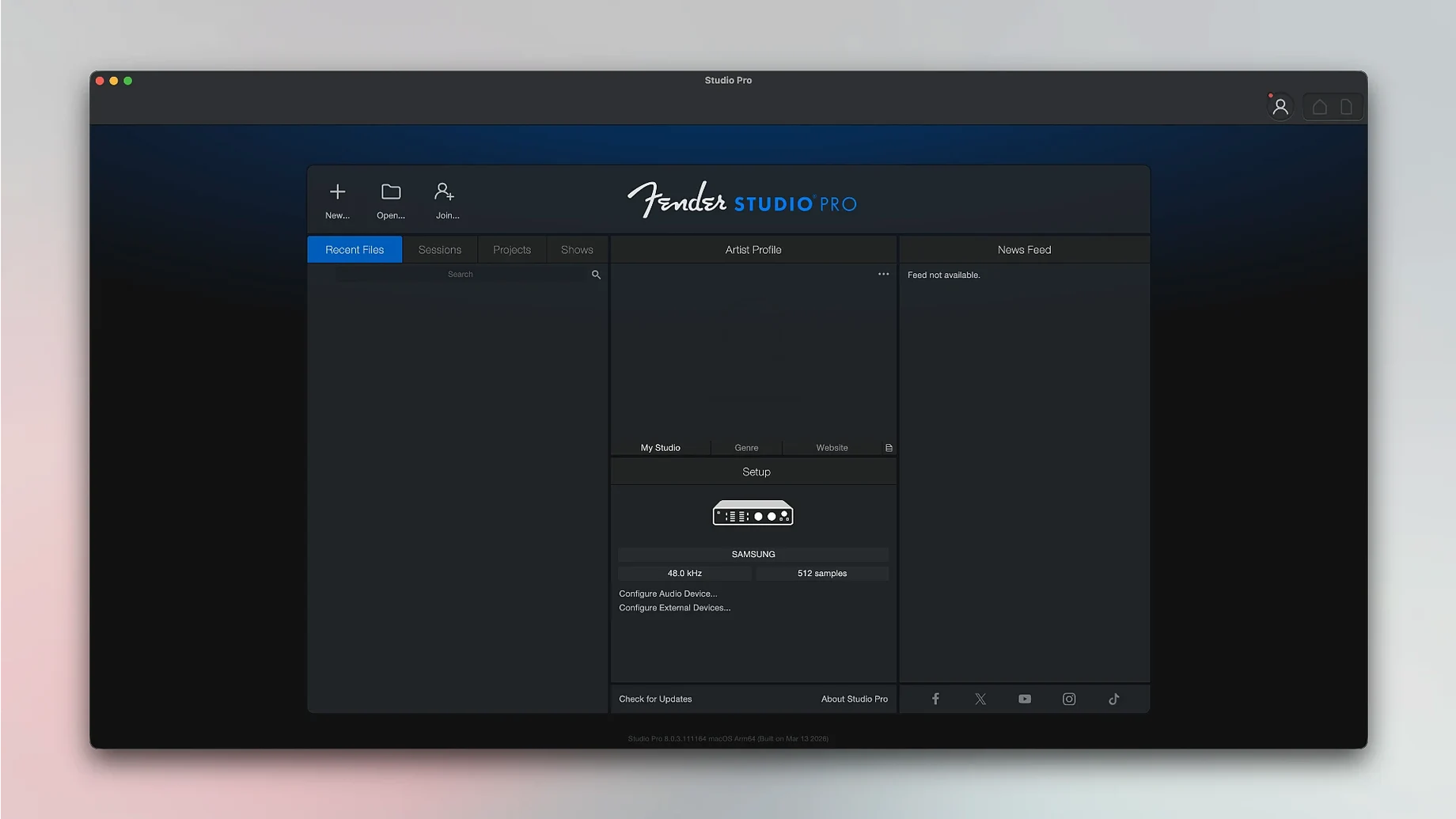
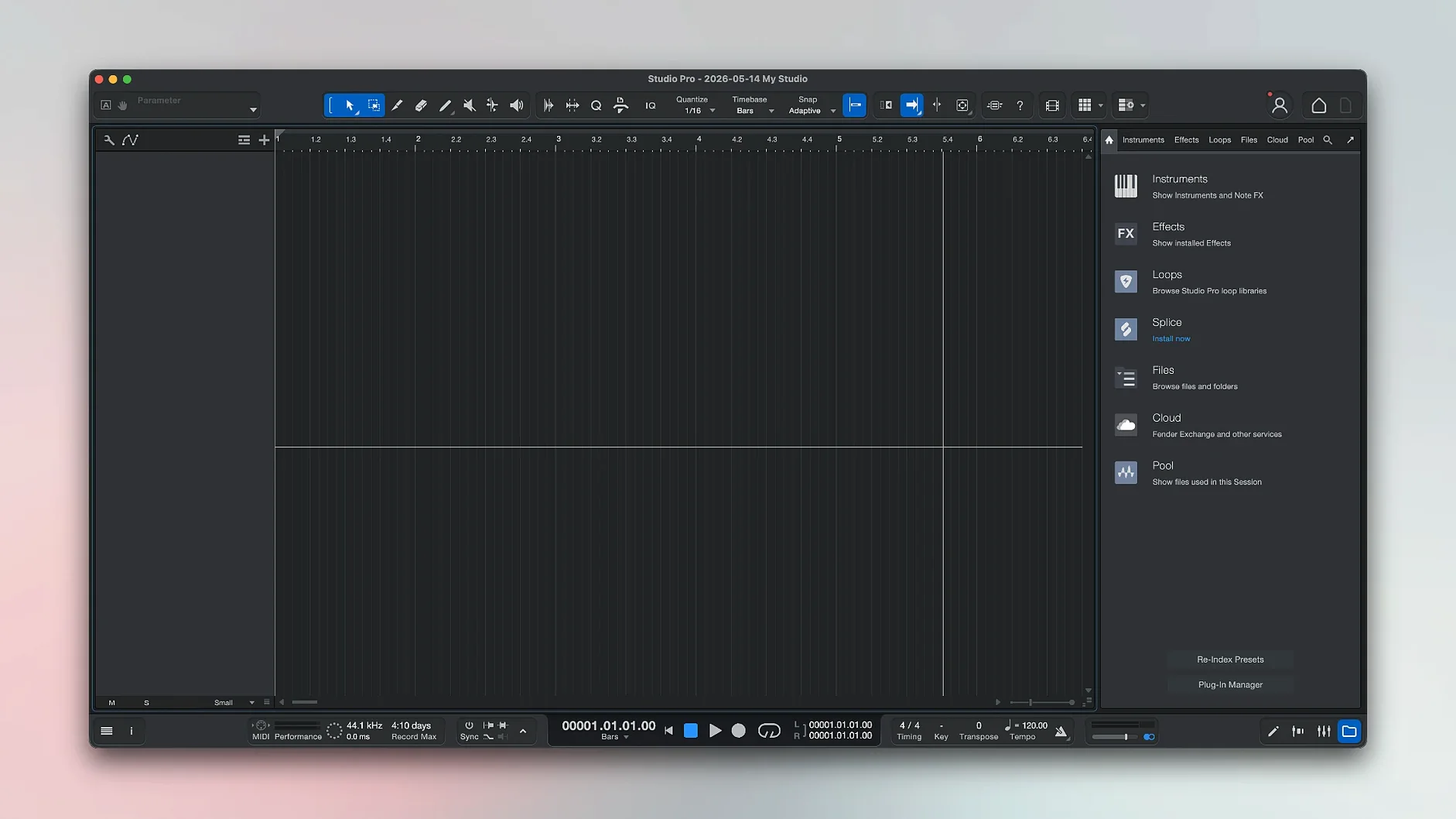
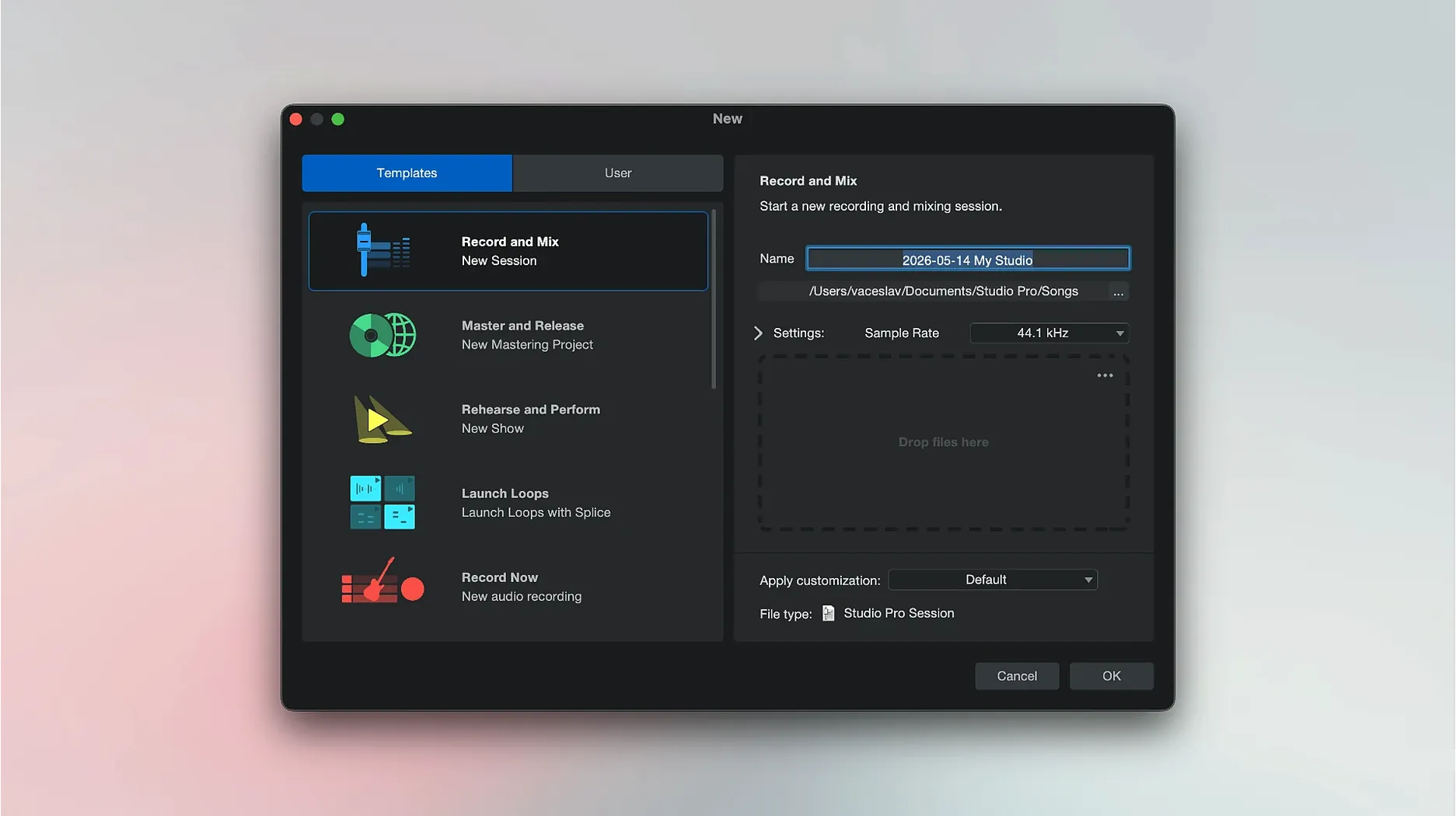
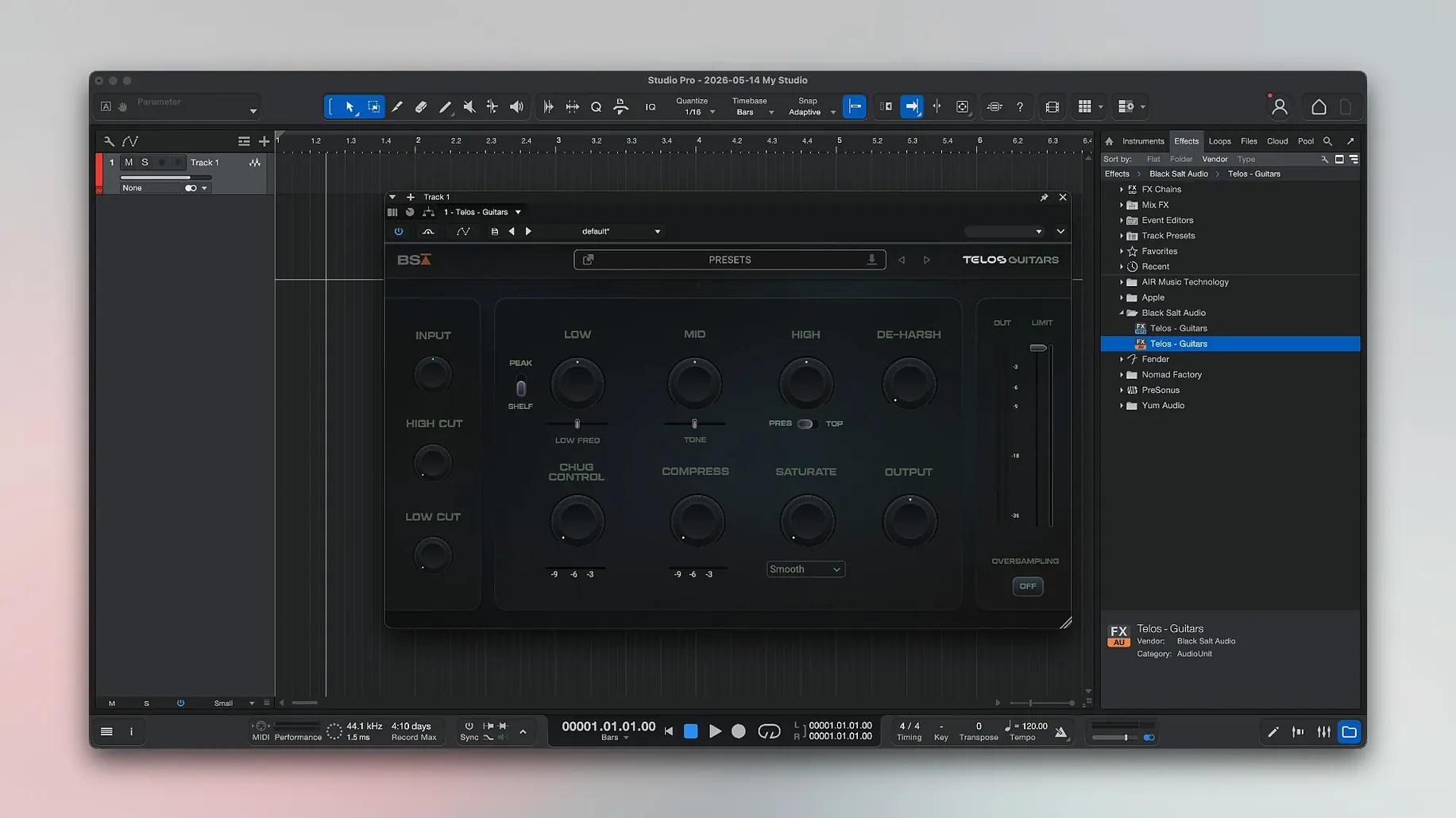
You have plugged in your interface and launched the software for the first time. The session window is open and the transport bar is waiting, but the blank arrange page can feel like a silent studio at the start of a session. A few guided first moves quickly turn that quiet space into something musical.
Arm a track and capture a simple idea
Create a mono audio track and click the record-arm button — it turns red when it is ready. Hit the main record button in the transport and play a short phrase, then press stop. Double-clicking the new clip opens the editor, where you can trim the start and end points with a drag of the mouse.
Dial in a Fender amp tone and commit it
The included Mustang and Rumble guitar and bass amplifiers are not just preview effects. Drag one from the browser onto your recorded track and play it back to hear the change immediately. Once you like the sound, right-click the track and choose Freeze Instrument Track from the Launcher — new in version 8.1.1 — to print the effect and free up processing power.
Split a rough mix into separate lanes
Drop a full song demo onto a stereo track, then use the audio-splitting tool to separate the material into vocals, drums, bass, and other instruments. The software creates new tracks automatically, giving you a clean starting point for balancing levels with the faders in the mixer section.
Imagine a songwriter who has spent the morning with an acoustic guitar and a phone full of voice memos. The melodies are there, but the recordings are thin and the structure is still hazy. Instead of booking a studio afternoon, they open Fender Studio Pro on a MacBook, drag the best voice memo straight onto a stereo track, and use the stem separation tool to pull the vocal and guitar apart. Within twenty minutes they have a clean vocal lane, a guitar part routed through a Deluxe Reverb model, and a rough bass line tapped in with a MIDI keyboard using one of the Precision Bass virtual instruments. By lunchtime they are listening back to a demo that sounds like a band, not a phone recording.
Will it run on an older M-series MacBook Air
A handful of questions come up again and again when musicians first look at this software. One is whether it will run smoothly on an older Apple Silicon MacBook Air. The answer is yes — version 8.1.1 is a universal binary, so it loads natively on both Intel and Apple Silicon machines, and the Freeze Instrument Track command added in this release helps keep fan noise down on lighter laptops. Another common question is whether you need a Fender audio interface to use the amp models. You do not. Any Core Audio interface — even the headphone jack for quick tests — will let you plug in and start shaping a tone with the Mustang or Rumble plug-ins. A third question is about the learning curve for someone coming from a simpler recording app. The single-window design helps a great deal here: the arrange view, mixer, and editor share one space, so you never hunt through floating panels to find a fader or a trim tool.
How Fender Studio Pro compares with a few familiar Mac recording apps
Logic Pro is the natural comparison for many Mac users. Logic has an enormous library of loops and virtual instruments, and its Drummer track is a genuine creative tool. Where Fender Studio Pro pulls ahead is in the immediacy of its guitar and bass processing. The amplifier and pedal models are built in at the system level, not as an afterthought, and the presets are voiced by Fender’s own sound designers. That matters when you want a convincing Princeton tone without tweaking fifteen knobs.
Consider Ableton Live next. Live’s Session View makes it the first choice for electronic musicians and live performance rigs, and its warping engine is still the benchmark. Fender Studio Pro is arranged more like a traditional tape-based studio, which benefits anyone recording live instruments and building songs linearly. The stem-splitting feature also gives it an edge for songwriters who want to deconstruct a demo and rebuild it from separated parts — something Live does not offer without third-party tools.
Reaper is the third app worth mentioning. It is famously light on system resources and deeply customisable, but it ships with no virtual instruments and no guitar amp modelling. A Reaper user who records electric guitar will immediately need third-party plug-ins to match what Fender Studio Pro delivers straight out of the box. The trade-off is that Reaper runs on older macOS versions, while Fender Studio Pro requires Ventura or later.
Recording a silent waveform because the wrong input is selected
A surprisingly common early slip is recording with the wrong input selected in the track header, then wondering why the waveform is silent. The track record-arm button lights up regardless, so it pays to check the input routing drop-down before you press the main record button. Another misstep is piling three or four amp simulators onto a single guitar track in series. The preset browser makes it easy to drag effects around, but stacking multiple cabinet models quickly turns a crisp tone into a muddy wash. A single amp and a well-chosen pedal model usually sounds far more professional. A third habit worth catching early is ignoring the Freeze Instrument Track command once a part is finished. A session with twelve unfrozen virtual instrument tracks will eventually tax even a fast machine; freezing a track after you commit the performance keeps the session responsive without losing the ability to unfreeze and tweak later.
Tap in the tempo first, then build from silence
Let us walk through a typical evening session. You open the software and create a fresh song file. The first step is setting the tempo — you tap it in using the tap-tempo button while humming the chorus, and the transport locks to 108 beats per minute. You create a stereo track and drag in a rough phone recording of the full song, then right-click and choose the audio-splitting command. The software churns for a few seconds and returns four new tracks: vocals, drums, bass, and other instruments. You mute the original stereo track and immediately hear the separated parts, each on its own lane.
Now you want to replace the scratch bass. You add a virtual instrument track and load the Precision Bass patch, then play in a new part with a MIDI keyboard. The feel is not quite right, so you open the piano roll editor and nudge a few late notes onto the grid. Meanwhile the vocal track needs some air, so you insert the built-in compressor and a short plate reverb from the effects browser. The electric guitar part from the split is working, but you swap the dry DI sound for a Mustang amp model on the track insert — a preset called “Warm Clean Tremolo” fits the song’s mood without any extra dialling.
As the track count climbs past ten, you select the finished instrumental tracks and use the new Freeze Instrument Track command from the Launcher. The Mac stays quiet and the playback cursor moves without a glitch. By the end of the hour you have levels balanced on the mixer faders, a rough panning spread across the stereo field, and a bounce of the work-in-progress sitting on the desktop. Nothing is finished, but the arrangement is clear and the sounds already carry the character of the song.
Version 8.1.1 polishes a few workflow corners that experienced users will notice straight away.
- The Audio Batch Converter now compensates for plug-in latency, so your processed exports sit perfectly in time.
- Mustang and Rumble native plug-ins follow automation properly when Direct Monitoring is switched on.
- Freeze Instrument Track is finally available right from the Launcher, saving a trip through the menus when you want to commit a sound.
- macOS 13.5 Ventura or later
- Apple Silicon or Intel processor
- Interface language: English
Questions I keep hearing
Can Fender Studio Pro convert recorded audio into MIDI notes?
Yes, it can analyse a monophonic audio recording and convert the pitch and timing into MIDI note data for virtual instruments.
Does the Audio Batch Converter work correctly with plug-ins now?
The version 8.1.1 update added latency compensation to the Audio Batch Converter, so processed files align properly on the timeline.
What do the Mustang and Rumble plug-ins do with automation?
In version 8.1.1, the native Mustang and Rumble plug-ins now follow automation envelopes correctly while Direct Monitoring is enabled.
Questions from the class 0
Sign in or join the class to ask a question.
Nobody has asked anything yet. If you have used it on a real job, say what the file did.
Also on the Audio shelf
The whole Audio shelf FL Studio
Gives you one space to record, shape, and arrange your music.
FL Studio
Gives you one space to record, shape, and arrange your music.
 Guitar Pro
Transcribes the riff in your head into tab that plays back accurately.
Guitar Pro
Transcribes the riff in your head into tab that plays back accurately.
 Dorico Pro
Engraves fully notated scores with the structural clarity of a modern DAW.
Dorico Pro
Engraves fully notated scores with the structural clarity of a modern DAW.
 Guitar Rig
Routes your guitar through a custom chain of modelled amps and effects.
Guitar Rig
Routes your guitar through a custom chain of modelled amps and effects.
 djay Pro
Mixes tracks, samples, and video on a pair of software decks that grow with your skill.
djay Pro
Mixes tracks, samples, and video on a pair of software decks that grow with your skill.
 Cycling '74 Max
Lets you build your own instruments and effects by connecting visual objects with virtual patch cords.
Cycling '74 Max
Lets you build your own instruments and effects by connecting visual objects with virtual patch cords.
 Cubase
Provides a musical workspace that keeps up with an arrangement as fast as you can imagine it.
Cubase
Provides a musical workspace that keeps up with an arrangement as fast as you can imagine it.
 iReal Pro
Generates a backing band that plays along to the chord chart you type on screen.
iReal Pro
Generates a backing band that plays along to the chord chart you type on screen.