 ASPNetWorld

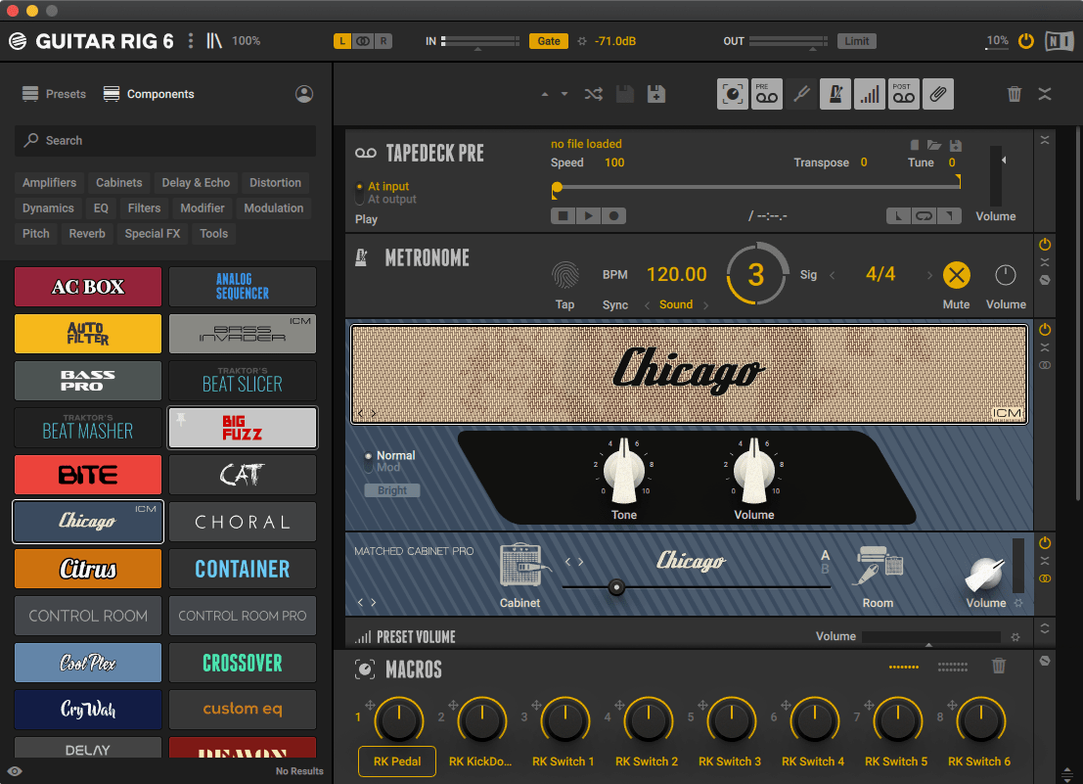
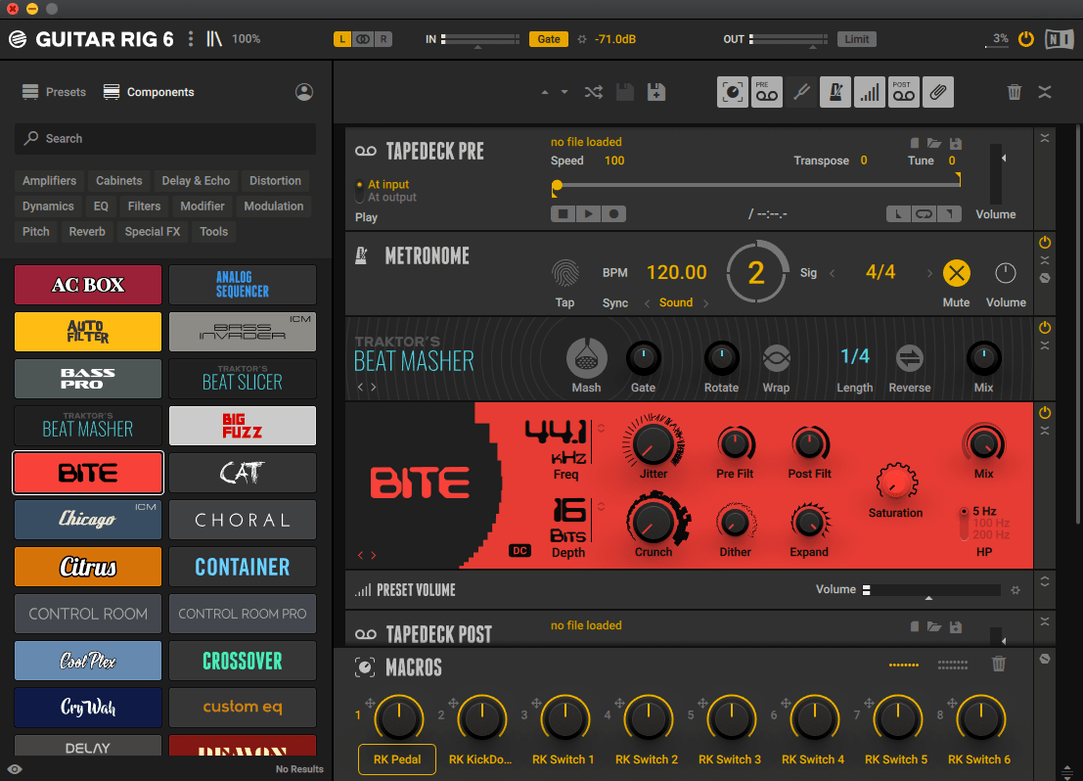
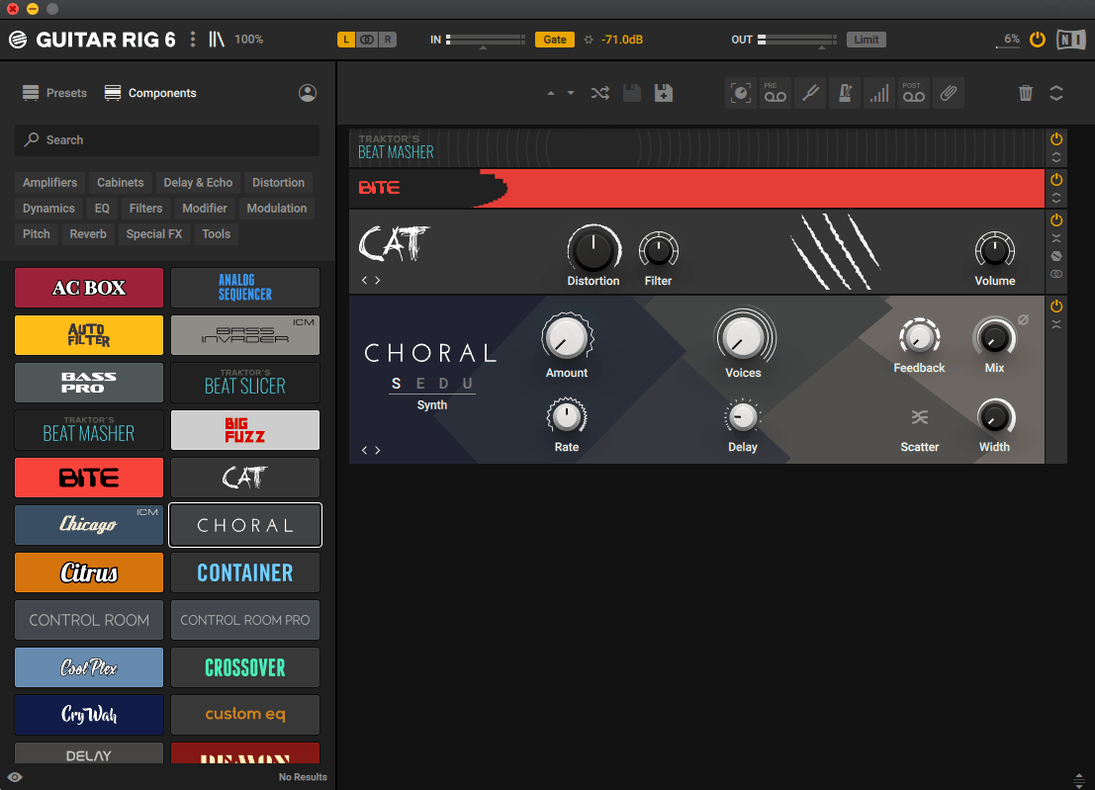
Guitar Rig 7 Pro is a modular multi-effects rack and amp simulator built for players who think in signal chains rather than single presets. On macOS it arrives as a stand-alone application and as AU, VST3, and AAX plug-ins, running natively on both Apple Silicon and Intel hardware.
Signal routing that goes well past a pedalboard
The environment is aimed squarely at experienced users who want to configure complex effect configurations without artificial limits. You can split a signal into parallel rows, apply frequency-selective processing to just the low end of a reverb, or build a dual-amp setup that feeds a stereo cabinet section — the sort of deep routing a hardware rig would demand a patchbay and a stack of cables to achieve. The included amp simulators, studio effects, and pedals are all treated as interchangeable building blocks, and you are free to insert them in any order that suits the sound you hear in your head.
Finding your own sound in a deep library
A tag-based preset browser replaces the old folder-tree approach, which is a quiet but meaningful change for anyone who has wrestled with a growing collection of custom patches. Rather than remembering where you saved a specific volume preset with multiple options, you can filter by instrument type, effect category, or descriptive keywords and land on a usable starting point in seconds. Once you have shaped a tone, the rack layout stays visible and logical even on a laptop display — Native Instruments have kept the interface dense but readable, the way a working engineer would arrange outboard gear in a rack.
A virtual rack of components instead of a modelled live room
Put Guitar Rig next to something like Amplitube 5 and the philosophical difference appears almost immediately. Amplitube leans into the studio-live-room metaphor — you see a virtual space with amps, mics and outboard gear laid out as physical objects. That is wonderful for players who want the visual cue of turning a knob on a specific amplifier model. Guitar Rig 7 Pro takes the opposite approach: it gives you a blank rack and trusts you to know what a parametric EQ does without a photograph of a vintage faceplate. Neither approach is wrong, but if you grew up patching hardware effects units with MIDI cables and quarter-inch jacks, the unadorned rack feels refreshingly direct.
Logic Pro's built-in Amp Designer and Pedalboard plug-ins cover a lot of ground for a DAW that ships with the operating system, and they integrate tightly with Logic's preset system. Where they show their limits is in the signal routing — you cannot easily send a dry bass signal to a compressor, split the compressed copy into two parallel chains with different cabinet impulses, and blend both back into a stereo reverb that ducks under the dry attack. Guitar Rig treats that kind of architecture as normal, not as an edge case.
Another comparison worth making is with the Helix Native plug-in from Line 6. Helix Native models a specific hardware ecosystem and brings a very particular amp-and-cabinet modelling engine to the table, one that many players swear by for high-gain tones. Guitar Rig's amp models cover a broader stylistic range and integrate more naturally with the kind of abstract, studio-derived processing — granular pitch shifting, ring modulation, complex gating — that a guitarist or bassist might reach for when a part needs to sound less like a guitar and more like a texture. If you occasionally search for a guitar rig download mac solution specifically to mangle a signal beyond recognition, Guitar Rig is built for that.
Apple Silicon native processing keeps the CPU meter low
On an Apple Silicon Mac, Guitar Rig 7.0.2 launches as a native ARM process and the difference is tangible. A rack containing eight or nine components — an amp model, two cabinet impulses, a stereo delay, a plate reverb, a compressor and a couple of modulators — typically idles at around eight to twelve percent CPU in Logic Pro, and that figure stays flat even when you switch presets mid-session. The old version 6 days of watching the beachball while the preset browser loaded are long gone.
Memory usage sits in the 400–600 MB range for a moderately complex rack, which is competitive with other modern amp simulators. The application has been stable across macOS 13, 14 and 15 in daily use — no unexpected quits during a two-hour tracking session, no glitchy GUI redraws when waking a MacBook from sleep with the stand-alone app open. If you are working on an older Intel machine, you will see higher CPU numbers, particularly with the oversampling engaged on the amp models, but the plug-in remains usable at sensible buffer sizes.
Turning a clean DI bass into a weighty, gritty amp tone
Imagine a producer opening a project at half past ten on a Tuesday. A bass part recorded direct needs weight and a touch of grit, but the DI signal is clean to the point of being anonymous.
They insert Guitar Rig on the bass channel strip and are greeted by an empty rack. Step one is dragging an amp model — the Bass Pro — into the first slot, scrolling through the cabinet options until a 4×10 with a dynamic mic at the cone edge gives the right low-mid push. The gain sits at about eleven o'clock; just enough to put a little fur on the note attacks without losing the fundamental.
A compressor follows the cabinet, catching the peaks that jump out when the player digs into the lower strings. The threshold comes down slowly while watching the gain reduction meter — no more than four decibels of squeeze, with a medium attack that lets the initial transient through. Then a split: one row goes straight to the output, the other passes through a chorus set to a very slow rate and a narrow width, pushing the stereo image outward without making the effect obvious. Both rows meet at a reverb — a short room, under a second of decay, mixed low enough that it registers as space rather than as an effect.
The whole thing takes maybe four minutes. They save the rack as a user preset tagged bass, warm and DI, play the part back twice to check the low end against the kick drum, and move on to the next track. No manual consulted, no menu dived.
Parallel routing keeps reverb and delays from fighting each other
The most common beginner error is treating Guitar Rig like a pedalboard and lining up eight effects in a single row, then wondering why the reverb sounds choked and the delays are fighting each other. Parallel routing is the whole point of the rack metaphor — if every effect sits in series, you are using the same mental model a ten-pedal board would give you, and you are missing the ability to blend a heavily processed signal with a dry one, or to process only a narrow frequency band of a wet effect.
Another frequent misstep is ignoring the input and output level controls at the edges of the rack. A hot DI signal from an active bass or a guitar with high-output pickups can clip the input stage of an amp model long before any visible gain knob suggests distortion. Dropping the input trim by a few decibels often cleans up a tone that someone has spent twenty minutes trying to fix with EQ cuts downstream. On the output side, the volume preset with multiple options is there for a reason — use it to match the bypassed level so that engaging Guitar Rig does not suddenly jump the fader by six decibels.
Finally, players coming from a physical amp background sometimes skip the cabinet section entirely, thinking the amp model alone will sound finished through studio monitors or headphones. An amp model without a cabinet impulse response is like a guitar speaker with the cone ripped out — all the harmonic structure is there, but the filtering that makes it sit in a mix is missing. The cabinet and microphone choices are not decoration; they are half the sound, and swapping a 57 for a 121 at a different distance changes the tone more dramatically than tweaking the amp EQ for ten minutes.
Version 7.0.2 is a maintenance release for the Guitar Rig 7 line. The rack, amps and tag-based browser work as before, with native support for both Apple Silicon and Intel Macs.
- macOS 11 or later
- Apple Silicon or Intel processor
Questions I keep hearing
Does Guitar Rig 7 run natively on Apple Silicon Macs?
Yes, version 7.0.2 supports both ARM (Apple Silicon) and x86 64-bit architectures, so it runs natively without Rosetta translation on M-series Macs.
What plug-in formats are available for Guitar Rig 7 on macOS?
It comes as a stand-alone app and in VST3, AU and AAX formats, which covers most major DAWs on a Mac.
Questions from the class 0
Sign in or join the class to ask a question.
Nobody has asked anything yet. If you have used it on a real job, say what the file did.
Also on the Audio shelf
The whole Audio shelf Guitar Pro
Transcribes the riff in your head into tab that plays back accurately.
Guitar Pro
Transcribes the riff in your head into tab that plays back accurately.
 FL Studio
Gives you one space to record, shape, and arrange your music.
FL Studio
Gives you one space to record, shape, and arrange your music.
 Fender Studio Pro
Guides you through your first recording sessions step by step.
Fender Studio Pro
Guides you through your first recording sessions step by step.
 iReal Pro
Generates a backing band that plays along to the chord chart you type on screen.
iReal Pro
Generates a backing band that plays along to the chord chart you type on screen.
 iZotope Ozone
Listens to your mix and builds a complete mastering chain from EQ to limiting.
iZotope Ozone
Listens to your mix and builds a complete mastering chain from EQ to limiting.
 Kontakt
Hosts thousands of sampled instruments that you play from a MIDI keyboard inside your DAW.
Kontakt
Hosts thousands of sampled instruments that you play from a MIDI keyboard inside your DAW.
 Dorico Pro
Engraves fully notated scores with the structural clarity of a modern DAW.
Dorico Pro
Engraves fully notated scores with the structural clarity of a modern DAW.
 djay Pro
Mixes tracks, samples, and video on a pair of software decks that grow with your skill.
djay Pro
Mixes tracks, samples, and video on a pair of software decks that grow with your skill.