 ASPNetWorld

If you’ve ever used a simple text editor to type out messy lyric-and-chord sheets, iReal Pro is the logical next step—a dedicated notation environment where a chord chart also becomes a living rhythm section. Here’s one realistic task to see how it works.
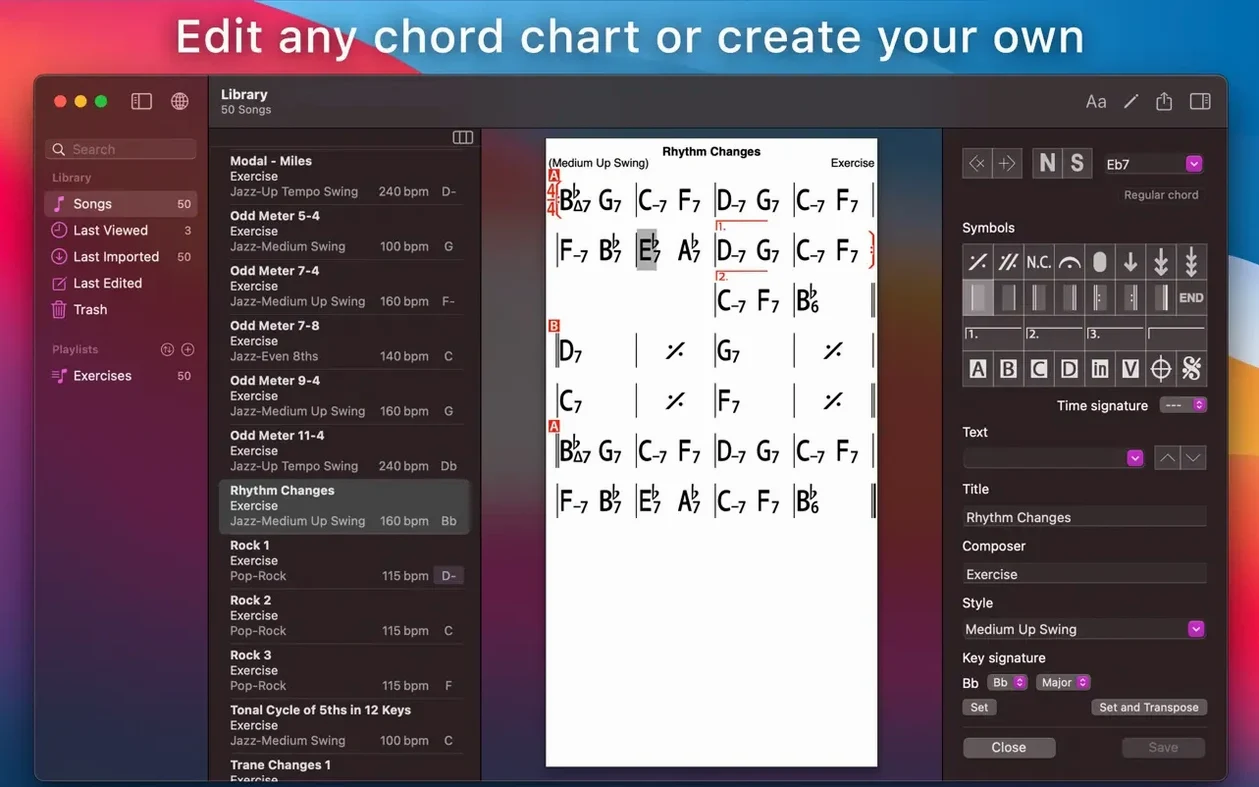
- Build the song framework. Start a new chart and type in the chords for a standard like Autumn Leaves. The editor works like a quick-entry grid: each bar is a cell, and you just tap in the symbols. You’re not drawing notes on a staff; you’re telling a band what to play.
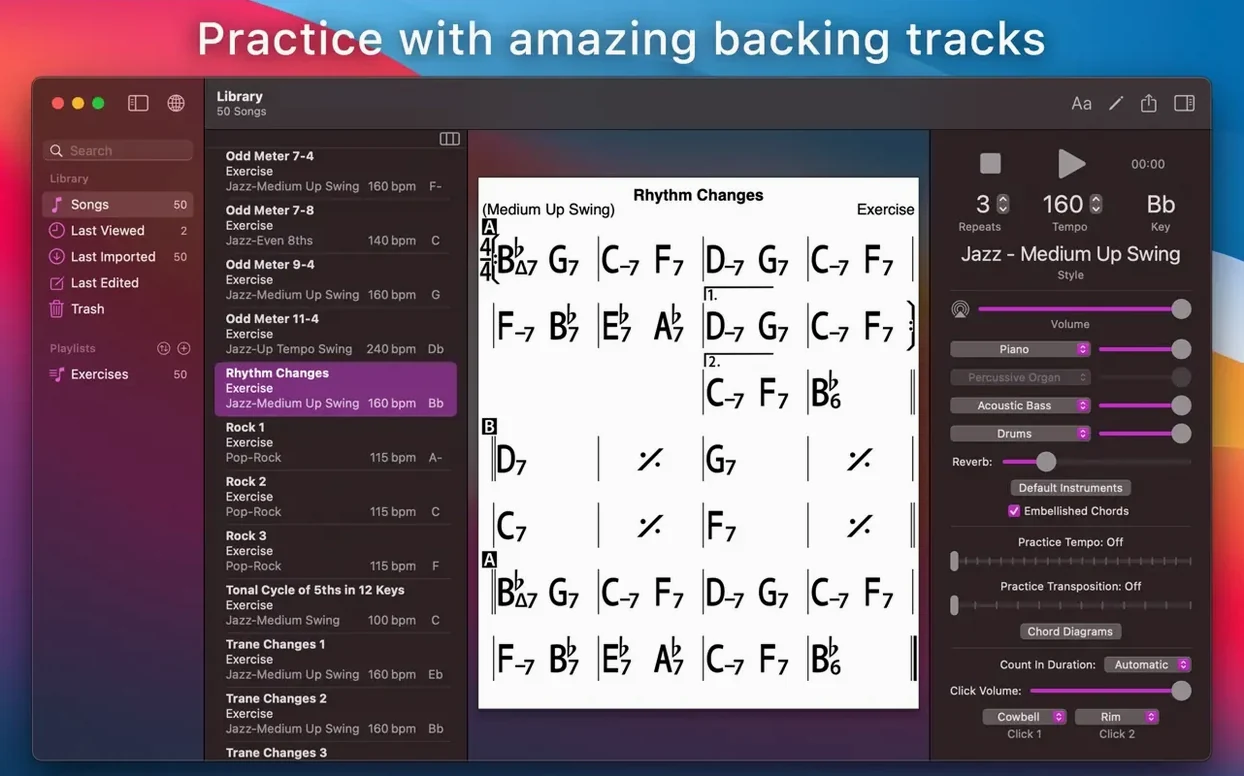
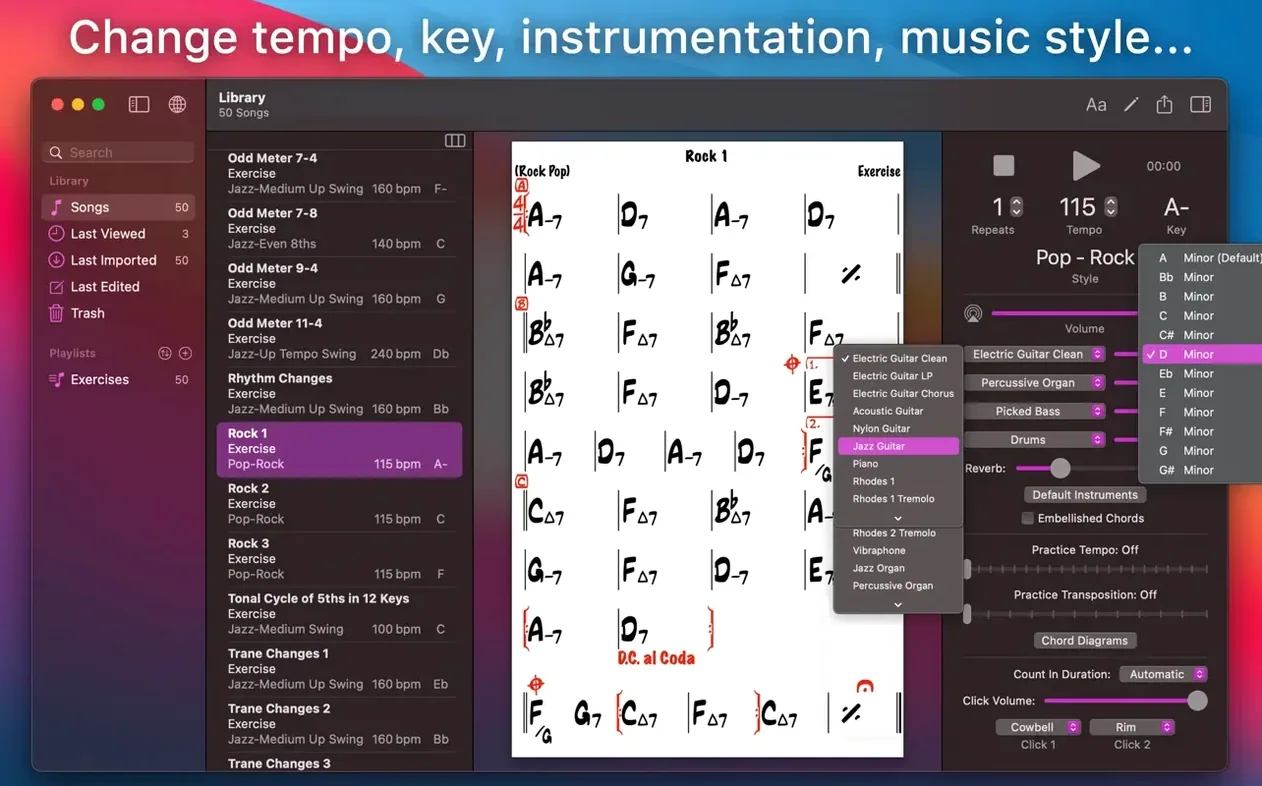
- Shape the accompaniment. Choose your style—say, medium swing with brushes—and hit play. A piano, bass and drum trio starts comping through the form, following your changes in real time. Adjust the tempo, mix levels, or loop the tricky turnaround in bars 27–28.
- Transpose for the horn player. Select the chart and shift it from concert G minor up to A minor for the alto sax. Every chord symbol moves instantly, and you can switch to number notation if the singer prefers Nashville thinking.
- Record a take and share the chart. Plug in a mic, press record and sing the melody over the accompaniment. Then export the chart as a PDF for the pianist and a MusicXML file for the arranger who works in notation software.
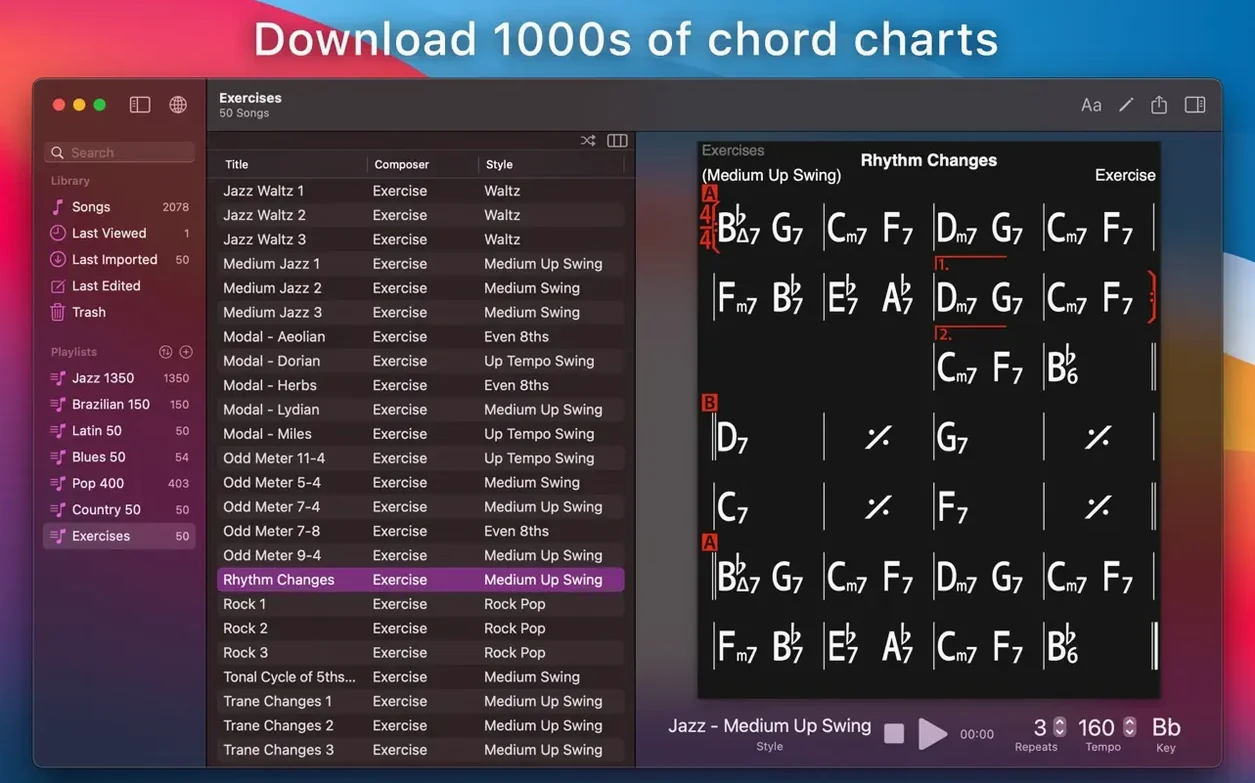
The chord chart is the core, but the band inside it makes the difference. Scale suggestions pop up for each chord as it plays, giving you a visual map of available tensions while the rhythm section keeps time. Everything lives in editable playlists that sync across your devices via iCloud, so a chart you tweaked on the iPad during a session is waiting on your Mac when you get home.
How iReal Pro compares with similar Mac apps
Three names tend to come up when musicians talk about practice tools on the Mac: iReal Pro, Band-in-a-Box and Logic Pro’s Drummer. They overlap in the sense that all three give you an automated backing band, but the philosophy behind each one is radically different.
Band-in-a-Box is the veteran of the group. It can generate full arrangements in hundreds of styles, complete with intro and outro phrases, harmonies and soloists. The trade-off is complexity: the interface is dense with menus, the learning curve is steep, and the real-time feel leans toward a polished studio production rather than a quick jam. Where Band-in-a-Box wants to be your arranger, iReal Pro wants to be your rhythm section. You don’t tweak individual instrumental phrases in iReal Pro; you pick a style, key in the chords and start playing along within seconds. For a student who needs to hear an unfamiliar set of changes right now, that speed matters.
Logic Pro’s Drummer is a different creature altogether: a single virtual drummer that adapts its performance to the dynamics of your arrangement. It’s brilliant for songwriting and production inside Logic, but it doesn’t help you with chord charts, and it certainly won’t transpose a lead sheet for the alto player. iReal Pro, by contrast, is a notation tool first and a playback engine second. The charts are the permanent artefacts; the accompaniment is the disposable rehearsal tool.
There’s also ChordBot, a simpler iOS-originated alternative that does the play-along job well but never made a serious desktop version with the editing depth iReal Pro offers. No MusicXML export, no scale suggestions, no iCloud playlist syncing across a Mac and an iPad. If you only need a handful of styles and basic chart editing, ChordBot is fine. For anyone building a library of hundreds of tunes and sharing them with a working band, iReal Pro pulls ahead quickly.
Thrown a last-minute set list with three unfamiliar tunes
It’s a Thursday evening and the guitarist in your jazz quartet has just sent over a set list for Saturday’s gig. Five tunes, three of which you’ve never played before. You open iReal Pro on the Mac, pull up the built-in song forum and search for the titles. Each one appears in several versions submitted by users; you grab the cleanest-looking chart for Stella by Starlight and drop it into a new playlist called “Saturday set.”
The chart looks right but the default bossa nova style is too busy for the intro. You switch it to “Jazz – Ballad” and slow the tempo to 100 bpm. The bass player in the band likes to walk a two-feel on ballads, so you open the mixer, pull the piano down a touch and nudge the bass up. You loop the first sixteen bars and let the trio play while you work out a melodic line on the guitar. When the B section arrives and the chart shows an altered dominant, you glance at the scale suggestion—Super Locrian, makes sense—and try a few passing tones against the backing.
Twenty minutes later you’ve auditioned all five tunes, marked up a couple of reharmonisations and printed a clean PDF for the saxophonist who insists on paper. The playlist syncs to your iPad over iCloud while you’re closing the lid. At the gig you’ll have the same charts, the same tempos and the same mix settings, ready to go.
Launches in two seconds and uses 180 MB of memory with a dozen charts open
On an Apple Silicon Mac, iReal Pro launches in roughly two seconds and sits at around 180 MB of memory with a dozen charts open and the accompaniment running. On an older Intel machine the footprint is similar, though the initial audio engine start can take an extra beat. It’s a lightweight app by design: no sample libraries to load, no convolution reverbs to calculate, just a clean MIDI engine feeding a modest sound bank. That means you can leave it running behind a DAW, a notation program and a web browser without ever noticing a CPU spike.
The audio engine itself is stable in a way that matters for practice. You can loop a four-bar section for an hour while you woodshed a tricky lick, and the timing stays locked. No gradual drift, no crackles when you resize the window. The one soft spot is the built-in sounds: they’re functional and genre-appropriate, but they won’t fool anyone into thinking a real pianist is in the room. That’s by design. iReal Pro isn’t a sample-playback instrument; it’s a chord-chart interpreter. If you want better sounds, you can route the MIDI out to a high-quality plugin or external synth via IAC Driver, which opens up vastly better piano and bass timbres at the cost of a slightly fiddly setup.
Transposing Body and Soul to D flat so a singer can practice at home
Your singer wants to work on Body and Soul in D flat—a key that sits well in her range but makes the pianist squirm. You agree to prepare a practice chart that she can use with the app at home. Here’s the full workflow from blank page to finished rehearsal tool.
- Create the chart. Open iReal Pro, start a new song and type in the 32-bar form. The editor lets you set repeats, first- and second-time endings, and a coda. You enter the chords bar by bar, using the built-in chord picker to ensure every symbol is recognised by the playback engine.
- Check the changes. Switch the style to “Jazz – Medium Swing” and let the band play through the form once. Listen for any bars where the chord symbol didn’t parse correctly—a missing slash, an unrecognised alteration. Fix them on the fly.
- Set the practice tempo. The singer needs to start slow, so you drop the tempo to 80 bpm and switch the style to “Jazz – Ballad” for a sparser rhythm section feel.
- Add the melody cue. iReal Pro doesn’t display staff notation, but you can add a text line above the chords with the first few notes of the melody as a reminder: “Eb–F–Gb–Ab” above the opening bars.
- Transpose to the singer’s key. The chart is in D flat already, but you decide to keep a concert-pitch master and use the transpose function to generate the singer’s copy. One click, and every chord symbol moves.
- Export and share. Export the chart as a PDF for her binder and as an iReal Pro file she can open on her own iPad. She gets the same tempo, style and loop markers you set on your Mac.
A jazz educator’s perspective
Marie teaches improvisation at a conservatoire and runs a weekly combo class for eight students. Before iReal Pro, she spent half of every session writing chord changes on a whiteboard while the rhythm section students sat idle. Now she arrives with a prepared playlist: ten standards, each with a chart and a backing track style chosen to match the week’s focus—bossa nova comping patterns one week, trading fours the next.
During the class, she projects the chart onto the wall from her Mac and lets the app play while she walks around the room, correcting hand positions and talking about voice leading. The bassist can drop out of the backing track with one mixer slider, so the student bassist takes over the line while the virtual drums and piano keep time. When the horn players complain that All the Things You Are sits in a terrible key for tenor, she transposes the chart to B flat in three seconds flat, and the class moves on without a pause.
After the class, she uploads the playlist to the forum so her students can download the exact charts they worked on. The drummer grabs the MIDI export and pulls the drum track into his DAW to study the ride cymbal pattern at half speed. Marie’s not replacing live musicians—she’s using the app to protect the limited rehearsal time from administration, so the band gets straight to playing. That’s the distinction that matters: iReal Pro handles the paperwork of chord changes so the humans can make the music.
- macOS 12.4 or later
- Apple Silicon and Intel Macs supported
Questions from the class 0
Sign in or join the class to ask a question.
Nobody has asked anything yet. If you have used it on a real job, say what the file did.
Also on the Audio shelf
The whole Audio shelf iZotope Ozone
Listens to your mix and builds a complete mastering chain from EQ to limiting.
iZotope Ozone
Listens to your mix and builds a complete mastering chain from EQ to limiting.
 Kontakt
Hosts thousands of sampled instruments that you play from a MIDI keyboard inside your DAW.
Kontakt
Hosts thousands of sampled instruments that you play from a MIDI keyboard inside your DAW.
 Guitar Rig
Routes your guitar through a custom chain of modelled amps and effects.
Guitar Rig
Routes your guitar through a custom chain of modelled amps and effects.
 Guitar Pro
Transcribes the riff in your head into tab that plays back accurately.
Guitar Pro
Transcribes the riff in your head into tab that plays back accurately.
 Logic Pro
Records, arranges and mixes whole songs with instruments and loops built in.
Logic Pro
Records, arranges and mixes whole songs with instruments and loops built in.
 Loop Mash Up Pro
Lets you stack royalty-free loops from a curated library into full musical arrangements.
Loop Mash Up Pro
Lets you stack royalty-free loops from a curated library into full musical arrangements.
 Loopback
Creates virtual audio devices by drawing connections between apps and hardware on your Mac.
Loopback
Creates virtual audio devices by drawing connections between apps and hardware on your Mac.
 FL Studio
Gives you one space to record, shape, and arrange your music.
FL Studio
Gives you one space to record, shape, and arrange your music.