 ASPNetWorld
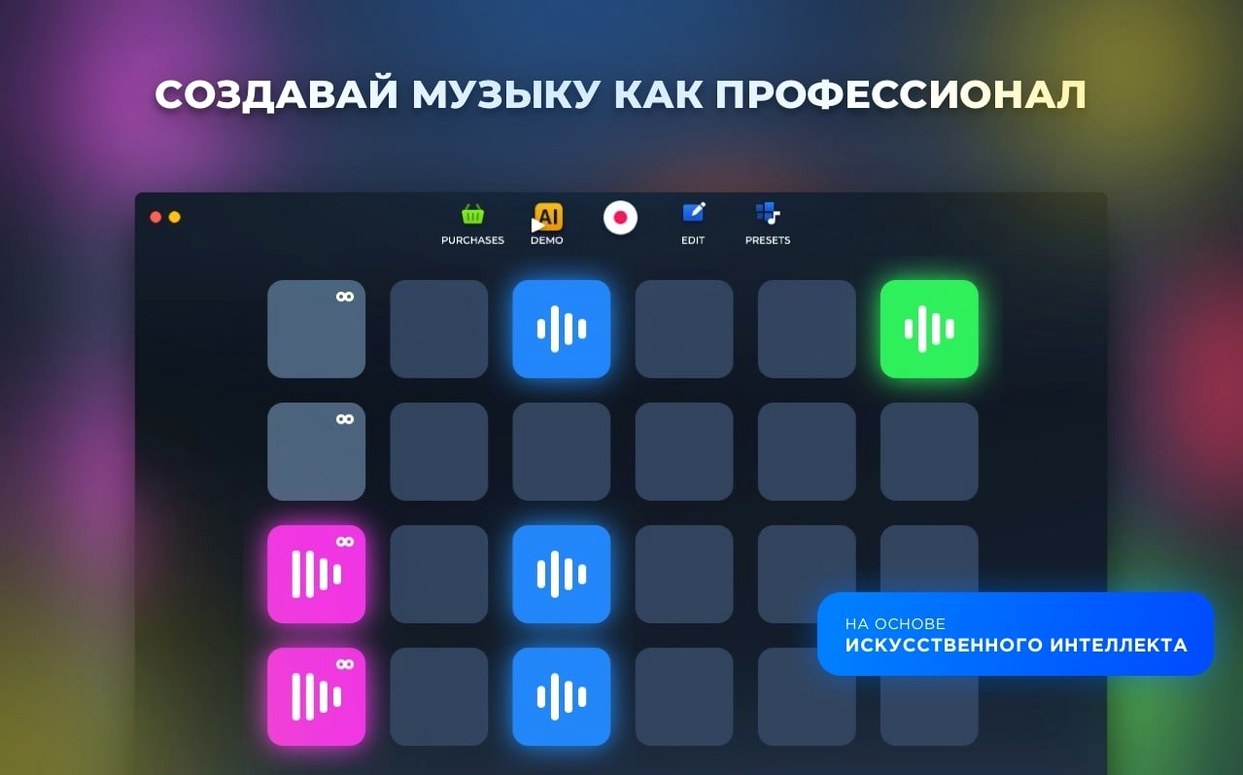
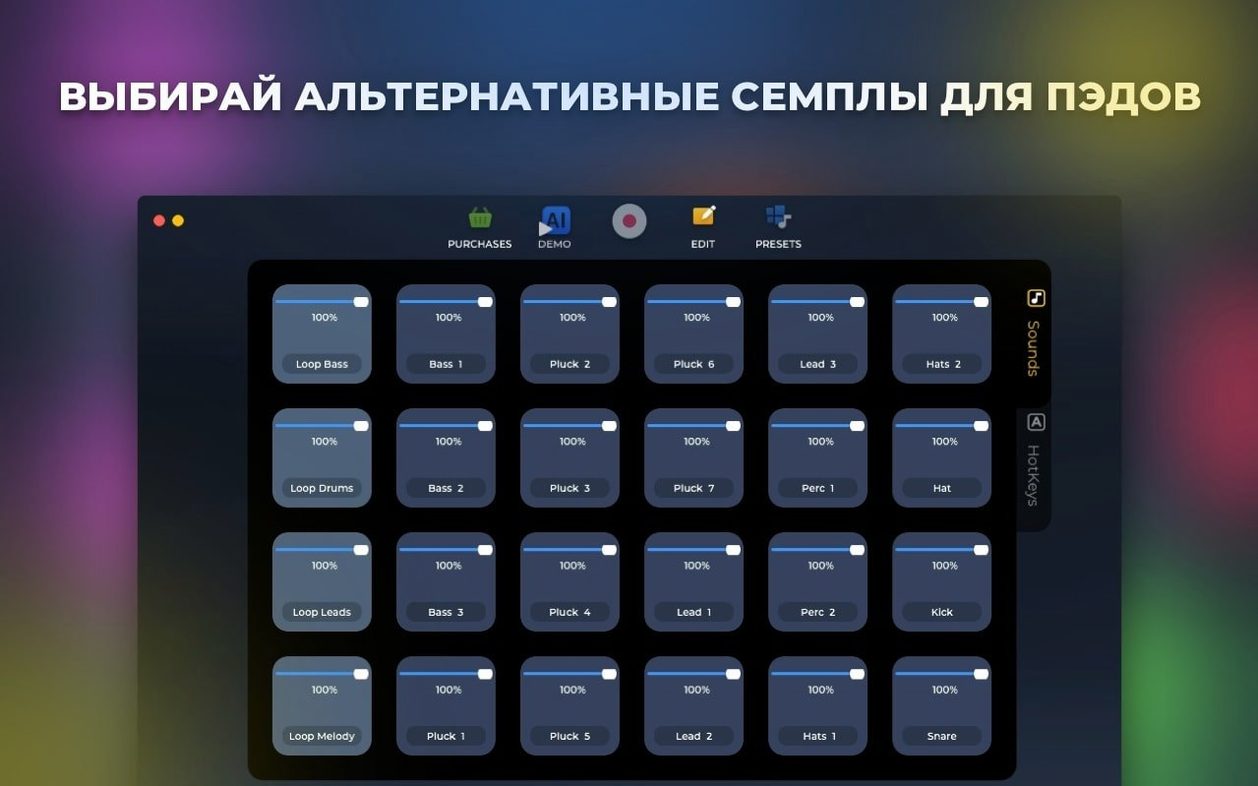
A loop is simply a short piece of music, a drum groove or a bassline, cut so that it repeats cleanly. Loop Mash Up Pro is built around stacking such loops into a track, and it bundles a curated library of sounds made by working DJs and musicians into a single creative environment, so you can start building straight away.
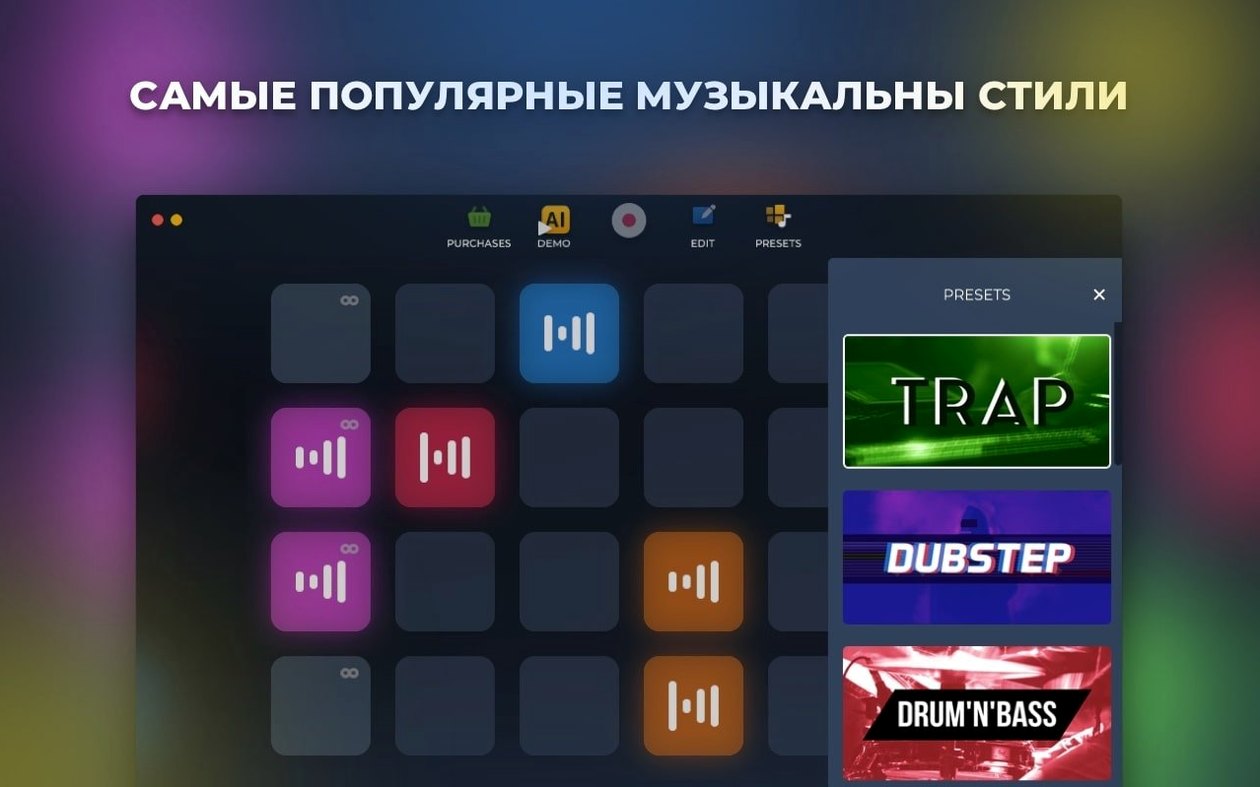
Six styles ship inside so you are not locked into one tempo
- Does the library cover more than one genre? Yes, the app ships with six distinct electronic music styles so you’re not locked into a single tempo or texture.
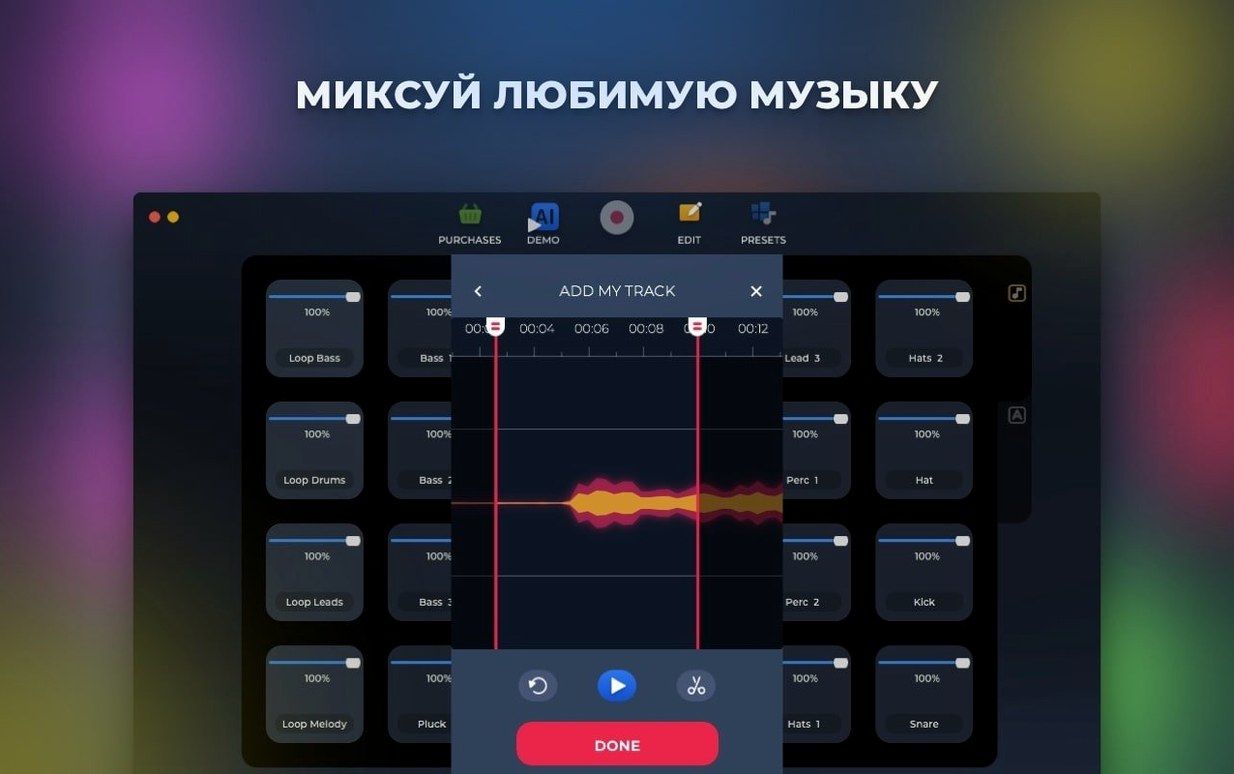
- Can I record my own ideas alongside the samples? Live recording is built in; any performance you layer over the loops can be saved directly to your Mac.
- What if I’m not a trained producer? There’s an AI-based track generator that assembles parts for you, which is handy when you want a starting point rather than an empty arrange window.
A Mac-only app
The app is made for the Mac only and comes as an Intel build for macOS 11 and above, so on Apple Silicon it runs through Rosetta 2. The interface speaks eleven languages, among them Russian, German, Spanish, Korean, Japanese and both Traditional and Simplified Chinese.
In daily use on an Intel MacBook Pro running macOS Ventura, Loop Mash Up Pro 1.2.17 feels light on its feet. The app launches in about three seconds and sits at around 350 MB of RAM with a modest eight-pad project open. That figure climbs when you start stacking loops from the larger style packs — a full dubstep arrangement with six or seven layers might nudge memory use towards 600 MB — but CPU load stays sensible even on older dual-core machines. I’ve had the transport running for an hour with no audible glitches or unexpected dropouts, which suggests the under-the-hood improvements mentioned in the release notes have genuinely tightened the audio engine.
Stability is quietly impressive. The 1.2.17 update squashed a handful of bugs that used to cause occasional crashes when swapping between style libraries mid-session, and I haven’t been able to provoke a freeze since. One quirk worth knowing about: if you rename a hotkey assignment while the transport is playing, the app can pause for a beat before catching up. It’s more of a visual stutter than an audio one, and it’s easily avoided by setting up your key mappings before you hit play.
One producer’s late-night session
Imagine a DJ who plays weekend slots at a small club and wants to drop a short original transition piece into her set. She’s home after a gig, still wired, and she doesn’t want to spend an hour sound-designing a kick drum. She opens Loop Mash Up Pro, browses the deep house style pack, and finds a dusty chord stab that sits perfectly against a shuffled hi-hat loop. She drags both onto neighbouring pads, sets their start points with a quick trim, and assigns them to keys Z and X so she can trigger them live while a bass loop — pulled from the same style — runs underneath from pad C. Twenty minutes later she has a 32-bar groove recorded, saved to her desktop as a stereo file, and dropped into her DJ software’s sample player. The whole process happened without touching an external plug-in or opening a separate editor.
Loading loops across style packs breaks the phase-locked cohesion
The most common beginner error is loading too many loops from different style packs and expecting them to gel automatically. The six included styles are curated with internal consistency, so a techno kick from one pack will phase-lock with a techno bass from the same family, but crossing styles without checking key and tempo can leave you with a muddy wash. Spend a moment listening to each loop in isolation before layering.
Another frequent misstep is ignoring the hotkey system entirely. Clicking pads with a mouse works for sketching, but the app’s real-time magic appears when you map a handful of sounds to adjacent keys and play them as a makeshift instrument. New users sometimes record long passes without saving intermediate takes, too — the live recorder overwrites the previous pass unless you explicitly save each version, so get into the habit of hitting save after a performance you like.
Building a beat from silence
Here’s a workflow that takes you from a blank canvas to a structured loop in under ten minutes:
- Open the app and select the Dubstep style from the library panel — it’s the richest source of half-time grooves and growling bass textures.
- Audition kicks by tapping the first four pads. When you hear one that punches through, drag it to pad 1 and click the pad’s name to label it “Kick”.
- Find a snare or clap sample that cuts above the kick, place it on pad 2, and use the trim handles to tighten the transient so it hits exactly on the backbeat.
- Load a wobble bass loop onto pad 3 and set it to loop mode with the small circular arrow icon — this is the core of a dubstep drop and the loop will cycle independently of other pads.
- Assign pad 1 to key A, pad 2 to S and pad 3 to D using the hotkey mapper (the keyboard icon in the toolbar).
- Press the record button and play a four-bar pattern live: kick on beat one, snare on beats two and four, and tap the bass loop in on beat one of bar three to let it ride through the second half.
- Stop recording, trim the take with the in-app editor, and export by choosing Save Track from the file menu. The resulting WAV sits ready on your Mac, named and dated.
That’s a complete dubstep drop in a handful of steps, and because the samples were cut by professional musicians, the mix balance already sounds surprisingly coherent without extra processing. If you’ve ever picked up an ab loop player and wished it came with a ready-to-go sound set, this is essentially that wish fulfilled — the loops are the star of the show, and the interface stays out of your way while you perform them.
Version 1.2.17 is a maintenance release that irons out several bugs reported in the previous build.
- macOS 11 (Big Sur) or later
- Intel 64-bit processor
Questions I keep hearing
Can I record my own playing over the loops?
Yes. Live recording is built in, and the finished performance can be saved straight to your Mac.
Which music styles does the library cover?
Six electronic music styles are included, all built from samples made by professional musicians and DJs.
Questions from the class 0
Sign in or join the class to ask a question.
Nobody has asked anything yet. If you have used it on a real job, say what the file did.
Also on the Audio shelf
The whole Audio shelf Loopback
Creates virtual audio devices by drawing connections between apps and hardware on your Mac.
Loopback
Creates virtual audio devices by drawing connections between apps and hardware on your Mac.
 Logic Pro
Records, arranges and mixes whole songs with instruments and loops built in.
Logic Pro
Records, arranges and mixes whole songs with instruments and loops built in.
 MainStage
Turns your Mac into a live rig for playing instruments and effects.
MainStage
Turns your Mac into a live rig for playing instruments and effects.
 Kontakt
Hosts thousands of sampled instruments that you play from a MIDI keyboard inside your DAW.
Kontakt
Hosts thousands of sampled instruments that you play from a MIDI keyboard inside your DAW.
 Maschine
Builds beats and launches loops from a hardware controller.
Maschine
Builds beats and launches loops from a hardware controller.
 iZotope Ozone
Listens to your mix and builds a complete mastering chain from EQ to limiting.
iZotope Ozone
Listens to your mix and builds a complete mastering chain from EQ to limiting.
 iReal Pro
Generates a backing band that plays along to the chord chart you type on screen.
iReal Pro
Generates a backing band that plays along to the chord chart you type on screen.
 Native Instruments Reaktor
Gives you a workbench to build your own synths and effects from oscillators, filters, and envelopes.
Native Instruments Reaktor
Gives you a workbench to build your own synths and effects from oscillators, filters, and envelopes.