 ASPNetWorld
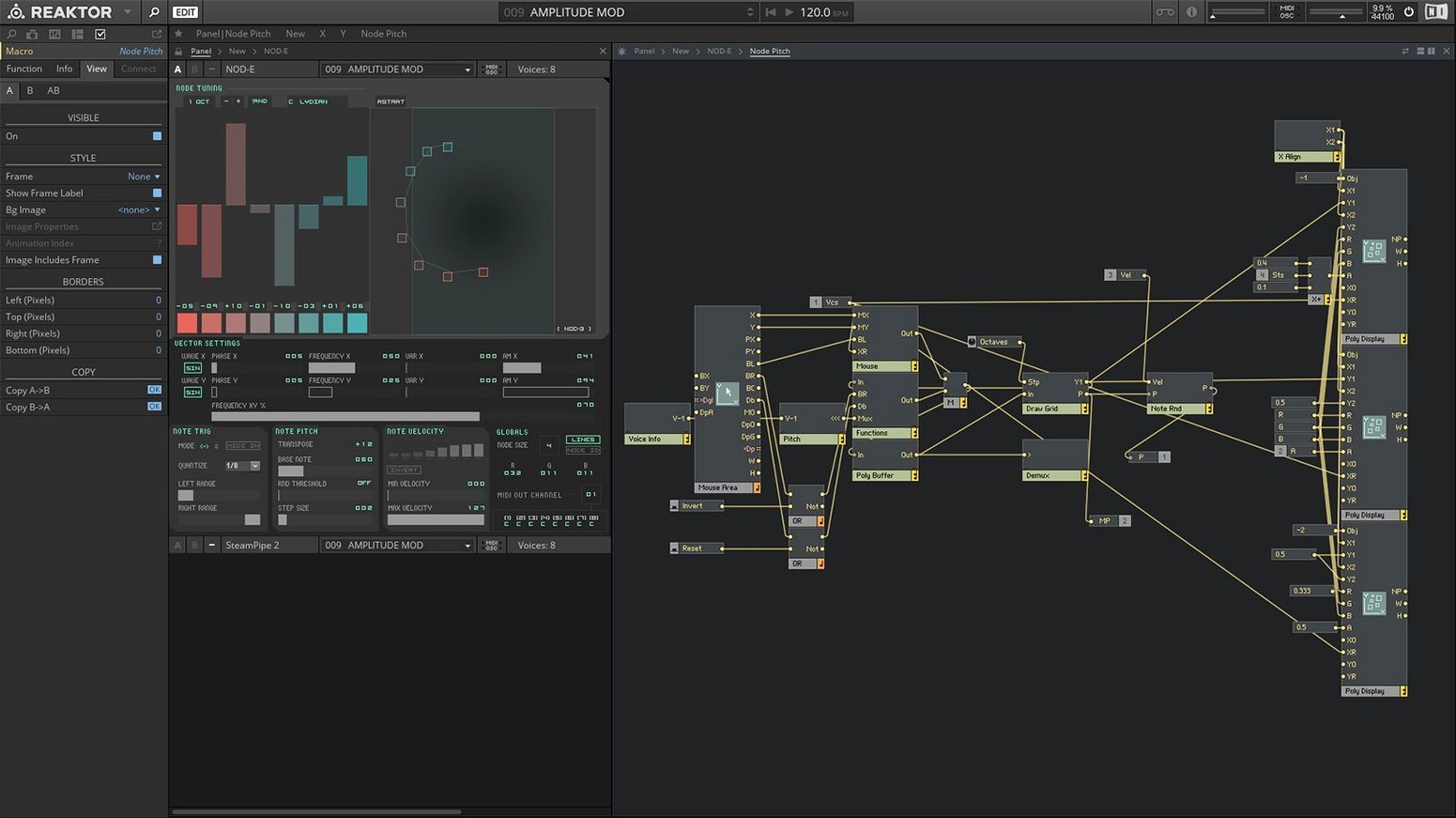
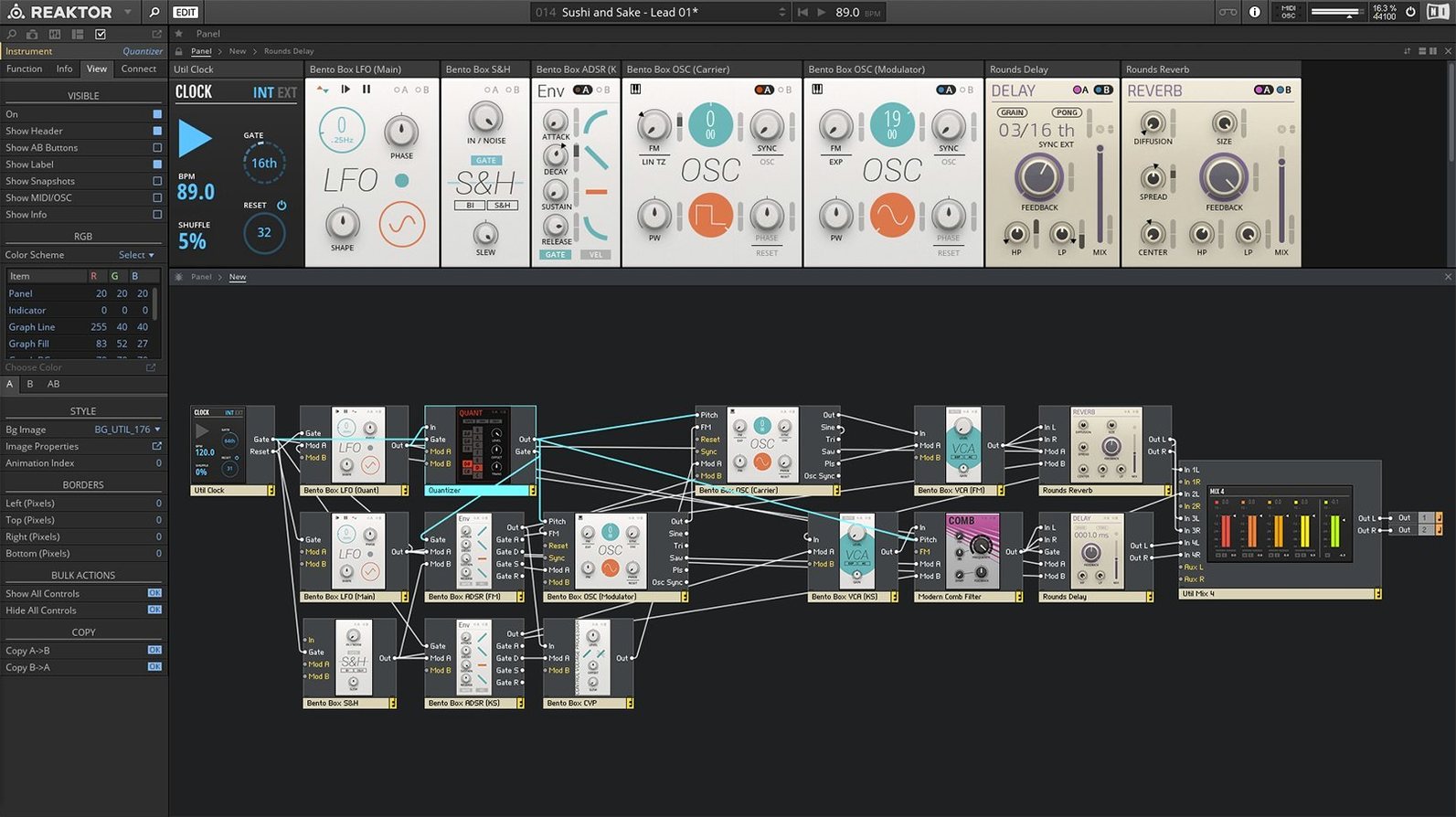
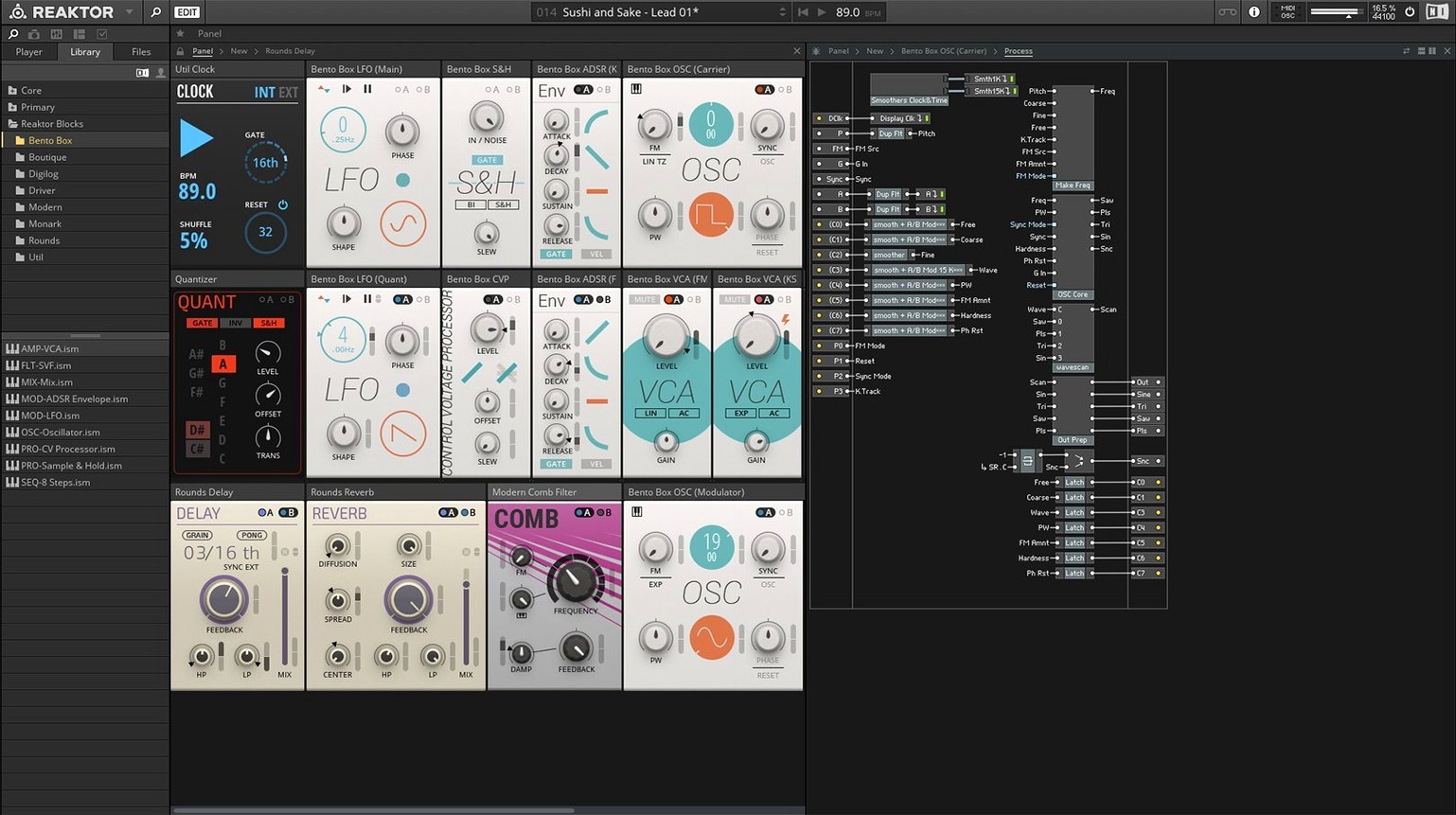
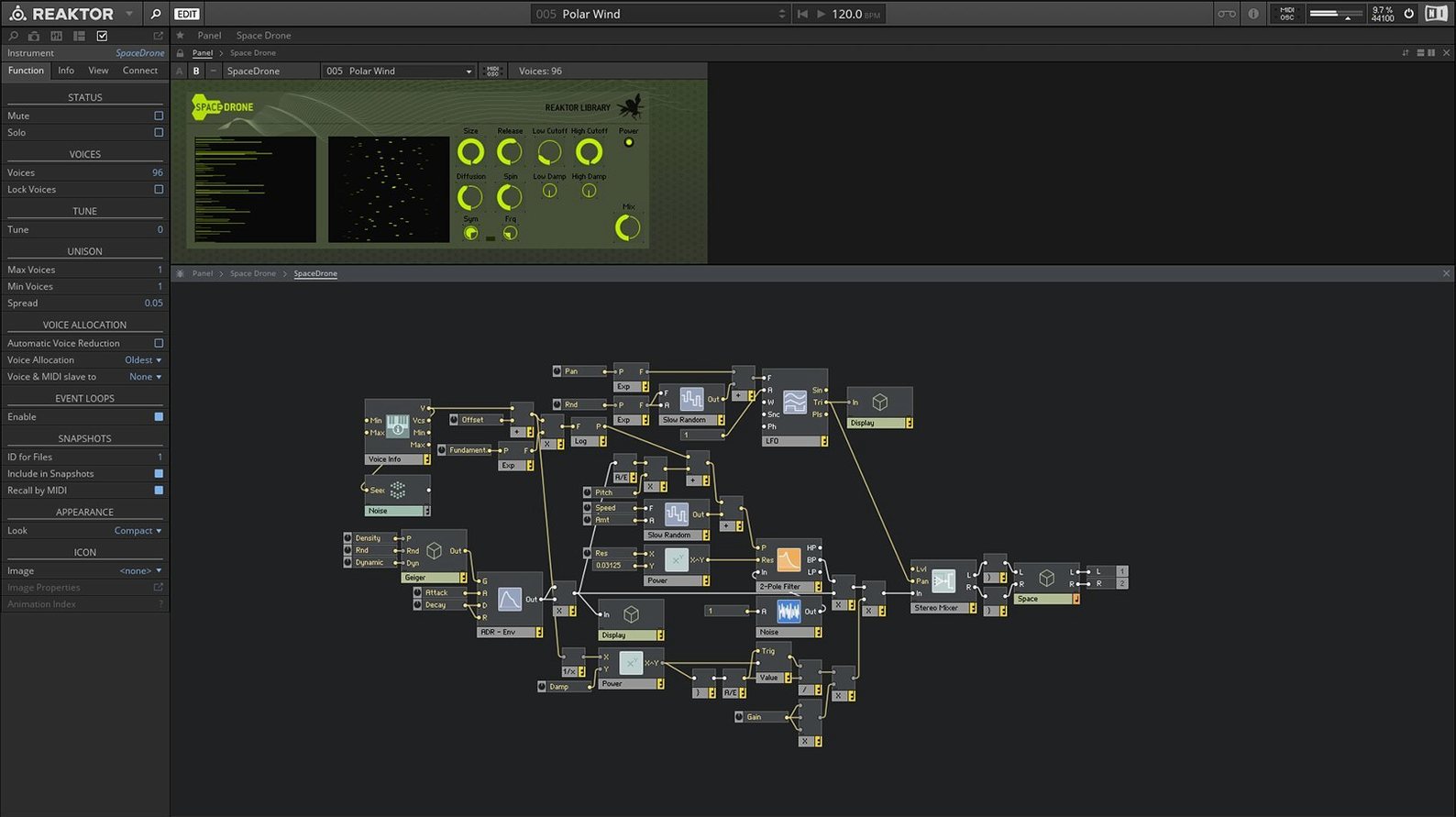
If you have ever dropped an effect onto a channel in Logic or Ableton Live and wished you could peek inside to rearrange its inner workings, Reaktor 6 on a Mac gives you exactly that access. Think of it less as a single instrument and more as a deep workbench where oscillators, filters, envelopes and sequencers are all separate building blocks you patch together with virtual cables. You can load up a finished synthesiser, tweak it endlessly, or strip it back to raw components and build something nobody has heard before.
Building your own instruments in a visual patching environment
- Sound designers who want to create their own instruments rather than rely on presets — the visual patching environment makes signal flow tangible.
- Producers curious about how classic synths and effects work under the hood, because you can open any included instrument and study its structure.
- Anyone running a hybrid studio setup, since Reaktor works as a standalone application and as a plug-in inside a DAW on Apple Silicon Macs in native mode or via Rosetta 2.
Wiring from scratch demands patience, and the interface is English-only
- The learning curve is real — wiring up a basic subtractive synth from scratch takes patience if you are used to fixed-architecture instruments.
- Version 6.5.0 Rev2 is the current release, and the interface is available in English only.
- Your existing library of user-created ensembles from the Reaktor community may need checking for compatibility with the latest Core Technology introduced in version 6.
A sound designer’s first afternoon with Reaktor 6
Picture a sound designer on a mid-budget film project. The director wants a drone for a scene set inside a derelict power station — something metallic, slowly shifting, with occasional sparks of electrical crackle. Rather than layering three different plug-ins and automating a dozen parameters, she opens Reaktor 6 as a standalone app, drops in a Blocks ensemble, and patches a sine-wave oscillator into a wavefolder, then routes that through a comb filter before sending the whole thing into a reverb Block. Half an hour later she has a patch that evolves unpredictably because she has wired a slow random LFO to the filter cutoff and the wavefolder symmetry. She hits record in her DAW, captures five minutes of audio, and slips it under the scene. The whole signal chain lives inside one window, and she can save it as a single ensemble to revisit when the director asks for a variation next week.
Designing custom DSP modules visually with Reaktor Core Technology
When Reaktor 6 arrived, the biggest shift under the hood was Reaktor Core Technology. In daily terms, this means you can now design your own low-level modules visually — oscillators, filters, even entire DSP processes — without writing a line of C++. For most users the immediate payoff is the 23 new instruments that ship with version 6. These are not just polished presets; they are full ensembles that show off what Core can do, from physically modelled strings to wavetable synths that sound distinctly modern. The move to native Apple Silicon support in the current 6.5.0 Rev2 release quietly changed the practical experience too: ensembles that used to tax an Intel MacBook’s fan now run cooler and snappier on an M1 or M2 machine, and loading times for dense Blocks patches are noticeably shorter.
Experimental musicians sculpting raw sound into tuned percussion
Three groups tend to gravitate toward Reaktor 6 and never quite leave. Experimental electronic musicians who treat sound as raw material — the kind who record clanking pipes and turn them into tuned percussion — find the patching environment closer to a Eurorack case than a typical plug-in. University music-technology programmes often use it as a teaching tool because a student can build a simple FM synth in an afternoon and actually understand what each operator does. The third group is less obvious: mixing engineers dealing with problematic dialogue or field recordings. Reaktor’s community library contains dozens of dynamic noise gates, spectral cleaners and multiband expanders that are far more surgical than stock DAW tools, and because you can open the hood, you can tweak the attack time or the FFT window size precisely to the material.
Launching Blocks first to avoid early frustration
Once you have the application installed and activated — the process is a straightforward drag from the disk image to your Applications folder, followed by a launch from Launchpad — a little structure saves frustration. Start by loading the Blocks Base ensemble and simply swapping out the oscillator Block for a different one while keeping the rest of the patch intact. It is the fastest way to hear how a wavetable oscillator behaves versus a simple sawtooth in the same signal chain. Next, open the Library tab and filter by “Factory” to browse the 23 new instruments; spend ten minutes with each to find two or three you genuinely like before diving into the user library. When you do explore the user library, grab a handful of effects ensembles first — they are quicker to audition and less likely to send you down a troubleshooting rabbit hole than a colossal granular synth built by an ambitious community member. Finally, right-click any module and choose “Show Info” to read the developer notes; many community creators explain their signal flow here, and reading a few of these teaches you more about patching logic than any manual.
Version 6 brought a deeper level of customisation with Reaktor Core Technology, a visual workspace for designing your own low-level modules from scratch. The update also added 23 new instruments to the factory library, covering everything from creative sequencers to experimental effects.
- Reaktor Core Technology for visual creation of custom modules at a fundamental level.
- 23 new instruments included, expanding the palette of ready-made synths, samplers and effects.
- macOS 10.15 or later
- Apple Silicon Macs supported in native mode or via Rosetta 2
- Interface language: English
Questions I keep hearing
Does Reaktor 6 run natively on Apple Silicon Macs?
Yes, it supports Apple Silicon Macs in native mode as well as through Rosetta 2.
Can I use Reaktor inside my DAW or only as a standalone app?
It runs both ways — you can launch it as a standalone application or load it as a plug-in inside a DAW.
What does Reaktor Core Technology add?
Introduced in version 6, it is a visual environment for creating custom low-level modules, letting you design the fundamental building blocks that higher-level instruments are made from.
Questions from the class 0
Sign in or join the class to ask a question.
Nobody has asked anything yet. If you have used it on a real job, say what the file did.
Also on the Audio shelf
The whole Audio shelf Maschine
Builds beats and launches loops from a hardware controller.
Maschine
Builds beats and launches loops from a hardware controller.
 MainStage
Turns your Mac into a live rig for playing instruments and effects.
MainStage
Turns your Mac into a live rig for playing instruments and effects.
 Plugin Alliance Brainworx bx_mastering studio
Polishes a finished stereo mix with a few focused mastering controls.
Plugin Alliance Brainworx bx_mastering studio
Polishes a finished stereo mix with a few focused mastering controls.
 Loopback
Creates virtual audio devices by drawing connections between apps and hardware on your Mac.
Loopback
Creates virtual audio devices by drawing connections between apps and hardware on your Mac.
 Loop Mash Up Pro
Lets you stack royalty-free loops from a curated library into full musical arrangements.
Loop Mash Up Pro
Lets you stack royalty-free loops from a curated library into full musical arrangements.
 Logic Pro
Records, arranges and mixes whole songs with instruments and loops built in.
Logic Pro
Records, arranges and mixes whole songs with instruments and loops built in.
 QLab
Controls audio, video and lighting cues for live performances.
QLab
Controls audio, video and lighting cues for live performances.
 Kontakt
Hosts thousands of sampled instruments that you play from a MIDI keyboard inside your DAW.
Kontakt
Hosts thousands of sampled instruments that you play from a MIDI keyboard inside your DAW.