 ASPNetWorld

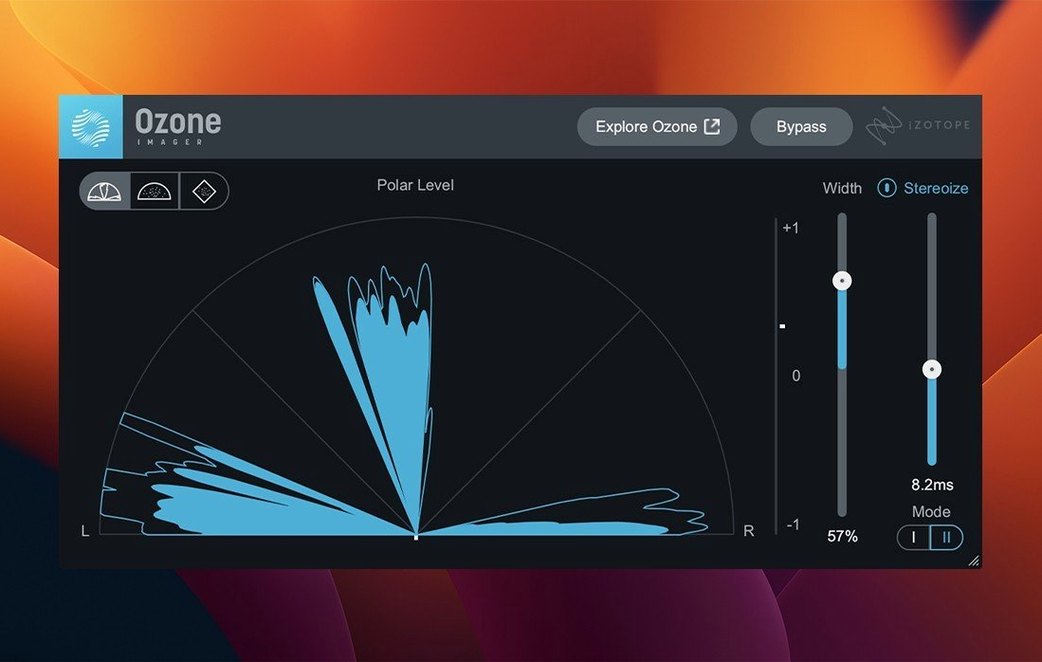
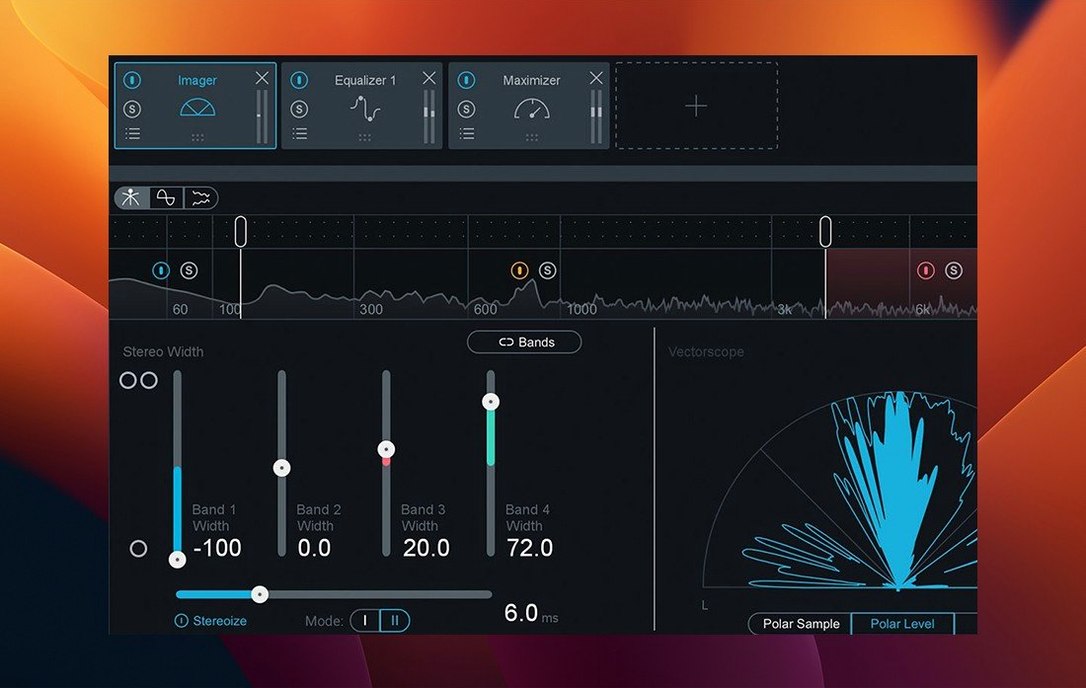
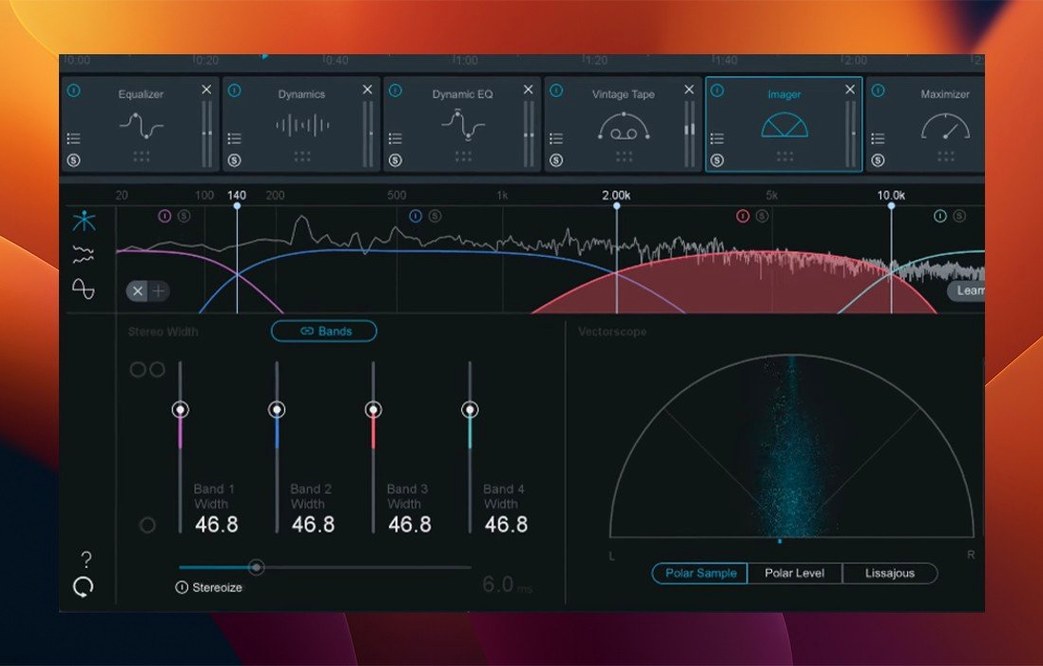
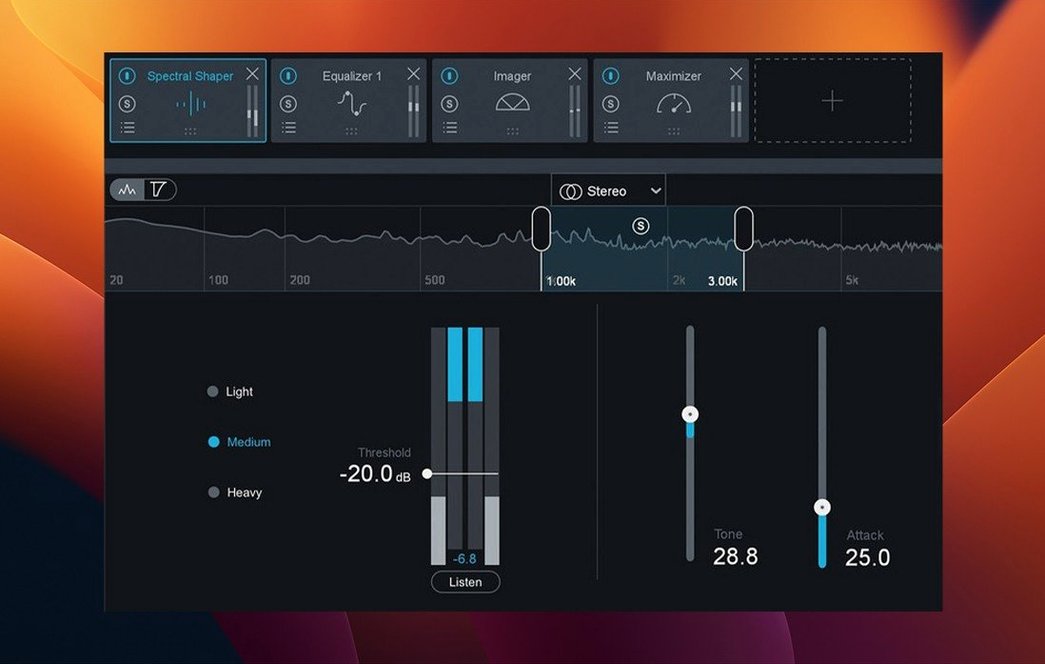
iZotope Ozone is a collection of mastering plug-ins built around an AI-powered assistant that listens to your mix and suggests a starting point. The current version, 12.1.0, doesn’t rewrite the rulebook — it refines a workflow that engineers have relied on for years, bundling 20 plug-ins into a single 64-bit suite that runs natively on Intel and Apple silicon Macs from Ventura through Sequoia.
- The Maximizer now carries the IRC 5 limiting mode, the newest limiting algorithm in the Maximizer, the last stage that sets a master's final loudness.
- A Stabilizer module delivers 25 genre-specific target curves — think of it as a quick shape-tool that nudges a mix toward the tonal balance of a chosen style.
- Mono-to-stereo instances finally output genuine stereo processing after the latest update, closing a bug that had been tripping up stem workflows.
- Plugin loading and interface redraws feel snappier; iZotope specifically addressed sluggish instantiation times.
- Host support now formally includes Cubase 15 alongside the long-standing AU, AAX, and VST3 formats.
- Compatibility is explicit across macOS Ventura 13.7, Sonoma 14.7, and Sequoia 15.4 — all 64-bit only.
What stayed the same is the assistant-driven core. Drop Ozone on a bus, let it audition the material, and it generates a chain of modules shaped by the content. The master fader remains clean, and the plug-ins still feel like a single integrated desk rather than a scattered bundle. For anyone who prefers an assistant that gets the broad strokes right and then steps out of the way, version 12 keeps that promise intact.
The quiet fear of a four-second interface draw with a client in the room
Every mastering engineer has a quiet fear when they open a dense project late in the day: that the plug-in will take four seconds to draw its interface, or worse, spike the CPU during playback when a client is in the room. Ozone 12.1.0 has noticeably shed that weight. On an M2 MacBook Air — hardly a studio furnace — the main window paints in under a second, where version 11 sometimes left you staring at a blank grey panel while the meters woke up. That matters more than spec sheets suggest, because mastering is a stop-start craft; you’re constantly opening modules to tweak a band or check a limiter ceiling, and every pause breaks a tiny thread of concentration.
Resource use scales sensibly. The Maximizer with IRC 5 running in Transient mode is the hungriest module, yet it rarely nudges the CPU meter past a comfortable mid-range on Apple silicon, and Intel machines hold their own if you don’t stack six instances on every stem. The plug-in’s memory footprint sits around 200–300 MB for a full mastering chain, which is modest by modern standards. More telling is stability: throughout a week of switching between Logic Pro, Ableton Live 12, and Cubase 15, Ozone didn’t produce a single beachball or crash. The fix for mono-to-stereo routing has also cleaned up unpredictable behaviour when moving a session between different host DAWs, something that used to cause head-scratching level drops.
For anyone searching for an izotope ozone mac torrent to test the waters before setting up a proper installation, the stability gains alone make version 12 worth paying attention to — earlier cracks of Ozone 10 or 11 were notorious for intermittent validation failures in Logic's Audio Unit manager, so if you do encounter that, a quick manual rescan from the Plug-in Manager usually sorts things out.
The First Days After Installing: Five Practical Moves
You’ve run the installation and activation steps — typed the password, watched the components land in their folders — and now the plug-ins are sitting in your DAW’s menu, waiting. What follows is the quiet period where habits form, and a few deliberate choices early on can reshape how you reach for the tools later.
1. Let the Assistant listen to three very different mixes before you judge it. Ozone’s Master Assistant — the AI engine that builds a chain — improves its suggestions the more it hears across a session, but it’s not learning your taste; it’s mapping the frequency and dynamic norms of your material. Feed it a dense rock chorus, a sparse acoustic verse, and a synth-heavy electronic drop, all from the same project. The differences between the three suggested chains will teach you more about the algorithm’s priorities than any manual.
2. Turn off the Assistant’s auto-equalisation for the first week. The target curves are clever, but they encourage a habit of accepting rather than interrogating. By switching off the EQ module in the suggested chain and building your own, you learn which moves the Assistant was making reflexively — and which ones you’d never have chosen. After seven days, turn it back on and you’ll hear the curve as a suggestion, not a prescription.
3. Save a zero-latency chain on day one. The Maximizer’s IRC 4 and IRC 5 modes introduce latency — IRC 5 Transient can add over 50 ms. Create a stripped-down preset with the Vintage Limiter instead, plus a gentle EQ and the Imager in stereo-only mode, and save it under a name like “Tracking Safe.” You’ll need it the first time a client asks for a rough master while they’re still recording overdubs.
4. Map the Output fader to a MIDI knob you don’t use. Most people ignore the output gain in Ozone’s main window and adjust levels in their DAW, but having immediate physical control over the final gain stage — the one feeding your speakers during critical listening — turns loudness-matching into a reflex rather than a chore.
5. Check the Reference panel with a track you know intimately, not a chart hit. Ozone’s reference comparison tool is powerful, but loading a commercial master that’s already been squashed through a different limiter tends to make your mix sound anaemic. Instead, load a reference you mixed and mastered yourself three months ago. The feedback is more honest, and you’ll spot patterns in your own work faster.
Where Ozone Sits Among Other Apps and macOS Features
The suite doesn’t live in isolation, and its real character emerges in how it threads into a daily macOS environment. If you use Logic Pro, Ozone’s AU validation is quick — version 12.1.0 cleared the scan on first launch without the dreaded “couldn’t be opened” dialogue that plagued earlier builds. In Cubase 15 (now formally supported), the VST3 instances recall their window positions reliably, which sounds trivial until you’ve spent a session dragging three module windows back to a second monitor every time you reopen a project.
The plug-ins cooperate with Apple’s Audio Unit hosting architecture better than past versions, partly because iZotope tightened the code that handles mono-to-stereo routing. That fix has a knock-on effect: if you run Ozone inside a host like Blue Cat’s PatchWork or DDMF Metaplugin for chaining outside your DAW, the stereo image stays coherent where it previously collapsed. The 64-bit-only requirement means older 32-bit bridge hosts are off the table entirely, but on any Mac running Ventura or later, that’s a non-issue — the operating system itself hasn’t supported 32-bit code since Catalina.
One integration point worth knowing: Ozone respects macOS’s colour profile system, so if you’re working on a wide-gamut display calibrated for video work, the interface won’t suddenly oversaturate into neon territory. It’s a small courtesy, but it means the metering colours — amber for gentle limiting, red for hard clipping — stay readable across different screen setups. And for those who’ve encountered an ozone 12 mac crack that disabled core graphics rendering to bypass protection, the result was often a sluggish, flickering UI; the standard installation draws the interface cleanly at 60 Hz, even on scaled Retina resolutions.
Hidden Conveniences and Shortcuts That Are Easy to Miss
iZotope buries a few workflow accelerators in plain sight, and mastering engineers tend to discover them by accident months after installing.
Double-click a module’s name to solo it. In a chain of six or seven processors, isolating one — say, the Dynamics module — by double-clicking its title bar lets you hear exactly what the compressor and expander are doing without bypassing everything else manually. Double-click again to return to the full chain. It’s faster than reaching for the power button and resets your ears less jarringly.
Option-click any band in the EQ to mute it. The parametric EQ in Ozone’s Equalizer module supports per-band muting with an Option-click on the band’s node in the graph. When you’re hunting for a resonant frequency in the 2–5 kHz range and want to rule out a single bell curve, this is far cleaner than toggling the entire module.
The Magnify button isn’t just for show. In the top-right corner of most modules, a small magnifying glass icon opens a detached, resizable window of that single processor. During long sessions, pulling the Maximizer into its own window on a second display keeps the gain reduction meter in your peripheral vision without the full Ozone interface hogging screen real estate.
Undo history lives inside the plug-in, not the DAW. Ozone keeps its own undo stack, accessible via the curved arrow in the top toolbar. This is separate from your host’s undo command, so if you’ve made four micro-adjustments to the Imager and then moved a fader in Logic, you can still step backward through just the Ozone changes without undoing your mix moves. It’s saved more than one late-night session from frantic re-dialling.
These shortcuts are documented but rarely foregrounded, and they collectively make the difference between Ozone feeling like a big, heavy suite and feeling like a responsive instrument. Anyone who’s tried an ozone 11 crack mac that worked but had crippled GUI features — missing solo buttons, frozen undo stacks — will recognise that the small interactions are where the tool’s design really shows itself.
Removing the UI lag that haunted Intel machines since mid-cycle Ozone 11
The jump from Ozone 11 to 12 was less about new modules and more about removing friction. The slow UI loading that version 12.1.0 explicitly addresses had been a quiet complaint since mid-cycle Ozone 11, especially on Intel machines where instantiation could lag by four or five seconds. Now the plug-in appears promptly, and the Assistant’s analysis phase — where it listens to your track — finishes noticeably faster, because the underlying audio buffer handling was tightened in the same update.
The mono-to-stereo fix, while technical on paper, has a direct practical outcome: if you master a podcast or a vocal stem that arrives in mono and you widen it with the Imager or use a stereo reverb in the chain, the output now correctly occupies both channels. Previously, some hosts would sum the processed signal back to dual-mono without warning, leaving you with a centre-heavy master that sounded fine in headphones but collapsed on speakers. Checking for that bug had become a paranoid routine for many users; it’s no longer necessary.
Cubase 15 support matters primarily for engineers in post-production facilities where Steinberg’s platform is the house standard. The compatibility update means Ozone’s VST3 instances pass Cubase’s stricter plug-in verification without a manual workaround, and the plug-in windows retain their size and position when switching between the project window and the mixer — a detail that was inconsistent in Cubase 14.
The change in supported macOS versions is subtler. Earlier Ozone 12 builds listed Ventura as a minimum but occasionally threw errors on point releases. The 12.1.0 update explicitly names Ventura 13.7, Sonoma 14.7, and Sequoia 15.4 as tested targets, which means anyone running a system that’s stayed on a specific Ventura build for stability — common in studios that don’t update mid-project — can install with confidence. That kind of specificity is rare and quietly reassuring in an era where “macOS 13 or later” often means “we tested it on Sonoma and hoped for the best.”
For those who encountered an ozone 10 crack that locked them to an earlier
Version 12.1.0 is a tidy housekeeping release that smooths out a few rough edges while updating host and OS support to match modern studios.
- Mono-to-stereo instances now produce correct stereo output — a bug fix that matters when you are running parallel chains.
- Plugin loading and interface response times have been tightened up; the days of watching a spinner before the UI appears should be behind you.
- Cubase 15 is now listed as a supported host.
- The supported macOS range has been revised to Ventura 13.7, Sonoma 14.7, and Sequoia 15.4.
- macOS 13.7 or later
- Intel or Apple silicon processor
- AU, AAX, or VST3 host — all formats 64-bit only
- English interface
Questions from the class 0
Sign in or join the class to ask a question.
Nobody has asked anything yet. If you have used it on a real job, say what the file did.
Also on the Audio shelf
The whole Audio shelf iReal Pro
Generates a backing band that plays along to the chord chart you type on screen.
iReal Pro
Generates a backing band that plays along to the chord chart you type on screen.
 Kontakt
Hosts thousands of sampled instruments that you play from a MIDI keyboard inside your DAW.
Kontakt
Hosts thousands of sampled instruments that you play from a MIDI keyboard inside your DAW.
 Logic Pro
Records, arranges and mixes whole songs with instruments and loops built in.
Logic Pro
Records, arranges and mixes whole songs with instruments and loops built in.
 Loop Mash Up Pro
Lets you stack royalty-free loops from a curated library into full musical arrangements.
Loop Mash Up Pro
Lets you stack royalty-free loops from a curated library into full musical arrangements.
 Loopback
Creates virtual audio devices by drawing connections between apps and hardware on your Mac.
Loopback
Creates virtual audio devices by drawing connections between apps and hardware on your Mac.
 Guitar Rig
Routes your guitar through a custom chain of modelled amps and effects.
Guitar Rig
Routes your guitar through a custom chain of modelled amps and effects.
 Guitar Pro
Transcribes the riff in your head into tab that plays back accurately.
Guitar Pro
Transcribes the riff in your head into tab that plays back accurately.
 MainStage
Turns your Mac into a live rig for playing instruments and effects.
MainStage
Turns your Mac into a live rig for playing instruments and effects.