 ASPNetWorld

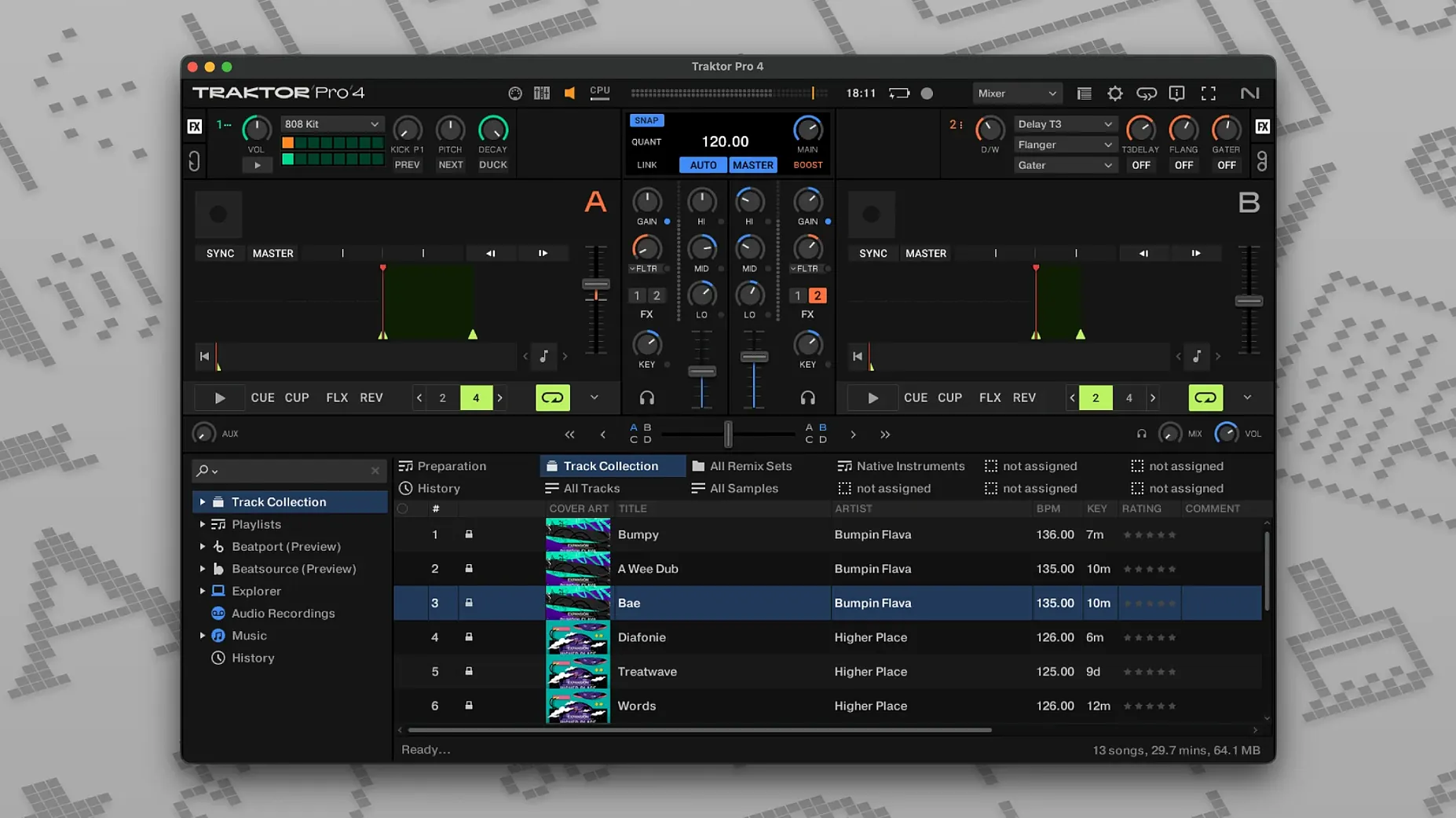
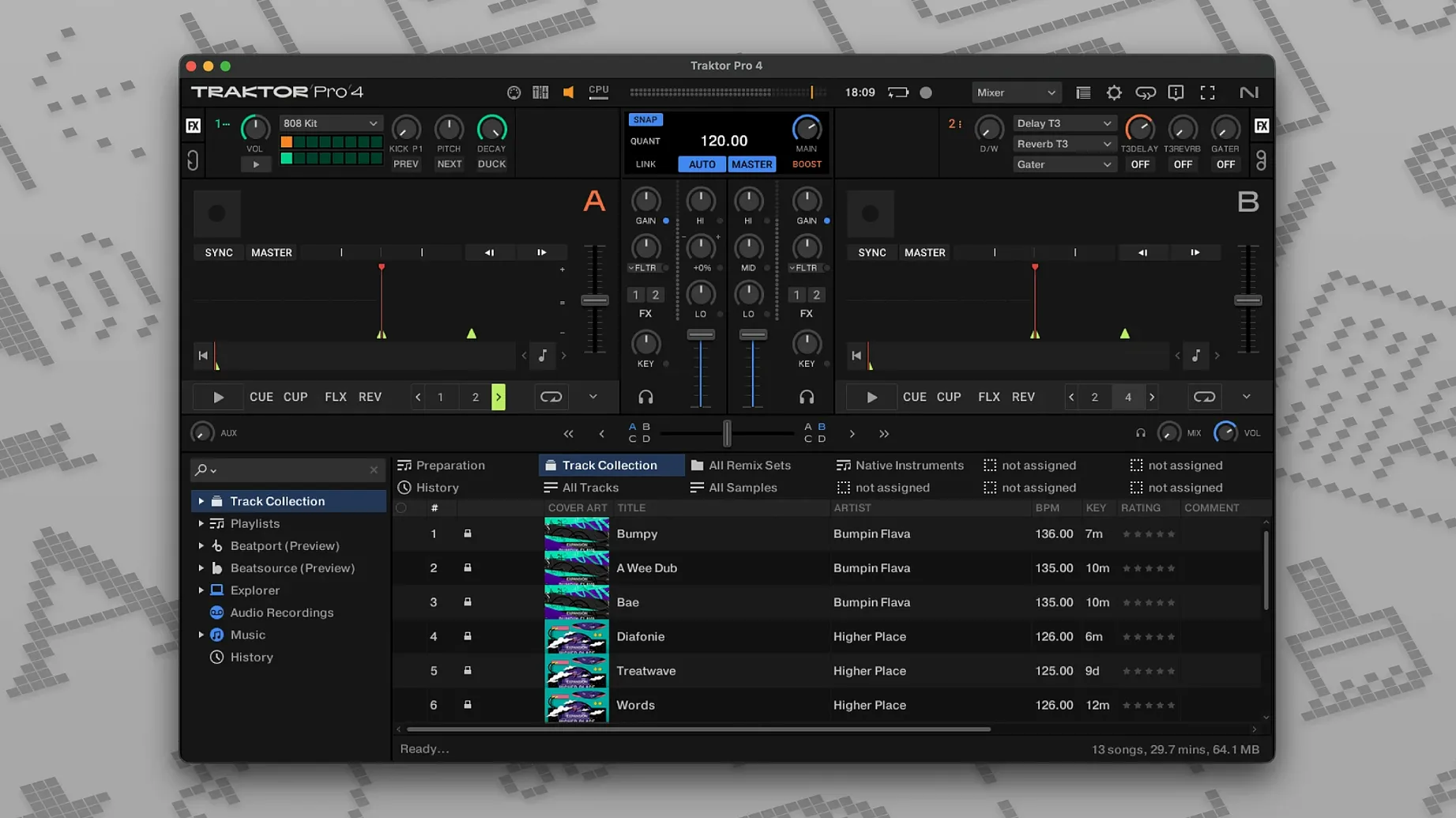
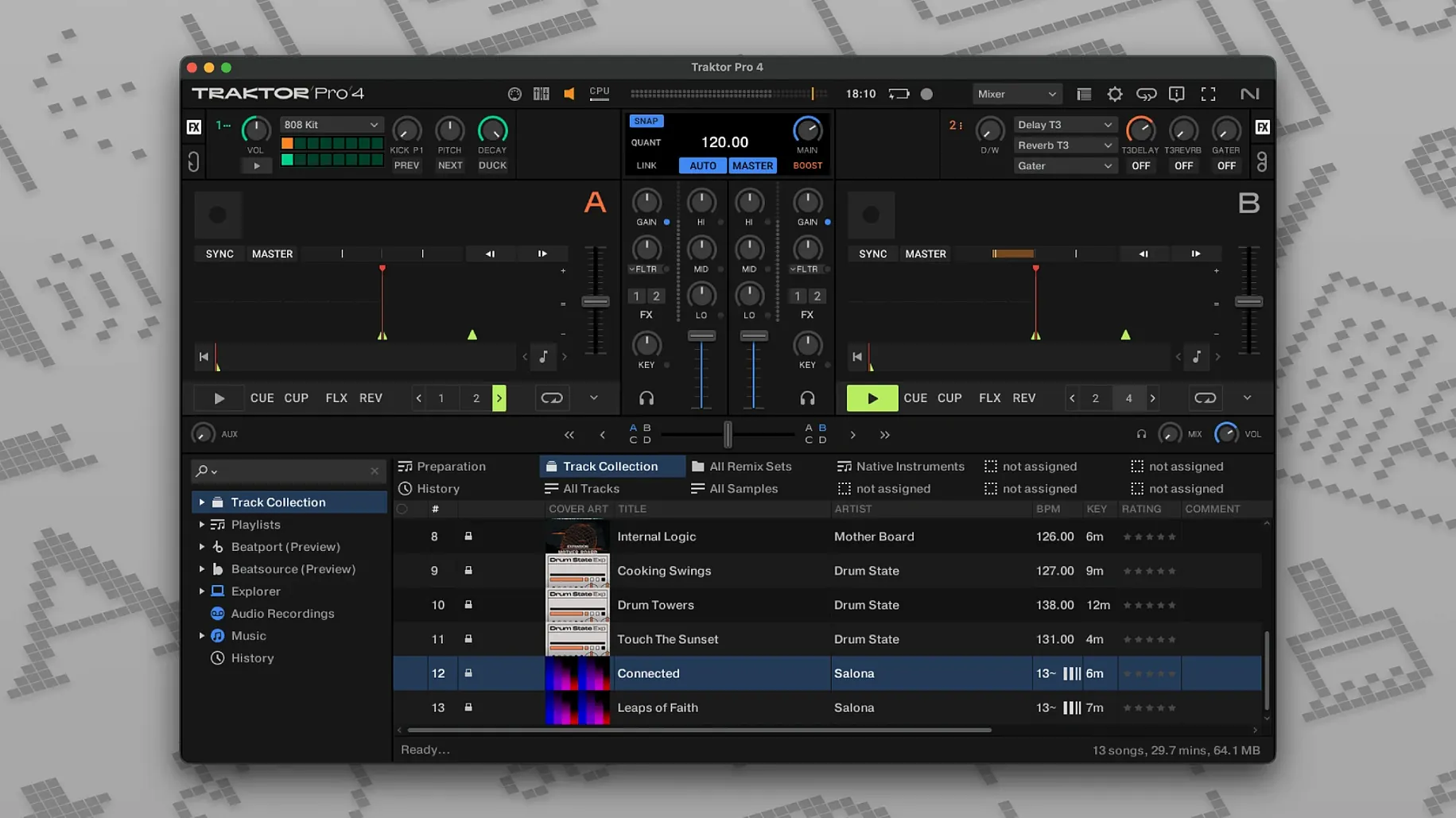
When a standard two-channel mixer feels like a constraint, you need an environment that gives every track room to breathe across multiple decks. Here, the common questions are unpacked.
Stem separation — the software can isolate drums, bass, vocals and other instruments from a full track in real time, letting you recombine elements between songs.
Track Deck — the classic mode for playing a single audio file with transport controls, looping and cue points, like a traditional CDJ.
Stem Deck — a Track Deck that automatically splits its loaded song into the four stem parts, giving you individual volume faders for each.
Remix Deck — a slot-based deck for one-shot samples and loops, essentially turning the software into a performance sampler.
Live Input — a deck fed by an external audio source, such as a turntable or a synthesiser, processed through Traktor's effects and EQ.
Custom mappings — the freedom to assign any software function to any knob, button or fader on a connected MIDI controller, meaning you can tailor the physical controls to your exact way of working.
Open-format DJs can park an acapella and instrumental across four decks
Open-format DJs who jump between hip-hop, house and pop within a single hour tend to notice the difference first. Having four decks means you can park a clean acapella on deck three, keep an instrumental riding on deck two, and still have decks one and four free for the next two tracks. That removes the frantic searching that happens when you only have two channels and the dancefloor is demanding a change of mood right now.
Producers who perform their own material live get a different kind of value. The Remix Deck becomes a palette of stems and one-shots exported from a DAW session, so a track that was static in the studio can be rebuilt on stage — mute the kick, bring in a different bassline, trigger a riser sample, all from the same laptop that runs the show. The combination of Stem Decks and Remix Decks blurs the line between DJ set and live PA in a way that a simpler two-channel setup never quite manages.
Bedroom mixers who are still learning phrase matching often find the visual feedback of the parallel waveforms a quiet teacher. Seeing where a breakdown lands on deck one while cueing the intro on deck two builds an intuitive sense of phrasing that pure audio cueing takes months to develop. And because the software doesn't punish experimentation — undo exists, cue points can be nudged, loops can be halved or doubled on the fly — the first year of mixing feels less like a series of trainwrecks and more like a sandbox.
Installation artists and sound designers who need a reliable playback engine for multichannel installations also gravitate toward Traktor Pro. The OSC and MIDI Clock support means the software can be triggered by Max/MSP patches, lighting consoles or motion sensors, while four decks running long-form ambient files with independent effects chains give a gallery space a slowly shifting sound field that runs for hours without manual intervention.
You can use every function with just a mouse and keyboard, no controller
Does it work without a controller? Yes, though the experience is different. Every function is accessible with mouse and keyboard shortcuts, and the internal mixer can route audio to the built-in headphone output for cueing while the main output feeds a speaker. Practising on a laptop with just a splitter cable is entirely possible — plenty of DJs build their first hour-long set that way before ever touching a jog wheel. That said, the software reveals its deeper personality once a controller or external mixer is connected.
Will it play nicely with a collection managed in iTunes or the Music app? The import is straightforward: point Traktor at the XML file and it pulls across playlists, ratings and tags. Edits made inside Traktor — new cue points, beatgrid adjustments, star ratings — can be written back as ID3 tags, so the metadata travels with the files if they later get moved to another application. The key is setting the write permissions correctly on the first launch, otherwise the tags stay locked inside Traktor's own database.
How steep is the learning curve for stem separation? The feature itself is a single button press, but thinking in stems takes a few evenings. Most people spend the first session muting the bass on a familiar track, then the second session swapping a bassline between two songs in the same key, and by the third session they're layering a vocal from one decade over a drum groove from another without second-guessing the grid alignment. The CPU hit is real — on older Intel machines it's wise to freeze stems to audio rather than running four real-time separations simultaneously.
Live with the factory controller mapping for a weekend before customising
Resist the temptation to map every knob on a first-generation Kontrol controller before you've mixed a single track. The factory mapping for the hardware you own is a considered starting point, and living with it for a weekend reveals which functions you actually reach for under pressure. Custom mappings are powerful but they reward restraint — map three things you genuinely need, not thirty things that look clever on paper.
Set the master tempo to an odd value on purpose during a practice session. Playing a 128 BPM house track at 135 BPM with key lock engaged teaches your ears what the pitch algorithm does to transients, and that knowledge is more useful than any manual page when a vocal suddenly sounds glassy at four in the morning. The same logic applies to the limiter on the main output: push it into gentle gain reduction once so you recognise the sound of the compressor grabbing, then back it off and aim to stay out of it entirely.
Build a small set of six tracks — three pairs that work together — and record a ten-minute mix on day one using the internal recorder. Export it as a WAV, listen on headphones away from the screen, and note where the transitions dragged or clashed. The waveform view in Traktor shows you what happened; the audio file tells you what it felt like. Those are two different things, and learning to trust the second one over the first is what separates a practiced set from a collection of lined-up beatgrids.
If you're coming from an earlier version, take ten minutes to open the Preferences and walk through the new audio device options and routing matrix. The audio engine has been restructured, and some settings that used to live under Output Routing now hide under a separate tab. A quick soundcheck with a long reverb tail will confirm that the buffer size is small enough for tight cueing but large enough to avoid crackles when three decks are running stem separation and a fourth is loading a Beatport stream.
Where Traktor Pro sits alongside other DJ platforms
Serato DJ Pro shares the same broad ambition — four decks, streaming integration, hardware ecosystem — but the philosophical split is older than most people realise. Serato grew up around DVS and turntablists; its library management and crate system reflect that, and the waveform display prioritises a horizontal scrolling view that vinyl DJs find familiar. Traktor's parallel waveform view and its deeper MIDI mapping engine appeal to DJs who think in terms of signal flow and want to route audio through external mixers in non-standard ways. Neither approach is wrong; they simply reward different habits.
rekordbox, in its Performance mode, covers similar ground with Pioneer DJ's hardware range. The library management is tightly woven into the CDJ ecosystem, which makes it the obvious choice for DJs who regularly play clubs with house gear. Traktor Pro takes a different path: it assumes you might bring your own controller, your own audio interface, or no controller at all, and the software's architecture reflects that flexibility. Where rekordbox nudges you toward a standardised setup, Traktor leaves more decisions — and more setup work — in your hands.
Virtual DJ casts a wide net, supporting a staggering range of controllers and adding video mixing and karaoke features that sit well outside Traktor's scope. For a mobile DJ who needs to play a wedding video montage between sets, that breadth is indispensable. Traktor narrows the focus to audio mixing, stem manipulation and live remixing, and it goes deep rather than wide. The trade-off is visible in the interface: where Virtual DJ offers a single window with many tabs, Traktor expects you to arrange panels, decks and mixer sections into a layout that matches your workflow, then save that configuration as a personal default.
Bounce stems from Logic Pro into a Remix Deck for live performance
Traktor Pro and a DAW like Logic Pro complement each other in a workflow that moves from studio to stage. A producer can bounce stems from Logic as WAV files, load them into a Remix Deck, and perform a track that retains the mix quality of the studio but responds to the energy of a room. Going the other direction, a set recorded in Traktor as a multitrack AIFF can be imported into Logic for post-production — tightening a transition, adding a mastering chain, or pulling a live mashup into a proper release version. The file formats are standard, so no conversion step is needed.
For DJs who build visuals, the OSC support opens a direct line to Resolume or VDMX. A cue-point trigger on deck one can fire a clip change in the VJ software; a filter sweep on deck two can drive a hue rotation. Because Traktor sends OSC messages over the local network, the two applications can run on the same Mac or on separate machines without any MIDI cable in sight. The setup takes an afternoon to configure, but once the address patterns are mapped, the link becomes invisible — you mix audio, and the visuals follow.
On the system side, macOS Audio MIDI Setup becomes part of the pre-gig checklist. Creating an aggregate device that combines a controller's built-in sound card with an external interface for booth and main outputs is a five-minute task, and naming the channels clearly — "Booth L", "Main R" — prevents the midnight panic of sending cue audio to the PA. Traktor sees the aggregate device as a single audio interface, so the routing matrix inside the software can assign any deck output to any physical output with a clarity that disappears if the system-level naming is vague.
Beatport Streaming integration means a decent broadband connection effectively extends the library into the platform's catalogue. It's not a replacement for a local collection — a venue with patchy Wi-Fi will teach that lesson quickly — but as a tool for handling requests or trying a new track during a low-pressure warm-up slot, it earns its place. The streamed tracks appear in the browser alongside local files, and loading one behaves exactly like loading from the hard drive, provided the connection holds.
- macOS 12 or newer
- Supports both Intel and Apple Silicon Macs
Questions I keep hearing
Can I use Traktor Pro without a dedicated DJ controller?
Yes, you can mix entirely with the mouse and keyboard shortcuts, though many people find a physical mixer or a Native Instruments Kontrol device makes the four-deck workflow feel more immediate.
Questions from the class 0
Sign in or join the class to ask a question.
Nobody has asked anything yet. If you have used it on a real job, say what the file did.
Also on the Audio shelf
The whole Audio shelf Swinsian
Plays and organises local music files.
Swinsian
Plays and organises local music files.
 Studio One
Streamlines music production with drag and drop.
Studio One
Streamlines music production with drag and drop.
 Steinberg Nuendo
Edits dialogue and sound for film and games.
Steinberg Nuendo
Edits dialogue and sound for film and games.
 SoundSource
Gives you a menu-bar panel to adjust the volume and output of every app on your Mac individually.
SoundSource
Gives you a menu-bar panel to adjust the volume and output of every app on your Mac individually.
 Serato Studio
Builds beats and full arrangements around your existing DJ library and its stem-separated parts.
Serato Studio
Builds beats and full arrangements around your existing DJ library and its stem-separated parts.
 Serato DJ Pro
Plays two or more audio tracks in sync and lets you blend them with hardware decks.
Serato DJ Pro
Plays two or more audio tracks in sync and lets you blend them with hardware decks.
 QLab
Controls audio, video and lighting cues for live performances.
QLab
Controls audio, video and lighting cues for live performances.
 Plugin Alliance Brainworx bx_mastering studio
Polishes a finished stereo mix with a few focused mastering controls.
Plugin Alliance Brainworx bx_mastering studio
Polishes a finished stereo mix with a few focused mastering controls.