 ASPNetWorld

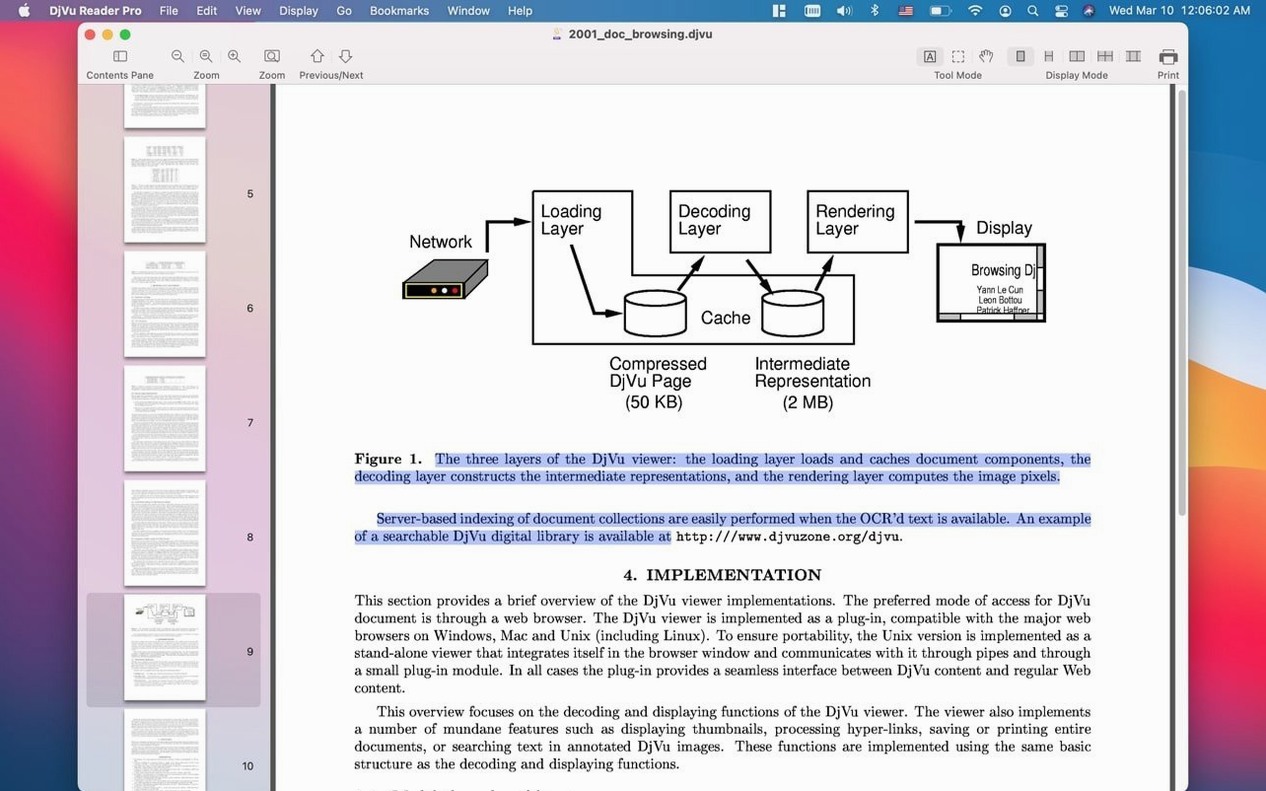
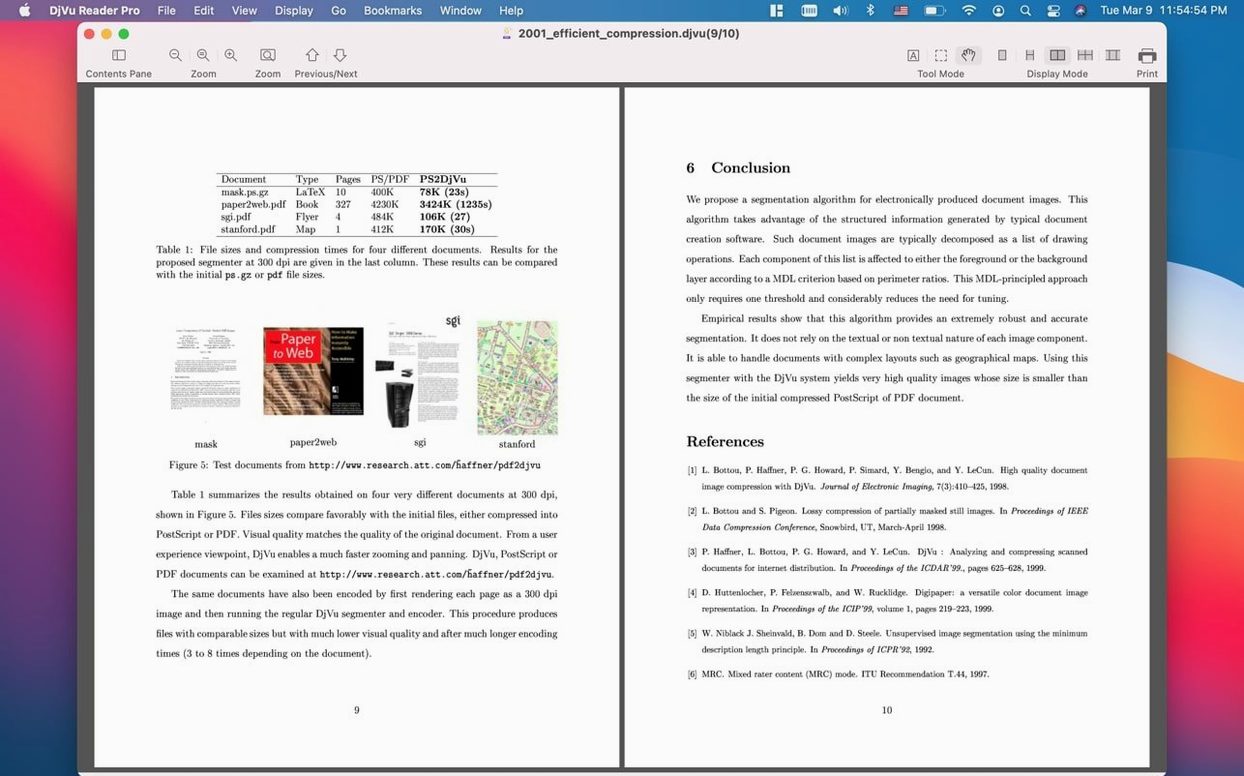
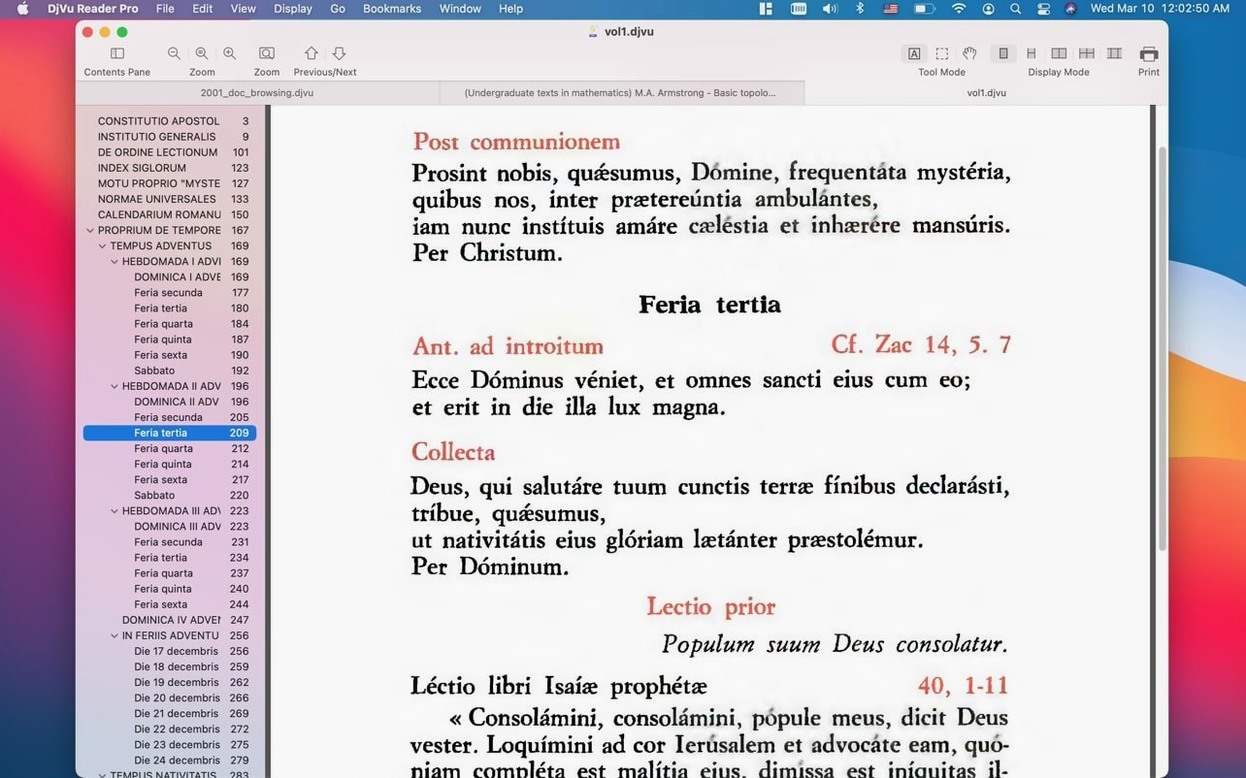
Version 2.7.2 of DjVu Reader Pro is a maintenance release that keeps the app running smoothly on current Mac setups — no headline features, just quiet reliability for opening and reading DjVu documents. If you have old ebook collections, scanned manuals or archived journals in DjVu format, this is the straightforward viewer that gets them on screen.
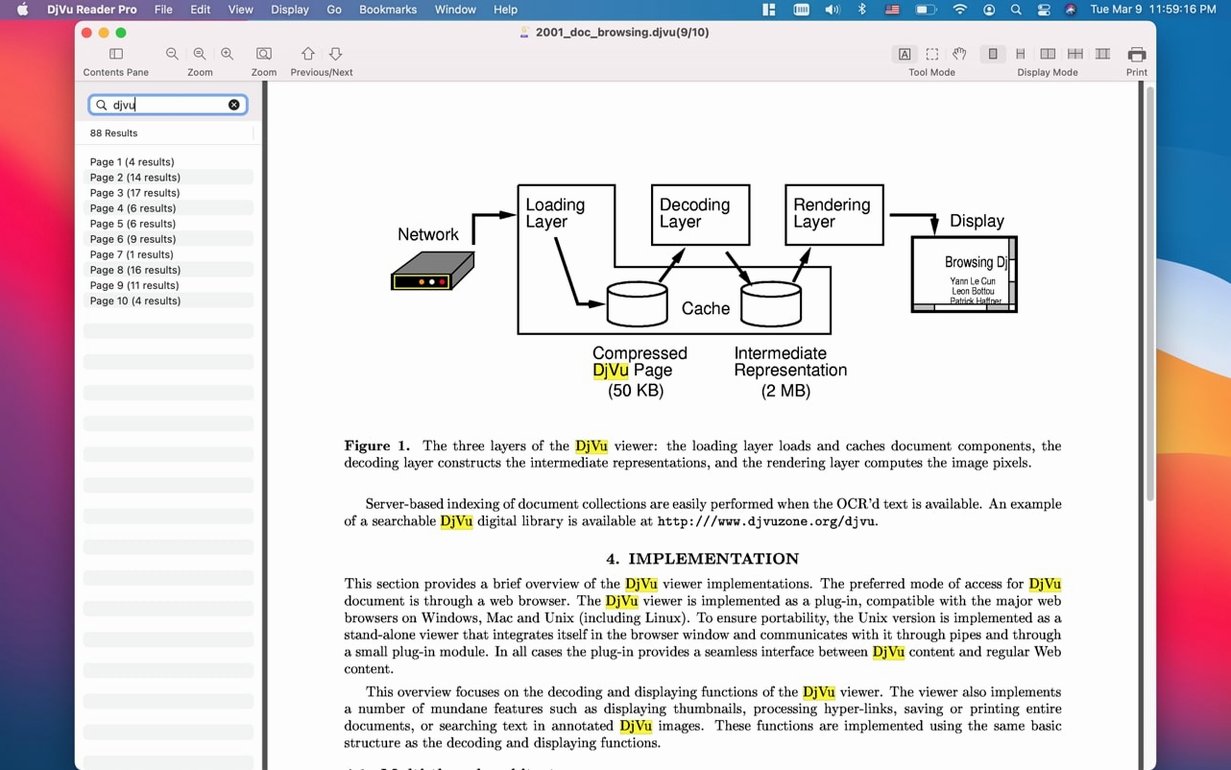
Jump to any phrase across hundreds of pages with the Find Pane
- Opening DjVu files without fuss — double-click and read.
- Searching text layers with the Find Pane, which means you can jump straight to a phrase inside a multi-page document rather than scanning by eye.
- Bookmarking pages you need to return to, handy for reference texts and research.
- Reading in a window or full screen, with simple scrolling and a thumbnail sidebar for visual page navigation.
Only opens DjVu files — no editing or converting here
- DjVu Reader Pro needs macOS 10.15 or later, so older Macs won't run it.
- The interface is available in Russian and English only.
- It reads DjVu files — it does not edit, convert or create them.
Switch the page flow in the View menu to match long-form reading
Out of the box, DjVu Reader Pro is ready to open a file and let you read, but a couple of tweaks make the experience feel more your own. The first stop is the View menu, where you can tell the app to open documents at a default scale rather than fitting the whole page to the window — useful on larger screens where a little extra magnification saves you reaching for the zoom controls every time you open a new volume.
Next, head to the reading preferences and check the continuous scrolling option. Without it, page turns snap from one spread to the next; with it, you get a smooth, unbroken flow as you scroll down through a chapter. If you work with scanned books that have generous margins, you can also set a custom crop that trims away the blank space and gives the text more room on screen. The crop setting sticks across sessions, so you set it once per document and forget it.
Finally, if you find yourself reaching for bookmarks often, pin the bookmark list open as a sidebar rather than calling it up from a toolbar button each time. The thumbnails sidebar is already pinned by default, but the bookmark panel lives a click away and deserves the same permanent spot if you're working through a dense reference text.
Scrolling through a 600-page manual stays fluid and instant
DjVu Reader Pro earns its keep by being noticeably light on system resources, even when several documents are open in the library. Scrolling through a 600-page technical manual on an Apple Silicon Mac feels fluid — pages render instantly, and the Find Pane returns results with barely a pause. The search scans the document's text layer rather than performing OCR on the fly, so the speed depends on how the DjVu was made originally; a well-produced file with a clean embedded text layer gives near-instant results, while a badly scanned document without one obviously won't benefit.
Memory usage stays modest. With four DjVu files of around 20–30 MB each loaded into the library, the app idles at roughly 90–120 MB of RAM — negligible on modern Macs. The thumbnails sidebar does trigger a brief burst of CPU activity when you first scroll through a large document, as the app generates preview images on demand, but this settles immediately once the visible thumbnails are cached. I have yet to see a beachball or an unexpected quit during ordinary reading, and the app handles sleep and wake cycles on a MacBook without dropping documents or forgetting your place.
A real-world research session
Imagine a postgraduate historian working with a dozen DjVu files — digitised journal issues from the 1920s, each running to a hundred pages or more, all downloaded as part of a public-domain archive. She opens DjVu Reader Pro, drags the folder into the library pane, and the app catalogs everything in seconds. The thumbnails sidebar lets her flick through an issue visually when she remembers a diagram's position but not the page number. For specific quotes, she types an author's surname into the Find Pane and jumps directly to every mention across all open documents — a process that would take hours with printed copies.
Bookmarks mark the key passages for her literature review, and the continuous scrolling mode lets her read a twenty-page article in one smooth sweep without the mental interruption of a page-flip animation. When she needs to quote a passage in her notes app, a quick pinch-to-zoom gesture brings the text up large and crisp. The whole session runs alongside Safari, a PDF reader and a word processor, and the Mac's fans stay silent throughout — the kind of unglamorous, getting-out-of-the-way performance that makes DjVu Reader Pro feel like a tool rather than a distraction.
- macOS 10.15 or later
- Apple Silicon or Intel 64-bit processor
Questions I keep hearing
Can DjVu Reader Pro search inside a document?
Yes, provided the DjVu file was created with a text layer. The Find Pane searches that embedded text, so you can locate words and phrases quickly.
Does the app work on Apple Silicon Macs?
It does. DjVu Reader Pro runs on both Intel and Apple Silicon Macs, as long as they have macOS 10.15 or newer.
Questions from the class 0
Sign in or join the class to ask a question.
Nobody has asked anything yet. If you have used it on a real job, say what the file did.
Also on the Office shelf
The whole Office shelf EndNote
Collects, organises, and cites your research references inside a word processor.
EndNote
Collects, organises, and cites your research references inside a word processor.
 Complete Anatomy
Reveals the true spatial dance of nerves and organs that a flat textbook page cannot show.
Complete Anatomy
Reveals the true spatial dance of nerves and organs that a flat textbook page cannot show.
 Final Draft
Formats your screenplay as you type, keeping character names and cues tidy.
Final Draft
Formats your screenplay as you type, keeping character names and cues tidy.
 Cardhop
Lets you search, add, or email a contact by typing a single plain-English sentence.
Cardhop
Lets you search, add, or email a contact by typing a single plain-English sentence.
 GoodNotes
Brings your handwritten iPad notes to the Mac desktop for editing and organising.
GoodNotes
Brings your handwritten iPad notes to the Mac desktop for editing and organising.
 GrandTotal
Creates clean, custom invoices and estimates free of spreadsheet clutter.
GrandTotal
Creates clean, custom invoices and estimates free of spreadsheet clutter.
 GraphPad Prism
Combines statistics, graphing and curve fitting in a single research workspace.
GraphPad Prism
Combines statistics, graphing and curve fitting in a single research workspace.
 Bear
Writes and organises private notes in plain Markdown, with optional formatting preview and flexible tags.
Bear
Writes and organises private notes in plain Markdown, with optional formatting preview and flexible tags.