 ASPNetWorld

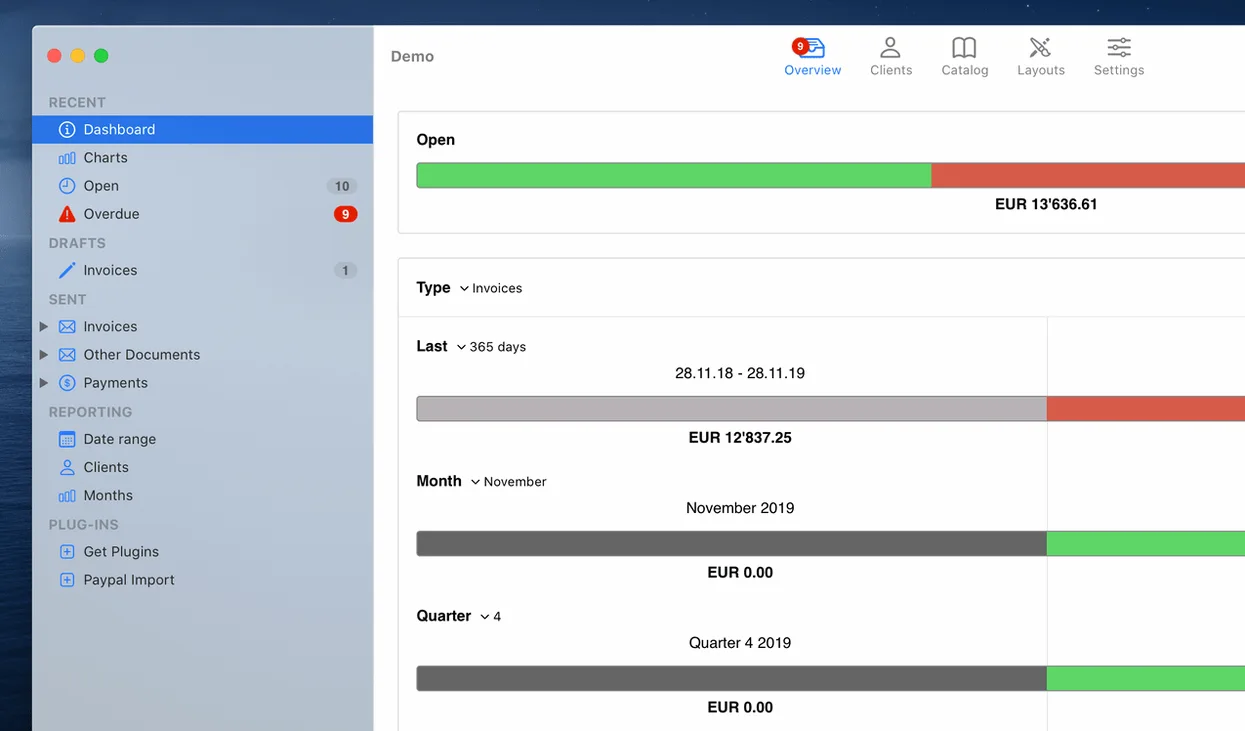
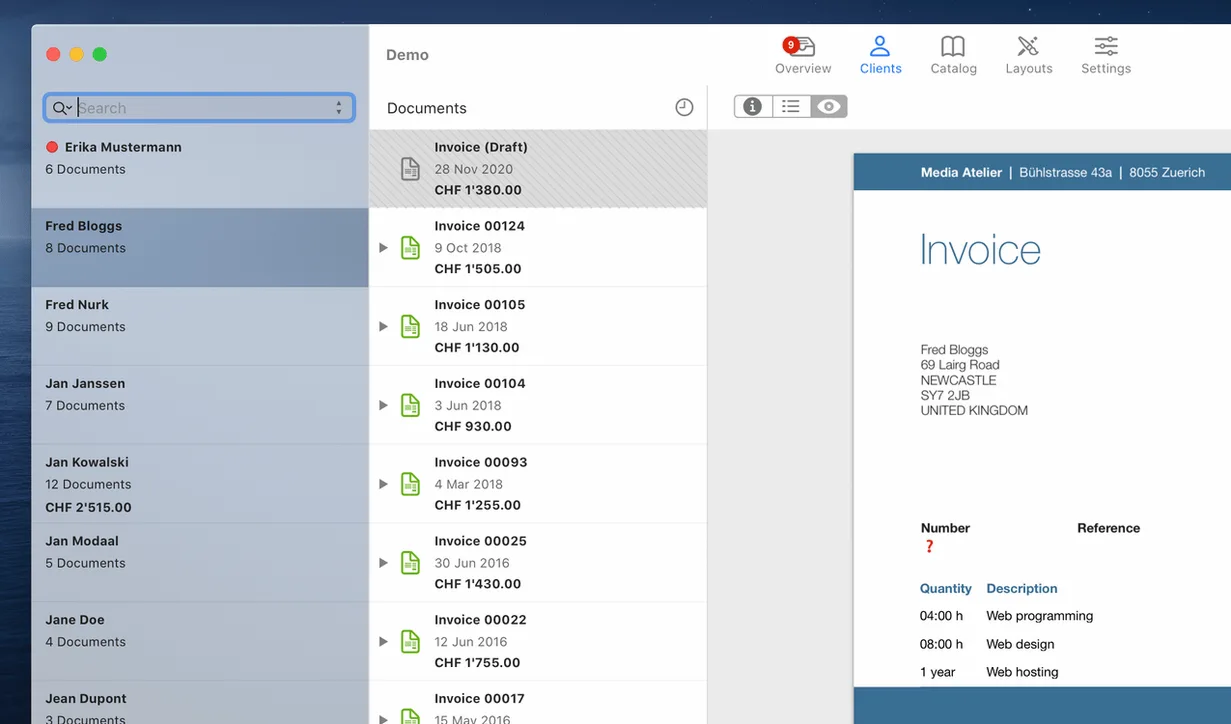
GrandTotal is a Mac app for building invoices and estimates from templates you can shape yourself. It gives you a dedicated workspace away from messy spreadsheets, so every document that leaves your office looks clean and consistent. The built-in editor lets you drag fields around, drop in a logo, and settle on a layout that matches your letterhead or brand — no coding required.
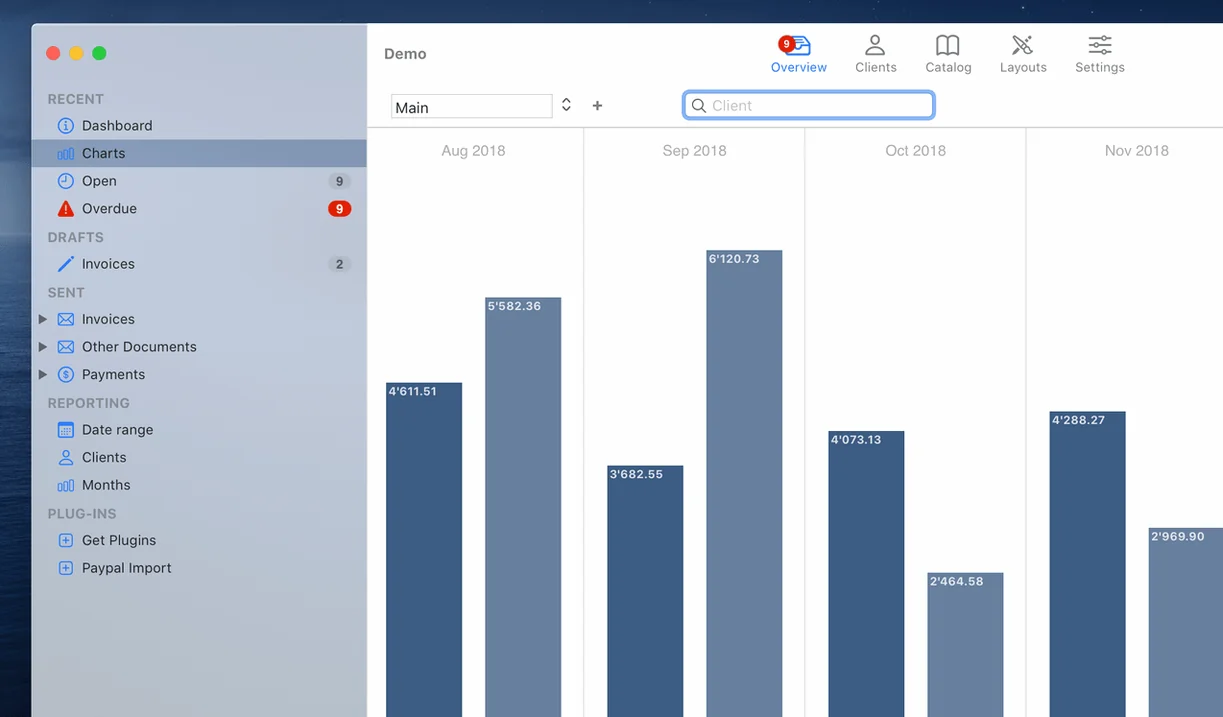
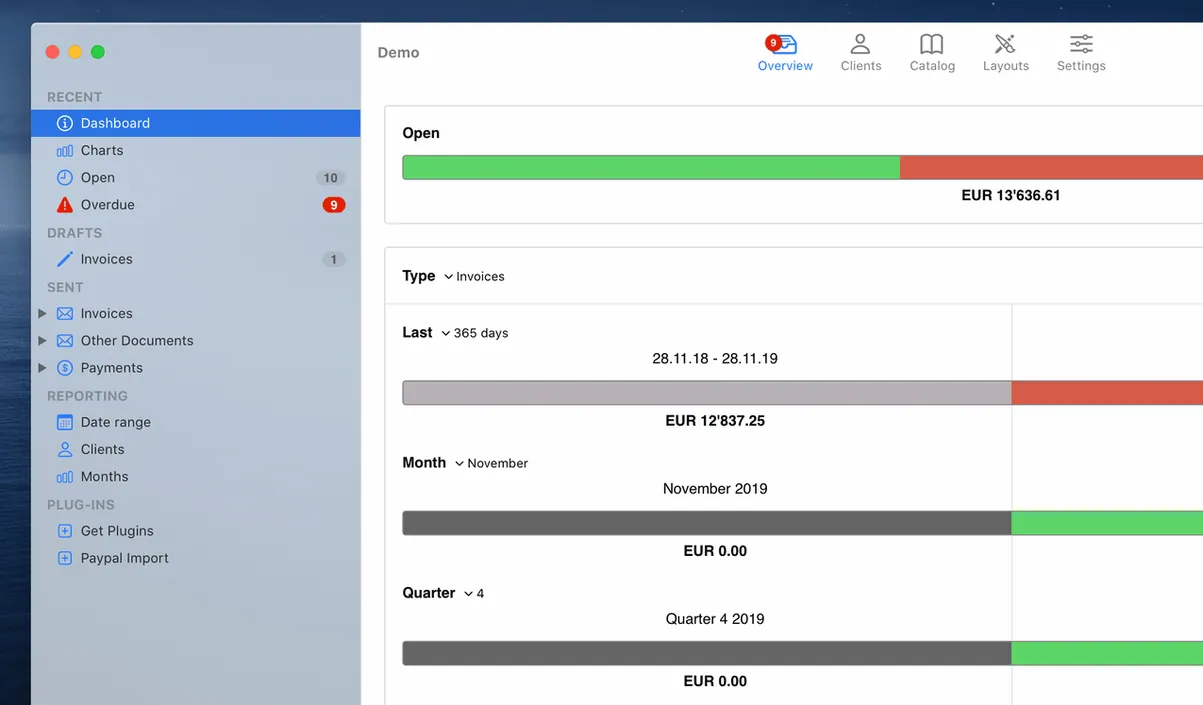
People tend to ask whether it works with the accounting tools they already use. Media Atelier designed it to pair naturally with their own time-tracker, TimeLog, so hours logged against a project flow straight onto an invoice. Beyond that, GrandTotal keeps its own books tidy: it flags overdue payments so you know who needs a nudge, and its statistics charts let you compare one business period against another without exporting data elsewhere.
It installs in the usual Mac way — mount the disk image, slide the app into Applications, and launch it from Launchpad once the copy finishes. The current build runs on macOS 10.14 or newer and speaks English in the interface. If a few minutes of template tweaking sound better than wrestling with a word processor every billing cycle, this is the sort of quiet utility that earns its keep.
Wrapping a branding project and sending the invoice
It is near the end of the month and the freelance designer in you has just wrapped a branding project. You open GrandTotal and the main window shows a clean list of previous invoices with a sidebar filter for their status. No welcome wizard gets in the way.
You click the New Invoice button and choose the template you built last month — your off-white letterhead with the studio logo tucked into the top-right corner. The editor opens with placeholder text already filled: client name, address, and a default project description. You type the client’s details into the top block; GrandTotal remembers most of them from the last job, so you only need to adjust the project reference and the date range.
Now the line items. You add three rows: logo concepts, revision rounds, and final file delivery. For each row you pick the unit type — hours in this case — and enter your rate. As you tab through, the totals update in real time along the bottom of the window. The maths is live, so you can see straight away that the deposit you recorded last week is being subtracted from the final balance.
Before sending, you switch to the preview tab. The PDF rendering shows exactly what the client will see, down to the soft grey rule separating the header from the line items and the bank details in the footer. Satisfied, you hit Save and drag the PDF straight from GrandTotal’s attachment drawer into an email. The invoice flips to Sent in the status column without any extra steps.
Three days later you notice a red badge by the same invoice. Clicking it brings up the overdue panel with the exact number of days past the due date. You copy the polite reminder text GrandTotal generates, paste it into a new message, and send it off. By the time the payment arrives, the chart view on the dashboard has already nudged your monthly total upward.
The document-creation stage between time-tracking and accounting
GrandTotal does not try to be a full bookkeeping package, and that is its strength. It sits between a time-tracker and a proper accounting suite, handling the document-creation stage that is often the most fiddly. Hours captured in TimeLog appear inside GrandTotal as billable line items, so a consultant bouncing between clients can log time on an iPhone during the day and turn those entries into a finished invoice with a few clicks back at the Mac.
For the wider macOS ecosystem, the app leans on what is already built into the system. The PDF engine uses Apple’s Quartz rendering, so anything you see in preview is pixel-accurate to what a client opens in Mail or Preview on their end. The template editor respects system fonts and colour profiles, meaning a brand colour picked from the standard macOS palette remains consistent when the PDF reaches a Windows machine. Drag-and-drop works as you would expect — pull a PDF out of the invoice list and drop it into a Finder folder or a Mail compose window, and macOS treats it like any other file attachment.
If you already use a cloud accounting service, GrandTotal does not force you to choose. Exported CSVs slot into most bookkeeping tools, and the PDFs can be forwarded straight into receipt-tracking apps. Because GrandTotal keeps its database local — a single file inside your Documents folder — Time Machine picks it up automatically with your other work. There is no sync engine to configure or cloud portal to log into; the file lives where your Mac expects it to live.
Option-drag duplicates a template field instead of moving it
A few touches in GrandTotal repay a little exploration. Holding the Option key while dragging a field in the template editor duplicates it instead of moving it, which is handy when you want a second address block with the same formatting. The invoice number sequencer understands prefixes — typing DESIGN- into the format field keeps everything tidy without manual numbering each time.
In the line-item table, pressing Command-Return while editing a cell creates a new row below and moves focus into it, so you can add items without reaching for the mouse. The overdue panel has a subtle secondary feature: right-clicking any overdue invoice reveals a Copy Payment Details command that puts the bank information and reference number onto the clipboard in one go, ready to paste into a banking app.
The statistics charts respond to date-range clicks, but they also accept a typed date — typing “Jan..Mar” into the range field snaps the graph to the first quarter without navigating a calendar widget. And if you ever send an invoice with the wrong template, the Change Template command re-wraps the same data into a different layout while preserving every line item, which saves rebuilding a document from scratch.
- macOS 10.14 or later
- Apple Silicon or Intel processor
Questions I keep hearing
Can I edit the invoice layout without any design skills?
Yes – GrandTotal includes a built-in template editor where you can adjust the layout by dragging elements and adding your logo.
Does it help me spot late payments?
It tracks overdue payments automatically, so you can see at a glance which clients haven't paid yet and follow up.
Will it work alongside TimeLog?
Absolutely – GrandTotal is built to integrate with Media Atelier's TimeLog, pulling tracked hours directly onto your invoices.
Questions from the class 0
Sign in or join the class to ask a question.
Nobody has asked anything yet. If you have used it on a real job, say what the file did.
Also on the Office shelf
The whole Office shelf GoodNotes
Brings your handwritten iPad notes to the Mac desktop for editing and organising.
GoodNotes
Brings your handwritten iPad notes to the Mac desktop for editing and organising.
 GraphPad Prism
Combines statistics, graphing and curve fitting in a single research workspace.
GraphPad Prism
Combines statistics, graphing and curve fitting in a single research workspace.
 Final Draft
Formats your screenplay as you type, keeping character names and cues tidy.
Final Draft
Formats your screenplay as you type, keeping character names and cues tidy.
 iA Writer
Clears away every toolbar so only your current sentence stays in focus.
iA Writer
Clears away every toolbar so only your current sentence stays in focus.
 EndNote
Collects, organises, and cites your research references inside a word processor.
EndNote
Collects, organises, and cites your research references inside a word processor.
 Keep It
Gathers notes, web links, images and files into one searchable library on your Mac.
Keep It
Gathers notes, web links, images and files into one searchable library on your Mac.
 DjVu Reader Pro
Opens and lets you read archived DjVu documents and scanned books reliably.
DjVu Reader Pro
Opens and lets you read archived DjVu documents and scanned books reliably.
 Complete Anatomy
Reveals the true spatial dance of nerves and organs that a flat textbook page cannot show.
Complete Anatomy
Reveals the true spatial dance of nerves and organs that a flat textbook page cannot show.