 ASPNetWorld



Money Pro works on any Mac running macOS 12 Monterey or newer, and it’s a universal binary, so it runs natively on both Intel processors and Apple Silicon. That broad compatibility means you can slot it into an older office iMac or the latest MacBook Air without thinking about translation layers.
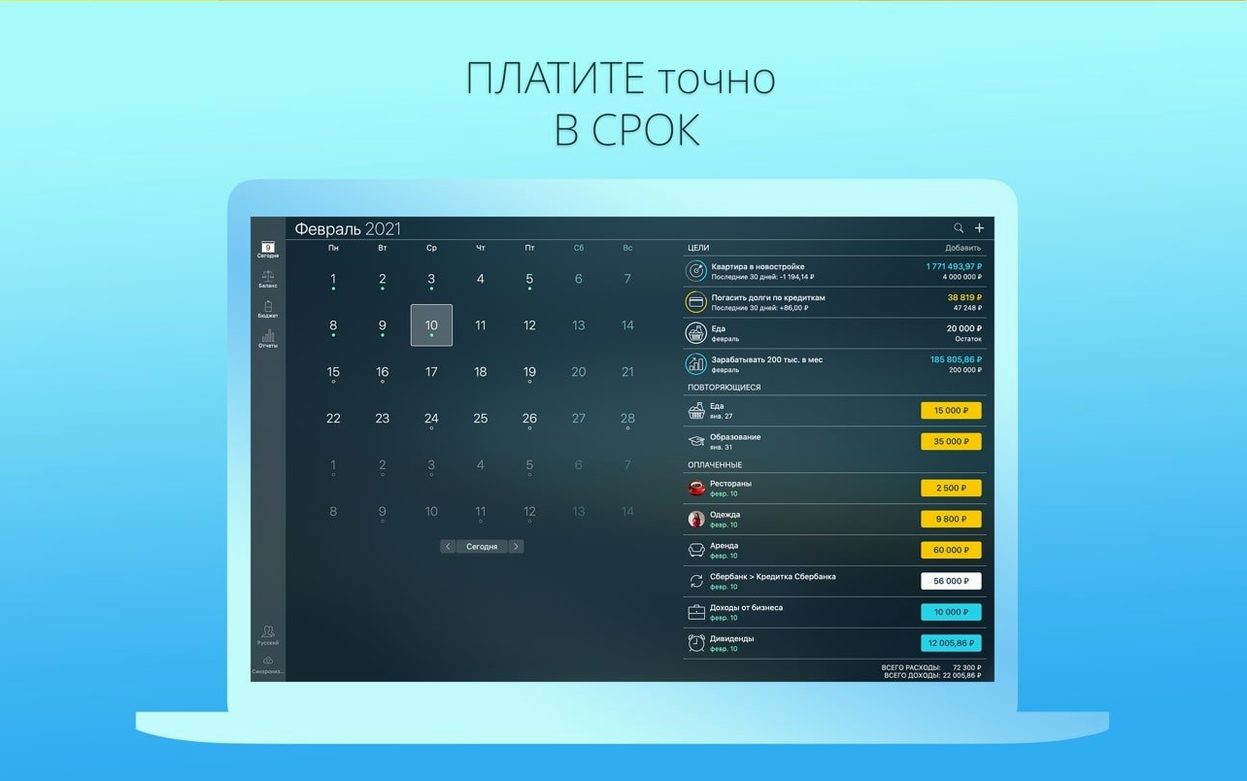
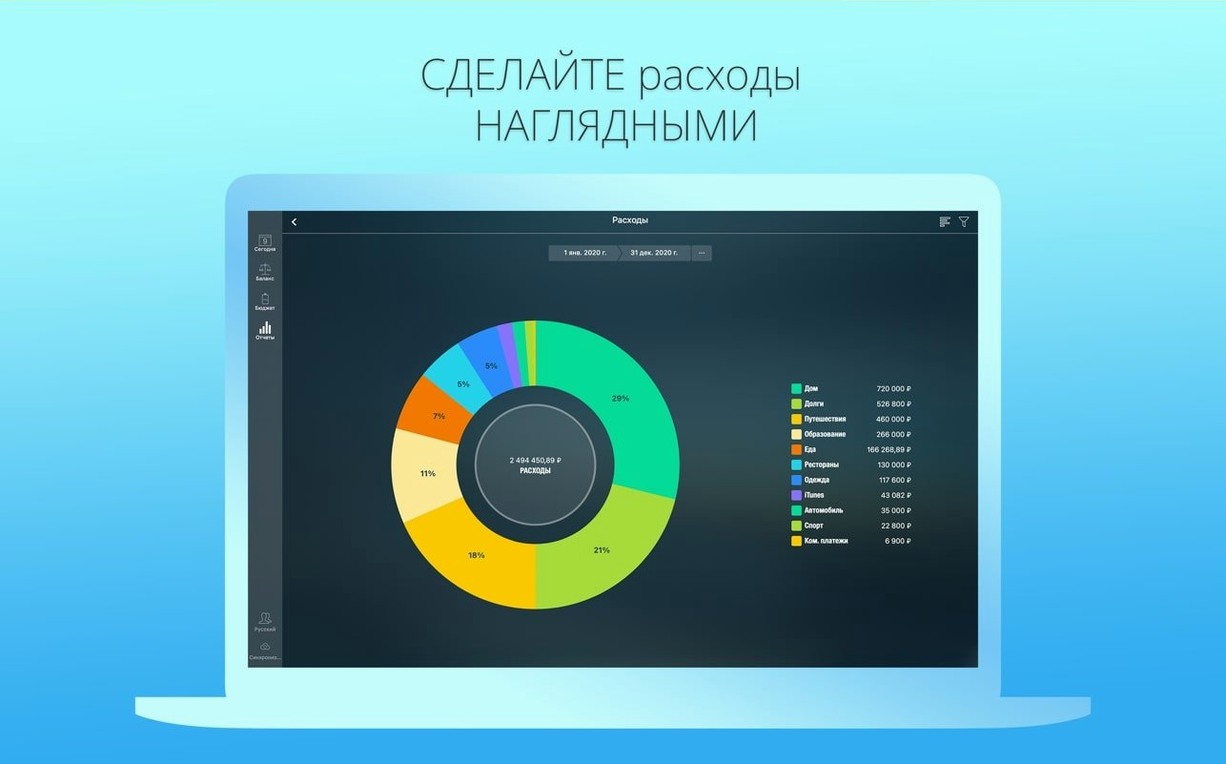
The app brings three financial jobs under one roof. First, there’s a budgeting tool that lets you set separate spending limits for each period — weekly groceries get their own envelope, quarterly insurance gets another. Second, it acts as a transaction register for all your accounts, with account reconciliation built in so you can match your records against bank statements. Third, it handles payment reminders for recurring bills, flagging what’s due before you miss a deadline.
Multi-currency households and shared family Macs
- Home budgeting with period-specific limits that match how you actually spend.
- Multi-currency households — a built-in converter handles the maths.
- Families sharing one Mac — multiple profiles keep everyone’s money separate on a single device.
- Visual record-keeping — you can attach photos of receipts or warranty cards to any transaction.
- Cross-device tracking — Money Pro Sync links your data across iOS, Android, Mac and Windows.
- Bank data imports — OFX and CSV support saves you from typing out months of history.
Manual backups and bank format limitations
- Online banking features depend on your bank’s supported formats.
- Data backup is available, but it’s manual — you’ll want to build a regular habit.
- The calculator is a handy extra, though it’s a simple tape calculator rather than a full financial modelling tool.
Start with two accounts instead of importing everything
New users often set up every account they own on day one and then feel swamped by the dashboard. A cleaner approach is to bring in your main current account and one credit card first, live with those for a week, then add savings accounts and loans once the rhythm sticks. The app won’t punish you for starting small.
Another early stumble is treating the budget tool as a strict accounting ledger rather than a planning aid. People create a dozen granular categories — “coffee before 10 am”, “coffee after 10 am” — then abandon the whole thing when categorising takes longer than the spending itself. Money Pro works best with five to eight broad categories that mirror how you think about your money, not how a spreadsheet would classify it.
The most common error, though, is ignoring the reconciliation feature entirely. Users trust imported balances and never check them against a statement, so small discrepancies compound over months. Tapping the reconcile button once a fortnight turns a passive record into something you can actually rely on.
Lastly, a surprising number of people never set a password on their profile. The data sits unencrypted on a shared Mac, and Money Pro includes password protection for a reason — it takes thirty seconds to switch on.
How Money Pro fits alongside macOS and other apps
You can think of Money Pro as the hub, with data flowing in from your bank’s export files and out again to the wider Mac ecosystem. CSV and OFX imports pull transaction history in from online banking, while QIF export lets you hand a year’s worth of records to an accountant who works in desktop software like Quicken. The PDF export is equally practical — you can drop a monthly spending report into an Apple Note, attach it to a Calendar entry for a quarterly review, or file it in a Finder folder that syncs with iCloud Drive. Some users keep a dedicated money pro mac folder in Documents for these exports, knowing the reports are readable on any device.
Because Money Pro lives in the menu bar as well as the Dock, it plays nicely with macOS focus modes. You can keep the full window hidden during a work session and still glance at upcoming bills without switching contexts. The built-in calculator doubles as a scratchpad for quick sums during an online shopping session — no need to launch a separate app or Spotlight.
iCloud sync is the quiet engine here. Once you install the companion app on an iPhone or iPad, your budget categories, transaction history and payment reminders move between devices without a subscription. A bill marked as paid on the Mac during your morning coffee shows up as settled on the phone by the time you’re on the bus. People searching for Money Pro torrent macOS often find that the sync setup requires no ongoing fees — it simply works with the Apple ID you already have.
Logging three crumpled receipts after dinner
Imagine a Tuesday evening. You’ve just finished dinner, the MacBook is on the kitchen table, and three receipts are crumpled in your wallet. Here’s how half an hour with Money Pro might unfold.
You open the app and the dashboard lands on today’s date. The calendar strip along the top shows two bills due this week — broadband on Thursday, a credit card minimum payment on Friday. Both are greyed out with scheduled icons, meaning the app generated them automatically from the recurring payment rules you set up last month. Nothing is overdue, so you swipe past.
Next, you tackle the receipts. You tap the plus icon in your current account, enter the supermarket amount, and split the transaction: half to groceries, half to household supplies. Money Pro’s split-screen tool lets you drag the amounts between categories without doing mental arithmetic. The petrol receipt goes in as a single transaction under transport, and you snap a photo of the third receipt — a printer cartridge — attaching it to the entry in case you need the warranty code later.
With the spending logged, you open the budget view for this week. The groceries envelope has £12.40 remaining, enough for milk and bread before Saturday. Household supplies are overspent by £8, so you tap the carry-over setting and let the surplus come out of next week’s allocation — a small adjustment that stops you feeling like you’ve broken the system.
Before closing the lid, you run a quick reconciliation on the current account. Money Pro shows a calculated balance, you open your banking app on the phone, and the numbers match within a few pence — an uncleared tip from Friday. You mark the account as reconciled, export a PDF of the last month’s cash flow for your records, and quit. The whole session took twenty minutes, and the bills for Thursday now sit in your head, not just in the app.
The latest update tidies up a handful of minor bugs, keeping the app’s calculators and reconciliation tools running smoothly.
- macOS 12 or later
- Works natively on Apple Silicon and Intel 64-bit Macs
Questions I keep hearing
Can I track shared expenses with my family?
Yes, multiple profiles on one device keep individual finances separate, and Money Pro Sync lets you share data across iOS, Android, Mac and Windows.
Does it handle foreign currency transactions?
It includes a built-in currency converter, so you can record and view transactions in multiple currencies without third-party tools.
Can I import my old bank statements?
Money Pro can import transaction history from OFX and CSV files, which most banks offer through their online portals.
Questions from the class 0
Sign in or join the class to ask a question.
Nobody has asked anything yet. If you have used it on a real job, say what the file did.
Also on the Office shelf
The whole Office shelf Microsoft Word
Writes and formats long documents with styles and tracked changes.
Microsoft Word
Writes and formats long documents with styles and tracked changes.
 Microsoft PowerPoint
Builds slide decks for talks and presentations.
Microsoft PowerPoint
Builds slide decks for talks and presentations.
 Microsoft Outlook
Manages your email, calendars and contacts in one place.
Microsoft Outlook
Manages your email, calendars and contacts in one place.
 Microsoft Office
Brings together the core apps for documents, spreadsheets and email.
Microsoft Office
Brings together the core apps for documents, spreadsheets and email.
 Microsoft Excel
Organises numbers and data into spreadsheets for analysis and charts.
Microsoft Excel
Organises numbers and data into spreadsheets for analysis and charts.
 Nitro PDF Pro
Lets you edit text, swap images, and sign documents right inside a PDF without converting it first.
Nitro PDF Pro
Lets you edit text, swap images, and sign documents right inside a PDF without converting it first.
 Notebooks
Holds all your writing, notes, and task lists inside a single personal organiser that also handles PDFs.
Notebooks
Holds all your writing, notes, and task lists inside a single personal organiser that also handles PDFs.
 Numbers Creator Studio
Builds spreadsheets, charts, and pivot tables with Apple’s clean, collaborative workbook environment.
Numbers Creator Studio
Builds spreadsheets, charts, and pivot tables with Apple’s clean, collaborative workbook environment.