 ASPNetWorld

Architects marking up site plans, students pulling quotes from journal articles, and small business owners tidying contracts all reach for the same thing: a PDF tool that does not fall apart when you ask it to edit a paragraph or resize an embedded photograph. Nitro PDF Pro is built for that kind of work on the Mac, and the first sensible question is always whether it will actually run on your machine.
Requires Mojave or newer, runs natively on Apple Silicon
The installer needs macOS 10.14 Mojave or newer, which covers a wide range of Macs. Both Intel and Apple Silicon Macs are supported natively—there is no Rosetta-only workaround to worry about.
Clear enough disk space
Set aside up to 2 GB of free disk space before you begin, and make sure you have at least 1 GB of RAM available. A display running at 1280×800 or higher keeps the toolbars and document pane comfortable to work in.
Edit body text, move images, and delete logos inside the PDF
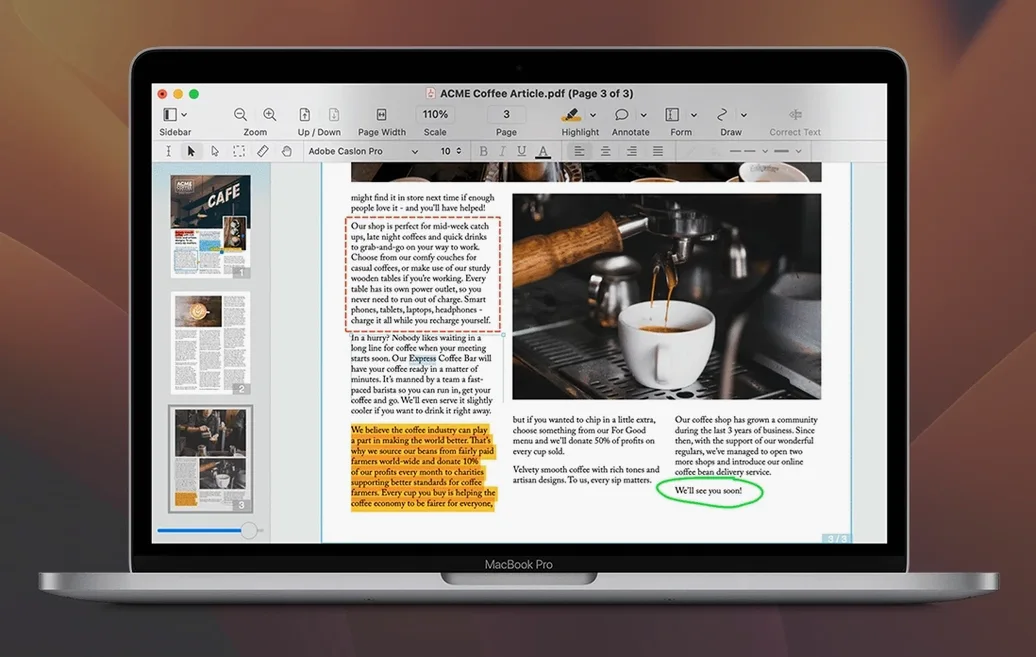
With those basics satisfied, the application gives you full editorial control inside the original PDF. You can correct a typo in a line of body text, move an image a few points to the left, or delete a logo that no longer applies—without exporting to another format first. The OCR engine turns flat scans into searchable, selectable documents. Forms can be filled and created from scratch, and you can drop in signatures, bookmarks, watermarks, headers, and line numbers as the job demands. A less common touch is the ability to record and play back audio annotations, which is handy for voice notes on a draft that will go through several rounds of review.
A workflow that actually saves the afternoon
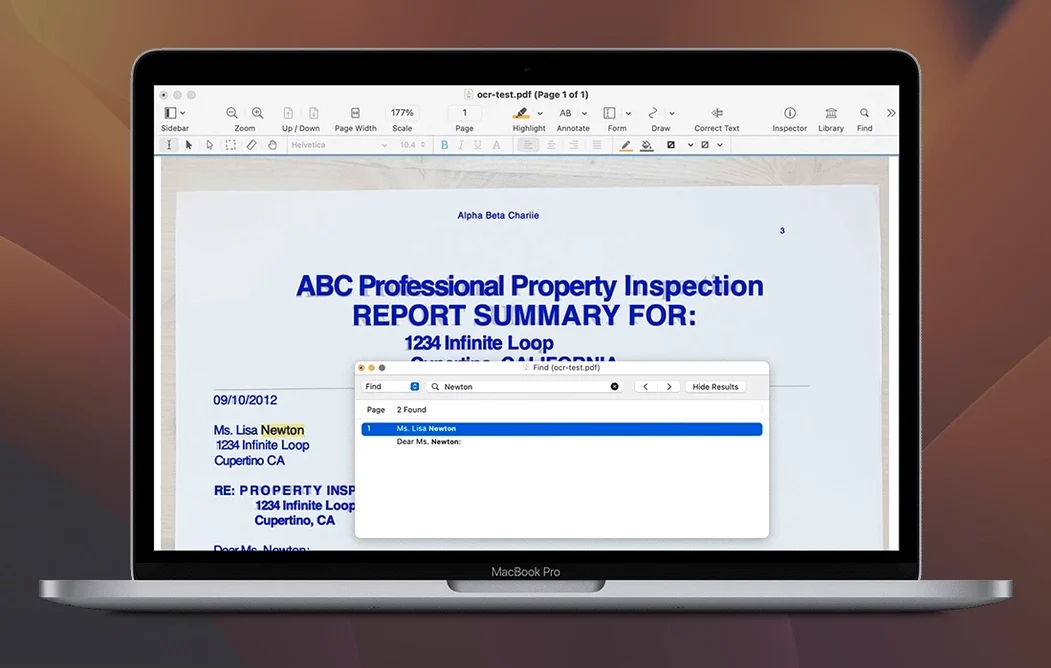
Picture a scanned tenancy agreement that arrived by email as twelve sideways JPEGs inside a single PDF. The letting agent needs it signed and returned within the hour, but three clauses need altering and one page is blank. Opening the file in Nitro PDF Pro triggers the OCR engine automatically—in about twenty seconds the text becomes selectable and searchable. That matters because you need to find every mention of the deposit amount without reading forty pages of legalese.
Start with the blank page. Right‑click its thumbnail in the sidebar and choose Delete Page. Gone. Next, locate the first clause that needs rewriting. With the editable text blocks active, click into the paragraph. The original font holds surprisingly well; you adjust the rent figure and the line wraps cleanly. The agent also wants the inventory list swapped for a newer version. Drag the replacement page from Finder into the sidebar between pages six and seven—Nitro inserts it without disturbing the surrounding content.
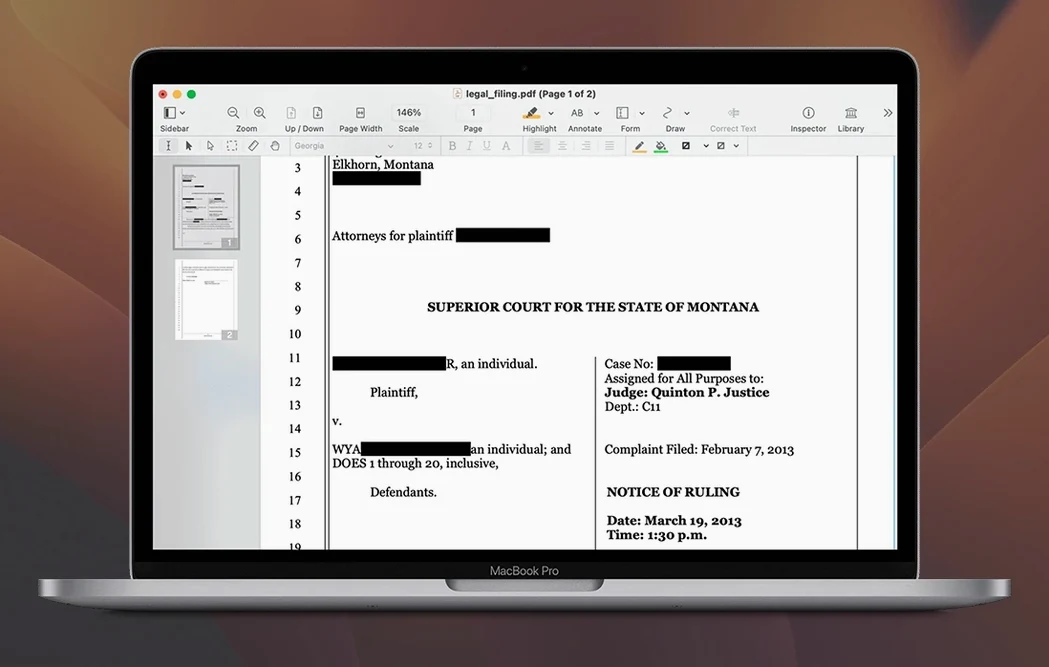
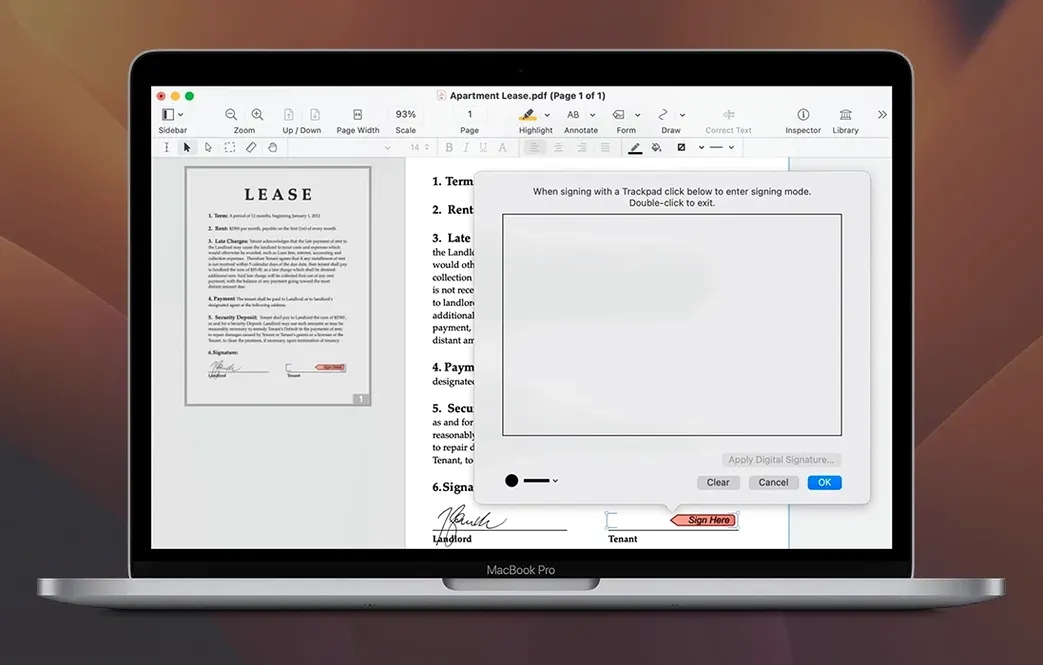
Now the signature. Tap the Sign button, sketch your signature on the trackpad or pull one from a saved file, and place it above the dotted line on the final page. Before sending it back, run a quick redaction pass. Select the Mark for Redaction tool and draw over the vendor’s bank details that nobody should see. When you apply redactions, the underlying data is removed, not just painted over. Export the finished file as a flattened PDF and attach it to the reply. The whole job takes under eight minutes, and you never left the application.
Turn on text boundaries so you can see every text block
A few preferences make the editing experience feel less like guesswork. Open the app’s Preferences pane and visit the Editing tab first. Switch on Show text boundaries—this draws a faint blue outline around every text block so you can see before you click whether a particular line lives inside a single box or is split across three tiny ones. For documents heavy with graphics, enable Snap to guides under the View menu; it stops images landing half a pixel off when you reposition them.
In the OCR preferences, check that the default recognition language matches the documents you handle most often. A mismatch here leads to garbled output, and the setting is easy to overlook. If you regularly work with multi‑page forms, head to the Forms tab and tick Automatically detect form fields. It will scan each new document for likely field positions and place text boxes and checkmarks where they belong, which saves a tedious manual job.
Finally, disable Animate page transitions under the General tab if you move through documents quickly. The cross‑dissolve effect is polite but slows down keyboard‑driven page turning on older machines. You will notice the difference within thirty seconds of paging through a long contract.
Batch-OCR a bundle of scanned legal exhibits in one go
The people who get the most mileage from Nitro PDF Pro tend to handle documents that are already final—except they are not. A solicitor’s clerk who receives a fifty‑page bundle of scanned exhibits can OCR the lot in one batch and have a searchable master file before lunch. The batch processing feature handles that without babysitting; queue the files, set the output folder, and walk away.
University researchers are another natural fit. The audio annotation tool sounds niche until you need to leave a three‑minute spoken comment on a colleague’s draft paper while riding a train. Tapping a voice note directly onto a paragraph is faster than typing on a phone screen, and the recipient hears the tone of voice behind a suggestion, not just the words. For humanities academics who juggle PDFs of nineteenth‑century pamphlets, the OCR layer makes otherwise mute scans quotable and indexable.
Small business owners who produce their own invoices and order forms in Word gain a reliable export path. Nitro preserves columns, tables, and font styling when converting from PDF back to a living Word document, which means you are not rebuilding the layout from scratch every time a supplier sends a “final‑final” version. The form‑creation tools also let a café owner design a fillable staff availability sheet that opens on a colleague’s iPad without complaint—a surprisingly rare trick.
Opens files that stumble Preview because it has its own text engine
Will it handle the file that Preview stumbled on? Almost always, yes. Preview is a viewer that does light annotation; Nitro PDF Pro is an editor with its own text engine. When a PDF contains fonts embedded in a way that Preview cannot interpret, Nitro typically reads them directly and lets you edit in situ. The exception is a document created entirely from bitmap scans with no font data at all—those need the OCR pass first, after which editing works normally.
Does it need an internet connection for OCR? No. The recognition engine runs locally on your Mac. That means you can process sensitive documents on a train, in an airport lounge with patchy Wi‑Fi, or anywhere you would rather not upload client files to a cloud service. The trade‑off is a slightly larger initial disk footprint, which is why the installer asks for up to two gigabytes.
Can I send the same form to twenty people and collect their responses? Not directly, because Nitro PDF Pro is a desktop editor rather than a web service. What you can do is create a fillable form, distribute it as a standard PDF, and then use the Merge Documents command to combine the returned files into a single portfolio. For a small team or a club committee, that workflow is often enough. Larger survey projects benefit from a dedicated forms platform, but the PDFs you prepare here will still open correctly there.
What about torrents or downloading nitro pro for mac without the official channel? There are plenty of search queries floating around—torrent nitro pdf, torrent nitro pro, nitro pdf full mac, nitro pdf pro mac full, download nitro pro for mac—and they all lead to the same practical question: will it actually work. The version discussed here runs on macOS 10.14 and up, on both Intel and Apple Silicon hardware, and includes the full editing, OCR, and form‑building feature set. As long as your system meets those requirements, the application opens, edits, and saves PDFs exactly as described.
- macOS 10.14 Mojave or later
- Runs natively on Intel and Apple Silicon Macs
- 1 GB of RAM
- Up to 2 GB of free disk space
- Display resolution of 1280×800 or higher
Questions from the class 0
Sign in or join the class to ask a question.
Nobody has asked anything yet. If you have used it on a real job, say what the file did.
Also on the Office shelf
The whole Office shelf Notebooks
Holds all your writing, notes, and task lists inside a single personal organiser that also handles PDFs.
Notebooks
Holds all your writing, notes, and task lists inside a single personal organiser that also handles PDFs.
 Numbers Creator Studio
Builds spreadsheets, charts, and pivot tables with Apple’s clean, collaborative workbook environment.
Numbers Creator Studio
Builds spreadsheets, charts, and pivot tables with Apple’s clean, collaborative workbook environment.
 OmniPlan Pro
Plots company-wide project schedules, tracks resources, and tests timelines with Monte Carlo simulation.
OmniPlan Pro
Plots company-wide project schedules, tracks resources, and tests timelines with Monte Carlo simulation.
 OmniReader Pro
Opens EPUB, CHM, and Kindle books on your Mac for a comfortable, ad-free reading session.
OmniReader Pro
Opens EPUB, CHM, and Kindle books on your Mac for a comfortable, ad-free reading session.
 PDF Expert
Edits text and images directly inside a PDF without hunting for the original file.
PDF Expert
Edits text and images directly inside a PDF without hunting for the original file.
 PDF Reader Pro
Reorders and merges scattered documents into one tidy PDF without altering the originals.
PDF Reader Pro
Reorders and merges scattered documents into one tidy PDF without altering the originals.
 PDFelement Pro
Turns a flat scanned contract into a searchable, fillable and signable PDF.
PDFelement Pro
Turns a flat scanned contract into a searchable, fillable and signable PDF.
 Money Pro
Tracks personal finances, budgets, and bills across all your accounts in one place.
Money Pro
Tracks personal finances, budgets, and bills across all your accounts in one place.