 ASPNetWorld


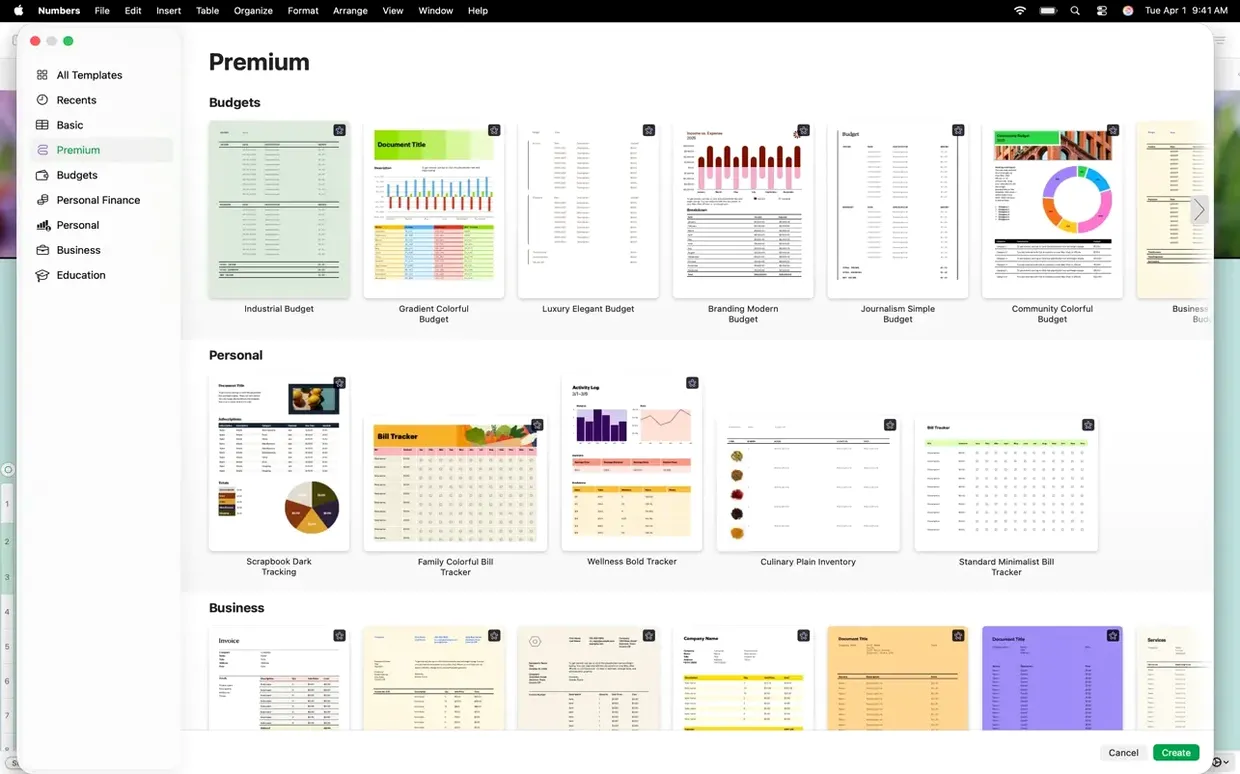
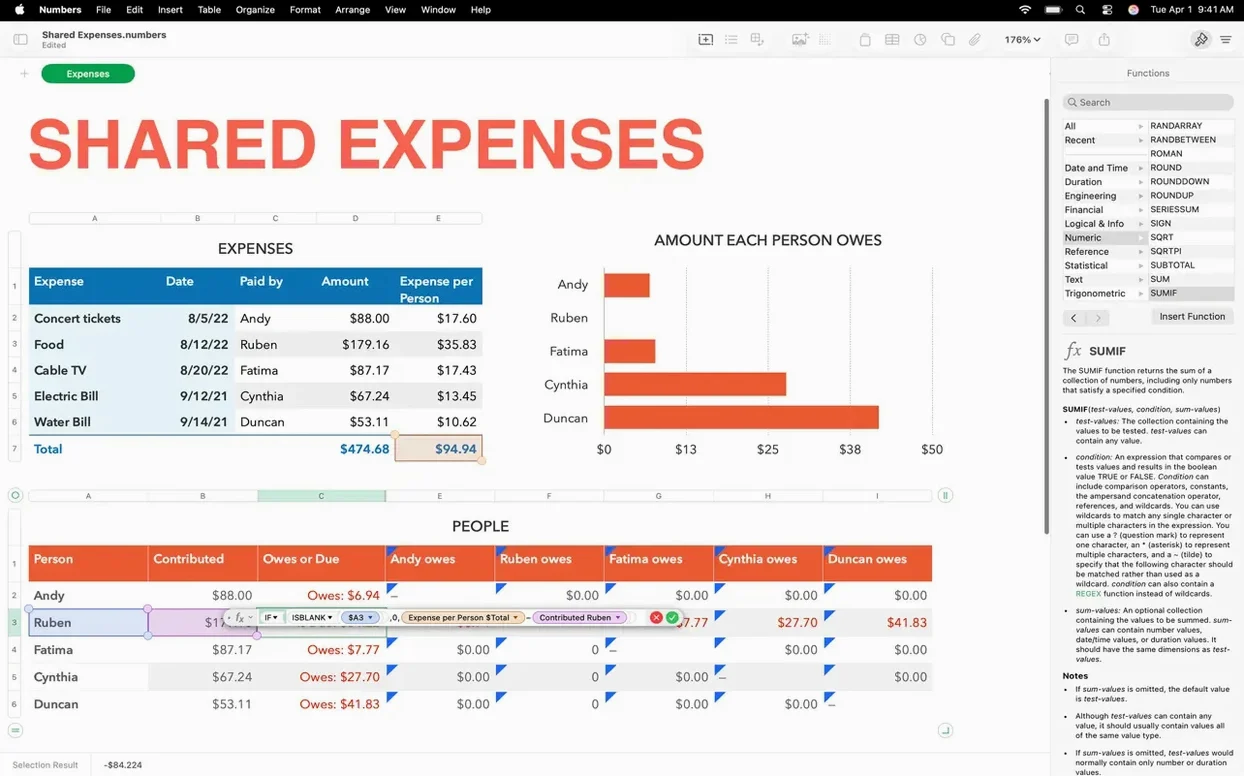
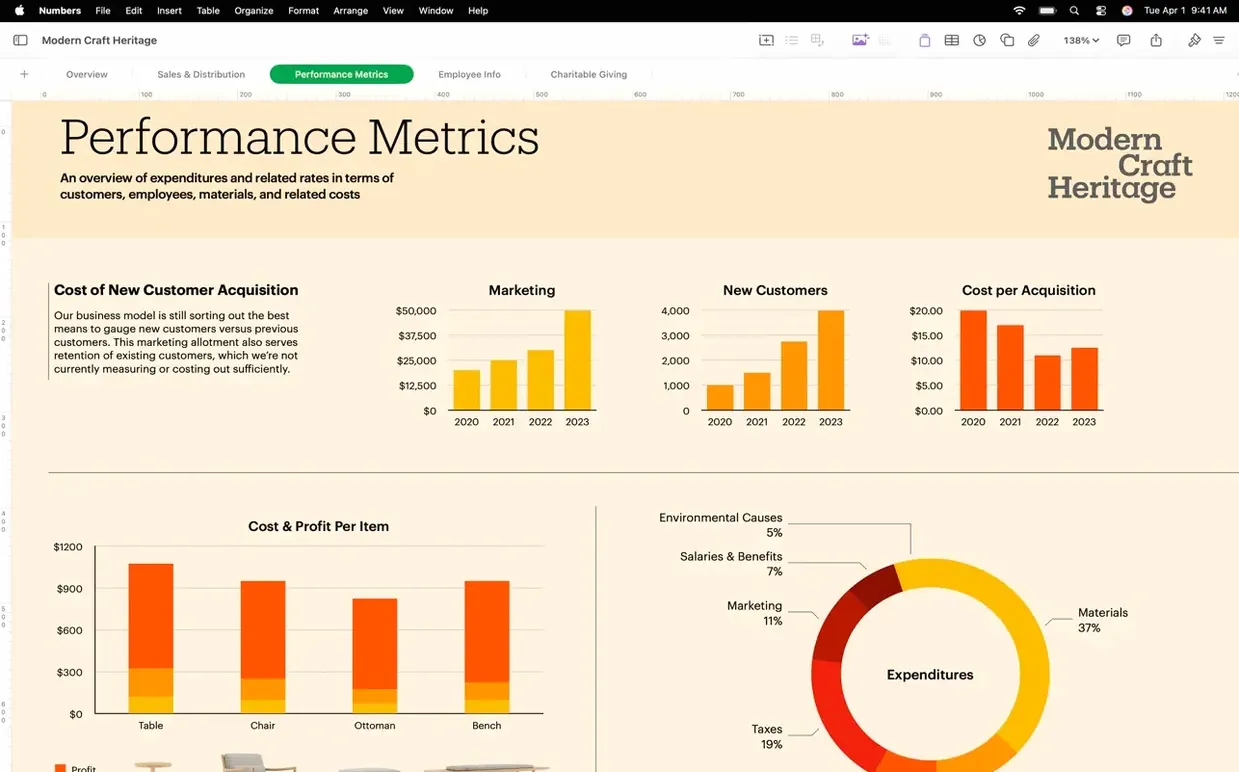
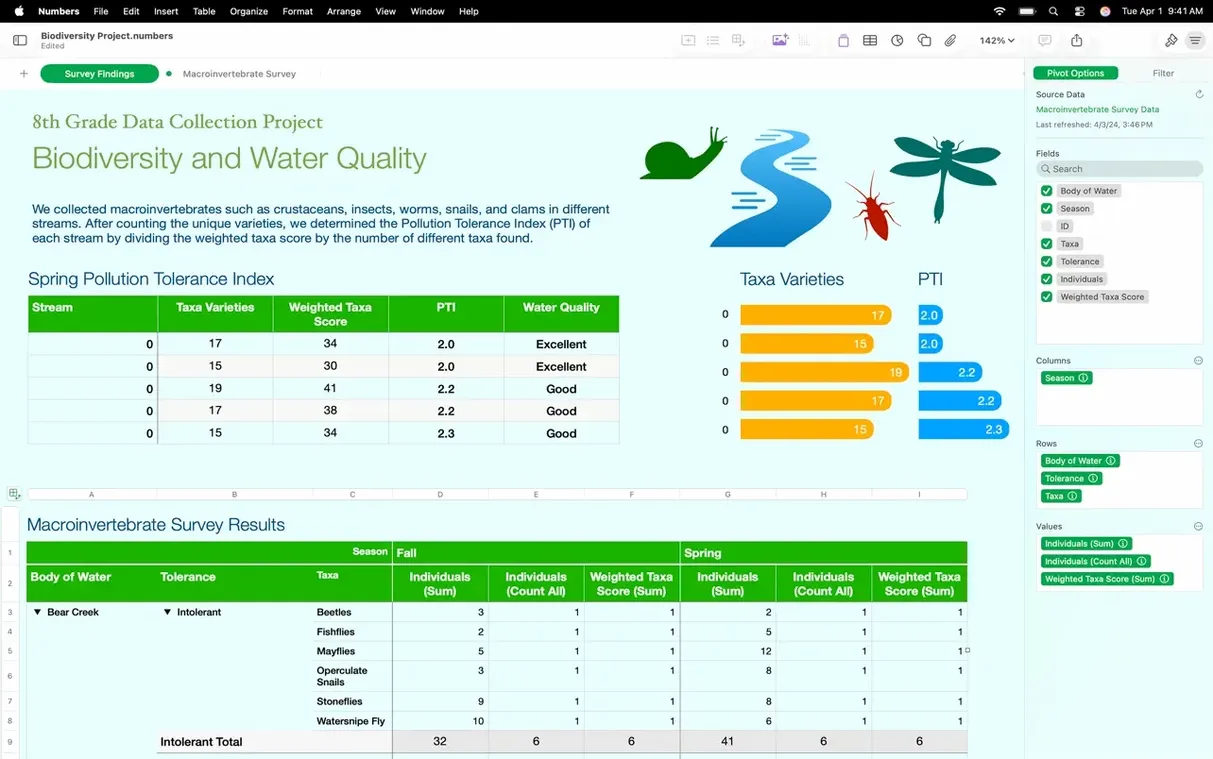
Thirty-two interface languages sit inside the current build, from Arabic to Vietnamese. That figure tells you something about the reach of Apple's spreadsheet app for Mac, iPhone and iPad. The version we are looking at, 15.3.1, tightens up a few everyday friction points that anyone building financial models or project trackers will appreciate immediately.
First, the straightforward part: will it launch on your machine? The installer asks for macOS 15.6, and the binary runs natively on both Apple Silicon and x86 64-bit processors. If you are still holding onto an older Intel Mac, you are covered, and M-series owners get the full speed benefit without Rosetta translation.
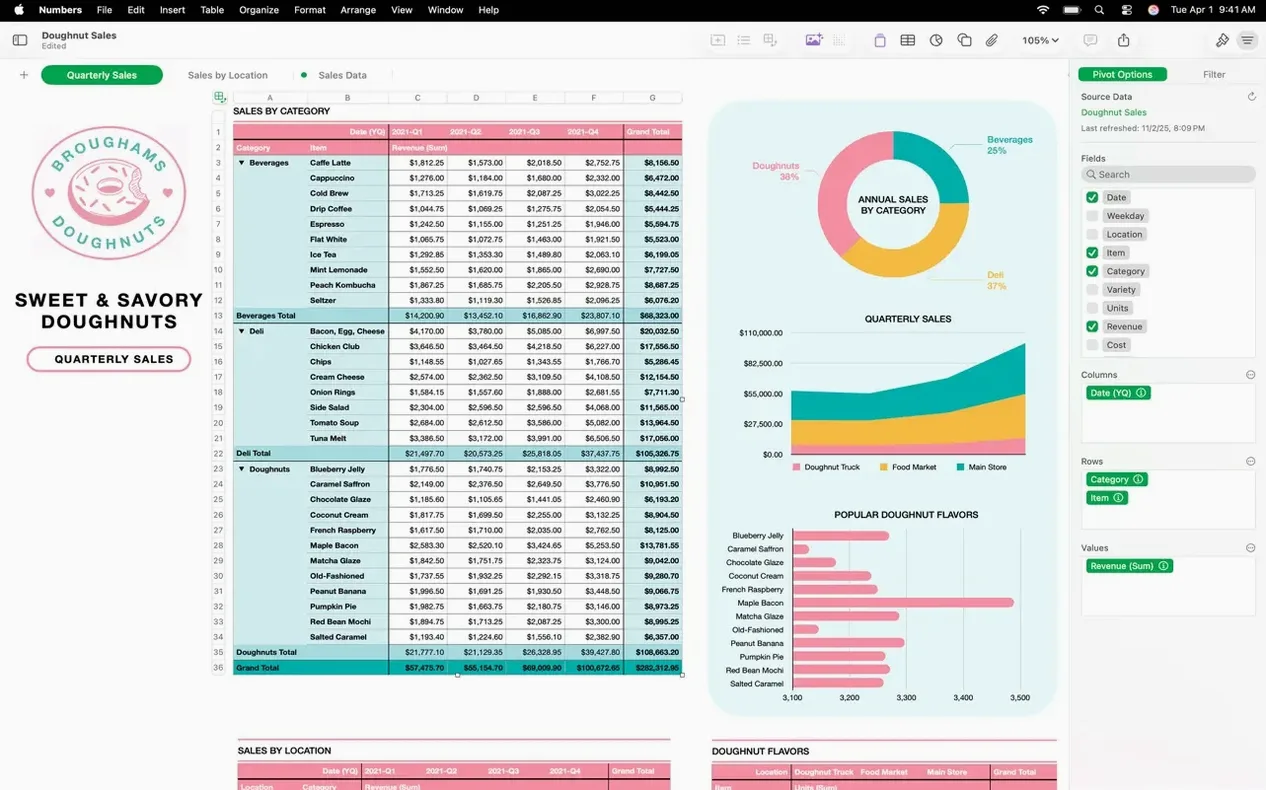
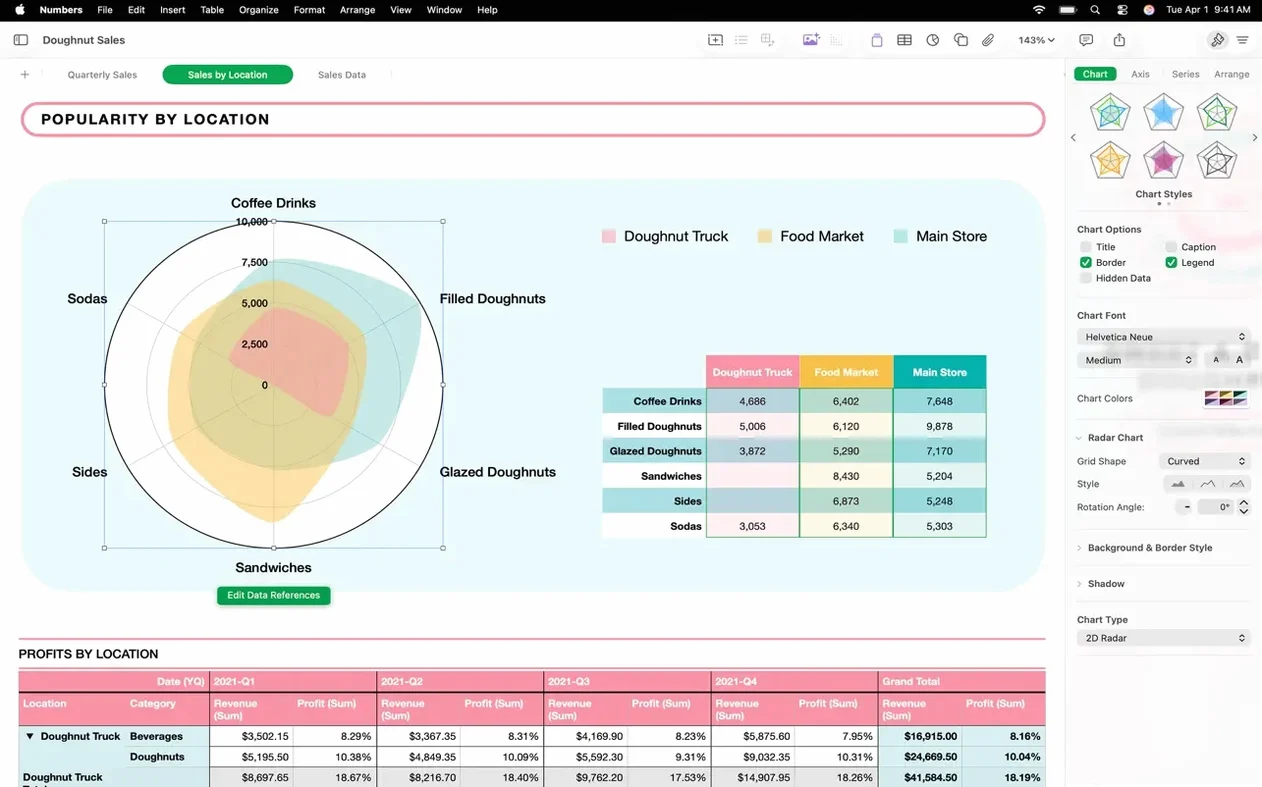
What you actually get is a flexible canvas where tables, charts, text blocks and images sit side by side rather than locked into a rigid grid. The chart engine covers the expected 2D and 3D types—bar, column, line, area, pie, donut and radar—plus interactive bar, column, bubble and scatter charts that respond when you scrub through data ranges. Filtration is thorough too: you can slice large tables by values, text patterns or duplicate entries without breaking a sweat.
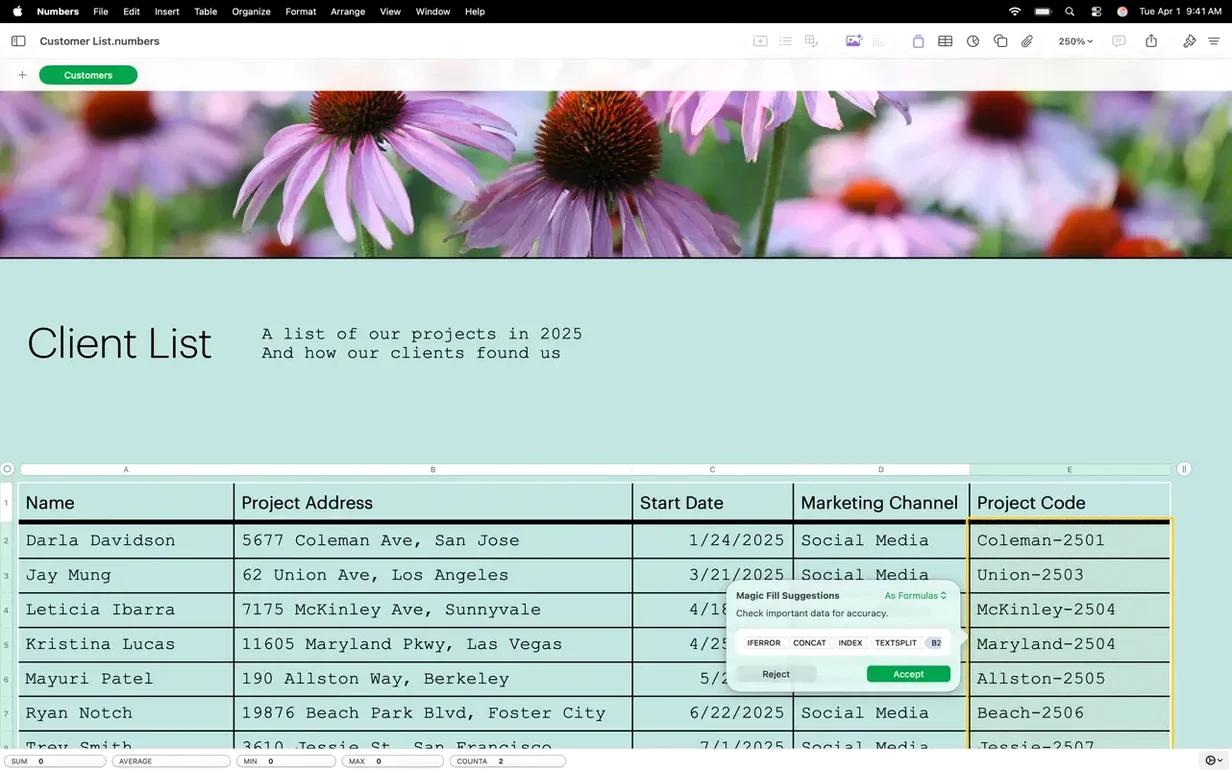
Round-tripping with Microsoft Excel and CSV files works properly, so nobody gets stranded with a file they cannot open. Collaboration runs through iCloud or Box, where you can publish a sheet or limit access to chosen people. The latest update adds small quality-of-life touches: colour-coded sheet tabs, the ability to hide or show individual sheets for quicker navigation, and a smoother way to swap images into a spreadsheet straight from the Content Hub.
Common stumbling blocks and how to untangle them
The flexible canvas is a joy once you grasp it, but it does confuse people who arrive from a traditional cell-grid spreadsheet. You place a table inside the sheet rather than filling the whole window, so a common early snag is accidentally clicking the canvas background and losing sight of your table handles. If your formula bar vanishes or the column letters disappear, you have almost certainly deselected the table. Just click once on any cell within the table body—the editing tools slide right back.
Another headache: importing a CSV where numbers stubbornly refuse to behave like numbers. Numbers Creator Studio sometimes reads a column of figures as plain text, particularly when the CSV uses continental European formatting with commas as decimal separators. The quickest fix is to select the offending column, open the Format sidebar, switch the data format dropdown to Number, and then tweak the decimal and thousands separators to match your source file. You can also set a column’s language in the Region section of the format panel, which helps the app interpret dates and currency symbols correctly.
Large spreadsheets with multiple tables can chug a little on older Intel hardware. The engine recalculates every table in the document when any cell changes, unless you tell it otherwise. Head to the File menu, open Advanced, and tick Calculate after each change off. Your formulas will only refresh when you press ⌘= or save the file—a small trade-off that keeps scrolling buttery smooth on big project dashboards.
How it measures up against the neighbours
Microsoft Excel for Mac looms largest, and the comparison is mostly about depth versus clarity. Excel’s Power Query, macro engine and colossal function library outpace Numbers Creator Studio on raw analytical grunt. But the Mac app’s canvas approach makes mixed-media reports—say, a budget table with an embedded org chart and a scatter plot—far easier to lay out. You drag elements until they look right, whereas Excel asks you to wrangle floating objects inside a rigid grid.
Google Sheets runs in a browser, which makes it the natural choice for simultaneous multi-author editing without any file-syncing dance. Numbers Creator Studio competes through its offline speed and its charting finesse; the interactive bubble and scatter charts look substantially more polished than Sheets’ equivalents, and the colour-tagged sheet tabs introduced in 15.3 make navigation snappier than tab-hunting across a crowded browser window.
LibreOffice Calc is the open-source wildcard, and it handles enormous datasets and arcane CSV dialects with a stubbornness that impresses. Where Numbers Creator Studio pulls ahead is template quality and the tactile cell controls—sliders, steppers, star ratings and pop-up menus that turn a spreadsheet into something a non-technical colleague will actually enjoy filling out. The downside is that Calc’s charting feels utilitarian next to the Mac app’s 3D radar and donut options.
Settings worth changing straight away
The default column width in a new table is 98 points, which suits a narrow information panel more than a full-blown data set. Head to Numbers → Settings → Rulers and set the default column width to something roomier—160 points is a good starting point for mixed text and numeric data. While you are there, bump the header column width up to 120 points; it stops category labels from truncating awkwardly.
Next, flip the default chart font. The stock Helvetica Neue looks anonymous alongside the app’s polished templates. In the Format panel for any chart, pick a typeface with a bit of character—Charter or Palatino—then save the document as a custom template via File → Save as Template. Every future spreadsheet built from that template will inherit your typography choice, sparing you the tedious chart-by-chart font shuffle.
Finally, if you work with colleagues who still send Excel files, turn off the automatic file-locking on import. Under Numbers → Settings → General, deselect Add files to iCloud Drive. This stops the app from hoisting every spreadsheet into iCloud the moment you open it, which can create sync conflicts when someone edits the original Excel version simultaneously. Your Mac stays the single source of truth until you deliberately share the file.
The 15.3 update, carried through into 15.3.1, concentrates on navigation and visual polish. You can now colour-code sheet tabs and hide or reveal individual sheets to keep large workbooks manageable. Replacing an image in a spreadsheet is also less fiddly—just pull a replacement straight from the Content Hub.
- macOS 15.6 or later
- Apple Silicon or Intel (x86 64-bit) Mac
Questions I keep hearing
Does Numbers Creator Studio open Microsoft Excel files?
Yes, you can import, edit and export .xlsx and .csv files, so sharing work with Excel users rarely causes formatting headaches.
Can I share a spreadsheet with someone who doesn't use a Mac?
You can publish the document or invite specific people through iCloud or Box, and they can view or edit it in a web browser on any platform.
Questions from the class 0
Sign in or join the class to ask a question.
Nobody has asked anything yet. If you have used it on a real job, say what the file did.
Also on the Office shelf
The whole Office shelf Notebooks
Holds all your writing, notes, and task lists inside a single personal organiser that also handles PDFs.
Notebooks
Holds all your writing, notes, and task lists inside a single personal organiser that also handles PDFs.
 OmniPlan Pro
Plots company-wide project schedules, tracks resources, and tests timelines with Monte Carlo simulation.
OmniPlan Pro
Plots company-wide project schedules, tracks resources, and tests timelines with Monte Carlo simulation.
 OmniReader Pro
Opens EPUB, CHM, and Kindle books on your Mac for a comfortable, ad-free reading session.
OmniReader Pro
Opens EPUB, CHM, and Kindle books on your Mac for a comfortable, ad-free reading session.
 Nitro PDF Pro
Lets you edit text, swap images, and sign documents right inside a PDF without converting it first.
Nitro PDF Pro
Lets you edit text, swap images, and sign documents right inside a PDF without converting it first.
 PDF Expert
Edits text and images directly inside a PDF without hunting for the original file.
PDF Expert
Edits text and images directly inside a PDF without hunting for the original file.
 PDF Reader Pro
Reorders and merges scattered documents into one tidy PDF without altering the originals.
PDF Reader Pro
Reorders and merges scattered documents into one tidy PDF without altering the originals.
 PDFelement Pro
Turns a flat scanned contract into a searchable, fillable and signable PDF.
PDFelement Pro
Turns a flat scanned contract into a searchable, fillable and signable PDF.
 Money Pro
Tracks personal finances, budgets, and bills across all your accounts in one place.
Money Pro
Tracks personal finances, budgets, and bills across all your accounts in one place.