 ASPNetWorld
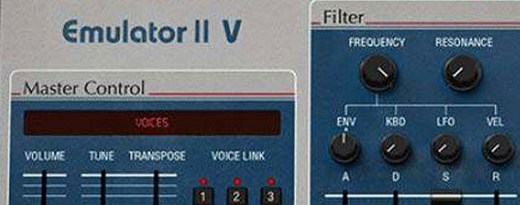
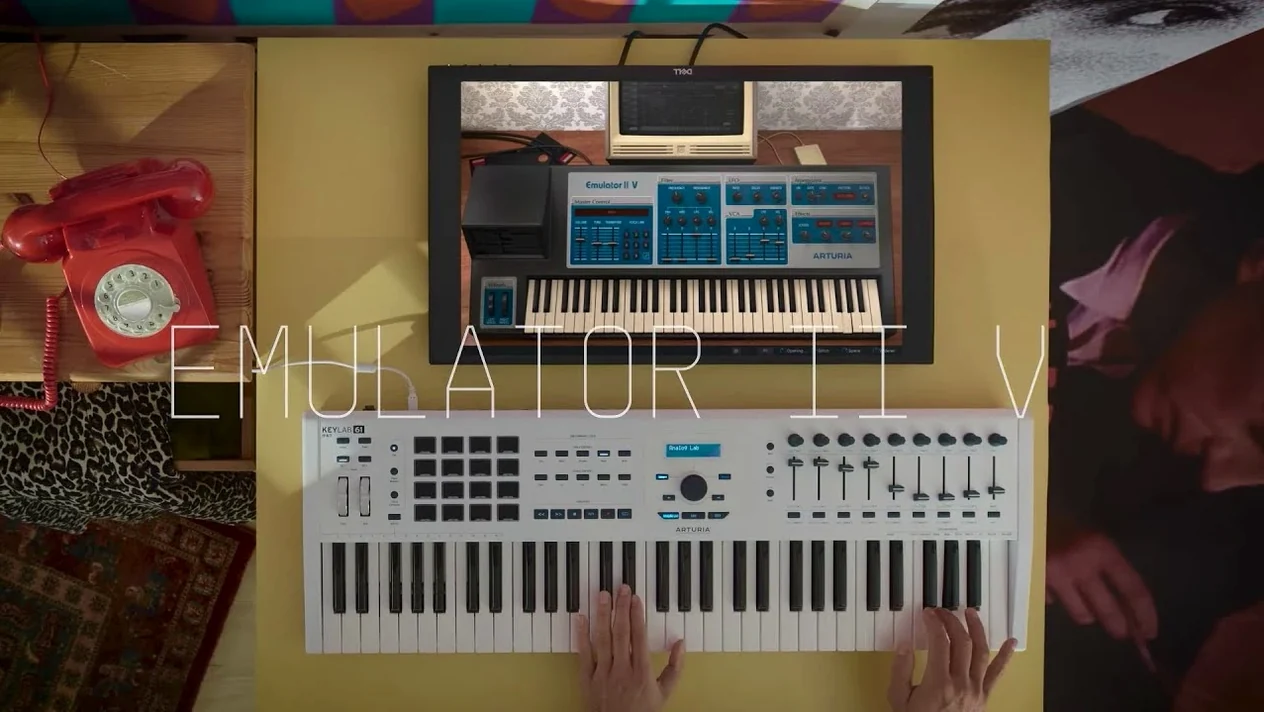
If you've used a bit-crusher plug-in to rough up a clean sound, you know the instant character a little digital aliasing can add. Arturia's Emulator II V gives you that flavour at the source, by recreating the entire signal path of the E-Mu Emulator II, an 8-bit sampling workhorse first released in 1984. It is not just a distortion effect tacked onto a modern sampler; it is a model of the original hardware's circuitry, built with Arturia's TAE technology.
Sound-shaping controls
The raw sound is only the starting point. What makes this instrument useful in a modern mix are the additions that the original hardware never had:
- 32-voice polyphony, so dense chords don't steal notes the way they would have on the 1984 unit.
- A flexible arpeggiator for turning held chords into rhythmic patterns.
- Extra modulation routings and modern studio effects that sit behind the 8-bit voice, letting you push the vintage tone into new spaces without losing its identity.
8-voice multitimbral engine lets a single instance carry a full arrangement
With 8 voices of multitimbral sampling across 250 original presets, you can build a full arrangement from one instance. The lo-fi character naturally carves out its own pocket in a busy mix — the slight noise and crunch stop it from competing with cleaner synths or acoustic elements. Layering a grainy choir or string patch from the Emulator II V underneath a pristine piano, for example, adds weight and texture without asking for much extra EQ work.
Hidden workflow features that change how you use the instrument
Some of the best features in the Emulator II V are tucked away in plain sight. They do not announce themselves with flashing lights, but once you know they are there, they quietly change how you work with the instrument day to day.
The preset browser is a good example. It looks like Arturia’s standard library panel, but inside it, you can tag your own sounds, mark favourites and search by instrument type or sonic character — pluck, pad, bass, percussion and so on. If you tend to reach for the same handful of sounds across projects, spending ten minutes organising your favourites here saves a surprising amount of time later.
Another detail: the on-screen keyboard responds to drag gestures. Click and drag vertically on a key to shift velocity, or horizontally to alter aftertouch. It is a small thing, but when the hardware is packed away and you are working solely on a laptop, that little on-screen control lets you test patches with proper dynamics before committing to a MIDI part.
There is also a quick bypass for the effects chain. Right-click the FX slot and choose Bypass All, and you hear the raw sample engine instantly. This is the fastest way to check whether a sound you have been tweaking has drifted too far from the original 8-bit character — or whether the effects are doing exactly the right thing.
Finally, the copy layer button. When you build a multi-layered patch and decide you want a slight variation — perhaps one layer with a softer filter and another with a faster attack — you can duplicate a layer with one click rather than rebuilding it from scratch. It is the sort of feature you ignore for weeks, then wonder how you ever managed without.
Snappier preset loading makes version 1.6.2 feel more fluid mid-session
Version 1.6.2 brought a handful of refinements that, while modest on paper, make the instrument feel more polished in the middle of a session. The preset loading times are noticeably snappier than the early 1.x releases, which matters when you are flicking through twenty string patches trying to find the right one. Arturia also tightened up the GUI responsiveness on Apple Silicon machines: knob movements and value readouts now track your mouse movements without the micro-delay that could creep in on older builds.
Under the hood, the TAE engine received adjustments to the filter modelling. The low-pass filter exhibits a touch more of the original hardware’s non-linear resonance behaviour, especially at higher drive settings. In practice, that means a swept filter on a bass patch feels a little more vocal and a little less clinical than it did when the plug-in first launched. If you have been using the Emulator II V for a while and your older projects sound subtly richer after updating, that is likely why.
Apple Silicon support, which arrived earlier in the 1.x cycle, remains solid. The instrument runs natively without Rosetta, and instance counts are generous — you can drop ten or twelve of these into a session on an M-series Mac and still have CPU headroom for other processors.
Change the sample rate first to shape how authentically crunchy it sounds
Out of the box, the Emulator II V sounds authentically crunchy, but a few preferences reward a quick visit before you start building sounds in earnest.
First, head to the Audio Settings panel and check the Sample Rate option. By default it mirrors the original 27.7 kHz, but there is a switch to run at your host rate instead. The sonic difference is dramatic: the native rate gives you the full 8-bit aliasing character, while the higher rate removes the sample-rate artefacts but keeps the companding grit. Neither is better — it depends on the track — but knowing that switch exists means you effectively have two distinct instruments in one.
Second, set the Voice Mode to your preferred default. The factory setting is polyphonic, which makes sense for pads and chords. If you are mainly loading the instrument for monophonic bass or lead lines, switching the default to mono with legato saves you from adjusting it on every new patch. While you are there, set a gentle Glide value — around 30 milliseconds — for instant portamento that does not sound obvious until you want it to.
Third, the Arpeggiator sync default is set to internal clock. Changing it to Host means the arpeggiator always locks to your DAW’s transport the moment you open a patch that uses it, rather than drifting out of time until you remember to correct it.
Last, in the Global MIDI preferences, assign a MIDI CC number to the Macro knobs. The instrument ships with sensible mappings, but if you have a controller with a few spare rotary encoders, a quick mapping of Filter, Resonance and Sample Start to three knobs turns the Emulator II V into something you can play with hands-on, away from the mouse.
Runs as AU, VST3 or AAX across every major macOS DAW
The Emulator II V works as a plug-in inside any AU, VST3 or AAX host, which covers the major DAWs on macOS — Logic Pro, Ableton Live, Cubase, Pro Tools and so on. What makes it particularly useful in a larger template is how well it pairs with other Arturia instruments. If you already own parts of the V Collection, dragging a patch from the Emulator II V into Analog Lab’s multi-instrument layer creates hybrid sounds that would be difficult to build any other way. A brittle 8-bit choir combined with a lush CS-80 pad, for instance, yields a texture that is both nostalgic and cinematic.
Beyond the Arturia ecosystem, the instrument plays nicely with macOS’s own audio features. You can route its output through an Aggregate Device in Audio MIDI Setup to sample it directly into a hardware-style workflow, or use the IAC Driver to trigger it from a MIDI sequencer that is not your main DAW. The plug-in also respects macOS’s native full-screen and Spaces behaviour, which is handy if you run it in a dedicated desktop alongside a mixer or a spectral analyser — you can swipe between views without losing the instrument’s focus.
One less obvious integration: the Emulator II V responds to MIDI Program Change messages, so you can drop it into a live performance rig controlled by MainStage or a hardware foot controller and switch patches between songs without touching the laptop. The load times are quick enough that a patch change during a bar of drum fill rarely causes a glitch.
For producers who explore the arturia emulator ii v free download route to audition the instrument before committing fully, the plug-in’s compatibility with existing project files is worth noting. Sessions created on an Intel Mac open without issue on Apple Silicon machines, and the preset format has remained consistent across the 1.x updates, so sounds you design today will still load in future builds. That continuity makes the Emulator II V a stable reference point in a folder of plug-ins that often change with every update cycle.
- macOS 11 or later
- Supports both Intel and Apple Silicon (ARM) processors natively
- Interface available in English
Questions I keep hearing
What makes the Emulator II V sound like the original hardware?
It uses Arturia's TAE technology to model the original E-Mu Systems' circuits, capturing the behaviour of the 8-bit sampling engine and analogue output stage.
Can I use it as a multi-instrument module?
Yes, it supports 8 voices of multitimbral sampling, letting you assign different presets to different MIDI channels.
Does it work natively on Apple Silicon Macs?
Yes, it supports ARM and x86 64-bit architectures, so it runs natively on both newer and Intel-based Macs.
Questions from the class 0
Sign in or join the class to ask a question.
Nobody has asked anything yet. If you have used it on a real job, say what the file did.
Also on the VST Plugins shelf
The whole VST Plugins shelf Arturia Efx AMBIENT
Generates evolving, three-dimensional backgrounds from any static input signal.
Arturia Efx AMBIENT
Generates evolving, three-dimensional backgrounds from any static input signal.
 Arturia FX Collection
Bundles over thirty precise modelled processors, from studio classics to creative oddities.
Arturia FX Collection
Bundles over thirty precise modelled processors, from studio classics to creative oddities.
 Arturia Mellotron V
Summons the breathing, unstable tape textures of the original Mellotron without the maintenance.
Arturia Mellotron V
Summons the breathing, unstable tape textures of the original Mellotron without the maintenance.
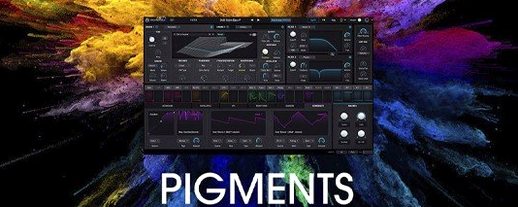 Arturia Pigments
Rewards sound designers with a deep, semi-modular engine for building patches from scratch.
Arturia Pigments
Rewards sound designers with a deep, semi-modular engine for building patches from scratch.
 Arturia Analog Lab V
Gives you thousands of production-ready presets you can shape with simple macro controls.
Arturia Analog Lab V
Gives you thousands of production-ready presets you can shape with simple macro controls.
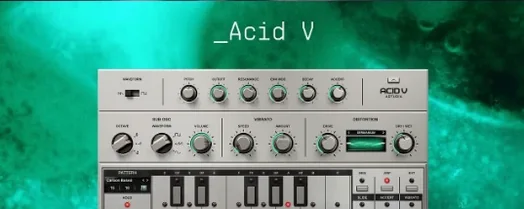 Arturia Acid V
Builds squelchy, sequenced basslines from a single init patch and a handful of knob turns.
Arturia Acid V
Builds squelchy, sequenced basslines from a single init patch and a handful of knob turns.
 Arturia Tape MELLO-FI
Degrades a clean signal into a wobbling, softened, tape-aged version of itself.
Arturia Tape MELLO-FI
Degrades a clean signal into a wobbling, softened, tape-aged version of itself.
 Ample Sound Ample Guitar LP III
Recreates the sound of a classic electric guitar with built-in amps and effects.
Ample Sound Ample Guitar LP III
Recreates the sound of a classic electric guitar with built-in amps and effects.