 ASPNetWorld

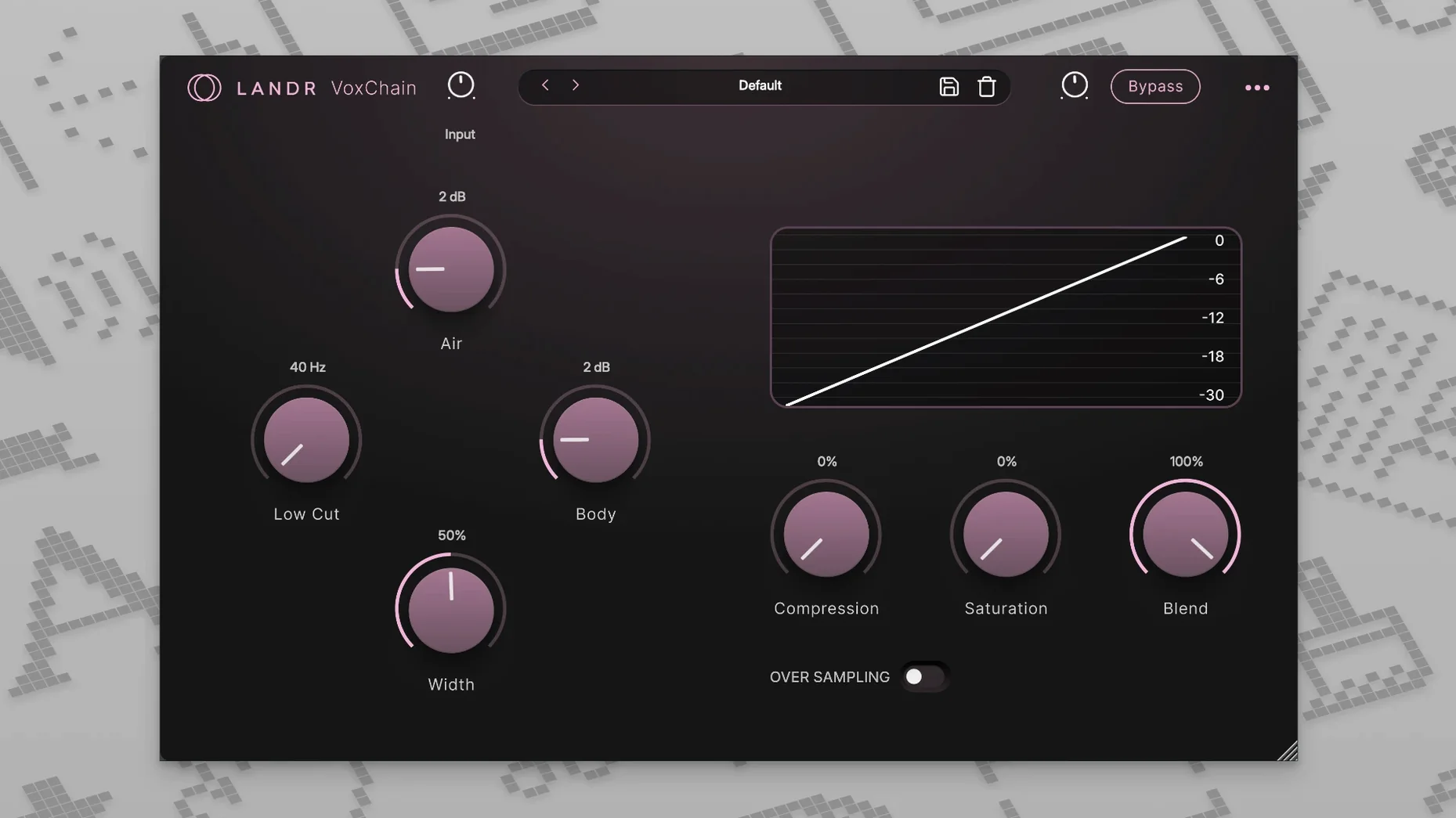
VoxChain is where you stop fighting the vocal and start sculpting it. Rather than loading three separate utilities, you get a single channel strip that layers EQ, compression, and saturation in a way that actually communicates between stages. The high-pass filter cleans up rumble before it ever hits the compressor, which means your gain reduction reacts to the voice, not the air-conditioner hum. Push the saturation stage gently and you add a presence bump that sits a vocal in a mix without turning up the fader—useful when a client sends you a thin, untreated recording and expects radio-ready sheen.
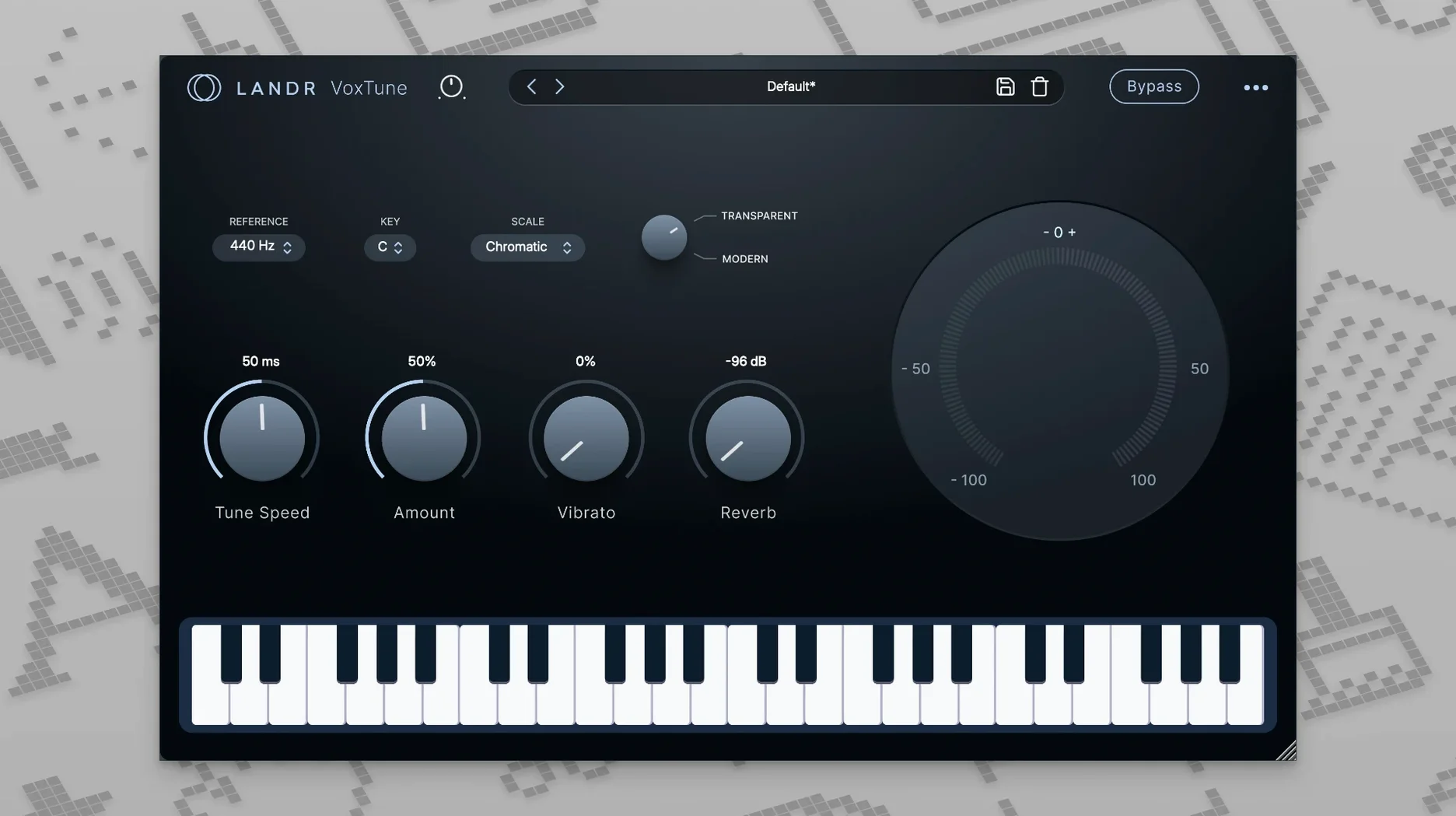
- VoxTune handles pitch correction with a lighter touch than the industry warhorse, making it better suited for transparent nudges than hard-tuned effects. The formant shifting stays natural even when you are pulling a note a semitone or more.
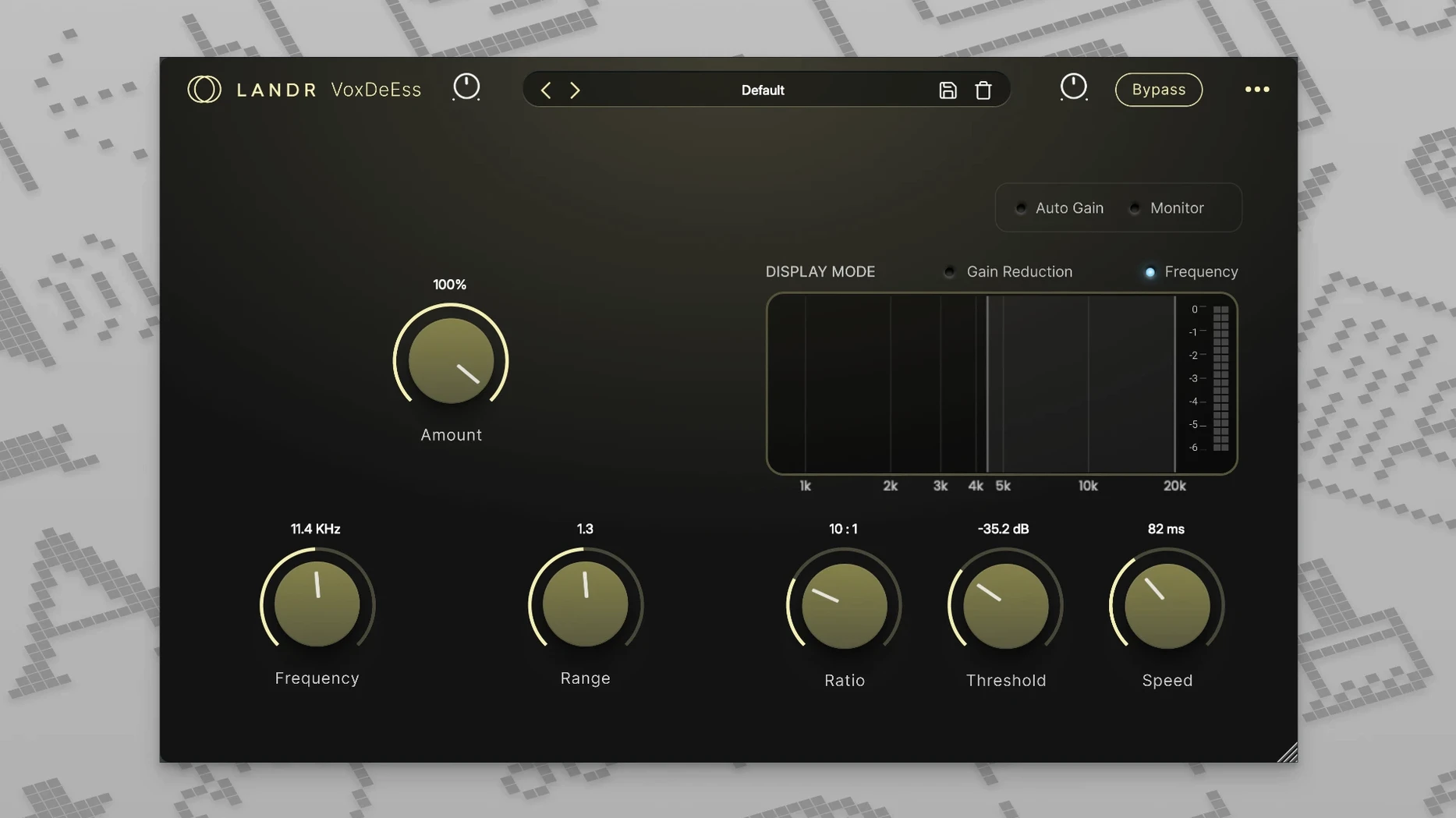
- VoxDeEss targets sibilance in the 4–9 kHz range using a dynamic, frequency-dependent compressor rather than a static cut, so your “s” and “sh” sounds soften without turning the whole top end dull.
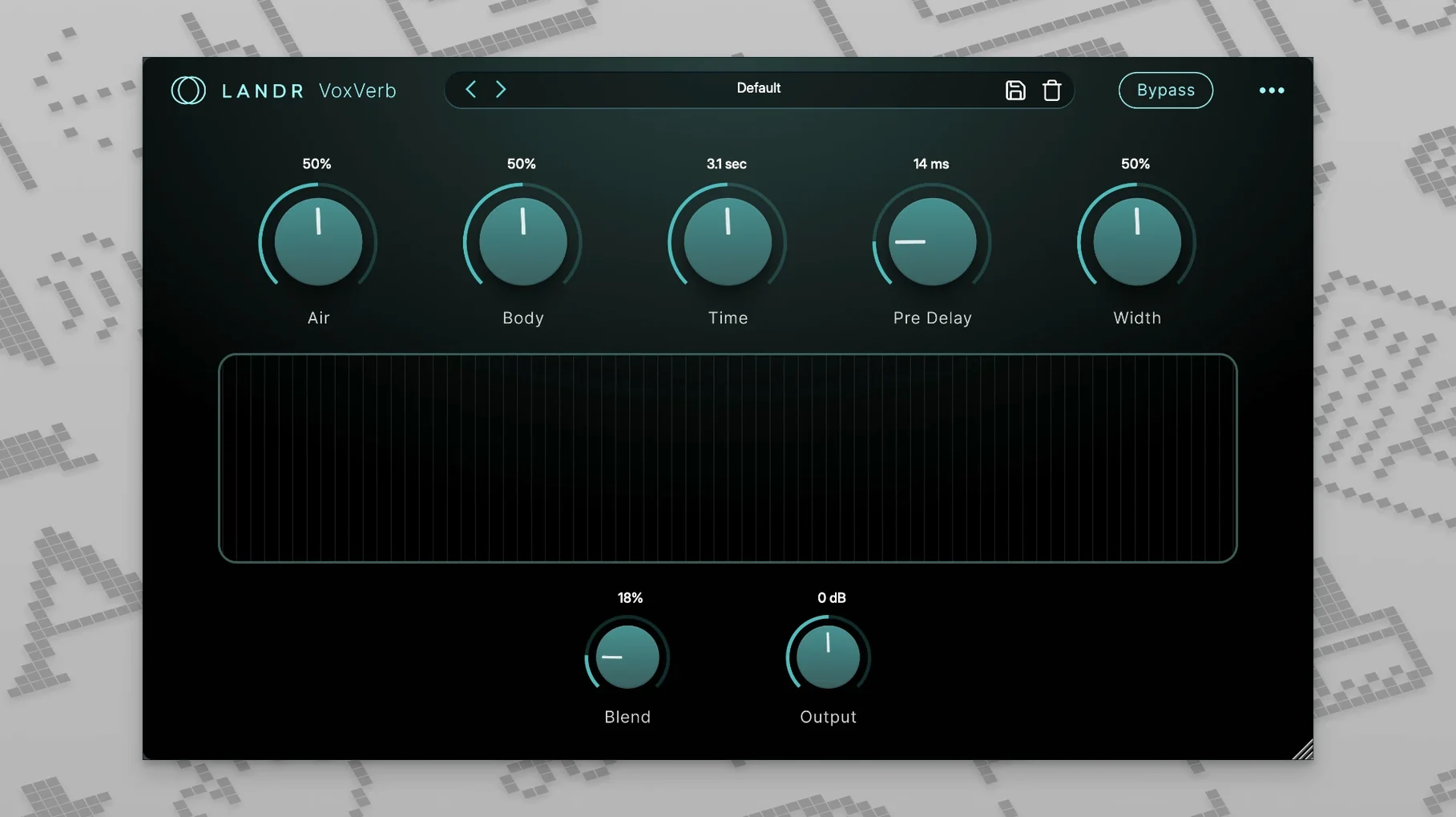
- VoxVerb keeps the tail out of the way of the dry signal. It is a plate-style algorithm tuned so the early reflections add depth while the late reflections decay quickly, preserving diction in dense arrangements.
- CPU behaviour matters on older sessions. All four plugins run natively on Apple Silicon, which keeps latency manageable even when you stack them across a dozen backing tracks.
The bundle earns its keep on revision-heavy projects. You can adjust a phrase’s pitch, rebalance the EQ to suit a new instrumental, and swap the reverb tail length all within the same plugin family, without the DAW session swelling with mismatched third-party windows.
Stack VoxDeEss before VoxTune to clean sibilance early
After installing, resist the urge to throw all four plugins onto every vocal track just because they are there. The smarter move is to learn how one shapes the next. Start with VoxDeEss at the top of your chain, not as an afterthought. Sibilant spikes can fool a compressor into overreacting, and once that gain reduction is printed or baked into your monitoring decisions, you are chasing a problem you created. Drop VoxDeEss on first, dial the threshold until the esses relax by maybe 3–4 dB on the meter—no more—and leave it there while you build the rest of the sound.
Next, spend twenty minutes with VoxTune set to a conservative speed. The default retune rate often works for pop, but if you are mixing a folk vocal or a spoken-word piece, slow it down until you feel the correction lag slightly behind the performance. That lag is your friend: it leaves the attack transient untouched and only catches the sustain portion of the note. On a male baritone, this means the growl stays intact while the tail of a wavering phrase gets a gentle nudge back to centre. Pair that with a subtle vibrato reduction—just 10–15%—and you clean up an unsure take without making it sound like a different singer.
Organising Your Plugin Order
There is no universal rule, but a sequence that works for most material runs: VoxDeEss → VoxTune → VoxChain → VoxVerb. De-essing before tuning prevents sibilants from confusing the pitch detector. Tuning before the channel strip means VoxChain’s compressor sees a more controlled dynamic range. Reverb last, because you want the full-shaped voice feeding the tail, not a de-essed skeleton. Try this chain on a dense pop mix where the vocal fights with synths and hi-hats, and you will hear the difference within a few bars.
A Start-to-Finish Workflow: Cleaning a Home-Recorded Lead Vocal
Picture a session that arrives from a songwriter who records in a spare bedroom. The take is heartfelt but plagued by low-end thumps, a few sharp esses, and one phrase that drifts flat. Here is a workflow that turns it into a mix-ready vocal using only the LANDR Vocal Bundle.
Step one: insert VoxDeEss. Solo the vocal and loop the loudest sibilant moment—usually a word like “sweet” or “chance.” Pull the threshold down until the gain-reduction needle moves only on the sibilant, and set the frequency band so it is catching the edge of the harshness, not the entire consonant. A narrow bell curve centred around 6.2 kHz often does the job on a bright condenser recording. You are aiming for a natural lisp-free result, not a lisp.
Step two: insert VoxTune on the corrected signal. Set the key and scale if you know them; if not, leave it chromatic and rely on the retune speed to keep things subtle. Hunt down that one flat phrase—highlight the region and watch the pitch graph. A quick drag of the correction amount for just those few notes pulls them into tune without affecting the rest. The formant control stays at zero unless the shift is more than a semitone, at which point a small negative tweak can restore chest resonance that digital shifting sometimes thins out.
Step three: shape with VoxChain. Engage the high-pass filter first, sweeping it up to about 80 Hz to eliminate the foot-tapping thumps and desk bumps that plague untreated rooms. Then open the compressor: a 3:1 ratio with a medium attack lets the initial consonant through while evening out the singer’s uneven proximity to the microphone. Finally, add a touch of saturation—just enough that the vocal gains a slight harmonic edge around 2–4 kHz. The effect is subtle, the kind you notice when you bypass it and suddenly the voice feels recessed.
Step four: dress the space with VoxVerb. On this sparse arrangement—just voice, acoustic guitar, and a shaker—a short plate with the mix knob at about 20% wet gives width without washing out the lyrics. The pre-delay stays at zero for immediacy; the decay time shortens until the tail dies just before the next phrase begins. What started as a bedroom demo now sounds like a controlled studio capture, and you never left the bundle.
From a Podcast Editor’s Desk
Ellen edits a weekly interview podcast recorded in three different locations. One host uses a dynamic mic in a treated booth; two guests dial in with USB condensers in kitchens and hotel rooms. Her job is to make the conversation feel like it happened at one table. Before the LANDR Vocal Bundle, she stacked a third-party de-esser, a stock channel EQ, and a lightweight compressor, then bounced each track separately before importing into her editing session. It worked, but it was fragile—changing the EQ on the host’s track meant re-bouncing and re-aligning, and the de-esser never quite handled the sizzle of a cheap condenser without dulling the voice.
Now she keeps all four plugins active and inline across the three dialogue tracks. VoxDeEss is set differently per guest: a gentler threshold for the host, a more aggressive band for the tinny USB mic. VoxChain applies a matching high-pass at 100 Hz and a gentle 2:1 compression that catches the guests’ volume swings when they lean away from the microphone to laugh. She does not touch VoxTune during interviews, but it stays on standby for the intro sting, where a sung tagline needs to sit in tune against a music bed. VoxVerb adds the same short, dark room to all three voices, gluing the disparate acoustics into a shared space. One session, one set of plugins, no bouncing. The whole edit moves faster, and the late revisions that used to cost her an evening now take twenty minutes.
Apple Silicon optimisations stopped real-time pitch correction timing wobbles
The 2025 release cycle brought native Apple Silicon optimisations across all four plugins, and the practical upshot is stability during tracking. Where earlier versions could introduce small timing wobbles when VoxTune ran in real time on an M1 machine, the current build holds latency steady even at a 32-sample buffer. That matters if you are monitoring through the plugin while recording a guide vocal—the singer hears a tuned version of themselves without the comb-filtering that a slipped buffer can produce.
VoxTune gained a refined vibrato control that separates depth and rate. Previously, reducing vibrato could flatten a sustained note into a lifeless organ tone. Now you can dial back the rate while keeping a shallow pitch wobble, preserving the human flutter at the end of a phrase. VoxChain’s saturation stage also saw a quiet update: the harmonic emphasis tilts more toward even-order harmonics at lower drive settings, which suits vocal sources better than the slightly harder-edged character of earlier builds. If you upgraded mid-project, you might notice your previously dialled saturations feel a fraction warmer, especially on female vocals in the alto range. VoxVerb’s tail is cleaner too—less metallic ringing on long decays, which keeps dense reverb throws from clouding a busy chorus.
- macOS 12 or later
- Apple Silicon or Intel processor
Questions I keep hearing
Does the LANDR Vocal Bundle work on Intel Macs or only Apple Silicon?
It runs natively on both Apple Silicon and Intel processors, with macOS 10.14 or later listed as the minimum system requirement.
What does VoxDeEss actually do that a normal EQ cut cannot?
It uses a dynamic, frequency-dependent compressor that only attenuates harsh “s” and “sh” sounds when they occur, rather than permanently dulling the entire high-frequency range.
Questions from the class 0
Sign in or join the class to ask a question.
Nobody has asked anything yet. If you have used it on a real job, say what the file did.
Also on the VST Plugins shelf
The whole VST Plugins shelf LANDR Mastering Plugin PRO
Applies adaptive mastering to a mix in real time as you make changes.
LANDR Mastering Plugin PRO
Applies adaptive mastering to a mix in real time as you make changes.
 KORG TRITON
Recreates the exact synthesis engine of a legendary 1999 keyboard workstation inside a DAW.
KORG TRITON
Recreates the exact synthesis engine of a legendary 1999 keyboard workstation inside a DAW.
 KORG Collection
Recreates classic Korg synthesizers and adds newer sound engines in a single plug-in suite.
KORG Collection
Recreates classic Korg synthesizers and adds newer sound engines in a single plug-in suite.
 Komplete Kontrol
Organises all your instruments and effects into one keyboard-controlled browsing library.
Komplete Kontrol
Organises all your instruments and effects into one keyboard-controlled browsing library.
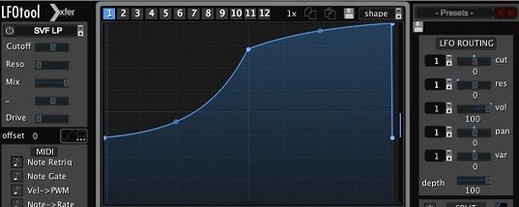 LFOTool
Shapes volume, pan, filter, or MIDI CC data with tempo-synced drawn curves.
LFOTool
Shapes volume, pan, filter, or MIDI CC data with tempo-synced drawn curves.
 Komplete FX Bundle
Collects six processor packs that model studio compressors, EQs, reverbs and delays.
Komplete FX Bundle
Collects six processor packs that model studio compressors, EQs, reverbs and delays.
 Kalifornia Dynamic KD Alkane
Adds four flavours of analogue-style drive and saturation to any sound source.
Kalifornia Dynamic KD Alkane
Adds four flavours of analogue-style drive and saturation to any sound source.
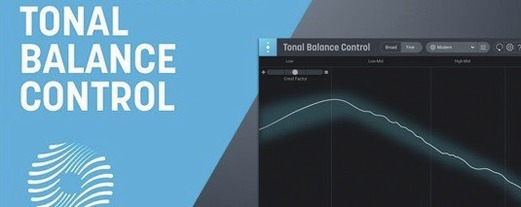 iZotope Tonal Balance Control
Shows whether your mix sits within typical genre curves for low, mid and high energy.
iZotope Tonal Balance Control
Shows whether your mix sits within typical genre curves for low, mid and high energy.