 ASPNetWorld

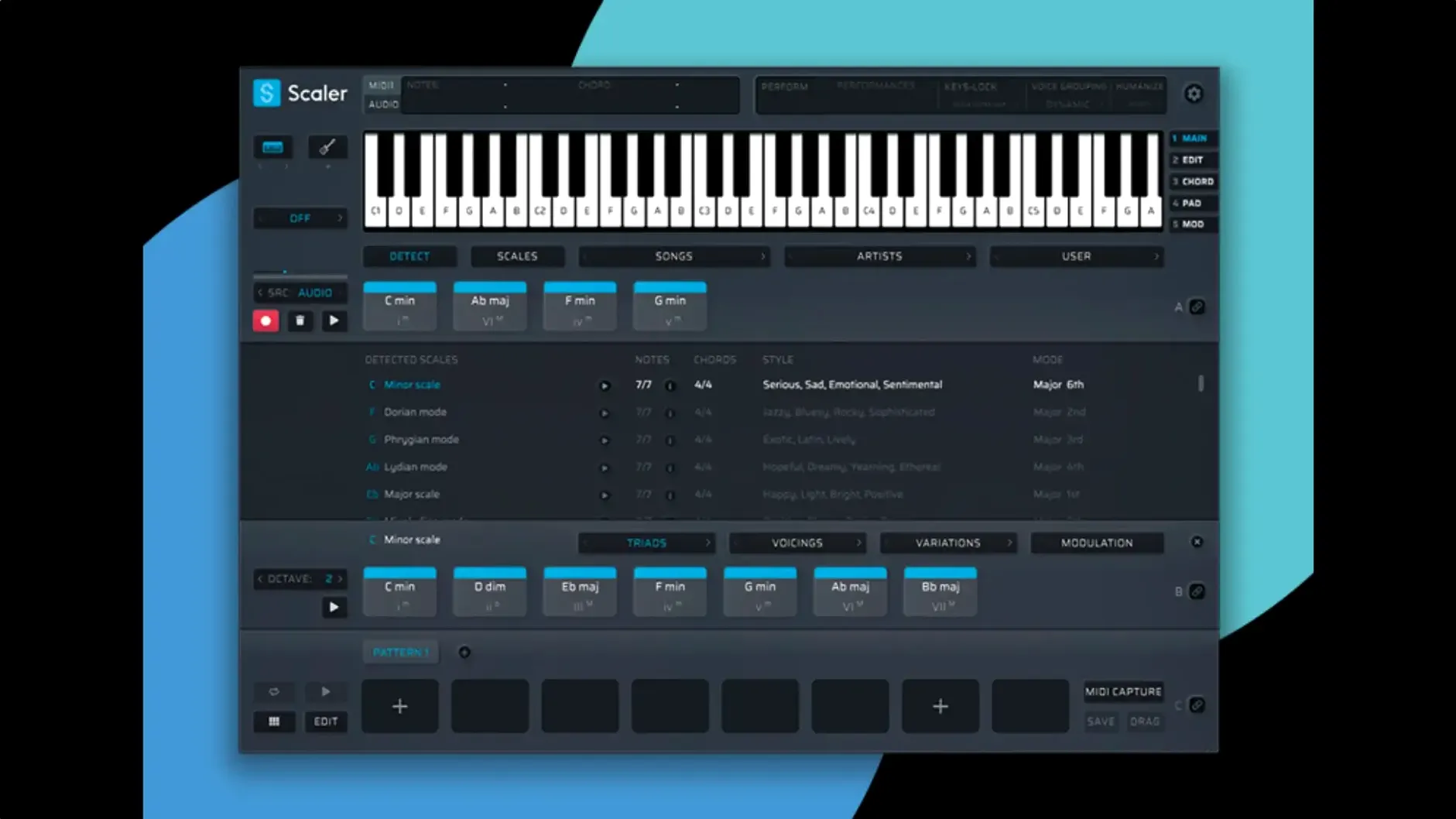
Scaler 3 is a music theory workstation that sits on a MIDI or instrument track, detecting what you play and suggesting harmonically related chords. It lives on individual tracks rather than buses, because it needs to intercept note data before it reaches a synthesiser. When you place it upstream of a virtual instrument—say, a piano plug-in on the same channel strip—it can reshape the MIDI in real time, turning a few tapped keys into a full progression.
In practice, you tend to run an instance per musical part. A typical session might carry one copy on a piano track defining the song's harmonic backbone, another on a pad channel thickening things with borrowed chords, and a third on a bass line that follows the root notes Scaler suggests. The Multi-Bind feature links these instances together, so changing the key or scale on one track updates them all—useful when you are sketching out an arrangement and haven't settled on a final tonality.
Because Scaler outputs standard MIDI, it can also feed a bus indirectly. You might route its processed notes to a muted MIDI track, record the output as a clip, then send that clip to any instrument bus in your template. This keeps the harmonic decisions separate from the sound design, which is handy if you are layering orchestral libraries and want the same chord voicings driving strings, brass and woodwinds from a single source.
Version 3.3.2 tidies up the MIDI Editor, so the note display no longer hides data behind blank gaps—chords now appear exactly where they fall, and exported MIDI trims any dead air from the start of the sequence automatically.
Drag chords straight to your desktop as MIDI
A tool this deep inevitably buries a few gems. The most useful one I see students miss is the drag-and-drop MIDI from the chord strip directly onto a desktop folder. Scaler writes a clean, tempo-stamped MIDI file without opening an export dialogue—ideal when you are building a personal library of progressions for later projects. Just grab the chord block and drop it into Finder.
Another is the key-command tap for auditioning chords in isolation. Hold Option and click any chord in the suggestion strip, and Scaler plays it through the loaded instrument without advancing the playback head. It sounds trivial until you are comparing a minor ninth against a suspended fourth at bar seventeen and do not want to lose your place in the timeline.
The scale-degree labels under each chord are worth watching too. Roman numerals appear beneath the chord names—vi, IV, V—giving you a theory reference without opening a book. If you have ever stared at a borrowed chord wondering why it works, that small grey text is your answer.
One more: when you load a third-party instrument on a chord lane, Scaler remembers the plug-in state with the session. You can build a template where each lane already carries its own sound, so opening the project gives you a full arrangement sketch before you have recorded a note.
Building a verse from a blank project at midnight
Imagine a songwriter opening a blank project at ten in the evening, stuck for a verse. She drops Scaler onto an instrument track carrying a felt piano plug-in, sets the key to D minor, and clicks Suggest. The artist-genre browser opens; she picks "Folklore-era Swift" from the presets because the mood fits. Scaler offers six chords—i, III, VII, iv, v, VI—arranged in a four-bar loop.
She drags the progression into the timeline lane, shortens the third chord to a half-bar, and adds a melody lane. The melody generator, constrained to D minor, proposes a line that rises through the third bar and falls on the fourth. She lowers the octave by one and swaps two notes by hand in the piano roll. It now sounds like a vocal guide.
A bass lane follows, set to Root Notes mode, which anchors each chord change. She nudges the bass ahead of the downbeat by a sixteenth note—a tiny push that gives the loop momentum. A fourth lane carries an arpeggiator pattern synced to eighth notes, adding motion without crowding the piano.
She listens for two minutes, swaps the third chord for a borrowed major II from the suggestions panel, and the verse suddenly lifts. The whole sketch takes eight minutes. She drags the MIDI to proper tracks in the DAW, disables Scaler, and starts arranging for real, the harmonic framework already solid.
Where Scaler Sits in a Wider Workflow
Scaler is not a DAW and does not try to be one, but it fits neatly into a chain. The standalone mode lets you compose away from a heavy session—on a laptop, in a café, with headphones—then export MIDI clips that slot into Logic, Ableton, or Cubase later. The exported files carry tempo and time-signature data, so they align with whatever project you drop them into.
On the plug-in side, hosting a third-party instrument directly inside Scaler is a quiet revolution for sound design. You might load a shimmer reverb plug-in after a synth on the chord lane, or run a bass lane through an amp simulator, all without leaving Scaler's interface. This turns the multi-lane timeline into a self-contained arranging scratchpad. When the sound is part of the idea—a distorted bass dictating the chord rhythm, say—keeping it inside Scaler during the writing phase makes sense.
macOS integration is straightforward but worth noting. Scaler respects Audio Unit v2 and v3 hosting, so any AU instrument or effect you already own appears in its plug-in menus. The standalone app uses Core Audio for output; you can select any connected interface or aggregate device from the preferences. MIDI input in standalone mode recognises any class-compliant USB keyboard without extra drivers, and the IAC Driver lets you pipe Scaler's output into another DAW running alongside it—an old trick, but a good one for hybrid setups.
Put Scaler before the instrument, not after
The most common mistake is placing Scaler after an instrument in the signal chain. If the plug-in sits downstream of a synth, it receives audio, not MIDI, and sits there silently. It must be the first insert on a software-instrument track, before Kontakt, Serum, Logic's Retro Synth or whatever makes the noise. Check your track type if nothing sounds—an audio track will not pass MIDI to Scaler at all.
Another classic: ignoring the key-lock. New users sometimes browse chord suggestions without setting a root key, and Scaler defaults to C major. The suggestions sound fine in isolation but clash horribly when layered over a track in F-sharp minor. Set the key first, then explore.
Overcrowding the timeline is easy too. Four lanes of dense chord stabs plus a busy arpeggiator plus a walking bass line can turn into harmonic porridge. I tell students to start with two lanes—chords and bass—and add a melody or phrase lane only when the foundation breathes. Mute lanes you are not actively editing; your ears will thank you.
Finally, do not mistake Scaler's output for a finished part. The chord voicings it picks are sensible but generic. Move a few notes up or down an octave, drop the fifth from a seventh chord, spread a triad across two hands—small edits that make the progression sound like yours rather than a preset demo. The MIDI Editor in version 3.3.2, now free of the display bugs that hid notes behind blank space, makes these tweaks quick to perform.
Version 3.3.2 addresses a handful of visual gremlins in the MIDI Editor that could swallow notes or misrepresent chord shapes, and it now trims any empty space from the start of exported MIDI sequences without you having to tidy them up manually.
- MIDI Editor display fixes for missing notes, incorrect chord representations and unwanted blank space before chords.
- Exported MIDI now automatically crops empty space at the beginning of the sequence.
- macOS 10.15 or later
- Intel or Apple Silicon processor
- 64-bit host application for the plug-in
Questions I keep hearing
Can Scaler 3 work on an aux or bus channel?
Not directly—it processes MIDI, not audio, so it needs to be placed on a MIDI or instrument track where note data flows through it.
Does Scaler 3 run natively on Apple Silicon Macs?
Yes, it supports both Intel and Apple Silicon architectures and requires macOS 10.15 or later in 64-bit mode.
How does Multi-Bind help when using several instances?
Multi-Bind links multiple Scaler instances across tracks so that a key or scale change on one automatically updates every linked instance in the session.
Questions from the class 0
Sign in or join the class to ask a question.
Nobody has asked anything yet. If you have used it on a real job, say what the file did.
Also on the VST Plugins shelf
The whole VST Plugins shelf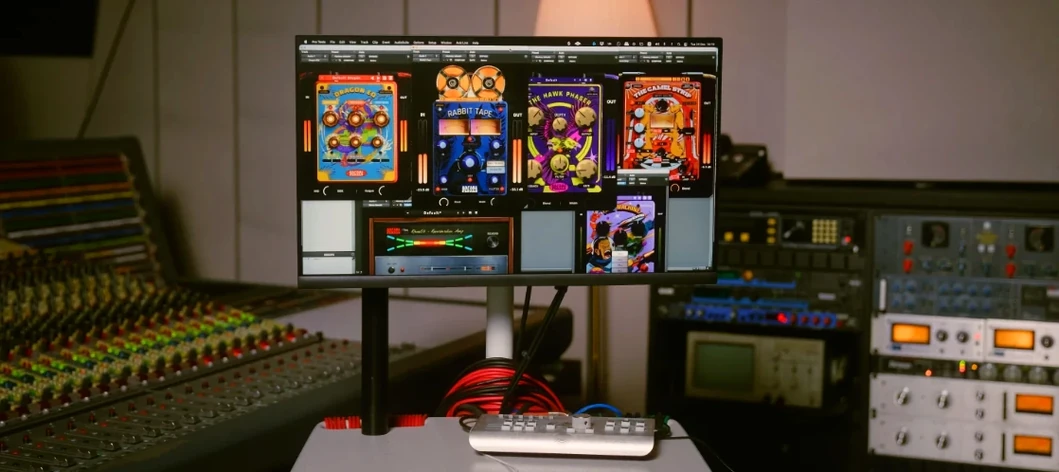 Safari Pedals Everything Bundle
Offers a collection of animal-named audio processors.
Safari Pedals Everything Bundle
Offers a collection of animal-named audio processors.
 Roland ZENOLOGY Pro
Layers four ZEN-Core tones in one multitimbral instrument.
Roland ZENOLOGY Pro
Layers four ZEN-Core tones in one multitimbral instrument.
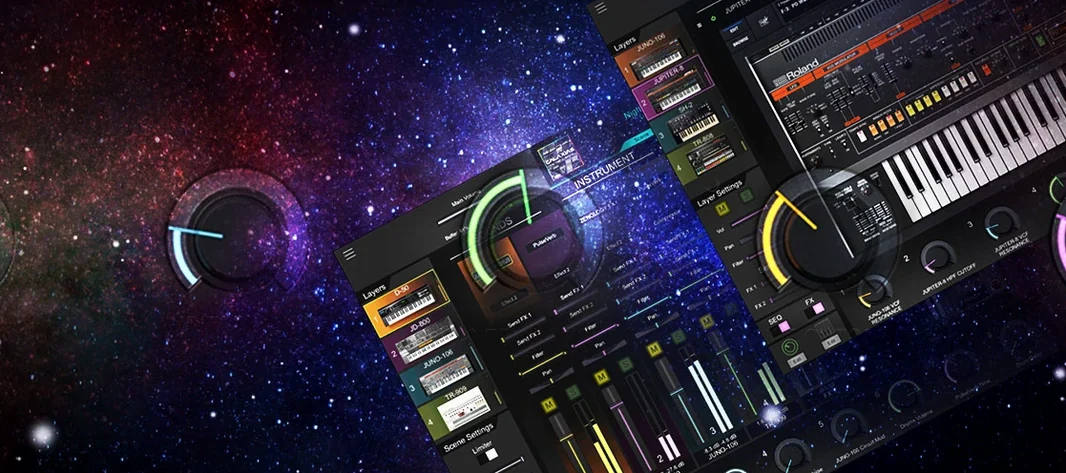 Roland Cloud Legendary Series
Recreates classic Roland synthesizers and drum machines.
Roland Cloud Legendary Series
Recreates classic Roland synthesizers and drum machines.
 Serato Hex FX
Stacks and reorders fifty effects so you can build a custom chain without a tangled signal path.
Serato Hex FX
Stacks and reorders fifty effects so you can build a custom chain without a tangled signal path.
 Serato Sample
Chops a sample into stems and lets you control the vocal, drums, bass and melody separately.
Serato Sample
Chops a sample into stems and lets you control the vocal, drums, bass and melody separately.
 RipX DAW Pro
Separates and edits audio into individual stems.
RipX DAW Pro
Separates and edits audio into individual stems.
 Serum
Generates and warps wavetable sounds you can sculpt from a blank waveform upwards.
Serum
Generates and warps wavetable sounds you can sculpt from a blank waveform upwards.
 Revoice Pro
Aligns timing and pitch between vocal takes.
Revoice Pro
Aligns timing and pitch between vocal takes.