 ASPNetWorld
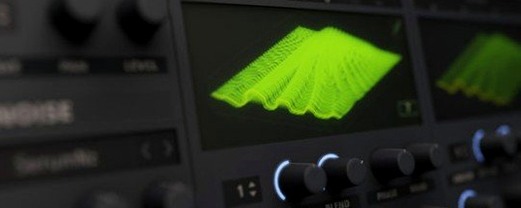
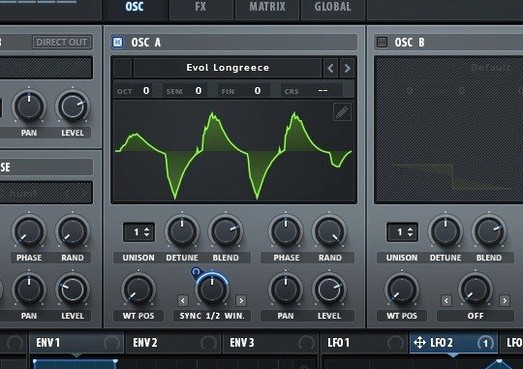
If you're running macOS 10.13 or later on either an Intel or Apple Silicon Mac, Serum 2 will slot right into your DAW. This wavetable synthesizer from Xfer Records is built around the idea that waveforms shouldn't be static — you can import, edit, transform and modulate them in real time. But when you first open it, the sheer depth can feel like walking into a workshop where every drawer is slightly ajar. The list below picks out a handful of first-session moves that show what Serum 2 actually does without drowning you in menus.
- Load a wavetable and sweep through it. Pick any factory wavetable — the 2D view shows you a stack of waveforms. Drag the WT Position knob slowly and listen to the timbre morph. That one knob is the engine of the whole synth.
- Try Unison WT Pos. Turn on unison on Oscillator A, then assign a different waveform to each unison voice via the WT Pos control. Instead of one thick sound, you get a shifting cloud of related tones that stays musical.
- Use Stack to layer octaves. In the Stack panel, set a few voices to +12 and -12 semitones. Press one note and hear chords or octave doubling without touching a second oscillator — it's the quickest way to make a patch sound enormous.
- Switch between the dual filters. Serum 2 lets you blend or crossfade two filter types in series or parallel. Route a bright wavetable through a comb filter mixed with a low-pass, then drag the blend control. The movement is smoother than you expect.
- Apply sample-rate reduction as a filter effect. In the FX section, the filter module includes a downsampler. Dial it in gently and the top end crumbles in a way that sounds like old samplers, not just digital grit.
These five starting points don't touch modulation, but they give you the sonic fingerprint of Serum 2. Once you've heard a wavetable breathe under your fingers and felt unison voices spread across different waveforms, the rest of the architecture starts to make sense on its own.
If you produce bass-heavy electronic music, Serum 2 will feel like it was designed around your workflow. The way unison and stack interact with wavetable position makes it straightforward to dial in growls and reese basses that shift over time without needing a separate modulation lane for every parameter. Sound designers who build their own sample packs get a different kind of value: the import pipeline lets you drag a field recording into the wavetable editor, resynthesise it into a table, and start morphing through it minutes later. What might surprise you is how naturally it sits in more acoustic-leaning productions. A pad built from a gently moving wavetable, passed through the comb filter with key tracking enabled, can sit behind a singer-songwriter arrangement without sounding synthetic — it reads more like an unusual string texture.
For the serum 2 crack mac users who are still finding their feet, the sweet spot is often modulation-heavy genres — dubstep, drum and bass, cinematic scoring — where the synth's ability to warp a waveform in real time gives you movement without stacking plugins. But even if your thing is lo-fi hip-hop or ambient, the downsampling filter and the phaser's note-tracking mode can turn a simple electric piano wavetable into something that sounds like a damaged tape machine. The common thread is that Serum 2 rewards people who want to shape the raw sound at source rather than fixing things later with effects chains.
First snags and how to untangle them
A few friction points crop up often enough to be worth flagging. They aren't bugs — they're just spots where the interface doesn't hold your hand, and a five-minute explanation saves an hour of head-scratching.
Wavetable import sounds nothing like the source
When you drop a short audio clip into the wavetable editor, Serum 2 analyses it and rebuilds it as a series of single-cycle waveforms. If the original has strong transients or long decays, the resynthesis can sound thin or glitchy. The fix is to prepare the source first: trim it to a single sustained tone, normalise it, and render it at 96kHz if you can. Inside the editor, try the different resynthesis modes — some preserve harmonic detail better than others. The button labelled with a waveform and a gear icon switches between them.
CPU spikes with many unison voices
On Apple Silicon Macs, Serum 2 generally runs cool, but a patch with 16-voice unison on both oscillators plus the stack engine can push the meter up if your DAW buffer is set low. The quick remedy is to draft the patch with unison turned down, then crank it up only when you bounce to audio. A subtler approach: use the Unison Warp control to stagger the voices just enough that they don't all hit the filter at identical phase positions, which can make even eight voices sound wider than sixteen and uses fewer cycles.
Filter routing confusion
The dual-filter panel shows two filters and a blend slider, but it's not always obvious what "parallel" versus "serial" means in practice. In parallel, the signal splits and each filter processes half, then they sum back together — useful for mixing a clean low-pass with a resonant comb. In serial, filter one feeds filter two. If you set filter one to a gentle high-pass and filter two to a steep low-pass, you create a band-pass that you can sweep by moving both cutoff knobs together. The display is visual, but the routing toggle is small and labelled only with an icon; once you know where it lives, it becomes second nature.
Your first three days with Serum 2
Day one, ignore the modulation matrix entirely. Load the init patch, pick one wavetable, and spend twenty minutes dragging the WT Position knob at different speeds while the arpeggiator holds a note. The goal is to learn which tables reward slow sweeps and which ones want fast, percussive movement. By the end of that session you'll have a shortlist of go-to wavetables that you can name by ear.
Day two, build exactly one patch from scratch using only Oscillator A and the stack engine. Set the stack to add an octave below and a fifth above, then dial in the dual filters — start with a low-pass that opens slowly and a comb filter mixed in at about 20%. The comb's key-tracking means the metallic resonance shifts with each note, so a simple three-note chord sounds like three different instruments playing in loose unison. Save the patch with a clear name including the key you played it in; you'll reuse this setup for months.
Day three, introduce modulation one source at a time. Assign an LFO to the filter cutoff and set it to a dotted eighth note, then assign a second LFO to Unison WT Pos with a much slower rate. The combination gives you the macro movement of a filter sweep and a subtle timbral drift that keeps the sound from going static. If you feel adventurous, map velocity to the stack mix — quiet notes stay thin, harder hits bring in the octaves. That one mapping makes a bass patch playable rather than just triggerable.
Speed, stability, and how it sits on your Mac
On an M-series Mac, Serum 2 opens in under two seconds from a cold DAW launch and loads patches with barely a flicker. The interface is drawn with OpenGL, so it leans on the GPU more than a purely vector-based plugin would; on machines with a decent graphics core, knob turns feel immediate, with no visible stepping even when you drag quickly. On older Intel Macs that still meet the macOS 10.13 minimum, the same GUI operations can feel a fraction softer, but audio processing remains solid as long as you stay mindful of voice counts.
RAM usage is modest — most patches sit in the 60–120MB range once loaded, because the wavetable data itself is compact. The install footprint is larger, largely due to the factory wavetable library, but once the plugin is running it doesn't constantly hit the disk. If you find a serum 2 free download mac that includes third-party wavetable packs, those will increase the on-disk size but not the runtime memory unless you load them.
Stability in daily use is one of the quiet strengths here. Across Logic Pro, Ableton Live and Bitwig, Serum 2 has earned a reputation for surviving project loads that crash other instruments, partly because its error handling is defensive — a corrupted wavetable file won't bring down the whole plugin, it just shows a blank oscillator and keeps playing. That matters when you're thirty minutes into a session and don't want to think about the synth at all.
Where Serum 2 fits in a wider setup
Most producers don't use Serum 2 in isolation. The obvious pairing is with Xfer's own LFOTool, since the filter types in Serum 2 share a design lineage with that plugin — the comb filter responds to modulation curves in a similar way, so a pumping effect dialled in on LFOTool translates cleanly when you recreate it inside Serum 2's mod matrix. Less obviously, Serum 2 works well as a source for convolution reverbs. Run a short, bright wavetable through the sample-rate reducer, bounce a few seconds of audio, and drop that into Space Designer or Altiverb as a custom impulse — the resulting reverb tail has a grainy texture that stock impulses can't match.
On the macOS side, Serum 2 respects the system's audio routing. You can send its output to a separate virtual bus using something like BlackHole or Loopback, then record its output directly into QuickTime or Audacity without touching your DAW. This is handy for building a personal sample library: set up a patch, hit record on a lightweight audio capture tool, and play through a range of notes and mod wheel positions. An hour of that yields months of raw material for samplers.
For the serum 2 macos crack users who are exploring the synth's edges, one overlooked integration is with macOS's built-in IAC Driver. By enabling an IAC bus in Audio MIDI Setup, you can route MIDI from a notation app like MuseScore into Serum 2 running standalone, letting you audition wavetable-based orchestral textures against a written score before committing to a full arrangement. It's a niche workflow, but it highlights how Serum 2 doesn't lock you into a particular DAW ecosystem.
The plugin also coexists peacefully with Apple's native instruments. Alchemy, which ships with Logic Pro, covers some similar ground, but the two synths complement each other well — Serum 2 excels at precise, surgical wavetable manipulation, while Alchemy thrives on sample-based morphing and additive resynthesis. Layering a Serum 2 bass beneath an Alchemy pad gives you the tight low end and the evolving harmonic content in a way that neither synth would achieve alone.
In terms of workflow, many producers settle into a pattern where Serum 2 handles all their synthetic bass and lead duties, while Kontakt or Falcon covers sampled instruments and Omnisphere fills the atmospheric middle ground. The reason is practical: Serum 2's patch browser, simple as it is, encourages you to design from scratch rather than endlessly scrolling presets. After a few weeks, you'll likely have a folder of thirty or forty self-made patches that you reach for instinctively, each one tuned to a specific job in your mixes.
A maintenance update that quietly irons out a host of small but persistent wrinkles, particularly for Pro Tools and Digital Performer users. If you've ever had a patch refuse to load properly when stepping through presets, you'll appreciate this one.
- New 'Ignore VST3 Note IDs' setting — a toggle to sidestep note-identifier quirks in certain hosts.
- Pro Tools automation now supports automatable parameter shortcuts.
- Session compatibility fix — data loss when opening projects saved by newer Serum 2 builds is resolved.
- Digital Performer got a trio of fixes: tooltip display, periodic crashes, and no more hanging on quit in Windows.
- ACIDized WAV loading fixed for files with empty
strcchunks. - Bitwig Studio — Clip Player macro automation now updates correctly.
- MPE voice-stealing preserves values properly after a voice is reclaimed.
- Piano Roll preview now respects the velocity of the note you're actually auditioning.
- Crash guard for malformed data fed into Serum's processor.
- Settings interface restored — it had been scrambled since version 2.0.22.
- Preset browsing — Previous/Next buttons no longer jump erroneously to 'ARP — Aardvark' after loading a session.
- JUCE-host scaling fixed when Windows Display Scaling isn't at 100%.
- macOS 10.13 or later
- Apple Silicon or Intel 64-bit processor
Questions I keep hearing
Can Serum 2 run natively on Apple Silicon Macs?
Yes, it supports both ARM (Apple Silicon) and x86 64-bit Macs running macOS 10.13 or later.
What does the Unison WT Pos feature actually do?
It assigns a different waveform to each unison voice at once, so a single note plays multiple wavetable positions simultaneously instead of cloning the same wave.
Is the interface available in languages other than English?
No, Serum 2's interface is in English only.
Questions from the class 0
Sign in or join the class to ask a question.
Nobody has asked anything yet. If you have used it on a real job, say what the file did.
Also on the VST Plugins shelf
The whole VST Plugins shelf Serato Sample
Chops a sample into stems and lets you control the vocal, drums, bass and melody separately.
Serato Sample
Chops a sample into stems and lets you control the vocal, drums, bass and melody separately.
 Serato Hex FX
Stacks and reorders fifty effects so you can build a custom chain without a tangled signal path.
Serato Hex FX
Stacks and reorders fifty effects so you can build a custom chain without a tangled signal path.
 ShaperBox
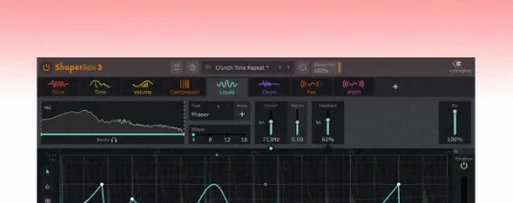
Applies three bands of rhythmic effects to add movement to drums, pads or vocals.
ShaperBox
Applies three bands of rhythmic effects to add movement to drums, pads or vocals.
 Scaler 3
Detects your playing and suggests chords that will work with it.
Scaler 3
Detects your playing and suggests chords that will work with it.
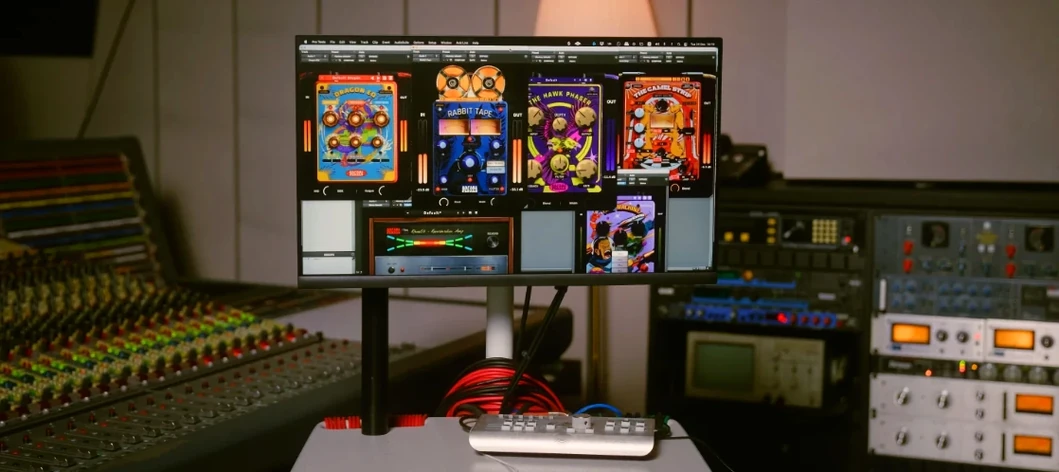 Safari Pedals Everything Bundle
Offers a collection of animal-named audio processors.
Safari Pedals Everything Bundle
Offers a collection of animal-named audio processors.
 Roland ZENOLOGY Pro
Layers four ZEN-Core tones in one multitimbral instrument.
Roland ZENOLOGY Pro
Layers four ZEN-Core tones in one multitimbral instrument.
 Slate Digital Fresh Air
Opens up the top end of a track with two simple knobs that add presence and shine.
Slate Digital Fresh Air
Opens up the top end of a track with two simple knobs that add presence and shine.
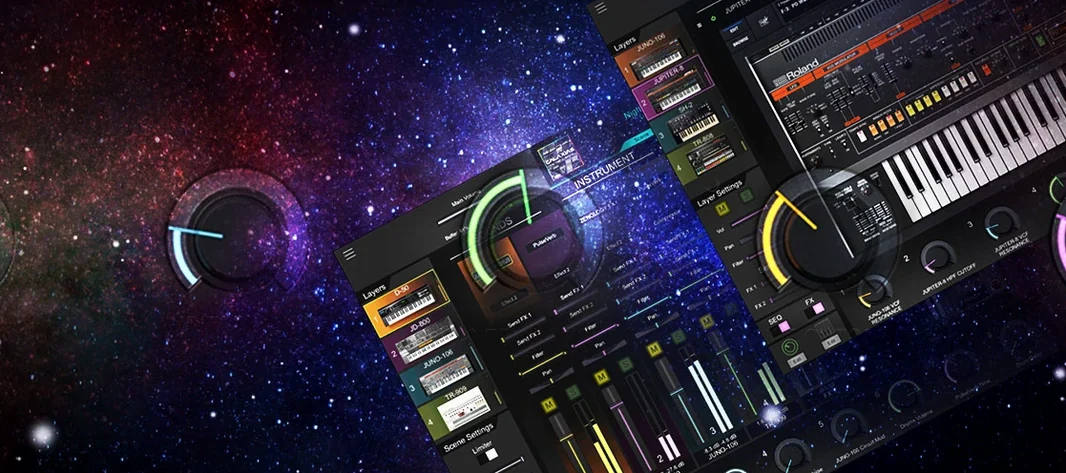 Roland Cloud Legendary Series
Recreates classic Roland synthesizers and drum machines.
Roland Cloud Legendary Series
Recreates classic Roland synthesizers and drum machines.