 ASPNetWorld
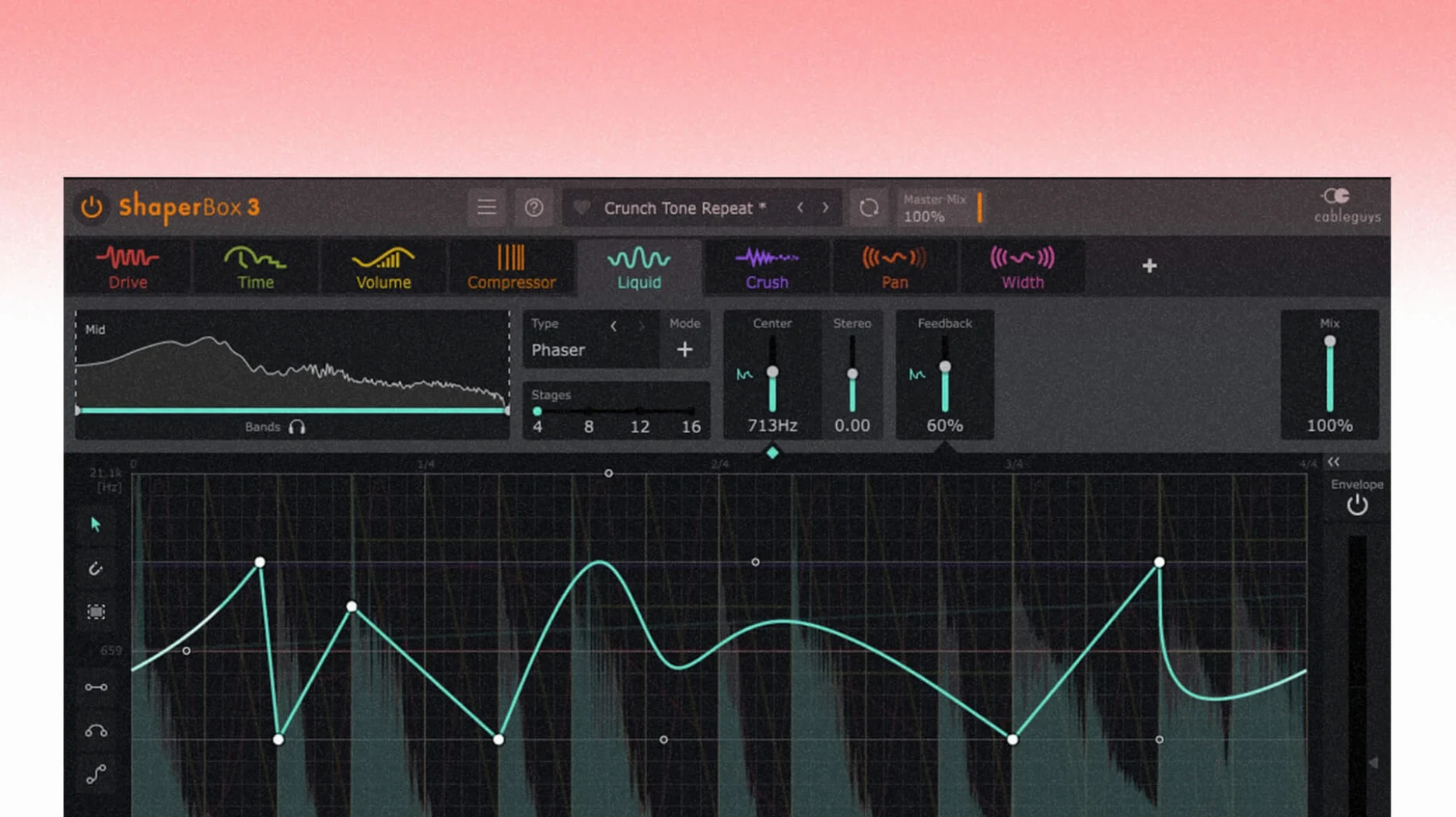
Three bands, nine effects, and a single window that doesn't ask you to leave the timeline. ShaperBox is one of those plugins that started as a sidechain trick and quietly grew into a full rhythm lab — the kind you drop onto a drum bus, a pad channel, or a vocal track when the groove needs something more than EQ.
Where ShaperBox sits in a session
The plugin works across three distinct jobs, and I find it earns its keep in all of them:
- Drum and percussion tracks. VolumeShaper for transient shaping and gating patterns that follow the feel of the track, not just the grid. DriveShaper adds bite to a kick without touching the sub tail.
- Instrument buses. FilterShaper Core and PanShaper together can make a static synth line undulate in both frequency and stereo space. Timing is everything here — the multiband split means the low-mids can pulse differently from the highs.
- Sound design and ear candy. That's where LiquidShaper — the dedicated flanger and phaser module — and the new PitchShaper automation lanes come in. Formant Link, Density, and Grain Size are now all automatable, so you can draw in tightening grain clouds or shifting resonances right on the timeline.
The hub that ties it together
Everything revolves around the central editing view. You draw modulation curves directly onto the waveform display, and the visual feedback is immediate — something a standard modulation matrix can't offer. The sidechain visual display is particularly useful for checking exactly where the ducking lands against an external kick or a silent MIDI trigger. Speaking of triggers, any of the nine effects can be set to respond to audio or MIDI simultaneously, which opens up hybrid setups where, say, a reverb throw is triggered by a snare but the filter sweep follows a MIDI clip. The browser ships with 600 presets, so you can pull up a rhythmically coherent starting point and then tweak the curve nodes, multiband crossover points, and effect order until it belongs to your track.
How ShaperBox sits alongside the alternatives
A handful of plugins chase the same rhythmic multi-effect territory, and I've had a fair few producers ask me how ShaperBox stacks up against them in a real session. The short answer is that it depends on whether you value surgical control or creative speed, but let's look at the three comparisons that come up most often in class.
Up against Devious Machines Infiltrator 2, the conversation usually goes like this: Infiltrator offers a frankly absurd number of effect types — over fifty at the last count — and its modulation sequencer can run almost any parameter in almost any shape. It's the deeper toolbox. What ShaperBox gives you instead is immediate visual feedback on a single unified waveform display. When I'm shaping a kick drum, I don't want to open three sub-menus to see what the volume envelope is doing; ShaperBox puts the curve right under the cursor. Infiltrator rewards the tinkerer who enjoys building complex chains from scratch. ShaperBox rewards the mixer who already hears the groove and just needs to draw it.
Next to Xfer Records LFOTool, the difference is scope. LFOTool is a dedicated volume and filter modulation utility — brilliant at what it does, and the CPU hit is basically invisible — but it stops there. ShaperBox adds multiband splitting, six further effect types, and the ability to trigger different envelopes from audio and MIDI simultaneously. If all you need is a sidechain pump, LFOTool is delightfully lean. The moment you catch yourself thinking, "I wish I could add a little stereo widening on just the top band when the snare hits," you've outgrown it, and ShaperBox is waiting.
The third comparison that surfaces is Soundtoys Effect Rack, which pairs rhythmic modulation with the analogue-flavoured processing Soundtoys is known for. The saturation and filtering have a different texture — warmer, more coloured — and the routing possibilities inside the rack are genuinely flexible. Where ShaperBox pulls ahead is in the tightness of its timing grid. Triplet, dotted, and straight subdivisions are baked into every modulation lane, and the Audio Trigger system means an effect can fire precisely on a transient with no MIDI routing workaround. I tend to think of Effect Rack as a colour box with rhythm, and ShaperBox as a rhythm engine with colour.
One instance sips CPU; stacking ten won't spike your session
In daily use on an Apple Silicon machine, ShaperBox barely registers a complaint. A single instance on a vocal bus sits around one or two percent CPU; stacking it across ten drum channels nudges the meter but rarely triggers a buffer underrun at 128 samples. The multiband crossover processing is the hungry part — engage all three bands on DriveShaper and FilterShaper together and you'll see a jump, though still well within what a modern Mac handles comfortably.
Stability under automation load is where the 3.6.1 update made a quiet difference. Before the fix, a MIDI trigger arriving while the input was silent could spit out a brief artifact — the kind of tick that only becomes audible during a fade-out and drives you mad trying to locate. That's gone now. The Logic Pro cursor bug, where dragging a control could make the pointer vanish until you clicked outside the plugin window, is also sorted. These are small quality-of-life patches, but they suggest CableGuys pays attention to the support threads.
Memory use is modest. I've never seen ShaperBox climb above 200 MB in a project, even with the factory preset browser loaded. The 600 presets are cached efficiently, and switching between them is snappy — no beachball, no momentary dropout. If you're working on a large orchestral template where every plugin is fighting for RAM, you'll appreciate that restraint.
Little things that are easy to walk past
A plugin this deep accumulates small features that the manual mentions on page forty-something and most users never discover. These are the ones I point out when a student's eyes start glazing over:
- Right-click curve presets. You don't have to draw every envelope from scratch. Right-click on a modulation lane and you get a menu of pre-shaped curves — sawtooth ramps, exponential decays, stepped patterns — that you can drop in and then tweak the node handles. It's a ten-second alternative to drawing sixteen points by hand.
- Multiband solo. Holding
Optionand clicking a band's solo button isolates that band across all active Shaper modules simultaneously. When you're trying to hear exactly what the mid band of your reverb throw is doing without the lows and highs clouding the picture, this is the fastest way there. - Trigger indicator flash. Every time the Audio Trigger fires, a small LED blinks next to the threshold slider. It's easy to miss, but it's the quickest diagnostic when you're not sure if the trigger is actually catching the transient you think it is. No guessing, no checking the sidechain display — just a glance.
- Copy-paste between modules. Got a filter curve that perfectly follows the kick pattern you drew in VolumeShaper? Select the nodes, copy, switch to FilterShaper Core, paste. The timing data transfers intact. This also works between instances, so you can build a groove template and replicate it across the project.
- Magnifying glass on the waveform. Double-clicking the waveform display zooms to fit the current loop length. Double-click again to zoom back out. When you're editing a thirty-second modulation on a four-bar loop, this saves a lot of horizontal scrolling.
That click in silence vanishes once you update past 3.6.1
No plugin is friction-free, and ShaperBox has a few recurring gotchas that new users stumble into. The good news is that they all have straightforward fixes.
The silent-input artifact (pre-3.6.1). If you're running an older version and hearing a click when a MIDI note fires into silence, the answer is to update. The patch in 3.6.1 addresses it directly. In the meantime, a workaround is to feed a tiny amount of dither noise into the sidechain input — enough to keep the detector alive without being audible. But honestly, just update. Some people search for a ShaperBox crack or a ShaperBox torrent to explore an older build, and once they have it, making sure the sidechain detector stays alive with that dither trick keeps everything running smoothly.
The Logic Pro disappearing cursor. This one was specific to Logic and happened after dragging a control with the mouse button held. The cursor would vanish until you clicked outside the plugin window. Version 3.6.1 squashes it, but if you encounter it on an earlier build, toggling the plugin window closed and open again usually restores the pointer. It's the kind of bug that makes you think your mouse batteries have died, and I'm glad it's gone.
Trigger threshold dancing. The Audio Trigger can be overly sensitive on material with a wide dynamic range — a vocal that goes from whisper to belt, for instance. The threshold slider that works in the verse might miss the chorus entirely. The fix is to use the sidechain input with a heavily compressed copy of the source track, so the trigger sees a more consistent level. Route that through your DAW's sidechain selector and the problem vanishes.
Multiband phase weirdness. When you split a signal into three bands and apply different effects to each, you're essentially running parallel processing across frequency ranges. On some material — especially bass-heavy sounds with a sharp crossover point — you can get subtle phase cancellation around the crossover frequency. Dropping the crossover slope from 48 dB/octave to 24 dB/octave in the global settings often softens this. It's a trade-off between band separation and phase coherence, and there's no single correct setting.
Latency when stacking too many LiquidShaper instances. LiquidShaper's flanger and phaser algorithms introduce a small amount of lookahead latency — not much, but enough that stacking six of them on a live monitoring chain will make the delay noticeable. In a mixing context this doesn't matter, but if you're tracking through ShaperBox, consider freezing or committing the LiquidShaper tracks first. The other modules run with negligible latency.
Version 3.6.1 is a tidy maintenance release with one notable creative unlock: PitchShaper's innards are now fully exposed to your DAW's automation lanes.
- PitchShaper's Formant Link, Density, and Grain Size are now automation parameters — draw in evolving textures without touching the plugin window.
- A stray audio artifact that could appear when a MIDI note or Audio Trigger fired into a silent input has been squashed.
- Logic Pro users will be pleased to see the cursor no longer vanishes after dragging a control.
- macOS 10.15 or later
- Intel or Apple Silicon processor
- Interface language: English
Questions I keep hearing
Does ShaperBox work on Apple Silicon Macs?
Yes, version 3.6.1 runs natively on both Intel and Apple Silicon Macs, provided you're on macOS 10.15 or later.
Can I automate PitchShaper's granular parameters?
Absolutely. The 3.6.1 update made Formant Link, Density, and Grain Size available as automation parameters, so you can draw precise changes over time.
What does the Audio Trigger feature do?
Audio Triggers let any of ShaperBox's effects respond to the incoming audio signal — or an external sidechain source — so modulation resets on each hit rather than running freely.
Questions from the class 0
Sign in or join the class to ask a question.
Nobody has asked anything yet. If you have used it on a real job, say what the file did.
Also on the VST Plugins shelf
The whole VST Plugins shelf Serum
Generates and warps wavetable sounds you can sculpt from a blank waveform upwards.
Serum
Generates and warps wavetable sounds you can sculpt from a blank waveform upwards.
 Serato Sample
Chops a sample into stems and lets you control the vocal, drums, bass and melody separately.
Serato Sample
Chops a sample into stems and lets you control the vocal, drums, bass and melody separately.
 Serato Hex FX
Stacks and reorders fifty effects so you can build a custom chain without a tangled signal path.
Serato Hex FX
Stacks and reorders fifty effects so you can build a custom chain without a tangled signal path.
 Slate Digital Fresh Air
Opens up the top end of a track with two simple knobs that add presence and shine.
Slate Digital Fresh Air
Opens up the top end of a track with two simple knobs that add presence and shine.
 Slate Digital Murda Melodies
Processes audio with a chain that shifts from subtle warmth to a crushed, distorted texture.
Slate Digital Murda Melodies
Processes audio with a chain that shifts from subtle warmth to a crushed, distorted texture.
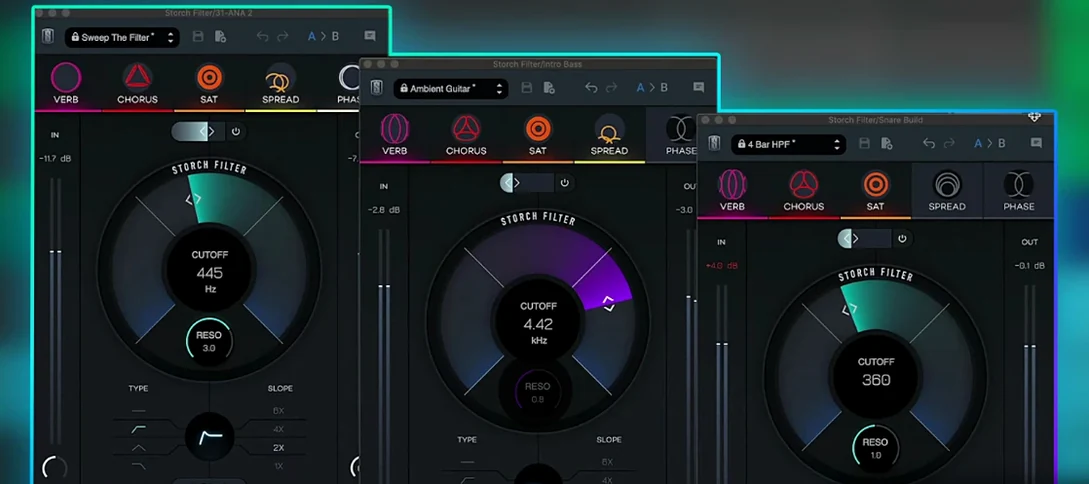 Slate Digital Storch Filter
Sweeps, stutters and shimmers a sound through a single musical filter interface.
Slate Digital Storch Filter
Sweeps, stutters and shimmers a sound through a single musical filter interface.
 Slate Digital Submerge
Generates a sub-bass tone that ducks around your kick drum automatically.
Slate Digital Submerge
Generates a sub-bass tone that ducks around your kick drum automatically.
 Scaler 3
Detects your playing and suggests chords that will work with it.
Scaler 3
Detects your playing and suggests chords that will work with it.