 ASPNetWorld
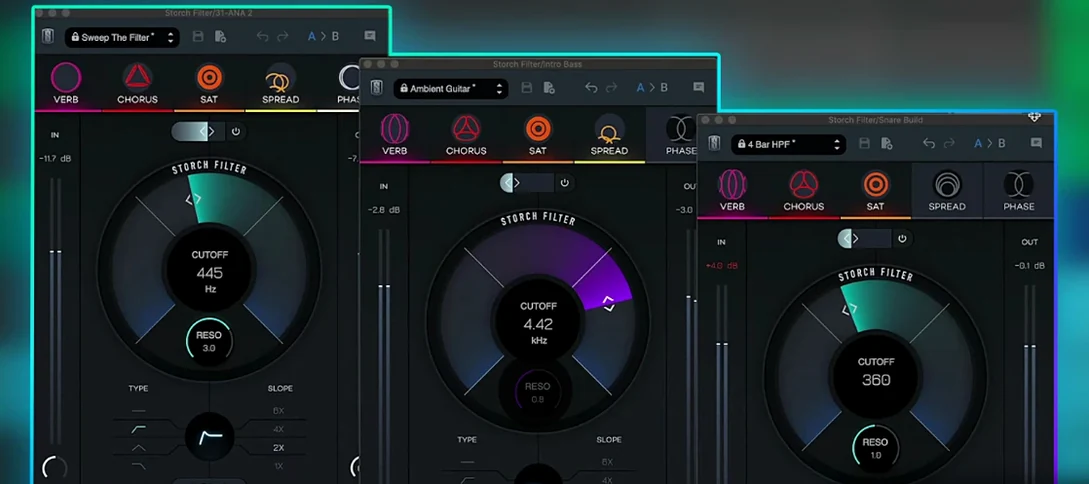
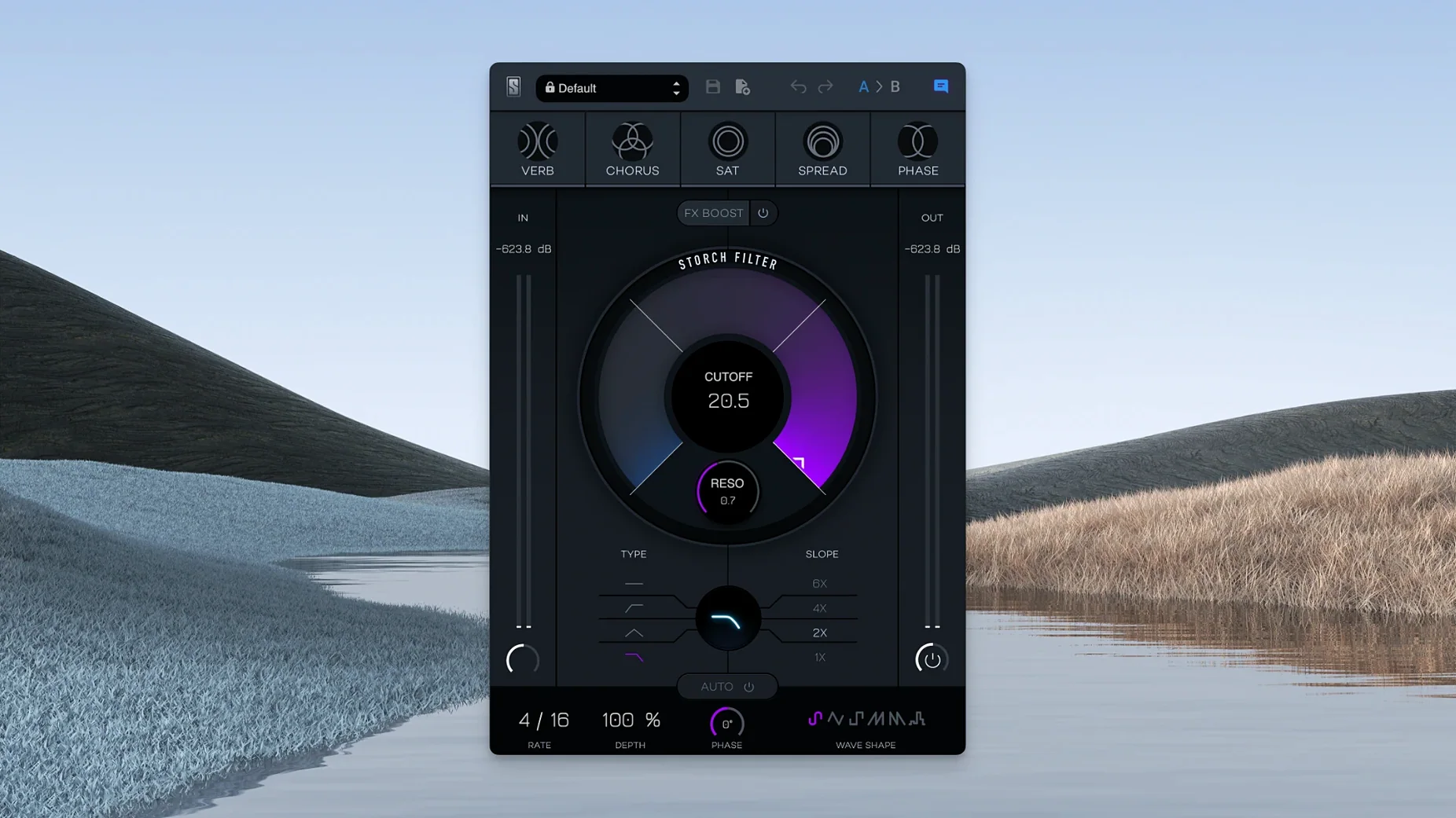
Producers who craft modern pop, hip-hop and R&B often reach for a chain of processors to make a sound sweep, stutter or shimmer. Scott Storch has been building those chains in his head for decades, and with the Storch Filter he has distilled one of his signature moves into a single, intuitive interface. It is a creative multi-effect plugin developed with Slate Digital, and the whole thing revolves around two familiar controls: cutoff and resonance.
What ties the effects together
Instead of a conventional signal chain, the five built-in effects are linked directly to the filter section. As you pull the low-pass cutoff down, the chosen effect — a drive, a widening module, or something textural — shifts its character in sympathy. The resonance control acts like an intensity dial for that relationship, so pushing it hard doesn't just create a whistling peak; it can saturate more aggressively or spread the stereo field wider depending on the mode you have selected. An FX Boost slider sits nearby, letting you overdrive the whole colour without touching the filter itself. It feels less like patching separate units and more like playing a single, reactive instrument.
Movement that serves the mix
An autofilter with six LFO wave shapes means you are not tied to manual sweeps. A sine wave gives you a smooth, breathing pulse, while a sample-and-hold shape turns the filter into a rhythmic gate. What stood out to me is how the modulation always feels musical; it pushes against the resonance-dependent effects in a way that suggests chord changes or fills, rather than just ticking along. Scott Storch's own presets are included, and they are worth treating as a crash course in making a static sound feel like a performance.
Calibrate the FX Boost before you trust any preset
The factory presets sound immediately impressive, but a few adjustments under the bonnet make the plugin settle into a mix far more gracefully. My first stop is the FX Boost calibration. Out of the gate it can push the saturation and widening modules quite hard, and backing it off by a few dB often reveals detail that was being masked — especially on a busy drum buss where transients need to breathe. The slider works post-filter, so it changes the tonal weight rather than just clipping the input.
Next, pick an LFO shape that matches your song's tempo pocket, not your ego. The sample-and-hold waveform is flashy, but a triangle or a slow sine tends to lock into a groove more naturally when you are building an arrangement. I also recommend setting the autofilter's depth to about two-thirds of its range and then riding the cutoff frequency to taste — full-depth modulation can make a part feel detached from the rest of the track. Finally, the five built-in effects remember their context, so if you switch from chorus to phaser midway through a session, the resonance scaling resets. It is worth committing to one effect per instance and treating a change as a deliberate production decision.
CPU hit stays in single-band territory even during fast sweeps
On an Apple Silicon Mac, version 1.0.6 loads as quickly as any well-coded AU, and I have yet to see it spike the CPU meter beyond what you would expect from a single-band dynamics processor. The interface redraws smoothly even when the autofilter is running at full tilt, and the modulation clock stays sample-accurate across loop cycles — something that matters when you are printing stems and need the sweep to land on the same transient every pass.
Memory use is modest. Instantiating sixteen copies across a dense mix session added roughly the same overhead as a stock EQ, which means you can scatter it across individual tracks without freezing everything. The one area where it asks for a little patience is with the reverb effect engaged at high resonance settings; the convolution-derived tail can ring audibly when you push the cutoff past 8 kHz, so applying an adjustable low pass filter after the plugin in your chain is a sensible safety net if you are working on bright pop vocals. It is not a stability concern — the plugin stays rock-solid — but a tonal one.
Ignoring the effect selector turns it into a plain wah
The most common slip I see in class is treating the Storch Filter like a standard wah and ignoring the effect selector entirely. A producer will dial in a nice sweep, nod along, and never notice that the saturation or stereo widening module is adding harmonic clutter they did not intend. Because the effect is linked to resonance, the tell-tale signs — a gritty low mid-range, a vocal that suddenly feels phasey in mono — only appear when the filter opens up, so the problem hides during quiet passages. Always audition each of the five modes in isolation before you commit; the difference between chorus and phaser on a piano line, for instance, is the difference between a hazy pad and a wobbly artefact.
Another trap is automating the cutoff without locking the autofilter's phase reset to the timeline. If you do not trigger the LFO from the transport, each playback pass starts the waveform at a different point, and a sweep that sounded dramatic on loop suddenly feels random in context. The fix takes two seconds in your DAW's automation lanes. I would also caution against piling the plugin onto a master buss. It is designed as a sound-design and mix tool, not a mastering processor, and the baked-in effects — especially the widening — can collapse awkwardly when summed to a single speaker. Use it on groups, keys, vocals and effects returns, and leave the two-buss alone.
808s and sampled keys unlock its core voicing
Hip-hop and R&B producers are the obvious audience — Scott Storch's fingerprints are all over the preset library, and the way the filter interacts with 808s and sampled keys feels native to those genres. But I have also seen electronic music producers adopt it as a performance tool, mapping the cutoff to a hardware controller and playing the filter like a third hand during a live set. The autofilter's six wave shapes offer enough variety that a single instance can cover the roles that would normally require a dedicated step sequencer and a separate modulation plugin.
Sound designers working in post-production will find the linked effects a shortcut to movement that feels organic. Feeding a static room tone through the reverb mode with a slow triangle LFO can create a breathing, living background without hours of manual automation. Mix engineers who already own a Slate Digital bundle will discover that the Storch Filter fills a gap their channel strips do not reach — it is less about correction and more about character. If you have ever layered three plugins just to make a piano loop feel like it belongs in a track, this single window covers the same ground in less time, and with a coherence that is hard to fake by chaining separate units.
This update brings the plug-in build number to 1.0.6.
- macOS 11 or later
- Apple Silicon processor
- Interface language: English
Questions I keep hearing
What makes the Storch Filter different from a standard filter plugin?
It combines a resonant filter with five built-in effects and an autofilter featuring six LFO wave shapes, all designed so the cutoff and resonance controls influence the effects' behaviour rather than just the frequency spectrum.
Does the plugin include any presets?
Yes, it comes with a set of presets created by Scott Storch himself, which showcase how the filter and effects interact across different musical contexts.
Questions from the class 0
Sign in or join the class to ask a question.
Nobody has asked anything yet. If you have used it on a real job, say what the file did.
Also on the VST Plugins shelf
The whole VST Plugins shelf Slate Digital Murda Melodies
Processes audio with a chain that shifts from subtle warmth to a crushed, distorted texture.
Slate Digital Murda Melodies
Processes audio with a chain that shifts from subtle warmth to a crushed, distorted texture.
 Slate Digital Submerge
Generates a sub-bass tone that ducks around your kick drum automatically.
Slate Digital Submerge
Generates a sub-bass tone that ducks around your kick drum automatically.
 Slate Digital Fresh Air
Opens up the top end of a track with two simple knobs that add presence and shine.
Slate Digital Fresh Air
Opens up the top end of a track with two simple knobs that add presence and shine.
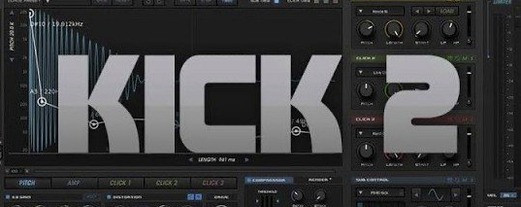 Sonic Academy KICK
Designs a kick drum from a synthesised sub layer and sampled click layers you tune by ear.
Sonic Academy KICK
Designs a kick drum from a synthesised sub layer and sampled click layers you tune by ear.
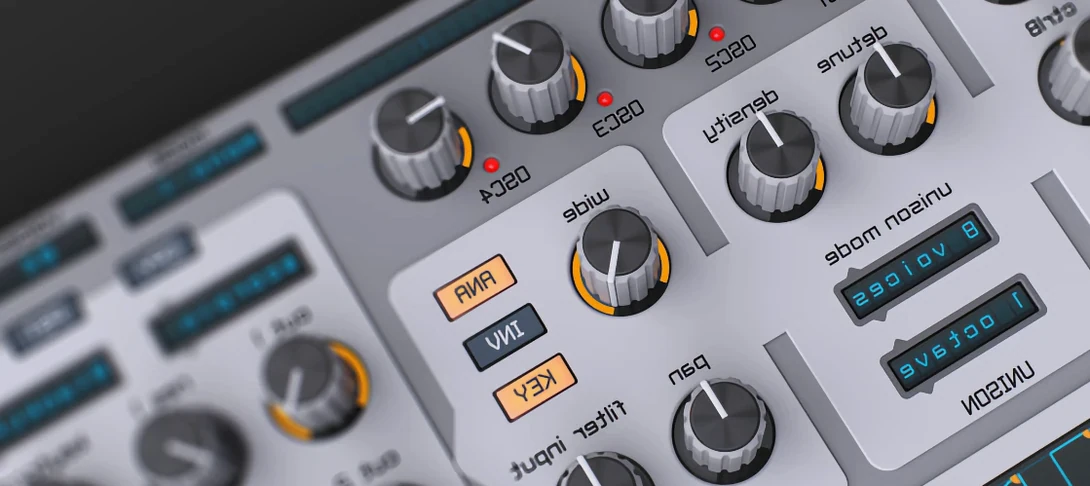 Spire
Synthesises rich virtual analogue sounds.
Spire
Synthesises rich virtual analogue sounds.
 ShaperBox
Applies three bands of rhythmic effects to add movement to drums, pads or vocals.
ShaperBox
Applies three bands of rhythmic effects to add movement to drums, pads or vocals.
 SSG Audio Optimus
Masters audio with intelligent spectral assistance.
SSG Audio Optimus
Masters audio with intelligent spectral assistance.
 Steinberg SpectraLayers Pro
Edits audio spectrally and visually.
Steinberg SpectraLayers Pro
Edits audio spectrally and visually.