 ASPNetWorld
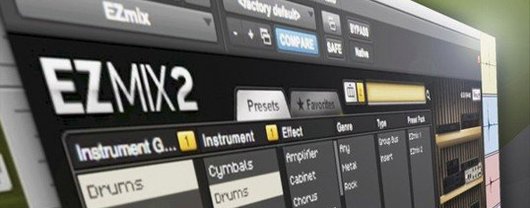
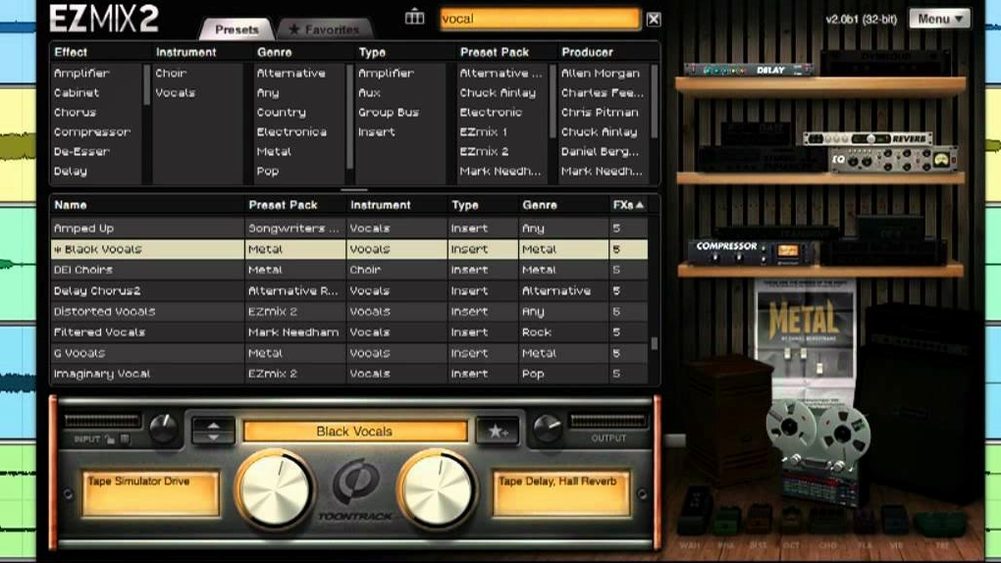
The problem with mixing is simple: a great mix needs a string of processors working together, but building that chain from scratch while you’re trying to be creative can stop a session dead. The Toontrack EZmix Bundle sidesteps that entirely by collapsing whole chains of studio-grade effects into a single preset you can call up on any channel.
A workflow built around decisions, not dials
- Insert the plug-in on your sequencer channel strip. It sits there like any other effect, but under the hood it’s actually a complete processing rack waiting for instructions.
- Browse to a preset that matches your source material. The categories are named after real recording scenarios — vocals, drums, bass, guitar — so you’re picking by instrument and intent rather than scrolling through cryptic patch names.
- Listen and commit. Each preset is a designed effect chain built by engineers who do this for a living. The faders and knobs are boiled down to just a few macro controls, which means you’re adjusting musical results, not individual compressor attack times.
The bundle also includes an independent host application that turns your computer into a guitar practice rig, complete with amp and cabinet simulations from the same effect engine. It’s mixing, mastering and amp modelling in one package, and the current version keeps everything compatible with EZmix packs released from the final quarter of 2025 onward.
The bundle is one core plug-in that unlocks every expansion pack you buy
The first question is usually about what the bundle actually contains, because the name suggests a collection but the product page tends to talk about EZmix as a single thing. Think of it as the core plug-in plus every expansion pack Toontrack has shaped for it — the amp models, the mastering chains, the vocal treatments — gathered under one roof. That means you’re not installing a starter kit and then wondering which packs you’re missing; the whole palette is there from the moment the disk image finishes mounting.
Another question revolves around whether EZmix works standalone or only inside a sequencer. The answer is both. The plug-in slots into any AU, VST or AAX host on a Mac running macOS 10.13 or later, but the bundle also ships with a self-contained host application. Launch it, plug in a guitar or bass through your interface, and you’ve got an amp-and-cabinet practice rig without opening Logic or Ableton at all. That standalone host pulls from the same preset library, so a tone you dial in during a late-night practice session is exactly the tone you’ll recall when you open your DAW the next morning.
People also worry about preset overload — hundreds of options with no clear path through them — and that concern is fair. The preset browser organises everything by source type, not by effect type, so you’re always starting from the instrument or voice in front of you. That design choice cuts the decision time dramatically compared with scrolling through a flat list of ambiguous names.
Songwriters hear a finished sound the moment they finish recording a part
Songwriters who track at home get the most immediate lift, because EZmix removes the gap between recording a part and hearing it sound finished. Instead of spending twenty minutes hunting for the right compressor and EQ combination after laying down a vocal take, you drop a single insert, pick a vocal chain that matches the song’s energy, and keep writing. The creative momentum stays intact, which is the real win.
Guitarists who record direct — no microphones, no treated rooms — find the amp and cabinet simulations particularly useful. The models sit inside the same plug-in as the mixing presets, so you can treat an electric guitar channel as an amp tone first and a mixed element second, all on one channel strip. Bass players get the same treatment with chains tuned for low-end weight and note definition, and the standalone host means you don’t need a DAW running just to jam along with a backing track.
Engineers who mix other people’s projects often use EZmix as a shortcut on secondary channels — backing vocals, double-tracked guitars, keyboard layers — where the creative decision matters more than the technical process. Dropping a preset on a doubled acoustic guitar part and adjusting one macro control is faster than reaching for four separate plug-ins, and the results sit in a pocket that’s already been through a professional chain’s gain staging. The tool doesn’t replace a full custom mix, but it handles the groundwork on the channels that don’t need a forensic approach.
Preset browsing stays fluid even with every expansion installed on Apple Silicon
On Apple Silicon machines the plug-in loads almost instantly and the preset browser scrolls without any perceptible lag, even when the library contains every expansion pack. Intel Macs that meet the macOS 10.13 minimum run it comfortably as well, though older dual-core machines will feel the weight if you stack three or four instances on a busy project. The amp simulations are the hungriest part — a single guitar chain with cabinet modelling pulls more cycles than a vocal polish preset — but on any Mac made in the last five years that number is low enough to run a dozen instances before the buffer starts complaining.
Stability is the quiet achievement here. The plug-in doesn't fight with older session formats, and if you open a project built with an earlier version the preset recalls correctly because the core architecture hasn't changed underneath. The 3.2.2 update ties support to expansion packs released from the last quarter of 2025 onward, so anyone keeping current won’t hit a wall when they install future content. Memory footprint stays modest — the application and plug-in together sit in the background without the sudden spikes that some convolution-based tools cause — and the standalone host has never triggered a core audio dropout in daily use on a machine left running for hours.
Settings worth reaching for straight away
The first thing to change is the buffer handling inside the standalone host, which defaults to a conservative size that suits most interfaces but can feel a little spongy under the fingers. Drop it to 128 samples or lower on a modern Mac and the amp models respond with the kind of immediacy that makes you want to play longer. The plug-in side doesn’t need the same adjustment — your DAW controls that — but it’s worth checking that the host isn’t left at its factory setting when you first launch it.
Next, switch the preset browser from the default icon view to the list view. The icons are attractive but they consume screen space without adding information; the list view shows you more presets at once and lets you scan category folders with a single glance. While you’re in the browser, take thirty seconds to drag your three most-used folders — vocals, guitar and mastering tend to be the heavy lifters — into the favourites bar at the top. It’s a small gesture that saves cumulative minutes over a working week.
Finally, approach the macro controls with a deliberate hand. Each preset exposes only two or three sliders, and their labels are deliberately plain — “drive,” “brightness,” “space” — but they’re mapped to multiple internal parameters simultaneously. Moving the brightness slider on an acoustic guitar chain might tilt the EQ, adjust a de-esser threshold and soften the reverb tone in one motion. The presets are designed to sound good at noon on every dial, so start there, listen, and nudge rather than sweep. That restraint keeps the integrity of the chain intact and stops you from accidentally undoing the engineer’s gain structure.
Version 3.2.2 is a compatibility update that ensures the plug-in works correctly with all EZmix expansion packs scheduled for release from the final quarter of 2025 onward.
- macOS 10.13 or later
- Intel or Apple silicon processor
Questions I keep hearing
Does this version replace EZmix 2?
No, all the functionality and content from EZmix 2 is retained — version 3.2.2 adds compatibility for newer sound packs rather than taking anything away.
Can I use it just for playing guitar without opening a DAW?
Yes, the bundle includes a standalone host that gives you direct access to the amp and cabinet simulations for practice or jamming.
Questions from the class 0
Sign in or join the class to ask a question.
Nobody has asked anything yet. If you have used it on a real job, say what the file did.
Also on the VST Plugins shelf
The whole VST Plugins shelf Toontrack EZkeys
Provides a playable grand piano and suggests fresh chord progressions when you are stuck.
Toontrack EZkeys
Provides a playable grand piano and suggests fresh chord progressions when you are stuck.
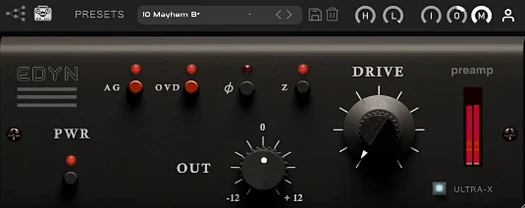 Tone Empire EDYN
Runs clean digital audio through a model of a revered vintage transistor preamp.
Tone Empire EDYN
Runs clean digital audio through a model of a revered vintage transistor preamp.
 UJAM Beatmaker VICE
Supplies the crisp, gated drum sounds of 1980s synthwave and retrowave productions.
UJAM Beatmaker VICE
Supplies the crisp, gated drum sounds of 1980s synthwave and retrowave productions.
 uJAM Cinedream
Layers ambient guitar textures that sit beneath a scene rather than stepping into the spotlight.
uJAM Cinedream
Layers ambient guitar textures that sit beneath a scene rather than stepping into the spotlight.
 UJAM Symphonic Elements STRIIIINGS
Blends orchestral strings with processed textures for cues that breathe and move.
UJAM Symphonic Elements STRIIIINGS
Blends orchestral strings with processed textures for cues that breathe and move.
 Ultra Audio Ultra
Puts a wavetable synthesiser with simple controls onto your instrument track.
Ultra Audio Ultra
Puts a wavetable synthesiser with simple controls onto your instrument track.
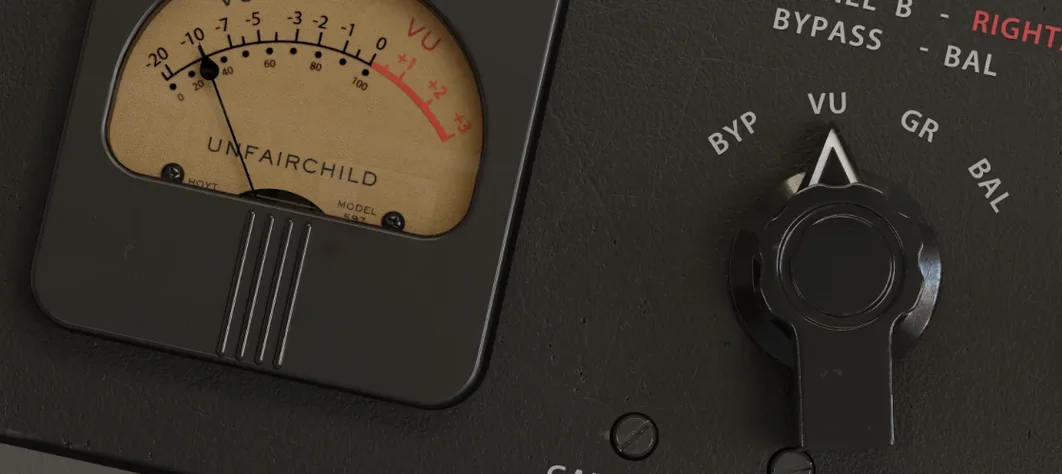 UnderTone Audio UnFairchild
Adds valve-style harmonic saturation you can season independently of the compression.
UnderTone Audio UnFairchild
Adds valve-style harmonic saturation you can season independently of the compression.
 Valhalla DSP Bundle
Offers nine plugins of reverb, delay, and modulation built on deep acoustic models.
Valhalla DSP Bundle
Offers nine plugins of reverb, delay, and modulation built on deep acoustic models.