 ASPNetWorld

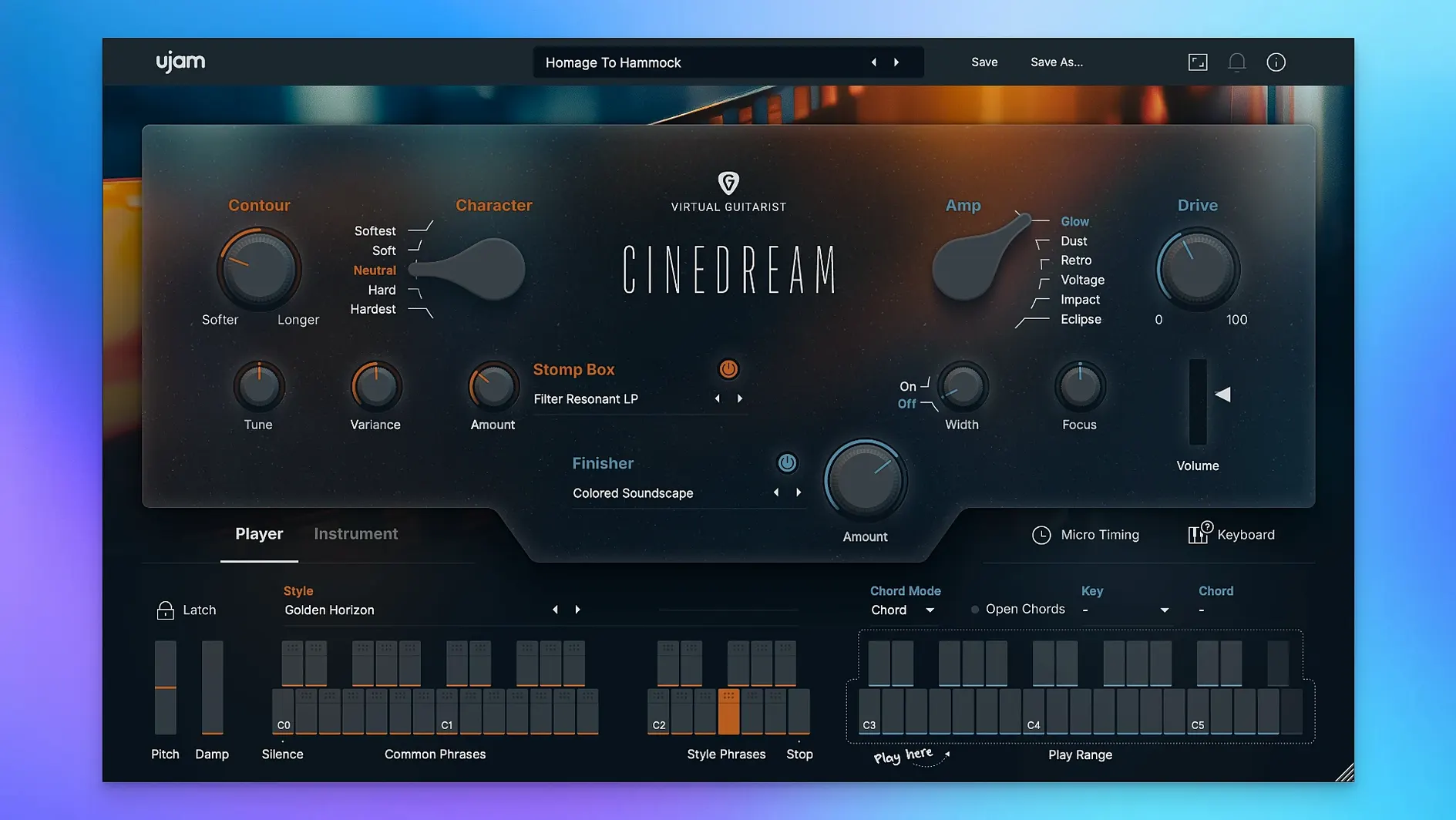
Most virtual guitars want to be upfront — a riff in the spotlight, a solo cutting through. Cinedream takes the opposite approach. It is built for the parts that sit behind the picture, the soft drone tucked under dialogue, the wash of tone that gives a scene its emotional temperature. The instrument runs a real guitar signal through a chain of cinematic processing, so the sound arrives already shaped for a soundtrack or ambient session rather than needing to be coaxed there with extra plug-ins.
Texture-first beds for voice-over and bloom tails
- Laying down harmonic beds behind dialogue or voice-over, where the texture matters more than the notes.
- Feeding a long reverb or delay return, letting the processed guitar tail bloom into a pad.
- Quick mood setting — the ready-made styles get you to a workable tone fast, which is handy when a picture edit lands late and the deadline hasn't moved.
- Doubling a clean guitar take with something darker and more saturated, panned wide for contrast.
It lives in processed, cinematic territory, not an amp room
- The timbre ranges from soft and clean through to saturated and rough, but the instrument never tries to sound like an amp in a room — it lives in processed, cinematic territory.
- It expects 8 GB of RAM and a display of at least 1280 × 768 pixels.
- It is a texture tool, not a phrase library or a strummer; the note you hold matters more than the notes you play fast.
Fills a gap general guitar libraries leave open
A question that comes up in the studio is whether Cinedream overlaps with something you already own, or whether it fills a gap that a general-purpose guitar library leaves open. The short answer is that it sits in its own corner — cinematic texture — rather than trying to cover every guitar role.
Next to a workhorse like Native Instruments Session Guitarist, the difference is clear. Session Guitarist gives you patterns, strums and picking styles that behave like a player in a band; it wants to be heard as a guitar. Cinedream barely cares about the strum. It takes a guitar signal and smears it into pads, drones and evolving beds that blend behind a scene. If you need a believable acoustic part for a folk track, Session Guitarist is the tool. If you need a slow‑moving harmonic wash that makes the listener feel something before they have even noticed the sound, Cinedream is the faster route.
Output’s Arcade — another popular choice for atmospheric lines — operates more like a sampler with a subscription‑style library of loops and processed instruments. Arcade can certainly produce blurry, cinematic tones, but it arrives via a cloud catalogue that you browse and tweak. Cinedream is a single instrument focused on one source — guitar — and its immediacy is the point. There is no browsing through kits; you open it, choose a style, hold a chord and the texture begins. For composers who find too many options a distraction, that constraint is a feature.
Against Spitfire Audio’s eDNA Earth, the comparison is more about philosophy. eDNA Earth is a deep synthesiser built from organic samples, with a modulation system that rewards programming. You can build guitar‑like textures there, but you build them. Cinedream is the opposite — a curated set of ready‑made atmospheres that you shape with a handful of macro controls. It suits the moment in a session when you need movement and depth without opening a modulation matrix.
Will it run on your older Mac without always-on internet
Most questions I hear in the classroom boil down to three things: whether the instrument will run on an older Mac, how it sits in a mix, and whether it works without a permanent internet connection after setup.
The system requirement says macOS 10.13, and I have seen it run happily on Monterey and Ventura on both Intel and Apple silicon machines. The plug‑in installs as VST2, VST3, AU2 and AAX, so it appears in Logic Pro, Cubase, Ableton Live and Pro Tools without fuss. The first time you launch it, the instrument asks for a short online check, then stays authorised offline. If your studio machine lives off‑grid, you can activate it once on a tethered connection and forget about it afterwards.
Mix integration is where the texture concept really helps. Because the sounds are already processed — reverb, movement and saturation are baked into the styles — you tend to push the fader up and find the part sitting in the right pocket without extra plug‑ins. People worry that a cinematic pad will eat headroom, but Cinedream’s output is surprisingly controlled. It is designed to live behind dialogue, so the frequency range avoids the 2–5 kHz zone where speech intelligibility lives. A gentle high‑pass filter at the desk is often all you need.
Plug-in missing in your DAW after installation
A handful of issues surface often enough to be worth mentioning, and they are nearly always quick to fix.
The most frequent is the plug‑in not appearing in a DAW after installation. This usually means the host is scanning only native plug‑ins on an Apple silicon Mac. Logic Pro users can open the application’s Get Info panel and tick “Open using Rosetta” to force a full scan of both Intel and ARM formats, then switch back afterwards. In Ableton Live, the same behaviour is controlled by the AU/VST plug‑in system folder settings. Once scanned, the instrument appears as VG‑CINEDREAM under UJAM in the instrument list.
Another snag is stuck or silent notes. The chord trigger inside Cinedream listens for a MIDI note and begins an evolving guitar part — but if your host is sending aftertouch or continuous controller data on the same channel, the engine can get confused. Try isolating Cinedream on its own MIDI track with no extraneous CC messages. If a note hangs, a quick double‑tap of your DAW’s panic button (often the transport stop pressed twice) resets it.
If the interface appears blank or garbled, check that your display scaling is not set above 200% on a 1280‑pixel‑wide screen. The minimum resolution is 1280 × 768 pixels at standard scaling; HiDPI modes at very low resolutions can crowd the UI. Temporarily reducing scaling in System Settings → Displays usually clears it up.
Occasionally a user looking for a cinedream free download or a cinedream plugin free download finds a version that does not include the full content folder. The instrument needs its data in /Library/Application Support/UJAM/VG‑CINEDREAM — if that folder is missing or empty, the plug‑in opens but produces no sound. Re‑running the full installer resolves it immediately.
Steady 380 MB footprint on M1 for a single instance
On a 2021 M1 MacBook Pro with 16 GB of RAM, Cinedream loads in about two seconds and settles into a steady memory footprint of roughly 380 MB for a single instance. Layering four or five instances across a cue pushes memory use toward 1.8 GB, which still leaves breathing room for a sampler and a convolution reverb. CPU load is low — the processing is sample‑playback rather than physical modelling, so the heavy lifting happens at disk read time rather than in real‑time synthesis. I have not managed to make it glitch, even at a 128‑sample buffer on a moderately busy Logic session.
Stability over long sessions has been uneventful in the best way. No crashes during plugin scans, no sudden silence after a sleep‑wake cycle, no automation parameter names disappearing. The one quirk is that the chord‑trigger engine can drift slightly against a click if your DAW’s delay compensation is not reporting correctly to AU2 plug‑ins. Running it as a VST3 instrument where possible tightens the timing to sample‑accurate. In Logic, a quick bounce in place solves the issue if it ever crops up during a critical stem export.
Dial back the Motion knob to make it feel like yours
Out of the box, the styles are set to a moderate intensity and the effects sit at sensible defaults. A few tweaks make the instrument feel more like your own straight away.
Dial back the movement early. The Motion knob controls an internal modulation that sweeps filters and volume to create evolving texture. At its default midpoint, it is already doing a lot. For a drone that stays still under dialogue, pull it down to around 25%. For a part that needs to feel like it is breathing between scene cuts, push it up toward 70% and let the automation lane do the rest.
Use the Tone knob as a quick mix EQ. The Tone control is not a simple low‑pass — it shelves the top end while adding a gentle mid‑range bump, so turning it left darkens the part without making it dull. This is the first thing I reach for when a cue needs to sit behind a voice‑over. A setting around 10 o’clock usually clears the path for speech.
Re‑balance the effects. The built‑in reverb and delay sound rich, but they are mixed quite prominently in the factory styles. Pulling the reverb send back by 15–20% and shortening the delay time by a few milliseconds stops the tail from clouding the next chord change. If you are feeding the output into an external reverb anyway, consider switching the internal one off entirely — the dry signal still carries enough body to excite a good convolution impulse.
Map a MIDI controller to the Style selector. Changing styles mid‑cue with a rotary encoder feels more musical than clicking through a dropdown. The parameter responds to standard MIDI CC mapping in any DAW, and you can audition the shift from, say, a soft clean pad to a saturated, rougher texture over the course of a bar — something that works beautifully under a scene transition.
- macOS 10.13 or later
- 8 GB RAM
- 4 GB free disk space
- 1280 × 768 minimum display
- Internet connection
Questions I keep hearing
What plug-in formats does Cinedream come in?
It is available as VST2, VST3, AU2 and AAX, covering most DAWs on macOS.
Does it work on Apple Silicon Macs?
Yes, Cinedream supports ARM and 64-bit x86 architectures natively.
What kind of music is Cinedream designed for?
It is aimed at soundtracks, ambient music and any project that needs atmospheric guitar textures, soft pads or emotional background parts.
Questions from the class 0
Sign in or join the class to ask a question.
Nobody has asked anything yet. If you have used it on a real job, say what the file did.
Also on the VST Plugins shelf
The whole VST Plugins shelf UJAM Beatmaker VICE
Supplies the crisp, gated drum sounds of 1980s synthwave and retrowave productions.
UJAM Beatmaker VICE
Supplies the crisp, gated drum sounds of 1980s synthwave and retrowave productions.
 UJAM Symphonic Elements STRIIIINGS
Blends orchestral strings with processed textures for cues that breathe and move.
UJAM Symphonic Elements STRIIIINGS
Blends orchestral strings with processed textures for cues that breathe and move.
 Ultra Audio Ultra
Puts a wavetable synthesiser with simple controls onto your instrument track.
Ultra Audio Ultra
Puts a wavetable synthesiser with simple controls onto your instrument track.
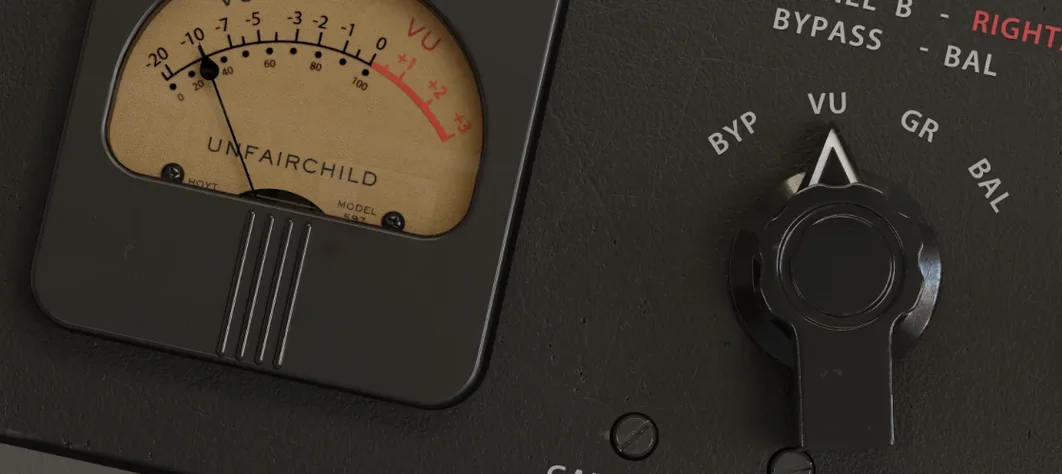 UnderTone Audio UnFairchild
Adds valve-style harmonic saturation you can season independently of the compression.
UnderTone Audio UnFairchild
Adds valve-style harmonic saturation you can season independently of the compression.
 Valhalla DSP Bundle
Offers nine plugins of reverb, delay, and modulation built on deep acoustic models.
Valhalla DSP Bundle
Offers nine plugins of reverb, delay, and modulation built on deep acoustic models.
 Toontrack EZmix Bundle
Collapses whole chains of mixing effects into a single preset you audition like a radio dial.
Toontrack EZmix Bundle
Collapses whole chains of mixing effects into a single preset you audition like a radio dial.
 VocalNet
Morphs a lead vocal with breathy samples to create an airier double without a second take.
VocalNet
Morphs a lead vocal with breathy samples to create an airier double without a second take.
 Toontrack EZkeys
Provides a playable grand piano and suggests fresh chord progressions when you are stuck.
Toontrack EZkeys
Provides a playable grand piano and suggests fresh chord progressions when you are stuck.