 ASPNetWorld

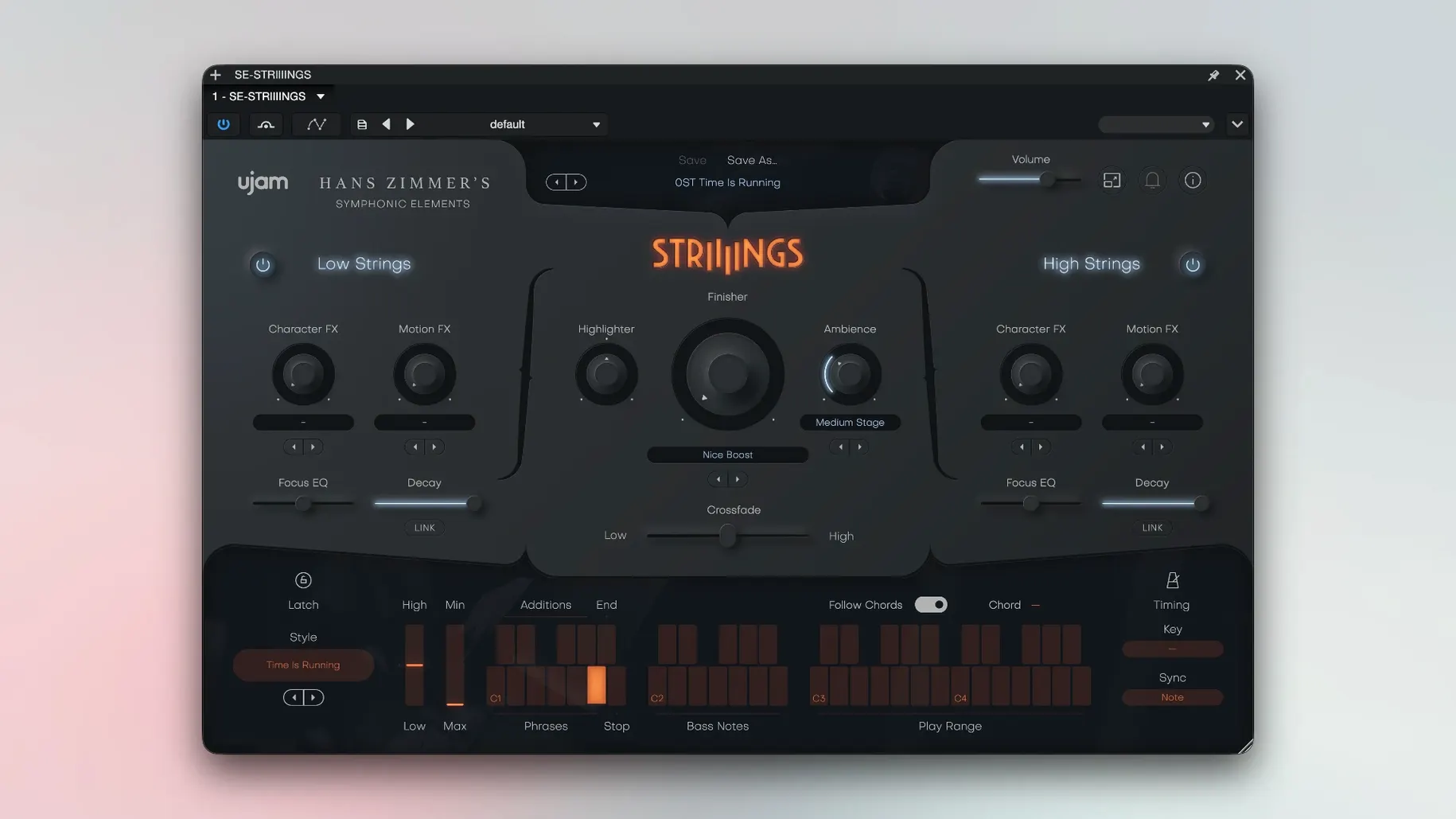
A composer cues up a tense underscore in Logic Pro. The scene needs more than a traditional string patch—something that breathes, moves, and carries a hint of processed mystery. UJAM Symphonic Elements STRIIIINGS is built for exactly that moment, blending organic orchestral weight with a sound-design layer you can dial in yourself.
The plug-in loads natively on Apple Silicon and Intel Macs
STRIIIINGS runs as a 64-bit plug-in inside any AU, VST3 or AAX host on macOS 10.14 and later. It is a universal binary, so it loads natively on Apple Silicon Macs as well as older Intel machines. You will need a DAW that supports 64-bit plug-ins exclusively—32-bit bridges are not part of the equation. A minimum of 4 GB of RAM keeps the sample playback smooth, even when you layer multiple instances.
Inside the STRIIIINGS Workflow
- Load the plug-in and let it settle. On a fresh installation, the instrument needs to initialise its library. Open the interface, close it, then open it a second time so the sound engine registers correctly.
- Explore the two orchestral layers. The plug-in divides the ensemble into High Strings (violins and violas) and Low Strings (cellos and basses). Each section has independent controls for character and blend, so you can push the violins forward while the low end stays understated.
- Introduce the sound-design element. This is where it departs from a conventional library. Tweak the dedicated texture controls to add motion, grain or synthetic air behind the acoustic samples, turning a simple chord into a shifting bed of tension.
- Browse the preset library. Over 200 sound-designer patches are included, ranging from lush and classic to heavily processed. Each one acts as a starting point you can pull apart and reshape with the per-layer adjustments.
Because STRIIIINGS is the first title in UJAM’s Symphonic Elements series, it established the template: a dual-layer orchestral engine paired with a modern production toolkit. The result feels less like a static sample library and more like a flexible scoring instrument that works across underscore, trailer music and ambient composition.
Double-click the blend slider to snap back to centre instantly
STRIIIINGS rewards a bit of poking around beyond the main controls. The crossfade slider between Low and High Strings is the obvious blend tool, but double-clicking it snaps the balance straight back to centre, which saves a surprising amount of fiddling when you want to reset a mix quickly. The mod wheel on your controller is already mapped to dynamics by default, and you can reassign it to the crossfade instead if you prefer to ride string sections with a physical fader rather than mousing around during playback.
Another detail that is easy to miss: holding Shift while dragging any knob slows the movement to a crawl for fine adjustments. This is especially handy on the sound-design texture knob, where tiny increments can shift the character from a gentle halo to something much more unsettling. The preset browser also responds to arrow keys for quick stepping through patches, which is far less disruptive than clicking each one with the mouse when you are auditioning sounds against picture.
If you find a tweaked sound you love, save it as a user preset using the menu at the top of the interface. These presets sit inside the plug-in itself, not as files on disk, so they travel with your DAW session and appear on any machine where the plug-in is installed. It is a small thing, but it means you do not end up with a folder full of forgotten .aupreset files scattered across your drive.
Common Traps and How to Sidestep Them
The most frequent stumble I see from students and new users is treating STRIIIINGS like a conventional multisampled strings library and expecting it to handle fast legato lines or nimble runs. That is not what is recorded under the hood. Hans Zimmer's string library sessions were captured with an emphasis on long, evolving sustains and ensemble textures, and the engine is optimised for pads, beds and slow-moving chordal material. If you try to programme a spiccato passage or rapid ostinato, the result will feel sluggish because the attack phase of the samples was never designed to articulate that quickly. Use it for weight and atmosphere, and reach for a dedicated articulations library when you need agility.
Another beginner mistake is overloading the sound-design layer before establishing the acoustic foundation. It is tempting to crank up the texture knob early because it sounds dramatic in isolation, but when the full mix comes together, those processed layers can mask the natural string tone and turn the whole arrangement into a wash. A better habit is to set the High and Low Strings into a pleasing balance first, then add just enough texture to give the part its cinematic edge. Think of the sound-design element as a seasoning, not the main ingredient.
On the technical side, some users install the plug-in, open it in their DAW, get silence or garbled audio, and assume something is broken. Almost always, the fix is simply to close and reopen the plug-in window so the library can initialise fully. The activation instructions in the package are clear about this, but it is easy to skip that note in the rush to hear the first sound. Give it that second launch and the engine will behave.
A Practical Walkthrough: Building a Tension Cue from Scratch
Imagine you are scoring a short suspense scene and you need a rising bed of strings that starts almost imperceptible and grows into something menacing over about forty seconds. Here is one way to get there using STRIIIINGS inside any DAW.
- Create a new instrument track and load the plug-in. Close and reopen the window if this is a fresh installation, so the library initialises cleanly.
- Pick a starting preset. Browse to a patch with the word "suspense" or "evolving" in the name. The sound designer presets are labelled descriptively, and these are good jumping-off points for atmospheric material.
- Set a single sustained chord across the length of the cue. A minor second or a stacked perfect fifth tends to work well for tension; let the chord ring without movement so the internal texture does the heavy lifting.
- Pull the Low Strings down to a modest level and keep the High Strings slightly more present. You want the bass and cello weight to underpin the violins rather than dominate them.
- Introduce the sound-design layer gradually. Set the texture control to a low value—about 20 percent—and listen to what it adds. A subtle granular shimmer or a slow filter sweep is often enough to create that uneasy feeling without the effect calling attention to itself.
- Automate the crossfade and texture parameters over the forty-second arc. Draw a ramp that shifts the blend from heavy low-end emphasis to a brighter, more nasal high-string focus, while simultaneously increasing the texture amount so the processed layer grows alongside the acoustic one. The combination of rising pitch emphasis and thickening sound design makes the cue feel like it is tightening around the listener.
- Tidy up with the mod wheel. If the dynamics need a final push toward the climax, ride the mod wheel to open up the dynamic range in the last eight bars. This avoids having to draw extra volume automation and keeps the natural swell of the samples intact.
By the end of the process, you have a single chord that transforms over time and does not rely on multiple layered tracks or external effects. The whole thing lives inside one instance of STRIIIINGS, which keeps your project tidy and the CPU load manageable.
Spitfire Albion aims for a traditional hall, STRIIIINGS goes somewhere else
To understand where STRIIIINGS fits into a toolkit, it helps to place it alongside a few alternatives that tackle similar cinematic ground.
Spitfire Audio’s Albion series leans much further into a traditional orchestral hall sound, with multiple microphone positions and a broader set of articulations. Albion gives you swells, shorts and legato patches recorded in a large room at AIR Studios, and it rewards composers who want to build full orchestral arrangements from the ground up. What it does not offer is the integrated sound-design mangling that STRIIIINGS bakes into its engine. With Albion, you would typically add a separate effects chain to get the same kind of hybrid texture. STRIIIINGS is quicker when you want a single patch that already sounds processed and ready for a modern score.
Output’s Analog Strings combines sampled string sections with a deep synthesis engine, which at first glance sounds similar to the STRIIIINGS approach. The difference is one of focus. Analog Strings is a sound-design playground with an enormous modulation matrix, dual arpeggiators and a tape-loop layer, and it encourages you to build entirely new timbres from the ground up. STRIIIINGS, by contrast, keeps its identity anchored in the Hans Zimmer string recordings. You can twist those recordings quite far, but you are always working with a recognisable orchestral core. Analog
- macOS 10.14 or later
- Apple Silicon or Intel processor
- 64-bit host (AU, VST3, AAX)
- 4 GB RAM minimum
Questions I keep hearing
Does UJAM STRIIIINGS work on Apple Silicon Macs?
Yes, it is a universal binary that runs natively on both Apple Silicon and Intel processors from macOS 10.14 onwards.
What makes the Symphonic Elements series different from a standard string library?
Each title pairs orchestral layers with a built-in sound-design section, letting you blend acoustic strings with processed textures inside a single plug-in.
Why do I need to open the plug-in twice after installing?
The first launch initialises the sample library and registration data; the second launch confirms the engine is ready so playback behaves as expected.
Questions from the class 0
Sign in or join the class to ask a question.
Nobody has asked anything yet. If you have used it on a real job, say what the file did.
Also on the VST Plugins shelf
The whole VST Plugins shelf uJAM Cinedream
Layers ambient guitar textures that sit beneath a scene rather than stepping into the spotlight.
uJAM Cinedream
Layers ambient guitar textures that sit beneath a scene rather than stepping into the spotlight.
 Ultra Audio Ultra
Puts a wavetable synthesiser with simple controls onto your instrument track.
Ultra Audio Ultra
Puts a wavetable synthesiser with simple controls onto your instrument track.
 UJAM Beatmaker VICE
Supplies the crisp, gated drum sounds of 1980s synthwave and retrowave productions.
UJAM Beatmaker VICE
Supplies the crisp, gated drum sounds of 1980s synthwave and retrowave productions.
 UnderTone Audio UnFairchild
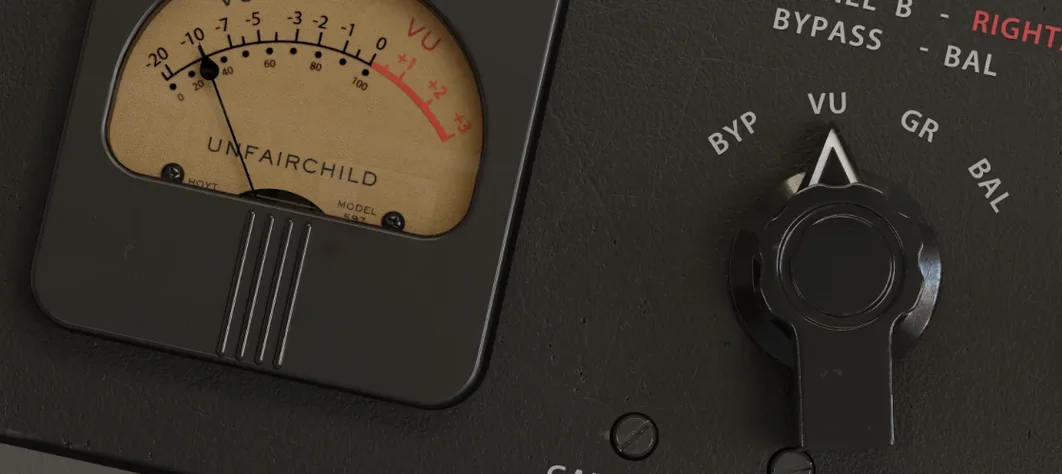
Adds valve-style harmonic saturation you can season independently of the compression.
UnderTone Audio UnFairchild
Adds valve-style harmonic saturation you can season independently of the compression.
 Valhalla DSP Bundle
Offers nine plugins of reverb, delay, and modulation built on deep acoustic models.
Valhalla DSP Bundle
Offers nine plugins of reverb, delay, and modulation built on deep acoustic models.
 VocalNet
Morphs a lead vocal with breathy samples to create an airier double without a second take.
VocalNet
Morphs a lead vocal with breathy samples to create an airier double without a second take.
 VocalSynth 2
Thickens a vocal with vocoder and polyvox layers while keeping its core identity intact.
VocalSynth 2
Thickens a vocal with vocoder and polyvox layers while keeping its core identity intact.
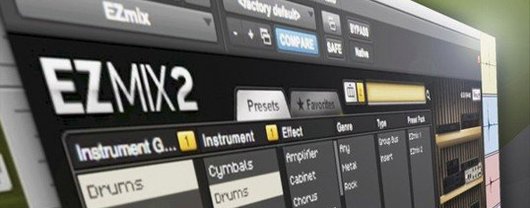 Toontrack EZmix Bundle
Collapses whole chains of mixing effects into a single preset you audition like a radio dial.
Toontrack EZmix Bundle
Collapses whole chains of mixing effects into a single preset you audition like a radio dial.